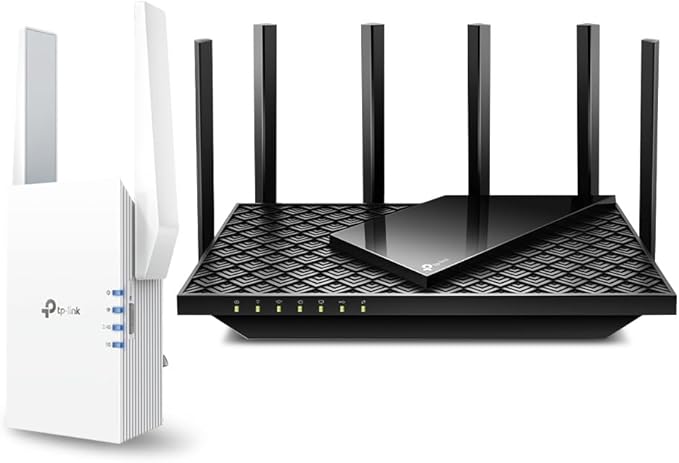
TP-Link Archer AX72 Pro - AX5400 WiFi 6 Router
Wi-Fi 6 (802.11ax), Up to 5378 Mb/s Throughput, 2.4 GHz / 5 GHz (Dual-Band), 6 x External Antennas, 1 x 2.5G Ethernet WAN/LAN Port, 1 x Gigabit Ethernet WAN/LAN Port, 3 x Gigabit Ethernet LAN Ports, USB-A 3.1 Gen 1, TP-Link HomeShield, OneMesh Compatible Enjoy smooth 4K video streaming online gaming and video chat experiences with the Archer AX72 Pro AX5400 Wireless Dual-Band Multi-Gig Router from TP-Link at the heart of your home's network. By supporting the 160 MHz channel the Archer AX72 Pro can deliver up to 5378 Mb/s transfer speeds over the 2.4 and 5 GHz bands while OFDMA and 4x4 MU-MIMO technologies help to ensure reliable and efficient connections with over 100 compatible devices simultaneously. The 2.5G and 1G WAN/LAN ports automatically detect broadband modems giving you the flexibility to take advantage of multi-Gig internet connections and devices. Use the TP-Link Tether app for iOS and Android to set your router up in minutes. Your network is protected with WPA3 encryption TP-Link HomeShield features.
Wi-Fi 6 (802.11ax), Up to 5378 Mb/s Throughput, 2.4 GHz / 5 GHz (Dual-Band), 6 x External Antennas, 1 x 2.5G Ethernet WAN/LAN Port, 1 x Gigabit Ethernet WAN/LAN Port, 3 x Gigabit Ethernet LAN Ports, USB-A 3.1 Gen 1, TP-Link HomeShield, OneMesh Compatible Enjoy smooth 4K video streaming online gaming and video chat experiences with the Archer AX72 Pro AX5400 Wireless Dual-Band Multi-Gig Router from TP-Link at the heart of your home's network. By supporting the 160 MHz channel the Archer AX72 Pro can deliver up to 5378 Mb/s transfer speeds over the 2.4 and 5 GHz bands while OFDMA and 4x4 MU-MIMO technologies help to ensure reliable and efficient connections with over 100 compatible devices simultaneously. The 2.5G and 1G WAN/LAN ports automatically detect broadband modems giving you the flexibility to take advantage of multi-Gig internet connections and devices. Use the TP-Link Tether app for iOS and Android to set your router up in minutes. Your network is protected with WPA3 encryption TP-Link HomeShield features.
Wi-Fi 6 (802.11ax), Up to 5378 Mb/s Throughput, 2.4 GHz / 5 GHz (Dual-Band), 6 x External Antennas, 1 x 2.5G Ethernet WAN/LAN Port, 1 x Gigabit Ethernet WAN/LAN Port, 3 x Gigabit Ethernet LAN Ports, USB-A 3.1 Gen 1, TP-Link HomeShield, OneMesh Compatible Enjoy smooth 4K video streaming online gaming and video chat experiences with the Archer AX72 Pro AX5400 Wireless Dual-Band Multi-Gig Router from TP-Link at the heart of your home's network. By supporting the 160 MHz channel the Archer AX72 Pro can deliver up to 5378 Mb/s transfer speeds over the 2.4 and 5 GHz bands while OFDMA and 4x4 MU-MIMO technologies help to ensure reliable and efficient connections with over 100 compatible devices simultaneously. The 2.5G and 1G WAN/LAN ports automatically detect broadband modems giving you the flexibility to take advantage of multi-Gig internet connections and devices. Use the TP-Link Tether app for iOS and Android to set your router up in minutes. Your network is protected with WPA3 encryption TP-Link HomeShield features.
Wi-Fi 6 (802.11ax), Up to 5378 Mb/s Throughput, 2.4 GHz / 5 GHz (Dual-Band), 6 x External Antennas, 1 x 2.5G Ethernet WAN/LAN Port, 1 x Gigabit Ethernet WAN/LAN Port, 3 x Gigabit Ethernet LAN Ports, USB-A 3.1 Gen 1, TP-Link HomeShield, OneMesh Compatible Enjoy smooth 4K video streaming online gaming and video chat experiences with the Archer AX72 Pro AX5400 Wireless Dual-Band Multi-Gig Router from TP-Link at the heart of your home's network. By supporting the 160 MHz channel the Archer AX72 Pro can deliver up to 5378 Mb/s transfer speeds over the 2.4 and 5 GHz bands while OFDMA and 4x4 MU-MIMO technologies help to ensure reliable and efficient connections with over 100 compatible devices simultaneously. The 2.5G and 1G WAN/LAN ports automatically detect broadband modems giving you the flexibility to take advantage of multi-Gig internet connections and devices. Use the TP-Link Tether app for iOS and Android to set your router up in minutes. Your network is protected with WPA3 encryption TP-Link HomeShield features.
in 38 offers
The lowest price for TP-Link Archer AX72 Pro - AX5400 WiFi 6 Router right now is $139.00 at Deal Smasher, compared across 23 retailers.
The all-time low was $99.99 on 29 May 2024 — today's price is 39% above the lowest ever. It has been notably cheaper before — worth setting a price alert.
Prices last updated 20 Oct 2026.
Last updated at 20/10/2026 00:21:08
TP-Link Archer AX72 Pro AX5400 Wi-Fi 6 Dual-Band Router - Excellent Condition
Delivery between 23 Oct – 2 Nov $15
TP-Link Archer AX72 Pro (AX5400) Dual-Band WiFi 6 Router 2.5GbE x1 / 1GbE x4 / USB 3.0 x1
7-day returns
TP-Link Archer AX72 AX5400 Dual Band Gigabit WiFi 6 Router Wireless
Affiliate Disclosure: We may receive a small commission for purchases made through this link at no extra cost to you. This helps support our site. Thank you!
TP-Link Archer AX72 PRO AX5400 Multi-Gigabit WiFi 6 Router 2.5G OneMesh USB 3.0 - PCLIVE Computer
TP-Link ARCHER AX72 AX5400 Dual-Band Gigabit Wi-Fi 6 Router ARCHER-AX72
Free delivery between 21–30 Oct
TP-Link Archer AX72 Pro AX5400 Multi-Gigabit WiFi 6 Router
Delivery between 22–30 Oct $10
[Archer AX72 Pro] AX5400 Multi-Gigabit WiFi 6 Router, Gigabit WiFi for 8K
Free delivery between Wed – Thu
TP-Link AX5400 Dual-Band Gigabit Wi-Fi 6 Router ARCHER-AX72
Delivery $22
AX5400 WiFi 6 Dual Band Router (Archer AX72 Pro)
Delivery between 26–29 Oct $29
[Archer AX72 Pro] AX5400 Multi-Gigabit WiFi 6 Router, Gigabit WiFi for 8K
Delivery $14.95
originally posted on bestbuy.com
As an owner of a similar lower model wifi-6 TP-Link router prior to owning this router, I have had great experiences with TP-Link routers and their quality in the past, but this router absolutely blows the lower models out of the water, even though for most this router is probably a bit overkill. If you're looking for a router that is extremely reliable, able to produce blazingly high internet speeds, has range that can span your entire home and is highly customizable, this is absolutely the router for you. In terms of speed, this router can pretty much support any internet speed you may need - it reliably supports up to 2.5gbps internet both wired (from its 4 ethernet ports excluding the port receiving internet from a modem) and wireless, and 5.4Gbps peak dual-band ... MoreAs an owner of a similar lower model wifi-6 TP-Link router prior to owning this router, I have had great experiences with TP-Link routers and their quality in the past, but this router absolutely blows the lower models out of the water, even though for most this router is probably a bit overkill. If you're looking for a router that is extremely reliable, able to produce blazingly high internet speeds, has range that can span your entire home and is highly customizable, this is absolutely the router for you. In terms of speed, this router can pretty much support any internet speed you may need - it reliably supports up to 2.5gbps internet both wired (from its 4 ethernet ports excluding the port receiving internet from a modem) and wireless, and 5.4Gbps peak dual-band support, also using Wifi-6 technology to improve network performance! Needless to say, this router is absolutely futureproof in terms of internet speed and reliability! Also, I am a remote worker and am constantly streaming meetings and digital content, and I have never had a single issue with this router in terms of speeds or connection reliability. The range distance of this router is also extremely broad, and I find myself getting full wifi bars in any room of my home because of the 6 antennae found on the unit. With reliable range and reliable high speed support it is already very easy to recommend this router to anyone, but to sweeten the deal the router is highly customizable with software and is very high tech! All network settings are completely customizable, you can manage the router (as a smart device) from the TP-Link app, the router supports load/band balancing between the 2.4 and 5 Ghz band ranges under a single SSID (router name) to minimize network management with all of your devices, supports parental controls and website filters, DNS options for in-home networks and servers, firewalls and so much more! Setting up the router is extrememly easy as well, and the internal TP-Link user interface is very easy to use. Definitely would recommend picking up this router if you're looking for a futureproof and luxurious option for a router!
originally posted on bestbuy.com
I've always thought of TP Link as a middle-of-the-road networking equipment provider, but their recent mesh products have faired well with reviewers, so I was excited to evaluate the new Archer AX5400 standalone router as the new hub of our Internet connection in the house.Back in the 802.11n (4th gen) and 802.11ac (5th gen) wireless days, we required repeaters and eventually succeeded with mesh networks in our densely-framed house in our suburban neighborhood. Once 802.11ax (Wifi-6th Gen) came about, we were excited to see if the improved network bands offered would allow us to simplify our home network and go back to a single-source router setup. We were KIND OF right to make this assumption.First of all the Archer AX5400 is only a Wifi-6 router, not a Wifi-6e ... MoreI've always thought of TP Link as a middle-of-the-road networking equipment provider, but their recent mesh products have faired well with reviewers, so I was excited to evaluate the new Archer AX5400 standalone router as the new hub of our Internet connection in the house.Back in the 802.11n (4th gen) and 802.11ac (5th gen) wireless days, we required repeaters and eventually succeeded with mesh networks in our densely-framed house in our suburban neighborhood. Once 802.11ax (Wifi-6th Gen) came about, we were excited to see if the improved network bands offered would allow us to simplify our home network and go back to a single-source router setup. We were KIND OF right to make this assumption.First of all the Archer AX5400 is only a Wifi-6 router, not a Wifi-6e router so its limited to dual-band capabilities, but offers just about all of the features in the WiFi 6 standard to alleviate concerns like this: It has 6 beam-forming antennae, but I'm not sure how much of a coverage improvement that creates, but does allow for a larger capacity of simultaneous connections to the router. The AX5400 also has excellent uplink abilities with both a 2.5Gbps and 1 Gbps WAN/LAN links, allowing for connection to higher speed fiber modems with more than a 1Gbps uplink. With the high speed capabilities of this router, this is a welcome addition.In my real-world testing the router performed admirably on my 500mbps x 20mbps home cable connection, delivering my full modem-provided bandwidth even several rooms away, while the over 30 smart home devices in my home worked without incident during my tests. I did start to lose signal/speed as I moved upstairs from the router to the far end of the house, something specific to the details of my home's build and the arrangement of my networking equipment, which is why we've always faired better with Mesh systems.I was delighted when I realized you can add any of TP-Link's OneMesh products into a mesh network with this router as the core, allowing for maximum performance home-wide while still getting the high bandwidth and high speed coverage of this system.I'd recommend this for someone with a home where single-routers are adequate and this one will bring great performance and great capacity, but if you're used to the coverage of a mesh, this is just one piece of the equation for getting the right setup!
originally posted on bestbuy.com
For starters, this is a “pro” router with everything so simplified that even the UI of the app looks like it was intended for a kid to install. It is really meant for one to just hook it up and be online. You can use the Tether app on your phone or through the web interface that will automatically come up when connected to a computer for the first time. The only confusion I had was their differentiation between the 2.5 Gbps and the 1 Gbps ports. Like most routers, you have your WAN port as one color and the LAN as another. But, the 1 Gbps WAN port is one of the LAN ports and the images make it seem like they are side by side and the same blue as the 2.5 Gbps port. That and it took a fair amount of time for it to connect to the internet that I thought my device ... MoreFor starters, this is a “pro” router with everything so simplified that even the UI of the app looks like it was intended for a kid to install. It is really meant for one to just hook it up and be online. You can use the Tether app on your phone or through the web interface that will automatically come up when connected to a computer for the first time. The only confusion I had was their differentiation between the 2.5 Gbps and the 1 Gbps ports. Like most routers, you have your WAN port as one color and the LAN as another. But, the 1 Gbps WAN port is one of the LAN ports and the images make it seem like they are side by side and the same blue as the 2.5 Gbps port. That and it took a fair amount of time for it to connect to the internet that I thought my device couldn’t use the 2.5 Gbps, which it can. I don’t have 2.5 Gbps internet to test it out with, but the 1 Gbps and the 300Mbps of the two ISPs I tried with work fine albeit it taking a few more minutes that I am used to.Once the device is up and running, I am kind of disappointed that most of the typical pro features that you see in other routers are actually behind a paywall. Virus protection, web protection, intrusion prevention and internet of things protection, all offered with a 30 day free trial leading to a monthly or annual fee. There are some basic parental controls, but many of the options require “upgrade”. Another, maybe nit picky type thing, is that you can enable/disable the LED status, which is good for people that want their room to stay dark. However, the lights don’t show the individual status of your ports, like most routers show 1-4 status. Just so long as 1 port is active, the LAN light is on. Making it harder to determine if one of your four wired devices may be disconnected. To me, that just seems the opposite of a “pro” device.Overall, I just feel like with this one, the “pro” label is just to make someone think they are getting a professional device that even they can understand while it truly doesn’t have all the professional settings that other pro routers have. Then all of the additional protection that you know you want in your device is hidden behind a paywall. I can’t tell if there is even the basic protection as the security just gives check marks that certain high risk options are disabled. In all actuality, the label of this product should have an asterisk beside the word Pro in every part they mention, as it is just basic unless you subscribe for more.
| Number of Antennas | 6 |
| MU-MIMO Support | 4 x 4 |
| Sensitivity | -97 to -55 dBm |
| Transmit Power | 20 to 30 dBm |
| Supported Protocols | DHCP Server DMZ DoS IGMP Snooping IPv4 IPv6 |
TP-Link Archer AX72 Pro AX5400 Wi-Fi 6 Dual-Band Router - Excellent Condition
Delivery between 23 Oct – 2 Nov $15
TP-Link Archer AX72 Pro (AX5400) Dual-Band WiFi 6 Router 2.5GbE x1 / 1GbE x4 / USB 3.0 x1
7-day returns
TP-Link Archer AX72 AX5400 Dual Band Gigabit WiFi 6 Router Wireless
Affiliate Disclosure: We may receive a small commission for purchases made through this link at no extra cost to you. This helps support our site. Thank you!
TP-Link Archer AX72 PRO AX5400 Multi-Gigabit WiFi 6 Router 2.5G OneMesh USB 3.0 - PCLIVE Computer
TP-Link ARCHER AX72 AX5400 Dual-Band Gigabit Wi-Fi 6 Router ARCHER-AX72
Free delivery between 21–30 Oct
As an owner of a similar lower model wifi-6 TP-Link router prior to owning this router, I have had great experiences with TP-Link routers and their quality in the past, but this router absolutely blows the lower models out of the water, even though for most this router is probably a bit overkill. If you're looking for a router that is extremely reliable, able to produce blazingly high internet speeds, has range that can span your entire home and is highly customizable, this is absolutely the router for you. In terms of speed, this router can pretty much support any internet speed you may need - it reliably supports up to 2.5gbps internet both wired (from its 4 ethernet ports excluding the port receiving internet from a modem) and wireless, and 5.4Gbps peak dual-band ... MoreAs an owner of a similar lower model wifi-6 TP-Link router prior to owning this router, I have had great experiences with TP-Link routers and their quality in the past, but this router absolutely blows the lower models out of the water, even though for most this router is probably a bit overkill. If you're looking for a router that is extremely reliable, able to produce blazingly high internet speeds, has range that can span your entire home and is highly customizable, this is absolutely the router for you. In terms of speed, this router can pretty much support any internet speed you may need - it reliably supports up to 2.5gbps internet both wired (from its 4 ethernet ports excluding the port receiving internet from a modem) and wireless, and 5.4Gbps peak dual-band support, also using Wifi-6 technology to improve network performance! Needless to say, this router is absolutely futureproof in terms of internet speed and reliability! Also, I am a remote worker and am constantly streaming meetings and digital content, and I have never had a single issue with this router in terms of speeds or connection reliability. The range distance of this router is also extremely broad, and I find myself getting full wifi bars in any room of my home because of the 6 antennae found on the unit. With reliable range and reliable high speed support it is already very easy to recommend this router to anyone, but to sweeten the deal the router is highly customizable with software and is very high tech! All network settings are completely customizable, you can manage the router (as a smart device) from the TP-Link app, the router supports load/band balancing between the 2.4 and 5 Ghz band ranges under a single SSID (router name) to minimize network management with all of your devices, supports parental controls and website filters, DNS options for in-home networks and servers, firewalls and so much more! Setting up the router is extrememly easy as well, and the internal TP-Link user interface is very easy to use. Definitely would recommend picking up this router if you're looking for a futureproof and luxurious option for a router!
I've always thought of TP Link as a middle-of-the-road networking equipment provider, but their recent mesh products have faired well with reviewers, so I was excited to evaluate the new Archer AX5400 standalone router as the new hub of our Internet connection in the house.Back in the 802.11n (4th gen) and 802.11ac (5th gen) wireless days, we required repeaters and eventually succeeded with mesh networks in our densely-framed house in our suburban neighborhood. Once 802.11ax (Wifi-6th Gen) came about, we were excited to see if the improved network bands offered would allow us to simplify our home network and go back to a single-source router setup. We were KIND OF right to make this assumption.First of all the Archer AX5400 is only a Wifi-6 router, not a Wifi-6e ... MoreI've always thought of TP Link as a middle-of-the-road networking equipment provider, but their recent mesh products have faired well with reviewers, so I was excited to evaluate the new Archer AX5400 standalone router as the new hub of our Internet connection in the house.Back in the 802.11n (4th gen) and 802.11ac (5th gen) wireless days, we required repeaters and eventually succeeded with mesh networks in our densely-framed house in our suburban neighborhood. Once 802.11ax (Wifi-6th Gen) came about, we were excited to see if the improved network bands offered would allow us to simplify our home network and go back to a single-source router setup. We were KIND OF right to make this assumption.First of all the Archer AX5400 is only a Wifi-6 router, not a Wifi-6e router so its limited to dual-band capabilities, but offers just about all of the features in the WiFi 6 standard to alleviate concerns like this: It has 6 beam-forming antennae, but I'm not sure how much of a coverage improvement that creates, but does allow for a larger capacity of simultaneous connections to the router. The AX5400 also has excellent uplink abilities with both a 2.5Gbps and 1 Gbps WAN/LAN links, allowing for connection to higher speed fiber modems with more than a 1Gbps uplink. With the high speed capabilities of this router, this is a welcome addition.In my real-world testing the router performed admirably on my 500mbps x 20mbps home cable connection, delivering my full modem-provided bandwidth even several rooms away, while the over 30 smart home devices in my home worked without incident during my tests. I did start to lose signal/speed as I moved upstairs from the router to the far end of the house, something specific to the details of my home's build and the arrangement of my networking equipment, which is why we've always faired better with Mesh systems.I was delighted when I realized you can add any of TP-Link's OneMesh products into a mesh network with this router as the core, allowing for maximum performance home-wide while still getting the high bandwidth and high speed coverage of this system.I'd recommend this for someone with a home where single-routers are adequate and this one will bring great performance and great capacity, but if you're used to the coverage of a mesh, this is just one piece of the equation for getting the right setup!
For starters, this is a “pro” router with everything so simplified that even the UI of the app looks like it was intended for a kid to install. It is really meant for one to just hook it up and be online. You can use the Tether app on your phone or through the web interface that will automatically come up when connected to a computer for the first time. The only confusion I had was their differentiation between the 2.5 Gbps and the 1 Gbps ports. Like most routers, you have your WAN port as one color and the LAN as another. But, the 1 Gbps WAN port is one of the LAN ports and the images make it seem like they are side by side and the same blue as the 2.5 Gbps port. That and it took a fair amount of time for it to connect to the internet that I thought my device ... MoreFor starters, this is a “pro” router with everything so simplified that even the UI of the app looks like it was intended for a kid to install. It is really meant for one to just hook it up and be online. You can use the Tether app on your phone or through the web interface that will automatically come up when connected to a computer for the first time. The only confusion I had was their differentiation between the 2.5 Gbps and the 1 Gbps ports. Like most routers, you have your WAN port as one color and the LAN as another. But, the 1 Gbps WAN port is one of the LAN ports and the images make it seem like they are side by side and the same blue as the 2.5 Gbps port. That and it took a fair amount of time for it to connect to the internet that I thought my device couldn’t use the 2.5 Gbps, which it can. I don’t have 2.5 Gbps internet to test it out with, but the 1 Gbps and the 300Mbps of the two ISPs I tried with work fine albeit it taking a few more minutes that I am used to.Once the device is up and running, I am kind of disappointed that most of the typical pro features that you see in other routers are actually behind a paywall. Virus protection, web protection, intrusion prevention and internet of things protection, all offered with a 30 day free trial leading to a monthly or annual fee. There are some basic parental controls, but many of the options require “upgrade”. Another, maybe nit picky type thing, is that you can enable/disable the LED status, which is good for people that want their room to stay dark. However, the lights don’t show the individual status of your ports, like most routers show 1-4 status. Just so long as 1 port is active, the LAN light is on. Making it harder to determine if one of your four wired devices may be disconnected. To me, that just seems the opposite of a “pro” device.Overall, I just feel like with this one, the “pro” label is just to make someone think they are getting a professional device that even they can understand while it truly doesn’t have all the professional settings that other pro routers have. Then all of the additional protection that you know you want in your device is hidden behind a paywall. I can’t tell if there is even the basic protection as the security just gives check marks that certain high risk options are disabled. In all actuality, the label of this product should have an asterisk beside the word Pro in every part they mention, as it is just basic unless you subscribe for more.
This router replaced an older router that was in use for many years and had been having problems with dropping connections and other issues. A common concern with replacing such a device was the possibility of problems getting all of our connected devices back online without having to make any changes on their end. Like many people, over the years the number of WiFi-connected devices in the house has seemed to explode with everything from computers and handhelds to AV equipment to “smart home” devices.As it turned out, there were no problems at all and the full installation and setup of the AX5400 Pro took less than an hour including the time to unpack it and physically replace the old router. To perform the setup I chose the option of a direct Ethernet cable from ... MoreThis router replaced an older router that was in use for many years and had been having problems with dropping connections and other issues. A common concern with replacing such a device was the possibility of problems getting all of our connected devices back online without having to make any changes on their end. Like many people, over the years the number of WiFi-connected devices in the house has seemed to explode with everything from computers and handhelds to AV equipment to “smart home” devices.As it turned out, there were no problems at all and the full installation and setup of the AX5400 Pro took less than an hour including the time to unpack it and physically replace the old router. To perform the setup I chose the option of a direct Ethernet cable from my PC to the router. From the PC I was able to log in from a browser to the embedded management software, which took me through the quick setup procedure. Our home network configuration required me to set it up to operate in “AP Mode”, which requires an extra step in the Advanced settings and a reboot of the router before it could go fully online. Setup is also possible wirelessly using the TP-Link “Tether” app on a smartphone or tablet.When setting up the WiFi itself, the setup default is to use the “Smart Connect” option; in this case you assign one SSID and password for all WiFi connections and the router determines if it will use the 2.4 or 5GHz band. However, I preferred for now to use the option to configure each band separately and assigned different SSIDs for 2.4GHz and 5GHz signals. Again, this was easy to do within the setup and administration utility.Once this was done I connected the Ethernet cable from my ISP’s cable box into the Archer router and very quickly all of my connected devices were back online on the Internet! The Archer has both a 2.5GHz Ethernet WAN/LAN port and a 1GHz WAN/LAN port on the back and it was not clear to me why you would use one over the other. My Ethernet connection is just 100Mb in speed but works fine on the “2.5GHz” port. Using this port frees up the other WAN/LAN port for a wired connection to some other device; this allows up to 4 direct Ethernet connections.The performance of the AX5400 can’t be faulted. The connections are stable and there is a good signal throughout our house even though the router by necessity is not in an ideal location. We have a 2400 sq ft 2-story colonial with the router in an upstairs bedroom, but the signal is very good even in the basement, the garage, and on our backyard patio. In a more centralized location this router would definitely cover a much larger house. Another thing I have noticed compared to the old router is how quickly a connection is made and Internet access is gained.I also downloaded and installed the TP-Link “Tether” app on my Android smartphone. As soon as I launched it and signed into my TP-Link account, it found and identified the AX5400 on the network and gave me similar access to the administration software as I had used from my PC browser. This will make it easy to monitor and administer the router from anywhere in the house. It is easy to see all the connected devices, which ports, and what speed they are using.Another interesting feature of the AX5400 is the USB 3.0 port on the side where you can insert a memory stick or plug in any other sort of USB drive. The drive is then shareable across the network in a number of different ways and can also be accessed from the outside Internet if so configured. I tried this with a simple memory stick and was able to stream a video file on one of the tablets that was on the WiFi network.
What’s in the Box• Router• Power supply• Ethernet cable• Basic Quick Start GuideIf you don’t want to mess with optimizing the configuration for your network, just use the quick configure. Follow the Quick Start Guide and you’ll be up and running in short order. But if you have a decent understanding of networking, you will want to go straight to the advance configuration. I initially set mine up as an isolated network, with no Internet access so I could do initial testing in a sandboxed environment. TP Link does not make it easy to set the router up without first taking down your network and plugging the router directly into your ISP modem. But if you do not connect the router to the Internet until after you configure it, you are able to set it all up locally. ... MoreWhat’s in the Box• Router• Power supply• Ethernet cable• Basic Quick Start GuideIf you don’t want to mess with optimizing the configuration for your network, just use the quick configure. Follow the Quick Start Guide and you’ll be up and running in short order. But if you have a decent understanding of networking, you will want to go straight to the advance configuration. I initially set mine up as an isolated network, with no Internet access so I could do initial testing in a sandboxed environment. TP Link does not make it easy to set the router up without first taking down your network and plugging the router directly into your ISP modem. But if you do not connect the router to the Internet until after you configure it, you are able to set it all up locally. I managed to get in and configure mine locally and set up a sandboxed network without Internet access. I connected a few test devices including an IoT device and a phone. The Tether app (download from the app store using the link on the TP Link website) allows simple configuration changes from your phone. But you have to set up a TP Link web account to use it. You will also get nag messages urging you to bind your router to your TP Link Web account.Once I had everything configured the way I wanted it and the devices in my sandbox were communicating, I connected the TP-Link Archer AX-5400 to my ISP modem in place of my regular router. The TP-Link router connected to the Internet and my previously sandboxed devices were online. I went out to a few websites and ran a speed test. I set up a guest network in the router configuration and connected a couple of IoT devices to the guest network. Everything worked really well. After the successful tests, I did replace the TP-Link Archer AX-5400 with my original router. Unfortunately, the TP-Link Archer AX-5400 only has 4 Ethernet ports and I need at least 7 for the wired part of my network.The TP-Link Archer AX-5400 is a solid router with WiFi 6 capabilities, so I decided to put it in AP (Wireless Access Point) mode and extend my wireless network capabilities. I connected it to my border router via an ethernet connection in a central upstairs bedroom. The TP-Link Archer AX-5400 now provides a solid WiFi6 signal in areas of my house that previously only had a weak signal. Reconfiguring the router into AP mode was simple, just a matter of selecting Access Point from the Operation Mode configuration screen.In summary, this router is well suited for those who want minimal involvement with configuration and have a simple mostly wireless home network. It is also well suited to support WiFi6 capable devices, either as a router or as a wireless access point. I’d highly recommend this router if that is your situation. However, if you have a complex network, with more than 4 wired connections and/or you want to be able to take a really deep dive into your router configuration, this may not be the one for you.
I got much better results than I expected. I admit my old router was getting pretty outdated but it still seemed to work ok though recently my internet speeds were getting slower. I just attributed the problem to the addition of several smart devices to my network which were dragging it down but as it turns out my 10+ year old router was a big part of the problem. I think it only had support up to wireless n (or maybe even worse?) and certainly not wifi 6 which is relatively new compared to my old router.I have a couple of newer laptops which I use most of the time which have support for wifi 6 so I thought maybe it was time to upgrade my router to a wifi 6 one to see if it was better. I'm very glad I did since according to the internet speed test I use my ... MoreI got much better results than I expected. I admit my old router was getting pretty outdated but it still seemed to work ok though recently my internet speeds were getting slower. I just attributed the problem to the addition of several smart devices to my network which were dragging it down but as it turns out my 10+ year old router was a big part of the problem. I think it only had support up to wireless n (or maybe even worse?) and certainly not wifi 6 which is relatively new compared to my old router.I have a couple of newer laptops which I use most of the time which have support for wifi 6 so I thought maybe it was time to upgrade my router to a wifi 6 one to see if it was better. I'm very glad I did since according to the internet speed test I use my download and upload speeds are much higher with this one compared to my old router. I even switched back to my old one several times for reference and this one consistently showed a big speed improvement. Of course your actual download speeds are somewhat dependent on the source of your downloads but so far I have noticed a significant difference.The range of this router is only slightly better than my old one but my old one did have pretty good range. This one does have better range which I kind of needed since I recently started using a spare bedroom as an office/game room that is further from the router. Your actual range is somewhat dependent on the receiving device but this router does do a little better and covers my house well and my yard too.Wpa 3 security incuded which is currently the latest available. I had to go into the settings to enable it (wpa 3 + wpa 2 for backward compatibility). Really pretty easy to setup with more advanced features also available. You can set it up via your web browser on your pc or with the app on your phone.If you're currently using an old router but your pc supports wifi 6 (and your router doesn't) you should definitely consider this router to help your speed and congestion problems especially with all the newer smart devices that want to compete for your wifi connection. It has worked well for me. Best Buy also sells more expensive TP-Link routers which may extend the range even more if you have a large house or just want to use it down the street.
My router had started to age, and so I was excited to see what kind of in-home Wi-Fi gains I’d see with this new TP-Linkk Archer AX5400 Pro router. Some basics: I have an Arris Surfboard DOCSIS 3.1 modem with speeds that support Cox’s Gigablast and then some, though my actual service plan includes speeds only up to 500Mp/s so I’m not maxing out any speeds by any means- though my equipment is plenty capable and has plenty of extra headroom. My previous router was a Netgear Nighthawk variation that was about 5 years old, and did not cover my entire 1,500 square foot house corner to corner.I knew Wi-Fi six came with some benefits, such as improved simultaneous downloads and streams, so I was eager to get this set up since I have a handful of Wi-Fi 6 compatible ... MoreMy router had started to age, and so I was excited to see what kind of in-home Wi-Fi gains I’d see with this new TP-Linkk Archer AX5400 Pro router. Some basics: I have an Arris Surfboard DOCSIS 3.1 modem with speeds that support Cox’s Gigablast and then some, though my actual service plan includes speeds only up to 500Mp/s so I’m not maxing out any speeds by any means- though my equipment is plenty capable and has plenty of extra headroom. My previous router was a Netgear Nighthawk variation that was about 5 years old, and did not cover my entire 1,500 square foot house corner to corner.I knew Wi-Fi six came with some benefits, such as improved simultaneous downloads and streams, so I was eager to get this set up since I have a handful of Wi-Fi 6 compatible devices including my Apple TV’s, MacBook Pro, and of course my phone. Quick little Pro Tip too before we continue: during Setup, keep your network names and passwords the same as your previous router’s network names and passwords to avoid having to manually re-sign in to your Wi-Fi on all of your devices.Setup through the mobile TP-Link “Tether” app was somewhat simple, though I had to restart my modem more than once and verify that I was connected via the correct Ethernet-In port on the router (you can use either the 1Gbps Ethernet input or the 2.5Gpbs input, though make sure that selection is consistent in your setup settings in the app). Soon enough I was up and running, having set up my Wi-Fi Name, and dis-enabling Smart WiFi option (though most folks will want to keep that setting turned on for ease of use and not needing two separate logins).The Smart Wi-Fi option is a feature TP Link offers that is similar to features included by other manufacturers including Netgear. This feature essentially enables you to use the same network name and password for both your your 2.5Ghz and 5Ghz WiFi bands, and intelligently switches your device between the two bands based on various factors so that you always have the best speeds available on your devices. Personally, I like having the two separate bands and am used to manually switching between them depending on how strong my connection is, so I’ve turned this option off.One thing to note is that if you disable your Smart Wi-Fi option, anything on the 2.5Ghz band will be *significantly* slower than your 5Ghz band. I get upwards of 400Mps on the 5Ghz band while peaking around 60Mps on the 2.5Ghz band, but that is the nature of the beast: the 2.5Ghz band is better for distance and suffers in speed, and the 5Ghz band benefits from your device being closer to the router and gives you much better speeds. I will say though, this router’s 5Ghz band is SUPER strong and can reach every corner of my house, so I may end up turning the Smart Wi-Fi option back on since I’m almost convinced that all my devices will connect with the faster band.One thing I preferred about the Netgear Nighthawk’s router app is that is provided you much more utility for free than what I have been able to uncover in the TP Link “Tether” app. Some of the most useful feature of the Tether app seems perhaps paywalled: the app includes a bunch of advertising to subscribe to their “Premium Support”, which seems a little unnecessary unless you’re using this for a small business and/or have more needs than home Wi-Fi.A potential benefit of choosing this router is that it includes a feature called “One Mesh” which lets you add TP Link “One Mesh” range extenders for a Mesh in-home Wi-Fi network. I haven’t tested this, so I’m not sure if it’s a true mesh-network or a good use of the term “Mesh” for marketing in order to sell you a bunch of glorified basic Wi-Fi range extenders.Overall, my devices seemed to have a marked improvement in overall signal strength across my smaller 1,500 sf house. Given that my Apple TV’s utilize Wi-Fi 6, streaming on them (especially the one in the bedroom furthest away from the router) was much improved. I’d recommend this router for anyone looking to upgrade and doesn’t want to rent a unit from their Internet Service Provider.
I have had internet struggles for a long time but I have been hesitant to upgrade my router, reasoning that my internet provider is the issue. I tried a mesh system to improve it in the past with little success and gave up there. Naturally, when I learned about the TP-Link I was skeptical about its potential and not to sure I wanted a spider-looking thing in my living room. But now that I have tried it, I have been converted. There is just no going back. It was my internet provider’s router that was the issue and not the internet itself.This router works so well and amplifies my signal significantly. My download speed is now over 5-10 times faster and my upload speed has doubled. I tested my speeds at various times during the day with the old router and did the ... MoreI have had internet struggles for a long time but I have been hesitant to upgrade my router, reasoning that my internet provider is the issue. I tried a mesh system to improve it in the past with little success and gave up there. Naturally, when I learned about the TP-Link I was skeptical about its potential and not to sure I wanted a spider-looking thing in my living room. But now that I have tried it, I have been converted. There is just no going back. It was my internet provider’s router that was the issue and not the internet itself.This router works so well and amplifies my signal significantly. My download speed is now over 5-10 times faster and my upload speed has doubled. I tested my speeds at various times during the day with the old router and did the same with the TP-Link and the difference is considerable with each comparison.My household has many devices that connected wi-fi, one ethernet computer connection, and several streams going on simultaneously at times. It can definitely add up to a heavy load periodically.I have not had any issues with connectivity since I installed the TP-Link. Even in problem areas, like a corner surrounded by a brick wall, the connection remains stable and strong. The usual buffering problems I was having during streaming are now nonexistent. The congestion reducing capabilities are an asset as the ethernet connected computer used to cause the rest of the wifi connected devices to lag and that has not been an issue since replacing the router.As for the aesthetics, the antennas rotate all directions so they can be lowered to have low profile, depending on your needs of course. I particularly like this because I subscribe to the teachings of Feng Shui which explains that points bring “fire” element energy and that is not always desirable in certain areas of the home. So having the ability to circumvent this issue is a relief.Set-up was very simple and streamlined. All I had to do was turn off my modem and plug in the proper cables in the appropriate ports. After turning my modem back on, I turned on the router and ¡voila! It was up and running. It includes a link that allows you to complete the installation easily on your smartphone, as well as rename the router’s wifi name and put in a new password. Just be sure to note down each password because you will end up with a total of three and if they are different (which they should be for security reasons) it will get confusing once it is all set and done.This device includes added advanced security which is great and really brings peace of mind considering the increasing changes and threats that exist in the virtual world. Overall, I am glad I made the move to replace my router. I will continue my praises and appreciation for the TP-Link and its ability to improve an increasingly needed utility in my home.
I have ridden along for way too many years, just accepting my ISP provider's claims that I needed the value of their Internet Gateway combo unit of cable modem and WiFi router. But the actual cost of such a monthly fee is obscene. There is a $25/month rental and then another $15 for "advanced security" that really just duplicates the safeguards that are available from other sources at a fraction of the cost. If you feel the need, TP-Link offers Home Shield via their linked Tether phone app, that provides parental control, network protection for additional privacy and device safety from outside hackers. The Home Shield is an extra subscription feature, and I do not know their pricing structure as I did not read all that information.So I bought a DOCSIS 3.1 cable ... MoreI have ridden along for way too many years, just accepting my ISP provider's claims that I needed the value of their Internet Gateway combo unit of cable modem and WiFi router. But the actual cost of such a monthly fee is obscene. There is a $25/month rental and then another $15 for "advanced security" that really just duplicates the safeguards that are available from other sources at a fraction of the cost. If you feel the need, TP-Link offers Home Shield via their linked Tether phone app, that provides parental control, network protection for additional privacy and device safety from outside hackers. The Home Shield is an extra subscription feature, and I do not know their pricing structure as I did not read all that information.So I bought a DOCSIS 3.1 cable modem, for some future proofing and this WiFi router that will support Wi-Fi 6, although I probably have no accessories that require that level of sophistication.Set up was easy, although once I disconnected the prior Gateway, I lost my WiFi for the computer, and the next step was to install the router app on my mobile. But my cell signal was not strong enough at my home, and the App Store kept telling me I could not access the App Store. So I should have downloaded the Tether TP-Link app (and the Arris SurfBoard app) prior the pulling the plug on the coax for my ISP's expensive Gateway.Once I had the apps loaded on my phone, the set up was extremely easy. I appreciated the 4 ethernet ports on the back of the router, so I had sockets for my Philips Hue hub, my IKEA Dirigera smart home hub (Matter ready), and a Starling hub, which enables Google devices to be utilized in an Apple HomeKit environment. I am not in a hurry to upgrade my peripherals to WiFi6, in that my need for speed is not a crucial factor for me.So my purchase of a new cable modem and upgraded Wi-Fi6 router were motivated by the desire to keep my monthly bill for Internet down, by ditching the monthly rental that added over $50 to the tab.
I am not a big fan of these multi antenna routers because they don’t look very good. They look like they came out of a dystopian sci-fi movie. I’m of the type who uses the Google or Apple variety of wi-fi routers that look like a piece of art or furniture.This is a dual band WiFi 6 router that uses both 2.4 and 5Ghz radios. This doesn’t have the newest 6Ghz radio because it’s not a 6E router. Nothing wrong with that, because most devices, except for the newest stuff, don’t support the newer standard.I was glad that this device supports MIMO and all the other features you’d come to expect from a wi-fi router these days. I’m coming from one of the “G” devices so what I was looking for was it to be a hard configuration but a good connection speed. I was glad to ... MoreI am not a big fan of these multi antenna routers because they don’t look very good. They look like they came out of a dystopian sci-fi movie. I’m of the type who uses the Google or Apple variety of wi-fi routers that look like a piece of art or furniture.This is a dual band WiFi 6 router that uses both 2.4 and 5Ghz radios. This doesn’t have the newest 6Ghz radio because it’s not a 6E router. Nothing wrong with that, because most devices, except for the newest stuff, don’t support the newer standard.I was glad that this device supports MIMO and all the other features you’d come to expect from a wi-fi router these days. I’m coming from one of the “G” devices so what I was looking for was it to be a hard configuration but a good connection speed. I was glad to find out that it was both a great, easy install experience with great speed.I’m familiar with the Tether app that TP Link uses because I have a few configured TP Link devices at my workplace. When I was buying equipment for the latest build, I picked TP Link because it was easy to configure, even when you’re getting into the granular LAN configurations like port forwarding and quality of service device prioritization.I tried to get link aggregation to work but I couldn’t figure it out on this router because I’m using both a super cheap 5G connection and a super fast cable connection bound together so we don’t have any down time (my wife works from home). Fortunately, I have another TP Link router than I can use as the gateway that does support link aggregation.In all, it’s a great performing router. I guess you can’t have everything because it looks like a dead spider and I kinda don’t like that—then again, a lot of routers today look like this, pushing function over form. Myself, I need a little more style.Overall, if you need a quality router and don't care about having a dead spider on your cabinet or shelf, to me, this is a solid, reliable choice. Recommended!
| Number of Antennas | 6 |
| MU-MIMO Support | 4 x 4 |
| Sensitivity | -97 to -55 dBm |
| Transmit Power | 20 to 30 dBm |
| Supported Protocols | DHCP Server DMZ DoS IGMP Snooping IPv4 IPv6 |