Last updated at 30/08/2026 19:42:04
TP-Link Archer VX1800v AX1800 Dual Band WiFi 6 VDSL ADSL Modem Router With 4 External Antennas And USB 2.0 Port
Free delivery between 2–9 Sept
TP-Link AX1800 Dual-Band Wi-Fi 6 VDSL/ADSL Modem Router (Archer VX1800v)
Free delivery between Tue – Wed
TP-Link AX1800 Dual-Band Wi-Fi 6 VDSL/ADSL Modem Router (Archer VX1800v)
Delivery between Wed – Sat $10
originally posted on lazada.com.ph
Functionality:10/10 Quality:10/10 Material:10/10Grabe gumanda yung quality ng internet namin just by installing a new dedicated router instead na gagamitin lang yung router na provided ng ISP. Nag kakaproblem kami sa net namin for some reason kahit idisconnect namin mga devices na hindi ginagamit pero wala pa din. Pero after buying tong router, gumanda na ulit net namin.After a week of testing and initiating speedtest, ang masasabi ko lang is day and night yung difference ng new router compared sa router na provided ni ISP. So if you have doubts kung maganda ba to na investment, then see the numbers for yourself.I have attached wifi speedtest from my mobile phone and from my pc itself. Take note na if you want to take full advantage sa bilis netong router, make sure ... MoreFunctionality:10/10 Quality:10/10 Material:10/10Grabe gumanda yung quality ng internet namin just by installing a new dedicated router instead na gagamitin lang yung router na provided ng ISP. Nag kakaproblem kami sa net namin for some reason kahit idisconnect namin mga devices na hindi ginagamit pero wala pa din. Pero after buying tong router, gumanda na ulit net namin.After a week of testing and initiating speedtest, ang masasabi ko lang is day and night yung difference ng new router compared sa router na provided ni ISP. So if you have doubts kung maganda ba to na investment, then see the numbers for yourself.I have attached wifi speedtest from my mobile phone and from my pc itself. Take note na if you want to take full advantage sa bilis netong router, make sure na yung device na icoconnect mo is supported ang wifi6 and 5ghz wifi.The first wifi speedtest is from our old ISP router which has become really slow compared from the first day we subscribed from their services. The 2nd speedtest is from the 2.4ghz nung tplink router. The third is the 5ghz wifi nung tplink router. Then the last is the speedtest from my pc where the network card supports wifi6 which takes full advantage yung capabilities nung tplink router.
originally posted on centrecom.com
This is the best WiFi 6 router that I could afford. I had the Telstra's SmartGen 2 router but that was causing connection drops so often due to heaps of smart devices and mobile phones connected that it became unbearable. Then we got this one and this has never caused us any issues.Whenever any of us in the house do heavy downloading or 4K streaming, the router jumps the device to 5Ghz (if the device supports) and the speed is enough to play and download stuff.The TP-Link Tether app on phone is very easy to manage and set it up.If you have many devices connected including heaps of IoT devices like smart bulbs, etc and are on high speed internet plan, definitely get this router.
originally posted on ebay.com
The Netgear R6700ax was dropping WiFi on my Dell notebook computer. It also took two evenings running the setup wizard for it to connect to my Motorola Surfboard cable modem. The TP-link AX21 found the internet connection before the setup wizard was even ran. I used the same SSID and network key and it connected to all my wireless devices without doing anything more after router setup. I was impressed. I setup a Netgear R6700ac and it also had problems finding the internet connection (cable modem) at a friends house. Just kept saying there was no network cable connected. I also setup a TP-Link AX20 for someone and it setup with no issues and the wireless was very fast. So I bought the TP-Link AX21. No more Netgear anything for me.
TP-Link Archer VX1800v AX1800 Dual Band WiFi 6 VDSL ADSL Modem Router With 4 External Antennas And USB 2.0 Port
Free delivery between 2–9 Sept
TP-Link AX1800 Dual-Band Wi-Fi 6 VDSL/ADSL Modem Router (Archer VX1800v)
Free delivery between Tue – Wed
TP-Link AX1800 Dual-Band Wi-Fi 6 VDSL/ADSL Modem Router (Archer VX1800v)
Delivery between Wed – Sat $10
Functionality:10/10 Quality:10/10 Material:10/10Grabe gumanda yung quality ng internet namin just by installing a new dedicated router instead na gagamitin lang yung router na provided ng ISP. Nag kakaproblem kami sa net namin for some reason kahit idisconnect namin mga devices na hindi ginagamit pero wala pa din. Pero after buying tong router, gumanda na ulit net namin.After a week of testing and initiating speedtest, ang masasabi ko lang is day and night yung difference ng new router compared sa router na provided ni ISP. So if you have doubts kung maganda ba to na investment, then see the numbers for yourself.I have attached wifi speedtest from my mobile phone and from my pc itself. Take note na if you want to take full advantage sa bilis netong router, make sure ... MoreFunctionality:10/10 Quality:10/10 Material:10/10Grabe gumanda yung quality ng internet namin just by installing a new dedicated router instead na gagamitin lang yung router na provided ng ISP. Nag kakaproblem kami sa net namin for some reason kahit idisconnect namin mga devices na hindi ginagamit pero wala pa din. Pero after buying tong router, gumanda na ulit net namin.After a week of testing and initiating speedtest, ang masasabi ko lang is day and night yung difference ng new router compared sa router na provided ni ISP. So if you have doubts kung maganda ba to na investment, then see the numbers for yourself.I have attached wifi speedtest from my mobile phone and from my pc itself. Take note na if you want to take full advantage sa bilis netong router, make sure na yung device na icoconnect mo is supported ang wifi6 and 5ghz wifi.The first wifi speedtest is from our old ISP router which has become really slow compared from the first day we subscribed from their services. The 2nd speedtest is from the 2.4ghz nung tplink router. The third is the 5ghz wifi nung tplink router. Then the last is the speedtest from my pc where the network card supports wifi6 which takes full advantage yung capabilities nung tplink router.
This is the best WiFi 6 router that I could afford. I had the Telstra's SmartGen 2 router but that was causing connection drops so often due to heaps of smart devices and mobile phones connected that it became unbearable. Then we got this one and this has never caused us any issues.Whenever any of us in the house do heavy downloading or 4K streaming, the router jumps the device to 5Ghz (if the device supports) and the speed is enough to play and download stuff.The TP-Link Tether app on phone is very easy to manage and set it up.If you have many devices connected including heaps of IoT devices like smart bulbs, etc and are on high speed internet plan, definitely get this router.
The Netgear R6700ax was dropping WiFi on my Dell notebook computer. It also took two evenings running the setup wizard for it to connect to my Motorola Surfboard cable modem. The TP-link AX21 found the internet connection before the setup wizard was even ran. I used the same SSID and network key and it connected to all my wireless devices without doing anything more after router setup. I was impressed. I setup a Netgear R6700ac and it also had problems finding the internet connection (cable modem) at a friends house. Just kept saying there was no network cable connected. I also setup a TP-Link AX20 for someone and it setup with no issues and the wireless was very fast. So I bought the TP-Link AX21. No more Netgear anything for me.
Excellent router.I’m currently using it with a 5G modem (connected to WAN port).Upgraded from a TPLink VR1600V (which seemed to struggle handling multiple devices streaming 4K or downloading) and it has made a big difference.With the AX1800, 4k streaming has significantly improved, even when streaming on multiple devices. I was pleasantly surprised with how much the Wifi6 router has improved higher rates of streaming and connecting multiple devices seamlessly.
Excellent overall. It was easy to install as a replacement for my previous router. Turns out my ISP requires a fixed/known MAC address for the router - and, of course, the default is not that. So i interrogated my old router and discovered it uses a MAC address one higher than that printed on the bottom. Then I had to change the TP-Link router to use that address - ummm. Amazingly all went well on my first attempt - otherwise I might be looking a dead box and have to start from scratch again. Nope - I changed the two places where the MAC address is set and on rebooting - I was still live AND had internet. Having got over that panic I was then surprised by every place in my house that suddenly had blazingly fast internet. Nice product - a little under documented, to ... MoreExcellent overall. It was easy to install as a replacement for my previous router. Turns out my ISP requires a fixed/known MAC address for the router - and, of course, the default is not that. So i interrogated my old router and discovered it uses a MAC address one higher than that printed on the bottom. Then I had to change the TP-Link router to use that address - ummm. Amazingly all went well on my first attempt - otherwise I might be looking a dead box and have to start from scratch again. Nope - I changed the two places where the MAC address is set and on rebooting - I was still live AND had internet. Having got over that panic I was then surprised by every place in my house that suddenly had blazingly fast internet. Nice product - a little under documented, to say the least but the rewards are worth it. No, it is not tri-band but neither are my devices, so it would be no help if it were.
My old router couldn't keep up with the new minimum speed my cable company provides. Service is 300mbps but my router hit its limit at 200mbps over ethernet. I didn't want to spend a lot so the AX1800 looked good at $58.89 on sale. I'm surprised how much this router does for the money. My speed test jumped from 200 to 350mbps and the CPU never went over 25%. Looks like it could easily handle gigabit internet speed.It doesn't provide nearly as many features and options as my old commercial firewall but it gives me the basics that I need. There are a few features I wasn't expecting to find in a bottom-end WiFi 6 router. It has a VPN server so I can connect to my home network remotely. There's a DDNS updater, parental controls, QoS, and support for mesh devices. It ... MoreMy old router couldn't keep up with the new minimum speed my cable company provides. Service is 300mbps but my router hit its limit at 200mbps over ethernet. I didn't want to spend a lot so the AX1800 looked good at $58.89 on sale. I'm surprised how much this router does for the money. My speed test jumped from 200 to 350mbps and the CPU never went over 25%. Looks like it could easily handle gigabit internet speed.It doesn't provide nearly as many features and options as my old commercial firewall but it gives me the basics that I need. There are a few features I wasn't expecting to find in a bottom-end WiFi 6 router. It has a VPN server so I can connect to my home network remotely. There's a DDNS updater, parental controls, QoS, and support for mesh devices. It even has a USB port to connect a hard drive for file sharing and Time Machine. Tho it's only USB 2 so it won't be very fast. But faster than nothing and I wasn't expecting it because it's not in the product description.You can get faster WiFi performance from more expensive routers but, if you don't need to push huge amounts of data over wireless, this router is a great option.
The Archer AX20 AX1800 Dual Band Wi-Fi 6 Router performs very well. It has four ethernet local area network ports along with its ethernet wide area network port, enables speeds of up to 1.8 gigabytes per second for wired connections and data transfers, and its dual-band doubles the bandwith to avoid interference and maximize throughput. I have used the router for three devices simultaneously with no apparent slowdown or disruptions. In general I found no meaningful difference in speed using this router compared to my prior router (though this does not mean that this router did not perform well), but I did notice improved responsiveness of a mobile device. The Wifi reception is strong throughout my home (though my home is relatively small) as a result of the router's ... MoreThe Archer AX20 AX1800 Dual Band Wi-Fi 6 Router performs very well. It has four ethernet local area network ports along with its ethernet wide area network port, enables speeds of up to 1.8 gigabytes per second for wired connections and data transfers, and its dual-band doubles the bandwith to avoid interference and maximize throughput. I have used the router for three devices simultaneously with no apparent slowdown or disruptions. In general I found no meaningful difference in speed using this router compared to my prior router (though this does not mean that this router did not perform well), but I did notice improved responsiveness of a mobile device. The Wifi reception is strong throughout my home (though my home is relatively small) as a result of the router's four external high-gain antennas and Beamforming technology. Installation of the router can be done using an Internet browser or an app downloaded to a mobile device. The router enables creation of a separate, password-protected WiFi network for guests, and parental controls that can restrict access to inappropriate content, control and monitor usage, and block specific devices from accessing the Internet. The router also has numerous technical options that users can use to facilitate the security of and access to their networks (the details of these options, as well as the other features of the router, are in a 118-page manual on TP-Link's support website). The router has a USB port to share files and media from a USB storage device over a home network locally, or remotely through the internet. The sharing over a home network locally worked, but not remotely through the internet. Presumably the latter failure was due, as indicated by the router's user manual, because my Internet service provider assigns me a private wide area network address, and private addresses are not routed on the Internet.
What a terrible router. Yes it's faster for the mobiles but for my PC it is a disaster. My daughter works in IT so it's not the set up. It constantly freezes so everyday I turn the router off and back on in order to clear what maybe there. I also go onto thee internet reset on my laptop and do run through that. I also delete using 3 different programmes all history, cookies etc but to an avail. To get onto my email even after doing all that it took another eboot of the computer to actually access it. The old router may have been slower but guess what? It always worked. To put it bluntly this is one piece of crap.
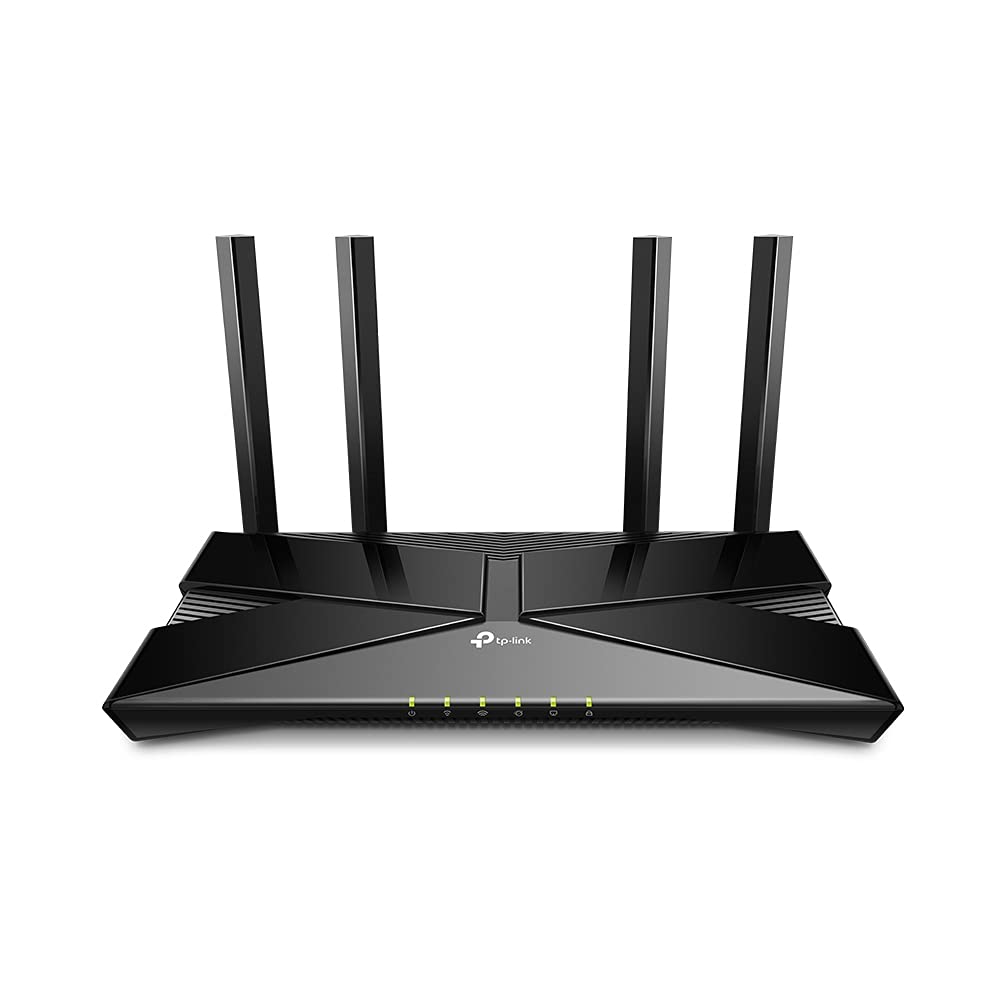
Archer AX1800 | AX1800 Dual-Band Wi-Fi 6 Router
Archer AX1800 | AX1800 Dual-Band Wi-Fi 6 Router
in 3 offers
The lowest price for TP-Link AX1800 Dual-Band Wi-Fi 6 VDSL/ADSL Modem Router, Archer VX1800v Modems / Routers / Gateways (Wireless) right now is $249.00 at Mwave Australia, compared across 3 retailers.
The all-time low was $110.00 on 22 July 2026 — today's price is 126% above the lowest ever. It has been notably cheaper before — worth setting a price alert.
Prices last updated 30 Aug 2026.
TP-Link AX1800 Dual-Band Wi-Fi 6 VDSL/ADSL Modem Router, Archer VX1800v Modems / Routers / Gateways (Wireless)
Archer AX1800 | AX1800 Dual-Band Wi-Fi 6 Router
Archer AX1800 | AX1800 Dual-Band Wi-Fi 6 Router

