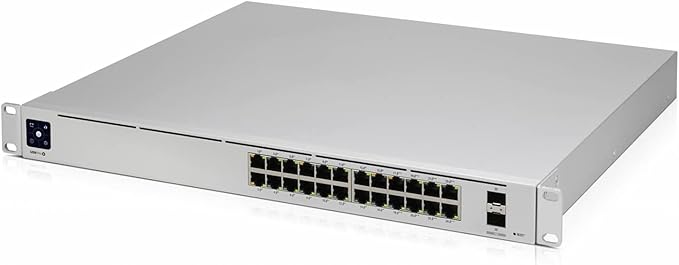
Ubiquiti UniFi Cloud Key Gen2 Plus
UniFi CloudKey+ - Tech Specs
UniFi CloudKey+ - Tech Specs
UniFi CloudKey+ - Tech Specs
UniFi CloudKey+ - Tech Specs
in 45 offers
The lowest price for Ubiquiti UniFi Cloud Key Gen2 Plus right now is $315.09 at Kogan.com, compared across 38 retailers.
The all-time low was $98.99 on 28 May 2024 — today's price is 218% above the lowest ever. It has been notably cheaper before — worth setting a price alert.
Prices last updated 25 Oct 2026.
Last updated at 25/10/2026 11:29:40
Ubiquiti UniFi Cloud Key G2 with HDD (UCK-G2-PLUS)
Delivery $20
Ubiquiti UniFi Cloud Key G2 with HDD (UCK-G2-PLUS)
Delivery $20
Uck-G2-Plus
UniFi OS Console Cloud Key Generation 2 Plus - Grey
Delivery between 28 Oct – 4 Nov $49.79
Ubiquiti UniFi Cloud Key, G2, with HDD (UniFi, Video, Protect)
Delivery $18
Ubiquiti Networks UniFi Cloud Key Gen2 Plus Controller - Silver (UCK-G2-PLUS)
Affiliate Disclosure: We may receive a small commission for purchases made through this link at no extra cost to you. This helps support our site. Thank you!
Ubiquiti Unifi Cloud Key Gen 2 Plus (UCK-G2-PLUS)
30-day returns
Ubiquiti Unifi Cloud Key Gen 2 Plus (UCK-G2-PLUS)
30-day returns
Ubiquiti UCK-G2-PLUS UniFi Controller Cloud Key G2, with HDD
Free delivery
Ubiquiti Unifi Cloud Key Gen2 Plus - Integrated Hardware Controller with 1TB HDD Storage and Unifi OS Console - Requires PoE Power
Delivery between Tue – Thu $10
originally posted on pbtech.co.nz
I use the Cloud Key to manage several WiFi access points and as an NVR for several surveillance cameras. The product does exactly what is should do and the user interface is easy to work with. BUT: I bought the actual product as a replacement for the exact same model I bought back in December 2019. In that one, the internal battery blew up and destroyed the PoE powering circuit. As the device can't be powered with a standard USB-C power supply, the device became useless. That happened at the most inconvenient time, because I was on holiday and didn't have (remote) access to the cameras anymore. I thought a product like that should last longer than 2.5 years. Hence only 3 stars.
originally posted on pbtech.co.nz
We run these devices across our business to control security cameras in each branch and provide cloud based access to the cameras to various personnel. This system is working well for us. I also use one of these devices to control the Unifi switches and APs across all our branches nationwide (as well as having 20 cameras attached to same device). Only word of warning I would give is that when you replace the hard-disk with a bigger size make sure to try confirm the drive is compatible as I found some of the ones we transferred into the UCKG2 from our old 2TB NVRs appeared to be compatible at first but ran into issues later under load. Also, after you change the drive it is best to leave the device alone for quite some time (depending on the size of the new drive - ... MoreWe run these devices across our business to control security cameras in each branch and provide cloud based access to the cameras to various personnel. This system is working well for us. I also use one of these devices to control the Unifi switches and APs across all our branches nationwide (as well as having 20 cameras attached to same device). Only word of warning I would give is that when you replace the hard-disk with a bigger size make sure to try confirm the drive is compatible as I found some of the ones we transferred into the UCKG2 from our old 2TB NVRs appeared to be compatible at first but ran into issues later under load. Also, after you change the drive it is best to leave the device alone for quite some time (depending on the size of the new drive - big ones seem to take longer), at first it seems like there is an issue with apps not running, or starting and stopping, but I think this mostly because there is no elegant solution for advising you that it is busily rebuilding itself and isn't ready yet.
originally posted on pbtech.co.nz
I purchased the cloudkey after a year of managing my network from a PC based controller. The PC controller was fine, but caused challenges when I updated firewall software - I am a tinkerer not an expert IS person. The cloudkey has completely changed the availability of the controller to me and given me insights into how my network is running. Great tool. Dropped a star for the price as I didn’t need the plus element, I.e. unifi protect, but there was no straight cloudkey available.
| General | |
| Device Type | Remote control device |
| Built-in Devices | Status LCD |
| Width | 13.42 cm |
| Depth | 13.116 cm |
Ubiquiti UniFi Cloud Key G2 with HDD (UCK-G2-PLUS)
Delivery $20
Ubiquiti UniFi Cloud Key G2 with HDD (UCK-G2-PLUS)
Delivery $20
Uck-G2-Plus
UniFi OS Console Cloud Key Generation 2 Plus - Grey
Delivery between 28 Oct – 4 Nov $49.79
Ubiquiti UniFi Cloud Key, G2, with HDD (UniFi, Video, Protect)
Delivery $18
I use the Cloud Key to manage several WiFi access points and as an NVR for several surveillance cameras. The product does exactly what is should do and the user interface is easy to work with. BUT: I bought the actual product as a replacement for the exact same model I bought back in December 2019. In that one, the internal battery blew up and destroyed the PoE powering circuit. As the device can't be powered with a standard USB-C power supply, the device became useless. That happened at the most inconvenient time, because I was on holiday and didn't have (remote) access to the cameras anymore. I thought a product like that should last longer than 2.5 years. Hence only 3 stars.
We run these devices across our business to control security cameras in each branch and provide cloud based access to the cameras to various personnel. This system is working well for us. I also use one of these devices to control the Unifi switches and APs across all our branches nationwide (as well as having 20 cameras attached to same device). Only word of warning I would give is that when you replace the hard-disk with a bigger size make sure to try confirm the drive is compatible as I found some of the ones we transferred into the UCKG2 from our old 2TB NVRs appeared to be compatible at first but ran into issues later under load. Also, after you change the drive it is best to leave the device alone for quite some time (depending on the size of the new drive - ... MoreWe run these devices across our business to control security cameras in each branch and provide cloud based access to the cameras to various personnel. This system is working well for us. I also use one of these devices to control the Unifi switches and APs across all our branches nationwide (as well as having 20 cameras attached to same device). Only word of warning I would give is that when you replace the hard-disk with a bigger size make sure to try confirm the drive is compatible as I found some of the ones we transferred into the UCKG2 from our old 2TB NVRs appeared to be compatible at first but ran into issues later under load. Also, after you change the drive it is best to leave the device alone for quite some time (depending on the size of the new drive - big ones seem to take longer), at first it seems like there is an issue with apps not running, or starting and stopping, but I think this mostly because there is no elegant solution for advising you that it is busily rebuilding itself and isn't ready yet.
I purchased the cloudkey after a year of managing my network from a PC based controller. The PC controller was fine, but caused challenges when I updated firewall software - I am a tinkerer not an expert IS person. The cloudkey has completely changed the availability of the controller to me and given me insights into how my network is running. Great tool. Dropped a star for the price as I didn’t need the plus element, I.e. unifi protect, but there was no straight cloudkey available.
I originally set up the unifi controller on my computer but wanted to look at things when that wasn't on. Debated about the cloudkey gen 1 and 2 but thought the benefits of this with the HDD for running protect was worth the small premium over the ckg2. I have this running over Poe and mounted on the wall. You can get 3D printed brackets for this. The device does run a bit on the warm side and the CPU temp is at 47c. This is partially as the case acts as the heatsink. As I don't have any camera's here I have disabled the protect application for now freeing up ram. I saved a backup of my settings and then launched the setup guide. You should be able to import these to the new controller however the I found it wouldn't work due to different controller versions. In ... MoreI originally set up the unifi controller on my computer but wanted to look at things when that wasn't on. Debated about the cloudkey gen 1 and 2 but thought the benefits of this with the HDD for running protect was worth the small premium over the ckg2. I have this running over Poe and mounted on the wall. You can get 3D printed brackets for this. The device does run a bit on the warm side and the CPU temp is at 47c. This is partially as the case acts as the heatsink. As I don't have any camera's here I have disabled the protect application for now freeing up ram. I saved a backup of my settings and then launched the setup guide. You should be able to import these to the new controller however the I found it wouldn't work due to different controller versions. In desperation I clicked through to set up from scratch. I skipped a few bits to get to the dashboard where it advises a new controller version was available. Once updated I could then import my settings. As both controllers were running the new one couldn't see the equipment and saw it offline. Once I closed the controller on my computer the CK controller then took over and all devices moved over smoothly. Despite the initial hiccup wetting it up it is still a good product
I ended up replacing the Gen1 CloudKey since it would regularly lock up every two weeks or so and stop monitoring my network. It worked without issue for about 2 years before falling into this pattern. According to Unifi's online forums, I'm not alone with this problem and it was likely a hardware issue. So far, the new version works as expected and I have yet to have to reset it. I also like that I can use this to control some cameras through Unifi Protect even though I have not done so yet. Migrating from Gen1 to Gen2 was a simple matter of creating a backup on the old version and restoring it on the new one. The display is very helpful as it provides some indication of status which the first generation was lacking.
The Unifi Cloud Key Gen 2 and Gen 2 Plus from Ubiquiti are very effective and easy to use network management tools. Simplify your home or small business network management without breaking the bank. View all your network devices, wired and wireless clients - even map them to a blue print of your home/office, see current and past bandwidth use, network utilization, wireless signal strength of each client and more. Simple update tools a long with automated configuration backups out of the box. Manage your network via Ubiquiti's secure cloud based access (uses 2-factor authentication) from anywhere via web interface or mobile app. This little box gives you great insights into your network without the very steep learning curve (or high cost) from traditional network ... MoreThe Unifi Cloud Key Gen 2 and Gen 2 Plus from Ubiquiti are very effective and easy to use network management tools. Simplify your home or small business network management without breaking the bank. View all your network devices, wired and wireless clients - even map them to a blue print of your home/office, see current and past bandwidth use, network utilization, wireless signal strength of each client and more. Simple update tools a long with automated configuration backups out of the box. Manage your network via Ubiquiti's secure cloud based access (uses 2-factor authentication) from anywhere via web interface or mobile app. This little box gives you great insights into your network without the very steep learning curve (or high cost) from traditional network management appliances. If you have a challenging wireless environment in your home/office where a single wireless router or access point doesn't suffice, I would highly recommend to take a look at Ubiquiti's Unifi Network line of equipment with the Cloud Key Gen 2 or Gen 2 Plus as the central management piece. The main difference between the Cloud Key Gen 2 and Gen 2 Plus is the the additional Unifi Protect feature of the latter, which acts as a Video Server for up to 15 network cameras (with no cloud subscription necessary). I had the Cloud Key Gen 2 first and decided to upgrade to the Gen2 Plus because of its additional video server capabilities. If you don't need a camera system, the Cloud Key Gen 2 is a great solution in a very small package. Switching from one to the other was a simple process by restoring the configuration backup of one to the other - that's it - no rediscovering of network resources necessary. Last but not least the Cloud Key Gen 2 / Plus is a great learning tool for anyone who would like to get more insights about their home or small office network and / or learn about networking in general without getting overwhelmed by a too complex and too expensive solution. This is a great little system to close the gap between the limitations of a stand alone wireless router and a (too) complex enterprise focused system.
This looks nice but always partially works. I've owned this for a little under a year now and have all the updates installed as soon as released just like they recommend. I've spent so much more in time than the $200 this unit cost dealing with problems. It's on its own separate network that has all new unifi switches and 4 new unifi cameras connected. Everything i'm about to mention has been reported by many owners in the unifi forums. Some threads are hidden and you can't read them unless you are logged in but many are public. - Remote viewing frequently breaks: We use iphone app for viewing remotely. With each unifi update, one thing gets better and another thing gets worse. The current trend is they push an update to fix the software, and all of a sudden all ... MoreThis looks nice but always partially works. I've owned this for a little under a year now and have all the updates installed as soon as released just like they recommend. I've spent so much more in time than the $200 this unit cost dealing with problems. It's on its own separate network that has all new unifi switches and 4 new unifi cameras connected. Everything i'm about to mention has been reported by many owners in the unifi forums. Some threads are hidden and you can't read them unless you are logged in but many are public. - Remote viewing frequently breaks: We use iphone app for viewing remotely. With each unifi update, one thing gets better and another thing gets worse. The current trend is they push an update to fix the software, and all of a sudden all users have spastic or no access to view feeds when not on the local network. - There is still no view-only/non-admin option for local login. What this means is if you want to setup the cameras so non-admin users can view the feeds from their web browser, you have to give them a admin login. The only work around is installing something like Xeoma (great software btw) or ZoneMinder on the local network and use the RTSP stream. - No built in option to backup to remote site. If someone breaks in or a violent event happens, all the person needs to do is make sure they take your unifi cloud key gen2 plus and you will have no proof to show the police. Again, you can get around this by using other software, but it defeats the purpose of buying the unifi cloud key gen2. Unifi's first NVR did not have this limitation. - Playback frequently breaks. This seems to be an issue (randomly) when using the web browser or the mobile app. You could be watching footage of an event and then a section just disappears from playback. Fortunately for us the last time this happen, we downloaded the time section and the downloaded file had all the footage. So the issue was just limited to playback from the unifi cloud key gen2 plus. This list goes on. Those are just the most frustrating things to me. Working with support is like picking up a part time job that you don't get paid for. After so many hours it makes more since to explore other vendors.
The gen 1 cloud key had a fatal flaw where sudden power disruptions would wipe the configuring and force you to rebuild your unifi setup. The gen2 and gen2+ fix this by adding a small on board batteryto allow for graceful shutdown in the event of power cycling the switch or a power failure. As for the rest, the casing and build quality are nice. The plus model ships with a 1TB 2.5 inch drive for use with protect. The user can swap this for up to a 5TB. The cloud key is the hardware running the Unifi network local hosted browser based GUI. It's a single pane of glass admin panel for setting up and administering your unifi network. Being locally hosted you avoid web hosted costs and outage concerns. Unifi does have its quarks but for a home or SMB user that wants or ... MoreThe gen 1 cloud key had a fatal flaw where sudden power disruptions would wipe the configuring and force you to rebuild your unifi setup. The gen2 and gen2+ fix this by adding a small on board batteryto allow for graceful shutdown in the event of power cycling the switch or a power failure. As for the rest, the casing and build quality are nice. The plus model ships with a 1TB 2.5 inch drive for use with protect. The user can swap this for up to a 5TB. The cloud key is the hardware running the Unifi network local hosted browser based GUI. It's a single pane of glass admin panel for setting up and administering your unifi network. Being locally hosted you avoid web hosted costs and outage concerns. Unifi does have its quarks but for a home or SMB user that wants or needs VLAN integration, multiple SSID capable APs, and doesn't want to spend all their time learning to code, it's a great option. I will say it requires modest knowledge and understanding of networking and network architecture but there's tons of tutorials online about configuring and running unifi.
Just try and purchase one of these and install a trusted SSL certificate. You will find there is no tool in the GUI, no documentation from Unifi about installing via CLI, and Unifi tech support will push you off onto the user community. Even the outdated documentation has been removed from view. In the user community and elsewhere, you will find other old, outdated information and you will have made a series of giant leaps sideways. After upwards of 2 wasted days, you will not have advanced one inch toward the goal of installing an SSL certificate. NameCheap's support for their $10 certificates is far greater than Unifi's support for these useless bricks and $100 1U rack brackets. One would think Unifi would be the ones to provide support with installing SSL ... MoreJust try and purchase one of these and install a trusted SSL certificate. You will find there is no tool in the GUI, no documentation from Unifi about installing via CLI, and Unifi tech support will push you off onto the user community. Even the outdated documentation has been removed from view. In the user community and elsewhere, you will find other old, outdated information and you will have made a series of giant leaps sideways. After upwards of 2 wasted days, you will not have advanced one inch toward the goal of installing an SSL certificate. NameCheap's support for their $10 certificates is far greater than Unifi's support for these useless bricks and $100 1U rack brackets. One would think Unifi would be the ones to provide support with installing SSL certificates on their own products, but apparently SSL certificates are not even an afterthought, rather SSL certificates are considered to be an unnecessary nuisance. NameCheap may help me carry the ball across the line, but this in no way absolves Unifi for being derelict of duty with support for a basic and important configuration necessary in commercial environments. I'm having a strong feeling of regret that I have recommended a handful of these useless bricks in commercial installations, but now that I see Unifi couldn't care less about security in a business environment, the platform is nothing but a home user toy. I am putting on the brakes and will not recommend Unifi anymore for commercial installations.
frequent failure, 2 week response time from support and they respond with wrong information. can't change internal battery which goes bad after 1year warranty expires. when time to replace drive, it only works with very specific toshiba 5400 rpm hard drive. support advised to only put max 1tb hdd which doesn't make since for something used for video recording. doesn't work with many higher quality 7400 rpm mechanical drives and many ssds. many internal failures aren't logged so a lot of time consuming guess and checks when dealing with system failures.
| General | |
| Device Type | Remote control device |
| Built-in Devices | Status LCD |
| Width | 13.42 cm |
| Depth | 13.116 cm |