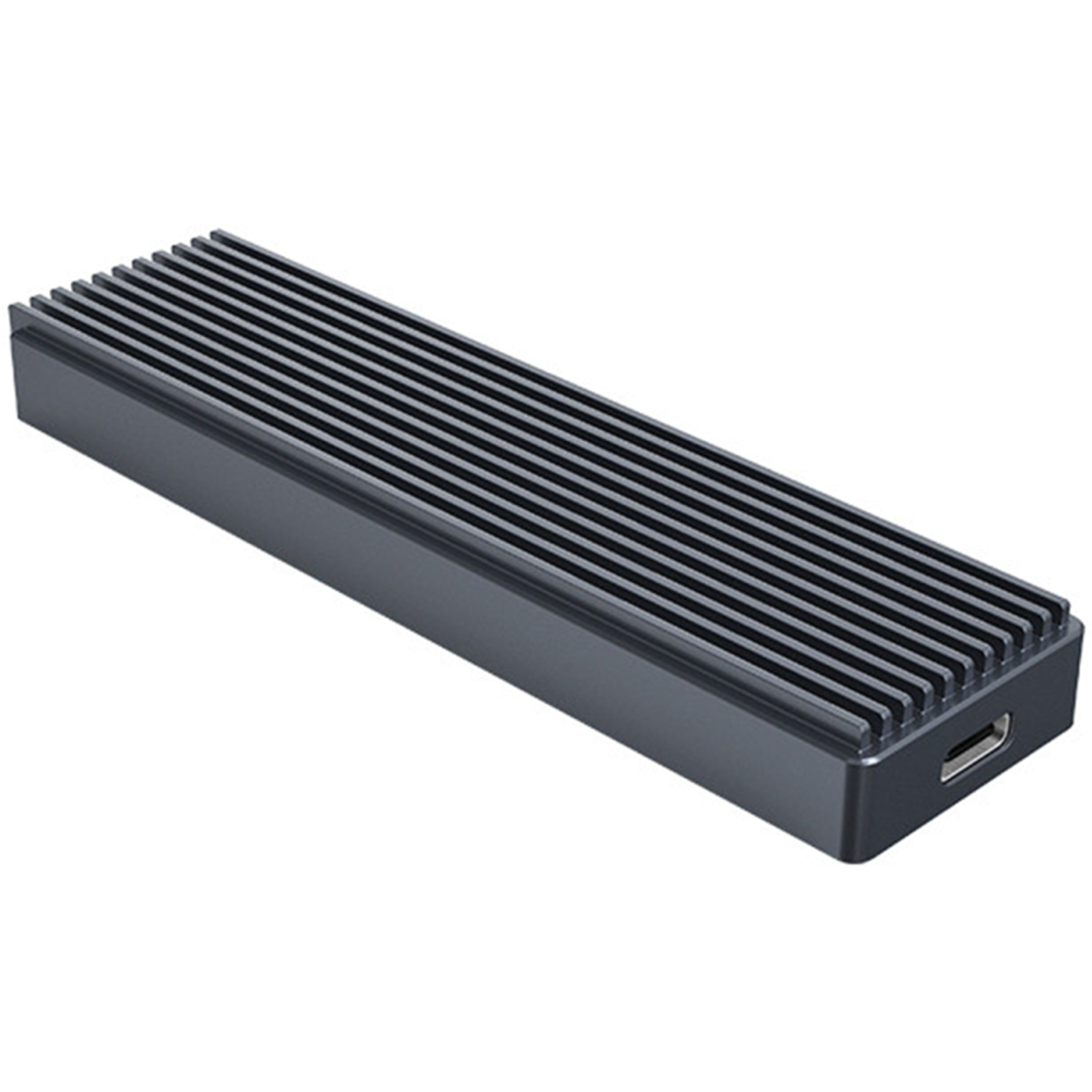
UGREEN M.2 NVMe SSD Enclosure Adapter, 10Gbps USB C 3.2 Gen2, Tool-free External Enclosure NVMe Reader Supports M and B&M Keys and Size 2230/2242 /
Experience UGREEN M.2 NVMe Enclosure - 10Gbps lightning transmission, 950 Mbit/s read & write speeds. Tool-free setup, exclusive heat dissipation. Universal compatibility up to 8TB. Safe, convenient, efficient!
Experience UGREEN M.2 NVMe Enclosure - 10Gbps lightning transmission, 950 Mbit/s read & write speeds. Tool-free setup, exclusive heat dissipation. Universal compatibility up to 8TB. Safe, convenient, efficient!
Experience UGREEN M.2 NVMe Enclosure - 10Gbps lightning transmission, 950 Mbit/s read & write speeds. Tool-free setup, exclusive heat dissipation. Universal compatibility up to 8TB. Safe, convenient, efficient!
Experience UGREEN M.2 NVMe Enclosure - 10Gbps lightning transmission, 950 Mbit/s read & write speeds. Tool-free setup, exclusive heat dissipation. Universal compatibility up to 8TB. Safe, convenient, efficient!
in 34 offers
The lowest price for UGREEN M.2 NVMe SSD Enclosure Adapter, 10Gbps USB C 3.2 Gen2, Tool-free External Enclosure NVMe Reader Supports M and B&M Keys and Size 2230/2242 / right now is $28.32 at Amazon.com.au, compared across 13 retailers.
The all-time low was $20.02 on 14 Apr 2026 — today's price is 41% above the lowest ever. It has been notably cheaper before — worth setting a price alert.
Prices last updated 22 Aug 2026.
Last updated at 22/08/2026 23:16:29
UGREEN NVMe M2 SSD Enclosure, USB 3.2 Gen2 10Gbps, Aluminum NVMe to USB External Portable SSD Case Support UASP & Trim, [Upgrade Heat Dissipation] for
Affiliate Disclosure: We may receive a small commission for purchases made through this link at no extra cost to you. This helps support our site. Thank you!
UGREEN M.2 NVMe SSD Enclosure USB C, 10Gbps, Aluminium, Grey | for NVMe PCIe M-Key (M+B Key) in Size 2280 2260 2242 2230 SSDs, Includes 2 Cables, UASP
Free delivery
Affiliate Disclosure: We may receive a small commission for purchases made through this link at no extra cost to you. This helps support our site. Thank you!
UGREEN 2.5 Inch Hard Drive Enclosure& UGREEN M.2 NVMe Enclosure
Affiliate Disclosure: We may receive a small commission for purchases made through this link at no extra cost to you. This helps support our site. Thank you!
UGREEN M.2 NVMe SSD Enclosure Adapter, 10Gbps USB C 3.2 Gen2, Tool-Free External Enclosure NVMe Reader Supports M and B&M Keys and Size 2230/ 2242/
Ugreen M.2 NVMe SSD Enclosure | 10GBps High Speed | 230/2242/2260/2280
Delivery $130.70
Affiliate Disclosure: We may receive a small commission for purchases made through this link at no extra cost to you. This helps support our site. Thank you!
Ugreen M.2 Nvme Ssd Enclosure Adapter 10gbps Usb C 3.2 Gen2
Free delivery
Affiliate Disclosure: We may receive a small commission for purchases made through this link at no extra cost to you. This helps support our site. Thank you!
Ugreen Ug-90264 M.2 Sata / Nvme Hard Drive Enclosure [ug-90264]
Delivery $11
Affiliate Disclosure: We may receive a small commission for purchases made through this link at no extra cost to you. This helps support our site. Thank you!
Ugreen M.2 Nvme Enclosure, 10gbps Aluminum External Hard Drive Case
Free delivery
Affiliate Disclosure: We may receive a small commission for purchases made through this link at no extra cost to you. This helps support our site. Thank you!
Ugreen M.2 Nvme Ssd Enclosure Adapter, 10gbps Usb C 3.2 Gen2 Tool-free
Free delivery
Affiliate Disclosure: We may receive a small commission for purchases made through this link at no extra cost to you. This helps support our site. Thank you!
Compact 10gbps M.2 Nvme External Reader For All Key Ssds, Thunderbolt
Free delivery
Affiliate Disclosure: We may receive a small commission for purchases made through this link at no extra cost to you. This helps support our site. Thank you!
originally posted on ugreen.com
So, the only reason I gave this 3 stars is because the tray that the memory sits in slides in and out so easily it will fall out if held wrong. There is no screw or anything to secure the memory tray in place. It also states Thunderbolt 3 support. Thunderbolt 3 transfer speeds up to 40GB. This doesn’t support that speed on my Mac…. Max I get, with an SN850 black SSD is 1GB transfer rate.
originally posted on ugreen.com
This M.2 NVME external enclosure from UGREEN is great for either repurposing older NVME m.2 drives or creating your own fast external drive. This uses a Realtek chipset, which as of the time of this review is considered to be one of the better ones for this purpose.I am using this with a 256 GB Samsung NVME SSD, and I get 950 MB/s read and 1000 MB/s write, which is close to the maximum 10 gbps supported by the chipset. It's also been pretty stable for me, some lesser enclosures will disconnect if I try to do something like run a disk benchmark, but not this one.Physically, this is has an aluminum shell with a silicone wrap around it (the black you see in the product photos). This is entirely tool-less -- there's a big plastic button at the bottom you push in, ... MoreThis M.2 NVME external enclosure from UGREEN is great for either repurposing older NVME m.2 drives or creating your own fast external drive. This uses a Realtek chipset, which as of the time of this review is considered to be one of the better ones for this purpose.I am using this with a 256 GB Samsung NVME SSD, and I get 950 MB/s read and 1000 MB/s write, which is close to the maximum 10 gbps supported by the chipset. It's also been pretty stable for me, some lesser enclosures will disconnect if I try to do something like run a disk benchmark, but not this one.Physically, this is has an aluminum shell with a silicone wrap around it (the black you see in the product photos). This is entirely tool-less -- there's a big plastic button at the bottom you push in, which releases the inner drive carrier. There's a rubber thing to lock in the SSD so you don't even need a screwdriver there either. The one downside is that it's a little too easy to open it up -- I don't know about you, but initially, I held the bottom of the drive while plugging it in... of course this opens it up.This comes with a USB C - USB C cable and a USB C to USB A. Both are pretty short cables; I didn't try them instead using my own 3 ft USB C cable. The UGREEN cables don't have any notation on them about what speeds they support, but given the price I can forgive that.The drive does run a bit warm in this UGREEN enclosure. After a benchmark run, it was around 54C, but after several minutes of idling it's sitting at 41C. For reference, the internal SSDs in my laptop are at 32C and 37C.Overall, this is an inexpensive but high quality NVME M.2 enclosure.
originally posted on ugreen.com
Testing disks in external enclosures is always tricky because so much depends on your windows configuration. If you run a "disk benchmark" like crystal disk mark you will usually get much higher speeds than if you try something more "real world" like copying a large folder full of files. This is mostly because of how windows works. The way the source and destination disk is formatted and the speed of your CPU and hardware can make a difference.For this test I put a 256gb M.2 NVME drive in the enclosure that was rated for at least 2000MB/second. I used a USB 3.2 port on my computer for the test. The source drive for the video copies was a 2tb M2 SSD on the computer motherboard which is rated over 3000MB/sec. The tests I did were copying a 100gb Unreal Engine ... MoreTesting disks in external enclosures is always tricky because so much depends on your windows configuration. If you run a "disk benchmark" like crystal disk mark you will usually get much higher speeds than if you try something more "real world" like copying a large folder full of files. This is mostly because of how windows works. The way the source and destination disk is formatted and the speed of your CPU and hardware can make a difference.For this test I put a 256gb M.2 NVME drive in the enclosure that was rated for at least 2000MB/second. I used a USB 3.2 port on my computer for the test. The source drive for the video copies was a 2tb M2 SSD on the computer motherboard which is rated over 3000MB/sec. The tests I did were copying a 100gb Unreal Engine project (a mix of large, small and medium files) and copying an 80gb folder full of mostly very large video files. Copying the big files ran at about 600MB/second. The unreal engine copy peaked at about the same speed, but slowed down when smaller files were being copied.This is about the best speed I have seen for any kind of USB SSD on my system. I suspect if you were using it for a more normal workload, like a scratch disk for photoshop, video editing or playing games, the performance would be better as Windows file copies are known not to be that efficient.After about 20 minutes of mixed testing, the drive did not seem to get hot.Installing the SSD into the enclosure was very easy and took about a minute. One thing which is a little confusing is they ask you to stick a foam pad to the SSD. I'm really not sure of the purpose of this pad, if it was thermal material it seems pointless because it doesn't actually touch the metal case. Maybe it is just to help hold the SSD in place?In any case, this enclosure + an M2 ssd seeks to be a good way to get a high capacity and fast external SSD that is small and easy to carry. This combination is way faster than other "one piece" external thumb drives I've tested.
| RAM Size | 8 TB |
| Memory Storage Capacity | 8 TB |
| Flash Memory Installed Size | 2 TB |
| Digital storage capacity | 8 TB |
| Hardware Platform | Linux, Windows, IOS |
UGREEN NVMe M2 SSD Enclosure, USB 3.2 Gen2 10Gbps, Aluminum NVMe to USB External Portable SSD Case Support UASP & Trim, [Upgrade Heat Dissipation] for
Affiliate Disclosure: We may receive a small commission for purchases made through this link at no extra cost to you. This helps support our site. Thank you!
UGREEN M.2 NVMe SSD Enclosure USB C, 10Gbps, Aluminium, Grey | for NVMe PCIe M-Key (M+B Key) in Size 2280 2260 2242 2230 SSDs, Includes 2 Cables, UASP
Free delivery
Affiliate Disclosure: We may receive a small commission for purchases made through this link at no extra cost to you. This helps support our site. Thank you!
UGREEN 2.5 Inch Hard Drive Enclosure& UGREEN M.2 NVMe Enclosure
Affiliate Disclosure: We may receive a small commission for purchases made through this link at no extra cost to you. This helps support our site. Thank you!
UGREEN M.2 NVMe SSD Enclosure Adapter, 10Gbps USB C 3.2 Gen2, Tool-Free External Enclosure NVMe Reader Supports M and B&M Keys and Size 2230/ 2242/
Ugreen M.2 NVMe SSD Enclosure | 10GBps High Speed | 230/2242/2260/2280
Delivery $130.70
Affiliate Disclosure: We may receive a small commission for purchases made through this link at no extra cost to you. This helps support our site. Thank you!
So, the only reason I gave this 3 stars is because the tray that the memory sits in slides in and out so easily it will fall out if held wrong. There is no screw or anything to secure the memory tray in place. It also states Thunderbolt 3 support. Thunderbolt 3 transfer speeds up to 40GB. This doesn’t support that speed on my Mac…. Max I get, with an SN850 black SSD is 1GB transfer rate.
This M.2 NVME external enclosure from UGREEN is great for either repurposing older NVME m.2 drives or creating your own fast external drive. This uses a Realtek chipset, which as of the time of this review is considered to be one of the better ones for this purpose.I am using this with a 256 GB Samsung NVME SSD, and I get 950 MB/s read and 1000 MB/s write, which is close to the maximum 10 gbps supported by the chipset. It's also been pretty stable for me, some lesser enclosures will disconnect if I try to do something like run a disk benchmark, but not this one.Physically, this is has an aluminum shell with a silicone wrap around it (the black you see in the product photos). This is entirely tool-less -- there's a big plastic button at the bottom you push in, ... MoreThis M.2 NVME external enclosure from UGREEN is great for either repurposing older NVME m.2 drives or creating your own fast external drive. This uses a Realtek chipset, which as of the time of this review is considered to be one of the better ones for this purpose.I am using this with a 256 GB Samsung NVME SSD, and I get 950 MB/s read and 1000 MB/s write, which is close to the maximum 10 gbps supported by the chipset. It's also been pretty stable for me, some lesser enclosures will disconnect if I try to do something like run a disk benchmark, but not this one.Physically, this is has an aluminum shell with a silicone wrap around it (the black you see in the product photos). This is entirely tool-less -- there's a big plastic button at the bottom you push in, which releases the inner drive carrier. There's a rubber thing to lock in the SSD so you don't even need a screwdriver there either. The one downside is that it's a little too easy to open it up -- I don't know about you, but initially, I held the bottom of the drive while plugging it in... of course this opens it up.This comes with a USB C - USB C cable and a USB C to USB A. Both are pretty short cables; I didn't try them instead using my own 3 ft USB C cable. The UGREEN cables don't have any notation on them about what speeds they support, but given the price I can forgive that.The drive does run a bit warm in this UGREEN enclosure. After a benchmark run, it was around 54C, but after several minutes of idling it's sitting at 41C. For reference, the internal SSDs in my laptop are at 32C and 37C.Overall, this is an inexpensive but high quality NVME M.2 enclosure.
Testing disks in external enclosures is always tricky because so much depends on your windows configuration. If you run a "disk benchmark" like crystal disk mark you will usually get much higher speeds than if you try something more "real world" like copying a large folder full of files. This is mostly because of how windows works. The way the source and destination disk is formatted and the speed of your CPU and hardware can make a difference.For this test I put a 256gb M.2 NVME drive in the enclosure that was rated for at least 2000MB/second. I used a USB 3.2 port on my computer for the test. The source drive for the video copies was a 2tb M2 SSD on the computer motherboard which is rated over 3000MB/sec. The tests I did were copying a 100gb Unreal Engine ... MoreTesting disks in external enclosures is always tricky because so much depends on your windows configuration. If you run a "disk benchmark" like crystal disk mark you will usually get much higher speeds than if you try something more "real world" like copying a large folder full of files. This is mostly because of how windows works. The way the source and destination disk is formatted and the speed of your CPU and hardware can make a difference.For this test I put a 256gb M.2 NVME drive in the enclosure that was rated for at least 2000MB/second. I used a USB 3.2 port on my computer for the test. The source drive for the video copies was a 2tb M2 SSD on the computer motherboard which is rated over 3000MB/sec. The tests I did were copying a 100gb Unreal Engine project (a mix of large, small and medium files) and copying an 80gb folder full of mostly very large video files. Copying the big files ran at about 600MB/second. The unreal engine copy peaked at about the same speed, but slowed down when smaller files were being copied.This is about the best speed I have seen for any kind of USB SSD on my system. I suspect if you were using it for a more normal workload, like a scratch disk for photoshop, video editing or playing games, the performance would be better as Windows file copies are known not to be that efficient.After about 20 minutes of mixed testing, the drive did not seem to get hot.Installing the SSD into the enclosure was very easy and took about a minute. One thing which is a little confusing is they ask you to stick a foam pad to the SSD. I'm really not sure of the purpose of this pad, if it was thermal material it seems pointless because it doesn't actually touch the metal case. Maybe it is just to help hold the SSD in place?In any case, this enclosure + an M2 ssd seeks to be a good way to get a high capacity and fast external SSD that is small and easy to carry. This combination is way faster than other "one piece" external thumb drives I've tested.
Pros: It works great. First time use was a breeze. My system recognized the drive, and I could use it like any other external drive.Cons: The lock down tab at the full-length slot is a little close to the edge of the enclosure and difficult to manage if you have big hands. A good set of tweezers or needle noise pliers will help elevate that issue. Shorter modules don't have this issue and can be installed by hand.
This UGREEN NVMe SSD Enclosure Adapter worked well with a Dynon Metrics M.2 SSD that had already been initialized and formatted, on my 11-year-old laptop. I was looking around for a warranty statement, and I noticed as small one-fold in the box entitled User Instruction. (There’s a larger accordion-fold with a Product Overview and Installation Steps.) The Warranty Information on the smaller one-fold cites a limited 2-year warranty if you bought it from Ugreen or an authorized seller. I also own a Ugreen 2.5” SATA enclosure and I’m happy with that one. I haven’t included every technical detail that other reviewers have covered. I encourage shoppers to read the reviews. I’m happy I acquired this UGREEN NVMe SSD Enclosure Adapter and other than the PS5 advice on the ... MoreThis UGREEN NVMe SSD Enclosure Adapter worked well with a Dynon Metrics M.2 SSD that had already been initialized and formatted, on my 11-year-old laptop. I was looking around for a warranty statement, and I noticed as small one-fold in the box entitled User Instruction. (There’s a larger accordion-fold with a Product Overview and Installation Steps.) The Warranty Information on the smaller one-fold cites a limited 2-year warranty if you bought it from Ugreen or an authorized seller. I also own a Ugreen 2.5” SATA enclosure and I’m happy with that one. I haven’t included every technical detail that other reviewers have covered. I encourage shoppers to read the reviews. I’m happy I acquired this UGREEN NVMe SSD Enclosure Adapter and other than the PS5 advice on the Amazon product page, I find no reason not to recommend it.
I own a PC business and tested this extensively as soon as it arrived on an extreme workstation I use for testing components and tried it with 3 known top NVME drives both gen 3 and gen 4. I also tried it on 5 different PC's with several different cables including the ones it came with.NO MATTER WHAT THIS CASE WILL NOT WRITE FASTER THAN 100MB PER SECOND to ANY NVME drive because it uses an SCSI interface. It is no faster than any external sata drive and windows sees it as a motorized drive because of this. That being said it IS easy to change m.2 NVME drives quickly so its a handy thing to have if you need to access a NVME drive that's not installed in a PC so its convenient and built well and that's the ONLY reason to buy it. DO NOT expect type C or NVME speeds ... MoreI own a PC business and tested this extensively as soon as it arrived on an extreme workstation I use for testing components and tried it with 3 known top NVME drives both gen 3 and gen 4. I also tried it on 5 different PC's with several different cables including the ones it came with.NO MATTER WHAT THIS CASE WILL NOT WRITE FASTER THAN 100MB PER SECOND to ANY NVME drive because it uses an SCSI interface. It is no faster than any external sata drive and windows sees it as a motorized drive because of this. That being said it IS easy to change m.2 NVME drives quickly so its a handy thing to have if you need to access a NVME drive that's not installed in a PC so its convenient and built well and that's the ONLY reason to buy it. DO NOT expect type C or NVME speeds because this device is not capable of it. If you need something that runs at rated speed buy something else. I cannot and will not sugar coat this. 1 star for being easy to use, that's all its worth.
| RAM Size | 8 TB |
| Memory Storage Capacity | 8 TB |
| Flash Memory Installed Size | 2 TB |
| Digital storage capacity | 8 TB |
| Hardware Platform | Linux, Windows, IOS |