Wacom - Cintiq Pro 24 Creative Pen and Touch Display - Black
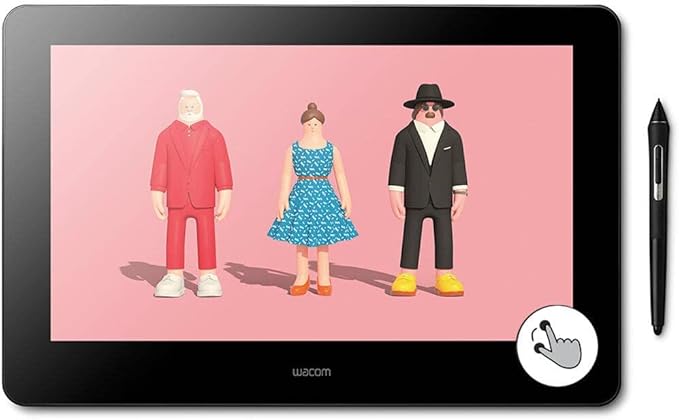
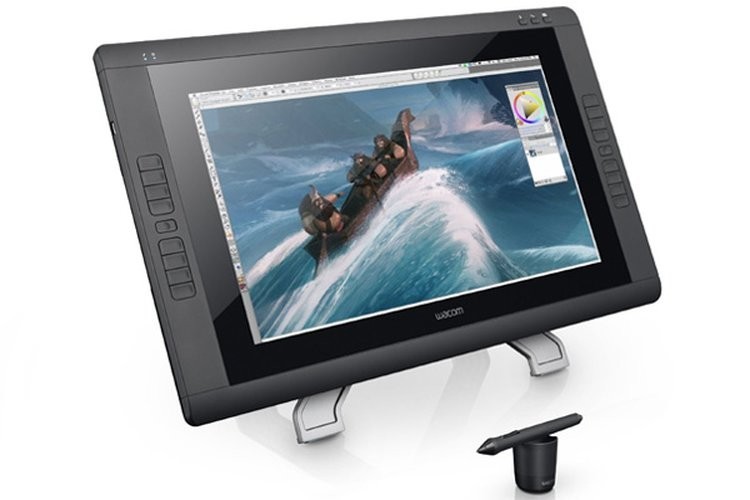
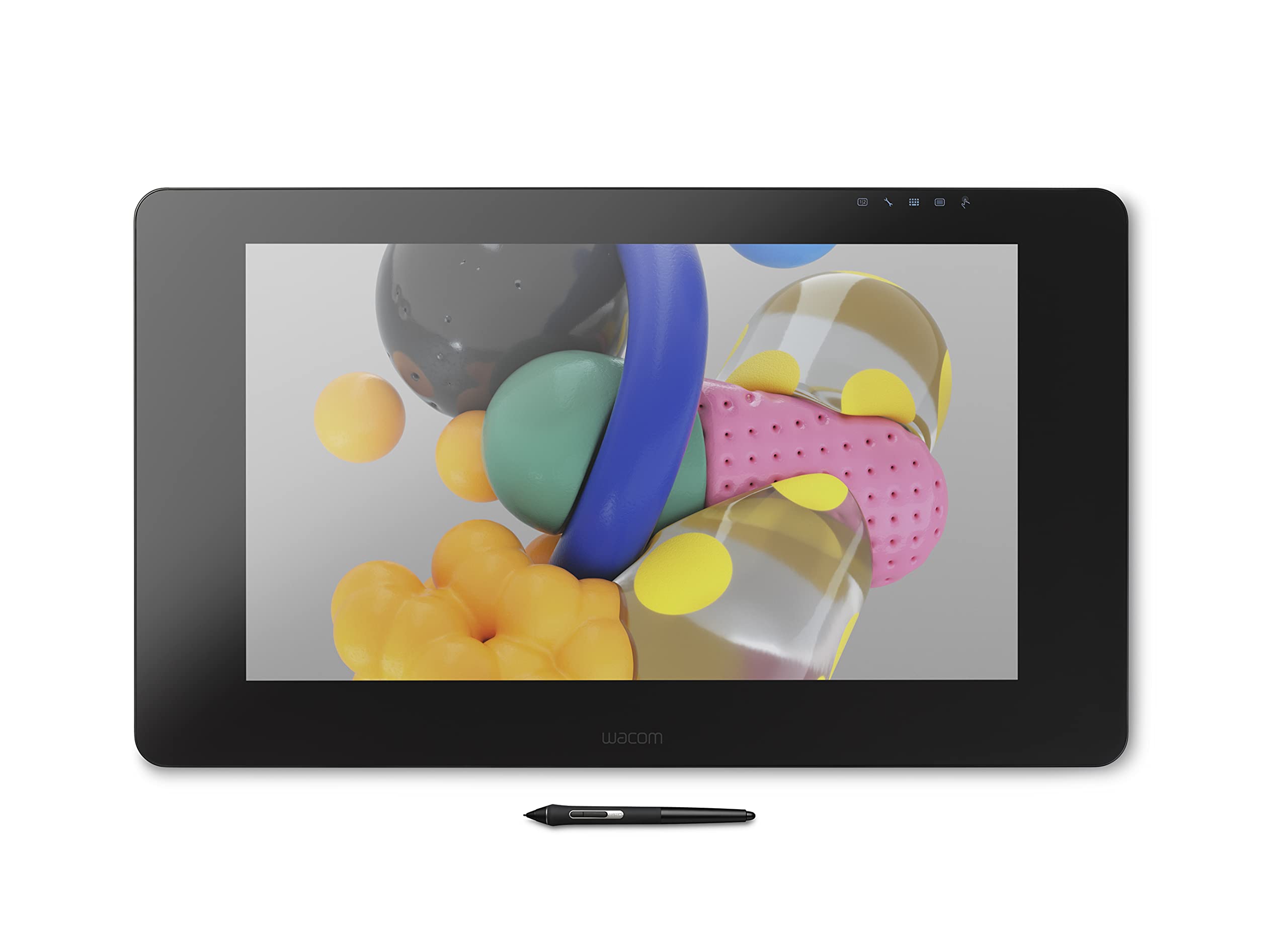
Use the Wacom Cintiq Pro 24" for absolute harmony with your work. Premium 4K screen with world class color performance, and virtually no parallax, enhance every creative breakthrough. The Wacom Pro Pen 2 provides state-of-the-art creative pen technology, meaning every stroke, every move of your hand is followed with unerring accuracy.
Use the Wacom Cintiq Pro 24" for absolute harmony with your work. Premium 4K screen with world class color performance, and virtually no parallax, enhance every creative breakthrough. The Wacom Pro Pen 2 provides state-of-the-art creative pen technology, meaning every stroke, every move of your hand is followed with unerring accuracy.
Use the Wacom Cintiq Pro 24" for absolute harmony with your work. Premium 4K screen with world class color performance, and virtually no parallax, enhance every creative breakthrough. The Wacom Pro Pen 2 provides state-of-the-art creative pen technology, meaning every stroke, every move of your hand is followed with unerring accuracy.
Use the Wacom Cintiq Pro 24" for absolute harmony with your work. Premium 4K screen with world class color performance, and virtually no parallax, enhance every creative breakthrough. The Wacom Pro Pen 2 provides state-of-the-art creative pen technology, meaning every stroke, every move of your hand is followed with unerring accuracy.
in 7 offers
The lowest price for Wacom - Cintiq Pro 24 Creative Pen and Touch Display - Black right now is $2,999.00 at Wacom eStore, compared across 6 retailers.
The all-time low was $1,535.55 on 27 May 2026 — today's price is 95% above the lowest ever. It has been notably cheaper before — worth setting a price alert.
Prices last updated 14 Oct 2026.
Last updated at 14/10/2026 19:02:59
Wacom Cintiq Pro 24 Refurbished
Free delivery between 19–26 Oct
Wacom Cintiq Pro 24 Touch + Flex Arm + ExpressKey Remote (DTH-2420)
Affiliate Disclosure: We may receive a small commission for purchases made through this link at no extra cost to you. This helps support our site. Thank you!
Wacom Cintiq Pro 24 Inch UHD 14ms Creative Pen & Touch Graphics Tablet
Wacom Cintiq Pro 24" Pen & Touch
Delivery by Wed $80.85
Cintiq Pro 24 Creative Pen and Touch Display 4K Graphic Drawing Monitor with 8192 Pen Pressure and 99% Adobe RGB (DTH2420K0), Black
Free delivery between 23–28 Oct
Cintiq Pro 24 Creative Pen and Touch Display 4K Graphic Drawing Monitor with 8192 Pen Pressure and 99% Adobe RGB (DTH2420K0), Black
Delivery between 21–24 Oct $29
originally posted on bhphotovideo.com
I am 2D/3D Digital Artist/Illustrator. My first Wacom Cintiq was old 21UX, so this is a huge upgrade for me.After one month with this model...SIZE: I am very satisfied with the overall size of the product. I was debating whether I should wait for 32" model, but with this 24" model sitting on my desk, 32" model would have been too overwhelming on my desk. It is already plenty big and there's plenty of room to work with.TOUCH Feature: I am VERY glad I got the Pen & Touch model.I have heard a lot of negative reviews of previous models with Touch functionality not responding to its expectation and it gets in the way of productivity rather than contributing to it. I have never owned Cintiq with Touch feature before so I can't really compare, but this model's ... MoreI am 2D/3D Digital Artist/Illustrator. My first Wacom Cintiq was old 21UX, so this is a huge upgrade for me.After one month with this model...SIZE: I am very satisfied with the overall size of the product. I was debating whether I should wait for 32" model, but with this 24" model sitting on my desk, 32" model would have been too overwhelming on my desk. It is already plenty big and there's plenty of room to work with.TOUCH Feature: I am VERY glad I got the Pen & Touch model.I have heard a lot of negative reviews of previous models with Touch functionality not responding to its expectation and it gets in the way of productivity rather than contributing to it. I have never owned Cintiq with Touch feature before so I can't really compare, but this model's touch functionality is very pleasing to work with. EX: I use my free hand to quickly navigate through the menus, layers with simple touch rather than hovering over to them with the pen, and there's lot more good with this feature depending on how you use it. I recommend using Artist Drawing Glove to reject the occasional palm read and also to keep the display clean. There is zero regret.One possible down side of the Touch Feature is that, in order to use the Cintiq with its Touch Feature, you have to set the Cintiq as your main monitor. Otherwise the touching on Cintiq display will respond to any other monitor currently set as the Main monitor. This only happens with PC. With Mac it is told that you can keep the Touch Feature on Cintiq with any other displays set as Main monitor. I hope this will be resolved with coming software updates in the near future. But I personally have no problem using my Cintiq as a main monitor. I have three monitors including Cintiq.The First unit that arrived had 'dust-trap' size of a single rice underneath the display. I was disappointed at first, but Wacom sent me a Brand new replacement unit. The service quality and overall RMA transition was fast and smooth. It was bit of a hassle to take photos of the product with various color backgrounds to send to Wacom.First unit with dust-trap was manufactured in March, 2018. Replacement unit was manufactured in May, 2018. This was a known issue to some Cintiq Pro line owners, but it was taken care of for me.CONS: The fan noise can be irritating if you need a very quiet working environment. My first cintiq 21UX never made fan noise(if it had any) in its entire life, so it took me some time getting used to it. You can play around with the level of brightness or power saving options to reduce the noise little bit. I have other solutions such as music.I really enjoy working with the remote and good number of buttons on it for shortcuts. Using remote along with Touch feature needs some time getting used to. However, this doesn't mean you can completely abandon the keyboard..Working with Pro Pen 2 is a breeze. This one is obvious for me, my first Cintiq had 1024 pressure sensitivity level with world difference of Parallax.I am very happy with this product!
originally posted on bestbuy.com
This is an amazing product. It feels like drawing on paper. Far better than drawing on an iPad. The drawing space is the size of two 8 x 11 sheets of paper side by side. There is ample room to draw on but ultimately, I returned it and bought the larger size. Only because wanted a larger display. To have multiple programs open at once. Pair this with the flex arm and you won't be sorry!
originally posted on bhphotovideo.com
I recently purchased the Wacom Cintiq Pro 24". It arrived 2 days after placing the order. It was a breeze to hook up and came with excellent quality cables and peripherals. I'm an Astrophotographer and use a very comprehensive processing program to process my images. The Wacom Cintiq was recommended to me by a friend who also does astrophotography and I'm so glad that I purchased it! The Wacom Cintiq just does EVERYTHING it's supposed to do and it makes my workflow so much easier. The colors and resolution are marvelous and I think better than my iMac 27". I would highly recommend this product for anyone who does serious image processing.
| Brand | Wacom |
| Pressure Sensitivity | Level 8192 |
| Tilt-sensitive | Yes |
| Connectivity | Wired |
| Programmable | Yes |
Wacom Cintiq Pro 24 Refurbished
Free delivery between 19–26 Oct
Wacom Cintiq Pro 24 Touch + Flex Arm + ExpressKey Remote (DTH-2420)
Affiliate Disclosure: We may receive a small commission for purchases made through this link at no extra cost to you. This helps support our site. Thank you!
Wacom Cintiq Pro 24 Inch UHD 14ms Creative Pen & Touch Graphics Tablet
Wacom Cintiq Pro 24" Pen & Touch
Delivery by Wed $80.85
Cintiq Pro 24 Creative Pen and Touch Display 4K Graphic Drawing Monitor with 8192 Pen Pressure and 99% Adobe RGB (DTH2420K0), Black
Free delivery between 23–28 Oct
I am 2D/3D Digital Artist/Illustrator. My first Wacom Cintiq was old 21UX, so this is a huge upgrade for me.After one month with this model...SIZE: I am very satisfied with the overall size of the product. I was debating whether I should wait for 32" model, but with this 24" model sitting on my desk, 32" model would have been too overwhelming on my desk. It is already plenty big and there's plenty of room to work with.TOUCH Feature: I am VERY glad I got the Pen & Touch model.I have heard a lot of negative reviews of previous models with Touch functionality not responding to its expectation and it gets in the way of productivity rather than contributing to it. I have never owned Cintiq with Touch feature before so I can't really compare, but this model's ... MoreI am 2D/3D Digital Artist/Illustrator. My first Wacom Cintiq was old 21UX, so this is a huge upgrade for me.After one month with this model...SIZE: I am very satisfied with the overall size of the product. I was debating whether I should wait for 32" model, but with this 24" model sitting on my desk, 32" model would have been too overwhelming on my desk. It is already plenty big and there's plenty of room to work with.TOUCH Feature: I am VERY glad I got the Pen & Touch model.I have heard a lot of negative reviews of previous models with Touch functionality not responding to its expectation and it gets in the way of productivity rather than contributing to it. I have never owned Cintiq with Touch feature before so I can't really compare, but this model's touch functionality is very pleasing to work with. EX: I use my free hand to quickly navigate through the menus, layers with simple touch rather than hovering over to them with the pen, and there's lot more good with this feature depending on how you use it. I recommend using Artist Drawing Glove to reject the occasional palm read and also to keep the display clean. There is zero regret.One possible down side of the Touch Feature is that, in order to use the Cintiq with its Touch Feature, you have to set the Cintiq as your main monitor. Otherwise the touching on Cintiq display will respond to any other monitor currently set as the Main monitor. This only happens with PC. With Mac it is told that you can keep the Touch Feature on Cintiq with any other displays set as Main monitor. I hope this will be resolved with coming software updates in the near future. But I personally have no problem using my Cintiq as a main monitor. I have three monitors including Cintiq.The First unit that arrived had 'dust-trap' size of a single rice underneath the display. I was disappointed at first, but Wacom sent me a Brand new replacement unit. The service quality and overall RMA transition was fast and smooth. It was bit of a hassle to take photos of the product with various color backgrounds to send to Wacom.First unit with dust-trap was manufactured in March, 2018. Replacement unit was manufactured in May, 2018. This was a known issue to some Cintiq Pro line owners, but it was taken care of for me.CONS: The fan noise can be irritating if you need a very quiet working environment. My first cintiq 21UX never made fan noise(if it had any) in its entire life, so it took me some time getting used to it. You can play around with the level of brightness or power saving options to reduce the noise little bit. I have other solutions such as music.I really enjoy working with the remote and good number of buttons on it for shortcuts. Using remote along with Touch feature needs some time getting used to. However, this doesn't mean you can completely abandon the keyboard..Working with Pro Pen 2 is a breeze. This one is obvious for me, my first Cintiq had 1024 pressure sensitivity level with world difference of Parallax.I am very happy with this product!
This is an amazing product. It feels like drawing on paper. Far better than drawing on an iPad. The drawing space is the size of two 8 x 11 sheets of paper side by side. There is ample room to draw on but ultimately, I returned it and bought the larger size. Only because wanted a larger display. To have multiple programs open at once. Pair this with the flex arm and you won't be sorry!
I recently purchased the Wacom Cintiq Pro 24". It arrived 2 days after placing the order. It was a breeze to hook up and came with excellent quality cables and peripherals. I'm an Astrophotographer and use a very comprehensive processing program to process my images. The Wacom Cintiq was recommended to me by a friend who also does astrophotography and I'm so glad that I purchased it! The Wacom Cintiq just does EVERYTHING it's supposed to do and it makes my workflow so much easier. The colors and resolution are marvelous and I think better than my iMac 27". I would highly recommend this product for anyone who does serious image processing.
This unit arrived in Pristine Factory New Condition I have used an Intuos tablet for many years and was pretty used to it. Working on the Cintiq 24 feels so much more natural. I feel more engaged with my work and I feel like I can really dive into whatever I am working on. Working on a painting or a drawing is much more intimate, interactive and immersive. Working on the Intuos made me feel somewhat disconnected from my work. Like working on a car using a robot control arm through a glass window. Now I feel like I can open the hood and get in there myself and turn that wrench. I can really get into the nitty gritty. Part of that is the Express Key Remote. The Express Key Remote really speeds up. I have customized the keys. It is much faster than using the keyboard ... MoreThis unit arrived in Pristine Factory New Condition I have used an Intuos tablet for many years and was pretty used to it. Working on the Cintiq 24 feels so much more natural. I feel more engaged with my work and I feel like I can really dive into whatever I am working on. Working on a painting or a drawing is much more intimate, interactive and immersive. Working on the Intuos made me feel somewhat disconnected from my work. Like working on a car using a robot control arm through a glass window. Now I feel like I can open the hood and get in there myself and turn that wrench. I can really get into the nitty gritty. Part of that is the Express Key Remote. The Express Key Remote really speeds up. I have customized the keys. It is much faster than using the keyboard for me because you can navigate it by feel. With the keyboard I would always have to pause and search for the key that I wanted. The express key remote has differently shaped buttons that you begin to navigate by feel. One question I had before purchasing this device was whether I should get a touch model or not. Since this unit is refurbished and cost less than a Pro 24 Non touch Cintiq Display I figured why not get the touch model? Better to have it and not need it. Right? The touch is good at times and sometimes does not work. I mainly use Rebelle to do artwork and some Photoshop and Affinity Designer. The touch feature is kind of hit or miss. I tend to leave it off. It is very easy to pan, zoom and rotate with the Express Key remote. I dont feel like the touch feature is worth spending extra money on. I feel like the 24" is a good size. I does not feel cramped. I feel like I have plenty of room. I use a second monitor to keep webpages and reference open. This device makes me want to draw and paint more. It makes me want to create more. It speeds up my work flow and I feel more engaged with my work. Projects feels more hands on and I get excited about working on stuff. I have only been using it for about a week but I feel so much more connected with my work. Isnt that what its all about?
I only do art as a hobby and I have always wanted a Cintiq pen display so until I purchased the Wacom Cintiq Pro 24 Creative Pen & Touch Display I just could not justify the expense of buying one. I still cannot justify buying one now however I am now retired and I had the funds so I bought it. Even though it is a pricey addition to my digital art creation kit I have thoroughly enjoyed using the Pro 24 and regret not purchasing a Cintiq pen display sooner. So far I use the Pro 24 with GIMP, Painter 2019, Krita, Blender, Resolve 16 as well as Solid Works 2017. I also use the Pro 24 as a touch display with a music DAW BitWig studio that is designed to work with touch displays. I have custom profiles for each of these programs in the express Key Remote and for the 3D ... MoreI only do art as a hobby and I have always wanted a Cintiq pen display so until I purchased the Wacom Cintiq Pro 24 Creative Pen & Touch Display I just could not justify the expense of buying one. I still cannot justify buying one now however I am now retired and I had the funds so I bought it. Even though it is a pricey addition to my digital art creation kit I have thoroughly enjoyed using the Pro 24 and regret not purchasing a Cintiq pen display sooner. So far I use the Pro 24 with GIMP, Painter 2019, Krita, Blender, Resolve 16 as well as Solid Works 2017. I also use the Pro 24 as a touch display with a music DAW BitWig studio that is designed to work with touch displays. I have custom profiles for each of these programs in the express Key Remote and for the 3D software I have a button programed for rotation of the 3D model instead of buying Wacoms fancy and over priced 3D pen.I currently have my Cintiq Pro 24 paired with a Intel Nuc 8 model NUC8i7HVK and have experienced great performance. The Nuc I purchased was a bare bones system that I added storage and memory, it currently has 2 1TB M.2 ssds and 32GBs of GSkill Ribjaws memory. This Nuc has an i7-8809G with Radeon RX Vega M GH Graphics that has 4 Gbs of HBM 2 memory. This Nuc benchmarks only slightly slower than the top Cintiq Pro Engine that costs $3299.95 and is considerably faster than the entry level Citiq Pro engine that has an i5 processor that costs $2499.95. The way I have my Nuc configured it only cost $1,400 with Windows 10 Pro. I have not gotten around to doing it yet but I plan on making an interface to install the Nuc to the back of the Pro 24 similar to how the Cintiq engine installs that will effectively turn this display into an all in one PC. The Nuc is a half an inch thicker than the Cintiq Pro engine so it will not be as elegant but it is $1900 less than buying the Cintiq engine with having a lot more I/O ports than the Cintiq engine. The main addition the Nuc has is it has 2 Thunderbolt 3/USB 3.1 gen2 combo ports that the Cintiq engine does not have.
Just amazing. I design my fashion patterns, croquis and flats all real size with my Mac. Still going strong. Would buy it again. Wacom is Pro for all kinds of design
I'm a graphic designer and I've never had a drawing tablet before so I went all in and got this one. I like the option to turn touch display on or off but I find myself with it off more than on. I was worried the screen would get hot while drawing on it but I can draw on it for hours and it just gets warm to the touch but never hot. The fans are extremely quiet and you would really have to listen for it to even hear them. Do your self and get a stand for this thing because it is brutal on your neck staring down at it. The Express Key remote is hands down one of the best features Wacom has come out with. I use it so much and is completely customizable. The screen quality is excellent but the matte finish does mess with the color in your design program a little bit ... MoreI'm a graphic designer and I've never had a drawing tablet before so I went all in and got this one. I like the option to turn touch display on or off but I find myself with it off more than on. I was worried the screen would get hot while drawing on it but I can draw on it for hours and it just gets warm to the touch but never hot. The fans are extremely quiet and you would really have to listen for it to even hear them. Do your self and get a stand for this thing because it is brutal on your neck staring down at it. The Express Key remote is hands down one of the best features Wacom has come out with. I use it so much and is completely customizable. The screen quality is excellent but the matte finish does mess with the color in your design program a little bit unless you have a screen calibrator. I'm super happy with this display so far though.
This is definitely a Pro piece of gear! It's solidly built, and comes with everything needed to get it running. The vesa mount points on the back give you many options aside from the stout folding legs on the back of the unit. I actually mounted mine on a heavy duty music stand in my studio!I opted for this model with the touch feature even though I had read some negative reports on the touch response, and in my opinion it works nicely. The only problem I encountered was if I swiped my canvas too far off the screen it was tricky swiping it back on, but most graphics software has a widget you can tap to re-center your work. I've also experimented with using the touch screen on my audio mixing system for console control of faders buttons and knobs (With good ... MoreThis is definitely a Pro piece of gear! It's solidly built, and comes with everything needed to get it running. The vesa mount points on the back give you many options aside from the stout folding legs on the back of the unit. I actually mounted mine on a heavy duty music stand in my studio!I opted for this model with the touch feature even though I had read some negative reports on the touch response, and in my opinion it works nicely. The only problem I encountered was if I swiped my canvas too far off the screen it was tricky swiping it back on, but most graphics software has a widget you can tap to re-center your work. I've also experimented with using the touch screen on my audio mixing system for console control of faders buttons and knobs (With good results).The Cintiq Pro is very smooth in operation, the pen is sleek and feels very natural. The touch sensitivity is wonderful. Using a scratch pencil tool really gives you a feel when going from fading to darker an darker strokes. The glare free screen will save your eyes, magnetic attachment for the control pad on either side of the work surface, and a large border around the screen to rest your paw while working the edges.Granted, The Wacom Cintiq Pro 24 is not inexpensive, but good tools will make your craft work much more enjoyable for you.I'm enjoying mine!
Amazing tablet, you get what you pay for! I’ve been using an iPad Pro 12.9 but have gotten to the point where the screen size is just too small for bigger projects so I constantly have to be zooming in and out so I figured upgrade to a Wacom for the studio and keep the iPad Pro for on the go.1st impressions it’s bigger than you’d think, for size reference I’d say it about the size of an IMac 27” definitely get an arm or the ergo stand the little legs behind it won’t do it your neck will thank you later on.2. The touch functionality is really really hit or miss especially compared to the iPad Pro, touch is just not there yet. I found myself turning it off as other reviewers mentioned. Save $500 and do the non touch version.3. Pressure sensitivity is on par with ... MoreAmazing tablet, you get what you pay for! I’ve been using an iPad Pro 12.9 but have gotten to the point where the screen size is just too small for bigger projects so I constantly have to be zooming in and out so I figured upgrade to a Wacom for the studio and keep the iPad Pro for on the go.1st impressions it’s bigger than you’d think, for size reference I’d say it about the size of an IMac 27” definitely get an arm or the ergo stand the little legs behind it won’t do it your neck will thank you later on.2. The touch functionality is really really hit or miss especially compared to the iPad Pro, touch is just not there yet. I found myself turning it off as other reviewers mentioned. Save $500 and do the non touch version.3. Pressure sensitivity is on par with the Apple Pencil 2nd gen.4. Setup was really easy and straight forward5. Overall it’s a really great tablet I would recommend for any serious or professional artist definitely worth the money. Compared to huion, xp pen and gamón this is definitely better quality think of it as apple vs Android they all do the same thing at the end of the day but in my opinion after trying all 3 I’d say the Wacom beats out the others in build quality and pencil response/pressure sensitivity. The others tend to skip at times or just issues with the drivers. Only thing bad if at all is the price but again after experiencing the competition it’s well worth it in my mind. Side note if you can’t justify the price of the Wacom I would go with the huion personally if you need some sort of specific pc or Mac application they even have a 4K 16” will have to try that out soon as well. If you just want something to draw On and don’t care about specific applications I would definitely say an iPad Pro that way you have a drawing tablet and also have other iPad functionalities.I ended up returning it but only because I would like a 32” instead just for more space for references and windows within the monitor.
the tablet is great until you turn on touch. touch works ok for photoshop mostly but basically doesn't work with illustrator which is what I use most and why I bought the cintiq. I understand most ppl use cintiq with photoshop but there's a big market for illustrator users, esp. the professional users who are more likely to spend on high-priced items like Cintiq. ILlustrator has been around forever so Wacom should have plenty of time to work out the kinks with illustrator.. or perhaps vice versa?? In any case I wish they had worked with adobe to solve this problem. I wish touch could have worked as it does on iPad. but it doesn't .. once you turn off touch it works great. if your workflow is mostly photoshop then the touch is a minor plus but if you mostly use ... Morethe tablet is great until you turn on touch. touch works ok for photoshop mostly but basically doesn't work with illustrator which is what I use most and why I bought the cintiq. I understand most ppl use cintiq with photoshop but there's a big market for illustrator users, esp. the professional users who are more likely to spend on high-priced items like Cintiq. ILlustrator has been around forever so Wacom should have plenty of time to work out the kinks with illustrator.. or perhaps vice versa?? In any case I wish they had worked with adobe to solve this problem. I wish touch could have worked as it does on iPad. but it doesn't .. once you turn off touch it works great. if your workflow is mostly photoshop then the touch is a minor plus but if you mostly use illustrator just buy the one w/o touch or buy the big ipad.
| Brand | Wacom |
| Pressure Sensitivity | Level 8192 |
| Tilt-sensitive | Yes |
| Connectivity | Wired |
| Programmable | Yes |