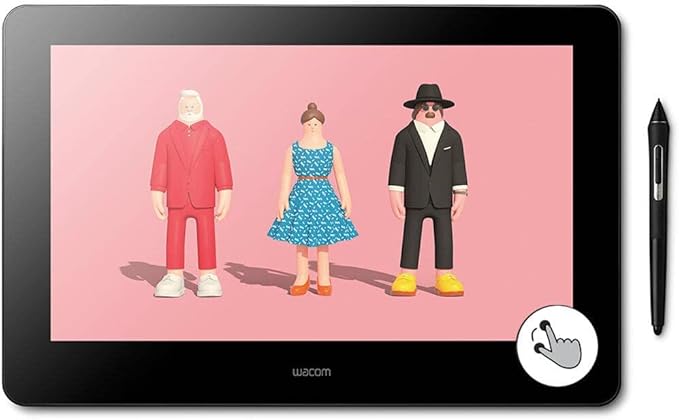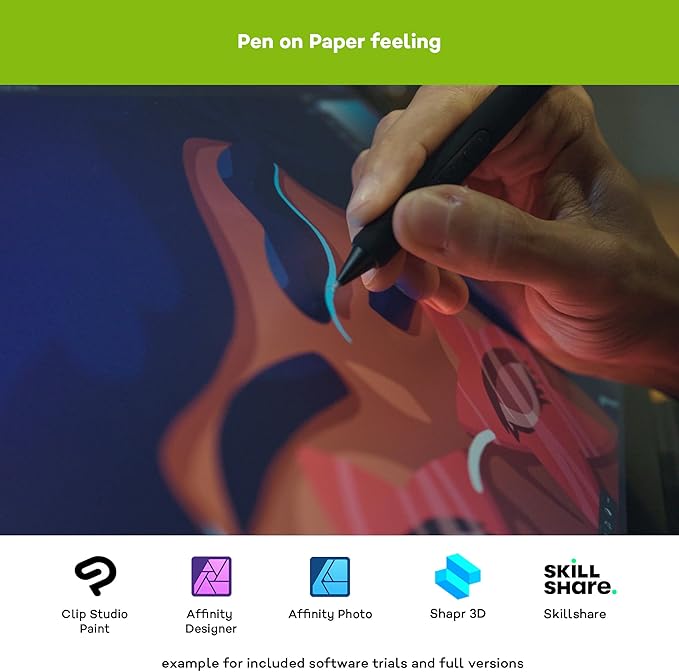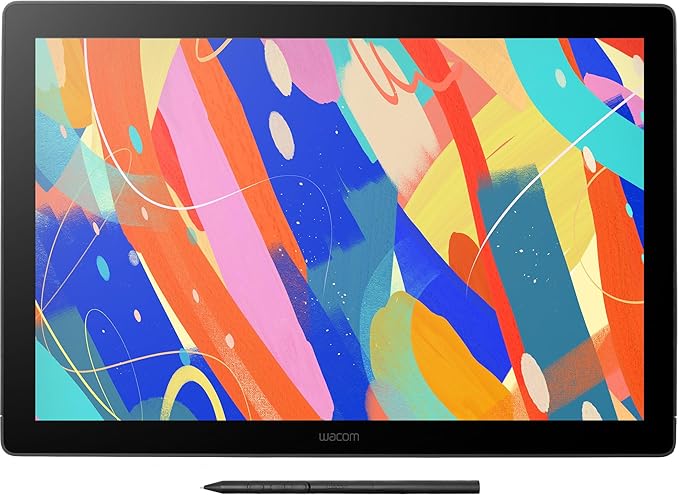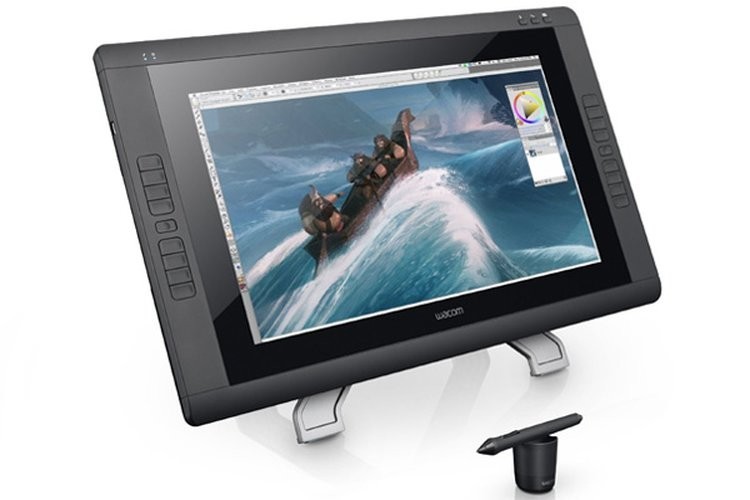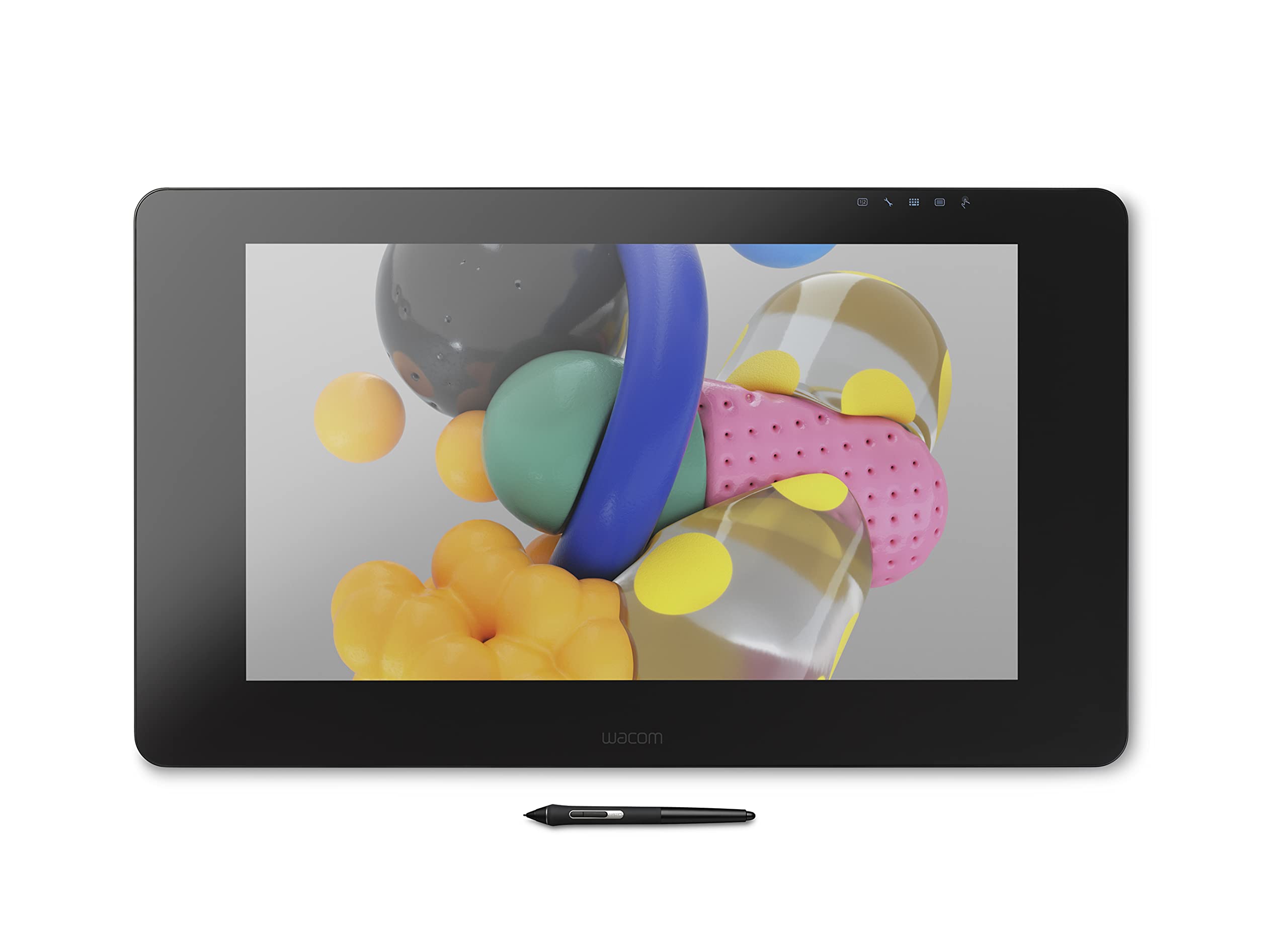
Use the Wacom Cintiq Pro 24" for absolute harmony with your work. Premium 4K screen with world class color performance, and virtually no parallax, enhance every creative breakthrough. The Wacom Pro Pen 2 provides state-of-the-art creative pen technology, meaning every stroke, every move of your hand is followed with unerring accuracy.
Use the Wacom Cintiq Pro 24" for absolute harmony with your work. Premium 4K screen with world class color performance, and virtually no parallax, enhance every creative breakthrough. The Wacom Pro Pen 2 provides state-of-the-art creative pen technology, meaning every stroke, every move of your hand is followed with unerring accuracy.
in 3 offers
The lowest price for Wacom Cintiq Pro DTK2420K0 24 Creative Pen Display right now is $3,599.00 at Woolworths, compared across 3 retailers.
The all-time low was $1,502.53 on 17 Aug 2024 — today's price is 140% above the lowest ever. It has been notably cheaper before — worth setting a price alert.
Prices last updated 29 Sept 2026.
Wacom Cintiq Pro DTK2420K0 24 Creative Pen Display
Use the Wacom Cintiq Pro 24" for absolute harmony with your work. Premium 4K screen with world class color performance, and virtually no parallax, enhance every creative breakthrough. The Wacom Pro Pen 2 provides state-of-the-art creative pen technology, meaning every stroke, every move of your hand is followed with unerring accuracy.
Use the Wacom Cintiq Pro 24" for absolute harmony with your work. Premium 4K screen with world class color performance, and virtually no parallax, enhance every creative breakthrough. The Wacom Pro Pen 2 provides state-of-the-art creative pen technology, meaning every stroke, every move of your hand is followed with unerring accuracy.
Last updated at 29/09/2026 10:42:25
Wacom Cintiq Pro 24 Non Touch with Creative Pen
Delivery between 2–11 Oct $10
Wacom Cintiq Pro 24, Drawing Tablet with 4K Touchscreen & ProPen 2
Delivery $193.52
Cintiq Pro 24, Drawing Tablet with 4K Touchscreen & ProPen 2
Free delivery
originally posted on bestbuy.com
Pros: The Cintiq Pro 24 came well packaged with every possible cable that one might need for setting it up. The ExpressKey remote is very handy (though the touch ring is finicky) and the pen is comfortable and works well. As one might expect from a 4K display, the image is gorgeous and there is extremely little parallax between the pen tip and image because of the very thin glass.Cons: At the 4K resolution menus are too small to be comfortably unusable for my 65-year-old eyes, and they make selecting items difficult. While lower resolutions can be used, doing so defeats the purpose of buying this display and paying the extra dollars for it. Someone well-versed in keyboard shortcuts, and judicious programming of the remote, could minimize using the onscreen menus, ... MorePros: The Cintiq Pro 24 came well packaged with every possible cable that one might need for setting it up. The ExpressKey remote is very handy (though the touch ring is finicky) and the pen is comfortable and works well. As one might expect from a 4K display, the image is gorgeous and there is extremely little parallax between the pen tip and image because of the very thin glass.Cons: At the 4K resolution menus are too small to be comfortably unusable for my 65-year-old eyes, and they make selecting items difficult. While lower resolutions can be used, doing so defeats the purpose of buying this display and paying the extra dollars for it. Someone well-versed in keyboard shortcuts, and judicious programming of the remote, could minimize using the onscreen menus, but for a hobbyist like myself it just wasn't enjoyable enough. While it is a beautiful display I just couldn't justify the cost if I were to use it at lower resolutions, so I returned it. Because of its high quality I would recommend it for those who need the high resolution and can work around its limitations, but just be aware of them.
originally posted on bestbuy.com
I have been wanting one of these forever, and after reading how Wacom has a lot of manufacturing issues, I decided to play it safe and purchase my Cintiq through a licensed vendor.I jumped to this from a surface laptop and while I missed the touch features at first, I quickly adapted to it (and there is no accidental bumping with my palm which has been nice). I'll still use the surface laptop for sketches, but I will finish them on this Cintiq. When you are hovering a foot over the screen the 4k and HDMI have a noticeable difference (which is why I picked this model over the 16 pen display). When using more traditional style brushes, the Cintiq had a much better experience than the surface laptop, which struggle to pick up pressure sensitivity with heavy data ... MoreI have been wanting one of these forever, and after reading how Wacom has a lot of manufacturing issues, I decided to play it safe and purchase my Cintiq through a licensed vendor.I jumped to this from a surface laptop and while I missed the touch features at first, I quickly adapted to it (and there is no accidental bumping with my palm which has been nice). I'll still use the surface laptop for sketches, but I will finish them on this Cintiq. When you are hovering a foot over the screen the 4k and HDMI have a noticeable difference (which is why I picked this model over the 16 pen display). When using more traditional style brushes, the Cintiq had a much better experience than the surface laptop, which struggle to pick up pressure sensitivity with heavy data brushes.I switched out the plastic nib for the felt nib which gave it more of a papery feel to draw on. I also selected the 24 because the 32 felt way too much. This size aligns perfectly with my 27-in IMac (see picture where the mac is on a monitor riser, lifting my Cintiq to a 45-degree angle).I used to use a drafting desk when I was younger, and this tablet really mimics the feeling of that experience, the bevels are also nice because I can rest my hand, thumbs, remote, or pen in that space without taking up my screen.The driver had connectivity issues when I was using only the HDMI, but I have been connecting to the display through an HP docking port and when I plugged in the USB and display port all was well.I've also been using it with the Elgato stream deck which is so nice. (I like the dial part of the remote, but I don't use the other buttons as much because I can never remember what I programmed them to do. The stream deck, on the other hand, labels all the buttons).This has also been working great with streamlabs OBS, screen recordings, and live stream painting (though my next upgrade is gonna be a 10GB ethernet port with my mac).
originally posted on bhphotovideo.com
Just like the 32 version - this is a gorgeous screen, in every respect, except one - which I find extremely frustrating.The Wacom color calibration worked perfectly, there were no trapped dust particles or dead pixels in the screen. Its fantastic to look at and to paint on.However - the material of the screen itself - if youre not looking at it at almost 90° degrees, changes slightly in value - to a hazy dark color - instead of remaining true to the actual color. This will be hard to notice with a finished painting, or photograph. But if your painting is in progress (especially with light colors), and you look at it in full screen mode - you will see the sides of the monitor, were your eyesight is not straight on, falls back to a darker value.This is not good. ... MoreJust like the 32 version - this is a gorgeous screen, in every respect, except one - which I find extremely frustrating.The Wacom color calibration worked perfectly, there were no trapped dust particles or dead pixels in the screen. Its fantastic to look at and to paint on.However - the material of the screen itself - if youre not looking at it at almost 90° degrees, changes slightly in value - to a hazy dark color - instead of remaining true to the actual color. This will be hard to notice with a finished painting, or photograph. But if your painting is in progress (especially with light colors), and you look at it in full screen mode - you will see the sides of the monitor, were your eyesight is not straight on, falls back to a darker value.This is not good. As a painter, this change in value confuses me, causing me to judge the painting incorrectly, and makes color choices more difficult and time-consuming.If this is due to using anti-glare material. Honestly, Wacom, I would rather have a reflective screen - like the beautiful material in an iMac Retina screen - that shows me the TRUE color across the ENTIRE screen, from a SINGLE viewing position.. than this cloudy, hazy darkness that creeps over the sides of the monitor when Im not looking at it directly.I can fix reflective glare by making the room darker, but theres nothing I can do to fix this hazy darkness on the screen.Its upsetting - the 32 inch version has this exact same problem, only MUCH worse, because the screen is so large, so the receding screen angles make the effect even more noticeable, impeding a smooth, fast workflow. I find myself having to bob my head side to side like an owl to get a correct view of the color in the painting, in order to make the right choice in color.The Wacom Pro 24 and 32 are extremely expensive, and supposed to be of professional quality. But this is a huge let-down. The only problem I have with these screens.If Wacom were to create a 4K Cintiq - with reflective screen material - that shows the exact color and value across the entire screen from a single viewing position, I would prefer it a million times over this value-changing hazy screen material.This is not a problem if youre a sculptor or a linework artist, where value change doesnt matter. But it is a pain for painters.Tried to capture the hazy effect with a camera, but my camera just cant record the subtle value change. It looks like its visible only in person.
| Panel Type | IPS-Type LCD |
| Aspect Ratio | 16-9 |
| Video I/O | 1 x USB-C 1 x HDMI 1 x DisplayPort |
| Contrast Ratio | 1000-1 |
| Color Gamut | 99% Adobe RGB |
Wacom Cintiq Pro 24 Non Touch with Creative Pen
Delivery between 2–11 Oct $10
Wacom Cintiq Pro 24, Drawing Tablet with 4K Touchscreen & ProPen 2
Delivery $193.52
Cintiq Pro 24, Drawing Tablet with 4K Touchscreen & ProPen 2
Free delivery
Pros: The Cintiq Pro 24 came well packaged with every possible cable that one might need for setting it up. The ExpressKey remote is very handy (though the touch ring is finicky) and the pen is comfortable and works well. As one might expect from a 4K display, the image is gorgeous and there is extremely little parallax between the pen tip and image because of the very thin glass.Cons: At the 4K resolution menus are too small to be comfortably unusable for my 65-year-old eyes, and they make selecting items difficult. While lower resolutions can be used, doing so defeats the purpose of buying this display and paying the extra dollars for it. Someone well-versed in keyboard shortcuts, and judicious programming of the remote, could minimize using the onscreen menus, ... MorePros: The Cintiq Pro 24 came well packaged with every possible cable that one might need for setting it up. The ExpressKey remote is very handy (though the touch ring is finicky) and the pen is comfortable and works well. As one might expect from a 4K display, the image is gorgeous and there is extremely little parallax between the pen tip and image because of the very thin glass.Cons: At the 4K resolution menus are too small to be comfortably unusable for my 65-year-old eyes, and they make selecting items difficult. While lower resolutions can be used, doing so defeats the purpose of buying this display and paying the extra dollars for it. Someone well-versed in keyboard shortcuts, and judicious programming of the remote, could minimize using the onscreen menus, but for a hobbyist like myself it just wasn't enjoyable enough. While it is a beautiful display I just couldn't justify the cost if I were to use it at lower resolutions, so I returned it. Because of its high quality I would recommend it for those who need the high resolution and can work around its limitations, but just be aware of them.
I have been wanting one of these forever, and after reading how Wacom has a lot of manufacturing issues, I decided to play it safe and purchase my Cintiq through a licensed vendor.I jumped to this from a surface laptop and while I missed the touch features at first, I quickly adapted to it (and there is no accidental bumping with my palm which has been nice). I'll still use the surface laptop for sketches, but I will finish them on this Cintiq. When you are hovering a foot over the screen the 4k and HDMI have a noticeable difference (which is why I picked this model over the 16 pen display). When using more traditional style brushes, the Cintiq had a much better experience than the surface laptop, which struggle to pick up pressure sensitivity with heavy data ... MoreI have been wanting one of these forever, and after reading how Wacom has a lot of manufacturing issues, I decided to play it safe and purchase my Cintiq through a licensed vendor.I jumped to this from a surface laptop and while I missed the touch features at first, I quickly adapted to it (and there is no accidental bumping with my palm which has been nice). I'll still use the surface laptop for sketches, but I will finish them on this Cintiq. When you are hovering a foot over the screen the 4k and HDMI have a noticeable difference (which is why I picked this model over the 16 pen display). When using more traditional style brushes, the Cintiq had a much better experience than the surface laptop, which struggle to pick up pressure sensitivity with heavy data brushes.I switched out the plastic nib for the felt nib which gave it more of a papery feel to draw on. I also selected the 24 because the 32 felt way too much. This size aligns perfectly with my 27-in IMac (see picture where the mac is on a monitor riser, lifting my Cintiq to a 45-degree angle).I used to use a drafting desk when I was younger, and this tablet really mimics the feeling of that experience, the bevels are also nice because I can rest my hand, thumbs, remote, or pen in that space without taking up my screen.The driver had connectivity issues when I was using only the HDMI, but I have been connecting to the display through an HP docking port and when I plugged in the USB and display port all was well.I've also been using it with the Elgato stream deck which is so nice. (I like the dial part of the remote, but I don't use the other buttons as much because I can never remember what I programmed them to do. The stream deck, on the other hand, labels all the buttons).This has also been working great with streamlabs OBS, screen recordings, and live stream painting (though my next upgrade is gonna be a 10GB ethernet port with my mac).
Just like the 32 version - this is a gorgeous screen, in every respect, except one - which I find extremely frustrating.The Wacom color calibration worked perfectly, there were no trapped dust particles or dead pixels in the screen. Its fantastic to look at and to paint on.However - the material of the screen itself - if youre not looking at it at almost 90° degrees, changes slightly in value - to a hazy dark color - instead of remaining true to the actual color. This will be hard to notice with a finished painting, or photograph. But if your painting is in progress (especially with light colors), and you look at it in full screen mode - you will see the sides of the monitor, were your eyesight is not straight on, falls back to a darker value.This is not good. ... MoreJust like the 32 version - this is a gorgeous screen, in every respect, except one - which I find extremely frustrating.The Wacom color calibration worked perfectly, there were no trapped dust particles or dead pixels in the screen. Its fantastic to look at and to paint on.However - the material of the screen itself - if youre not looking at it at almost 90° degrees, changes slightly in value - to a hazy dark color - instead of remaining true to the actual color. This will be hard to notice with a finished painting, or photograph. But if your painting is in progress (especially with light colors), and you look at it in full screen mode - you will see the sides of the monitor, were your eyesight is not straight on, falls back to a darker value.This is not good. As a painter, this change in value confuses me, causing me to judge the painting incorrectly, and makes color choices more difficult and time-consuming.If this is due to using anti-glare material. Honestly, Wacom, I would rather have a reflective screen - like the beautiful material in an iMac Retina screen - that shows me the TRUE color across the ENTIRE screen, from a SINGLE viewing position.. than this cloudy, hazy darkness that creeps over the sides of the monitor when Im not looking at it directly.I can fix reflective glare by making the room darker, but theres nothing I can do to fix this hazy darkness on the screen.Its upsetting - the 32 inch version has this exact same problem, only MUCH worse, because the screen is so large, so the receding screen angles make the effect even more noticeable, impeding a smooth, fast workflow. I find myself having to bob my head side to side like an owl to get a correct view of the color in the painting, in order to make the right choice in color.The Wacom Pro 24 and 32 are extremely expensive, and supposed to be of professional quality. But this is a huge let-down. The only problem I have with these screens.If Wacom were to create a 4K Cintiq - with reflective screen material - that shows the exact color and value across the entire screen from a single viewing position, I would prefer it a million times over this value-changing hazy screen material.This is not a problem if youre a sculptor or a linework artist, where value change doesnt matter. But it is a pain for painters.Tried to capture the hazy effect with a camera, but my camera just cant record the subtle value change. It looks like its visible only in person.
I got this to compare with the Cintiq 16". They were both great. The Pro 24" has a beautiful display with striking, bright colors, looked like a dream, calibration looked great right out of the box to my eyes, and I think the price would have been worth it. It annoyed me that, at least for me, the C port didn't work and I had to resort to the large heavy HDMI and USB cables, but I have to use those ports for the Cintiq 16" now anyway. The pen felt nice, I appreciated the pen stand (16" has a little strappy thing on the Cintiq itself to attach the pen instead of a real stand) although the river rock-appearance took up more desk space than necessary and I wish the pen to have rested more securely in it. The size of the display itself was great, I loved having my art ... MoreI got this to compare with the Cintiq 16". They were both great. The Pro 24" has a beautiful display with striking, bright colors, looked like a dream, calibration looked great right out of the box to my eyes, and I think the price would have been worth it. It annoyed me that, at least for me, the C port didn't work and I had to resort to the large heavy HDMI and USB cables, but I have to use those ports for the Cintiq 16" now anyway. The pen felt nice, I appreciated the pen stand (16" has a little strappy thing on the Cintiq itself to attach the pen instead of a real stand) although the river rock-appearance took up more desk space than necessary and I wish the pen to have rested more securely in it. The size of the display itself was great, I loved having my art at that size because I'm the sort who both likes to zoom in excessively and out again to see the entire picture. The texture of the glass was pleasant (upgrading here from an intuos) and the parallax didn't bother me except a bit when I'd have my nose to the glass drawing in some detail. Gap though there was, it didn't make my brain work harder or anything so I didn't care. I thought the resolution was good. There appeared to be 1 or 2 burned out pixels, but that wasn't why I returned it. I just didn't have the desk space, and I didn't want to buy the arm that clamps to the edge of one's table--very expensive, and I don't know how one would find a cheaper substitute, and anyway my table/desk is set up in such a way that it would have been awkward even with that. Also, it's rather heavy. I can't store it on my table because of its size (I also use that table for my hands-on art projects), and it was kind of a pain picking it up and shoving it somewhere. I also like to hold my sketchbooks and so on in my lap or propped on the table at a severe angle, and I just couldn't do that with the Pro 24".Maybe when I have the table space I'll get and keep a Cintiq Pro, but right now I'm sticking with the 16". The glass is a different quality and at first coming from the Cintiq Pro 24", felt a bit at first like I might scratch it, but I've gotten used to it. Didn't have problems with the pen, though I kind of wished they'd supplied an actual pen stand. The colors of course aren't as vibrant, but since I'm not printing my art right now that isn't a problem. The size and weight is small and light enough that I can take it up against my knees, and I can carry it around in a bag if I plan on going somewhere. The cord is tri-headed for some insane reason and the power cord in particular has a somewhat delicate-looking neck that the Pro 24" didn't have, but I'm not excessively worried. The resolution looks just fine. I kind of wish it came with a remote the way the Pro 24" did, but if I remember correctly I could theoretically buy one and connect it to the 16" if I wished. (I probably won't.)One thing that bugs me is the tri-pronged power cord. I long for the day when neither my tablet nor my computer will require that kind of cable, it's downright annoying when all of your extension cords only have double-pronged outlets. But that's a minor complaint.Switching to a display tablet is probably something I should have done earlier in my progress as an artist, and both of the Cintiqs fit the bill. I unfortunately didn't get the opportunity to test Wacom against another brand, but at any rate I don't think you can go wrong with either of these models. Overall both models are good.Cintiq Pro 24" gets 10/10 for color and resolution, 8.5 or 9/10 for glass texture, and parallax, not counting the burned out pixels--if I'd kept it I might have exchanged it for a different one; 5/10 for weight (16 pounds / 7.3 kgs feels heavier than it sounds)--it really was inconvenient!; 7.5/10 for size: great for drawing, crap for portability; 6.5/10 for ease of setting it up and all that other cable stuff; 9.5/10 for accessories.That's all I can think of right now, I hope this review was useful.
It worked just fine the first 3 weeks after brand new purchase, but now has slowly become increasingly glitchy since then. Express Key remote is no longer recognized by brand new PC purchased around the same time, and now cooling fan no longer works. Only a good product if you’re willing to get ripped-off $2K for a basic monitor that can be purchased for 1/10 the price. Do not recommend for serious creatives.
The most important thing to know is how you plan to use this product. I purchased the 24" Cintiq Pro without touch after reading some reviews about how it can become a little problematic and activating things when you didn't intend to do so. While I still wonder if my life might be a smidge improved by touch, I'm extremely happy with my purchase as I don't have to worry about accidentally touching such a large surface. It's huge!Coming from an iPad Pro and having an Intuos 4, I assumed I would fall in love with this display and never go back. That is not the case. I highly recommend this product because it does exactly what you expect it to: allowing you to use a pen on your monitor. Your software doesn't change. Your familiarity with programs doesn't drastically ... MoreThe most important thing to know is how you plan to use this product. I purchased the 24" Cintiq Pro without touch after reading some reviews about how it can become a little problematic and activating things when you didn't intend to do so. While I still wonder if my life might be a smidge improved by touch, I'm extremely happy with my purchase as I don't have to worry about accidentally touching such a large surface. It's huge!Coming from an iPad Pro and having an Intuos 4, I assumed I would fall in love with this display and never go back. That is not the case. I highly recommend this product because it does exactly what you expect it to: allowing you to use a pen on your monitor. Your software doesn't change. Your familiarity with programs doesn't drastically improve. It just gives you a better interface which can help.I didn't think I would want to set this as my main display and didn't like how the touch version requires it. However, after litttle use, I quickly made it my main display and really think that point is a non-issue-you just have to know yourself and how you like to work, being flexible in case you've never had an interactive display before.All in all, I'm very happy with my purchase and know I will get lots of use out of it. The only thing I would reconsider is getting the Ergo mount. The standard angle isn't quite as high as I would like so as to not be craning over the display with horrible posture. Well, that and if Procreate existed on PC.
Ive been happily illustrating using Wacom Intuos drawing tablets for well over 7 years. I decided to upgrade due to the desire for a bigger screen--I was spending way too much time and effort zooming in and out and opening and closing palettes. After quite a bit of research, watching online video reviews, and reading about the 24 Cintiq Pro, it was time.Right out of the box its been perfect and impressive. All the cables are included, its beautifully designed, and best of all--the screen is HUGE! Its only been 1 week and I truly am in love with this thing. The new pen picks up the lightest strokes and the 8129 levels of sensitivity is incredible. The lightly textured surface is luscious and it really feels like Im drawing on paper. Combine all that with Photoshop ... MoreIve been happily illustrating using Wacom Intuos drawing tablets for well over 7 years. I decided to upgrade due to the desire for a bigger screen--I was spending way too much time and effort zooming in and out and opening and closing palettes. After quite a bit of research, watching online video reviews, and reading about the 24 Cintiq Pro, it was time.Right out of the box its been perfect and impressive. All the cables are included, its beautifully designed, and best of all--the screen is HUGE! Its only been 1 week and I truly am in love with this thing. The new pen picks up the lightest strokes and the 8129 levels of sensitivity is incredible. The lightly textured surface is luscious and it really feels like Im drawing on paper. Combine all that with Photoshop CCs new line of brushes and my mind has been blown.I didnt purchase the stand and it works well without. I use my laptop on the left (havent figured out how to use all the express keys yet) and the Cintiq with the legs extended on the right . Once Im seated I pull the unit towards me so that it hangs about 6 off the edge of the desk. The weight and grippy back of the Cintiq keeps it solidly in place over my lap and the angle is great for drawing or painting. Ive added a thin non-skid rubber pad under the unit to prevent any accidental slipping.I highly recommend the Cintiq Pro 24 with a MacBook Pro combo. If I didnt have the trackpad, I think I would have liked the touch screen version better. But with either version you really cant go wrong. I havent had any problems with dead pixels or loud fan noises so hopefully Wacom fixed all those issues.
To start, I got this product at a great price and in fantastic quality. If I had paid 2200$ MSRP for it I would be a lot more disappointed, given you can get a 120hz OLED 42in for <$800. Good feel on the screen, good colors, great performance. It can be a little fussy about what USB you use to connect it, so make sure to try out lots of different ones before you decide it "isn't working". Very easy to draw on and good amount of space. At the price I got it at, I recommend other artists sniff out deals and see what they can find to get gems such as this. Major upgrade from my old non-pro cintiq 16 as well.
I am an upcoming coming artist and have wanted a professional-grade digital medium to upgrade and diversify my art process as I start to take art seriously for years now; I've only used traditional mediums up until recently after the buying this. I use both now, but this product is truly something special. Aside from budget, which is an issue for students or beginners, this pen display is a Strong Buy for artists. Of course you can use it a monitor and it's very good for that as the colors and resolution are incredible, but this is a product for all artists - beginner to professional who want to venture into digital art. The size of the tablet to me is a perfect size specifically you prefer bigger displays rather than an IPad or 13-16 inch wacom display -- if you're ... MoreI am an upcoming coming artist and have wanted a professional-grade digital medium to upgrade and diversify my art process as I start to take art seriously for years now; I've only used traditional mediums up until recently after the buying this. I use both now, but this product is truly something special. Aside from budget, which is an issue for students or beginners, this pen display is a Strong Buy for artists. Of course you can use it a monitor and it's very good for that as the colors and resolution are incredible, but this is a product for all artists - beginner to professional who want to venture into digital art. The size of the tablet to me is a perfect size specifically you prefer bigger displays rather than an IPad or 13-16 inch wacom display -- if you're seeking to upgrade. It's much bigger than I thought compared to my sketchbook, but you get used it. The screen feels like paper, is nice and smooth with a perfectly responsive pen, and theres is little to no paralax. Every positive thing you've heard about this display is completely accurate. Keep in mind: this pen display is not the Touch Display which means it's not touch screen! Don't get the two confused because I've seen poor reviews based on this mix-up.The set up, from the product itself to the driver, is pretty straightforward (aside from my user error). The shipping on this product was also quicker than prefaced and everything was in perfect condition. The ONLY issue I have is Wacom still not including a basic arm/stand with it because the price for the official models individually are absurd in my personal opinion.I've been using this display for a little over a week and have nothing but good things to say. As my first big purchase for my passion, this is definitely a purchase I don't regret one bit. This display is quite the investment though, but if you are an artist who wants to take it seriously whether it be in the industry or a just a prolific hobby, this pen display is for you!
This is a brutally subjective review, hopefully helpful to a couple of people with my very particular set of needs. First and foremost: If you are a cartoonist or illustrator, the 24 model will, in 99% of the cases, be more than big enough for you. It's HUGE! Keep in mind that the bigger the screen is, the longer the distances become that your hand has to travel to reach menus, tool boxes etc.Speaking of tools: The wireless, battery-less remote is brilliant! You hold your pen in one hand, this thing in the other, you easily program its buttons and the click wheel to your needs, and you never look back to keyboard shortcuts.With my 2015 MacBook Pro and the latest version of Photoshop, the Cintiq allows for quick and effective drawing, with some notable exceptions. ... MoreThis is a brutally subjective review, hopefully helpful to a couple of people with my very particular set of needs. First and foremost: If you are a cartoonist or illustrator, the 24 model will, in 99% of the cases, be more than big enough for you. It's HUGE! Keep in mind that the bigger the screen is, the longer the distances become that your hand has to travel to reach menus, tool boxes etc.Speaking of tools: The wireless, battery-less remote is brilliant! You hold your pen in one hand, this thing in the other, you easily program its buttons and the click wheel to your needs, and you never look back to keyboard shortcuts.With my 2015 MacBook Pro and the latest version of Photoshop, the Cintiq allows for quick and effective drawing, with some notable exceptions. Big brushes with complex tips can suddenly slow things down. But it's a rare occasion.I will talk about ergonomics in a separate review of the Ergo stand.The surface is matte but smooth, feels very nice and never has that glass feel of other devices. Setting the pen sensitivity to your needs is crucial, especially when you want pen pressure to control brush size and/or opacity!Lastly: Should you get the touch or non-touch version? Well, I will never really know the answer. The helpful B&H sales guy said that in his opinion, the 500$ price difference should go to the massive stand, and I went with his judgement. Whenever I sketch away on my iPad, I get sentimental for the likes of pinch zoom, quick selection with my non-drawing hand, and other touch-related goodies. What convinced me more than anything else to opt for the non-touch version of the Cintiq was the warning from several people on YouTube that there was occasional bugginess to report, especially when upgrading your OS. So I programmed zoom onto my remote wheel, which is not the best solution in the world, since it's a bit over-eager at times and makes it hard to find the sweet spot between to far away and too close. Then again: The same might be said for pinch zooming on a touch enabled Cintiq, so who knows? Get ready for a learning curve, you won't be able to work with this thing easily within a couple of days. I'm still trying things out, plagued by the occasional regret about this major investment (especially with that monster stand..!). Oh, one more thing: Are you a photographer, hoping to use the Cintiq as a high end monitor? Hmmmm, not so fast. Compared to a glossy Mac screen, this thing has weaknesses in sharpness, and display of shadow tones. It's 4K, don't get me wrong. But don't expect it to blow you away like a great monitor would. Sorry.Make sure to read my review of the Ergo Stand, I have some kvetching to do.
| Panel Type | IPS-Type LCD |
| Aspect Ratio | 16-9 |
| Video I/O | 1 x USB-C 1 x HDMI 1 x DisplayPort |
| Contrast Ratio | 1000-1 |
| Color Gamut | 99% Adobe RGB |