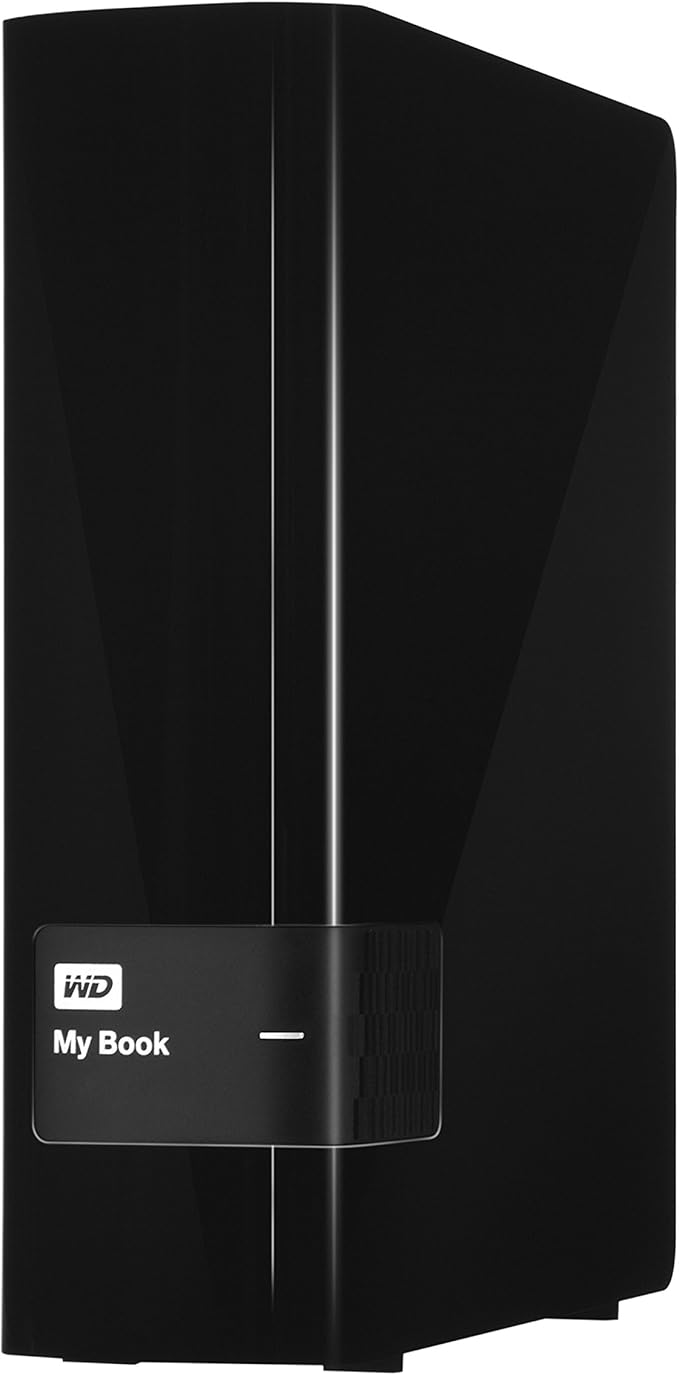
Ultra-fast transfer rates My Book desktop storage is optimized for the best possible data transfer rates. Connect this drive to a SuperSpeed USB 3.0 port to save and access files up to 3x faster than with USB 2.0. System-level backupAcronis True Image WD Edition is an integrated software suite that ensures security of all information on your PC. It can back up the entire disk drive or selected partitions, including your operating system, applications, settings and all of your data. You can also use the software to securely delete any confidential data you no longer need.
Ultra-fast transfer rates My Book desktop storage is optimized for the best possible data transfer rates. Connect this drive to a SuperSpeed USB 3.0 port to save and access files up to 3x faster than with USB 2.0. System-level backupAcronis True Image WD Edition is an integrated software suite that ensures security of all information on your PC. It can back up the entire disk drive or selected partitions, including your operating system, applications, settings and all of your data. You can also use the software to securely delete any confidential data you no longer need.
in 2 offers
The lowest price for WD 2TB My Book Desktop External Hard Drive - USB 3.0 - WDBFJK0020HBK-N right now is $387.76 at Amazon.com.au, compared across 2 retailers.
The all-time low was $284.77 on 18 Feb 2026 — today's price is 36% above the lowest ever. It has been notably cheaper before — worth setting a price alert.
Prices last updated 15 July 2026.
WD 2TB My Book Desktop External Hard Drive - USB 3.0 - WDBFJK0020HBK-N
Ultra-fast transfer rates My Book desktop storage is optimized for the best possible data transfer rates. Connect this drive to a SuperSpeed USB 3.0 port to save and access files up to 3x faster than with USB 2.0. System-level backupAcronis True Image WD Edition is an integrated software suite that ensures security of all information on your PC. It can back up the entire disk drive or selected partitions, including your operating system, applications, settings and all of your data. You can also use the software to securely delete any confidential data you no longer need.
Ultra-fast transfer rates My Book desktop storage is optimized for the best possible data transfer rates. Connect this drive to a SuperSpeed USB 3.0 port to save and access files up to 3x faster than with USB 2.0. System-level backupAcronis True Image WD Edition is an integrated software suite that ensures security of all information on your PC. It can back up the entire disk drive or selected partitions, including your operating system, applications, settings and all of your data. You can also use the software to securely delete any confidential data you no longer need.
Last updated at 15/07/2026 03:13:42
WD 2TB My Book Desktop External Hard Drive - USB 3.0 - WDBFJK0020HBK-NESN
Affiliate Disclosure: We may receive a small commission for purchases made through this link at no extra cost to you. This helps support our site. Thank you!
2TB My Book Desktop External Hard Drive - USB 3.0 - WDBFJK0020HBK-NESN
Delivery between 21–24 July $29
originally posted on bestbuy.com
There are 2TB drives out there for less money and if all you need is a huge space, you might consider one of those. The value added in this package is the backup software that is bundled with the drive (actually, delivered right on the drive).WD Smartware is a backup/restore suite that, once installed, boots with your machine. If the MyBook is attached via your USB port, it will constantly monitor activity and make backups accordingly in the background in near real time without any action on your part. It also maintains multiple generations of files (you choose how many), so you can go back to, say, three versions ago if you need to recover a spreadsheet or other data file.You can also use it on multiple computers. Backups are stored under folders with the same ... MoreThere are 2TB drives out there for less money and if all you need is a huge space, you might consider one of those. The value added in this package is the backup software that is bundled with the drive (actually, delivered right on the drive).WD Smartware is a backup/restore suite that, once installed, boots with your machine. If the MyBook is attached via your USB port, it will constantly monitor activity and make backups accordingly in the background in near real time without any action on your part. It also maintains multiple generations of files (you choose how many), so you can go back to, say, three versions ago if you need to recover a spreadsheet or other data file.You can also use it on multiple computers. Backups are stored under folders with the same name as the PC they're created on.I tested on a Win XP Pro laptop and a Win7 laptop and detected no system slowdowns at all. Every now and then the activity light on the drive would flicker; otherwise the backup operations were not noticeable. The drive itself is completely silent. I strongly consider copying the software included on the drive to a CD before you do anything. I can envision situations where you might want to delete everything off the My Book and if you do that, you'll no longer have the software to install on another machine (the manual has instructions about where to look for it online).
originally posted on walmart.com
First of all, USB3.0 is approx 10 times faster than USB 2.0The Dish Hopper 3 has three USB ports.......one USB 2 and one USB 3 in rear panel, plus one USB 3 port in front panel.Although the WD Mybook meets all of Dish's Hopper3 Standards for an EHD....1)External power supply2)Single disk3)Between 50GB and 2 TB in size4)USB3 compliantIt will not work yet.Here is the rest of the story:My Hopper3 would not recognize a USB3 External Hard Disk in ~ANY~ port.I spent hours on the phone and with text tech help with five different "techs".They first blamed the MyBook.......I checked it out on my PC with Western Digital software and it passed all tests.The MyBook came formatted in NTFS and Dish did not recognize it as existing (first the Dish unit has to ... MoreFirst of all, USB3.0 is approx 10 times faster than USB 2.0The Dish Hopper 3 has three USB ports.......one USB 2 and one USB 3 in rear panel, plus one USB 3 port in front panel.Although the WD Mybook meets all of Dish's Hopper3 Standards for an EHD....1)External power supply2)Single disk3)Between 50GB and 2 TB in size4)USB3 compliantIt will not work yet.Here is the rest of the story:My Hopper3 would not recognize a USB3 External Hard Disk in ~ANY~ port.I spent hours on the phone and with text tech help with five different "techs".They first blamed the MyBook.......I checked it out on my PC with Western Digital software and it passed all tests.The MyBook came formatted in NTFS and Dish did not recognize it as existing (first the Dish unit has to recognize the existence of an external Hard Disk before it can reformat to Disk's proprietary format structure)So, I took the MYBOOK to the PC again and reformatted to a FAT file system......the Hopper3 STILL did not recognize the EHD.FINALLY, after tech level after level at Dish I found someone who knew what was going on....The Dish Hopper does NOT YET have internal software coded to recognize USB3 devices.It will recognize USB2, but not three.Keep in mind that USB2 is approx TEN times SLOWER for file transfers than USB3.The engineers at Dish claim they are working on new software for the fix, but no ETA yet.I'm going to keep the MYBOOK in hopes they will deliver the new code.But, if YOU want an external Hard Drive and want it to work NOW, it will have to be a snail's-pace, slow USB2 device.
originally posted on bestbuy.com
I picked this up in order to perform automated backups on a desktop (specifically a Mac Mini). I also had picked one up for use on the PC side, and for similar reasons.Let's start off saying that WD hardware is always first-rate, and the MyBook is no exception. Even though the case is plastic, it has a good fit and finish as well as solid feel. The port types available to use the drive are also good, with a speedy USB 3.0 port as the main attraction.What is interesting to note about external HD"s made by HD manufacturers like WD: It's actually cheaper to buy the MyBook than to build your own external enclosure. Also the warranty tends to be better as well. It really is a nice deal.Now the bad: The software works well enough, but on the Apple side, you would ... MoreI picked this up in order to perform automated backups on a desktop (specifically a Mac Mini). I also had picked one up for use on the PC side, and for similar reasons.Let's start off saying that WD hardware is always first-rate, and the MyBook is no exception. Even though the case is plastic, it has a good fit and finish as well as solid feel. The port types available to use the drive are also good, with a speedy USB 3.0 port as the main attraction.What is interesting to note about external HD"s made by HD manufacturers like WD: It's actually cheaper to buy the MyBook than to build your own external enclosure. Also the warranty tends to be better as well. It really is a nice deal.Now the bad: The software works well enough, but on the Apple side, you would better off using Time Machine. It just isn't worth the hassle. Also on the PC side, the software works alright, but I find that it tends to have a big footprint and may be more of a handicap when it comes to more experienced users that wish to have a backup application that allows you to go under the hood.Other than the above small quip, a good buy.
WD 2TB My Book Desktop External Hard Drive - USB 3.0 - WDBFJK0020HBK-NESN
Affiliate Disclosure: We may receive a small commission for purchases made through this link at no extra cost to you. This helps support our site. Thank you!
2TB My Book Desktop External Hard Drive - USB 3.0 - WDBFJK0020HBK-NESN
Delivery between 21–24 July $29
There are 2TB drives out there for less money and if all you need is a huge space, you might consider one of those. The value added in this package is the backup software that is bundled with the drive (actually, delivered right on the drive).WD Smartware is a backup/restore suite that, once installed, boots with your machine. If the MyBook is attached via your USB port, it will constantly monitor activity and make backups accordingly in the background in near real time without any action on your part. It also maintains multiple generations of files (you choose how many), so you can go back to, say, three versions ago if you need to recover a spreadsheet or other data file.You can also use it on multiple computers. Backups are stored under folders with the same ... MoreThere are 2TB drives out there for less money and if all you need is a huge space, you might consider one of those. The value added in this package is the backup software that is bundled with the drive (actually, delivered right on the drive).WD Smartware is a backup/restore suite that, once installed, boots with your machine. If the MyBook is attached via your USB port, it will constantly monitor activity and make backups accordingly in the background in near real time without any action on your part. It also maintains multiple generations of files (you choose how many), so you can go back to, say, three versions ago if you need to recover a spreadsheet or other data file.You can also use it on multiple computers. Backups are stored under folders with the same name as the PC they're created on.I tested on a Win XP Pro laptop and a Win7 laptop and detected no system slowdowns at all. Every now and then the activity light on the drive would flicker; otherwise the backup operations were not noticeable. The drive itself is completely silent. I strongly consider copying the software included on the drive to a CD before you do anything. I can envision situations where you might want to delete everything off the My Book and if you do that, you'll no longer have the software to install on another machine (the manual has instructions about where to look for it online).
First of all, USB3.0 is approx 10 times faster than USB 2.0The Dish Hopper 3 has three USB ports.......one USB 2 and one USB 3 in rear panel, plus one USB 3 port in front panel.Although the WD Mybook meets all of Dish's Hopper3 Standards for an EHD....1)External power supply2)Single disk3)Between 50GB and 2 TB in size4)USB3 compliantIt will not work yet.Here is the rest of the story:My Hopper3 would not recognize a USB3 External Hard Disk in ~ANY~ port.I spent hours on the phone and with text tech help with five different "techs".They first blamed the MyBook.......I checked it out on my PC with Western Digital software and it passed all tests.The MyBook came formatted in NTFS and Dish did not recognize it as existing (first the Dish unit has to ... MoreFirst of all, USB3.0 is approx 10 times faster than USB 2.0The Dish Hopper 3 has three USB ports.......one USB 2 and one USB 3 in rear panel, plus one USB 3 port in front panel.Although the WD Mybook meets all of Dish's Hopper3 Standards for an EHD....1)External power supply2)Single disk3)Between 50GB and 2 TB in size4)USB3 compliantIt will not work yet.Here is the rest of the story:My Hopper3 would not recognize a USB3 External Hard Disk in ~ANY~ port.I spent hours on the phone and with text tech help with five different "techs".They first blamed the MyBook.......I checked it out on my PC with Western Digital software and it passed all tests.The MyBook came formatted in NTFS and Dish did not recognize it as existing (first the Dish unit has to recognize the existence of an external Hard Disk before it can reformat to Disk's proprietary format structure)So, I took the MYBOOK to the PC again and reformatted to a FAT file system......the Hopper3 STILL did not recognize the EHD.FINALLY, after tech level after level at Dish I found someone who knew what was going on....The Dish Hopper does NOT YET have internal software coded to recognize USB3 devices.It will recognize USB2, but not three.Keep in mind that USB2 is approx TEN times SLOWER for file transfers than USB3.The engineers at Dish claim they are working on new software for the fix, but no ETA yet.I'm going to keep the MYBOOK in hopes they will deliver the new code.But, if YOU want an external Hard Drive and want it to work NOW, it will have to be a snail's-pace, slow USB2 device.
I picked this up in order to perform automated backups on a desktop (specifically a Mac Mini). I also had picked one up for use on the PC side, and for similar reasons.Let's start off saying that WD hardware is always first-rate, and the MyBook is no exception. Even though the case is plastic, it has a good fit and finish as well as solid feel. The port types available to use the drive are also good, with a speedy USB 3.0 port as the main attraction.What is interesting to note about external HD"s made by HD manufacturers like WD: It's actually cheaper to buy the MyBook than to build your own external enclosure. Also the warranty tends to be better as well. It really is a nice deal.Now the bad: The software works well enough, but on the Apple side, you would ... MoreI picked this up in order to perform automated backups on a desktop (specifically a Mac Mini). I also had picked one up for use on the PC side, and for similar reasons.Let's start off saying that WD hardware is always first-rate, and the MyBook is no exception. Even though the case is plastic, it has a good fit and finish as well as solid feel. The port types available to use the drive are also good, with a speedy USB 3.0 port as the main attraction.What is interesting to note about external HD"s made by HD manufacturers like WD: It's actually cheaper to buy the MyBook than to build your own external enclosure. Also the warranty tends to be better as well. It really is a nice deal.Now the bad: The software works well enough, but on the Apple side, you would better off using Time Machine. It just isn't worth the hassle. Also on the PC side, the software works alright, but I find that it tends to have a big footprint and may be more of a handicap when it comes to more experienced users that wish to have a backup application that allows you to go under the hood.Other than the above small quip, a good buy.
This is by far the best external hard-drive for Xbox One for the price. The amount of storage for the price paid is amazing. Setting it up to be the external hard-drive for Xbox One was very easy. The only reason this product didn't receive 5 stars is because its delicate. A small fall, or drop, will cause the product not to work properly. Even with that problem it's worth it. Purchase the Warranty, and take precautions so that nothing can cause the device any harm. I purchased some Velcro, and enough to where it would take a lot to move the device. I also placed it, in it's own spot in my entertainment center, where it has enough room for the fans to keep it cool, but tight enough to keep it safe on top of having Velcro keep it in place, and for anybody out there ... MoreThis is by far the best external hard-drive for Xbox One for the price. The amount of storage for the price paid is amazing. Setting it up to be the external hard-drive for Xbox One was very easy. The only reason this product didn't receive 5 stars is because its delicate. A small fall, or drop, will cause the product not to work properly. Even with that problem it's worth it. Purchase the Warranty, and take precautions so that nothing can cause the device any harm. I purchased some Velcro, and enough to where it would take a lot to move the device. I also placed it, in it's own spot in my entertainment center, where it has enough room for the fans to keep it cool, but tight enough to keep it safe on top of having Velcro keep it in place, and for anybody out there trying to find a better deal, your not going to find it. There is one product that is $10.00 - $15.00 dollars more, and it has 5TB instead of 4TB. The Seagate 5TB Back-Up External Hard-Drive. Before you purchase that product, I'm just alerting you, if your planning on using it for Xbox One, It is not compatible. Xbox themselves stated that product was not compatible. As for using it for anything else, I can't say anything. But this product I can firmly say does the job for xbox one external storage, as well as external storage for computers and laptops. I purchased 2. I'm using one for my laptop & the other one for my Xbox One.
This was purchased from Brazil, delivered to a US address and I picked it up there. This was one of 4 items. Delivery was on time! When opened it up to install had issues. All hardware was presente but only a sheet with all the warranties (many languages) and a small sheet of how to connect it.Searching the WD support site, I was able to download drivers, software, applications, manuals, etc. It would not get recognized my computer, running Windows 8.1 Pro of 64 bits. Finally was able to determine disk was 100% blank, nothing. After using HDD management software and some issues with Windows, system finally recognized it on the USB.I am testing Western Digital SmartWare at this time, for a few days, and it is wonderful. I have more than 1.6 million files on 2 ... MoreThis was purchased from Brazil, delivered to a US address and I picked it up there. This was one of 4 items. Delivery was on time! When opened it up to install had issues. All hardware was presente but only a sheet with all the warranties (many languages) and a small sheet of how to connect it.Searching the WD support site, I was able to download drivers, software, applications, manuals, etc. It would not get recognized my computer, running Windows 8.1 Pro of 64 bits. Finally was able to determine disk was 100% blank, nothing. After using HDD management software and some issues with Windows, system finally recognized it on the USB.I am testing Western Digital SmartWare at this time, for a few days, and it is wonderful. I have more than 1.6 million files on 2 drives (Raid array) and WD drive internal for 1.8 TB. In a few hours, it "backed up" both drives. Was concerned as as it Works, shows what is going on as to what is done and what could not be done. Not sure why, but when done with "normal" files it returned to some 1,200 files of 400 Gb in the separate list, and in less than an hour they were backed up.I only keep 3 versions of programs modified, and did several test while actually modifying documents, power points, etc., and it does a perfect job. Seems as soon as I save it, then go to file explorer and open the directory, the file is there.I am now an IT consultant with 45 years’ experience in IT, from advance system programing to sales support and datacenter management. What this simple product does is amazing. Should be easy to install (if instruction manual and CD were included) and operation, I really think that in 5 minutes a 7 year old could be handling it.It performs backup and restore as good as a large datacenter would have. Since disk, capacities are so large, this is a very economical solution. As a note, you get 30 days of use of WD SmartWare, and after about 5 days of testing, purchasing it is worth every cent.As a professional consultant in IT, My Book is a perfect solution to small business and home office users to save yourselves hundreds of hours of rebuilding if you lose your system for any reason, including hardware theft, which must be considered.Will be hard to find a better SOLUTION than this, unless you want to pay 100s of thousands of dollars to the large manufactures.
Refurbed WD 2tb drive looked brand new when I got it. Came with a power cable and a 3 foot usb3 cable. Plugged it into my Windows machine and it was ready to go. When sitting right next to it I can hear it spin up on occasion but it's not loud at all in my opinion, I'm impressed with how quiet it is. I also like that it stands up instead of laying flat, fits on my desk and behind my tv better. It was formatted to NTFS on arrival which was fine with me. I'm using it for movie and photo storage and backup. I've added about 75 gig so far without any issue and the usb3 connection is fast. A gig is transferred from my computer to the drive in less than a minute. For those who are looking for a media drive for their tv or roku...with a few movies in meg4 format on the ... MoreRefurbed WD 2tb drive looked brand new when I got it. Came with a power cable and a 3 foot usb3 cable. Plugged it into my Windows machine and it was ready to go. When sitting right next to it I can hear it spin up on occasion but it's not loud at all in my opinion, I'm impressed with how quiet it is. I also like that it stands up instead of laying flat, fits on my desk and behind my tv better. It was formatted to NTFS on arrival which was fine with me. I'm using it for movie and photo storage and backup. I've added about 75 gig so far without any issue and the usb3 connection is fast. A gig is transferred from my computer to the drive in less than a minute. For those who are looking for a media drive for their tv or roku...with a few movies in meg4 format on the drive I tried it on my Roku Tv in the USB port and I was able to access and watch the movies easily, no reformatting needed on this drive for my purpose. 2TB is the largest drive some TVs and media devices will recognize so that is why I chose this one over a larger drive. Hopefully it will last a while, seems like it will if taken care of.
I have been using this drive as a backup drive (Windows 10 File History) for almost a month without issue. In my opinion the software (if you are someone will use it) is better than Seagate. This drive is also quiet. What I don't like is that this drive is not designed to be placed horizontally (on its side). This is probably for ventilation reasons as heat will have a harder time escaping on its side. Even when I placed it vertically (standing up), the drive got pretty warm while in operation (upwards of 110-115 degrees F). Sure there are debates that this type of heat won't lead to premature failure. I will leave that up to you. I am just stating what I observe.I really wanted to put this drive on its side so I attached my own rubber feet to the side to elevate ... MoreI have been using this drive as a backup drive (Windows 10 File History) for almost a month without issue. In my opinion the software (if you are someone will use it) is better than Seagate. This drive is also quiet. What I don't like is that this drive is not designed to be placed horizontally (on its side). This is probably for ventilation reasons as heat will have a harder time escaping on its side. Even when I placed it vertically (standing up), the drive got pretty warm while in operation (upwards of 110-115 degrees F). Sure there are debates that this type of heat won't lead to premature failure. I will leave that up to you. I am just stating what I observe.I really wanted to put this drive on its side so I attached my own rubber feet to the side to elevate it off my desk which reduces vibration sounds and increases ventilation under the unit. I also bought a small USB fan that I use to cool the device. The fan is probably a little overkill, so feel free to do what you want with your drive.
I've used a few different kinds of external drives over the past several years. I can say with 100% certainty that the Western Digital My Book drives are clearly on another level, all things considered. I have two connected right now (the 4TB one that I'm 'reviewing', and another 2TB one that I've had for a long time now). They run fast for external drives (faster than the others I've used), and I've never had a single problem with ANY Western Digital drive I've owned, which is at least 6-- the two mentioned above, another older external drive that I'm not using now, two in laptops, and another WD laptop drive that I put in my old PS3. None of them have ever had any issues at all. If you need an external hard drive, this is where it's at... and the price is great, ... MoreI've used a few different kinds of external drives over the past several years. I can say with 100% certainty that the Western Digital My Book drives are clearly on another level, all things considered. I have two connected right now (the 4TB one that I'm 'reviewing', and another 2TB one that I've had for a long time now). They run fast for external drives (faster than the others I've used), and I've never had a single problem with ANY Western Digital drive I've owned, which is at least 6-- the two mentioned above, another older external drive that I'm not using now, two in laptops, and another WD laptop drive that I put in my old PS3. None of them have ever had any issues at all. If you need an external hard drive, this is where it's at... and the price is great, usually right around the same price as a lot of lower quality drives.*Note- As of right now (June 8, 2015), value-wise, your best bet is to get a 4TB hard drive, unless that's not anywhere near the capacity you're looking for. It changes from time to time, but when I purchased this one, I compared several models (2TB, 4TB, 6TB, and possibly more-- I can't remember for sure), and looked at prices to determine which one was the best value, per gigabyte. I figured the 6TB would come out on top, but right now, the 4TB ones are cheaper per GB than any other model. Again though, that tends to change over time, so if that's something you're interested in taking advantage of, I'd compare them again when buying one.
It will be a while before i know how dependable it is, but this EHD does what I needed it to. Just hooked it up to my Hopper, plugged it in and selected yes to let Hopper format it so I could store movies. Simple! By the way, I'm pretty sure these 2 terabyte (TB) hard drives are at least 25 percent bigger than the 2000 hour capacity the Dish Hopper is suppose to have. So it should more than double my storage capacity. Cool! Oh, an it took like 6 hours to transfer 18 percent from my Hopper to the EHD (external hard drive). So do NOT schedule large transfers so that they occur at 1:00 AM (your local time) when Dish's software glitch they claim doesn't exist occurs. OR during bad weather or anytime when there is a high likelihood of a disruption of service or power. It ... MoreIt will be a while before i know how dependable it is, but this EHD does what I needed it to. Just hooked it up to my Hopper, plugged it in and selected yes to let Hopper format it so I could store movies. Simple! By the way, I'm pretty sure these 2 terabyte (TB) hard drives are at least 25 percent bigger than the 2000 hour capacity the Dish Hopper is suppose to have. So it should more than double my storage capacity. Cool! Oh, an it took like 6 hours to transfer 18 percent from my Hopper to the EHD (external hard drive). So do NOT schedule large transfers so that they occur at 1:00 AM (your local time) when Dish's software glitch they claim doesn't exist occurs. OR during bad weather or anytime when there is a high likelihood of a disruption of service or power. It WILL corrupt the files being download and lock you out of the EHD. You can recover the movies, but it is a huge pain in the rear. All that aside, this Western Digital 2TB My Book USB 3.0 External Hard Drive DOES work for Hopper!
Even though the box says "formatted for NTFS for Windows 8 or higher, Windows 7 or Windows Vista operating system", this drive cannot be used for Windows 7 Backup and Restore without reformatting. If this would have been disclosed somewhere on the product description it wouldn't have been so bad, but I had to find out the hard way, after two attempts at backup, both times ending with an I/O error message. Researching this error message on the internet ultimately led me to a page on the WD website acknowledging that, "This problem is caused by an issue with the Windows 7 Backup and Restore utility when using drives with 4K Logical sector sizes, which are found on WD 2.5 TB and larger external drives. This is different from an "Advanced Format" (AFD) drive which use ... MoreEven though the box says "formatted for NTFS for Windows 8 or higher, Windows 7 or Windows Vista operating system", this drive cannot be used for Windows 7 Backup and Restore without reformatting. If this would have been disclosed somewhere on the product description it wouldn't have been so bad, but I had to find out the hard way, after two attempts at backup, both times ending with an I/O error message. Researching this error message on the internet ultimately led me to a page on the WD website acknowledging that, "This problem is caused by an issue with the Windows 7 Backup and Restore utility when using drives with 4K Logical sector sizes, which are found on WD 2.5 TB and larger external drives. This is different from an "Advanced Format" (AFD) drive which use 4K physical sector sizes. AFD drives should not cause this problem. " The page goes on to give instructions for reformatting the drive using a downloadable WD tool. I followed these instructions, and then the drive worked fine for the backup. But they should have told me up front, and should not have hidden this page so deeply on their website. Thus the 2 star rating. I don't have confidence in this drive, and am waiting for the next incompatibility that they didn't tell me about.. The WD website page that addresses this problem is here:http://wdc.custhelp.com/app/answers/detail/a_id/6618/~/error%3A-0x8078002a-occurs-when-backing-up-to-a-2.5-or-3.0-tb-drive-in-windows-7

