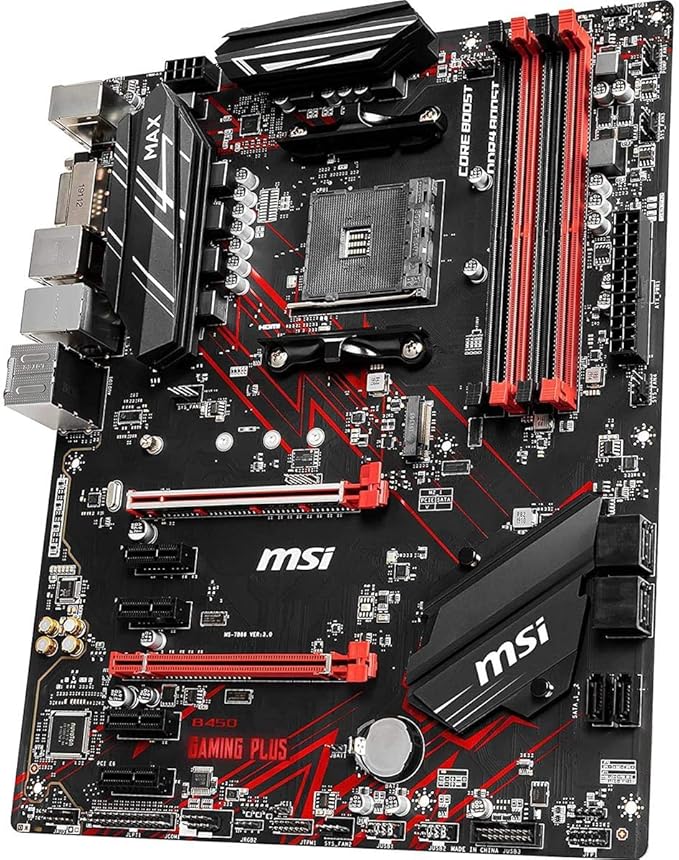
ASRock Fatal1ty B450 Gaming-ITX/ac Socket AM4 AMD B450 Mini ITX
A powerful tool that combines the speed of your SSD with the capacity of your hard drive to create a single, fast and easy-to-manage drive. SSDs are fast but expensive and offer minimal capacity. Mechanical hard drives have a large capacity, but are much slower than an SSD. AMD StoreMI technology combines these two storage types in a single drive and automatically moves the data you access most often to the SSD. This gives you the SSD responsiveness and capacity of mechanical hard drives. You can also use up to two gigabytes of RAM as a last-level cache for ultra-fast data. In addition to the built-in RGB lighting, it also features onboard LED headers and an addressable RGB header that allows you to run the motherboard with compatible LED devices such as strips, CPU, cooler and case fans. In addition, users can synchronize RGB LED devices with certified accessories for Polychrome RGB Sync-certified ynchronize and thus achieve unique lighting effects.
A powerful tool that combines the speed of your SSD with the capacity of your hard drive to create a single, fast and easy-to-manage drive. SSDs are fast but expensive and offer minimal capacity. Mechanical hard drives have a large capacity, but are much slower than an SSD. AMD StoreMI technology combines these two storage types in a single drive and automatically moves the data you access most often to the SSD. This gives you the SSD responsiveness and capacity of mechanical hard drives. You can also use up to two gigabytes of RAM as a last-level cache for ultra-fast data. In addition to the built-in RGB lighting, it also features onboard LED headers and an addressable RGB header that allows you to run the motherboard with compatible LED devices such as strips, CPU, cooler and case fans. In addition, users can synchronize RGB LED devices with certified accessories for Polychrome RGB Sync-certified ynchronize and thus achieve unique lighting effects.
A powerful tool that combines the speed of your SSD with the capacity of your hard drive to create a single, fast and easy-to-manage drive. SSDs are fast but expensive and offer minimal capacity. Mechanical hard drives have a large capacity, but are much slower than an SSD. AMD StoreMI technology combines these two storage types in a single drive and automatically moves the data you access most often to the SSD. This gives you the SSD responsiveness and capacity of mechanical hard drives. You can also use up to two gigabytes of RAM as a last-level cache for ultra-fast data. In addition to the built-in RGB lighting, it also features onboard LED headers and an addressable RGB header that allows you to run the motherboard with compatible LED devices such as strips, CPU, cooler and case fans. In addition, users can synchronize RGB LED devices with certified accessories for Polychrome RGB Sync-certified ynchronize and thus achieve unique lighting effects.
A powerful tool that combines the speed of your SSD with the capacity of your hard drive to create a single, fast and easy-to-manage drive. SSDs are fast but expensive and offer minimal capacity. Mechanical hard drives have a large capacity, but are much slower than an SSD. AMD StoreMI technology combines these two storage types in a single drive and automatically moves the data you access most often to the SSD. This gives you the SSD responsiveness and capacity of mechanical hard drives. You can also use up to two gigabytes of RAM as a last-level cache for ultra-fast data. In addition to the built-in RGB lighting, it also features onboard LED headers and an addressable RGB header that allows you to run the motherboard with compatible LED devices such as strips, CPU, cooler and case fans. In addition, users can synchronize RGB LED devices with certified accessories for Polychrome RGB Sync-certified ynchronize and thus achieve unique lighting effects.
in 4 offers
The lowest price for ASRock Fatal1ty B450 Gaming-ITX/ac Socket AM4 AMD B450 Mini ITX right now is $208.38 at AliExpress.com - AliExpress-226247430, compared across 2 retailers.
The all-time low was $17.04 on 14 July 2026 — today's price is 1123% above the lowest ever. It has been notably cheaper before — worth setting a price alert.
Prices last updated 10 Sept 2026.
Last updated at 10/09/2026 03:55:37
For ASROCK B450 GAMING-ITX/AC Motherboard 64GB HDMI PCI-E3.0 Socket AM4 DDR4 Mini-ITX B450 Mainboard
Free delivery
For Asrock B450 B450m Mini-itx Motherboard Fatal1ty B450 Gaming-itx/ac
Free delivery
Affiliate Disclosure: We may receive a small commission for purchases made through this link at no extra cost to you. This helps support our site. Thank you!
Asrock B450 Gaming-itx/ac Motherboard Socket Am4 Amd B450 Ddr4
Delivery $3.19
Affiliate Disclosure: We may receive a small commission for purchases made through this link at no extra cost to you. This helps support our site. Thank you!
For Asrock B450 Gaming-itx/ac Desktop Motherboard Socket Am4 B450m
Free delivery
Affiliate Disclosure: We may receive a small commission for purchases made through this link at no extra cost to you. This helps support our site. Thank you!
originally posted on newegg.com
Using with: Ryzen 3600x AMD 5700xt anniversary XPG 3200 DDR4 (8GBx2) Corsair SF600 Fractal Node 202 Would hardly get going once I finished building. Sluggish to power on if it did at all. Checked everything three times over inside the case. I've built PCs for ages so I know it was all good in there. Eventually managed to get into the BIOS and flash it to the latest one (as of Dec 14 2019). Still sluggish on power on (push power button, wait 5 seconds, then it starts up). Reset all BIOS settings before I did anything else, same deal. Managed to get Windows installed and it seems to be fine. Ran some benchmarks... RAM and CPU were under-performing drastically. BIOS "autodetect" had decided it was 2666 ram. Set it manually to 3200. Benchmarks came back, using ... MoreUsing with: Ryzen 3600x AMD 5700xt anniversary XPG 3200 DDR4 (8GBx2) Corsair SF600 Fractal Node 202 Would hardly get going once I finished building. Sluggish to power on if it did at all. Checked everything three times over inside the case. I've built PCs for ages so I know it was all good in there. Eventually managed to get into the BIOS and flash it to the latest one (as of Dec 14 2019). Still sluggish on power on (push power button, wait 5 seconds, then it starts up). Reset all BIOS settings before I did anything else, same deal. Managed to get Windows installed and it seems to be fine. Ran some benchmarks... RAM and CPU were under-performing drastically. BIOS "autodetect" had decided it was 2666 ram. Set it manually to 3200. Benchmarks came back, using UserBenchmark I am placed in all categories "above expectations". Good enough for me! Thermals were great thought during benchmarks, CPU max was about 72 and I do not get a reliable feeling from this motherboard though. USB ports sometimes just don't work on power up. Tried front and back ones, same deal. Sometimes my keyboard just won't light up. Unplugging the USB device and plugging it back in gets it going. The sluggish start is worrying. My 600w Corsair tests well and should be more than enough juice for my setup. I have not tried utting a 2nd gen Ryzen in here as I don't have one. If your product is labelled "Ryzen 3000 ready" it probably should be. This motherboard is not and seems to have problems. Out of the box, even with the "Ryzen 3000 ready" BIOS, it was clearly having major issues. I would not buy this board if you are planning on using a Ryzen 3000 series, Zen 2 processor. Find something else proven to be good or pay out the backside for a x570. I'll be returning this one as I don't want to bank on a piece of hardware that has been this unreliable and filled with glitches/quirks/etc right out of the gate. Was deciding between this, the ASUS ROG b450 itx, and the Gigabyte Aorus pro wifi itx. Haven't decided what I'll get now. Disappointing. Don't advertise this to be something it isn't. The "Ryzen 3000 ready" moniker needs removing. It clearly isn't ready.
originally posted on mindfactory.de
ProsGood layout very ideal for SFF builds.Competitive price.3 fan-headersSupport from 1000-Series to newest 3000-Series Ryzen CPU.Optical sound connector very ideal for HTPCGood sound qualityUseful software Polychrome RGB, Restart to UEFI,...NeutralVRM is fine for Ryzen 7 3800X and below, not recommened for Ryzen 9Color-scheme is black and grey, which is fine for me, but no RGB on board.ConsBIOS-Layout is very complex, sometimes makes me confuse, especially with RAM overclocking.BIOS sometimes not very stable, sometimes i tried to enter UEFI but it failed, i had to restart.ver. P3.50. This could change in the futureHard and poor to overclock. RAM overclocking is easier than CPU.Support website doesnt list all the necessary driver for Windows 10. Exp ... MoreProsGood layout very ideal for SFF builds.Competitive price.3 fan-headersSupport from 1000-Series to newest 3000-Series Ryzen CPU.Optical sound connector very ideal for HTPCGood sound qualityUseful software Polychrome RGB, Restart to UEFI,...NeutralVRM is fine for Ryzen 7 3800X and below, not recommened for Ryzen 9Color-scheme is black and grey, which is fine for me, but no RGB on board.ConsBIOS-Layout is very complex, sometimes makes me confuse, especially with RAM overclocking.BIOS sometimes not very stable, sometimes i tried to enter UEFI but it failed, i had to restart.ver. P3.50. This could change in the futureHard and poor to overclock. RAM overclocking is easier than CPU.Support website doesnt list all the necessary driver for Windows 10. Exp AMD ChipsetRAID driver and StoreMISupport website also doesnt list the newest QVL pages for the new Ryzen 3000
originally posted on neweggbusiness.com
This mobo crashes after hours of playing a games EVERY SESSION. Clean Windows 10 install, Updated BIOS, Drivers (previous version as well) several times, reinstalled Windows 10, Updated BIOS, Drivers (previous version as well) several times, no overclock, ran benchmarks and stress test with 3dMark and PASS Time Spy, Fire Strike Ultra and Extreme. I've tested my rig with my old PSU - works but crashes the same. Tested with memory sticks individually - works then crashes for both (Did overnight memtest). Video card is from my old system (Sapphire RX 580 8GB). Reseated everything. Temps do not exceed 70C while running 3dMark and Ryzen CPU Stress Test. The only thing left is the mobo. Tons of reading, scouring online for answers, this is what I've concluded. People say ... MoreThis mobo crashes after hours of playing a games EVERY SESSION. Clean Windows 10 install, Updated BIOS, Drivers (previous version as well) several times, reinstalled Windows 10, Updated BIOS, Drivers (previous version as well) several times, no overclock, ran benchmarks and stress test with 3dMark and PASS Time Spy, Fire Strike Ultra and Extreme. I've tested my rig with my old PSU - works but crashes the same. Tested with memory sticks individually - works then crashes for both (Did overnight memtest). Video card is from my old system (Sapphire RX 580 8GB). Reseated everything. Temps do not exceed 70C while running 3dMark and Ryzen CPU Stress Test. The only thing left is the mobo. Tons of reading, scouring online for answers, this is what I've concluded. People say that these motherboards are faulty. I've been troubleshooting for almost a week! I'm so sick of it! I bought this motherboard when it was on sale several months ago to slowly build my computer through deals, also cut out the UPC for rebate, so replacement is a no-go.
| Form factor | Mini-ITX |
| Base | AMD AM4 |
| Chipset | AMD B450 |
| Connectors | HDMI, Displayport |
| No. of DDR4 slots | 2 x |
For ASROCK B450 GAMING-ITX/AC Motherboard 64GB HDMI PCI-E3.0 Socket AM4 DDR4 Mini-ITX B450 Mainboard
Free delivery
For Asrock B450 B450m Mini-itx Motherboard Fatal1ty B450 Gaming-itx/ac
Free delivery
Affiliate Disclosure: We may receive a small commission for purchases made through this link at no extra cost to you. This helps support our site. Thank you!
Asrock B450 Gaming-itx/ac Motherboard Socket Am4 Amd B450 Ddr4
Delivery $3.19
Affiliate Disclosure: We may receive a small commission for purchases made through this link at no extra cost to you. This helps support our site. Thank you!
For Asrock B450 Gaming-itx/ac Desktop Motherboard Socket Am4 B450m
Free delivery
Affiliate Disclosure: We may receive a small commission for purchases made through this link at no extra cost to you. This helps support our site. Thank you!
Using with: Ryzen 3600x AMD 5700xt anniversary XPG 3200 DDR4 (8GBx2) Corsair SF600 Fractal Node 202 Would hardly get going once I finished building. Sluggish to power on if it did at all. Checked everything three times over inside the case. I've built PCs for ages so I know it was all good in there. Eventually managed to get into the BIOS and flash it to the latest one (as of Dec 14 2019). Still sluggish on power on (push power button, wait 5 seconds, then it starts up). Reset all BIOS settings before I did anything else, same deal. Managed to get Windows installed and it seems to be fine. Ran some benchmarks... RAM and CPU were under-performing drastically. BIOS "autodetect" had decided it was 2666 ram. Set it manually to 3200. Benchmarks came back, using ... MoreUsing with: Ryzen 3600x AMD 5700xt anniversary XPG 3200 DDR4 (8GBx2) Corsair SF600 Fractal Node 202 Would hardly get going once I finished building. Sluggish to power on if it did at all. Checked everything three times over inside the case. I've built PCs for ages so I know it was all good in there. Eventually managed to get into the BIOS and flash it to the latest one (as of Dec 14 2019). Still sluggish on power on (push power button, wait 5 seconds, then it starts up). Reset all BIOS settings before I did anything else, same deal. Managed to get Windows installed and it seems to be fine. Ran some benchmarks... RAM and CPU were under-performing drastically. BIOS "autodetect" had decided it was 2666 ram. Set it manually to 3200. Benchmarks came back, using UserBenchmark I am placed in all categories "above expectations". Good enough for me! Thermals were great thought during benchmarks, CPU max was about 72 and I do not get a reliable feeling from this motherboard though. USB ports sometimes just don't work on power up. Tried front and back ones, same deal. Sometimes my keyboard just won't light up. Unplugging the USB device and plugging it back in gets it going. The sluggish start is worrying. My 600w Corsair tests well and should be more than enough juice for my setup. I have not tried utting a 2nd gen Ryzen in here as I don't have one. If your product is labelled "Ryzen 3000 ready" it probably should be. This motherboard is not and seems to have problems. Out of the box, even with the "Ryzen 3000 ready" BIOS, it was clearly having major issues. I would not buy this board if you are planning on using a Ryzen 3000 series, Zen 2 processor. Find something else proven to be good or pay out the backside for a x570. I'll be returning this one as I don't want to bank on a piece of hardware that has been this unreliable and filled with glitches/quirks/etc right out of the gate. Was deciding between this, the ASUS ROG b450 itx, and the Gigabyte Aorus pro wifi itx. Haven't decided what I'll get now. Disappointing. Don't advertise this to be something it isn't. The "Ryzen 3000 ready" moniker needs removing. It clearly isn't ready.
ProsGood layout very ideal for SFF builds.Competitive price.3 fan-headersSupport from 1000-Series to newest 3000-Series Ryzen CPU.Optical sound connector very ideal for HTPCGood sound qualityUseful software Polychrome RGB, Restart to UEFI,...NeutralVRM is fine for Ryzen 7 3800X and below, not recommened for Ryzen 9Color-scheme is black and grey, which is fine for me, but no RGB on board.ConsBIOS-Layout is very complex, sometimes makes me confuse, especially with RAM overclocking.BIOS sometimes not very stable, sometimes i tried to enter UEFI but it failed, i had to restart.ver. P3.50. This could change in the futureHard and poor to overclock. RAM overclocking is easier than CPU.Support website doesnt list all the necessary driver for Windows 10. Exp ... MoreProsGood layout very ideal for SFF builds.Competitive price.3 fan-headersSupport from 1000-Series to newest 3000-Series Ryzen CPU.Optical sound connector very ideal for HTPCGood sound qualityUseful software Polychrome RGB, Restart to UEFI,...NeutralVRM is fine for Ryzen 7 3800X and below, not recommened for Ryzen 9Color-scheme is black and grey, which is fine for me, but no RGB on board.ConsBIOS-Layout is very complex, sometimes makes me confuse, especially with RAM overclocking.BIOS sometimes not very stable, sometimes i tried to enter UEFI but it failed, i had to restart.ver. P3.50. This could change in the futureHard and poor to overclock. RAM overclocking is easier than CPU.Support website doesnt list all the necessary driver for Windows 10. Exp AMD ChipsetRAID driver and StoreMISupport website also doesnt list the newest QVL pages for the new Ryzen 3000
This mobo crashes after hours of playing a games EVERY SESSION. Clean Windows 10 install, Updated BIOS, Drivers (previous version as well) several times, reinstalled Windows 10, Updated BIOS, Drivers (previous version as well) several times, no overclock, ran benchmarks and stress test with 3dMark and PASS Time Spy, Fire Strike Ultra and Extreme. I've tested my rig with my old PSU - works but crashes the same. Tested with memory sticks individually - works then crashes for both (Did overnight memtest). Video card is from my old system (Sapphire RX 580 8GB). Reseated everything. Temps do not exceed 70C while running 3dMark and Ryzen CPU Stress Test. The only thing left is the mobo. Tons of reading, scouring online for answers, this is what I've concluded. People say ... MoreThis mobo crashes after hours of playing a games EVERY SESSION. Clean Windows 10 install, Updated BIOS, Drivers (previous version as well) several times, reinstalled Windows 10, Updated BIOS, Drivers (previous version as well) several times, no overclock, ran benchmarks and stress test with 3dMark and PASS Time Spy, Fire Strike Ultra and Extreme. I've tested my rig with my old PSU - works but crashes the same. Tested with memory sticks individually - works then crashes for both (Did overnight memtest). Video card is from my old system (Sapphire RX 580 8GB). Reseated everything. Temps do not exceed 70C while running 3dMark and Ryzen CPU Stress Test. The only thing left is the mobo. Tons of reading, scouring online for answers, this is what I've concluded. People say that these motherboards are faulty. I've been troubleshooting for almost a week! I'm so sick of it! I bought this motherboard when it was on sale several months ago to slowly build my computer through deals, also cut out the UPC for rebate, so replacement is a no-go.
This is my second self-built pc after more than 10 years. The instructions are easy to follow. It has wifi and bluetooth builtin so I didn't need to buy a wifi or bluetooth usb addon. I put my components in and turned on the PC but no LEDs lit up. The CPU fan didn't spin either. I took everything apart and put the components back in again and it worked! Phew! I put this in a Silverstone sg13 case and it looks nice. Make sure you change the memory speed in the BIOS or else it'll stay at the default 2200. The default cpu fan speed is pretty high and so make sure you tune the fan speed in the BIOS. After some tuning, my PC is still not very quiet. Not sure if it's the cpu fan or the PSU fan.
TLDR: My first board was dead on arrival, my second one was fine to start with, but I've noticed I've been having tons of issues with USB 3.0-connected storage devices, which I thought was the devices' faults at first, but everything works fine on my laptop. Basically, if you don't care about USB drives or hubs, this seems to be a great motherboard...so long as it works when you turn it on. Honestly, one bad board, I figure it's a fluke. Two bad boards, and I really don't trust this product, and maybe even ASRock on the whole.
I bought this motherboard along with a Ryzen 3400G, G.SKILL Ripjaws V Series 16GB DDR4 3600, EVO 860 m.2, Corsair 450W Platinum, Silverstone SG13 case, Noctua low profile AMD cooler and a Phantek 140mm fan. It all booted up perfectly. The sticker on the BIOS chip on the motherboard indicated it was rev 3.70, which is the latest version as of this writing and is mentioned on their website as being compatible with the 3400G. Just simply works. This is my third AS Rock motherboard, with the other two go8ing back several years. Rock solid and reliable. I'm sold on this brand. No issues with the above combination. I placed the thing in a Silverstone SG13 case and it all worked out great.
From looking at the board photos, the basic design is the same for all of the A320/B350/X370/B450/X470 boards of this lineage. And I believe the basic design is solid. I actually bought FIVE of these. Two X470 versions and three B450 versions. Frankly, the tiny board makes no use of X470 features over B450 features, and I don't believe the VRM is any different. The only real difference is that the X470 version comes with AC9260 M.2 WiFi/Bluetooth vs. AC3168 M.2 WiFi/Bluetooth. And the little M.2 card is removable and transferable. I actually moved one AC9260 to B450 board and it works just fine, and also moved another AC9260 to another computer, as I didn't need wireless on some of my builds. All but one of my five builds are using ECC UDIMMs (Crucial and Kingston ... MoreFrom looking at the board photos, the basic design is the same for all of the A320/B350/X370/B450/X470 boards of this lineage. And I believe the basic design is solid. I actually bought FIVE of these. Two X470 versions and three B450 versions. Frankly, the tiny board makes no use of X470 features over B450 features, and I don't believe the VRM is any different. The only real difference is that the X470 version comes with AC9260 M.2 WiFi/Bluetooth vs. AC3168 M.2 WiFi/Bluetooth. And the little M.2 card is removable and transferable. I actually moved one AC9260 to B450 board and it works just fine, and also moved another AC9260 to another computer, as I didn't need wireless on some of my builds. All but one of my five builds are using ECC UDIMMs (Crucial and Kingston brands with Micron and Hynix ECC UDIMMs). You can even overclock them, unlike on Xeon platforms. On one, I'm using Ryzen 3 2200GE PRO. Don't even get me started on how hard it was obtain a PRO APU. Others builds are using vanilla 2700X and 2600. I don't get why there are so many "it stopped working" reviews. I've had no issues with any of my five boards, and the first one has been in daily use since July, 2018. I'm not overclocking anything, though, other than DRAM by just a tiny bit (2133->2400). It would be interesting to know how the people who are having issues have configured theirs.
Other than the Wifi issue, my only other gripe is about fan headers. It would be nice to have one around the PCI express slot so I didn't have run that cable all the way around the motherboard (it's in a tight case.) I've not tried to overclock anything nor do I plan to. The memory and CPU were recognized and run at rated speeds with no tweaking necessary. I wanted a rig I didn't have to worry over so I made sure I got parts that were on Compatibility lists from the manufacturers. I didn't have to upgrade firmware and drivers loaded through windows install so I was up and running extremely fast. ASRock Fatal1ty B450 Gaming-ITX AMD Ryzen 5 2600 G.Skill Flare 32GB 2400 Gigabyte GeForce 1660ti HP EX900 250GB NVMe Fractal Design Node 202 Corsair SF 450 80 Plus Gold
First one I got was dead-on-arrival as far as I could tell based on my testing. Second one was fine. I keep finding myself wanting more USB ports for the device. It's nice to have 4 USB-3.0 ports, but some devices don't work well with them (dunno why, legacy USB is turned on in the BIOS), and there are only 2 USB-2 ports on the machine. Even must two more USB 2 would make a huge difference, and I'm considering making a custom I/O shield with room to plug more USB ports into the motherboard and have them stick out the back. Ideally ASRock would offer an miniITX motherboard that traded the on-board graphics support for more USB ports, but I can't seem to find one (in the price range I'm searching within).
Running this board in a Coolermaster Elite 130 case with an EVGA Supernova 450 GM (SFX) power supply, LG Blu-Ray burner, 32gb Gskill TridentZ DDR4-3200, Ryzen 5 3400G with a copper-core AMD Spire cooler. No OC, XMP running the RAM at 3200 speeds...runs 24/7 as my general use PC, works fantastic in that role. UPDATE... Have since moved this board to a smaller InWin BQ656S itx case (much smaller) using a Noctua NH-L9a-AM4 low profile cooler. This board continues to be a great option for an APU due to the HDMI 2.0 and DP 1.2, both of which support 4k @ 60hz. Be sure to use high quality cables for your video output, and the proper bios for your CPU. This is the best budget option for an HTPC using an APU...there are others that will work well, but at a higher price and ... MoreRunning this board in a Coolermaster Elite 130 case with an EVGA Supernova 450 GM (SFX) power supply, LG Blu-Ray burner, 32gb Gskill TridentZ DDR4-3200, Ryzen 5 3400G with a copper-core AMD Spire cooler. No OC, XMP running the RAM at 3200 speeds...runs 24/7 as my general use PC, works fantastic in that role. UPDATE... Have since moved this board to a smaller InWin BQ656S itx case (much smaller) using a Noctua NH-L9a-AM4 low profile cooler. This board continues to be a great option for an APU due to the HDMI 2.0 and DP 1.2, both of which support 4k @ 60hz. Be sure to use high quality cables for your video output, and the proper bios for your CPU. This is the best budget option for an HTPC using an APU...there are others that will work well, but at a higher price and generally fewer features.
| Form factor | Mini-ITX |
| Base | AMD AM4 |
| Chipset | AMD B450 |
| Connectors | HDMI, Displayport |
| No. of DDR4 slots | 2 x |