Last updated at 13/08/2026 22:00:23
Asus PCE-AX3000 Dual Band PCI-E WiFi 6 160MHz 300mbps PCIe Adapter
Delivery $4
Ax3000 Chipset Pcie Wifi 6 For Intel Ax200 Wifi Card Pc Adapter For
Delivery $9.88
Affiliate Disclosure: We may receive a small commission for purchases made through this link at no extra cost to you. This helps support our site. Thank you!
Asus Dual Band Pci-e Wifi 6 Bluetooth 5.0 Ofdma And Mu-mimo - No
Free delivery
Affiliate Disclosure: We may receive a small commission for purchases made through this link at no extra cost to you. This helps support our site. Thank you!
Asus Pce-ax3000 Ax3000 Dual Band Wifi 6 Pci-e Adapter Bt5.0 Package
Free delivery
Affiliate Disclosure: We may receive a small commission for purchases made through this link at no extra cost to you. This helps support our site. Thank you!
ASUS PCE-AX3000 AX3000 Dual Band PCI-E WiFi 6 (802.11ax) Adapter | MOBOSQUARE
Delivery $30
originally posted on Google Customer Reviews
The AX3000 has done what it was expected to do without issue.
originally posted on umart.com.au
Installation went without a hitch. Came with a CD/DVD which iI haven't seen a product come with in a long time. I searched up and downloaded the drivers from the website. Driver installs for Wifi and Bluetooth seemed to go ok. At this time, I still had the machine on ethernet.Then comes to getting onto Wifi. This is where i spent the next two hours troubleshooting, updating firmware on my Netgear Nighthawk (SR60), getting another driver for the adapter from the Intel site, until finally the only way I could get a stable wifi connection was to down grade the connection from ax to n via the connector properties. I can't tell if it was / is my router or this adapter as to why it won't connect properly with either AX (wifi 6) or AC protocols.The connection is now ... MoreInstallation went without a hitch. Came with a CD/DVD which iI haven't seen a product come with in a long time. I searched up and downloaded the drivers from the website. Driver installs for Wifi and Bluetooth seemed to go ok. At this time, I still had the machine on ethernet.Then comes to getting onto Wifi. This is where i spent the next two hours troubleshooting, updating firmware on my Netgear Nighthawk (SR60), getting another driver for the adapter from the Intel site, until finally the only way I could get a stable wifi connection was to down grade the connection from ax to n via the connector properties. I can't tell if it was / is my router or this adapter as to why it won't connect properly with either AX (wifi 6) or AC protocols.The connection is now getting stable 300 mbs and seems to be running without a hitch. So happy that my old PC is able to continue its life with my kids, but guess it would have been nice to get all the features working.Symptoms of the issue for those interested:- DHCP enabled: intermittently got DHCP address assigned correctly. Router claimed that it had leased the proper address. Could not connect to any internet address (DNS or IP).- Static IP assigned: could not connect to any internet address (DNS or IP).
| Hardware Interface | PCI |
| Compatible Devices | Desktop |
| Mounting Hardware | PCE-AX3000 NIC |
| Batteries Included | No |
| Batteries Required | No |
Asus PCE-AX3000 Dual Band PCI-E WiFi 6 160MHz 300mbps PCIe Adapter
Delivery $4
Ax3000 Chipset Pcie Wifi 6 For Intel Ax200 Wifi Card Pc Adapter For
Delivery $9.88
Affiliate Disclosure: We may receive a small commission for purchases made through this link at no extra cost to you. This helps support our site. Thank you!
Asus Dual Band Pci-e Wifi 6 Bluetooth 5.0 Ofdma And Mu-mimo - No
Free delivery
Affiliate Disclosure: We may receive a small commission for purchases made through this link at no extra cost to you. This helps support our site. Thank you!
Asus Pce-ax3000 Ax3000 Dual Band Wifi 6 Pci-e Adapter Bt5.0 Package
Free delivery
Affiliate Disclosure: We may receive a small commission for purchases made through this link at no extra cost to you. This helps support our site. Thank you!
ASUS PCE-AX3000 AX3000 Dual Band PCI-E WiFi 6 (802.11ax) Adapter | MOBOSQUARE
Delivery $30
The AX3000 has done what it was expected to do without issue.
Installation went without a hitch. Came with a CD/DVD which iI haven't seen a product come with in a long time. I searched up and downloaded the drivers from the website. Driver installs for Wifi and Bluetooth seemed to go ok. At this time, I still had the machine on ethernet.Then comes to getting onto Wifi. This is where i spent the next two hours troubleshooting, updating firmware on my Netgear Nighthawk (SR60), getting another driver for the adapter from the Intel site, until finally the only way I could get a stable wifi connection was to down grade the connection from ax to n via the connector properties. I can't tell if it was / is my router or this adapter as to why it won't connect properly with either AX (wifi 6) or AC protocols.The connection is now ... MoreInstallation went without a hitch. Came with a CD/DVD which iI haven't seen a product come with in a long time. I searched up and downloaded the drivers from the website. Driver installs for Wifi and Bluetooth seemed to go ok. At this time, I still had the machine on ethernet.Then comes to getting onto Wifi. This is where i spent the next two hours troubleshooting, updating firmware on my Netgear Nighthawk (SR60), getting another driver for the adapter from the Intel site, until finally the only way I could get a stable wifi connection was to down grade the connection from ax to n via the connector properties. I can't tell if it was / is my router or this adapter as to why it won't connect properly with either AX (wifi 6) or AC protocols.The connection is now getting stable 300 mbs and seems to be running without a hitch. So happy that my old PC is able to continue its life with my kids, but guess it would have been nice to get all the features working.Symptoms of the issue for those interested:- DHCP enabled: intermittently got DHCP address assigned correctly. Router claimed that it had leased the proper address. Could not connect to any internet address (DNS or IP).- Static IP assigned: could not connect to any internet address (DNS or IP).
| Hardware Interface | PCI |
| Compatible Devices | Desktop |
| Mounting Hardware | PCE-AX3000 NIC |
| Batteries Included | No |
| Batteries Required | No |
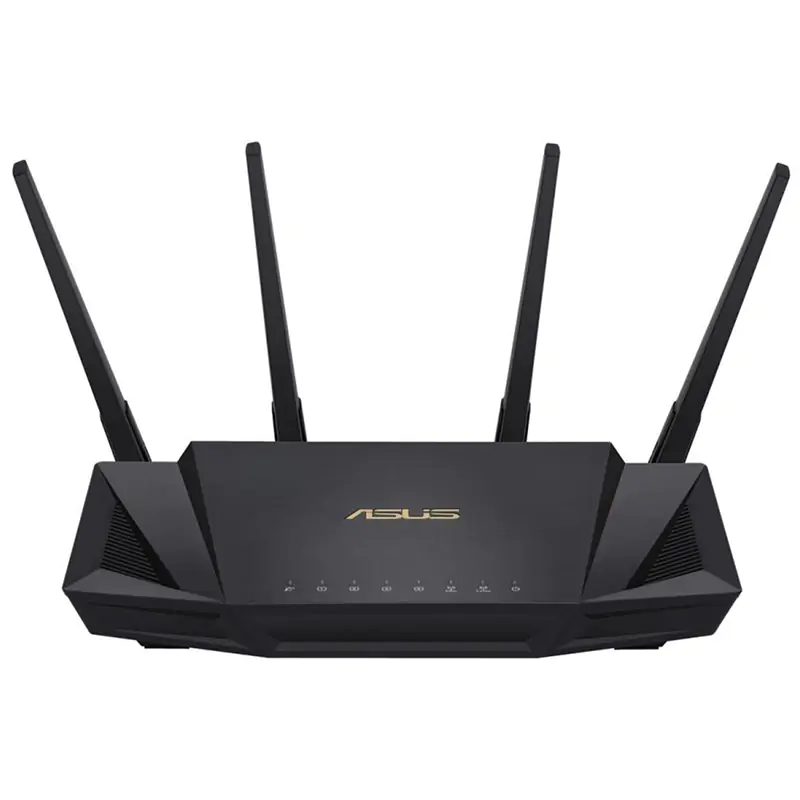
Asus AX3000 Dual Band PCI-E Wifi 6 Bluetooth 5.0
Next Gen Wi Fi Standard WiFi 6 802.11ax standard for better efficiency and throughput Ultrafast Wi Fi Speed 3000 Mbps WiFi speed to handle even the busiest network with ease Transfer data up to twice as fast as before, and with 4X the range The upshot is smoother WiFi connections and the fastest attainable speeds for all devices.
Next Gen Wi Fi Standard WiFi 6 802.11ax standard for better efficiency and throughput Ultrafast Wi Fi Speed 3000 Mbps WiFi speed to handle even the busiest network with ease Transfer data up to twice as fast as before, and with 4X the range The upshot is smoother WiFi connections and the fastest attainable speeds for all devices.
Next Gen Wi Fi Standard WiFi 6 802.11ax standard for better efficiency and throughput Ultrafast Wi Fi Speed 3000 Mbps WiFi speed to handle even the busiest network with ease Transfer data up to twice as fast as before, and with 4X the range The upshot is smoother WiFi connections and the fastest attainable speeds for all devices.
Next Gen Wi Fi Standard WiFi 6 802.11ax standard for better efficiency and throughput Ultrafast Wi Fi Speed 3000 Mbps WiFi speed to handle even the busiest network with ease Transfer data up to twice as fast as before, and with 4X the range The upshot is smoother WiFi connections and the fastest attainable speeds for all devices.
in 5 offers
The lowest price for Asus AX3000 Dual Band PCI-E Wifi 6 Bluetooth 5.0 right now is $35.00 at CeX, compared across 3 retailers.
The all-time low was $35.00 on 20 July 2026. That's the lowest price we've ever tracked — a great time to buy.
Prices last updated 13 Aug 2026.

