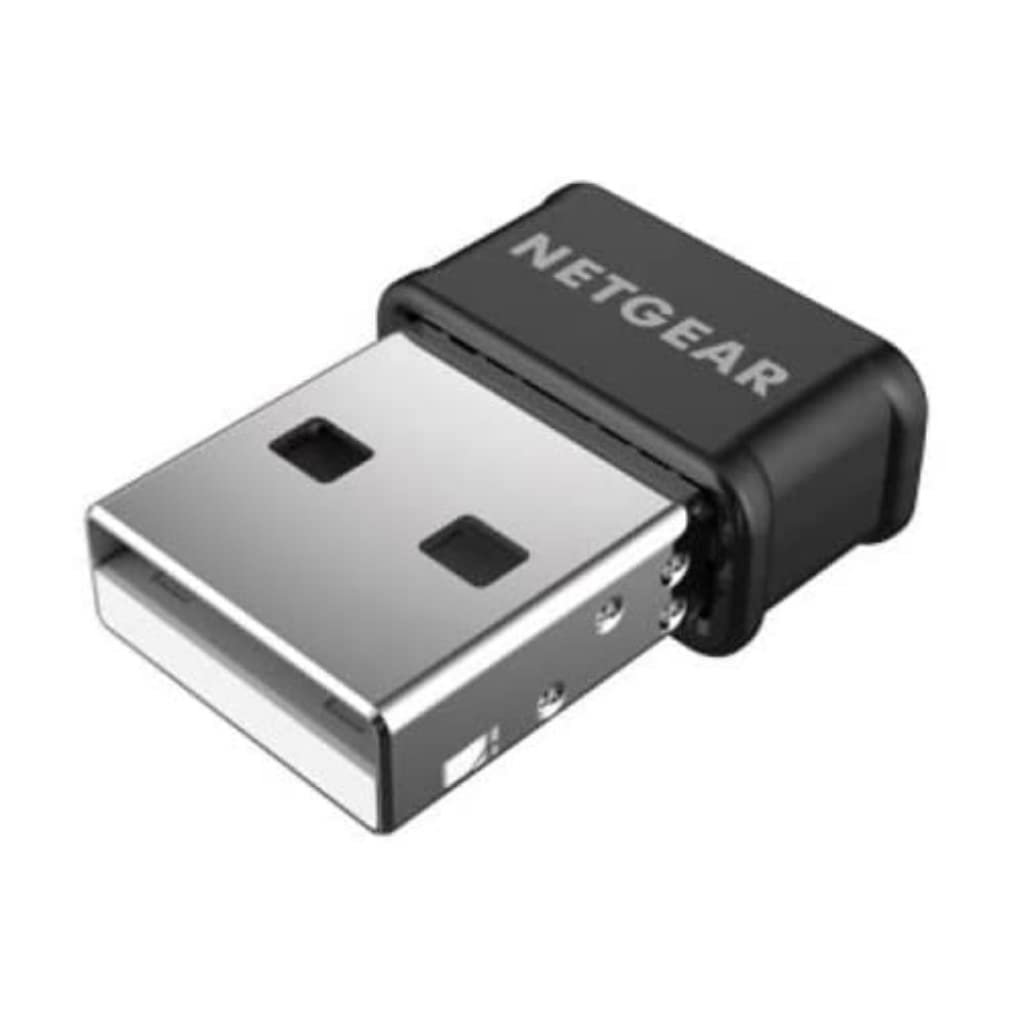
Asus USB-AC53 Nano AC1200 Dual-Band USB Wi-Fi Adapter
Extreme 5th-generation Wi-Fi speed Super-fast Wi-Fi ever becomes more accessible via USB, going up to 867Mbps on the clear 5GHz band. Using 802.11ac wireless, faster connectivity and enjoyment come to all your devices. Multi-user MIMO support MU-MIMO technology boosts connection speed when multiple compatible clients are online. Travel-friendly design The USB-AC53 Nano is specially-designed to be compact and durable to safely and securely stay plugged into a notebook PC even inside a slim carrying case. Selectable dual-band 300Mbps/ 867Mbps bandwidth Dual-band operation suits mainstream and power users. The 2.4 GHz band is perfect for web browsing, email, and social networking, while the 5 GHz frequency enables smooth 4K streaming and online gaming for blazingly fast and lag-free home entertainment.
Extreme 5th-generation Wi-Fi speed Super-fast Wi-Fi ever becomes more accessible via USB, going up to 867Mbps on the clear 5GHz band. Using 802.11ac wireless, faster connectivity and enjoyment come to all your devices. Multi-user MIMO support MU-MIMO technology boosts connection speed when multiple compatible clients are online. Travel-friendly design The USB-AC53 Nano is specially-designed to be compact and durable to safely and securely stay plugged into a notebook PC even inside a slim carrying case. Selectable dual-band 300Mbps/ 867Mbps bandwidth Dual-band operation suits mainstream and power users. The 2.4 GHz band is perfect for web browsing, email, and social networking, while the 5 GHz frequency enables smooth 4K streaming and online gaming for blazingly fast and lag-free home entertainment.
Extreme 5th-generation Wi-Fi speed Super-fast Wi-Fi ever becomes more accessible via USB, going up to 867Mbps on the clear 5GHz band. Using 802.11ac wireless, faster connectivity and enjoyment come to all your devices. Multi-user MIMO support MU-MIMO technology boosts connection speed when multiple compatible clients are online. Travel-friendly design The USB-AC53 Nano is specially-designed to be compact and durable to safely and securely stay plugged into a notebook PC even inside a slim carrying case. Selectable dual-band 300Mbps/ 867Mbps bandwidth Dual-band operation suits mainstream and power users. The 2.4 GHz band is perfect for web browsing, email, and social networking, while the 5 GHz frequency enables smooth 4K streaming and online gaming for blazingly fast and lag-free home entertainment.
Extreme 5th-generation Wi-Fi speed Super-fast Wi-Fi ever becomes more accessible via USB, going up to 867Mbps on the clear 5GHz band. Using 802.11ac wireless, faster connectivity and enjoyment come to all your devices. Multi-user MIMO support MU-MIMO technology boosts connection speed when multiple compatible clients are online. Travel-friendly design The USB-AC53 Nano is specially-designed to be compact and durable to safely and securely stay plugged into a notebook PC even inside a slim carrying case. Selectable dual-band 300Mbps/ 867Mbps bandwidth Dual-band operation suits mainstream and power users. The 2.4 GHz band is perfect for web browsing, email, and social networking, while the 5 GHz frequency enables smooth 4K streaming and online gaming for blazingly fast and lag-free home entertainment.
in 55 offers
The lowest price for Asus USB-AC53 Nano AC1200 Dual-Band USB Wi-Fi Adapter right now is $11.03 at eBay.com.au, compared across 39 retailers.
The all-time low was $10.65 on 9 Sept 2026 — today's price is 4% above the lowest ever. This is at or near its all-time low — a good time to buy.
Prices last updated 14 Oct 2026.
Last updated at 14/10/2026 23:34:51
ASUS USB-AC53 Nano MU-MIMO Dual-Band AC1200 USB Wi-Fi Adapter Windows 10 Ready
Free delivery
Affiliate Disclosure: We may receive a small commission for purchases made through this link at no extra cost to you. This helps support our site. Thank you!
Asus Usb-ac53 Ac1200 Nano Usb Dual-band Wireless Adapter Usb-wifi
Delivery $7.89
Affiliate Disclosure: We may receive a small commission for purchases made through this link at no extra cost to you. This helps support our site. Thank you!
ASUS USB-AC53 Nano 802.11ac Dual-Band Wireless-AC1200 USB Adapter
Delivery between 16–27 Oct $11.64
Asus USB-AC53 Nano AC1200 Dual-Band Nano USB Wi-Fi Adapter
Delivery between Fri – Wed $10
Asus AC1200 Wireless USB Adapter (USB-AC53-NANO)
30-day returns
Asus AC1200 Wireless USB Adapter (USB-AC53-NANO)
30-day returns
Asus USB-AC53 Nano AC1200 Dual Band Wireless Nano USB Adapter
Delivery $9.85
Asus Wifi Adapter Usb-Ac53 Nano Black WiFi Range Extender
Delivery $17.75
Asus AC1200 Wireless USB Adapter (USB-AC53-NANO)
Delivery $12
Asus AC1200 Wireless USB Adapter (USB-AC53-NANO)
Delivery between 17–25 Oct $10
originally posted on bestbuy.com
I usually have great experiences when I buy Asus products, but sadly, not this time. After installing the current drivers and plugging the adapter in, things seemed to be fine until about 45 minutes to an hour later. I kept on losing connection to the internet, over and over. This was rather annoying, so I rebooted and tried to see if that was the issue. Nope, the same disconnecting issues continued. So then, I uninstalled the adapter and its drivers and re-installed it, hoping this would fix the issue. Nope, again. It still kept on disconnecting me from the internet consistently. I am a pretty computer savvy person, so I know how to fix various hardware and software issues. But for this Asus USB network adapter, I just couldn't figure it out and get it to work. I ... MoreI usually have great experiences when I buy Asus products, but sadly, not this time. After installing the current drivers and plugging the adapter in, things seemed to be fine until about 45 minutes to an hour later. I kept on losing connection to the internet, over and over. This was rather annoying, so I rebooted and tried to see if that was the issue. Nope, the same disconnecting issues continued. So then, I uninstalled the adapter and its drivers and re-installed it, hoping this would fix the issue. Nope, again. It still kept on disconnecting me from the internet consistently. I am a pretty computer savvy person, so I know how to fix various hardware and software issues. But for this Asus USB network adapter, I just couldn't figure it out and get it to work. I should have contacted their customer support, but at that point, I was a bit too irritated to do so, so I just used an old spare network adapter I had lying around instead. Maybe I just got a dud. Who knows? All I know is my experience with this adapter has been terrible.
originally posted on walmart.com
This is more than a review. First I would buy this wi-fi usb again. Works great. Showed up as WiFi 2 on Windows 10. Within a day I started having more than the usual connection problems with my Microsoft Wireless Adapter-Miracast device. This device allows me to send Netflix, Amazon Prime, or anything else on my computer to the TV. Great device. The connection problems, however, are NOT THE Result of my new Asus Nano. getting 100Mbs with the new wireless at 5GHz connection. The original card Atheros is only a 2.5 connection. So using a dual band router I have great connection speeds. But what was up with the Miracast device?
originally posted on walmart.com
Wow... I bought for my son an Asus gaming laptop for Christmas last year. He uses a wifi connection, and it's been kind of okay until recently. It just stopped connecting to both 2.4Ghz and 5Ghz access points, or it would connect and drop. We have 100Mbps throughput with our internet provider, and he'd often get between 70-80Mbps when connected, but it was picky with access in different areas of our home. When his wifi connection started dying, I thought perhaps his internal wifi adapter was failing.I was right.After researching different USB adapters, I settled on the TechKey adapter. One thing we weren't very happy with was the USB stick came with the driver on a tiny CD. His laptop doesn't have a CD drive, and without internet, it makes it a little ... MoreWow... I bought for my son an Asus gaming laptop for Christmas last year. He uses a wifi connection, and it's been kind of okay until recently. It just stopped connecting to both 2.4Ghz and 5Ghz access points, or it would connect and drop. We have 100Mbps throughput with our internet provider, and he'd often get between 70-80Mbps when connected, but it was picky with access in different areas of our home. When his wifi connection started dying, I thought perhaps his internal wifi adapter was failing.I was right.After researching different USB adapters, I settled on the TechKey adapter. One thing we weren't very happy with was the USB stick came with the driver on a tiny CD. His laptop doesn't have a CD drive, and without internet, it makes it a little complicated finding, downloading, and installing the driver. I thought we should just plug it in and see if Windows 10 knows what driver to load. We plugged it in, and in about 15 seconds we had internet! OMG! We didn't have to do anything.The best part is the throughput. We went on a SpeedTest website and ran different tests throughout the house. Before, if he went upstairs, he'd often lose wifi. The router is downstairs, up by the ceiling to provide coverage upstairs as well. All our devices work fine throughout the house, except his laptop--until now. Now, his throughput is crazy fast everywhere in the house, even the most remote locations. He gets anywhere from 85Mbps to 140 Mbps downstream and 6Mbps to 9Mbps upstream, which is outrageously fast!This little USB wifi adapter is fantastic for the price. Fast and zippy and, best of all, it really is plug-and-play with Windows 10. Just plug it in and go! No messing around with any downloads or configuration.If you're thinking of getting this, we very highly recommend it. Thumbs up and five solid stars!
| Interface Type | USB |
| Ports and Interfaces | USB 2.0 |
| USB Standard | USB 2.0 |
| Wireless Standard | Wi-Fi 5 (802.11ac) |
| Dual Band | Yes |

ASUS USB-AC53 Nano MU-MIMO Dual-Band AC1200 USB Wi-Fi Adapter Windows 10 Ready
Free delivery
Affiliate Disclosure: We may receive a small commission for purchases made through this link at no extra cost to you. This helps support our site. Thank you!
Asus Usb-ac53 Ac1200 Nano Usb Dual-band Wireless Adapter Usb-wifi
Delivery $7.89
Affiliate Disclosure: We may receive a small commission for purchases made through this link at no extra cost to you. This helps support our site. Thank you!
ASUS USB-AC53 Nano 802.11ac Dual-Band Wireless-AC1200 USB Adapter
Delivery between 16–27 Oct $11.64
Asus USB-AC53 Nano AC1200 Dual-Band Nano USB Wi-Fi Adapter
Delivery between Fri – Wed $10
Asus AC1200 Wireless USB Adapter (USB-AC53-NANO)
30-day returns
I usually have great experiences when I buy Asus products, but sadly, not this time. After installing the current drivers and plugging the adapter in, things seemed to be fine until about 45 minutes to an hour later. I kept on losing connection to the internet, over and over. This was rather annoying, so I rebooted and tried to see if that was the issue. Nope, the same disconnecting issues continued. So then, I uninstalled the adapter and its drivers and re-installed it, hoping this would fix the issue. Nope, again. It still kept on disconnecting me from the internet consistently. I am a pretty computer savvy person, so I know how to fix various hardware and software issues. But for this Asus USB network adapter, I just couldn't figure it out and get it to work. I ... MoreI usually have great experiences when I buy Asus products, but sadly, not this time. After installing the current drivers and plugging the adapter in, things seemed to be fine until about 45 minutes to an hour later. I kept on losing connection to the internet, over and over. This was rather annoying, so I rebooted and tried to see if that was the issue. Nope, the same disconnecting issues continued. So then, I uninstalled the adapter and its drivers and re-installed it, hoping this would fix the issue. Nope, again. It still kept on disconnecting me from the internet consistently. I am a pretty computer savvy person, so I know how to fix various hardware and software issues. But for this Asus USB network adapter, I just couldn't figure it out and get it to work. I should have contacted their customer support, but at that point, I was a bit too irritated to do so, so I just used an old spare network adapter I had lying around instead. Maybe I just got a dud. Who knows? All I know is my experience with this adapter has been terrible.
This is more than a review. First I would buy this wi-fi usb again. Works great. Showed up as WiFi 2 on Windows 10. Within a day I started having more than the usual connection problems with my Microsoft Wireless Adapter-Miracast device. This device allows me to send Netflix, Amazon Prime, or anything else on my computer to the TV. Great device. The connection problems, however, are NOT THE Result of my new Asus Nano. getting 100Mbs with the new wireless at 5GHz connection. The original card Atheros is only a 2.5 connection. So using a dual band router I have great connection speeds. But what was up with the Miracast device?
Wow... I bought for my son an Asus gaming laptop for Christmas last year. He uses a wifi connection, and it's been kind of okay until recently. It just stopped connecting to both 2.4Ghz and 5Ghz access points, or it would connect and drop. We have 100Mbps throughput with our internet provider, and he'd often get between 70-80Mbps when connected, but it was picky with access in different areas of our home. When his wifi connection started dying, I thought perhaps his internal wifi adapter was failing.I was right.After researching different USB adapters, I settled on the TechKey adapter. One thing we weren't very happy with was the USB stick came with the driver on a tiny CD. His laptop doesn't have a CD drive, and without internet, it makes it a little ... MoreWow... I bought for my son an Asus gaming laptop for Christmas last year. He uses a wifi connection, and it's been kind of okay until recently. It just stopped connecting to both 2.4Ghz and 5Ghz access points, or it would connect and drop. We have 100Mbps throughput with our internet provider, and he'd often get between 70-80Mbps when connected, but it was picky with access in different areas of our home. When his wifi connection started dying, I thought perhaps his internal wifi adapter was failing.I was right.After researching different USB adapters, I settled on the TechKey adapter. One thing we weren't very happy with was the USB stick came with the driver on a tiny CD. His laptop doesn't have a CD drive, and without internet, it makes it a little complicated finding, downloading, and installing the driver. I thought we should just plug it in and see if Windows 10 knows what driver to load. We plugged it in, and in about 15 seconds we had internet! OMG! We didn't have to do anything.The best part is the throughput. We went on a SpeedTest website and ran different tests throughout the house. Before, if he went upstairs, he'd often lose wifi. The router is downstairs, up by the ceiling to provide coverage upstairs as well. All our devices work fine throughout the house, except his laptop--until now. Now, his throughput is crazy fast everywhere in the house, even the most remote locations. He gets anywhere from 85Mbps to 140 Mbps downstream and 6Mbps to 9Mbps upstream, which is outrageously fast!This little USB wifi adapter is fantastic for the price. Fast and zippy and, best of all, it really is plug-and-play with Windows 10. Just plug it in and go! No messing around with any downloads or configuration.If you're thinking of getting this, we very highly recommend it. Thumbs up and five solid stars!
I'm sure this is more a problem with RealTek than with Asus, though I did - and continue to - have some issues, predominantly with drivers. I have an old Toshiba Satellite that has an embedded RealTek WiFi controller. The chip is old enough that it doesn't support anything more recent than the 802.11n specification. Recent Windows 10 updates have rendered this embedded controller completely non-functional. The last RealTek drivers supporting this card were released 8 years ago. In Windows 10, I've disabled the embedded controller in Device Manager (I cannot do that in BIOS). The RealTek drivers installed - sort of. The Asus adapter is recognized, yet it only supports 2.4GHz networks in Windows. (My wireless network has 2.4GHz and 5GHz capability.) In Ubuntu - yes, ... MoreI'm sure this is more a problem with RealTek than with Asus, though I did - and continue to - have some issues, predominantly with drivers. I have an old Toshiba Satellite that has an embedded RealTek WiFi controller. The chip is old enough that it doesn't support anything more recent than the 802.11n specification. Recent Windows 10 updates have rendered this embedded controller completely non-functional. The last RealTek drivers supporting this card were released 8 years ago. In Windows 10, I've disabled the embedded controller in Device Manager (I cannot do that in BIOS). The RealTek drivers installed - sort of. The Asus adapter is recognized, yet it only supports 2.4GHz networks in Windows. (My wireless network has 2.4GHz and 5GHz capability.) In Ubuntu - yes, my machine dual-boots - the OS doesn't even see the Asus adapter. Ironically, Ubuntu has no problem with connecting to my home 2.4GHz network with the embedded controller. I spent an hour or two trying to get the Windows drivers figured out, and gave up in frustration. It seems as though the old RealTek driver and the new RealTek driver are fighting each other. I have not tried to remove the embedded wireless controller - I'm not sure if that is even possible with an older Toshiba laptop, and it's low on my priority list. I have wireless connectivity in Windows 10. Could be better. What more can I say?
I bought this product in hopes that it will be able to give a strong Wi-Fi connection to my newly built pc. However, this USB is not at all how it is advertised. I put this USB in my USB-3 slot and was able to use wireless Wi-Fi. Soon after, I noticed multiple problems with this device. Firstly, download speeds are VERY slow. I tried to install a few games on my PC using this product and was only able to get about 1-10 mbps download speed, a speed which is incredibly slow in todays standards. Another problem I have run into is that my router is supposed to be 5Ghz, but when I connect this it only shows up as 2.4! And there is no option to fix this in the drivers menu, I can only disconnect this and reconnect it and hope that it will connect to 5Ghz. But the worst of ... MoreI bought this product in hopes that it will be able to give a strong Wi-Fi connection to my newly built pc. However, this USB is not at all how it is advertised. I put this USB in my USB-3 slot and was able to use wireless Wi-Fi. Soon after, I noticed multiple problems with this device. Firstly, download speeds are VERY slow. I tried to install a few games on my PC using this product and was only able to get about 1-10 mbps download speed, a speed which is incredibly slow in todays standards. Another problem I have run into is that my router is supposed to be 5Ghz, but when I connect this it only shows up as 2.4! And there is no option to fix this in the drivers menu, I can only disconnect this and reconnect it and hope that it will connect to 5Ghz. But the worst of it all is when I try to play games on this. In online games, you can expect your ping to jump up to even 5000MS! When this USB actually works, it will show up as 40ms, but it doesn't matter, since you'll often experience massive lag spikes and sometimes even be kicked out of games because of how terrible the signal on this USB is. Sometimes, it'll even stop being connected to the Wi-Fi all together! If you recently got a new PC for Christmas, I recommend you completely skip this product and to instead buy a PCIE Wi-Fi card, you'll no doubt have a better experience with one of those instead.
I needed a new gateway from my ISP, and unfortunately my 12+ year-old laptop’s internal WiFI was too old-tech to see my own network amongst the listing of available networks the new router was showing. So - the time had come for an alternate method to connect.I tried a ‘budget’ WiFi adapter from another vendor and it was nothing but problems - the thing would not keep a solid connection no matter what. Constant disconnects and frustration.Tried this Asus adapter - it’s been perfection thus far. Installed the driver, plugged in the adapter, connection established and it hasn’t disconnected at all since. Solid. My gateway is on the 2nd floor of a 1200-sq-ft home and the laptop is downstairs basically right underneath. Signal is very strong.No problems - this ... MoreI needed a new gateway from my ISP, and unfortunately my 12+ year-old laptop’s internal WiFI was too old-tech to see my own network amongst the listing of available networks the new router was showing. So - the time had come for an alternate method to connect.I tried a ‘budget’ WiFi adapter from another vendor and it was nothing but problems - the thing would not keep a solid connection no matter what. Constant disconnects and frustration.Tried this Asus adapter - it’s been perfection thus far. Installed the driver, plugged in the adapter, connection established and it hasn’t disconnected at all since. Solid. My gateway is on the 2nd floor of a 1200-sq-ft home and the laptop is downstairs basically right underneath. Signal is very strong.No problems - this solved this issue and I recommend.
This little wireless adapter seems to work just fine on my old laptop I was a little confused by the directions for updating the drivers and connecting the adapter, but I followed the directions in the leaflet and got it working. When adding the profile I had a choice of 2 networks with my network name one 2.4 GH and one 5 GH. I chose the 5 GH name and saved it. I thought maybe I should add the 2.4 GH as well but it indicated that the profile already existed. The speed I obtained went from 47 Mbit/sec to over 200 Mbits/sec. I am happy and will order another adapter for my old desktop. While not as fast as a wired connection it is a great inexpensive update!
After disabling my laptop's wifi antennae and installing the Realtek drivers and utility software, I experienced connectivity issues about 20% of the time. Also, web-based reported Mbps speeds were either slow or would slow down during tests, running an average of only 100 Mbps. I removed the USB WiFi adapter, removed the Realtek drivers and utility software, and rebooted. Then I attached the USB adapter once more, letting Windows 10 install its Microsoft-blessed drivers. The network interface dialog in Windows 10 shows speeds up to 867 Mbps (i.e., works as designed). However, I'm only seeing a maximum of 250 Mbps through online tools such as Speedtest. My take is that AT
I used this adapter for my 5 year old Windows 10 Asus laptop which had a failed built-in WiFi chip. Followed the instructions by installing the software then plugging in the adapter. Windows identified the adapter, then allowed me to connect to my router. When I turned off, then restarted Windows, the computer tried unsuccessfully to connect using the old failed WiFi adapter. It took several iterations of turning on the new adapter in Windows setup and restarting; then Windows decided that the new adapter was the proper first choice. This adapter has worked correctly every time for the past several weeks; I leave the adapter plugged into the usb port all the time; I do shut down my computer when I'm through using it and then restart later. It just took me some ... MoreI used this adapter for my 5 year old Windows 10 Asus laptop which had a failed built-in WiFi chip. Followed the instructions by installing the software then plugging in the adapter. Windows identified the adapter, then allowed me to connect to my router. When I turned off, then restarted Windows, the computer tried unsuccessfully to connect using the old failed WiFi adapter. It took several iterations of turning on the new adapter in Windows setup and restarting; then Windows decided that the new adapter was the proper first choice. This adapter has worked correctly every time for the past several weeks; I leave the adapter plugged into the usb port all the time; I do shut down my computer when I'm through using it and then restart later. It just took me some patience and perseverance to get Windows to do the right thing.
After owning this for a little over half a year i can say that when the adapter works its at best okay. My speeds were subpar on a gig network but worked for most of my needs (video confrencing, emailing, downloading pdf’s) however as of the last 2 weeks Ive been having noticable connection drops and poor speedtest results. Ive compared my speeds using other wireless devices in the exact same location and all of them pull around 30-40% (300-500Mbps) of my gig speeds over wifi. I dont expect to get the full gig over wifi becuase of things like walls and wireless congestion but speeds of 25-80Mbps is pretty bad when comparing it to properly functioning devices. Now I’m looking to purchase a better more reliable device so that i can perform my job at home without ... MoreAfter owning this for a little over half a year i can say that when the adapter works its at best okay. My speeds were subpar on a gig network but worked for most of my needs (video confrencing, emailing, downloading pdf’s) however as of the last 2 weeks Ive been having noticable connection drops and poor speedtest results. Ive compared my speeds using other wireless devices in the exact same location and all of them pull around 30-40% (300-500Mbps) of my gig speeds over wifi. I dont expect to get the full gig over wifi becuase of things like walls and wireless congestion but speeds of 25-80Mbps is pretty bad when comparing it to properly functioning devices. Now I’m looking to purchase a better more reliable device so that i can perform my job at home without interruption.
| Interface Type | USB |
| Ports and Interfaces | USB 2.0 |
| USB Standard | USB 2.0 |
| Wireless Standard | Wi-Fi 5 (802.11ac) |
| Dual Band | Yes |