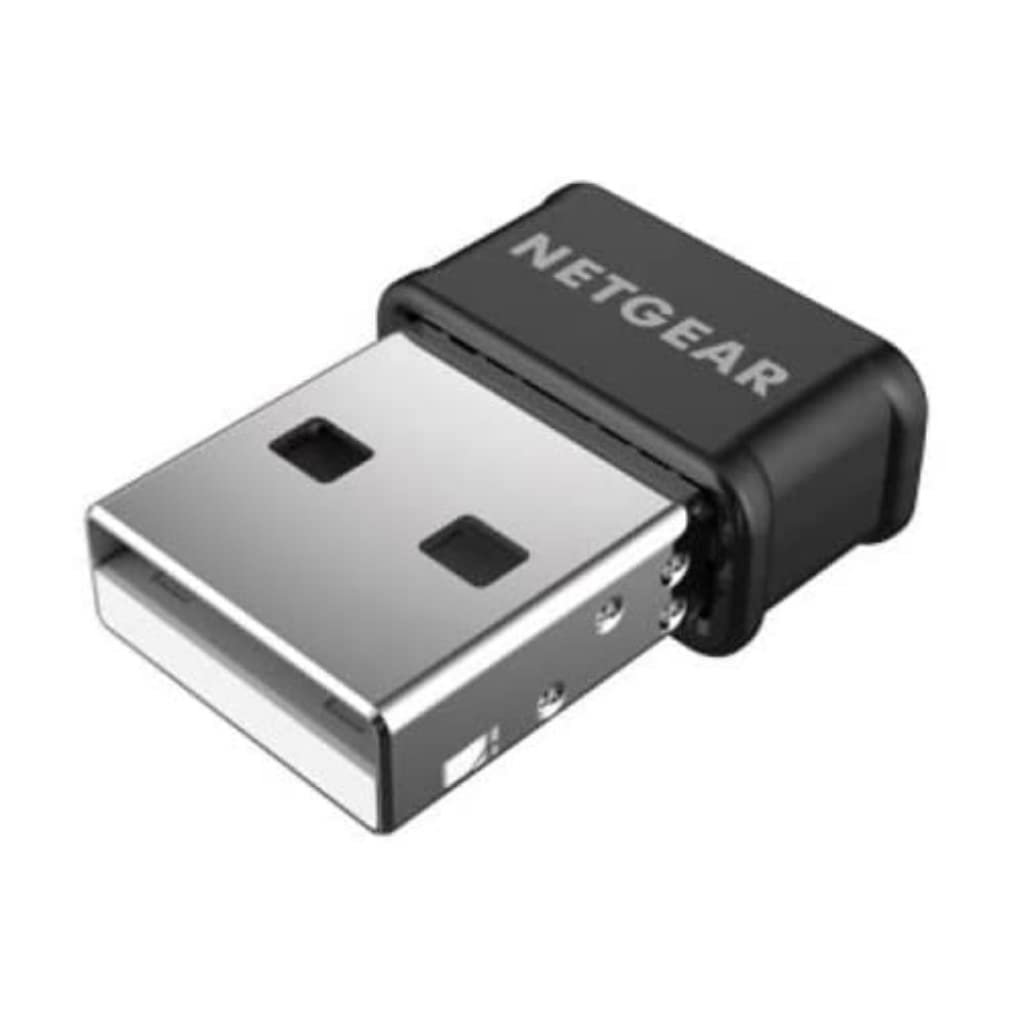
Asus USB-AC53 Nano AC1200 Wireless Dual Band USB Wi-Fi Adapter
Extreme 5th-generation Wi-Fi speed Super-fast Wi-Fi ever becomes more accessible via USB, going up to 867Mbps on the clear 5GHz band. Using 802.11ac wireless, faster connectivity and enjoyment come to all your devices. Multi-user MIMO support MU-MIMO technology boosts connection speed when multiple compatible clients are online. Travel-friendly design The USB-AC53 Nano is specially-designed to be compact and durable to safely and securely stay plugged into a notebook PC even inside a slim carrying case. Selectable dual-band 300Mbps/ 867Mbps bandwidth Dual-band operation suits mainstream and power users. The 2.4 GHz band is perfect for web browsing, email, and social networking, while the 5 GHz frequency enables smooth 4K streaming and online gaming for blazingly fast and lag-free home entertainment.
Extreme 5th-generation Wi-Fi speed Super-fast Wi-Fi ever becomes more accessible via USB, going up to 867Mbps on the clear 5GHz band. Using 802.11ac wireless, faster connectivity and enjoyment come to all your devices. Multi-user MIMO support MU-MIMO technology boosts connection speed when multiple compatible clients are online. Travel-friendly design The USB-AC53 Nano is specially-designed to be compact and durable to safely and securely stay plugged into a notebook PC even inside a slim carrying case. Selectable dual-band 300Mbps/ 867Mbps bandwidth Dual-band operation suits mainstream and power users. The 2.4 GHz band is perfect for web browsing, email, and social networking, while the 5 GHz frequency enables smooth 4K streaming and online gaming for blazingly fast and lag-free home entertainment.
Extreme 5th-generation Wi-Fi speed Super-fast Wi-Fi ever becomes more accessible via USB, going up to 867Mbps on the clear 5GHz band. Using 802.11ac wireless, faster connectivity and enjoyment come to all your devices. Multi-user MIMO support MU-MIMO technology boosts connection speed when multiple compatible clients are online. Travel-friendly design The USB-AC53 Nano is specially-designed to be compact and durable to safely and securely stay plugged into a notebook PC even inside a slim carrying case. Selectable dual-band 300Mbps/ 867Mbps bandwidth Dual-band operation suits mainstream and power users. The 2.4 GHz band is perfect for web browsing, email, and social networking, while the 5 GHz frequency enables smooth 4K streaming and online gaming for blazingly fast and lag-free home entertainment.
Extreme 5th-generation Wi-Fi speed Super-fast Wi-Fi ever becomes more accessible via USB, going up to 867Mbps on the clear 5GHz band. Using 802.11ac wireless, faster connectivity and enjoyment come to all your devices. Multi-user MIMO support MU-MIMO technology boosts connection speed when multiple compatible clients are online. Travel-friendly design The USB-AC53 Nano is specially-designed to be compact and durable to safely and securely stay plugged into a notebook PC even inside a slim carrying case. Selectable dual-band 300Mbps/ 867Mbps bandwidth Dual-band operation suits mainstream and power users. The 2.4 GHz band is perfect for web browsing, email, and social networking, while the 5 GHz frequency enables smooth 4K streaming and online gaming for blazingly fast and lag-free home entertainment.
in 35 offers
The lowest price for Asus USB-AC53 Nano AC1200 Wireless Dual Band USB Wi-Fi Adapter right now is $14.00 at Centre Com, compared across 23 retailers.
The all-time low was $12.00 on 23 Apr 2026 — today's price is 17% above the lowest ever. That's a little above the best price we've seen.
Prices last updated 27 June 2026.
Last updated at 27/06/2026 21:46:34
ASUS USB-AC53 Nano MU-MIMO Dual-Band AC1200 USB Wi-Fi Adapter Windows 10 Ready
Affiliate Disclosure: We may receive a small commission for purchases made through this link at no extra cost to you. This helps support our site. Thank you!
ASUS USB-AC53 Nano AC1200 Wireless USB Adapter
Affiliate Disclosure: We may receive a small commission for purchases made through this link at no extra cost to you. This helps support our site. Thank you!
USB-AC53 AC1200 Nano USB Dual-Band Wireless Adapter, MU-Mimo, Compatible for Windows XP/Vista/7/8/1/10, Black
Affiliate Disclosure: We may receive a small commission for purchases made through this link at no extra cost to you. This helps support our site. Thank you!
Asus Networking Accessory USB-AC53 Nano/CA AC1200 Dual-Band USB Wi-Fi Adapter Retail
Affiliate Disclosure: We may receive a small commission for purchases made through this link at no extra cost to you. This helps support our site. Thank you!
ASUS USB-AC53NANO AC1200 USB Dual Band Wireless Nano Adapter
Delivery between Tue – Fri $11.64
ASUS USB-AC53 Nano 802.11ac Dual-Band Wireless-AC1200 USB Adapter
Delivery between 30 June – 9 July $11.64
Asus USB-AC53 Nano AC1200 Dual-Band Nano USB Wi-Fi Adapter
Delivery between Tue – Fri $10
Asus USB-AC53 Nano AC1200 Dual Band Wireless Nano USB Adapter
Delivery $9.85
Asus AC1200 Wireless USB Adapter (USB-AC53-NANO)
Delivery $12
Asus USB-AC53 Nano AC1200 Dual-Band Nano USB Wi-Fi Adapter
Delivery $9.95
originally posted on pbtech.co.nz
I discovered that the AC35 does not recognise Channel 13 - probably because that channel is not used in the USA. My router's 2.4GHz WiFi was operating on Channel 13 which is the quietest channel in my neighbourhood, so when I installed this ASUS device it could not find or connect to my router. It took hours of investigation and two trips back to PBT to figure that out and set the router to a different but busier channel. It also initially had some trouble connecting to the 5GHz band. But once it is operating, the AC35 gives good fast connections on both 2.4 and 5GHz bands. I notice that the device runs much hotter than other USB devices so you do have to question its long term reliability.
originally posted on bestbuy.com
I usually have great experiences when I buy Asus products, but sadly, not this time. After installing the current drivers and plugging the adapter in, things seemed to be fine until about 45 minutes to an hour later. I kept on losing connection to the internet, over and over. This was rather annoying, so I rebooted and tried to see if that was the issue. Nope, the same disconnecting issues continued. So then, I uninstalled the adapter and its drivers and re-installed it, hoping this would fix the issue. Nope, again. It still kept on disconnecting me from the internet consistently. I am a pretty computer savvy person, so I know how to fix various hardware and software issues. But for this Asus USB network adapter, I just couldn't figure it out and get it to work. I ... MoreI usually have great experiences when I buy Asus products, but sadly, not this time. After installing the current drivers and plugging the adapter in, things seemed to be fine until about 45 minutes to an hour later. I kept on losing connection to the internet, over and over. This was rather annoying, so I rebooted and tried to see if that was the issue. Nope, the same disconnecting issues continued. So then, I uninstalled the adapter and its drivers and re-installed it, hoping this would fix the issue. Nope, again. It still kept on disconnecting me from the internet consistently. I am a pretty computer savvy person, so I know how to fix various hardware and software issues. But for this Asus USB network adapter, I just couldn't figure it out and get it to work. I should have contacted their customer support, but at that point, I was a bit too irritated to do so, so I just used an old spare network adapter I had lying around instead. Maybe I just got a dud. Who knows? All I know is my experience with this adapter has been terrible.
originally posted on walmart.com
Wow... I bought for my son an Asus gaming laptop for Christmas last year. He uses a wifi connection, and it's been kind of okay until recently. It just stopped connecting to both 2.4Ghz and 5Ghz access points, or it would connect and drop. We have 100Mbps throughput with our internet provider, and he'd often get between 70-80Mbps when connected, but it was picky with access in different areas of our home. When his wifi connection started dying, I thought perhaps his internal wifi adapter was failing.I was right.After researching different USB adapters, I settled on the TechKey adapter. One thing we weren't very happy with was the USB stick came with the driver on a tiny CD. His laptop doesn't have a CD drive, and without internet, it makes it a little ... MoreWow... I bought for my son an Asus gaming laptop for Christmas last year. He uses a wifi connection, and it's been kind of okay until recently. It just stopped connecting to both 2.4Ghz and 5Ghz access points, or it would connect and drop. We have 100Mbps throughput with our internet provider, and he'd often get between 70-80Mbps when connected, but it was picky with access in different areas of our home. When his wifi connection started dying, I thought perhaps his internal wifi adapter was failing.I was right.After researching different USB adapters, I settled on the TechKey adapter. One thing we weren't very happy with was the USB stick came with the driver on a tiny CD. His laptop doesn't have a CD drive, and without internet, it makes it a little complicated finding, downloading, and installing the driver. I thought we should just plug it in and see if Windows 10 knows what driver to load. We plugged it in, and in about 15 seconds we had internet! OMG! We didn't have to do anything.The best part is the throughput. We went on a SpeedTest website and ran different tests throughout the house. Before, if he went upstairs, he'd often lose wifi. The router is downstairs, up by the ceiling to provide coverage upstairs as well. All our devices work fine throughout the house, except his laptop--until now. Now, his throughput is crazy fast everywhere in the house, even the most remote locations. He gets anywhere from 85Mbps to 140 Mbps downstream and 6Mbps to 9Mbps upstream, which is outrageously fast!This little USB wifi adapter is fantastic for the price. Fast and zippy and, best of all, it really is plug-and-play with Windows 10. Just plug it in and go! No messing around with any downloads or configuration.If you're thinking of getting this, we very highly recommend it. Thumbs up and five solid stars!
| Internal | No |
| Connectivity technology | Wireless |
| Host interface | USB |
| Interface | WLAN |
| Maximum data transfer rate | 867 Mbit/s |
ASUS USB-AC53 Nano MU-MIMO Dual-Band AC1200 USB Wi-Fi Adapter Windows 10 Ready
Affiliate Disclosure: We may receive a small commission for purchases made through this link at no extra cost to you. This helps support our site. Thank you!
ASUS USB-AC53 Nano AC1200 Wireless USB Adapter
Affiliate Disclosure: We may receive a small commission for purchases made through this link at no extra cost to you. This helps support our site. Thank you!
USB-AC53 AC1200 Nano USB Dual-Band Wireless Adapter, MU-Mimo, Compatible for Windows XP/Vista/7/8/1/10, Black
Affiliate Disclosure: We may receive a small commission for purchases made through this link at no extra cost to you. This helps support our site. Thank you!
Asus Networking Accessory USB-AC53 Nano/CA AC1200 Dual-Band USB Wi-Fi Adapter Retail
Affiliate Disclosure: We may receive a small commission for purchases made through this link at no extra cost to you. This helps support our site. Thank you!
ASUS USB-AC53NANO AC1200 USB Dual Band Wireless Nano Adapter
Delivery between Tue – Fri $11.64
I discovered that the AC35 does not recognise Channel 13 - probably because that channel is not used in the USA. My router's 2.4GHz WiFi was operating on Channel 13 which is the quietest channel in my neighbourhood, so when I installed this ASUS device it could not find or connect to my router. It took hours of investigation and two trips back to PBT to figure that out and set the router to a different but busier channel. It also initially had some trouble connecting to the 5GHz band. But once it is operating, the AC35 gives good fast connections on both 2.4 and 5GHz bands. I notice that the device runs much hotter than other USB devices so you do have to question its long term reliability.
I usually have great experiences when I buy Asus products, but sadly, not this time. After installing the current drivers and plugging the adapter in, things seemed to be fine until about 45 minutes to an hour later. I kept on losing connection to the internet, over and over. This was rather annoying, so I rebooted and tried to see if that was the issue. Nope, the same disconnecting issues continued. So then, I uninstalled the adapter and its drivers and re-installed it, hoping this would fix the issue. Nope, again. It still kept on disconnecting me from the internet consistently. I am a pretty computer savvy person, so I know how to fix various hardware and software issues. But for this Asus USB network adapter, I just couldn't figure it out and get it to work. I ... MoreI usually have great experiences when I buy Asus products, but sadly, not this time. After installing the current drivers and plugging the adapter in, things seemed to be fine until about 45 minutes to an hour later. I kept on losing connection to the internet, over and over. This was rather annoying, so I rebooted and tried to see if that was the issue. Nope, the same disconnecting issues continued. So then, I uninstalled the adapter and its drivers and re-installed it, hoping this would fix the issue. Nope, again. It still kept on disconnecting me from the internet consistently. I am a pretty computer savvy person, so I know how to fix various hardware and software issues. But for this Asus USB network adapter, I just couldn't figure it out and get it to work. I should have contacted their customer support, but at that point, I was a bit too irritated to do so, so I just used an old spare network adapter I had lying around instead. Maybe I just got a dud. Who knows? All I know is my experience with this adapter has been terrible.
Wow... I bought for my son an Asus gaming laptop for Christmas last year. He uses a wifi connection, and it's been kind of okay until recently. It just stopped connecting to both 2.4Ghz and 5Ghz access points, or it would connect and drop. We have 100Mbps throughput with our internet provider, and he'd often get between 70-80Mbps when connected, but it was picky with access in different areas of our home. When his wifi connection started dying, I thought perhaps his internal wifi adapter was failing.I was right.After researching different USB adapters, I settled on the TechKey adapter. One thing we weren't very happy with was the USB stick came with the driver on a tiny CD. His laptop doesn't have a CD drive, and without internet, it makes it a little ... MoreWow... I bought for my son an Asus gaming laptop for Christmas last year. He uses a wifi connection, and it's been kind of okay until recently. It just stopped connecting to both 2.4Ghz and 5Ghz access points, or it would connect and drop. We have 100Mbps throughput with our internet provider, and he'd often get between 70-80Mbps when connected, but it was picky with access in different areas of our home. When his wifi connection started dying, I thought perhaps his internal wifi adapter was failing.I was right.After researching different USB adapters, I settled on the TechKey adapter. One thing we weren't very happy with was the USB stick came with the driver on a tiny CD. His laptop doesn't have a CD drive, and without internet, it makes it a little complicated finding, downloading, and installing the driver. I thought we should just plug it in and see if Windows 10 knows what driver to load. We plugged it in, and in about 15 seconds we had internet! OMG! We didn't have to do anything.The best part is the throughput. We went on a SpeedTest website and ran different tests throughout the house. Before, if he went upstairs, he'd often lose wifi. The router is downstairs, up by the ceiling to provide coverage upstairs as well. All our devices work fine throughout the house, except his laptop--until now. Now, his throughput is crazy fast everywhere in the house, even the most remote locations. He gets anywhere from 85Mbps to 140 Mbps downstream and 6Mbps to 9Mbps upstream, which is outrageously fast!This little USB wifi adapter is fantastic for the price. Fast and zippy and, best of all, it really is plug-and-play with Windows 10. Just plug it in and go! No messing around with any downloads or configuration.If you're thinking of getting this, we very highly recommend it. Thumbs up and five solid stars!
I'm sure this is more a problem with RealTek than with Asus, though I did - and continue to - have some issues, predominantly with drivers. I have an old Toshiba Satellite that has an embedded RealTek WiFi controller. The chip is old enough that it doesn't support anything more recent than the 802.11n specification. Recent Windows 10 updates have rendered this embedded controller completely non-functional. The last RealTek drivers supporting this card were released 8 years ago. In Windows 10, I've disabled the embedded controller in Device Manager (I cannot do that in BIOS). The RealTek drivers installed - sort of. The Asus adapter is recognized, yet it only supports 2.4GHz networks in Windows. (My wireless network has 2.4GHz and 5GHz capability.) In Ubuntu - yes, ... MoreI'm sure this is more a problem with RealTek than with Asus, though I did - and continue to - have some issues, predominantly with drivers. I have an old Toshiba Satellite that has an embedded RealTek WiFi controller. The chip is old enough that it doesn't support anything more recent than the 802.11n specification. Recent Windows 10 updates have rendered this embedded controller completely non-functional. The last RealTek drivers supporting this card were released 8 years ago. In Windows 10, I've disabled the embedded controller in Device Manager (I cannot do that in BIOS). The RealTek drivers installed - sort of. The Asus adapter is recognized, yet it only supports 2.4GHz networks in Windows. (My wireless network has 2.4GHz and 5GHz capability.) In Ubuntu - yes, my machine dual-boots - the OS doesn't even see the Asus adapter. Ironically, Ubuntu has no problem with connecting to my home 2.4GHz network with the embedded controller. I spent an hour or two trying to get the Windows drivers figured out, and gave up in frustration. It seems as though the old RealTek driver and the new RealTek driver are fighting each other. I have not tried to remove the embedded wireless controller - I'm not sure if that is even possible with an older Toshiba laptop, and it's low on my priority list. I have wireless connectivity in Windows 10. Could be better. What more can I say?
I bought this product in hopes that it will be able to give a strong Wi-Fi connection to my newly built pc. However, this USB is not at all how it is advertised. I put this USB in my USB-3 slot and was able to use wireless Wi-Fi. Soon after, I noticed multiple problems with this device. Firstly, download speeds are VERY slow. I tried to install a few games on my PC using this product and was only able to get about 1-10 mbps download speed, a speed which is incredibly slow in todays standards. Another problem I have run into is that my router is supposed to be 5Ghz, but when I connect this it only shows up as 2.4! And there is no option to fix this in the drivers menu, I can only disconnect this and reconnect it and hope that it will connect to 5Ghz. But the worst of ... MoreI bought this product in hopes that it will be able to give a strong Wi-Fi connection to my newly built pc. However, this USB is not at all how it is advertised. I put this USB in my USB-3 slot and was able to use wireless Wi-Fi. Soon after, I noticed multiple problems with this device. Firstly, download speeds are VERY slow. I tried to install a few games on my PC using this product and was only able to get about 1-10 mbps download speed, a speed which is incredibly slow in todays standards. Another problem I have run into is that my router is supposed to be 5Ghz, but when I connect this it only shows up as 2.4! And there is no option to fix this in the drivers menu, I can only disconnect this and reconnect it and hope that it will connect to 5Ghz. But the worst of it all is when I try to play games on this. In online games, you can expect your ping to jump up to even 5000MS! When this USB actually works, it will show up as 40ms, but it doesn't matter, since you'll often experience massive lag spikes and sometimes even be kicked out of games because of how terrible the signal on this USB is. Sometimes, it'll even stop being connected to the Wi-Fi all together! If you recently got a new PC for Christmas, I recommend you completely skip this product and to instead buy a PCIE Wi-Fi card, you'll no doubt have a better experience with one of those instead.
Purchased for a family PC approximately 20 feet from two separate mesh network APs to avoid dropping ethernet cable for a new jack. When it works, it works fine - speeds are disappointing, but would be acceptable if the adapter itself was reliable. That said, it is not reliable. Multiple times per day, I have to physically unplug the adapter from the computer and plug it back in because the adapter stops seeing WiFi networks until reset in this way. No other devices on our network have this issue, so I am assuming that the adapter is the issue. I will be returning this product.
We just could not believe how poorly this device performed when we tried using it. Windows installed the driver automatically, but we also downloaded the latest driver for Windows 10 64-bit from the ASUS support website (latest version is from 2020). It did not really make much of a difference as the speeds were absolutely horrible. We started out only getting up to 3 Mbps speeds using USB 2.0 port and about 2 Mbps with USB 3.0 ports. Once we downloaded the drivers instead of using the Windows drivers, it improved to an incredible top speed of 27 Mbps, which is slower than the standard 54 Mbps speeds for slower WiFi from years ago. The user had fiber optic connection at home and her laptop was getting up to 300 Mbps using the laptop's built-in wireless adapter. I ... MoreWe just could not believe how poorly this device performed when we tried using it. Windows installed the driver automatically, but we also downloaded the latest driver for Windows 10 64-bit from the ASUS support website (latest version is from 2020). It did not really make much of a difference as the speeds were absolutely horrible. We started out only getting up to 3 Mbps speeds using USB 2.0 port and about 2 Mbps with USB 3.0 ports. Once we downloaded the drivers instead of using the Windows drivers, it improved to an incredible top speed of 27 Mbps, which is slower than the standard 54 Mbps speeds for slower WiFi from years ago. The user had fiber optic connection at home and her laptop was getting up to 300 Mbps using the laptop's built-in wireless adapter. I also took the device to my office at work and tried it there. Pretty much the same results with a top speed of just about 30 Mpbs on USB 2.0 and only 10 Mbps using USB 3.0! I used to think that ASUS adapters were trustworthy but I no longer believe that. Atrocious performance and the fact that the drivers are 3 years old and that's the best we could get out of it pretty much tells me all that I need to know. I do not recommend purchasing this unless you don't mind the slow speeds and it just fits your budget needs. From what I read, this is supposed to get much much better speeds but it didn't seem to happen. Sorry ASUS, you just lost a customer. I included photos of speed tests for this adapter and another that I will actually be keeping. One photo is USB 2.0 speed, then the even slower USB 3.0 speed, followed by the Linksys adapter which was great.
I needed a new gateway from my ISP, and unfortunately my 12+ year-old laptop’s internal WiFI was too old-tech to see my own network amongst the listing of available networks the new router was showing. So - the time had come for an alternate method to connect.I tried a ‘budget’ WiFi adapter from another vendor and it was nothing but problems - the thing would not keep a solid connection no matter what. Constant disconnects and frustration.Tried this Asus adapter - it’s been perfection thus far. Installed the driver, plugged in the adapter, connection established and it hasn’t disconnected at all since. Solid. My gateway is on the 2nd floor of a 1200-sq-ft home and the laptop is downstairs basically right underneath. Signal is very strong.No problems - this ... MoreI needed a new gateway from my ISP, and unfortunately my 12+ year-old laptop’s internal WiFI was too old-tech to see my own network amongst the listing of available networks the new router was showing. So - the time had come for an alternate method to connect.I tried a ‘budget’ WiFi adapter from another vendor and it was nothing but problems - the thing would not keep a solid connection no matter what. Constant disconnects and frustration.Tried this Asus adapter - it’s been perfection thus far. Installed the driver, plugged in the adapter, connection established and it hasn’t disconnected at all since. Solid. My gateway is on the 2nd floor of a 1200-sq-ft home and the laptop is downstairs basically right underneath. Signal is very strong.No problems - this solved this issue and I recommend.
I used this adapter for my 5 year old Windows 10 Asus laptop which had a failed built-in WiFi chip. Followed the instructions by installing the software then plugging in the adapter. Windows identified the adapter, then allowed me to connect to my router. When I turned off, then restarted Windows, the computer tried unsuccessfully to connect using the old failed WiFi adapter. It took several iterations of turning on the new adapter in Windows setup and restarting; then Windows decided that the new adapter was the proper first choice. This adapter has worked correctly every time for the past several weeks; I leave the adapter plugged into the usb port all the time; I do shut down my computer when I'm through using it and then restart later. It just took me some ... MoreI used this adapter for my 5 year old Windows 10 Asus laptop which had a failed built-in WiFi chip. Followed the instructions by installing the software then plugging in the adapter. Windows identified the adapter, then allowed me to connect to my router. When I turned off, then restarted Windows, the computer tried unsuccessfully to connect using the old failed WiFi adapter. It took several iterations of turning on the new adapter in Windows setup and restarting; then Windows decided that the new adapter was the proper first choice. This adapter has worked correctly every time for the past several weeks; I leave the adapter plugged into the usb port all the time; I do shut down my computer when I'm through using it and then restart later. It just took me some patience and perseverance to get Windows to do the right thing.
Great little trinket; I needed internet on my PC, had no way of being able to hardwire in and so was in need to making Wifi available to my PC, went to Best Buy to ask about how to go about doing that, and this was one of I think three products that they sold that would do what I needed it to. I believe this was the best/fastest option they had (something to do with the number after "AC" -- "AC1200"), and IIRC it was the same price as a "lesser" option, so I just went with this one. It was the best ~$40 I had spent in a while! Does exactly what it's meant to: provides Wifi to a PC that doesn't otherwise have the ability to connect to Wifi.I was using it to play online video games such as League of Legends and Warframe; no lag or DC issues that stemmed from this ... MoreGreat little trinket; I needed internet on my PC, had no way of being able to hardwire in and so was in need to making Wifi available to my PC, went to Best Buy to ask about how to go about doing that, and this was one of I think three products that they sold that would do what I needed it to. I believe this was the best/fastest option they had (something to do with the number after "AC" -- "AC1200"), and IIRC it was the same price as a "lesser" option, so I just went with this one. It was the best ~$40 I had spent in a while! Does exactly what it's meant to: provides Wifi to a PC that doesn't otherwise have the ability to connect to Wifi.I was using it to play online video games such as League of Legends and Warframe; no lag or DC issues that stemmed from this little magic-box that I know of! Best of all, IIRC, it's basically "plug-and-play", so you can just stick it into your PC's USB port, run the wizard that opens right up for you, and wait the 15 seconds it takes to "set up" and you're good to game! Definitely recommend this little thing. I'm hardwired in now, permanently, but this thing is so little and such a lifesaver that I've just left it in the port so I don't end up losing it, should I need it again someday!
| Internal | No |
| Connectivity technology | Wireless |
| Host interface | USB |
| Interface | WLAN |
| Maximum data transfer rate | 867 Mbit/s |