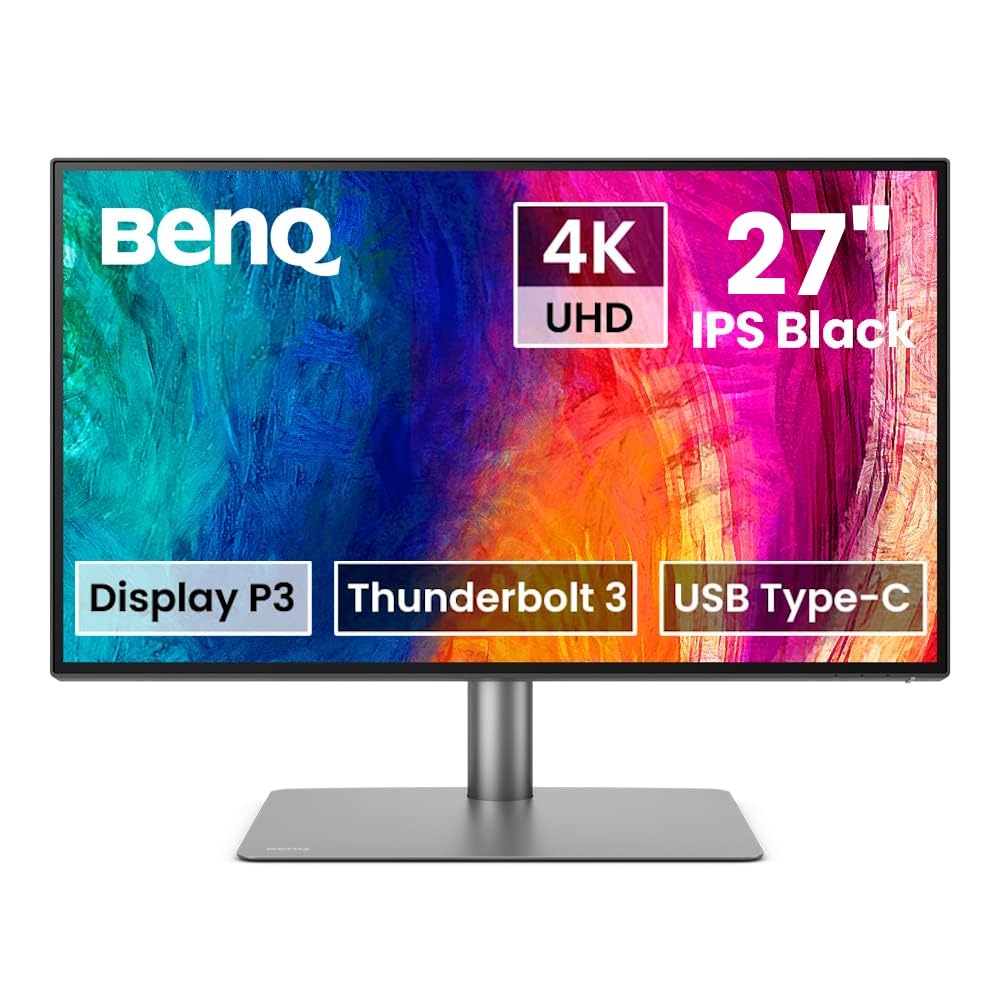
BenQ 27in UHD IPS LED Designer Monitor PD2725U - Monitors - Afterpay, Delivery and Click & Collect Available
Introducing the pd2725u 68.58cm 27in LED IPS from BenQ, a sophisticated display designed to enhance your visual experience. With its sleek design and cutting-edge technology, this monitor is perfect for professionals and enthusiasts alike. Featuring a 68.58cm (27-inch) LED IPS panel, this monitor delivers stunning visuals with vibrant colors and sharp details. Whether you're working on graphic design, photo editing, or watching movies, the pd2725u ensures exceptional image quality from any angle. Equipped with LED backlighting, this monitor offers improved energy efficiency, providing a more eco-friendly solution without compromising on brightness or color accuracy. The IPS (In-Plane Switching) technology enhances color reproduction and delivers consistent color performance across the entire display. With a variety of connectivity options including HDMI, DisplayPort, and USB-C, this monitor allows for seamless integration with your devices. The pd2725u also features a height-adjustable stand, allowing you to find the perfect viewing angle for ergonomic comfort. Upgrade your visual workspace with the pd2725u 68.58cm 27in LED IPS from BenQ and enjoy a superior visual experience like never before.
Introducing the pd2725u 68.58cm 27in LED IPS from BenQ, a sophisticated display designed to enhance your visual experience. With its sleek design and cutting-edge technology, this monitor is perfect for professionals and enthusiasts alike. Featuring a 68.58cm (27-inch) LED IPS panel, this monitor delivers stunning visuals with vibrant colors and sharp details. Whether you're working on graphic design, photo editing, or watching movies, the pd2725u ensures exceptional image quality from any angle. Equipped with LED backlighting, this monitor offers improved energy efficiency, providing a more eco-friendly solution without compromising on brightness or color accuracy. The IPS (In-Plane Switching) technology enhances color reproduction and delivers consistent color performance across the entire display. With a variety of connectivity options including HDMI, DisplayPort, and USB-C, this monitor allows for seamless integration with your devices. The pd2725u also features a height-adjustable stand, allowing you to find the perfect viewing angle for ergonomic comfort. Upgrade your visual workspace with the pd2725u 68.58cm 27in LED IPS from BenQ and enjoy a superior visual experience like never before.
Introducing the pd2725u 68.58cm 27in LED IPS from BenQ, a sophisticated display designed to enhance your visual experience. With its sleek design and cutting-edge technology, this monitor is perfect for professionals and enthusiasts alike. Featuring a 68.58cm (27-inch) LED IPS panel, this monitor delivers stunning visuals with vibrant colors and sharp details. Whether you're working on graphic design, photo editing, or watching movies, the pd2725u ensures exceptional image quality from any angle. Equipped with LED backlighting, this monitor offers improved energy efficiency, providing a more eco-friendly solution without compromising on brightness or color accuracy. The IPS (In-Plane Switching) technology enhances color reproduction and delivers consistent color performance across the entire display. With a variety of connectivity options including HDMI, DisplayPort, and USB-C, this monitor allows for seamless integration with your devices. The pd2725u also features a height-adjustable stand, allowing you to find the perfect viewing angle for ergonomic comfort. Upgrade your visual workspace with the pd2725u 68.58cm 27in LED IPS from BenQ and enjoy a superior visual experience like never before.
Introducing the pd2725u 68.58cm 27in LED IPS from BenQ, a sophisticated display designed to enhance your visual experience. With its sleek design and cutting-edge technology, this monitor is perfect for professionals and enthusiasts alike. Featuring a 68.58cm (27-inch) LED IPS panel, this monitor delivers stunning visuals with vibrant colors and sharp details. Whether you're working on graphic design, photo editing, or watching movies, the pd2725u ensures exceptional image quality from any angle. Equipped with LED backlighting, this monitor offers improved energy efficiency, providing a more eco-friendly solution without compromising on brightness or color accuracy. The IPS (In-Plane Switching) technology enhances color reproduction and delivers consistent color performance across the entire display. With a variety of connectivity options including HDMI, DisplayPort, and USB-C, this monitor allows for seamless integration with your devices. The pd2725u also features a height-adjustable stand, allowing you to find the perfect viewing angle for ergonomic comfort. Upgrade your visual workspace with the pd2725u 68.58cm 27in LED IPS from BenQ and enjoy a superior visual experience like never before.
in 8 offers
The lowest price for BenQ 27in UHD IPS LED Designer Monitor PD2725U - Monitors - Afterpay, Delivery and Click & Collect Available right now is $1,075.00 at Kogan.com, compared across 8 retailers.
The all-time low was $929.00 on 11 Apr 2026 — today's price is 16% above the lowest ever. That's a little above the best price we've seen.
Prices last updated 23 Aug 2026.
Last updated at 23/08/2026 05:02:57
BenQ PD2725U 27" UHD 4K IPS HDR400 Thunderbolt 3 Mac Compatible Designer Monitor
Delivery $17.95
BenQ PD2725U 27" UHD 4K IPS HDR400 Thunderbolt 3 Mac Compatible Designer Monitor
Delivery between Tue – Fri $30
BenQ PD2725U 27" UHD 4K IPS HDR400 Thunderbolt 3 Mac Compatible Designer Monitor
Delivery $17.95
BenQ PD2725U 27" UHD 4K IPS HDR400 Thunderbolt 3 Mac Compatible Designer Monitor
Delivery between 27 Aug – 1 Sept $15
BenQ PD2725U 27" 4K UHD P3 Thunderbolt 3 Mac Compatible Designer Monitor
Delivery between Tue – Fri $49.26
27" Benq PD2725U 4K IPS LED Designer Monitor with Speakers and Height Adjust | Best Online Computer Store
Delivery between 28 Aug – 4 Sept $25.25
BenQ PD2725U 27" UHD 4K IPS HDR400 Thunderbolt 3 Mac Compatible Designer Monitor
Delivery $31
BenQ PD2725U 27in 4K UHD 100% sRGB HDR10 TB3 IPS Designer Monitor
Delivery between 27 Aug – 1 Sept $65.68
originally posted on staples.ca
At first I hated it because VDI and AWS Remote Desktops shows big pixelated fonts because you are forced to use 175% ratio on 4K monitors; but I got used to it. MacBook Pro native screen is amazing, meh perception of website content is 25x better, for example, StackOverflow often has Q&A with attached screenshots which I was always forced to zoom to see it. For example, my previous monitor is Dell UltraSharp, with big pixels (and therefore no extra work is needed by Dell to make it sharp). Benz shows such screenshot attachments from StackOverflow super nice, I have vision problems but I can see such tiny 2-mm fonts, super sharp. With Dell, I was always forced to zoom to show such screenshots. And Dell is even expenciver!I was feeling that my desktop is over ... MoreAt first I hated it because VDI and AWS Remote Desktops shows big pixelated fonts because you are forced to use 175% ratio on 4K monitors; but I got used to it. MacBook Pro native screen is amazing, meh perception of website content is 25x better, for example, StackOverflow often has Q&A with attached screenshots which I was always forced to zoom to see it. For example, my previous monitor is Dell UltraSharp, with big pixels (and therefore no extra work is needed by Dell to make it sharp). Benz shows such screenshot attachments from StackOverflow super nice, I have vision problems but I can see such tiny 2-mm fonts, super sharp. With Dell, I was always forced to zoom to show such screenshots. And Dell is even expenciver!I was feeling that my desktop is over cluttered with huge wide curved Dell that’s why I bought BenQ, trying to research best 27” 4k. Now I have extra space on my table iPad Pro where I output AWS Workspace scree, native MacBook Pro, and Windows; having few separate screens helps better with focused tasks.BenQ is amazing. The only issue I have is LED light from BenQ: cannot fit (almost), and if you are an artist you shouldn’t use such light anyway. I am computer programmer and some web design with photography too, so Imam happy with this monitor.Thank you for Staples Canada, I preordered in two places, and Staples were first and super fast. Another company has 2 weeks return policy plus restocking fees; Staples has 30 days, no questions asked policy, no restocking fees. Winner!
originally posted on bhphotovideo.com
I actually love how simple this monitor was to inbox and get up and running in minutes. The clarity on my work station as a second monitor is making me say, why did I wait so long to get a good monitor? Watching 4K movies is just a plus. The colors and brightness levels are perfect during the day in sunlight and nice at night with lower levels of room lighting. All I can say is that this monitor is worth the investment. It's got a sturdy build and looks great.
originally posted on bhphotovideo.com
Eye strain much better and I love the quality of the monitor, especially on the new mac.Using with both Macbooks and M1 mac mini, it works great on both, but I am not a designer or a photo / movie editor professional. I am still trying to figure out the KVM, as it doesn't automatically waking up the different machines from sleep, as my previous monitor did.For context: I use logitech dongle.If both machines are awake the KVM works brilliantly, and the accessory is great (ability to press 1 or 2 and you switch seamlessly between devices)
| PC Parts | > |
| Peripherals | > |
| Monitors | > |
| Manufacturer Warranty | 3 Year |
| Screen Size | 27 inch |
BenQ PD2725U 27" UHD 4K IPS HDR400 Thunderbolt 3 Mac Compatible Designer Monitor
Delivery $17.95
BenQ PD2725U 27" UHD 4K IPS HDR400 Thunderbolt 3 Mac Compatible Designer Monitor
Delivery between Tue – Fri $30
BenQ PD2725U 27" UHD 4K IPS HDR400 Thunderbolt 3 Mac Compatible Designer Monitor
Delivery $17.95
BenQ PD2725U 27" UHD 4K IPS HDR400 Thunderbolt 3 Mac Compatible Designer Monitor
Delivery between 27 Aug – 1 Sept $15
BenQ PD2725U 27" 4K UHD P3 Thunderbolt 3 Mac Compatible Designer Monitor
Delivery between Tue – Fri $49.26
At first I hated it because VDI and AWS Remote Desktops shows big pixelated fonts because you are forced to use 175% ratio on 4K monitors; but I got used to it. MacBook Pro native screen is amazing, meh perception of website content is 25x better, for example, StackOverflow often has Q&A with attached screenshots which I was always forced to zoom to see it. For example, my previous monitor is Dell UltraSharp, with big pixels (and therefore no extra work is needed by Dell to make it sharp). Benz shows such screenshot attachments from StackOverflow super nice, I have vision problems but I can see such tiny 2-mm fonts, super sharp. With Dell, I was always forced to zoom to show such screenshots. And Dell is even expenciver!I was feeling that my desktop is over ... MoreAt first I hated it because VDI and AWS Remote Desktops shows big pixelated fonts because you are forced to use 175% ratio on 4K monitors; but I got used to it. MacBook Pro native screen is amazing, meh perception of website content is 25x better, for example, StackOverflow often has Q&A with attached screenshots which I was always forced to zoom to see it. For example, my previous monitor is Dell UltraSharp, with big pixels (and therefore no extra work is needed by Dell to make it sharp). Benz shows such screenshot attachments from StackOverflow super nice, I have vision problems but I can see such tiny 2-mm fonts, super sharp. With Dell, I was always forced to zoom to show such screenshots. And Dell is even expenciver!I was feeling that my desktop is over cluttered with huge wide curved Dell that’s why I bought BenQ, trying to research best 27” 4k. Now I have extra space on my table iPad Pro where I output AWS Workspace scree, native MacBook Pro, and Windows; having few separate screens helps better with focused tasks.BenQ is amazing. The only issue I have is LED light from BenQ: cannot fit (almost), and if you are an artist you shouldn’t use such light anyway. I am computer programmer and some web design with photography too, so Imam happy with this monitor.Thank you for Staples Canada, I preordered in two places, and Staples were first and super fast. Another company has 2 weeks return policy plus restocking fees; Staples has 30 days, no questions asked policy, no restocking fees. Winner!
I actually love how simple this monitor was to inbox and get up and running in minutes. The clarity on my work station as a second monitor is making me say, why did I wait so long to get a good monitor? Watching 4K movies is just a plus. The colors and brightness levels are perfect during the day in sunlight and nice at night with lower levels of room lighting. All I can say is that this monitor is worth the investment. It's got a sturdy build and looks great.
Eye strain much better and I love the quality of the monitor, especially on the new mac.Using with both Macbooks and M1 mac mini, it works great on both, but I am not a designer or a photo / movie editor professional. I am still trying to figure out the KVM, as it doesn't automatically waking up the different machines from sleep, as my previous monitor did.For context: I use logitech dongle.If both machines are awake the KVM works brilliantly, and the accessory is great (ability to press 1 or 2 and you switch seamlessly between devices)
The HDR on this monitor is absolutely stunning in person, and the fact that it comes from the factory already calibrated is a huge plus. The KVM functionality works flawlessly, and has fixed a major stumbling point with my workstation where I'm frequently swapping between a MacBook and a PC tower. The power on the thunderbolt connection is enough to charge my 14 inch MacBook Pro, albeit slower than the official Apple adapter does. Also love that, unlike some monitors, there is a thunderbolt out port, so this doesn't need to be at the very end of your thunderbolt chain.
Upgraded from a 1440p Dell Viewsonic to this. Colors are punchy yet balanced. Screen looks great and I like the matte finish. It's a 27", so even if you're a bit closer to it, the pixel density is sharp versus something bigger like a 32". I don't regret spending the extra money for this unit. For those that want to sit a ways away I might recommend a bigger size but there is not an equivalent out yet in a bigger size (only the prior generation).
This is a good monitor considering the other $1000 or less monitors on the market but leaves a lot to be desired.My use case: Professional video and photo work. Small production company direct to client. Corporate, commercial, educational, lifestyle.Apple iMac Pro 5k Retina, macOS Big SurThe Bad:It's dark / dull. with a peak brightness of 400nits this monitor honestly is not bright enough given the price tag. If you are in a room with windows or any daylight you'll likely not find this monitor bright enough. If you plan to use this along side of an iMac you'll need to drop your iMacs brightness down to about half to match the max brightness of this monitor. I find this monitor to be extremely dull and lack much needed contrast ratio when trying to work on ... MoreThis is a good monitor considering the other $1000 or less monitors on the market but leaves a lot to be desired.My use case: Professional video and photo work. Small production company direct to client. Corporate, commercial, educational, lifestyle.Apple iMac Pro 5k Retina, macOS Big SurThe Bad:It's dark / dull. with a peak brightness of 400nits this monitor honestly is not bright enough given the price tag. If you are in a room with windows or any daylight you'll likely not find this monitor bright enough. If you plan to use this along side of an iMac you'll need to drop your iMacs brightness down to about half to match the max brightness of this monitor. I find this monitor to be extremely dull and lack much needed contrast ratio when trying to work on exposure critical things like photos / videos. The entire back of the monitor is made with cheap plastic that reminds me of an early 90's desktop computer monitor. The wire cover has yet to snap in correctly after many attempts. The ports and backside of the monitors design is crude at best. Keeping in mind you can buy an M1 iMac for $1,299 or a high end TV I expected much better build quality considering this is just a monitor (I understand this is not an apple product). My first unit showed up scratched and with a dead pixel patch at the edge of the monitor. I'm assume this was the result of an impact. However the packaging was not damaged in this area so that leads me to believe it was packaged that way at the factory. BH has an amazing return policy so that was not an issue however do be sure to carefully inspect your monitor upon arrival if you purchase anything from BenQ.The Good:If you ignore the backside of the monitor, it is great looking with a very slim minimal design. The stand is solid and very versatile. The bezels are extremely thin which is great. It is color accurate out of the box which is the main reason I purchased this monitor to begin with. It's great knowing that your work is being graded the way it will export. Connectivity is excellent and it works seamlessly with apple products as advertised (iMac Pro & M1 Macbook Pro) it can also daisy chain a 4K feed to my Sumo monitor which is a huge plus for anyone doing screen capture work. It turns on and off with startup and shut down of my computer reducing the amount of buttons you need to hit to fire up your desk. The picture on it is even all the way across with no notable shifts in colors or brightness from edge to edge. The anti-glare coating is effective, much better than most. It's got a small footprint on your desk for a good sized monitor for professional work. No / to extremely low latency when working with video projects. Editing sound sync critical timelines is not a problem. The hockey puck thing is nice, once you get it set up I can't image using is often but it is nice to have. The swivel head and height adjustment on the stand is great. The overall picture if very good, especially if you are able to keep your working area dark.Summary:After looking over the monitor options for this price range I do believe this is one of the best options available all things considered and after a few months of use I've grown to like the monitor overall. It has drastically improved my color work flow and was a noticeable upgrade from my previous second monitor. I would recommend this to anyone who is doing color critical professional work and wants to have confidence in their output. This is a solid budget monitor.
Very nice monitor, but then again, it should be for the price. Moving from a 2015 5K iMac screen, the pixel count is lower, so everything appears larger, of course. Takes a bit of getting used to. The wired remote thing is a gimmick that could be done without.Colour rendition is excellent out of the box.
Look no further! I've searched tirelessly trying to find the best monitor to pair with my MacBook Pro M1. I'm a videographer and photographer and bought this monitor to have better color accuracy and help with video editing instead of working off a MacBook. After using the monitor for a month these are my opinions:Pros:- Excellent Clarity & Color (M-book profile is very comparable to MacBook color)-Screen size is very useful, especially for a video editor with its 16:9 ratio- Comparable resolution to previous iMac 5K Retina display. You can only see pixels if you're extremely close to the screen- Easy setup and compatible with Apple devices - Delivered with Thunderbolt 3 cableCons:- Base plate is quite large and deceiving in pictures. I would recommend ... MoreLook no further! I've searched tirelessly trying to find the best monitor to pair with my MacBook Pro M1. I'm a videographer and photographer and bought this monitor to have better color accuracy and help with video editing instead of working off a MacBook. After using the monitor for a month these are my opinions:Pros:- Excellent Clarity & Color (M-book profile is very comparable to MacBook color)-Screen size is very useful, especially for a video editor with its 16:9 ratio- Comparable resolution to previous iMac 5K Retina display. You can only see pixels if you're extremely close to the screen- Easy setup and compatible with Apple devices - Delivered with Thunderbolt 3 cableCons:- Base plate is quite large and deceiving in pictures. I would recommend buying a separate VESA monitor stand to cut down on desk clutter- Speakers are average- Plugging in cables (thunderbolt, usb, display ports) is quite difficult. Not user friendly.Overall, very satisfied with this purchase instead of buying a 5K monitor.
After searching for and testing several monitors (Dell, LG) for photo editing, I finally landed on the BenQ PD2725U, and I'm glad that I did. It's a beautiful monitor in every way, especially for my primary purpose: photo editing. The image quality is absolutely gorgeous, and the colors appear to be as rich and true as I could ever hope. The hockey puck takes a little getting used to, but after awhile it seems easy and seamless to make adjustments, or change the color settings. The only difficulty I had was with the monitor's initial setup - BenQ shipped DisplayPort, HDMI, Thunderbolt, and USB Type A to Type B cables, but not the one I needed (USB-C) to connect my recent vintage laptop. After futzing around with the Thunderbolt cable, I finally realized that it just ... MoreAfter searching for and testing several monitors (Dell, LG) for photo editing, I finally landed on the BenQ PD2725U, and I'm glad that I did. It's a beautiful monitor in every way, especially for my primary purpose: photo editing. The image quality is absolutely gorgeous, and the colors appear to be as rich and true as I could ever hope. The hockey puck takes a little getting used to, but after awhile it seems easy and seamless to make adjustments, or change the color settings. The only difficulty I had was with the monitor's initial setup - BenQ shipped DisplayPort, HDMI, Thunderbolt, and USB Type A to Type B cables, but not the one I needed (USB-C) to connect my recent vintage laptop. After futzing around with the Thunderbolt cable, I finally realized that it just wasn't going to work, and went out and bought a new cable. For a $845 monitor, I was a little disappointed that it didn't include one of the most commonly used cables. Otherwise, I'm extremely pleased with the monitor.
Just added this monitor to our newest edit room along with an LG 48 OLED for preview display of 4K edit material. The display is sharp! Great options and features, i.e. Color Modes, Dual View and Display Pilot Software. The only qwerk is setting up some of the hot key puck shortcuts...not as intuitive as BenQ videos make it out to be. Overall build quality and image is awesome for the price, and we researched many options...but this seemed the best bang for the buck at this price point and with the multiple ports/Thunderbolt connections! Definitely recommend it.
| PC Parts | > |
| Peripherals | > |
| Monitors | > |
| Manufacturer Warranty | 3 Year |
| Screen Size | 27 inch |

