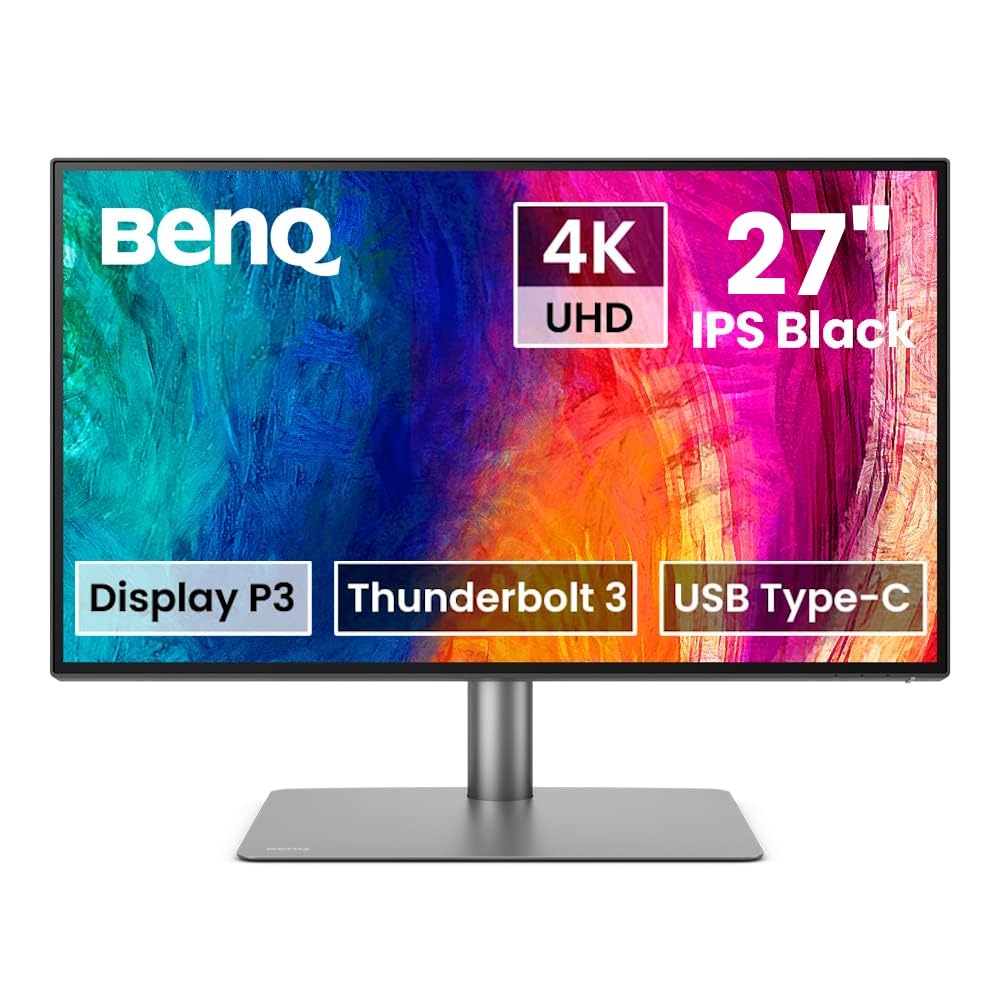
BenQ PD2725U 27" 4K UHD Thunderbolt 3 Monitor Display P3
Introducing the pd2725u 68.58cm 27in LED IPS from BenQ, a sophisticated display designed to enhance your visual experience. With its sleek design and cutting-edge technology, this monitor is perfect for professionals and enthusiasts alike. Featuring a 68.58cm (27-inch) LED IPS panel, this monitor delivers stunning visuals with vibrant colors and sharp details. Whether you're working on graphic design, photo editing, or watching movies, the pd2725u ensures exceptional image quality from any angle. Equipped with LED backlighting, this monitor offers improved energy efficiency, providing a more eco-friendly solution without compromising on brightness or color accuracy. The IPS (In-Plane Switching) technology enhances color reproduction and delivers consistent color performance across the entire display. With a variety of connectivity options including HDMI, DisplayPort, and USB-C, this monitor allows for seamless integration with your devices. The pd2725u also features a height-adjustable stand, allowing you to find the perfect viewing angle for ergonomic comfort. Upgrade your visual workspace with the pd2725u 68.58cm 27in LED IPS from BenQ and enjoy a superior visual experience like never before.
Introducing the pd2725u 68.58cm 27in LED IPS from BenQ, a sophisticated display designed to enhance your visual experience. With its sleek design and cutting-edge technology, this monitor is perfect for professionals and enthusiasts alike. Featuring a 68.58cm (27-inch) LED IPS panel, this monitor delivers stunning visuals with vibrant colors and sharp details. Whether you're working on graphic design, photo editing, or watching movies, the pd2725u ensures exceptional image quality from any angle. Equipped with LED backlighting, this monitor offers improved energy efficiency, providing a more eco-friendly solution without compromising on brightness or color accuracy. The IPS (In-Plane Switching) technology enhances color reproduction and delivers consistent color performance across the entire display. With a variety of connectivity options including HDMI, DisplayPort, and USB-C, this monitor allows for seamless integration with your devices. The pd2725u also features a height-adjustable stand, allowing you to find the perfect viewing angle for ergonomic comfort. Upgrade your visual workspace with the pd2725u 68.58cm 27in LED IPS from BenQ and enjoy a superior visual experience like never before.
Introducing the pd2725u 68.58cm 27in LED IPS from BenQ, a sophisticated display designed to enhance your visual experience. With its sleek design and cutting-edge technology, this monitor is perfect for professionals and enthusiasts alike. Featuring a 68.58cm (27-inch) LED IPS panel, this monitor delivers stunning visuals with vibrant colors and sharp details. Whether you're working on graphic design, photo editing, or watching movies, the pd2725u ensures exceptional image quality from any angle. Equipped with LED backlighting, this monitor offers improved energy efficiency, providing a more eco-friendly solution without compromising on brightness or color accuracy. The IPS (In-Plane Switching) technology enhances color reproduction and delivers consistent color performance across the entire display. With a variety of connectivity options including HDMI, DisplayPort, and USB-C, this monitor allows for seamless integration with your devices. The pd2725u also features a height-adjustable stand, allowing you to find the perfect viewing angle for ergonomic comfort. Upgrade your visual workspace with the pd2725u 68.58cm 27in LED IPS from BenQ and enjoy a superior visual experience like never before.
Introducing the pd2725u 68.58cm 27in LED IPS from BenQ, a sophisticated display designed to enhance your visual experience. With its sleek design and cutting-edge technology, this monitor is perfect for professionals and enthusiasts alike. Featuring a 68.58cm (27-inch) LED IPS panel, this monitor delivers stunning visuals with vibrant colors and sharp details. Whether you're working on graphic design, photo editing, or watching movies, the pd2725u ensures exceptional image quality from any angle. Equipped with LED backlighting, this monitor offers improved energy efficiency, providing a more eco-friendly solution without compromising on brightness or color accuracy. The IPS (In-Plane Switching) technology enhances color reproduction and delivers consistent color performance across the entire display. With a variety of connectivity options including HDMI, DisplayPort, and USB-C, this monitor allows for seamless integration with your devices. The pd2725u also features a height-adjustable stand, allowing you to find the perfect viewing angle for ergonomic comfort. Upgrade your visual workspace with the pd2725u 68.58cm 27in LED IPS from BenQ and enjoy a superior visual experience like never before.
in 9 offers
The lowest price for BenQ PD2725U 27" 4K UHD Thunderbolt 3 Monitor Display P3 right now is $1,017.22 at Snapklik AU, compared across 9 retailers.
The all-time low was $324.00 on 20 Mar 2026 — today's price is 214% above the lowest ever. It has been notably cheaper before — worth setting a price alert.
Prices last updated 25 Aug 2026.
Last updated at 25/08/2026 04:14:11
BenQ PD2725U 27 Inch 4K UHD AQCOLOR Computer Monitor W/ Thunderbolt 3 For MacBook, Mac Monitor, HDR, 95% P3, Daisy Chain, KVM, Hotkey Puck, DualView,
Delivery $28.05
BenQ DesignVue PD2725U - PD Series - LED monitor - 27" - 3840 x 2160 4K UHD (2160p) @ 60 Hz - IPS - 400 cd / m² - 1200:1 - DisplayHDR 400 - 5 ms -
Delivery $16.50
BenQ PD2725U 27" 4K UHD Designer Monitor
Delivery between 31 Aug – 7 Sept $20
BenQ PD2770U 27 4K Color Management Monitor, Hardware Calibration, 99% Abobe RGB/DCI-P3, 100% Rec.709, 96W USB-C, Daisy Chain, KVM, Height
Delivery between 29 Aug – 2 Sept $35.88
PD2725U Thunderbolt 3 Monitor for MacBook 27 Inch 4K IPS UHD, AQCOLOR, 100% sRGB & Rec.709, 95% P3, DeltaE3, Uniformity, Pantone, Factory-Calibrated,
Delivery between 31 Aug – 3 Sept $29
BenQ PD2725U 27" 4K IPS Designer Monitor
Delivery $45
BenQ PD2725U 27" 4K IPS Designer Monitor
Delivery $45
BenQ PD2725U 27" 4K IPS Designer Monitor
Delivery between 28 Aug – 5 Sept $10
Designer 4k Monitor Benq Pd2725u 27" Ips Usb-c Thunderbolt 3 Hdr
Delivery $127.67
Affiliate Disclosure: We may receive a small commission for purchases made through this link at no extra cost to you. This helps support our site. Thank you!
originally posted on bhphotovideo.com
I love looking at this monitor. It offers a range of resolutions, all super sharp and with eye-popping color. The build quality is superb, with a fine, heavy base. The only thing keeping it from a five-star rating is that the set-up is a little tricky. The ports, of which there are many, are not flush with the back panel, but buried inside a cavity in the monitor. You have to lay the monitor down on its face (use a soft cloth underneath!) even to see the ports, which are oriented vertically. Then, once all your cables are plugged in--I have five--covering them with the back panel is another awkward operation, which involves wrestling them through a small gap in the panel and which also risks unplugging the cables, especially the power cable. I've had the monitor for ... MoreI love looking at this monitor. It offers a range of resolutions, all super sharp and with eye-popping color. The build quality is superb, with a fine, heavy base. The only thing keeping it from a five-star rating is that the set-up is a little tricky. The ports, of which there are many, are not flush with the back panel, but buried inside a cavity in the monitor. You have to lay the monitor down on its face (use a soft cloth underneath!) even to see the ports, which are oriented vertically. Then, once all your cables are plugged in--I have five--covering them with the back panel is another awkward operation, which involves wrestling them through a small gap in the panel and which also risks unplugging the cables, especially the power cable. I've had the monitor for a week now and haven't put the back cover on yet.
originally posted on staples.ca
At first I hated it because VDI and AWS Remote Desktops shows big pixelated fonts because you are forced to use 175% ratio on 4K monitors; but I got used to it. MacBook Pro native screen is amazing, meh perception of website content is 25x better, for example, StackOverflow often has Q&A with attached screenshots which I was always forced to zoom to see it. For example, my previous monitor is Dell UltraSharp, with big pixels (and therefore no extra work is needed by Dell to make it sharp). Benz shows such screenshot attachments from StackOverflow super nice, I have vision problems but I can see such tiny 2-mm fonts, super sharp. With Dell, I was always forced to zoom to show such screenshots. And Dell is even expenciver!I was feeling that my desktop is over ... MoreAt first I hated it because VDI and AWS Remote Desktops shows big pixelated fonts because you are forced to use 175% ratio on 4K monitors; but I got used to it. MacBook Pro native screen is amazing, meh perception of website content is 25x better, for example, StackOverflow often has Q&A with attached screenshots which I was always forced to zoom to see it. For example, my previous monitor is Dell UltraSharp, with big pixels (and therefore no extra work is needed by Dell to make it sharp). Benz shows such screenshot attachments from StackOverflow super nice, I have vision problems but I can see such tiny 2-mm fonts, super sharp. With Dell, I was always forced to zoom to show such screenshots. And Dell is even expenciver!I was feeling that my desktop is over cluttered with huge wide curved Dell that’s why I bought BenQ, trying to research best 27” 4k. Now I have extra space on my table iPad Pro where I output AWS Workspace scree, native MacBook Pro, and Windows; having few separate screens helps better with focused tasks.BenQ is amazing. The only issue I have is LED light from BenQ: cannot fit (almost), and if you are an artist you shouldn’t use such light anyway. I am computer programmer and some web design with photography too, so Imam happy with this monitor.Thank you for Staples Canada, I preordered in two places, and Staples were first and super fast. Another company has 2 weeks return policy plus restocking fees; Staples has 30 days, no questions asked policy, no restocking fees. Winner!
originally posted on bhphotovideo.com
The HDR on this monitor is absolutely stunning in person, and the fact that it comes from the factory already calibrated is a huge plus. The KVM functionality works flawlessly, and has fixed a major stumbling point with my workstation where I'm frequently swapping between a MacBook and a PC tower. The power on the thunderbolt connection is enough to charge my 14 inch MacBook Pro, albeit slower than the official Apple adapter does. Also love that, unlike some monitors, there is a thunderbolt out port, so this doesn't need to be at the very end of your thunderbolt chain.
| General | |
| Device Type | DLP projector - 1080p |
| 3D Capable | Yes (3D glasses sold separately) |
| Networking | Ethernet |
| Projector |
BenQ PD2725U 27 Inch 4K UHD AQCOLOR Computer Monitor W/ Thunderbolt 3 For MacBook, Mac Monitor, HDR, 95% P3, Daisy Chain, KVM, Hotkey Puck, DualView,
Delivery $28.05
BenQ DesignVue PD2725U - PD Series - LED monitor - 27" - 3840 x 2160 4K UHD (2160p) @ 60 Hz - IPS - 400 cd / m² - 1200:1 - DisplayHDR 400 - 5 ms -
Delivery $16.50
BenQ PD2725U 27" 4K UHD Designer Monitor
Delivery between 31 Aug – 7 Sept $20
BenQ PD2770U 27 4K Color Management Monitor, Hardware Calibration, 99% Abobe RGB/DCI-P3, 100% Rec.709, 96W USB-C, Daisy Chain, KVM, Height
Delivery between 29 Aug – 2 Sept $35.88
PD2725U Thunderbolt 3 Monitor for MacBook 27 Inch 4K IPS UHD, AQCOLOR, 100% sRGB & Rec.709, 95% P3, DeltaE3, Uniformity, Pantone, Factory-Calibrated,
Delivery between 31 Aug – 3 Sept $29
I love looking at this monitor. It offers a range of resolutions, all super sharp and with eye-popping color. The build quality is superb, with a fine, heavy base. The only thing keeping it from a five-star rating is that the set-up is a little tricky. The ports, of which there are many, are not flush with the back panel, but buried inside a cavity in the monitor. You have to lay the monitor down on its face (use a soft cloth underneath!) even to see the ports, which are oriented vertically. Then, once all your cables are plugged in--I have five--covering them with the back panel is another awkward operation, which involves wrestling them through a small gap in the panel and which also risks unplugging the cables, especially the power cable. I've had the monitor for ... MoreI love looking at this monitor. It offers a range of resolutions, all super sharp and with eye-popping color. The build quality is superb, with a fine, heavy base. The only thing keeping it from a five-star rating is that the set-up is a little tricky. The ports, of which there are many, are not flush with the back panel, but buried inside a cavity in the monitor. You have to lay the monitor down on its face (use a soft cloth underneath!) even to see the ports, which are oriented vertically. Then, once all your cables are plugged in--I have five--covering them with the back panel is another awkward operation, which involves wrestling them through a small gap in the panel and which also risks unplugging the cables, especially the power cable. I've had the monitor for a week now and haven't put the back cover on yet.
At first I hated it because VDI and AWS Remote Desktops shows big pixelated fonts because you are forced to use 175% ratio on 4K monitors; but I got used to it. MacBook Pro native screen is amazing, meh perception of website content is 25x better, for example, StackOverflow often has Q&A with attached screenshots which I was always forced to zoom to see it. For example, my previous monitor is Dell UltraSharp, with big pixels (and therefore no extra work is needed by Dell to make it sharp). Benz shows such screenshot attachments from StackOverflow super nice, I have vision problems but I can see such tiny 2-mm fonts, super sharp. With Dell, I was always forced to zoom to show such screenshots. And Dell is even expenciver!I was feeling that my desktop is over ... MoreAt first I hated it because VDI and AWS Remote Desktops shows big pixelated fonts because you are forced to use 175% ratio on 4K monitors; but I got used to it. MacBook Pro native screen is amazing, meh perception of website content is 25x better, for example, StackOverflow often has Q&A with attached screenshots which I was always forced to zoom to see it. For example, my previous monitor is Dell UltraSharp, with big pixels (and therefore no extra work is needed by Dell to make it sharp). Benz shows such screenshot attachments from StackOverflow super nice, I have vision problems but I can see such tiny 2-mm fonts, super sharp. With Dell, I was always forced to zoom to show such screenshots. And Dell is even expenciver!I was feeling that my desktop is over cluttered with huge wide curved Dell that’s why I bought BenQ, trying to research best 27” 4k. Now I have extra space on my table iPad Pro where I output AWS Workspace scree, native MacBook Pro, and Windows; having few separate screens helps better with focused tasks.BenQ is amazing. The only issue I have is LED light from BenQ: cannot fit (almost), and if you are an artist you shouldn’t use such light anyway. I am computer programmer and some web design with photography too, so Imam happy with this monitor.Thank you for Staples Canada, I preordered in two places, and Staples were first and super fast. Another company has 2 weeks return policy plus restocking fees; Staples has 30 days, no questions asked policy, no restocking fees. Winner!
The HDR on this monitor is absolutely stunning in person, and the fact that it comes from the factory already calibrated is a huge plus. The KVM functionality works flawlessly, and has fixed a major stumbling point with my workstation where I'm frequently swapping between a MacBook and a PC tower. The power on the thunderbolt connection is enough to charge my 14 inch MacBook Pro, albeit slower than the official Apple adapter does. Also love that, unlike some monitors, there is a thunderbolt out port, so this doesn't need to be at the very end of your thunderbolt chain.
I've had the BenQ PD2720U DesignVue Designer 27 display for several weeks and I use it every day. It does double duty as a second display for my older 27 5k iMac and also as the primary display for my newer M1 MacBook Air (which I tuck away next to it on a vertical stand).Here's what I love:The wired puck makes it easy to switch connectionsIt pairs well with the 5k iMacIt powers my MacBook Air via a single USB-C thunderbolt 3 cableThere is a built-in color mode (m-book) that approximates native mac displaysNo, it's not a retina display but it is very good for everything from photo editing to online reading and it doesn't cost $5,000. I'm very happy with my purchase.
As far as I can tell, BenQ discontinued this monitor in place of the PD2725U. It's a great monitor. I hooked it up to my Mac mini (M1, 2020) no problem. I like the sRGB better than the M-Book setting. sRGB seems to match the color of my old MacBook Pro better. I don't have a problem with image retention, maybe because I keep the brightness level down. I love the hot key puck. It makes it so easy to switch to low blue light. Mac automatically scales the text. So, the text being too small is not a problem for this 4K monitor. Besides, you can scale the text to your liking in the Display setting in System Preferences. The colors are great and all around it's a great monitor. Compare the specs to the PD2725U to see the difference between the two. Anyhow, it looks like ... MoreAs far as I can tell, BenQ discontinued this monitor in place of the PD2725U. It's a great monitor. I hooked it up to my Mac mini (M1, 2020) no problem. I like the sRGB better than the M-Book setting. sRGB seems to match the color of my old MacBook Pro better. I don't have a problem with image retention, maybe because I keep the brightness level down. I love the hot key puck. It makes it so easy to switch to low blue light. Mac automatically scales the text. So, the text being too small is not a problem for this 4K monitor. Besides, you can scale the text to your liking in the Display setting in System Preferences. The colors are great and all around it's a great monitor. Compare the specs to the PD2725U to see the difference between the two. Anyhow, it looks like this model has been discontinued and B&H only has a limited stock left. So, get one (or more) while they last!
This is a good monitor considering the other $1000 or less monitors on the market but leaves a lot to be desired.My use case: Professional video and photo work. Small production company direct to client. Corporate, commercial, educational, lifestyle.Apple iMac Pro 5k Retina, macOS Big SurThe Bad:It's dark / dull. with a peak brightness of 400nits this monitor honestly is not bright enough given the price tag. If you are in a room with windows or any daylight you'll likely not find this monitor bright enough. If you plan to use this along side of an iMac you'll need to drop your iMacs brightness down to about half to match the max brightness of this monitor. I find this monitor to be extremely dull and lack much needed contrast ratio when trying to work on ... MoreThis is a good monitor considering the other $1000 or less monitors on the market but leaves a lot to be desired.My use case: Professional video and photo work. Small production company direct to client. Corporate, commercial, educational, lifestyle.Apple iMac Pro 5k Retina, macOS Big SurThe Bad:It's dark / dull. with a peak brightness of 400nits this monitor honestly is not bright enough given the price tag. If you are in a room with windows or any daylight you'll likely not find this monitor bright enough. If you plan to use this along side of an iMac you'll need to drop your iMacs brightness down to about half to match the max brightness of this monitor. I find this monitor to be extremely dull and lack much needed contrast ratio when trying to work on exposure critical things like photos / videos. The entire back of the monitor is made with cheap plastic that reminds me of an early 90's desktop computer monitor. The wire cover has yet to snap in correctly after many attempts. The ports and backside of the monitors design is crude at best. Keeping in mind you can buy an M1 iMac for $1,299 or a high end TV I expected much better build quality considering this is just a monitor (I understand this is not an apple product). My first unit showed up scratched and with a dead pixel patch at the edge of the monitor. I'm assume this was the result of an impact. However the packaging was not damaged in this area so that leads me to believe it was packaged that way at the factory. BH has an amazing return policy so that was not an issue however do be sure to carefully inspect your monitor upon arrival if you purchase anything from BenQ.The Good:If you ignore the backside of the monitor, it is great looking with a very slim minimal design. The stand is solid and very versatile. The bezels are extremely thin which is great. It is color accurate out of the box which is the main reason I purchased this monitor to begin with. It's great knowing that your work is being graded the way it will export. Connectivity is excellent and it works seamlessly with apple products as advertised (iMac Pro & M1 Macbook Pro) it can also daisy chain a 4K feed to my Sumo monitor which is a huge plus for anyone doing screen capture work. It turns on and off with startup and shut down of my computer reducing the amount of buttons you need to hit to fire up your desk. The picture on it is even all the way across with no notable shifts in colors or brightness from edge to edge. The anti-glare coating is effective, much better than most. It's got a small footprint on your desk for a good sized monitor for professional work. No / to extremely low latency when working with video projects. Editing sound sync critical timelines is not a problem. The hockey puck thing is nice, once you get it set up I can't image using is often but it is nice to have. The swivel head and height adjustment on the stand is great. The overall picture if very good, especially if you are able to keep your working area dark.Summary:After looking over the monitor options for this price range I do believe this is one of the best options available all things considered and after a few months of use I've grown to like the monitor overall. It has drastically improved my color work flow and was a noticeable upgrade from my previous second monitor. I would recommend this to anyone who is doing color critical professional work and wants to have confidence in their output. This is a solid budget monitor.
Look no further! I've searched tirelessly trying to find the best monitor to pair with my MacBook Pro M1. I'm a videographer and photographer and bought this monitor to have better color accuracy and help with video editing instead of working off a MacBook. After using the monitor for a month these are my opinions:Pros:- Excellent Clarity & Color (M-book profile is very comparable to MacBook color)-Screen size is very useful, especially for a video editor with its 16:9 ratio- Comparable resolution to previous iMac 5K Retina display. You can only see pixels if you're extremely close to the screen- Easy setup and compatible with Apple devices - Delivered with Thunderbolt 3 cableCons:- Base plate is quite large and deceiving in pictures. I would recommend ... MoreLook no further! I've searched tirelessly trying to find the best monitor to pair with my MacBook Pro M1. I'm a videographer and photographer and bought this monitor to have better color accuracy and help with video editing instead of working off a MacBook. After using the monitor for a month these are my opinions:Pros:- Excellent Clarity & Color (M-book profile is very comparable to MacBook color)-Screen size is very useful, especially for a video editor with its 16:9 ratio- Comparable resolution to previous iMac 5K Retina display. You can only see pixels if you're extremely close to the screen- Easy setup and compatible with Apple devices - Delivered with Thunderbolt 3 cableCons:- Base plate is quite large and deceiving in pictures. I would recommend buying a separate VESA monitor stand to cut down on desk clutter- Speakers are average- Plugging in cables (thunderbolt, usb, display ports) is quite difficult. Not user friendly.Overall, very satisfied with this purchase instead of buying a 5K monitor.
After searching for and testing several monitors (Dell, LG) for photo editing, I finally landed on the BenQ PD2725U, and I'm glad that I did. It's a beautiful monitor in every way, especially for my primary purpose: photo editing. The image quality is absolutely gorgeous, and the colors appear to be as rich and true as I could ever hope. The hockey puck takes a little getting used to, but after awhile it seems easy and seamless to make adjustments, or change the color settings. The only difficulty I had was with the monitor's initial setup - BenQ shipped DisplayPort, HDMI, Thunderbolt, and USB Type A to Type B cables, but not the one I needed (USB-C) to connect my recent vintage laptop. After futzing around with the Thunderbolt cable, I finally realized that it just ... MoreAfter searching for and testing several monitors (Dell, LG) for photo editing, I finally landed on the BenQ PD2725U, and I'm glad that I did. It's a beautiful monitor in every way, especially for my primary purpose: photo editing. The image quality is absolutely gorgeous, and the colors appear to be as rich and true as I could ever hope. The hockey puck takes a little getting used to, but after awhile it seems easy and seamless to make adjustments, or change the color settings. The only difficulty I had was with the monitor's initial setup - BenQ shipped DisplayPort, HDMI, Thunderbolt, and USB Type A to Type B cables, but not the one I needed (USB-C) to connect my recent vintage laptop. After futzing around with the Thunderbolt cable, I finally realized that it just wasn't going to work, and went out and bought a new cable. For a $845 monitor, I was a little disappointed that it didn't include one of the most commonly used cables. Otherwise, I'm extremely pleased with the monitor.
Very happy with the monitor so far. Color gamut and representation was one of the key elements for me. You never know for sure from reading other reviews during my selection process but I am happy to say that this monitor ticked that box well. The other thing I was looking for was an upgrade to help with the eye fatigue. Seems that more and more hours are being spent in front of the PC these days. Dells I had been using included their system to address flicker and blue light but I wasn't happy with those. The flicker reduction was fine but the low blue light really changed color profiles and was annoying. This seems to hold the colors a bit truer and I feel much less eye strain after a long day working on photographs or 3D modeling. I did try the CAD\CAM mode that ... MoreVery happy with the monitor so far. Color gamut and representation was one of the key elements for me. You never know for sure from reading other reviews during my selection process but I am happy to say that this monitor ticked that box well. The other thing I was looking for was an upgrade to help with the eye fatigue. Seems that more and more hours are being spent in front of the PC these days. Dells I had been using included their system to address flicker and blue light but I wasn't happy with those. The flicker reduction was fine but the low blue light really changed color profiles and was annoying. This seems to hold the colors a bit truer and I feel much less eye strain after a long day working on photographs or 3D modeling. I did try the CAD\CAM mode that increases contrast but feel that the jury is out on that. First impression is that it may be ok for 2D CAD work but I think the jury is still out on the merit for 3D. Happier with less eye fatigue and foregoing the CAD\CAM mode for now. The puck and was a nice feature and I was able to set things up the way I wanted to work with multiple PC inputs (using the puck buttons more for input selection flipping between work and personal PCs). Overall a bit more than I was wanting to spend but am happy I caught the Black Friday pricing and made the decision.
Just added this monitor to our newest edit room along with an LG 48 OLED for preview display of 4K edit material. The display is sharp! Great options and features, i.e. Color Modes, Dual View and Display Pilot Software. The only qwerk is setting up some of the hot key puck shortcuts...not as intuitive as BenQ videos make it out to be. Overall build quality and image is awesome for the price, and we researched many options...but this seemed the best bang for the buck at this price point and with the multiple ports/Thunderbolt connections! Definitely recommend it.
| General | |
| Device Type | DLP projector - 1080p |
| 3D Capable | Yes (3D glasses sold separately) |
| Networking | Ethernet |
| Projector |

