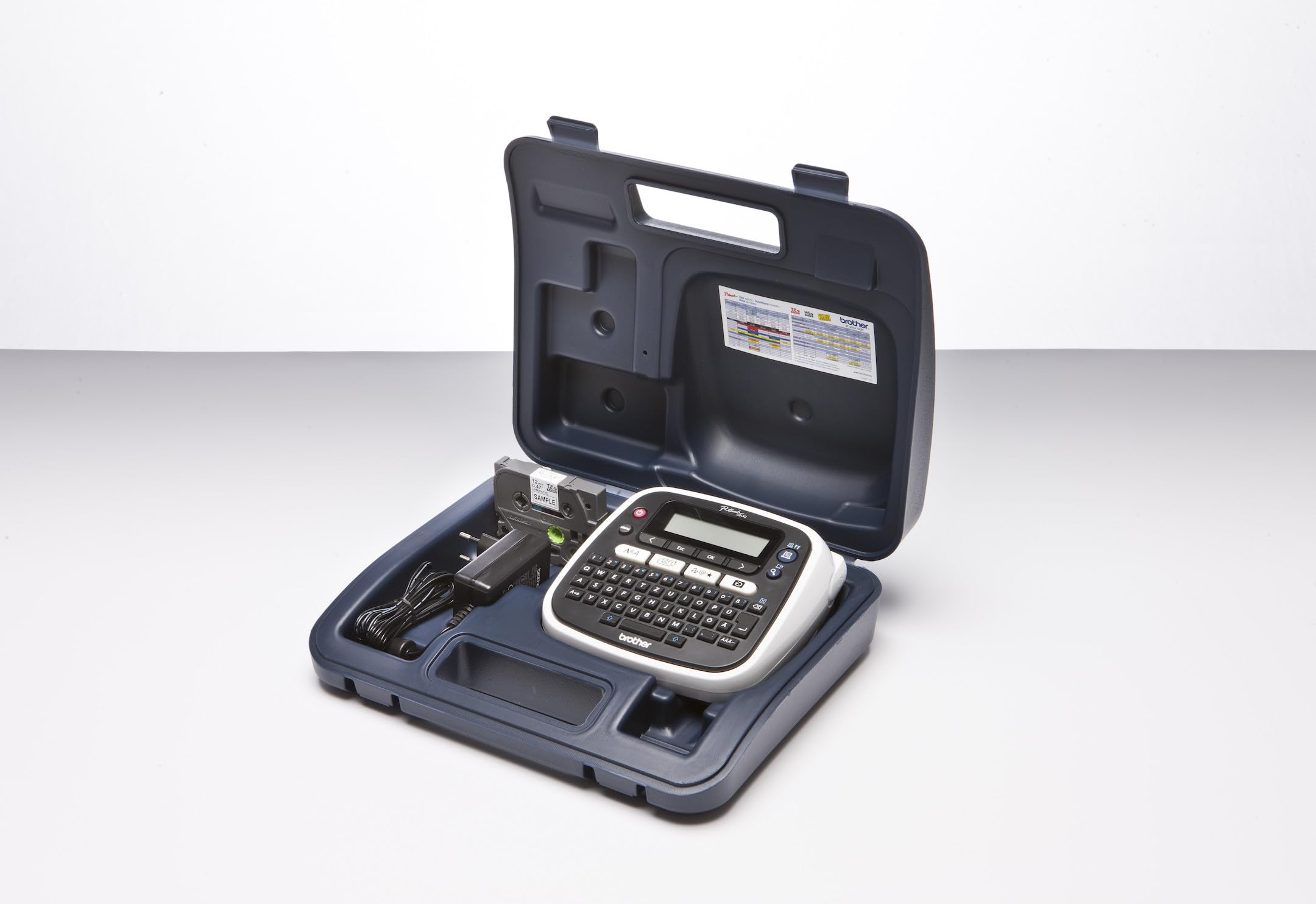
Design and print personalized labels your way using your smartphone, tablet or computer. FREE P-touch Design&Print and iPrint&Label apps let you conveniently design and print personalized labels from your smartphone or tablet using the P-touch CUBE Plus. Use its included USB cable to design and print customized labels with P-touch Editor software on your computer. Sleek, stylish design suits small businesses, retail shops and craft-based businesses. Robust enough for home and office use.
Design and print personalized labels your way using your smartphone, tablet or computer. FREE P-touch Design&Print and iPrint&Label apps let you conveniently design and print personalized labels from your smartphone or tablet using the P-touch CUBE Plus. Use its included USB cable to design and print customized labels with P-touch Editor software on your computer. Sleek, stylish design suits small businesses, retail shops and craft-based businesses. Robust enough for home and office use.
in 3 offers
The lowest price for Brother PT-P710BT P-Touch Cube Plus Versatile Label Maker With Bluetooth Wireless Technology, Black right now is $122.10 at Zylax Computers, compared across 3 retailers.
The all-time low was $122.10 on 22 June 2026. That's the lowest price we've ever tracked — a great time to buy.
Prices last updated 22 June 2026.
Brother PT-P710BT P-Touch Cube Plus Versatile Label Maker With Bluetooth Wireless Technology, Black
Design and print personalized labels your way using your smartphone, tablet or computer. FREE P-touch Design&Print and iPrint&Label apps let you conveniently design and print personalized labels from your smartphone or tablet using the P-touch CUBE Plus. Use its included USB cable to design and print customized labels with P-touch Editor software on your computer. Sleek, stylish design suits small businesses, retail shops and craft-based businesses. Robust enough for home and office use.
Design and print personalized labels your way using your smartphone, tablet or computer. FREE P-touch Design&Print and iPrint&Label apps let you conveniently design and print personalized labels from your smartphone or tablet using the P-touch CUBE Plus. Use its included USB cable to design and print customized labels with P-touch Editor software on your computer. Sleek, stylish design suits small businesses, retail shops and craft-based businesses. Robust enough for home and office use.
Last updated at 22/06/2026 19:59:14
Brother P-Touch Cube PT-P710BT Label Maker Bundle with Laminated & Fabric Iron-On Tape (12mm & 24mm)
Affiliate Disclosure: We may receive a small commission for purchases made through this link at no extra cost to you. This helps support our site. Thank you!
Brother PT-P710BT P-touch Smartphone And Usb label Maker
Delivery between 25–30 June $18
Brother PT-P710BT P-Touch Labeller Smartphone and USB Label Maker 3.5 -24mm
Delivery between 25 June – 7 July $10
originally posted on walmart.com
Obsessed. I love the different color tape options and being able to use any size in it. I’ve been using it at work and it’s been so helpful to my crew to have clear and durable signage. You can put any image or emoji that you can type on your keyboard. Or any from the preloaded options. And if you download alternative keyboards you can also use different fonts other than the preloaded options.I only wish it would auto connect like other Bluetooth devices do. I have an iPhone 14 Pro Max if that makes a difference. Each time you turn on the printer and open the app, you have to find your device within the app. And a lot of the times, if you’ve already connected, but didn’t print anything after awhile, it disconnects itself from the app and you have find your printer ... MoreObsessed. I love the different color tape options and being able to use any size in it. I’ve been using it at work and it’s been so helpful to my crew to have clear and durable signage. You can put any image or emoji that you can type on your keyboard. Or any from the preloaded options. And if you download alternative keyboards you can also use different fonts other than the preloaded options.I only wish it would auto connect like other Bluetooth devices do. I have an iPhone 14 Pro Max if that makes a difference. Each time you turn on the printer and open the app, you have to find your device within the app. And a lot of the times, if you’ve already connected, but didn’t print anything after awhile, it disconnects itself from the app and you have find your printer and reconnect again.
originally posted on brother-usa.com
I received this product for free from Brother in exchange for my honest opinion/review of the product. The Brother P-touch CUBE Plus PT-P710BT Label Maker is a compact and powerful label maker that will make you forget about the way that you use to make labels. As a person that has to label files, boxes and cables every day, having a rechargeable mobile printer is mandatory.Physically, the cube weighs in at under 2 pounds and standing roughly 5 inches tall, the label maker itself was made for mobile use. Or in my case, it was made for use in every area of my office and storage rooms. The overall appearance of the cube is very sleek and modern, unless you actually pick it up you will not notice that it was a label maker. This provides a great aesthetic for office ... MoreI received this product for free from Brother in exchange for my honest opinion/review of the product. The Brother P-touch CUBE Plus PT-P710BT Label Maker is a compact and powerful label maker that will make you forget about the way that you use to make labels. As a person that has to label files, boxes and cables every day, having a rechargeable mobile printer is mandatory.Physically, the cube weighs in at under 2 pounds and standing roughly 5 inches tall, the label maker itself was made for mobile use. Or in my case, it was made for use in every area of my office and storage rooms. The overall appearance of the cube is very sleek and modern, unless you actually pick it up you will not notice that it was a label maker. This provides a great aesthetic for office desk.The Cube Plus can be powered by either the provided USB charging cable or by the rechargeable battery that is also provided. If you tend to use your desk, I find it better to leave it connected and charging throughout the day. I found myself using the printer in more remote areas of my office so knowing that the battery is already charged save me from wondering if I remembered to charge it after the last use.Connectivity and multiple ways to print are my favorite features of the Cube Plus. Since the Cube Plus is a bluetooth printer, you can sync it to your phone or tablet and create labels via the iPrint&label and P-Touch Design&Print apps. These two apps are what makes this cube a great printer. Previously I was only able to print text labels but these two apps has a great option to print barcodes and QR codes from their template gallery and it totally changed my filing system in a couple of days. The auto sizing and cutting of the label by the printer made getting these different types of labels made quite easy. The Cube Plus also has an option to print from my computer as well, which is a great option but it wasn`t one that I have taken full advantage off since I prefer to work from my tablet.Overall, the Cube Plus is a great printer but there are a couple of little things that could be worked on. Since this is primarily operating on a rechargeable battery, it would have been great to have some kind of battery power indicator on either the printer or in the app. There were a few situations where I forgot to charge the printer and couldn`t use it until it had a decent charge. Also, the printer did not come with an ac charging adapter, just a charging cable. In this day and age, we all have multiple adapters at home so this isn`t a deal breaker but since i do not plan on using this with my computer often, having an adapter would have been nice.One semi major issue that I had was with a bluetooth connection problem when my tablet or phone would go to sleep or I would get a call. For some reason, the connection between the printer and my phone would break and it would take some time to reconnect. I would either have to restart my device a few times and turn the printer on or off a few times before I was able to get a stable connection again. This didn`t happen often enough where it made me not want to use the printer but it was a noticeable issue.All in all, I was pleasantly surprised at how well this printer performed. Coming from using a traditional label maker with a keyboard and tiny screen, having the ability to design label that are more than text makes this a great item for me. Charging the battery is simple, the printer uses the standard media size so I did not have to buy specialty media. Although I may invest in some different color labels to change things up a bit. Overall, I would highly recommend this printer to someone that prints a lot of labels on a regular basis and would like a change from the standard text of older printers.
originally posted on brother-usa.com
I love this little labeler. I have been using the PT-2700 for years and still like it, but I wanted something that could sit on my desk ad not be too intrusive. A couple things to note: A 3.5" label produced by the PT-P710BT is a bit longer than a 3.5" label produced by the PT-2700, so I had to adjust the size for a file folder accordingly. Also, not all tape cartridges fit both machines. Only the ones with a green wheel fit both. The ones with a gray wheel don't fit. My only real gripe is that I cannot use a font found on my computer; it apparently can only us a pre-selected list of fonts. The list is long, but unfortunately not the ones I want. Even the Helsinki used on the PT-2700 machine is not available on the PT-P710BT.
| Connectivity technology | Bluetooth, USB |
| Printing technology | Thermal |
| Special feature | Portable, Lightweight |
| Printer output | Monochrome |
| Max print speed monochrome | 20 ppm |
Brother P-Touch Cube PT-P710BT Label Maker Bundle with Laminated & Fabric Iron-On Tape (12mm & 24mm)
Affiliate Disclosure: We may receive a small commission for purchases made through this link at no extra cost to you. This helps support our site. Thank you!
Brother PT-P710BT P-touch Smartphone And Usb label Maker
Delivery between 25–30 June $18
Brother PT-P710BT P-Touch Labeller Smartphone and USB Label Maker 3.5 -24mm
Delivery between 25 June – 7 July $10
Obsessed. I love the different color tape options and being able to use any size in it. I’ve been using it at work and it’s been so helpful to my crew to have clear and durable signage. You can put any image or emoji that you can type on your keyboard. Or any from the preloaded options. And if you download alternative keyboards you can also use different fonts other than the preloaded options.I only wish it would auto connect like other Bluetooth devices do. I have an iPhone 14 Pro Max if that makes a difference. Each time you turn on the printer and open the app, you have to find your device within the app. And a lot of the times, if you’ve already connected, but didn’t print anything after awhile, it disconnects itself from the app and you have find your printer ... MoreObsessed. I love the different color tape options and being able to use any size in it. I’ve been using it at work and it’s been so helpful to my crew to have clear and durable signage. You can put any image or emoji that you can type on your keyboard. Or any from the preloaded options. And if you download alternative keyboards you can also use different fonts other than the preloaded options.I only wish it would auto connect like other Bluetooth devices do. I have an iPhone 14 Pro Max if that makes a difference. Each time you turn on the printer and open the app, you have to find your device within the app. And a lot of the times, if you’ve already connected, but didn’t print anything after awhile, it disconnects itself from the app and you have find your printer and reconnect again.
I received this product for free from Brother in exchange for my honest opinion/review of the product. The Brother P-touch CUBE Plus PT-P710BT Label Maker is a compact and powerful label maker that will make you forget about the way that you use to make labels. As a person that has to label files, boxes and cables every day, having a rechargeable mobile printer is mandatory.Physically, the cube weighs in at under 2 pounds and standing roughly 5 inches tall, the label maker itself was made for mobile use. Or in my case, it was made for use in every area of my office and storage rooms. The overall appearance of the cube is very sleek and modern, unless you actually pick it up you will not notice that it was a label maker. This provides a great aesthetic for office ... MoreI received this product for free from Brother in exchange for my honest opinion/review of the product. The Brother P-touch CUBE Plus PT-P710BT Label Maker is a compact and powerful label maker that will make you forget about the way that you use to make labels. As a person that has to label files, boxes and cables every day, having a rechargeable mobile printer is mandatory.Physically, the cube weighs in at under 2 pounds and standing roughly 5 inches tall, the label maker itself was made for mobile use. Or in my case, it was made for use in every area of my office and storage rooms. The overall appearance of the cube is very sleek and modern, unless you actually pick it up you will not notice that it was a label maker. This provides a great aesthetic for office desk.The Cube Plus can be powered by either the provided USB charging cable or by the rechargeable battery that is also provided. If you tend to use your desk, I find it better to leave it connected and charging throughout the day. I found myself using the printer in more remote areas of my office so knowing that the battery is already charged save me from wondering if I remembered to charge it after the last use.Connectivity and multiple ways to print are my favorite features of the Cube Plus. Since the Cube Plus is a bluetooth printer, you can sync it to your phone or tablet and create labels via the iPrint&label and P-Touch Design&Print apps. These two apps are what makes this cube a great printer. Previously I was only able to print text labels but these two apps has a great option to print barcodes and QR codes from their template gallery and it totally changed my filing system in a couple of days. The auto sizing and cutting of the label by the printer made getting these different types of labels made quite easy. The Cube Plus also has an option to print from my computer as well, which is a great option but it wasn`t one that I have taken full advantage off since I prefer to work from my tablet.Overall, the Cube Plus is a great printer but there are a couple of little things that could be worked on. Since this is primarily operating on a rechargeable battery, it would have been great to have some kind of battery power indicator on either the printer or in the app. There were a few situations where I forgot to charge the printer and couldn`t use it until it had a decent charge. Also, the printer did not come with an ac charging adapter, just a charging cable. In this day and age, we all have multiple adapters at home so this isn`t a deal breaker but since i do not plan on using this with my computer often, having an adapter would have been nice.One semi major issue that I had was with a bluetooth connection problem when my tablet or phone would go to sleep or I would get a call. For some reason, the connection between the printer and my phone would break and it would take some time to reconnect. I would either have to restart my device a few times and turn the printer on or off a few times before I was able to get a stable connection again. This didn`t happen often enough where it made me not want to use the printer but it was a noticeable issue.All in all, I was pleasantly surprised at how well this printer performed. Coming from using a traditional label maker with a keyboard and tiny screen, having the ability to design label that are more than text makes this a great item for me. Charging the battery is simple, the printer uses the standard media size so I did not have to buy specialty media. Although I may invest in some different color labels to change things up a bit. Overall, I would highly recommend this printer to someone that prints a lot of labels on a regular basis and would like a change from the standard text of older printers.
I love this little labeler. I have been using the PT-2700 for years and still like it, but I wanted something that could sit on my desk ad not be too intrusive. A couple things to note: A 3.5" label produced by the PT-P710BT is a bit longer than a 3.5" label produced by the PT-2700, so I had to adjust the size for a file folder accordingly. Also, not all tape cartridges fit both machines. Only the ones with a green wheel fit both. The ones with a gray wheel don't fit. My only real gripe is that I cannot use a font found on my computer; it apparently can only us a pre-selected list of fonts. The list is long, but unfortunately not the ones I want. Even the Helsinki used on the PT-2700 machine is not available on the PT-P710BT.
I had been using a battery label maker from the same manufacturer but the batteries would always die and could only use 1/2 inch tape. I took the plunge and although it cost three times more I will probably save that on batteries alone. I have this one set so I can print from my phone when I’m in the workshop or from my laptop. The computer software has a ton of options like adding pictures and I can print with different size tapes, fonts and directions. Hopefully the last label maker I will ever purchase, I definitely recommend it if you want to do more than simple one size labels.
I liked this very much. The instructions were clear. In other websites, there were comments about buyers having to discard tapes they bought for other machines from Brother. These tapes are costly, but I found one can use many of the other tapes up to 24 mm wide. One has to keep the iPhone close to the machine, since it works with bluetooth. I didn't dislike anything about this. The additional 2 year warranty from Walmart helps too, at $8. I have not used all the graphics or gimmicks, but I can say it helps me with my labeling needs, such as circuit breakers, ethernet cables, and other items in day-to-day life.
I've had several P-Touch printers over a period of years. In fact I still have my PT-P700 connected to my PC. The print quality of the P700 and PT-710BT both excellent. But nice things about the 710BT are 1) The built-in Li-ION rechargeable battery. You can connect the printer by USB and it's always charged and ready to use without need of an AC power adapter. 2) Instant bluetooth connectivity when you need to carry it around without USB. For example, designing and printing labels through the app rather than the P-Touch Editor software (PC/Mac) even though I do prefer the P-Touch editor which is full-featured and easy to learn.Not sure about Mac, but for windows 10/11 I do recommend downloading and installing the driver and printer settings tool from Brother's ... MoreI've had several P-Touch printers over a period of years. In fact I still have my PT-P700 connected to my PC. The print quality of the P700 and PT-710BT both excellent. But nice things about the 710BT are 1) The built-in Li-ION rechargeable battery. You can connect the printer by USB and it's always charged and ready to use without need of an AC power adapter. 2) Instant bluetooth connectivity when you need to carry it around without USB. For example, designing and printing labels through the app rather than the P-Touch Editor software (PC/Mac) even though I do prefer the P-Touch editor which is full-featured and easy to learn.Not sure about Mac, but for windows 10/11 I do recommend downloading and installing the driver and printer settings tool from Brother's site. Yes, windows does recognize the printer regardless, but more features and setting preferences are available when you manually install the drivers. And of course, get the P-Touch editor as well (currently V 5.4 at the time of this review). I also recommend using generic TZe compatible labels which are widely available in every size and color on that "A" website that we all know... haha! They are equal in quality to the OEM but MUCH cheaper.
I needed to replace my ancient p-touch so I decided to try the Bluetooth model. I initially connected it to my iPad which worked fine. I was able to print labels easily. I later connected to my iPhone 8 and again it worked fine.There are templates you can use to help design the appropriate labels. But I haven't used them for all I needed was a basic label.Having a Bluetooth label maker allows you to move from room to room with ease. I haven't tested the reception distance or batter life but those aren't issues for me.
I usually only need to print just one label at a time and apply that label to my customer's equipment after service or repair, and before returning the equipment to the customer. I was disappointed that it was not made clear prior to purchase that for the printer to feed the tape correctly, there must be a margin of about 25 mm when printing the first label. That margin is not required for the second and subsequent labels when printing multiple labels consecutively, but I often only need to print one label at a time, and the need for each label can be days or weeks apart. That means I would lose 25 mm of tape for most of the short labels that are printed. It would have been nice to have been informed about the 25 mm margin before purchase.However, all is not lost. ... MoreI usually only need to print just one label at a time and apply that label to my customer's equipment after service or repair, and before returning the equipment to the customer. I was disappointed that it was not made clear prior to purchase that for the printer to feed the tape correctly, there must be a margin of about 25 mm when printing the first label. That margin is not required for the second and subsequent labels when printing multiple labels consecutively, but I often only need to print one label at a time, and the need for each label can be days or weeks apart. That means I would lose 25 mm of tape for most of the short labels that are printed. It would have been nice to have been informed about the 25 mm margin before purchase.However, all is not lost. When printing a label for a customer, I can print a different type of generic label that is not needed at the time of printing the first label, and I can leave that second label in the printer to be cut off and used after the next label is needed and printed.My PT-P710BT doesn’t cut the labels perfectly squarely across the tape, and the margins between the print area and each end of the label are not the same width.
I previously had the all-in-one Brother labelmaker but I'm a real font nerd and was hoping for more of a variety with this P-Touch Cube. I also wanted the option of wider labels as well as the 1/2". This cube has all of the fonts that Brother provides plus the ones that are available on my iphone. But I also discovered an app called "AnyFont" that will load any font you want onto your phone, and thus able to use with this labelmaker. I was able to use my favorite fonts in the Brother Design & Print 2 app. This is such a game changer because we've got a couple of household fonts that I like to use for everything that I label at home. I haven't had any connection issues so far, so I'm pretty pleased with this.I think I'm going to start giving these for graduation ... MoreI previously had the all-in-one Brother labelmaker but I'm a real font nerd and was hoping for more of a variety with this P-Touch Cube. I also wanted the option of wider labels as well as the 1/2". This cube has all of the fonts that Brother provides plus the ones that are available on my iphone. But I also discovered an app called "AnyFont" that will load any font you want onto your phone, and thus able to use with this labelmaker. I was able to use my favorite fonts in the Brother Design & Print 2 app. This is such a game changer because we've got a couple of household fonts that I like to use for everything that I label at home. I haven't had any connection issues so far, so I'm pretty pleased with this.I think I'm going to start giving these for graduation presents so college kids can label all their stuff (you know how roommates can be!)P.S. The "anyfont" app also works with the Cricut app. I've got the Cricut Joy and was wishing Cricut provided my favorite fonts. But they don't--not even for purchase!
As someone who wasn't sure how I was going to like printing from my phone rather than typing on a physical keyboard...well... I have to say I can't believe I waited so long. This little label maker is wonderful! The apps for the phone definitely have a learning curve, but when you get the perfect label and are able to save it, it's pure joy. The labels come out sharp, the battery life is excellent, it's quick and quiet, and it fits nicely in a small camera bag. They do make cases it specifically, but I live all the pockets a camera bag offers. I have not had any jams. The machine recognized which tape I have in it and sends that information right to the app. The apps offer many more options for label styles and you can see the label right on your phone before you ... MoreAs someone who wasn't sure how I was going to like printing from my phone rather than typing on a physical keyboard...well... I have to say I can't believe I waited so long. This little label maker is wonderful! The apps for the phone definitely have a learning curve, but when you get the perfect label and are able to save it, it's pure joy. The labels come out sharp, the battery life is excellent, it's quick and quiet, and it fits nicely in a small camera bag. They do make cases it specifically, but I live all the pockets a camera bag offers. I have not had any jams. The machine recognized which tape I have in it and sends that information right to the app. The apps offer many more options for label styles and you can see the label right on your phone before you print. The tape is not cheap but it is durable and has stuck wonderfully to every shelf at work. I work at a car dealership in the parts department and it is a dusty and oily environment. The price of the labels is worth it. This is a great little printer that was worth every penny.
| Connectivity technology | Bluetooth, USB |
| Printing technology | Thermal |
| Special feature | Portable, Lightweight |
| Printer output | Monochrome |
| Max print speed monochrome | 20 ppm |