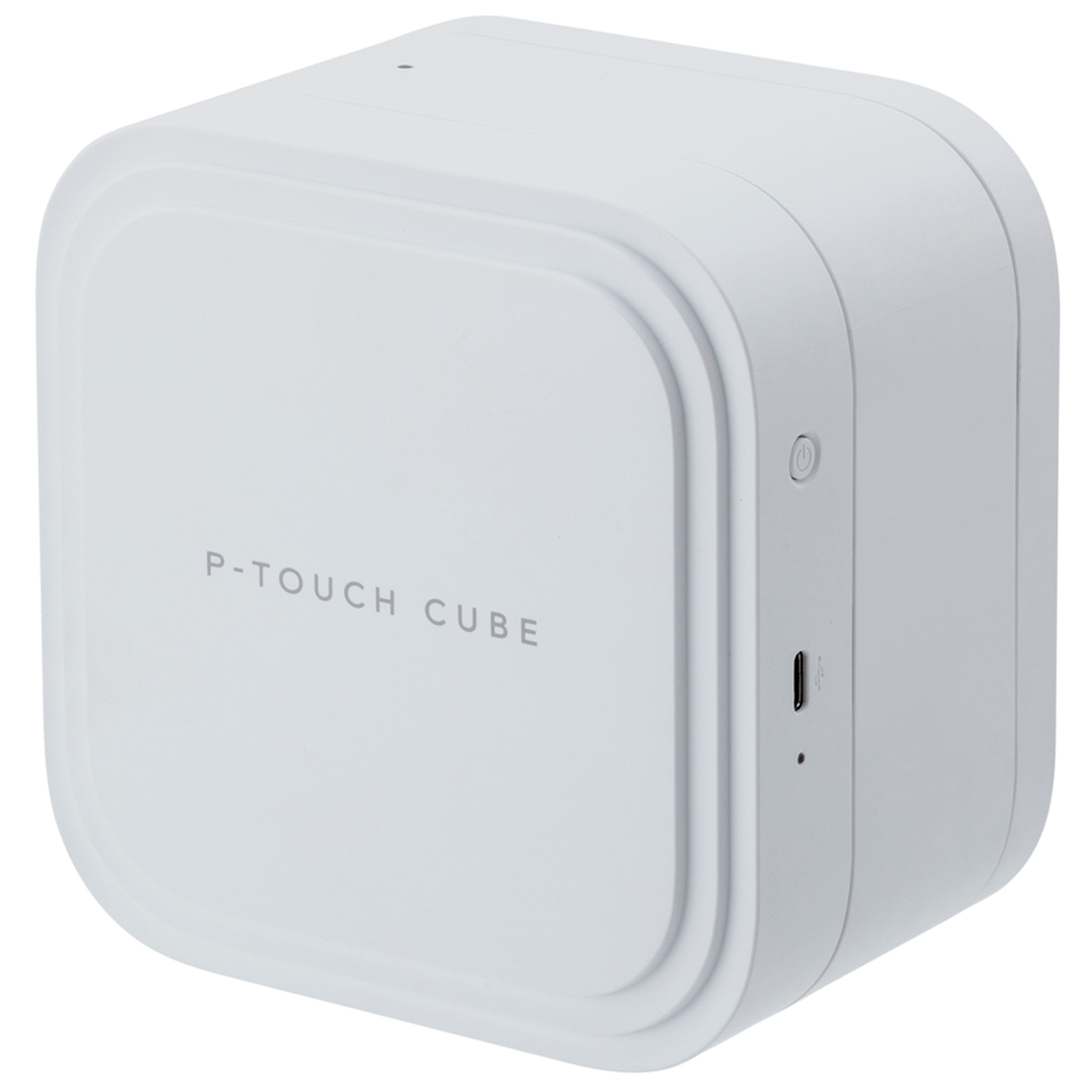
Brother P-Touch PT-P710BT Label Printer
This elegant compact label printer gives you a range of options to print labels around your office. Print labels up to 24 mm in width and with an automatic full cutter. You can design labels on your PC or Mac using Brother's free P-touch editor design software. Available as a free download from the Brother website this software gives you powerful editing tools to create an ideal labels for your workplace. Include images such as a company logo or select from hundreds of built-in clipart symbols and frames. Include barcodes if needed. Plus you can also link to text contained in an excel or file to easily print multiple labels with variable information. Alternatively you can connect the P-touch cube plus to your Apple or android device using Bluetooth then use Brother iPrint and label or P-touch design and print apps to create and print labels from your smart device. Brother's TZe tapes are available in up to 60 different colour and size combinations so you can customise and colour co-ordinate your office space. The built-in lithium-ion rechargeable battery with USB recharging ensures that the printer is ready to print a label wherever and whenever you want. Charge directly from your laptop PC or a standard USB mains adapter.
This elegant compact label printer gives you a range of options to print labels around your office. Print labels up to 24 mm in width and with an automatic full cutter. You can design labels on your PC or Mac using Brother's free P-touch editor design software. Available as a free download from the Brother website this software gives you powerful editing tools to create an ideal labels for your workplace. Include images such as a company logo or select from hundreds of built-in clipart symbols and frames. Include barcodes if needed. Plus you can also link to text contained in an excel or file to easily print multiple labels with variable information. Alternatively you can connect the P-touch cube plus to your Apple or android device using Bluetooth then use Brother iPrint and label or P-touch design and print apps to create and print labels from your smart device. Brother's TZe tapes are available in up to 60 different colour and size combinations so you can customise and colour co-ordinate your office space. The built-in lithium-ion rechargeable battery with USB recharging ensures that the printer is ready to print a label wherever and whenever you want. Charge directly from your laptop PC or a standard USB mains adapter.
This elegant compact label printer gives you a range of options to print labels around your office. Print labels up to 24 mm in width and with an automatic full cutter. You can design labels on your PC or Mac using Brother's free P-touch editor design software. Available as a free download from the Brother website this software gives you powerful editing tools to create an ideal labels for your workplace. Include images such as a company logo or select from hundreds of built-in clipart symbols and frames. Include barcodes if needed. Plus you can also link to text contained in an excel or file to easily print multiple labels with variable information. Alternatively you can connect the P-touch cube plus to your Apple or android device using Bluetooth then use Brother iPrint and label or P-touch design and print apps to create and print labels from your smart device. Brother's TZe tapes are available in up to 60 different colour and size combinations so you can customise and colour co-ordinate your office space. The built-in lithium-ion rechargeable battery with USB recharging ensures that the printer is ready to print a label wherever and whenever you want. Charge directly from your laptop PC or a standard USB mains adapter.
This elegant compact label printer gives you a range of options to print labels around your office. Print labels up to 24 mm in width and with an automatic full cutter. You can design labels on your PC or Mac using Brother's free P-touch editor design software. Available as a free download from the Brother website this software gives you powerful editing tools to create an ideal labels for your workplace. Include images such as a company logo or select from hundreds of built-in clipart symbols and frames. Include barcodes if needed. Plus you can also link to text contained in an excel or file to easily print multiple labels with variable information. Alternatively you can connect the P-touch cube plus to your Apple or android device using Bluetooth then use Brother iPrint and label or P-touch design and print apps to create and print labels from your smart device. Brother's TZe tapes are available in up to 60 different colour and size combinations so you can customise and colour co-ordinate your office space. The built-in lithium-ion rechargeable battery with USB recharging ensures that the printer is ready to print a label wherever and whenever you want. Charge directly from your laptop PC or a standard USB mains adapter.
in 12 offers
The lowest price for Brother P-Touch PT-P710BT Label Printer right now is $126.00 at TonerInk, compared across 12 retailers.
The all-time low was $84.15 on 1 May 2026 — today's price is 50% above the lowest ever. It has been notably cheaper before — worth setting a price alert.
Prices last updated 15 Oct 2026.
Last updated at 15/10/2026 21:59:19
Brother Ptouch Cube PT-P710BT Label Maker, Bluetooth/PC Connectable, Print Up to 24 mm Labels, Built-in Li-ion Battery, USB Rechargeable, Includes 24
Free delivery
Affiliate Disclosure: We may receive a small commission for purchases made through this link at no extra cost to you. This helps support our site. Thank you!
Brother P-Touch PT-P710BT labelling machine
Free delivery between Sat – Mon
Brother P710BT P Touch Machine
Delivery $17
Brother PT-P710BT (PTP710BT) P-Touch Label Maker
Brother P-Touch PT-P710BT Label Printer
Delivery $14
Brother P710BT P Touch Machine
Free delivery
Brother P710Bt P Touch Machine
Delivery between 18–26 Oct $10
Brother P710bt Label Printer Black EU Plug 220V
Delivery $28.99
Brother PT-P710BT | Mono | Thermal | Label Printer | Wi-Fi | Black
Brother P710BT P Touch Machine
Free delivery
originally posted on brother.co.uk
Wow oh wow. I love this so much. At first I thought it would be difficult to navigate etc but it is super simple. I set the device up via my phone on the app and also my computer ao I could have 2 options. I tested the print on my phone and if it noticed I have a different cartridge in it automatically changed everything for me and my computer did the same thing which I thought was helpful and useful. It was really easy to set up and test your first print. The device is portable which is amazing so I can carry this with me and use my app to conveniently print off labels I may need. The brother website automatically connects and registers the product after set up and creating an account and easily searches for more supplies which is really handy! Overall I'm so ... MoreWow oh wow. I love this so much. At first I thought it would be difficult to navigate etc but it is super simple. I set the device up via my phone on the app and also my computer ao I could have 2 options. I tested the print on my phone and if it noticed I have a different cartridge in it automatically changed everything for me and my computer did the same thing which I thought was helpful and useful. It was really easy to set up and test your first print. The device is portable which is amazing so I can carry this with me and use my app to conveniently print off labels I may need. The brother website automatically connects and registers the product after set up and creating an account and easily searches for more supplies which is really handy! Overall I'm so amazed at how good this is and so happy with it. I've already showed my freinds and family and they either want one or want to borrow mine.
originally posted on brother.co.uk
At first I was very sceptical of the quality that this label maker would be able to produce. After the first print I was amazed of the quality this little printer produces.The set up was very quick and very easy once I had downloaded the app. The different options available for printing from this cracking label maker is incredible, this varies from simple labels for spices to labels with the ability to attach a link to a QR code. The app also gives you the ability to alter the font size and much much more.There s different colours and sizes that this printer will print on as well.This is a great product and highly recommended.I will be using this to print QR coded labels to help promote various things of mine.Having shown and used my QR coded label my ... MoreAt first I was very sceptical of the quality that this label maker would be able to produce. After the first print I was amazed of the quality this little printer produces.The set up was very quick and very easy once I had downloaded the app. The different options available for printing from this cracking label maker is incredible, this varies from simple labels for spices to labels with the ability to attach a link to a QR code. The app also gives you the ability to alter the font size and much much more.There s different colours and sizes that this printer will print on as well.This is a great product and highly recommended.I will be using this to print QR coded labels to help promote various things of mine.Having shown and used my QR coded label my friends was also amazed what the product can do.Great product.Highly rate thsi
originally posted on brother.co.uk
This item arrived nicely packaged and is an attractive little piece of kit. Would be cool to have a little case to store it in with spare cartridges. Loved that it was a rechargeable item.Very easy to set this label maker up. I tried both the android and apple versions of the apps and I would say they both have their good and and bad aspects, but I preferred the android app. The templates make it easy to print a quick label.I have so far used it for gifts, labels for my luggage, my recycling bin, and to customise a bottle of alcohol. The label has stuck well to most surfaces including fabric, and only had to keep pressing the bin one down, perhaps as it’s on a curved surface?I also work in a library so was using it to see if it would be useful for the ... MoreThis item arrived nicely packaged and is an attractive little piece of kit. Would be cool to have a little case to store it in with spare cartridges. Loved that it was a rechargeable item.Very easy to set this label maker up. I tried both the android and apple versions of the apps and I would say they both have their good and and bad aspects, but I preferred the android app. The templates make it easy to print a quick label.I have so far used it for gifts, labels for my luggage, my recycling bin, and to customise a bottle of alcohol. The label has stuck well to most surfaces including fabric, and only had to keep pressing the bin one down, perhaps as it’s on a curved surface?I also work in a library so was using it to see if it would be useful for the labelling of books, especially the spines. I think this would be good for when you need a level quickly and to be smudge proof. But the cost of the cartridges would of course need to be thought about compared to normal printed labels.The only issues I’ve had that I can’t solve were that the label maker cuts off a piece between the labels so it is wasting tape, and that sometimes the cut is further along the right side of the label so the print isn’t central, but perhaps these can be sorted however the chat service wasn’t working when I tried to get help online.The print quality is quite pixelated up close. But I’m quite a perfectionist!Overall this is a handy machine to print labels quickly and easily. And I would consider it for emergency use at work and is great for customising bits and pieces around the home or gifts.It has been very handy.
| Tape Width | 24 mm |
| Cartridge Type | TZe tape |
| Consumable Compatibility | Brother TZe tapes |
| Label Color | Black on white, Black on premium glitter gold |
| Label Material | Plastic |

Brother Ptouch Cube PT-P710BT Label Maker, Bluetooth/PC Connectable, Print Up to 24 mm Labels, Built-in Li-ion Battery, USB Rechargeable, Includes 24
Free delivery
Affiliate Disclosure: We may receive a small commission for purchases made through this link at no extra cost to you. This helps support our site. Thank you!
Brother P-Touch PT-P710BT labelling machine
Free delivery between Sat – Mon
Brother P710BT P Touch Machine
Delivery $17
Brother PT-P710BT (PTP710BT) P-Touch Label Maker
Brother P-Touch PT-P710BT Label Printer
Delivery $14
Wow oh wow. I love this so much. At first I thought it would be difficult to navigate etc but it is super simple. I set the device up via my phone on the app and also my computer ao I could have 2 options. I tested the print on my phone and if it noticed I have a different cartridge in it automatically changed everything for me and my computer did the same thing which I thought was helpful and useful. It was really easy to set up and test your first print. The device is portable which is amazing so I can carry this with me and use my app to conveniently print off labels I may need. The brother website automatically connects and registers the product after set up and creating an account and easily searches for more supplies which is really handy! Overall I'm so ... MoreWow oh wow. I love this so much. At first I thought it would be difficult to navigate etc but it is super simple. I set the device up via my phone on the app and also my computer ao I could have 2 options. I tested the print on my phone and if it noticed I have a different cartridge in it automatically changed everything for me and my computer did the same thing which I thought was helpful and useful. It was really easy to set up and test your first print. The device is portable which is amazing so I can carry this with me and use my app to conveniently print off labels I may need. The brother website automatically connects and registers the product after set up and creating an account and easily searches for more supplies which is really handy! Overall I'm so amazed at how good this is and so happy with it. I've already showed my freinds and family and they either want one or want to borrow mine.
At first I was very sceptical of the quality that this label maker would be able to produce. After the first print I was amazed of the quality this little printer produces.The set up was very quick and very easy once I had downloaded the app. The different options available for printing from this cracking label maker is incredible, this varies from simple labels for spices to labels with the ability to attach a link to a QR code. The app also gives you the ability to alter the font size and much much more.There s different colours and sizes that this printer will print on as well.This is a great product and highly recommended.I will be using this to print QR coded labels to help promote various things of mine.Having shown and used my QR coded label my ... MoreAt first I was very sceptical of the quality that this label maker would be able to produce. After the first print I was amazed of the quality this little printer produces.The set up was very quick and very easy once I had downloaded the app. The different options available for printing from this cracking label maker is incredible, this varies from simple labels for spices to labels with the ability to attach a link to a QR code. The app also gives you the ability to alter the font size and much much more.There s different colours and sizes that this printer will print on as well.This is a great product and highly recommended.I will be using this to print QR coded labels to help promote various things of mine.Having shown and used my QR coded label my friends was also amazed what the product can do.Great product.Highly rate thsi
This item arrived nicely packaged and is an attractive little piece of kit. Would be cool to have a little case to store it in with spare cartridges. Loved that it was a rechargeable item.Very easy to set this label maker up. I tried both the android and apple versions of the apps and I would say they both have their good and and bad aspects, but I preferred the android app. The templates make it easy to print a quick label.I have so far used it for gifts, labels for my luggage, my recycling bin, and to customise a bottle of alcohol. The label has stuck well to most surfaces including fabric, and only had to keep pressing the bin one down, perhaps as it’s on a curved surface?I also work in a library so was using it to see if it would be useful for the ... MoreThis item arrived nicely packaged and is an attractive little piece of kit. Would be cool to have a little case to store it in with spare cartridges. Loved that it was a rechargeable item.Very easy to set this label maker up. I tried both the android and apple versions of the apps and I would say they both have their good and and bad aspects, but I preferred the android app. The templates make it easy to print a quick label.I have so far used it for gifts, labels for my luggage, my recycling bin, and to customise a bottle of alcohol. The label has stuck well to most surfaces including fabric, and only had to keep pressing the bin one down, perhaps as it’s on a curved surface?I also work in a library so was using it to see if it would be useful for the labelling of books, especially the spines. I think this would be good for when you need a level quickly and to be smudge proof. But the cost of the cartridges would of course need to be thought about compared to normal printed labels.The only issues I’ve had that I can’t solve were that the label maker cuts off a piece between the labels so it is wasting tape, and that sometimes the cut is further along the right side of the label so the print isn’t central, but perhaps these can be sorted however the chat service wasn’t working when I tried to get help online.The print quality is quite pixelated up close. But I’m quite a perfectionist!Overall this is a handy machine to print labels quickly and easily. And I would consider it for emergency use at work and is great for customising bits and pieces around the home or gifts.It has been very handy.
Before I get to the product itself, I need to address a few issues with the packaging and general usability.The printer comes well packaged, very secure. However, and this may just have been an oversight with my particular box, but there were no instructions included. Plenty of warranty info……no instructions. Now, I’m a relatively bright lass, I figured it out pretty quickly. But someone who isn’t tech savvy or people of, for example, an older generation, may find this to be a major problem.Similarly, there is nowhere on the box or inside (I’m assuming it would be with the missing instruction booklet?!) that tells me which app to download on my phone or computer. I eventually just searched for ‘brother’. Again, major issue.The product itself: it’s a great wee ... MoreBefore I get to the product itself, I need to address a few issues with the packaging and general usability.The printer comes well packaged, very secure. However, and this may just have been an oversight with my particular box, but there were no instructions included. Plenty of warranty info……no instructions. Now, I’m a relatively bright lass, I figured it out pretty quickly. But someone who isn’t tech savvy or people of, for example, an older generation, may find this to be a major problem.Similarly, there is nowhere on the box or inside (I’m assuming it would be with the missing instruction booklet?!) that tells me which app to download on my phone or computer. I eventually just searched for ‘brother’. Again, major issue.The product itself: it’s a great wee printer. Very quick and easy to load the cartridge (even without instructions!), and the resulting label is clear and crisp.I have not yet tried using computer software but the iPhone app is……well, clunky. It’s not great. It may be a very simple app but simple isn’t always better. There is very little guidance as to how to do things so you have to have at least a limited amount of general tech knowledge in order to navigate the app. Again, I may be doing it a disservice seeing as I don’t have an instruction booklet. Who knows? Everything may be explained in there!!Overall, despite my gripes mentioned above, I’m pleased with the printer. It does exactly what it’s supposed to do. I’m looking forward to exploring a wee bit more to see how it copes with pictures and fine details.Edit to add: further exploration shows that the device disconnects from Bluetooth after each use. Also, there is approximately 1 inch of tape wastage with every print.
This machine has been so handy to have around! I love all the different types of labels you can print and have had fun playing around with the different settings and functions! A few tips, if you are printing more than 1 label at a time, select the continuous printing option at print to save the little bit of label that the printer spits out at the beginning. I would also make sure to get a few different sizes of tapes so that you can swap them around depending on your needs. It prints quite fast which is handy and there are plenty of preset styles of choose from so you should be able to find something for all of your needs. I was pretty easy to connect to my phone via Bluetooth and the app is easy to use. It doesn't require any extraneous sign ups which I really ... MoreThis machine has been so handy to have around! I love all the different types of labels you can print and have had fun playing around with the different settings and functions! A few tips, if you are printing more than 1 label at a time, select the continuous printing option at print to save the little bit of label that the printer spits out at the beginning. I would also make sure to get a few different sizes of tapes so that you can swap them around depending on your needs. It prints quite fast which is handy and there are plenty of preset styles of choose from so you should be able to find something for all of your needs. I was pretty easy to connect to my phone via Bluetooth and the app is easy to use. It doesn't require any extraneous sign ups which I really like. As you can see from the video, it's not too loud and prints quite fast!
It was the first time I have used the P-touch CUBE Plus label maker and it was a very pleasant experience. I wanted to have a label maker because my partner and I prefer batch cooking, which sometimes gets forgotten at the bottom of the freezer in a tub not knowing what it is. The P-touch CUBE plus makes it easy to get the tables printed only with the phone.The app is simple to download and you can start using the label maker straightaway. I read the myriad of things you can do in the app, but I the app interface is not the most user friendly. EG: I wanted to change the length of the tape and it took me a while to figure out how to do that. One other thing that I notices is that every time I printed a new label, even if it was with the same text, before printing, ... MoreIt was the first time I have used the P-touch CUBE Plus label maker and it was a very pleasant experience. I wanted to have a label maker because my partner and I prefer batch cooking, which sometimes gets forgotten at the bottom of the freezer in a tub not knowing what it is. The P-touch CUBE plus makes it easy to get the tables printed only with the phone.The app is simple to download and you can start using the label maker straightaway. I read the myriad of things you can do in the app, but I the app interface is not the most user friendly. EG: I wanted to change the length of the tape and it took me a while to figure out how to do that. One other thing that I notices is that every time I printed a new label, even if it was with the same text, before printing, the machine chopped off a good inch of the tape first and then printed my label. I found that wasteful, and when the tape refills cost as much as they do, that is a feature that can be improved on.One of the best things I like about the label maker is the fact that it prints on laminated labels that don't fade over time. And once you learn how to use it properly, it really does do a good job. And the fact that it comes with rechargeable batteries means you will never run out of juice, only tape.
I received the brother cube label printer and couldn’t wait to open it. I’ve never owned one before but have always wanted to see what they are like.I thought it might have been complicated to put together but I was pleasantly surprised. A quick download of an app on my phone,paired the device via Bluetooth and I was printing labels. The printer itself prints very quickly and efficiently. It even has an automatic cutting option to ensure a smooth straight cut every time. I used it to label the pictures in my scrapbook I have made for my new campervan. I will also use it in my greenhouse to label my plants.In the app you can change the fonts and I even added a few emojis. There was several different lay outs of label to choose from. You can even make labels for ... MoreI received the brother cube label printer and couldn’t wait to open it. I’ve never owned one before but have always wanted to see what they are like.I thought it might have been complicated to put together but I was pleasantly surprised. A quick download of an app on my phone,paired the device via Bluetooth and I was printing labels. The printer itself prints very quickly and efficiently. It even has an automatic cutting option to ensure a smooth straight cut every time. I used it to label the pictures in my scrapbook I have made for my new campervan. I will also use it in my greenhouse to label my plants.In the app you can change the fonts and I even added a few emojis. There was several different lay outs of label to choose from. You can even make labels for jars and name tags. I could even do labels for Christmas or birthday gifts this year. The list is endless I seem to find another use for it everyday.I would highly recommend the Brother cube label printer for ease of use and efficiency. I love it. I have already started a shopping list for the other colour tapes I can get.This is my new favourite gadget. I can’t believe I have been so long without a label printer.
I was very excited to receive this product, and on receipt started to label anything and everything. It is an awkward shape though, and I would prefer a standard hand-held size for walking around and labelling. It was very easy to print, but it was a bit fiddly to find the different menus, change font sizes etc.One fairly large downside is the cost of other colours of labels and ribbon. I wanted to use it to print labels for my daughter's school close but it was much cheaper to buy pre-printed ones. Of course the choice is then very limited.All in all not bad at all, a nice techy and modern product but you have to be willing to cough up for the labels.
I had a more traditional label printer, where you typed in the wording via an integrated keyboard, made editing a pain, couldn't save previous labels etc. The P-touch Cube Plus couldn't be more different and easier to use, the Design&Print app is so simple to setup and the variety of labels it produces is fantastic. It is also very easy to travel with, I tend to take my label maker with me when travelling as our equipment needs labelling, registration numbers change and so on, on my current trip I have been able to relabel all the equipment really quickly, save the label layout and reprint as required - the labels are also really durable.So far so good, I can't sing the praises of this over my prior printer, enough. Made such a difference to my work. I can see ... MoreI had a more traditional label printer, where you typed in the wording via an integrated keyboard, made editing a pain, couldn't save previous labels etc. The P-touch Cube Plus couldn't be more different and easier to use, the Design&Print app is so simple to setup and the variety of labels it produces is fantastic. It is also very easy to travel with, I tend to take my label maker with me when travelling as our equipment needs labelling, registration numbers change and so on, on my current trip I have been able to relabel all the equipment really quickly, save the label layout and reprint as required - the labels are also really durable.So far so good, I can't sing the praises of this over my prior printer, enough. Made such a difference to my work. I can see massive benefits when I get back home and this is used for the kids school stuff - good job Brother!
The PT-Cube is really useful around the house. Ideal for labelling storage boxes and does a great job labelling cables, plugs, etc.The label tapes are not too expensive although, the one supplied with the labeller is a 'Sample' so it is shorter than the standard tapes.One thing to be aware of is that individual labels waste about 15mm so it is best to print in batches with the auto cutter off and then cut them into individual labels with scissors.The PT-Cube is very simple to set up and use: it has its own battery which just needs to be charged by a standard USB power supply. Connectivity to a phone is simply done using Bluetooth and there are a choice of two apps which can be installed on the phone to create and print labels. Simple labels are easy to create and ... MoreThe PT-Cube is really useful around the house. Ideal for labelling storage boxes and does a great job labelling cables, plugs, etc.The label tapes are not too expensive although, the one supplied with the labeller is a 'Sample' so it is shorter than the standard tapes.One thing to be aware of is that individual labels waste about 15mm so it is best to print in batches with the auto cutter off and then cut them into individual labels with scissors.The PT-Cube is very simple to set up and use: it has its own battery which just needs to be charged by a standard USB power supply. Connectivity to a phone is simply done using Bluetooth and there are a choice of two apps which can be installed on the phone to create and print labels. Simple labels are easy to create and there are endless options for creating labels with graphics, bar-codes, etc.In summary, It is slightly expensive compared to simple stand alone labellers but it does so much more and is simple and portable. Idial for home use and business so well worth having.
| Tape Width | 24 mm |
| Cartridge Type | TZe tape |
| Consumable Compatibility | Brother TZe tapes |
| Label Color | Black on white, Black on premium glitter gold |
| Label Material | Plastic |