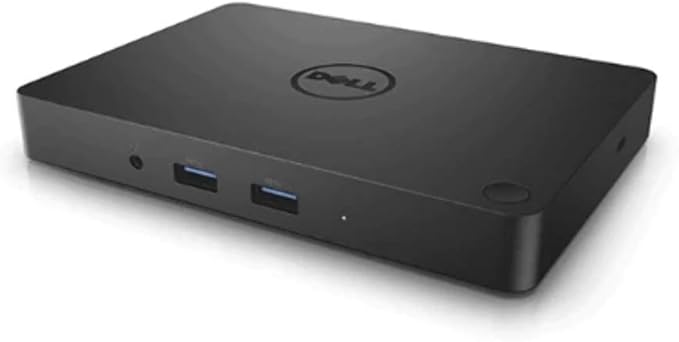
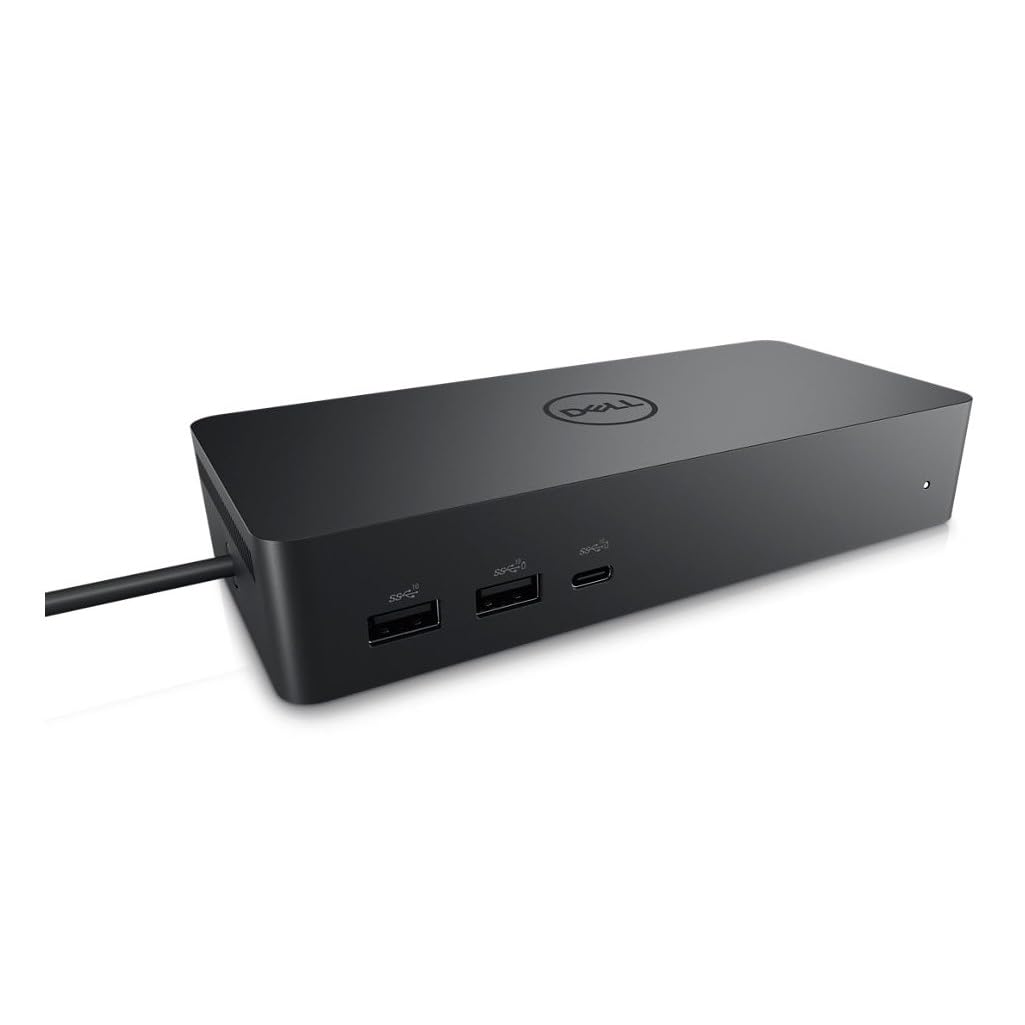
Dell D6000S USB-C Docking Station
Conveniently dock any laptop equipped with USB-C or USB3.0 ports with the Dell Universal Dock - D6000. You’ll be able to connect up to three 4K displays simultaneously. Universal Docking Solution Conveniently attach any laptop equipped with USB-C or USB 3.0i with the Dell Universal Dock - D6000. Enjoy universal compatibility with a wide range of PC brands and operating systems supported by DisplayLink technology. Whether you're at your desk or in a shared workspace, you can easily connect to displays, a mouse, keyboard and audio devices from your compatible system of choice. Connect with three 4K displays simultaneously You'll be able to connect with 3 displays simultaneously. Enjoy Ultra HD 5K on a single screen or up to three 4K displays via USB-C *† thanks to DisplayLink technology. Fast and convenient docking solution With plug and play, connecting to the dock is fast and convenient. Plug in a single USB-C cable and transfer audio, video, data and power. Plus, the single cable eliminates the need for an additional power adapter—keeping your workspace clean and clutter free.
Conveniently dock any laptop equipped with USB-C or USB3.0 ports with the Dell Universal Dock - D6000. You’ll be able to connect up to three 4K displays simultaneously. Universal Docking Solution Conveniently attach any laptop equipped with USB-C or USB 3.0i with the Dell Universal Dock - D6000. Enjoy universal compatibility with a wide range of PC brands and operating systems supported by DisplayLink technology. Whether you're at your desk or in a shared workspace, you can easily connect to displays, a mouse, keyboard and audio devices from your compatible system of choice. Connect with three 4K displays simultaneously You'll be able to connect with 3 displays simultaneously. Enjoy Ultra HD 5K on a single screen or up to three 4K displays via USB-C *† thanks to DisplayLink technology. Fast and convenient docking solution With plug and play, connecting to the dock is fast and convenient. Plug in a single USB-C cable and transfer audio, video, data and power. Plus, the single cable eliminates the need for an additional power adapter—keeping your workspace clean and clutter free.
Conveniently dock any laptop equipped with USB-C or USB3.0 ports with the Dell Universal Dock - D6000. You’ll be able to connect up to three 4K displays simultaneously. Universal Docking Solution Conveniently attach any laptop equipped with USB-C or USB 3.0i with the Dell Universal Dock - D6000. Enjoy universal compatibility with a wide range of PC brands and operating systems supported by DisplayLink technology. Whether you're at your desk or in a shared workspace, you can easily connect to displays, a mouse, keyboard and audio devices from your compatible system of choice. Connect with three 4K displays simultaneously You'll be able to connect with 3 displays simultaneously. Enjoy Ultra HD 5K on a single screen or up to three 4K displays via USB-C *† thanks to DisplayLink technology. Fast and convenient docking solution With plug and play, connecting to the dock is fast and convenient. Plug in a single USB-C cable and transfer audio, video, data and power. Plus, the single cable eliminates the need for an additional power adapter—keeping your workspace clean and clutter free.
Conveniently dock any laptop equipped with USB-C or USB3.0 ports with the Dell Universal Dock - D6000. You’ll be able to connect up to three 4K displays simultaneously. Universal Docking Solution Conveniently attach any laptop equipped with USB-C or USB 3.0i with the Dell Universal Dock - D6000. Enjoy universal compatibility with a wide range of PC brands and operating systems supported by DisplayLink technology. Whether you're at your desk or in a shared workspace, you can easily connect to displays, a mouse, keyboard and audio devices from your compatible system of choice. Connect with three 4K displays simultaneously You'll be able to connect with 3 displays simultaneously. Enjoy Ultra HD 5K on a single screen or up to three 4K displays via USB-C *† thanks to DisplayLink technology. Fast and convenient docking solution With plug and play, connecting to the dock is fast and convenient. Plug in a single USB-C cable and transfer audio, video, data and power. Plus, the single cable eliminates the need for an additional power adapter—keeping your workspace clean and clutter free.
in 11 offers
The lowest price for Dell D6000S USB-C Docking Station right now is $51.76 at eBay.com.au, compared across 9 retailers.
The all-time low was $34.99 on 8 June 2026 — today's price is 48% above the lowest ever. It has been notably cheaper before — worth setting a price alert.
Prices last updated 11 Oct 2026.
Last updated at 11/10/2026 21:05:52
Dell D6000S 452-BDSJ 4K UHD USB Type-C Docking Station
Free delivery
Affiliate Disclosure: We may receive a small commission for purchases made through this link at no extra cost to you. This helps support our site. Thank you!
Dell D6000s Usb-c Ultra 4k Displayport Hdmi Universal Docking Station
Delivery $70.94
Affiliate Disclosure: We may receive a small commission for purchases made through this link at no extra cost to you. This helps support our site. Thank you!
Dell D6000S USB-C/USB-A Universal Docking Station w/Power Supply
Free delivery
Dell Universal Dock - D6000S, Equipped With USB-C/USB-A PowerShare Options, Connect Upto Three 4K Displays, LED Indicator, Black
Delivery $28.65
Universal Dock - D6000S, Equipped with USB-C/USB-A PowerShare Options, Connect Upto Three 4K Displays, LED Indicator, Black
Delivery between 18–21 Oct $29
Genuine Dell Universal Docking Station D6000S 130W HDMI 4K Ethernet | Used Dell Docking Stations
Free delivery between 14–20 Oct
USB-A/-C Dockingstation D6000S USB3.0 130W Black
Free delivery between 21–23 Oct
DELL D6000S Wired USB 3.2 Gen 1 (3.1 Gen 1) Type-A Black
Free delivery
Dell D6000S Universal Docking Station
Delivery $85.88
originally posted on dell.com
Dock works as intended. Primary use for my Dell Precision M3800 but compatible no issues with a secondary laptop (different brand) with USB-C port. Fairly price and reliable are important for my work.
originally posted on dell.com
Bought as a companion for my new XPS to expand extremely limited number of inputs. Wish this dock had onboard slots for media cards of all types and came with a stand or bracket to mount underdesk or stand upright. Had to purchase a sperate splitter for the single HDMI for my dual monitors. Very expensive for what it is and creates a lot of desk clutter. Recommend looking further.
originally posted on dell.com
Currently my Dock doesn't power my PC through the USB connection, despite having a large power pack. If I connect a USB-C cable between Dock and PC it tells me that it is barely charging. If I leave the USB-C cable in place when I boot up the PC it gives an error message that the power supply (from the Docking Station) is not adequate enough. (My old PC and sit-on dock did power the PC so why the change?).I'm sure the Docking Station has plenty of capacity which I've barely used but why not the power supply to the PC as well?
| General | |
| Product Type | Docking station |
| Width | 7.8 cm |
| Depth | 16.8 cm |
| Height | 3 cm |

Dell D6000S 452-BDSJ 4K UHD USB Type-C Docking Station
Free delivery
Affiliate Disclosure: We may receive a small commission for purchases made through this link at no extra cost to you. This helps support our site. Thank you!
Dell D6000s Usb-c Ultra 4k Displayport Hdmi Universal Docking Station
Delivery $70.94
Affiliate Disclosure: We may receive a small commission for purchases made through this link at no extra cost to you. This helps support our site. Thank you!
Dell D6000S USB-C/USB-A Universal Docking Station w/Power Supply
Free delivery
Dell Universal Dock - D6000S, Equipped With USB-C/USB-A PowerShare Options, Connect Upto Three 4K Displays, LED Indicator, Black
Delivery $28.65
Universal Dock - D6000S, Equipped with USB-C/USB-A PowerShare Options, Connect Upto Three 4K Displays, LED Indicator, Black
Delivery between 18–21 Oct $29
Dock works as intended. Primary use for my Dell Precision M3800 but compatible no issues with a secondary laptop (different brand) with USB-C port. Fairly price and reliable are important for my work.
Bought as a companion for my new XPS to expand extremely limited number of inputs. Wish this dock had onboard slots for media cards of all types and came with a stand or bracket to mount underdesk or stand upright. Had to purchase a sperate splitter for the single HDMI for my dual monitors. Very expensive for what it is and creates a lot of desk clutter. Recommend looking further.
Currently my Dock doesn't power my PC through the USB connection, despite having a large power pack. If I connect a USB-C cable between Dock and PC it tells me that it is barely charging. If I leave the USB-C cable in place when I boot up the PC it gives an error message that the power supply (from the Docking Station) is not adequate enough. (My old PC and sit-on dock did power the PC so why the change?).I'm sure the Docking Station has plenty of capacity which I've barely used but why not the power supply to the PC as well?
in purchasing thee D6000S I had certain expectations, all of which were met once I had my system hooked up. I now have purchased several Universal Dock D6000S for my staff to use. They are simple to set up and helps greatly with wire management.
It is fine, but I am used to docking stations at work. This docking station has no power button, meaning one must have access to the laptop's power button. This is probably not a problem for many people, but I had planned to put the laptop in a stand to minimize the desk space it consumed. I use a large display, a keyboard in a keyboard tray on the desk, etc. so I only need the processing power of the laptop. Also, the docking station does not have a headset jack, which I have found that I can accommodate by buying a $10 USB-to-audio adapter, but this could have been built into the docking station.
Dock makes it easy to come and go. Just one plug and I'm connected to everything at my desk. A couple of things to note. Unlike other docks I've had, this dock does not have it's own power button, meaning you have to open your computer to power up. Also, there are plenty of ports to connect screen, printer, keyboard, etc. Takes up very little space on my desk.
So far, so good. I'm using this to connect a Surface Pro 4 (Core m3) to two Dell 24" 1080p Display Port monitors, and it works just fine. There does seem to be a little lag at times -- such as when using the wired keyboard attached to the dock and when dragging windows across displays -- but it's minimal and the pros far outweigh the cons. I downloaded the standard DisplayLink drive for Windows 10 off the DisplayLink website, installed them, and connected the dock. It was as simple as that. It also works with my Dell Latitude laptop, so I'm happy to be able to use either my work-issued notebook when working from home and my personal computer. It also charges my Android phone pretty quickly, and I can also charge my vape pen. :) The design is also appealing: a very ... MoreSo far, so good. I'm using this to connect a Surface Pro 4 (Core m3) to two Dell 24" 1080p Display Port monitors, and it works just fine. There does seem to be a little lag at times -- such as when using the wired keyboard attached to the dock and when dragging windows across displays -- but it's minimal and the pros far outweigh the cons. I downloaded the standard DisplayLink drive for Windows 10 off the DisplayLink website, installed them, and connected the dock. It was as simple as that. It also works with my Dell Latitude laptop, so I'm happy to be able to use either my work-issued notebook when working from home and my personal computer. It also charges my Android phone pretty quickly, and I can also charge my vape pen. :) The design is also appealing: a very simple, small black box with a subtle power/status LED. All-in-all, I'm very satisfied with this product. While a little pricey, it has the 2x DisplayPort outputs that really cleaned things up -- no need for weird cables or adapters, etc.
These are older devices. So you have use the old DisplayLink technology, which requires proprietary drivers and a long setup time. It's not convenient if you are deploying multiple at a time. The Display Link drivers for MacOS are not very good and it is not intuitive.Once setup, these work fine but I would recommend a USB-C with Display Port or Thunderbolt technology instead.
I've been using the device for about a month now and it works great. I currently use 1 of the 2 DisplayPorts; HDMI; and 3 of the 4 USB-A ports. The DisplayPort and HDMI I'm using are all with converter cables that convert to DVI or VGA which in turn connect to some very old duel monitors I'm using. No complaints here.
I've used two units extensively. One unit's fan revved up and down without anything going on with the docked laptop. Very annoying. The second dock has not exhibited that behavior so far. Everything else works very well, including network and USB.
| General | |
| Product Type | Docking station |
| Width | 7.8 cm |
| Depth | 16.8 cm |
| Height | 3 cm |