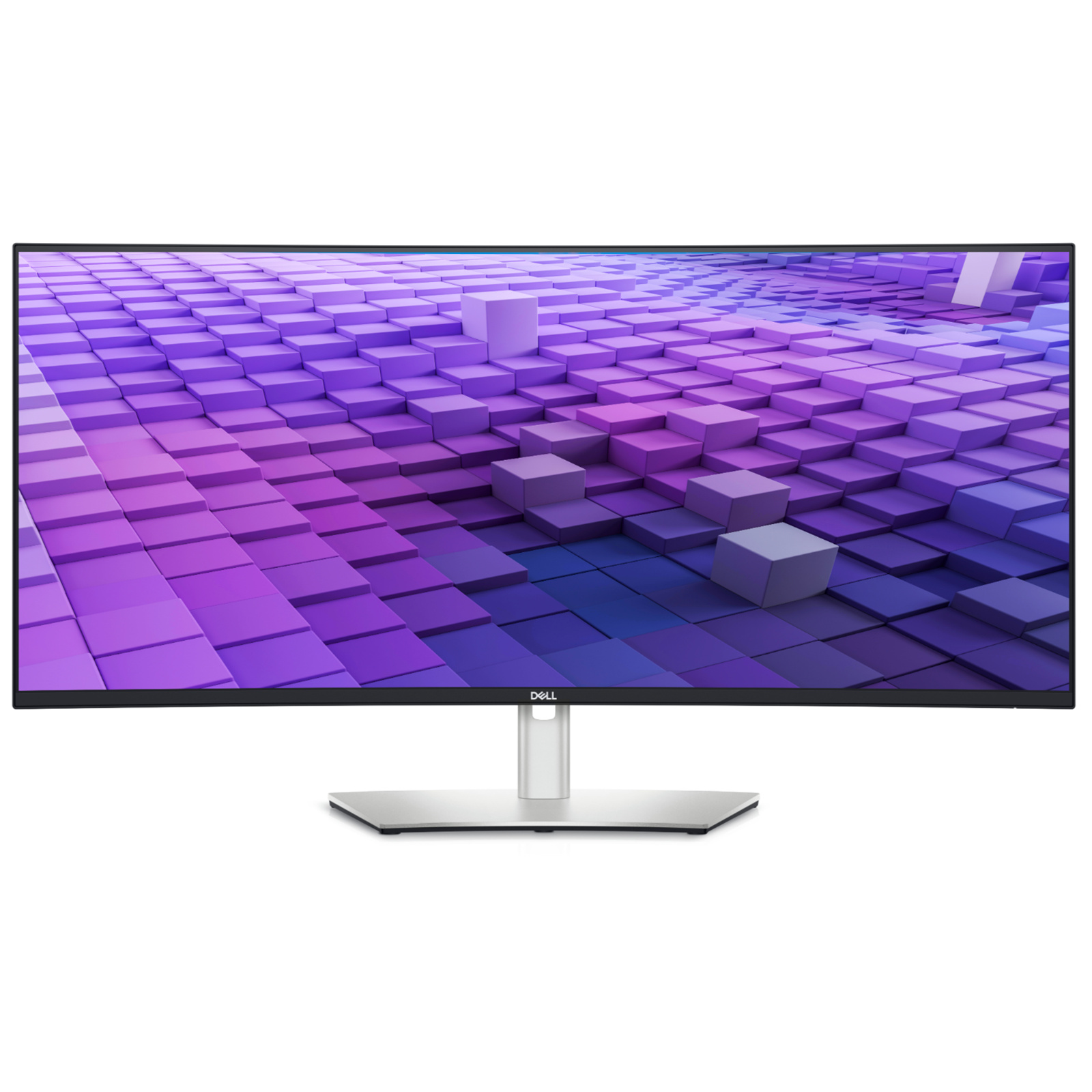
Dell UltraSharp 38-Inch Curved USB-C Hub Monitor – U3821DW | Dell Hong Kong
Dell UltraSharp 38-Inch Curved USB-C Hub Monitor – U3821DW | Dell Hong Kong
in 2 offers
The lowest price for Dell UltraSharp 38" WQHD IPS Curved USB-C Hub Monitor [U3821DW] right now is $2,363.47 at Snapklik AU, compared across 2 retailers.
The all-time low was $1,699.00 on 23 June 2026 — today's price is 39% above the lowest ever. It has been notably cheaper before — worth setting a price alert.
Prices last updated 17 Aug 2026.
Dell UltraSharp 38" WQHD IPS Curved USB-C Hub Monitor [U3821DW]
Dell UltraSharp 38-Inch Curved USB-C Hub Monitor – U3821DW | Dell Hong Kong
Dell UltraSharp 38-Inch Curved USB-C Hub Monitor – U3821DW | Dell Hong Kong
Last updated at 17/08/2026 19:14:39
Dell U3821DW UltraSharp Curved USB-C Hub Monitor - 37.52-inch WQHD 60Hz 2300R Curvature Display, 8ms Response Time, USB-C/DP/HDMI/RJ-45,
Delivery $93.96
Dell U3821DW UltraSharp Curved USB-C Hub Monitor - 37.52-inch WQHD (3840 x 1600) 60Hz 2300R Curvature Display, 8ms Response time,
Delivery between 22–26 Aug $35.88
originally posted on dell.com
The Dell UltraSharp is a beuatiful piece of hardware. This is the first widescreen monitor that I have had the chance to use. This is definitly a monitor with productivity in mind. The Dell software that runs along with the monitor allows for multple, and custom screen layouts. These layouts allow you to snap multiple windows across the monitor, to achieve the perfect layout. The USB-C connection is really awersome! I can connect an iPad, or any device really easily with just one cable. The monitor comes with all of the cables you need to get started, including Displayport, and USB-C. The display itself also has additional USB ports on the front underside of the screen for added connectivity. The display has a really beautiful screen, and suprisngly powerful ... MoreThe Dell UltraSharp is a beuatiful piece of hardware. This is the first widescreen monitor that I have had the chance to use. This is definitly a monitor with productivity in mind. The Dell software that runs along with the monitor allows for multple, and custom screen layouts. These layouts allow you to snap multiple windows across the monitor, to achieve the perfect layout. The USB-C connection is really awersome! I can connect an iPad, or any device really easily with just one cable. The monitor comes with all of the cables you need to get started, including Displayport, and USB-C. The display itself also has additional USB ports on the front underside of the screen for added connectivity. The display has a really beautiful screen, and suprisngly powerful speakers built in as well. I highly recommend this device, if you are looking to expand your viewing space with out adding additional screens.
originally posted on dell.com
The display is great in terms of features and image/video quality. The hub and KVM features are big pluses. Everything is integrated in one package making it an awesome piece of hardware. But it has several flaws for me. I have to use workarounds to overcome my issues: 1. The built-in speakers cannot be disabled permanently when used with external speakers. I turned it off and attached my speakers to it thinking that audio will go through the external speakers only. Nope. When the volume is raised, the built-in speakers will come online mixing the sound with the external speakers. In the end, I ended up installing an external DAC and speakers, avoiding the display audio altogether. 2. macOS cannot control the volume from the keyboard. Same reason why I ended up ... MoreThe display is great in terms of features and image/video quality. The hub and KVM features are big pluses. Everything is integrated in one package making it an awesome piece of hardware. But it has several flaws for me. I have to use workarounds to overcome my issues: 1. The built-in speakers cannot be disabled permanently when used with external speakers. I turned it off and attached my speakers to it thinking that audio will go through the external speakers only. Nope. When the volume is raised, the built-in speakers will come online mixing the sound with the external speakers. In the end, I ended up installing an external DAC and speakers, avoiding the display audio altogether. 2. macOS cannot control the volume from the keyboard. Same reason why I ended up solving the problem as described in issue #1. Using the display OSD for volume is clumsy. 3. This may be due to the Mac Studio design or not the intended usage of the USB-C video input. When I connect the display to my computer using USB-C display port, the signal will be lost when the power saver puts the display to sleep. It will not reconnect unless I unplug and plug in the USB-C connector to the Mac. I ended up using a USB-C to HDMI adapter and connect to the HDMI 1 port. I purchased the display on sale, but I ended up using the savings to buy a pair of new speakers and the USB adapter. Perhaps PC users have better experience with this display.
originally posted on dell.com
This is an excellent monitor with one near-fatal new "feature" that makes multi-input set-up impossible. Dell has introduced a feature called "Dell Power Button Sync". When connected to certain laptops through USB-C, this features makes the power button of the monitor "sync" to the power button of the laptop. This sounds potentially useful. But the feature CANNOT be turned off. This has very strange effects: If you have two inputs to the monitor, USB-C and a computer on HDMI, then even if the monitor is showing the HDMI input (e.g., a desktop), the power button on the monitor is just replicating the USB-C power button (e.g., a laptop). So pressing the monitor's power button shuts down the laptop - which is not even being shown on the screen at this time! And if the ... MoreThis is an excellent monitor with one near-fatal new "feature" that makes multi-input set-up impossible. Dell has introduced a feature called "Dell Power Button Sync". When connected to certain laptops through USB-C, this features makes the power button of the monitor "sync" to the power button of the laptop. This sounds potentially useful. But the feature CANNOT be turned off. This has very strange effects: If you have two inputs to the monitor, USB-C and a computer on HDMI, then even if the monitor is showing the HDMI input (e.g., a desktop), the power button on the monitor is just replicating the USB-C power button (e.g., a laptop). So pressing the monitor's power button shuts down the laptop - which is not even being shown on the screen at this time! And if the laptop won't shutdown (e.g., because you have unsaved work) - then you can't turn the monitor off! There are many other reasons the UI makes no sense. (Even if I don't have dual inputs, what if I just want to turn the screen off to darken the room and save power, but keep the laptop on and still charging through USB-C?!) Dell are aware of this functionality and say "it works as designed". Madness.
| General | |
| Display Type | LED-backlit LCD monitor / TFT active matrix |
| Energy Class | Class F |
| Diagonal Size | 38" |
| Viewable Size | 37.52" |
Dell U3821DW UltraSharp Curved USB-C Hub Monitor - 37.52-inch WQHD 60Hz 2300R Curvature Display, 8ms Response Time, USB-C/DP/HDMI/RJ-45,
Delivery $93.96
Dell U3821DW UltraSharp Curved USB-C Hub Monitor - 37.52-inch WQHD (3840 x 1600) 60Hz 2300R Curvature Display, 8ms Response time,
Delivery between 22–26 Aug $35.88
The Dell UltraSharp is a beuatiful piece of hardware. This is the first widescreen monitor that I have had the chance to use. This is definitly a monitor with productivity in mind. The Dell software that runs along with the monitor allows for multple, and custom screen layouts. These layouts allow you to snap multiple windows across the monitor, to achieve the perfect layout. The USB-C connection is really awersome! I can connect an iPad, or any device really easily with just one cable. The monitor comes with all of the cables you need to get started, including Displayport, and USB-C. The display itself also has additional USB ports on the front underside of the screen for added connectivity. The display has a really beautiful screen, and suprisngly powerful ... MoreThe Dell UltraSharp is a beuatiful piece of hardware. This is the first widescreen monitor that I have had the chance to use. This is definitly a monitor with productivity in mind. The Dell software that runs along with the monitor allows for multple, and custom screen layouts. These layouts allow you to snap multiple windows across the monitor, to achieve the perfect layout. The USB-C connection is really awersome! I can connect an iPad, or any device really easily with just one cable. The monitor comes with all of the cables you need to get started, including Displayport, and USB-C. The display itself also has additional USB ports on the front underside of the screen for added connectivity. The display has a really beautiful screen, and suprisngly powerful speakers built in as well. I highly recommend this device, if you are looking to expand your viewing space with out adding additional screens.
The display is great in terms of features and image/video quality. The hub and KVM features are big pluses. Everything is integrated in one package making it an awesome piece of hardware. But it has several flaws for me. I have to use workarounds to overcome my issues: 1. The built-in speakers cannot be disabled permanently when used with external speakers. I turned it off and attached my speakers to it thinking that audio will go through the external speakers only. Nope. When the volume is raised, the built-in speakers will come online mixing the sound with the external speakers. In the end, I ended up installing an external DAC and speakers, avoiding the display audio altogether. 2. macOS cannot control the volume from the keyboard. Same reason why I ended up ... MoreThe display is great in terms of features and image/video quality. The hub and KVM features are big pluses. Everything is integrated in one package making it an awesome piece of hardware. But it has several flaws for me. I have to use workarounds to overcome my issues: 1. The built-in speakers cannot be disabled permanently when used with external speakers. I turned it off and attached my speakers to it thinking that audio will go through the external speakers only. Nope. When the volume is raised, the built-in speakers will come online mixing the sound with the external speakers. In the end, I ended up installing an external DAC and speakers, avoiding the display audio altogether. 2. macOS cannot control the volume from the keyboard. Same reason why I ended up solving the problem as described in issue #1. Using the display OSD for volume is clumsy. 3. This may be due to the Mac Studio design or not the intended usage of the USB-C video input. When I connect the display to my computer using USB-C display port, the signal will be lost when the power saver puts the display to sleep. It will not reconnect unless I unplug and plug in the USB-C connector to the Mac. I ended up using a USB-C to HDMI adapter and connect to the HDMI 1 port. I purchased the display on sale, but I ended up using the savings to buy a pair of new speakers and the USB adapter. Perhaps PC users have better experience with this display.
This is an excellent monitor with one near-fatal new "feature" that makes multi-input set-up impossible. Dell has introduced a feature called "Dell Power Button Sync". When connected to certain laptops through USB-C, this features makes the power button of the monitor "sync" to the power button of the laptop. This sounds potentially useful. But the feature CANNOT be turned off. This has very strange effects: If you have two inputs to the monitor, USB-C and a computer on HDMI, then even if the monitor is showing the HDMI input (e.g., a desktop), the power button on the monitor is just replicating the USB-C power button (e.g., a laptop). So pressing the monitor's power button shuts down the laptop - which is not even being shown on the screen at this time! And if the ... MoreThis is an excellent monitor with one near-fatal new "feature" that makes multi-input set-up impossible. Dell has introduced a feature called "Dell Power Button Sync". When connected to certain laptops through USB-C, this features makes the power button of the monitor "sync" to the power button of the laptop. This sounds potentially useful. But the feature CANNOT be turned off. This has very strange effects: If you have two inputs to the monitor, USB-C and a computer on HDMI, then even if the monitor is showing the HDMI input (e.g., a desktop), the power button on the monitor is just replicating the USB-C power button (e.g., a laptop). So pressing the monitor's power button shuts down the laptop - which is not even being shown on the screen at this time! And if the laptop won't shutdown (e.g., because you have unsaved work) - then you can't turn the monitor off! There are many other reasons the UI makes no sense. (Even if I don't have dual inputs, what if I just want to turn the screen off to darken the room and save power, but keep the laptop on and still charging through USB-C?!) Dell are aware of this functionality and say "it works as designed". Madness.
As a software and game developer, I'm very pleased with this monitor with a few minor points. This is my first 21:9 monitor (3840x1600), and I'm very much enjoying the extra space; it eliminates the need for two screens. I have two systems connected to it: my Windows desktop and a MacBook Pro. Both OSes support it very well, running at native resolution and refresh rate (60Hz). One of my biggest complaints about my old monitor was that it took 3-5 seconds to wake up. The Dell UltraSharp comes on nearly instantly when I move the mouse! The USB hub works really well. It took a bit of effort to get it set up correctly, installing the Dell Display Manager software on both systems and configuring it to my needs. I love being able to use this monitor like a KVM, having my ... MoreAs a software and game developer, I'm very pleased with this monitor with a few minor points. This is my first 21:9 monitor (3840x1600), and I'm very much enjoying the extra space; it eliminates the need for two screens. I have two systems connected to it: my Windows desktop and a MacBook Pro. Both OSes support it very well, running at native resolution and refresh rate (60Hz). One of my biggest complaints about my old monitor was that it took 3-5 seconds to wake up. The Dell UltraSharp comes on nearly instantly when I move the mouse! The USB hub works really well. It took a bit of effort to get it set up correctly, installing the Dell Display Manager software on both systems and configuring it to my needs. I love being able to use this monitor like a KVM, having my own custom shortcut keys to switch between systems with display, sound, keyboard and mouse all moving together. It charges my MacBook quickly and without complaining about low power source. Small issues I'm having include (a) cannot change volume level via the Dell Display manager app. This would be really nice since displays connected via DP or USB-C/TB need OS-level support to do volume changes over Display Port, which isn't always available. (b) If I connect my MacBook to the USB-C/TB port before it wakes from sleep, I have to unplug it and re-plug it back in to get the display to work (keyboard and mouse work fine without this).
This monitor is very nice. However, it lacks the ability to be adaptive with refresh. When working with various video formats, the monitor does not adapt easily. While still pictures are amazing, with only 60hz available, playing hi resolution video is often laggy. The monitor does not have HDR. So while stills look amazing, they can be so much more if HDR was employed. When compared to other DELL monitors, lacking HDR in this price range is disappointing. The monitor puts off a bit of heat. This was a bit more than I expected, but not too much to be worry some about. i had to move some items away from the shelf atop the monitor. The monitor in an office environment works well, but i would not recommend this for my users that utilize multiple inputs because ... MoreThis monitor is very nice. However, it lacks the ability to be adaptive with refresh. When working with various video formats, the monitor does not adapt easily. While still pictures are amazing, with only 60hz available, playing hi resolution video is often laggy. The monitor does not have HDR. So while stills look amazing, they can be so much more if HDR was employed. When compared to other DELL monitors, lacking HDR in this price range is disappointing. The monitor puts off a bit of heat. This was a bit more than I expected, but not too much to be worry some about. i had to move some items away from the shelf atop the monitor. The monitor in an office environment works well, but i would not recommend this for my users that utilize multiple inputs because switching between them is a bit cumbersome. The monitor offers a great many inputs, but i would have liked to see a simpler method of changing inputs on the fly, like a dedicated input button, rather than a joystick and options to choose. The built-in speakers are very limited. They do not have a wide range and will not be impressive for video presentations or reviews. THey are perfectly fine for video/audio conferences and phone calls. The accompanying stand did not elevate the monitor as much as i would have liked. I did not use it and used a monitor desk mount instead. Overall, this is a good business monitor that is good for business tasks, but i do not recommend this for our organization. Instead, we will continue using 22-24 inch dual monitor solutions (infact we just ordered 50 from DELL).
I'm extremely happy with this monitor as it works well with my MacBook Pro (MBP). I use this monitor as my main display which is large enough to have multiple windows open at the same time improving work efficiency. The built in hub is a great feature so there's only one USB-C connection to my MBP and the other connections (RJ45, 3.5mm audio jack for my external speakers and USB for webcam) are hidden behind the display for a clean aesthetic look to my desk area. When I need to download pictures from my DSLR, I simply connect the USB cable to the display's hub. No need for a docking station anymore. Picture quality is great as per the monitor's specs. My home office receives a lot of sunlight throughout the day and there's no glare on the screen and my eye's aren't ... MoreI'm extremely happy with this monitor as it works well with my MacBook Pro (MBP). I use this monitor as my main display which is large enough to have multiple windows open at the same time improving work efficiency. The built in hub is a great feature so there's only one USB-C connection to my MBP and the other connections (RJ45, 3.5mm audio jack for my external speakers and USB for webcam) are hidden behind the display for a clean aesthetic look to my desk area. When I need to download pictures from my DSLR, I simply connect the USB cable to the display's hub. No need for a docking station anymore. Picture quality is great as per the monitor's specs. My home office receives a lot of sunlight throughout the day and there's no glare on the screen and my eye's aren't as tired at the end of the day as they were with my previous monitor. I have watched some sample 4k videos on YouTube and the quality was outstanding. Not a deal breaker but not a fan of DDM. It's a known current issue on high CPU load but by not using DDM, it seems to have resolved the issue. Overall, no buyer's remorse and would recommend this monitor to others.
Overall, I really like this monitor. It replaced two monitors on my desktop and resulted in a slightly smaller footprint than one landscape and one portrait 27" display. It does have a much cleaner look. The build quality seems good and it was packed well for shipping but the box is a real challenge to recycle as it is the most complex cardboard package I have ever seen. Brilliant piece of workmanship, but hard to break down. I have two issues with the solution. The first is that the documentation is very slight. There is a "quick" guide included in the box, but for someone used to video over DP or HDMI, a USB with video and keyboard/mouse was beyond my experience. I was able to get it working with some trial and error but after a few weeks I needed to do a deep ... MoreOverall, I really like this monitor. It replaced two monitors on my desktop and resulted in a slightly smaller footprint than one landscape and one portrait 27" display. It does have a much cleaner look. The build quality seems good and it was packed well for shipping but the box is a real challenge to recycle as it is the most complex cardboard package I have ever seen. Brilliant piece of workmanship, but hard to break down. I have two issues with the solution. The first is that the documentation is very slight. There is a "quick" guide included in the box, but for someone used to video over DP or HDMI, a USB with video and keyboard/mouse was beyond my experience. I was able to get it working with some trial and error but after a few weeks I needed to do a deep dive in the documentation to optimize my configuration, but the manual is very shallow. The app is okay, but can be a bit confusing beyond the basics. It seems that my configuration might not be typical. I have two computers each with two video outputs. I want it to work like my old portrait/landscape two monitor solution and this two and two configuration seems to be the only option. I can expand a window across the whole screen or I can easily snap it to maximum in either portrait or landscape (left or right of the screen). The problem is switching between the two computers. I typically either want one computer or the other with both screens always in the same configuration. Unfortunately the Dell software has no easy way to switch the KVM like this. There is a hotkey to switch from computer to computer but it only works if you use a single display per computer. Currently I hotkey to pop up the application, then choose the menu option for the inputs, then the tab for PBP, then I make sure the Dell app is on the "main" display and switch the "sub" display. Then I switch the "main" display. It works, but a hotkey would be way easier. Dell has confirmed this behavior is as designed for my desired configuration. I have asked for options such as the DDC/CI codes to use third party software to make the switch, but that request is still in progress.
I upgraded to the Dell U3821dw from a pair of 24 1920x1200 monitors. The improvement has been incredible, and I'm loving the extra vertical pixels. The picture is crisp and the colors are vivid. The docking capabilities of this display are very helpful. I removed so many cables from my desk when setting up this new display! In terms of computers, I alternate between a Macbook Pro and a Windows desktop PC. The Macbook, incredibly, now connects with a single USB-C cable, and with that I get charging, display, the USB hub, and a hardwired Ethernet connection. Nice. I don't use any of the monitor's auto-KVM intelligence, so I can't speak to its performance. But the monitor wakes up whenever I power on my PC or the Macbook. I'm never using both at the same time, so I'm ... MoreI upgraded to the Dell U3821dw from a pair of 24 1920x1200 monitors. The improvement has been incredible, and I'm loving the extra vertical pixels. The picture is crisp and the colors are vivid. The docking capabilities of this display are very helpful. I removed so many cables from my desk when setting up this new display! In terms of computers, I alternate between a Macbook Pro and a Windows desktop PC. The Macbook, incredibly, now connects with a single USB-C cable, and with that I get charging, display, the USB hub, and a hardwired Ethernet connection. Nice. I don't use any of the monitor's auto-KVM intelligence, so I can't speak to its performance. But the monitor wakes up whenever I power on my PC or the Macbook. I'm never using both at the same time, so I'm happy. I am using this for web development, photo editing, and digital audio work. This monitor has made each of those endeavors way more enjoyable and efficient.
I upgraded to the Dell U3821dw from a pair of 24 1920x1200 monitors. The improvement has been incredible, and I'm loving the extra vertical pixels. The picture is crisp and the colors are vivid. The docking capabilities of this display are very helpful. I removed so many cables from my desk when setting up this new display! In terms of computers, I alternate between a Macbook Pro and a Windows desktop PC. The Macbook, incredibly, now connects with a single USB-C cable, and with that I get charging, display, the USB hub, and a hardwired Ethernet connection. Nice. I don't use any of the monitor's auto-KVM intelligence, so I can't speak to its performance. But the monitor wakes up whenever I power on my PC or the Macbook. I'm never using both at the same time, so I'm ... MoreI upgraded to the Dell U3821dw from a pair of 24 1920x1200 monitors. The improvement has been incredible, and I'm loving the extra vertical pixels. The picture is crisp and the colors are vivid. The docking capabilities of this display are very helpful. I removed so many cables from my desk when setting up this new display! In terms of computers, I alternate between a Macbook Pro and a Windows desktop PC. The Macbook, incredibly, now connects with a single USB-C cable, and with that I get charging, display, the USB hub, and a hardwired Ethernet connection. Nice. I don't use any of the monitor's auto-KVM intelligence, so I can't speak to its performance. But the monitor wakes up whenever I power on my PC or the Macbook. I'm never using both at the same time, so I'm happy. I am using this for web development, photo editing, and digital audio work. This monitor has made each of those endeavors way more enjoyable and efficient. A few notes: When I first set up my display, it was noticeably crooked, rotating awkwardly to the right. I was unable to level it, and worried I'd have to try a different stand, or even return it. Thankfully, I found a tip online which worked - remove the panel from the stand, exposing the mounting plate. In the center of the plate are four screws. Loosen or remove them (it takes a little care due to a little thread-lock on the screws). Once they're out, you can freely rotate the mounting plate, level it, and tighten the screws once again. I couldn't believe how simple that was to fix. Even harder to believe is that the stand passed QA while being so off-kilter and that Dell makes no mention that it's adjustable. A few times, I've connected my Macbook and the display comes on, but I have no USB/Ethernet. Power cycling the monitor fixes it, but it'd be nice if it just worked each time. I've gotten into the habit of actually turning the monitor off when I'm done (with the power button), and then turning it back on the next time I need it. The connections have been solid since I made that adjustment. If using this monitor with a Macbook, look into a program that lets you snap and resize application windows with keyboard shortcuts. I've been experimenting with one (Rectangle), and it's a huge help. With a couple keystrokes, I can fling windows around the screen and be all set for whatever I'm doing. The 60hz refresh rate is a bit of a bummer, but I'm not sure it matters all that much for the type of low-speed work I'm doing. Overall, somehow, I can actually say this display is worth the steep price I paid. It's been such a massive improvement to my computing life!
The Dell UltraSharp 38 Curved USB-C Hub Monitor helped me de-clutter my desktop by eliminating my docking station and external speakers. The image quality is fantastic. Crisp colors, excellent contrast and brightness. The real estate is incredible, now requiring me to move my head and not just my eyes. This offers unlimited flexibility in positioning apps in the right place, no longer constrained by frames from multiple monitors. Audio output is perfect for business applications, namely voice/meeting audio - it's plenty loud. The screen isn't "too tall" and a camera won't result in any unwanted angles, unlike other larger/taller monitors. I have only two reservations about this monitor, both minor: The first is that the USB-C port can only provide 90W of power to a ... MoreThe Dell UltraSharp 38 Curved USB-C Hub Monitor helped me de-clutter my desktop by eliminating my docking station and external speakers. The image quality is fantastic. Crisp colors, excellent contrast and brightness. The real estate is incredible, now requiring me to move my head and not just my eyes. This offers unlimited flexibility in positioning apps in the right place, no longer constrained by frames from multiple monitors. Audio output is perfect for business applications, namely voice/meeting audio - it's plenty loud. The screen isn't "too tall" and a camera won't result in any unwanted angles, unlike other larger/taller monitors. I have only two reservations about this monitor, both minor: The first is that the USB-C port can only provide 90W of power to a laptop - my Dell Precision 3551 requires 130W which means that a separate power supply is required. [While the monitor will *seem* to work with a 90W power supply, there was instability with video intensive applications such as Microsoft Teams.] The second is that screen sharing for meetings is trickier as I can no longer share one screen and move content in/out as needed. Sharing a full screen this size is not ideal for most meeting attendees which means that there is a lot more toggling/resizing of apps to share. Again, not a big deal for most, just a change I wasn't expecting. Overall, this monitor is absolutely gorgeous, provides massive real estate and is a joy for my eyes. This is a level up in many ways!
| General | |
| Display Type | LED-backlit LCD monitor / TFT active matrix |
| Energy Class | Class F |
| Diagonal Size | 38" |
| Viewable Size | 37.52" |