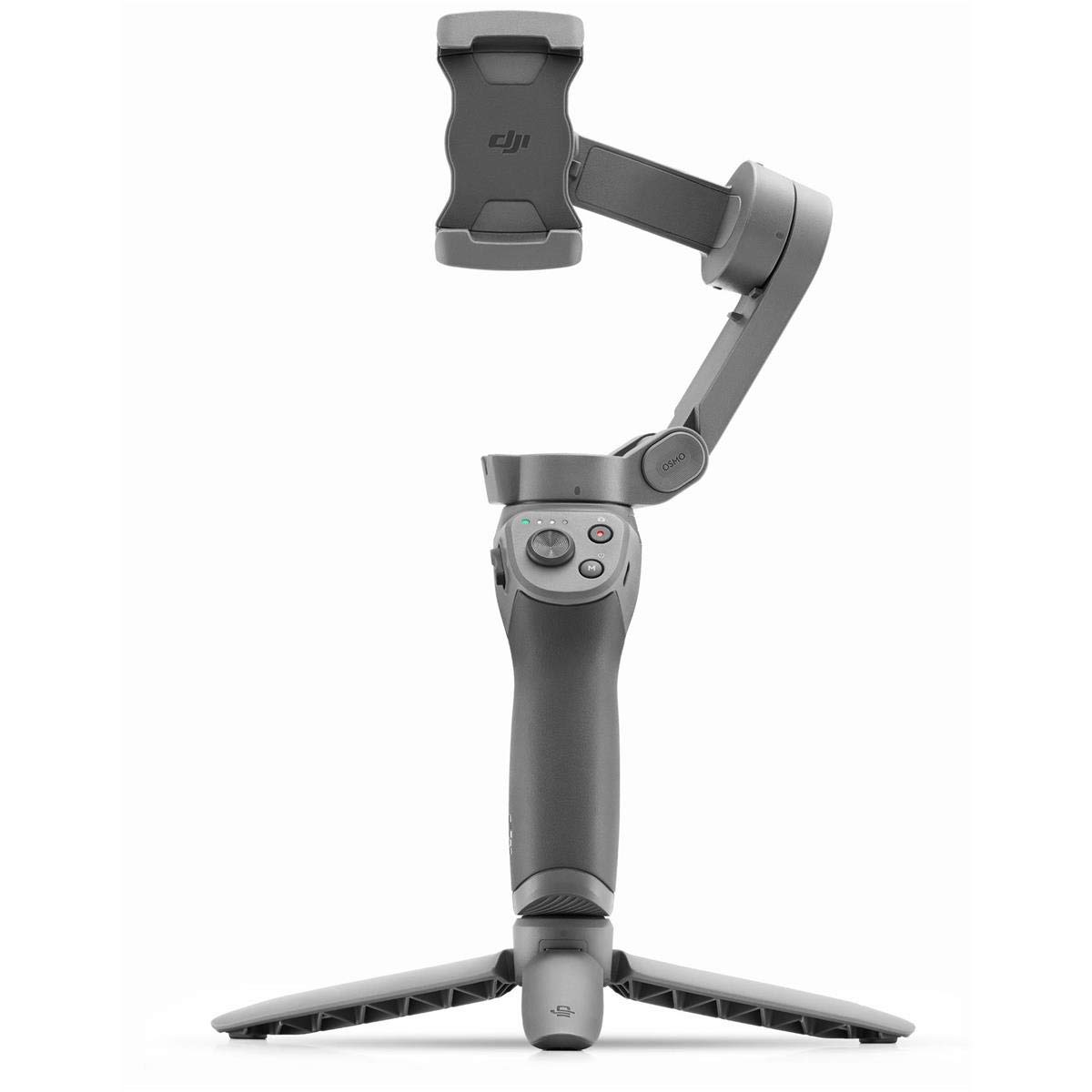
DJI Osmo Mobile 2 Gimbal
It's a bit lighter. The motion ranges are expanded. And run-time is tripled to approximately 15 hours!
It's a bit lighter. The motion ranges are expanded. And run-time is tripled to approximately 15 hours!
It's a bit lighter. The motion ranges are expanded. And run-time is tripled to approximately 15 hours!
It's a bit lighter. The motion ranges are expanded. And run-time is tripled to approximately 15 hours!
in 6 offers
The lowest price for DJI Osmo Mobile 2 Gimbal right now is $49.00 at Cash Converters, compared across 3 retailers.
The all-time low was $30.00 on 2 May 2026 — today's price is 63% above the lowest ever. It has been notably cheaper before — worth setting a price alert.
Prices last updated 12 Oct 2026.
Last updated at 12/10/2026 18:44:30
Dji Osmo Mobile 2 Om170 Grey Gimbal - Camera
Delivery $14.50
( a+) Dji Osmo Mobile 2 Handheld Gimbal Stabilizer For Smartphones
Delivery $25.99
Affiliate Disclosure: We may receive a small commission for purchases made through this link at no extra cost to you. This helps support our site. Thank you!
[USED] DJI Osmo Mobile 2 Smartphone Gimbal (S/N: 7E003013A) (Near New in Box!)
Final sale
originally posted on influenster.com
The DJI Osmo Mobile 2 is a handheld smartphone gimbal that allows you to capture smooth, stabilized footage with your phone. Here is a review of its features: Pros: Stabilization: The Osmo Mobile 2 has a 3-axis gimbal that provides excellent stabilization for your smartphone camera, allowing you to capture smooth footage even when moving around. Battery life: The Osmo Mobile 2 has a long battery life of up to 15 hours, which is impressive for a device of its size. Lightweight and portable: The Osmo Mobile 2 is lightweight and portable, making it easy to take with you on the go and use for extended periods of time. Compatibility: The Osmo Mobile 2 is compatible with a wide range of smartphones and can be used with both iOS and Android devices. User-friendly: The Osmo ... MoreThe DJI Osmo Mobile 2 is a handheld smartphone gimbal that allows you to capture smooth, stabilized footage with your phone. Here is a review of its features: Pros: Stabilization: The Osmo Mobile 2 has a 3-axis gimbal that provides excellent stabilization for your smartphone camera, allowing you to capture smooth footage even when moving around. Battery life: The Osmo Mobile 2 has a long battery life of up to 15 hours, which is impressive for a device of its size. Lightweight and portable: The Osmo Mobile 2 is lightweight and portable, making it easy to take with you on the go and use for extended periods of time. Compatibility: The Osmo Mobile 2 is compatible with a wide range of smartphones and can be used with both iOS and Android devices. User-friendly: The Osmo Mobile 2 is easy to set up and use, with intuitive controls that allow you to adjust the gimbal and control your phone's camera. Cons: Limited movement range: The Osmo Mobile 2 has a limited range of movement compared to other gimbals, which may make it more difficult to capture certain shots. No vertical tilt: The Osmo Mobile 2 does not have the ability to tilt the smartphone vertically, which may be a limitation for some users. No wireless charging: Unlike some other gimbals on the market, the Osmo Mobile 2 does not support wireless charging. Overall, the DJI Osmo Mobile 2 is a great handheld smartphone gimbal that offers excellent stabilization and a long battery life. While it does have some limitations, such as its limited movement range and lack of vertical tilt, its lightweight and portable design, wide compatibility with smartphones, and user-friendly controls make it an excellent choice for anyone looking to capture smooth, stabilized footage with their phone.
originally posted on influenster.com
This gimble for your phone is super handy. Whether you’re shooting videos of your kids or professional content, it never fails. I also love that you can charge your phone while it’s attached to the gimble and you can even charge the gimble from a portable battery for basically endless power. I used this once on a professional run and gun shoot for a 5 hour mobile live stream of a roaming dance party and it did exactly what I wanted it to do!
originally posted on bestbuy.ca
After doing a mountain of research on this device since it’s debut I have come to respect and not fear these amazing devices. I will impart my knowledge as efficiently as possible, hopefully you find this helpful. DJI hit it out of the park with this one, the main difference between 1st Gen and this one is materials, this also accounts for price. This is made of a polymer resin so it’s still strong but not metal like Gen 1. This makes it lighter than Gen 1 so some trade offs are for the better. For price, app support and quality/durability, this device leaves all competitor versions in the dust. Battery life is a whopping 15 hours. You can also recharge your phone while using it by plugging into the USB port on the back (front) Balance is easy to achieve just by ... MoreAfter doing a mountain of research on this device since it’s debut I have come to respect and not fear these amazing devices. I will impart my knowledge as efficiently as possible, hopefully you find this helpful. DJI hit it out of the park with this one, the main difference between 1st Gen and this one is materials, this also accounts for price. This is made of a polymer resin so it’s still strong but not metal like Gen 1. This makes it lighter than Gen 1 so some trade offs are for the better. For price, app support and quality/durability, this device leaves all competitor versions in the dust. Battery life is a whopping 15 hours. You can also recharge your phone while using it by plugging into the USB port on the back (front) Balance is easy to achieve just by adjusting the knobs. Now, to ALL the apple users out there: this device will not work with an apple 6 or newer phone. The reason is that Apple does not allow you to deactivate the OIS (Optical Image Stabilization) on your phones. This will lead to a countering effect between your software and the gimbal. The iPhone will stabilize already stabilized video which will induce a significant amount of jitter in the video. I recommend for optimal results, using a non IOS device. I mean you can still use an iPhone to your hearts content..... but don’t expect great things. Overall, these incredible pieces of kit will help you achieve amazing cinematic style footage, and with a little practice your shots won’t require much post process. Enjoy.
| Batteries | 1 Lithium Metal batteries required. (included) |
| Is Discontinued By Manufacturer | No |
| Product dimensions | 15.75 x 30.48 x 8.89 cm; 700 Grams |
| Compatible devices | Camera, Cellphone |
| Item dimensions L x W x H | 15.7 x 30.5 x 8.9 centimetres |
Dji Osmo Mobile 2 Om170 Grey Gimbal - Camera
Delivery $14.50
( a+) Dji Osmo Mobile 2 Handheld Gimbal Stabilizer For Smartphones
Delivery $25.99
Affiliate Disclosure: We may receive a small commission for purchases made through this link at no extra cost to you. This helps support our site. Thank you!
[USED] DJI Osmo Mobile 2 Smartphone Gimbal (S/N: 7E003013A) (Near New in Box!)
Final sale
The DJI Osmo Mobile 2 is a handheld smartphone gimbal that allows you to capture smooth, stabilized footage with your phone. Here is a review of its features: Pros: Stabilization: The Osmo Mobile 2 has a 3-axis gimbal that provides excellent stabilization for your smartphone camera, allowing you to capture smooth footage even when moving around. Battery life: The Osmo Mobile 2 has a long battery life of up to 15 hours, which is impressive for a device of its size. Lightweight and portable: The Osmo Mobile 2 is lightweight and portable, making it easy to take with you on the go and use for extended periods of time. Compatibility: The Osmo Mobile 2 is compatible with a wide range of smartphones and can be used with both iOS and Android devices. User-friendly: The Osmo ... MoreThe DJI Osmo Mobile 2 is a handheld smartphone gimbal that allows you to capture smooth, stabilized footage with your phone. Here is a review of its features: Pros: Stabilization: The Osmo Mobile 2 has a 3-axis gimbal that provides excellent stabilization for your smartphone camera, allowing you to capture smooth footage even when moving around. Battery life: The Osmo Mobile 2 has a long battery life of up to 15 hours, which is impressive for a device of its size. Lightweight and portable: The Osmo Mobile 2 is lightweight and portable, making it easy to take with you on the go and use for extended periods of time. Compatibility: The Osmo Mobile 2 is compatible with a wide range of smartphones and can be used with both iOS and Android devices. User-friendly: The Osmo Mobile 2 is easy to set up and use, with intuitive controls that allow you to adjust the gimbal and control your phone's camera. Cons: Limited movement range: The Osmo Mobile 2 has a limited range of movement compared to other gimbals, which may make it more difficult to capture certain shots. No vertical tilt: The Osmo Mobile 2 does not have the ability to tilt the smartphone vertically, which may be a limitation for some users. No wireless charging: Unlike some other gimbals on the market, the Osmo Mobile 2 does not support wireless charging. Overall, the DJI Osmo Mobile 2 is a great handheld smartphone gimbal that offers excellent stabilization and a long battery life. While it does have some limitations, such as its limited movement range and lack of vertical tilt, its lightweight and portable design, wide compatibility with smartphones, and user-friendly controls make it an excellent choice for anyone looking to capture smooth, stabilized footage with their phone.
This gimble for your phone is super handy. Whether you’re shooting videos of your kids or professional content, it never fails. I also love that you can charge your phone while it’s attached to the gimble and you can even charge the gimble from a portable battery for basically endless power. I used this once on a professional run and gun shoot for a 5 hour mobile live stream of a roaming dance party and it did exactly what I wanted it to do!
After doing a mountain of research on this device since it’s debut I have come to respect and not fear these amazing devices. I will impart my knowledge as efficiently as possible, hopefully you find this helpful. DJI hit it out of the park with this one, the main difference between 1st Gen and this one is materials, this also accounts for price. This is made of a polymer resin so it’s still strong but not metal like Gen 1. This makes it lighter than Gen 1 so some trade offs are for the better. For price, app support and quality/durability, this device leaves all competitor versions in the dust. Battery life is a whopping 15 hours. You can also recharge your phone while using it by plugging into the USB port on the back (front) Balance is easy to achieve just by ... MoreAfter doing a mountain of research on this device since it’s debut I have come to respect and not fear these amazing devices. I will impart my knowledge as efficiently as possible, hopefully you find this helpful. DJI hit it out of the park with this one, the main difference between 1st Gen and this one is materials, this also accounts for price. This is made of a polymer resin so it’s still strong but not metal like Gen 1. This makes it lighter than Gen 1 so some trade offs are for the better. For price, app support and quality/durability, this device leaves all competitor versions in the dust. Battery life is a whopping 15 hours. You can also recharge your phone while using it by plugging into the USB port on the back (front) Balance is easy to achieve just by adjusting the knobs. Now, to ALL the apple users out there: this device will not work with an apple 6 or newer phone. The reason is that Apple does not allow you to deactivate the OIS (Optical Image Stabilization) on your phones. This will lead to a countering effect between your software and the gimbal. The iPhone will stabilize already stabilized video which will induce a significant amount of jitter in the video. I recommend for optimal results, using a non IOS device. I mean you can still use an iPhone to your hearts content..... but don’t expect great things. Overall, these incredible pieces of kit will help you achieve amazing cinematic style footage, and with a little practice your shots won’t require much post process. Enjoy.
I wouldn't call this the easiest device to set up for someone who is technically challenged and I consider myself technically savy. Everything done the first time was a little challenging. I've never used a Gimbal before so it was all new to me. Actually took to youtube to balance my iPhone 7 correctly and that was very helpful. Also Youtube helped me learn the buttons and features such as hyperlapse (which is super cool) and the button patterns for short cuts. The DJI Mobile App is pretty good once you get familiar with it. Balancing, learning the App and using the OSMO took a little time but once everything was setup, I finally began to enjoy it and can now really appreciate all it can do. Took it to an amusement park yesterday and took some amazing shots. The ... MoreI wouldn't call this the easiest device to set up for someone who is technically challenged and I consider myself technically savy. Everything done the first time was a little challenging. I've never used a Gimbal before so it was all new to me. Actually took to youtube to balance my iPhone 7 correctly and that was very helpful. Also Youtube helped me learn the buttons and features such as hyperlapse (which is super cool) and the button patterns for short cuts. The DJI Mobile App is pretty good once you get familiar with it. Balancing, learning the App and using the OSMO took a little time but once everything was setup, I finally began to enjoy it and can now really appreciate all it can do. Took it to an amusement park yesterday and took some amazing shots. The weight is not bad at all and the battery life is amazing. Used it for a few hours yesterday and the battery was still over 70%. Battery on my phone was a different story and that's something to prepare for. I brought a portable charger for the phone and would charge it when ever I had periods when I wouldn't need the gimbal. Everyone who has seen my videos are amazed by how clear they are. They all have that cinema effect. No more bumpy videos! One knock is that you can't charge the iphone and use it to film at the same time because the charging port is on the side that is against the arm of the OSMO when mounted.Again, I highly recommend this if you plan on using it. My videos look amazing. Just don't expect to buy this and be an expert in using it the same day. It took me messing around with it a few times before getting familiar enough to fully use it without fear of missing something important because I couldn't power it on in time or I didn't know how to set hyperlapse in time to get my shot.
I wanted to try a gimbal for taking videos while on outdoor adventures. I narrowed my choice down to the OSMO Mobile 2 or the Zhyun Smooth 4 because of their integration with Filmic Pro for iOS. I had read reviews about both and for performance reasons chose the DJI.I works with my iPhone XS in the UAG Monarch case. The clamp is at its capacity and the phone in case isn’t as secure as I’d like. I may change cases since I am not that abusiveto my phone that warrants the case and I can pick one that better integrates with the OSMO. (This is because I don’t want to have to remove the phone from the case each time I want to use the gimbal.) Also, the phone/case combo is just u dear the OSMO’s maximum recommended weight.In operation this thing is wonderful. I can ... MoreI wanted to try a gimbal for taking videos while on outdoor adventures. I narrowed my choice down to the OSMO Mobile 2 or the Zhyun Smooth 4 because of their integration with Filmic Pro for iOS. I had read reviews about both and for performance reasons chose the DJI.I works with my iPhone XS in the UAG Monarch case. The clamp is at its capacity and the phone in case isn’t as secure as I’d like. I may change cases since I am not that abusiveto my phone that warrants the case and I can pick one that better integrates with the OSMO. (This is because I don’t want to have to remove the phone from the case each time I want to use the gimbal.) Also, the phone/case combo is just u dear the OSMO’s maximum recommended weight.In operation this thing is wonderful. I can make shots that would be extremely difficult shooting handheld (flyover, sweep, shooting in motion. With practice I think I can even pull off a vertigo effect.)The DJI Go app adds functionality and customization. I can use the app to tune the zoom speed, the yoke controls among other options. The app also adds some cool effects like 9-shot super panoramas. You point the camera at a start point, press a button the move to the end point while leaving the OSMO stationary. Press go and let the OSMO move the camera, Thad a shot, move, shoot etc. when done you’ll have a fully stitched 9-shot super panorama.I’d be remiss if I didn’t mention one bad experience I had. The camera mount slides in and out to provide balance adjustment. I had to return the first unit because the locking knob was frozen on the bolt in a loose condition. This happened after a few attempts to balance the phone. This is also where I’ll mention that each time you change from landscape to portrait mounting you must repeat the balance process. (I do not know if this is typical of all gimbals or specific to DJI.)All said and done I think I made a good choice with the OSMO Mobile 2. It’s going to allow this amateur videographer up his game!
I ride Segways and other electric vehicles and wanted a way to up my motion video quality as I'm vlogging so I bought the DJI - Osmo for my Samsung Galaxy S9 and was personally pleased that it was lightweight, though some people argue that the first gen metal version of this product is better quality. I personally didn't think the quality of plastic was poor or anything. I didn't like that you had to pry open the arms of the phone holder with one hand while shoving your phone in with the other hand. It was very awkward and my phone barely fit. The directions we not easy to understand so I went to youtube and figured out how to use the counterweights to balance my phone to reduce the work the motor has to do keeping your phone steady. Unfortunately, my phone was big ... MoreI ride Segways and other electric vehicles and wanted a way to up my motion video quality as I'm vlogging so I bought the DJI - Osmo for my Samsung Galaxy S9 and was personally pleased that it was lightweight, though some people argue that the first gen metal version of this product is better quality. I personally didn't think the quality of plastic was poor or anything. I didn't like that you had to pry open the arms of the phone holder with one hand while shoving your phone in with the other hand. It was very awkward and my phone barely fit. The directions we not easy to understand so I went to youtube and figured out how to use the counterweights to balance my phone to reduce the work the motor has to do keeping your phone steady. Unfortunately, my phone was big enough that the counterweights didn't help too much or get it balanced perfectly, so I suspect the motor has to work harder, ultimately reducing the battery life some. I was able to look past all of that but there was still one glaring issue that for me was absolutely unacceptable. The little back arm piece of the mechanical arm itself sticks out and is almost always in the video like someone's thumb over the camera. There are plenty of youtube videos that address this issue and with the right phone size and practice, you can eventually maneuver the gimbals motor to angle your camera away from "the nub" but why would we have to ever do that, DJI!?!?!?! I do like how well the gimbal works to keep my videos steady and have enjoyed watching the finished product but it's definitely an entry-level gimbal and could be constructed better. For the price, I felt it was worth my investment. But I wouldn't recommend this to my friends.
First off for all of you complaining about - “oh i can’t get it to balance, oh the Bluetooth won’t connect.. oh this oh that”Your complaints aren’t valid so stop trolling this amazing product and the company that produced it.This product is easy to set up and balance IF YOU FOLLOW THE INSTRUCTIONS! Clearly several of you ARENT doing that and aren’t even bothering to try. Set up of this product is extremely easy, balancing it is as simple as looking at the diagram or YouTube videos, and for the love of all that is good it even GIVES you a tutorial when you access the camera! My iPhone X fits perfectly with no issue and i have also tried its large counterparts and they all work fine WHEN THE GIMBLE IS REBALANCED (yes you have to rebalance for a bigger phone- it’s ... MoreFirst off for all of you complaining about - “oh i can’t get it to balance, oh the Bluetooth won’t connect.. oh this oh that”Your complaints aren’t valid so stop trolling this amazing product and the company that produced it.This product is easy to set up and balance IF YOU FOLLOW THE INSTRUCTIONS! Clearly several of you ARENT doing that and aren’t even bothering to try. Set up of this product is extremely easy, balancing it is as simple as looking at the diagram or YouTube videos, and for the love of all that is good it even GIVES you a tutorial when you access the camera! My iPhone X fits perfectly with no issue and i have also tried its large counterparts and they all work fine WHEN THE GIMBLE IS REBALANCED (yes you have to rebalance for a bigger phone- it’s common sense!) So STOP complaining about a product that works effortlessly and fluidly with no issues because the issues you are all talking about are USER issues!Now for my honest review - upon taking it out of the box i was already impressed by the case - while it feels like styrofoam it is not - it’s a very durable material and protects the gimble perfectly (however i will he ordering another case because of carrying)The gimbal itself was dead upon taking it out of the box so i was disappointed however i plugged it in over night and allowed it to fully charged (i was not disappointed after fully charging)Upon FOLLOWING THE INSTRUCTIONS (yes read that last part again please) the gimbal came to life and began to move around like it is suppose to. Next i set up the app and created an account to start getting full use out of my gimbal. Again following the instructions i balanced it, set it all up with absolute ease, and began playing with the functions... to my absolute surprise the first time i activated the camera i was given a tutorial on some of the features which was extremely helpful! I was even more surprised to learn that the product features a tracking mode which allows me to follow a single target. This will greatly improve my videos so for that DJI i thank you!Another amazing feature is the back up charger in the gimbal itself that you can plug a USB into to charge your phone!!! Like wait what?! I can charge my phone on the go?! Yes you can oooooo ahhhhhh! Absolute ecstatic about that feature as well!My only issue with this product is that i would prefer my videos to go directly to my iphones gallery.Over all this product receives a 5/5 for me due to its efficiency, ease of use (IF YOU READ THE INSTRUCTIONS), and it’s performance. Keep up the amazing work DJI and i can’t wait till December when i purchase my drone from you guys!
This Gimbal is perfect for me. Love this thing. Just remember to research what different stabilizers can do for your shot to what your phone can record. It is perfect for me. Only thing I wish is a smoother zoom function instead of the noticeable digital stepping. Fix it in Post is easy enough for me but would love an in camera solution to achieve a pull zoom technique. The ability to charge your phone from the Gimbal is nice while on the go but you do have to remove the phone from the Gimbal to do it. And remember to bring a usb charging cable. The DJI software is not very user friendly to setup as it appears to be the drone software at first and requires the user to register an account with DJI. Make an account and activate the account via email. Swipped right on ... MoreThis Gimbal is perfect for me. Love this thing. Just remember to research what different stabilizers can do for your shot to what your phone can record. It is perfect for me. Only thing I wish is a smoother zoom function instead of the noticeable digital stepping. Fix it in Post is easy enough for me but would love an in camera solution to achieve a pull zoom technique. The ability to charge your phone from the Gimbal is nice while on the go but you do have to remove the phone from the Gimbal to do it. And remember to bring a usb charging cable. The DJI software is not very user friendly to setup as it appears to be the drone software at first and requires the user to register an account with DJI. Make an account and activate the account via email. Swipped right on the menu to finally see the osmo 2 then I was able to start the pair process. Once everything was paired and balanced I was disappointed how bad the tracking is as staying locked on in fast movement. But I put mine in sport mode, medium speed for thumbstick and free instead of H/V and I have not had a problem since. In the end I'm very happy with it but it still can't get every type of shot. Great for Push, Pull, Pans, Panning timelapses for straight out the box experiance. Creating cants or Dutch shots are almostimpossible to do reliably. Great device for a traveller or family video while out and about.
Footage is smooth, awesome, and easy to use. Motion timelapse has me opting for this over dslr. But it is not without shortcomings.You really need to decase your phone to use. Depending on size it can be difficult to properly balance OR impossible because to balance vertically bigger phones have to be slid so far down they can hit motor housing. Then depending on camera location, part of housing is in shot and you have to slide it out a little to get it out of frame. It will still work slightly unbalanced but leads to the next issue of being able to hear the hum of motor on audio which for most probably won't be an issue but if it is then you have to use a mic and rig up a mount because there's no cold shoe. Making it not so easy to just pop it in and go. The ... MoreFootage is smooth, awesome, and easy to use. Motion timelapse has me opting for this over dslr. But it is not without shortcomings.You really need to decase your phone to use. Depending on size it can be difficult to properly balance OR impossible because to balance vertically bigger phones have to be slid so far down they can hit motor housing. Then depending on camera location, part of housing is in shot and you have to slide it out a little to get it out of frame. It will still work slightly unbalanced but leads to the next issue of being able to hear the hum of motor on audio which for most probably won't be an issue but if it is then you have to use a mic and rig up a mount because there's no cold shoe. Making it not so easy to just pop it in and go. The spring loaded clamp can be a pain to insert and remove, which having to take your case off terrifies me so I usually sit on ground to avoid a drop. For B-roll its awesome out the box. Subject tracking is good but suffers in shade or low contrast. Lastly dji wasn't very thoughtful on their app control locations. They have them in spots that are nearly impossible to touch while it's in the gimbal. They should be moved away from edges so you can access them. Half the time I can't even get to option I need because the clamp prevents finger from touching what I need to.I know it sounds like a lot of cons but I think it really is the best phone gimbal available despite shortcomings. Buttery smooth motion. Amazing timelapse options. Cinematic footage accessible to everyone. Fairly easy to use with a bit of practice.
This unit worked well, and I liked it, but I returned it after a few days because it was too big and heavy for my convenient travel use. If you're trying to pack light, it was almost like bringing another pair of shoes.On the bright side, it was really rugged and well built, and it stabilized the phone through all kinds of movements and enabled easy thumb control of panning and zooming.I had been concerned about potential problems because my phones were not on the compatibility list, but the hardware clamps and software handled my Moto G5plus and unusual Kodak Ektra easily. I'm confident it would work with most phones, and there was no issue with micro-usb vs USB-C, since the app interface with the phone was Bluetooth.Contrary to some other reviews, the unit ... MoreThis unit worked well, and I liked it, but I returned it after a few days because it was too big and heavy for my convenient travel use. If you're trying to pack light, it was almost like bringing another pair of shoes.On the bright side, it was really rugged and well built, and it stabilized the phone through all kinds of movements and enabled easy thumb control of panning and zooming.I had been concerned about potential problems because my phones were not on the compatibility list, but the hardware clamps and software handled my Moto G5plus and unusual Kodak Ektra easily. I'm confident it would work with most phones, and there was no issue with micro-usb vs USB-C, since the app interface with the phone was Bluetooth.Contrary to some other reviews, the unit seemed to charge up quickly, and it turned out to be easy to mount the phones quickly, once you realized they had to start from a hanging position with the camera pointed directly down at the ground.If I had functional complaints, they would involve the multi-shot panorama mode, which resulted in a kind of fish-eye effect rather than a super big hi-res photo, and that I couldn't find a way in the software to change the aspect ratio, thus leaving it at 4:3 for photos rather than 16:9 which I wanted; I think it did do videos at 16:9, but I don't remember.Another minor issue was that it saved pictures to a proprietary directory of the app, but both Google photos and Amazon found them ok for backups, and it wasn't hard to find for other copying.Given those limitations, I would certainly recommend this unit to anyone looking for a quality stabilizer.
| Batteries | 1 Lithium Metal batteries required. (included) |
| Is Discontinued By Manufacturer | No |
| Product dimensions | 15.75 x 30.48 x 8.89 cm; 700 Grams |
| Compatible devices | Camera, Cellphone |
| Item dimensions L x W x H | 15.7 x 30.5 x 8.9 centimetres |