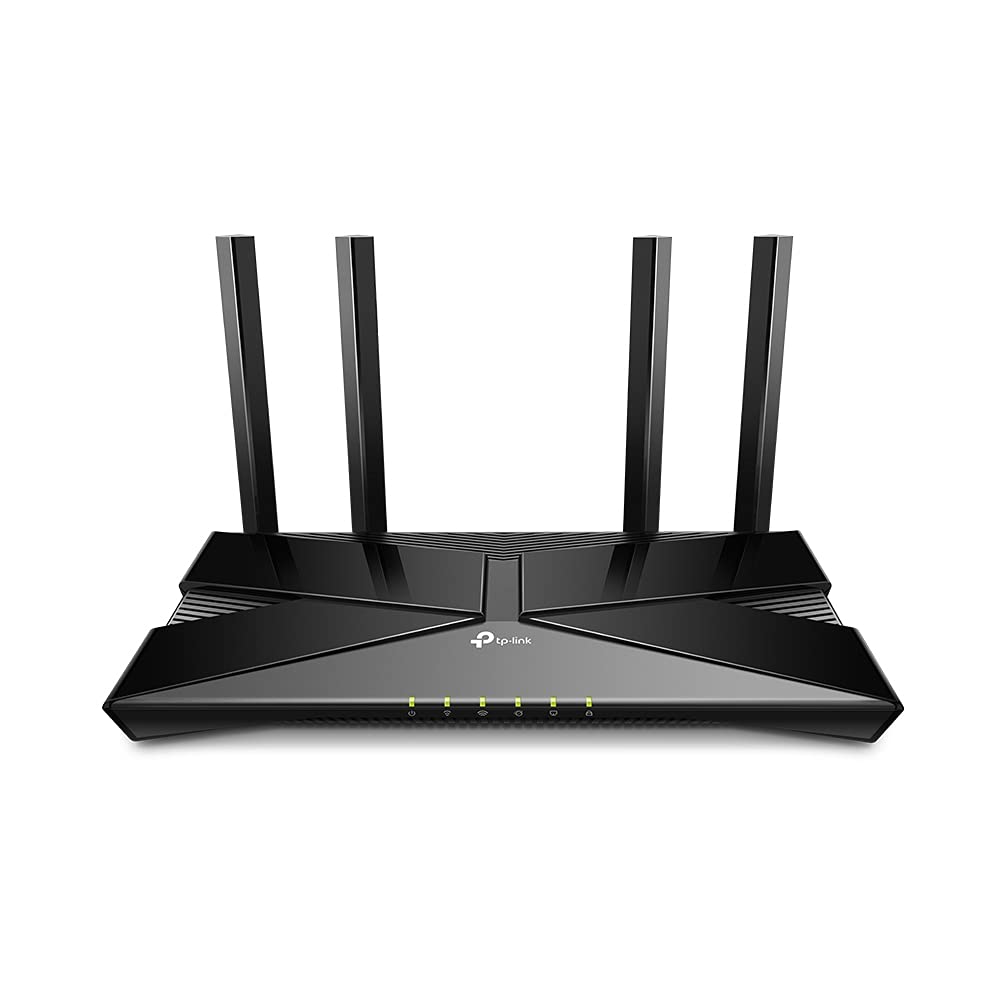
Eero - 6 AX1800 Dual-Band Mesh Wi-Fi 6 Router - N010111 - 840080549149
Experience Wi-Fi 6—the new standard for home wifi. The Wi-Fi 6 router supports speeds up to 900 Mbps and coverage up to 1,500 square feet—so you can say goodbye to dead spots and buffering. Work, play, video conference, and stream from anywhere in your home. Set up eero in minutes and get automatic updates, a built-in Zigbee smart home hub, and more. Powered by TrueMesh, eero optimizes your wifi to work for your space and supports 75+ devices.
Experience Wi-Fi 6—the new standard for home wifi. The Wi-Fi 6 router supports speeds up to 900 Mbps and coverage up to 1,500 square feet—so you can say goodbye to dead spots and buffering. Work, play, video conference, and stream from anywhere in your home. Set up eero in minutes and get automatic updates, a built-in Zigbee smart home hub, and more. Powered by TrueMesh, eero optimizes your wifi to work for your space and supports 75+ devices.
Experience Wi-Fi 6—the new standard for home wifi. The Wi-Fi 6 router supports speeds up to 900 Mbps and coverage up to 1,500 square feet—so you can say goodbye to dead spots and buffering. Work, play, video conference, and stream from anywhere in your home. Set up eero in minutes and get automatic updates, a built-in Zigbee smart home hub, and more. Powered by TrueMesh, eero optimizes your wifi to work for your space and supports 75+ devices.
Experience Wi-Fi 6—the new standard for home wifi. The Wi-Fi 6 router supports speeds up to 900 Mbps and coverage up to 1,500 square feet—so you can say goodbye to dead spots and buffering. Work, play, video conference, and stream from anywhere in your home. Set up eero in minutes and get automatic updates, a built-in Zigbee smart home hub, and more. Powered by TrueMesh, eero optimizes your wifi to work for your space and supports 75+ devices.
in 4 offers
The lowest price for Eero - 6 AX1800 Dual-Band Mesh Wi-Fi 6 Router - N010111 - 840080549149 right now is $61.41 at eBay.com.au, compared across 3 retailers.
The all-time low was $52.87 on 24 Feb 2026 — today's price is 16% above the lowest ever. That's a little above the best price we've seen.
Prices last updated 31 Aug 2026.
Last updated at 31/08/2026 16:33:11
Eero 6 Dual-band J010001 Mesh Wi-fi System White Wireless Router
Delivery $53.58
Affiliate Disclosure: We may receive a small commission for purchases made through this link at no extra cost to you. This helps support our site. Thank you!
Eero 6 Dual-band Mesh Wifi 6 Router Brand And Sealed N010115 (n010001)
Free delivery
Affiliate Disclosure: We may receive a small commission for purchases made through this link at no extra cost to you. This helps support our site. Thank you!
Amazon eero 6 mesh wifi router - Supports internet plans up to 900 Mbps, Coverage up to 1,500 sq. ft., Connect 75+ devices, 1-pack
Delivery between 7–10 Sept $29
Amazon eero 6 mesh Wi-Fi Router | Supports speeds up to 900 mbps | Connect to Alexa | Coverage up to 1,500 sq. ft. | 2020 release 1 router
Delivery between 1–12 Sept $27.91
originally posted on walmart.com
Provides a good coverage of a larger area than a home router can yield. However, client steering feature stutters in this version, so it's best if used for static devices. There is sufficient residual wifi outside the house to hook-up for another 150 feet or so, obviously with lower signal intensity.App works well, just like the devices themselves, which demanded very little hand-holding when setting up. App does offer a paid premium service, and it links to Alexa which can control Eero and other devices connected to the network if you so choose. The Zigbee devices (Eero doubles as a Zigbee hub of sorts) are handled by Alexa but Alexa is opaque as far as which devices are Zigbee and which are not, in other words it does not play nice with the other kids, it just ... MoreProvides a good coverage of a larger area than a home router can yield. However, client steering feature stutters in this version, so it's best if used for static devices. There is sufficient residual wifi outside the house to hook-up for another 150 feet or so, obviously with lower signal intensity.App works well, just like the devices themselves, which demanded very little hand-holding when setting up. App does offer a paid premium service, and it links to Alexa which can control Eero and other devices connected to the network if you so choose. The Zigbee devices (Eero doubles as a Zigbee hub of sorts) are handled by Alexa but Alexa is opaque as far as which devices are Zigbee and which are not, in other words it does not play nice with the other kids, it just wants to dominate them.The three units (hub and two satellites) have non-removeable cords (don't expect USB cables here) which, while not short, may need an extension cord if they are to be placed in high elevation locations. Also, none of the units have network sockets, so this model does not have wired backhaul as an option.All in all, a good (especially for the price) stable option for internet coverage of a larger house, with caveats.
originally posted on jbhifi.com.au
Doesn't offer the configurability of a 'normal' router like a Netgear or D-Link.Works fine to connect as a new device to a new network the first time.The Eero app makes that simple.It's a nightmare however if you switch providers, or if you switch plans with the same provider and get a new username and password.This is because you cannot log into the Eero like a normal router and manually configure and update the username and password. You have to 'forget' the existing network in the app and start setup again, and it doesn't work. Keeps getting an error of just 'There's something wrong with your connection' and that's it.In summary, this thing is too 'simple' for its own good and if you need to do some more detailed configuration, you're fresh out of luck.
originally posted on bestbuy.com
I purchased the eeros pods to extend WiFi signal to my office inside my detached garage. The garage is about 50ft away. And I honestly will say, I did not think these pods would do the job. But I am happy to report that I was wrong! These eeros pods are amazing! I work from home and have multiple items connected in my garage, work laptop, tv, phone, iPad, and a PC and they all work! All at the same time (I had them all going for testing purposes). I have not had any connection issues since installing the pods, the connection is strong and constant. I had T-Mobile 5G internet and it was spotty at best. I could never get constant connection and many times nothing would connect to the network. I’m happy I purchased these pods. I had no idea which ones to get, not super ... MoreI purchased the eeros pods to extend WiFi signal to my office inside my detached garage. The garage is about 50ft away. And I honestly will say, I did not think these pods would do the job. But I am happy to report that I was wrong! These eeros pods are amazing! I work from home and have multiple items connected in my garage, work laptop, tv, phone, iPad, and a PC and they all work! All at the same time (I had them all going for testing purposes). I have not had any connection issues since installing the pods, the connection is strong and constant. I had T-Mobile 5G internet and it was spotty at best. I could never get constant connection and many times nothing would connect to the network. I’m happy I purchased these pods. I had no idea which ones to get, not super tech savvy when it comes to home networks but I’m happy I chose theses. Being 50ft away from the home I really did not think I would get any signal. I was amazed how well they work and how easy it was to set them up. I 100% recommend these pods to anyone looking to expand their WiFi signal Away from your home. This is one of the best purchases I have ever made, wish I would of made it sooner! I added some screen shots of the speeds Im getting in the garage throughout day.
Eero 6 Dual-band J010001 Mesh Wi-fi System White Wireless Router
Delivery $53.58
Affiliate Disclosure: We may receive a small commission for purchases made through this link at no extra cost to you. This helps support our site. Thank you!
Eero 6 Dual-band Mesh Wifi 6 Router Brand And Sealed N010115 (n010001)
Free delivery
Affiliate Disclosure: We may receive a small commission for purchases made through this link at no extra cost to you. This helps support our site. Thank you!
Amazon eero 6 mesh wifi router - Supports internet plans up to 900 Mbps, Coverage up to 1,500 sq. ft., Connect 75+ devices, 1-pack
Delivery between 7–10 Sept $29
Amazon eero 6 mesh Wi-Fi Router | Supports speeds up to 900 mbps | Connect to Alexa | Coverage up to 1,500 sq. ft. | 2020 release 1 router
Delivery between 1–12 Sept $27.91
Provides a good coverage of a larger area than a home router can yield. However, client steering feature stutters in this version, so it's best if used for static devices. There is sufficient residual wifi outside the house to hook-up for another 150 feet or so, obviously with lower signal intensity.App works well, just like the devices themselves, which demanded very little hand-holding when setting up. App does offer a paid premium service, and it links to Alexa which can control Eero and other devices connected to the network if you so choose. The Zigbee devices (Eero doubles as a Zigbee hub of sorts) are handled by Alexa but Alexa is opaque as far as which devices are Zigbee and which are not, in other words it does not play nice with the other kids, it just ... MoreProvides a good coverage of a larger area than a home router can yield. However, client steering feature stutters in this version, so it's best if used for static devices. There is sufficient residual wifi outside the house to hook-up for another 150 feet or so, obviously with lower signal intensity.App works well, just like the devices themselves, which demanded very little hand-holding when setting up. App does offer a paid premium service, and it links to Alexa which can control Eero and other devices connected to the network if you so choose. The Zigbee devices (Eero doubles as a Zigbee hub of sorts) are handled by Alexa but Alexa is opaque as far as which devices are Zigbee and which are not, in other words it does not play nice with the other kids, it just wants to dominate them.The three units (hub and two satellites) have non-removeable cords (don't expect USB cables here) which, while not short, may need an extension cord if they are to be placed in high elevation locations. Also, none of the units have network sockets, so this model does not have wired backhaul as an option.All in all, a good (especially for the price) stable option for internet coverage of a larger house, with caveats.
Doesn't offer the configurability of a 'normal' router like a Netgear or D-Link.Works fine to connect as a new device to a new network the first time.The Eero app makes that simple.It's a nightmare however if you switch providers, or if you switch plans with the same provider and get a new username and password.This is because you cannot log into the Eero like a normal router and manually configure and update the username and password. You have to 'forget' the existing network in the app and start setup again, and it doesn't work. Keeps getting an error of just 'There's something wrong with your connection' and that's it.In summary, this thing is too 'simple' for its own good and if you need to do some more detailed configuration, you're fresh out of luck.
I purchased the eeros pods to extend WiFi signal to my office inside my detached garage. The garage is about 50ft away. And I honestly will say, I did not think these pods would do the job. But I am happy to report that I was wrong! These eeros pods are amazing! I work from home and have multiple items connected in my garage, work laptop, tv, phone, iPad, and a PC and they all work! All at the same time (I had them all going for testing purposes). I have not had any connection issues since installing the pods, the connection is strong and constant. I had T-Mobile 5G internet and it was spotty at best. I could never get constant connection and many times nothing would connect to the network. I’m happy I purchased these pods. I had no idea which ones to get, not super ... MoreI purchased the eeros pods to extend WiFi signal to my office inside my detached garage. The garage is about 50ft away. And I honestly will say, I did not think these pods would do the job. But I am happy to report that I was wrong! These eeros pods are amazing! I work from home and have multiple items connected in my garage, work laptop, tv, phone, iPad, and a PC and they all work! All at the same time (I had them all going for testing purposes). I have not had any connection issues since installing the pods, the connection is strong and constant. I had T-Mobile 5G internet and it was spotty at best. I could never get constant connection and many times nothing would connect to the network. I’m happy I purchased these pods. I had no idea which ones to get, not super tech savvy when it comes to home networks but I’m happy I chose theses. Being 50ft away from the home I really did not think I would get any signal. I was amazed how well they work and how easy it was to set them up. I 100% recommend these pods to anyone looking to expand their WiFi signal Away from your home. This is one of the best purchases I have ever made, wish I would of made it sooner! I added some screen shots of the speeds Im getting in the garage throughout day.
I bought these to replace an older Netgear Nighthawk Wifi router (still using modem component) and Wifi extender as these were having difficulty providing coverage in a 50 yr old I moved into. I also wanted to move around the house without needing to swap wifi networks. This Eero system has worked well. It was easy to set up. I kept the same Network name/password and all my devices connected right to it. I did need to turn the Nighthawk into a modem only mode so that it was not confusing devices. This three part system is covering 3000 sq ft plus garage and outdoor areas around the house. It is able to handle HD streaming on multiple devices at the same time.
I purchased the mesh system because I was having issues with several smart home appliances disconnecting from Wifi. Upon installation, the issues with my smart home appliances have resolved, they no longer disconnect from Wi-Fi. The only issue I have with these access points is the following:- Several features require an Eero Plus subscription, such as Internet back up and profiles- Many features are missing that exist and other routers, such as tuning quality of service settings- If a device is connected to one of the mesh boxes (not the main router), I only get about 60 Mb per second in download speed- Switching the device from router mode to bridge mode and vice versa causes the device to lockouts, requiring a factory reset and having to set up all the ... MoreI purchased the mesh system because I was having issues with several smart home appliances disconnecting from Wifi. Upon installation, the issues with my smart home appliances have resolved, they no longer disconnect from Wi-Fi. The only issue I have with these access points is the following:- Several features require an Eero Plus subscription, such as Internet back up and profiles- Many features are missing that exist and other routers, such as tuning quality of service settings- If a device is connected to one of the mesh boxes (not the main router), I only get about 60 Mb per second in download speed- Switching the device from router mode to bridge mode and vice versa causes the device to lockouts, requiring a factory reset and having to set up all the devices names again. I had to do this a few times.If you want a fire and forget solution for not a lot of money, this is a great device. If you require some advanced settings, or need high throughput, might wanna look at another device.
my router finally died on me after many years. I was very satisfied with it. When I went to Best Buy to look for a replacement I spoke to a Best Buy associate about models I was comparing. When I talked to him about signal strength and placement he told me I should consider the eero. He was absolutely correct. The signal strength I am now getting is even. The thing I love about the eero is the fact that if I need to I can move one of the the two modules anywhere I feel I need a stronger signal. But so far I havent had to do that. I have added more wifi enabled devices to the network with no problem. It has been great not having a big clunky out of place looking router be replace by an almost unnoticeable one. I am continuing my research about this system as I know ... Moremy router finally died on me after many years. I was very satisfied with it. When I went to Best Buy to look for a replacement I spoke to a Best Buy associate about models I was comparing. When I talked to him about signal strength and placement he told me I should consider the eero. He was absolutely correct. The signal strength I am now getting is even. The thing I love about the eero is the fact that if I need to I can move one of the the two modules anywhere I feel I need a stronger signal. But so far I havent had to do that. I have added more wifi enabled devices to the network with no problem. It has been great not having a big clunky out of place looking router be replace by an almost unnoticeable one. I am continuing my research about this system as I know their will be future enhancements made to make this system even better. For now I am totally Impressed.
The eero 6 is a Wi-Fi mesh system that promises to provide a fast and reliable internet connection throughout your home. As someone who has struggled with spotty Wi-Fi coverage in the past, I was excited to put the eero 6 to the test. Here's a detailed review of my experience with this product.First Impressions:When I received the eero 6, I was impressed with the packaging and the design of the device itself. The eero 6 is a small white cube that looks sleek and modern. It's not an eyesore like some other routers and mesh systems can be. The setup process was straightforward and well-explained in the instruction manual.Performance:The eero 6 promises to deliver fast and reliable Wi-Fi coverage throughout your home, and it certainly delivers on that promise. I ... MoreThe eero 6 is a Wi-Fi mesh system that promises to provide a fast and reliable internet connection throughout your home. As someone who has struggled with spotty Wi-Fi coverage in the past, I was excited to put the eero 6 to the test. Here's a detailed review of my experience with this product.First Impressions:When I received the eero 6, I was impressed with the packaging and the design of the device itself. The eero 6 is a small white cube that looks sleek and modern. It's not an eyesore like some other routers and mesh systems can be. The setup process was straightforward and well-explained in the instruction manual.Performance:The eero 6 promises to deliver fast and reliable Wi-Fi coverage throughout your home, and it certainly delivers on that promise. I tested the eero 6 in a two-story, 2,500 square foot home with thick walls, and I was able to get a strong Wi-Fi signal in every corner of the house. The eero 6 also supports Wi-Fi 6, which means it can handle more devices and faster speeds than older Wi-Fi standards.One of the standout features of the eero 6 is its ability to prioritize internet traffic. This means that if you're streaming a movie on your TV and someone else in the house starts downloading a large file, the eero 6 will automatically prioritize the streaming traffic to ensure you don't experience any buffering or lag. I tested this feature by running multiple devices simultaneously, and I was impressed with how well the eero 6 managed the traffic.Ease of Use:The eero 6 is incredibly easy to use. The eero app, which is available for both iOS and Android, is well-designed and intuitive. The app walks you through the setup process step-by-step and provides helpful tips along the way. Once the eero 6 is set up, you can use the app to manage your network, see which devices are connected, and troubleshoot any issues that may arise.One thing I particularly liked about the app is the ability to create guest networks. This allows you to give your guests access to Wi-Fi without giving them full access to your network. You can also set parental controls to restrict access to certain websites or apps.Price:The eero 6 is not the cheapest Wi-Fi mesh system on the market, but it's also not the most expensive. At the time of writing this review, a single eero 6 unit costs around $129, and a three-pack (which is recommended for larger homes) costs around $279. While this may seem like a lot of money, I think it's worth the investment if you're looking for fast and reliable Wi-Fi coverage throughout your home.Final Thoughts:Overall, I was extremely impressed with the eero 6. It delivered on its promise of fast and reliable Wi-Fi coverage, and the app made it incredibly easy to manage my network. While it may be a bit pricey, I think it's worth the investment if you're looking for a high-quality Wi-Fi mesh system. I would definitely recommend the eero 6 to anyone in the market for a new router or mesh system.
Beware! WIFI set up on mobile phone cannot set up on desktop! Set up appears normal until you get to additional devices such as a printer. Can't set up air printer! Then of course there is a $99 per year sign up for eero account if you want customer support its not for free. Too complicated a set up process and trying to get you to sign up for yearly support. Sorry but I expect a product to work out of the box at 100% on everything and to be able to reach customer service for no additional charge. I unplugged it and put it back in the box and went back to my old trusty netgear TP link. If your a person who wants to buy a product at $200 and then incur a $99 year fee for support good luck to you! I am sure they will argue that technology needs constant updates. But ... MoreBeware! WIFI set up on mobile phone cannot set up on desktop! Set up appears normal until you get to additional devices such as a printer. Can't set up air printer! Then of course there is a $99 per year sign up for eero account if you want customer support its not for free. Too complicated a set up process and trying to get you to sign up for yearly support. Sorry but I expect a product to work out of the box at 100% on everything and to be able to reach customer service for no additional charge. I unplugged it and put it back in the box and went back to my old trusty netgear TP link. If your a person who wants to buy a product at $200 and then incur a $99 year fee for support good luck to you! I am sure they will argue that technology needs constant updates. But you know what? I have my netgear for years without incurring additional expenses!
Excellent performance - and most important of all - stability. I have deployed this unit, its predecessor, and its upgraded models in many different environments and have always been impressed with its reliability. Coming from someone who has used Google / Nest WiFi, TP-Link Deco, Netgear Orbi, and many other products, I can say that the biggest issue for many of them has always been a lack of stability. More often than not, these other systems would get knocked offline, with certain nodes sometimes requiring weekly reboots to keep them running. In Google's case specifically, performance would start off good and then permanently degrade until a factory reset would be performed. None of these problems have been true for our Eero units. After looking for a long time, ... MoreExcellent performance - and most important of all - stability. I have deployed this unit, its predecessor, and its upgraded models in many different environments and have always been impressed with its reliability. Coming from someone who has used Google / Nest WiFi, TP-Link Deco, Netgear Orbi, and many other products, I can say that the biggest issue for many of them has always been a lack of stability. More often than not, these other systems would get knocked offline, with certain nodes sometimes requiring weekly reboots to keep them running. In Google's case specifically, performance would start off good and then permanently degrade until a factory reset would be performed. None of these problems have been true for our Eero units. After looking for a long time, I feel like we finally found the "good one." Also, speed is pretty darn good, to boot. Often >200 Mbps is achievable wirelessly at medium ranges, with even higher performance being possible depending on the configuration.
I think the eero 6 mesh wifi set is pretty amazing. Due to where I have to keep my router I have been suffering from weak signals in parts of my house. Our house isn't very large, but the cable hook up is in the southeast corner of the house. The two bedrooms on the north end of the house have always struggled to get a decent wifi signal. Earlier this year I got fed up with it and did some research and came to the conclusion that our nearly 10-year-old router must have been the issue. So, I swapped it out for a Netgear Nighthawk after reading rave reviews. Alas, it didn't help very much.Then, I read about wifi extenders and bought one of those. While this did give me strong signals throughout the house, the extender's network came with a bit of a lag, as it had to ... MoreI think the eero 6 mesh wifi set is pretty amazing. Due to where I have to keep my router I have been suffering from weak signals in parts of my house. Our house isn't very large, but the cable hook up is in the southeast corner of the house. The two bedrooms on the north end of the house have always struggled to get a decent wifi signal. Earlier this year I got fed up with it and did some research and came to the conclusion that our nearly 10-year-old router must have been the issue. So, I swapped it out for a Netgear Nighthawk after reading rave reviews. Alas, it didn't help very much.Then, I read about wifi extenders and bought one of those. While this did give me strong signals throughout the house, the extender's network came with a bit of a lag, as it had to relay from the main network. This made streaming tv (we're cord cutters) difficult, especially if there were multiple devices running on the main network. I realized that a mesh network was probably going to be the best solution for our situation.In came eero 6 to the rescue! I had just succumbed to the idea of living with spotty wifi in our house when the chance arose to get this system. I thought I was getting pretty decent speeds with my Nighthawk, but the eero blew that out of the water. I ran speed tests in a few areas around the house to see how much of a difference, if any, the eero system would make. In the living room (where the router is located) my speed more than doubled. In the master bedroom, the furthest away from the router, my speed quadrupled!I know, impressive. What's even more impressive is that those speed numbers are indicative of only having the main router hooked up. I hadn't decided where I wanted to put the two satellite routers yet. After installing those, I was able to get speeds almost 10 times faster than the Nighthawk alone gave out to the master bedroom. I am even able to get decent speeds in the furthest corners of my back yard, whereas before I was lucky if I got any signal at all just outside the back door.One thing to think about before running out to get one of these systems is where you want to place the two satellite units. While they are wireless in the sense that there aren't any wires connecting them to the main router, they do still have to be plugged into a wall socket. This could be an issue if you have an older home with very few spare outlets. Fortunately, the routers are relatively attractive, so they won't be an eyesore sitting on an end table or nightstand. You can even turn off the LED light if that poses an issue. One thing that bothered me about my Nighthawk was how bright it made my living room in the middle of the night with all its very bright blinking lights emanating from behind the TV.There is one thing I have to criticize the eero 6 on and that is its instructions. They are very minimal and they leave out one key piece of information, which is to turn off wifi on your phone. I tried over and over for 20 minutes and could not get the router to connect. Then, I just happened to recall that when setting up a Ring doorbell you have to turn off wifi on your phone. Having that one step in the instructions would have saved me a lot of frustration.