Epson XP-4105 | Support
Epson XP-4105 | Support
in 3 offers
The lowest price for Epson Expression Home XP-4105 Multifunction Wireless Inkjet Printer right now is $128.00 at OZ Toner, compared across 3 retailers.
The all-time low was $128.00 on 31 Dec 2025. That's the lowest price we've ever tracked — a great time to buy.
Prices last updated 10 June 2026.
Epson Expression Home XP-4105 Multifunction Wireless Inkjet Printer
Epson XP-4105 | Support
Epson XP-4105 | Support
Last updated at 10/06/2026 16:11:23
Epson Expression Home XP4105 3-in-1 Wireless Inkjet Printer FREE upgrade to XP4205
Delivery between 15–18 June $22.65
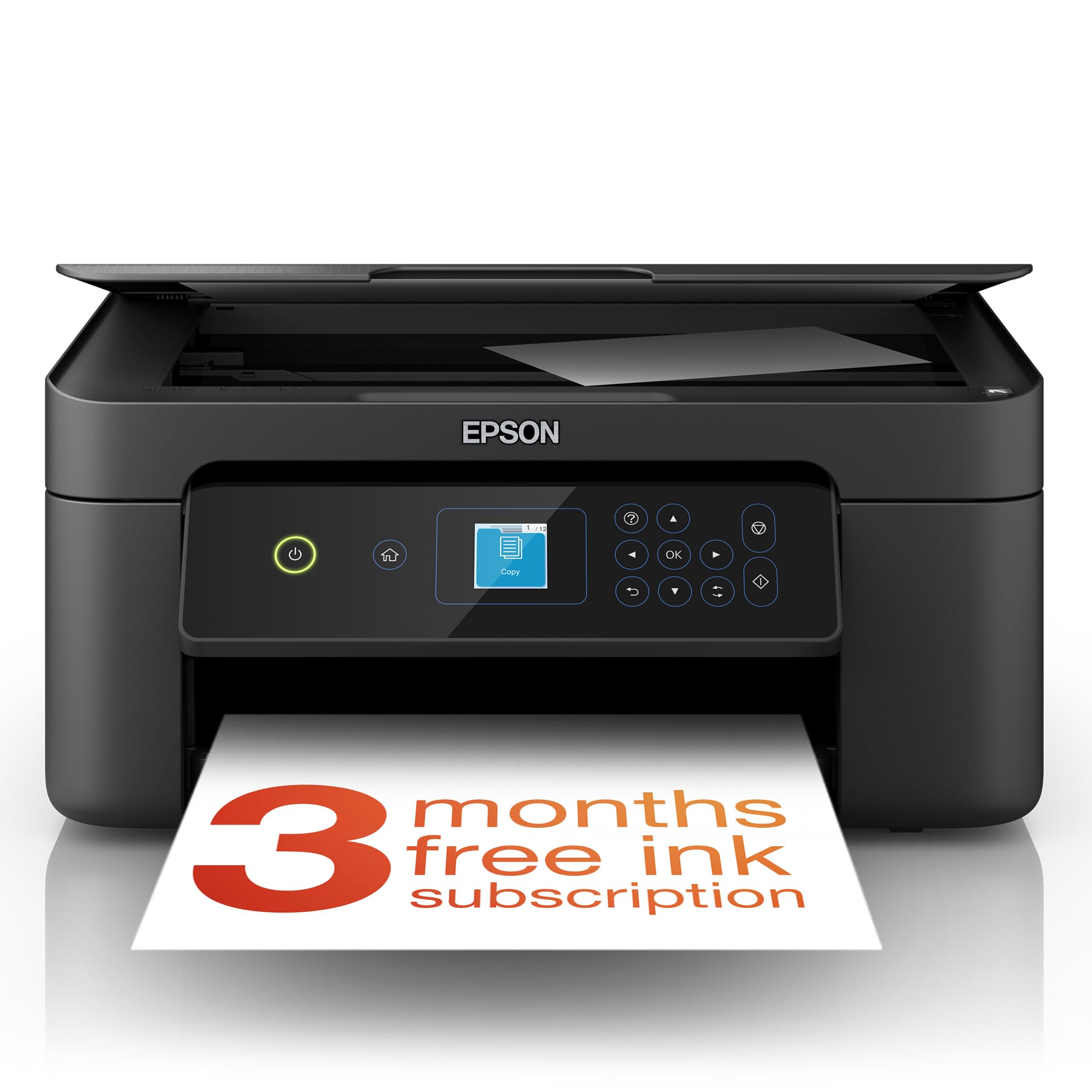
Epson Expression Home XP-4105 All-In-One Inkjet Printer
Affiliate Disclosure: We may receive a small commission for purchases made through this link at no extra cost to you. This helps support our site. Thank you!
Expression Home XP-4105 Wireless All-in-One Color Inkjet Printer, Black - Print Copy Scan - 10.0 ppm, 5760 x 1440 dpi, 2.4" LCD, Auto 2-Sided Printing
Delivery between 17–20 June $29
originally posted on walmart.com
I purchased a Chrome Book without realizing how difficult it would be to find a compatible printer.I decided to give the Epson XP-4105 a try and it works wonderfully. I connected the printer to my Chromebook with USB. I find it's the easiest way to connect and I avoid interruptions. It's the only printer (I went through three others) that was compatible with my Chrome Book.This Epson prints quickly and I'm very satisfied with both the printer and the price. The price of the ink is affordable too, which is just the cherry on top.I highly recommend this printer if you have a Chrome Book or need a quick and easy printer to set up.
originally posted on Target
Decent print quality but not cost effecient. Purchased this printer in 2020 & only used it occasionally...which made absolutely no sense why it ran out of ink so fast. The cartridges aren't cheap ANd if only 1 of colors run out, it will not print...some other printers allow you to use up the other colors to print...at least until most of the other colors are very low. Anyway as many times as I've bought ink for this printer, it did not make it an economical purchase. What if I printed regularly??? I'd be out hundreds and hundreds of dollars over a short period of time. I just decided to give up on it and "trash" it...I went for the much better option...buying a EcoTank that uses "ink bottles". Continue your search for another printer because this one ain't hitting.
originally posted on walmart.com
Would give 0 stars if I could. I don't even dare give this printer away. It's going straight into the garbage. It determines ink level based on time, takes forever to calibrate, and WILL NOT let you print if the firmware thinks the ink is too low. Before getting this printer, I always ignored the low ink warnings because I could still get MANY, MANY MORE prints before losing quality. THIS PRINTER WILL NOT LET YOU PRINT WHEN THE FIRMWARE THINKS IT'S OUT OF INK. And it said it was out of ink after only a few print jobs. Shame on Epson for daring to sell such a horrible printer. The firmware updates as soon as you install the software. The update prevents you from using 3rd party ink cartridges. That's just sneaky and anti-competitive, and should be illegal if it isn't ... MoreWould give 0 stars if I could. I don't even dare give this printer away. It's going straight into the garbage. It determines ink level based on time, takes forever to calibrate, and WILL NOT let you print if the firmware thinks the ink is too low. Before getting this printer, I always ignored the low ink warnings because I could still get MANY, MANY MORE prints before losing quality. THIS PRINTER WILL NOT LET YOU PRINT WHEN THE FIRMWARE THINKS IT'S OUT OF INK. And it said it was out of ink after only a few print jobs. Shame on Epson for daring to sell such a horrible printer. The firmware updates as soon as you install the software. The update prevents you from using 3rd party ink cartridges. That's just sneaky and anti-competitive, and should be illegal if it isn't already. Last time we buy an Epson printer.
| Memory Storage Capacity | 64 MB |
| Printer Output Type | Colour |
| Printing Technology | Inkjet |
| Compatible Devices | PC |
| Wattage | 13 watts |
Epson Expression Home XP4105 3-in-1 Wireless Inkjet Printer FREE upgrade to XP4205
Delivery between 15–18 June $22.65
Epson Expression Home XP-4105 All-In-One Inkjet Printer
Affiliate Disclosure: We may receive a small commission for purchases made through this link at no extra cost to you. This helps support our site. Thank you!
Expression Home XP-4105 Wireless All-in-One Color Inkjet Printer, Black - Print Copy Scan - 10.0 ppm, 5760 x 1440 dpi, 2.4" LCD, Auto 2-Sided Printing
Delivery between 17–20 June $29
I purchased a Chrome Book without realizing how difficult it would be to find a compatible printer.I decided to give the Epson XP-4105 a try and it works wonderfully. I connected the printer to my Chromebook with USB. I find it's the easiest way to connect and I avoid interruptions. It's the only printer (I went through three others) that was compatible with my Chrome Book.This Epson prints quickly and I'm very satisfied with both the printer and the price. The price of the ink is affordable too, which is just the cherry on top.I highly recommend this printer if you have a Chrome Book or need a quick and easy printer to set up.
Decent print quality but not cost effecient. Purchased this printer in 2020 & only used it occasionally...which made absolutely no sense why it ran out of ink so fast. The cartridges aren't cheap ANd if only 1 of colors run out, it will not print...some other printers allow you to use up the other colors to print...at least until most of the other colors are very low. Anyway as many times as I've bought ink for this printer, it did not make it an economical purchase. What if I printed regularly??? I'd be out hundreds and hundreds of dollars over a short period of time. I just decided to give up on it and "trash" it...I went for the much better option...buying a EcoTank that uses "ink bottles". Continue your search for another printer because this one ain't hitting.
Would give 0 stars if I could. I don't even dare give this printer away. It's going straight into the garbage. It determines ink level based on time, takes forever to calibrate, and WILL NOT let you print if the firmware thinks the ink is too low. Before getting this printer, I always ignored the low ink warnings because I could still get MANY, MANY MORE prints before losing quality. THIS PRINTER WILL NOT LET YOU PRINT WHEN THE FIRMWARE THINKS IT'S OUT OF INK. And it said it was out of ink after only a few print jobs. Shame on Epson for daring to sell such a horrible printer. The firmware updates as soon as you install the software. The update prevents you from using 3rd party ink cartridges. That's just sneaky and anti-competitive, and should be illegal if it isn't ... MoreWould give 0 stars if I could. I don't even dare give this printer away. It's going straight into the garbage. It determines ink level based on time, takes forever to calibrate, and WILL NOT let you print if the firmware thinks the ink is too low. Before getting this printer, I always ignored the low ink warnings because I could still get MANY, MANY MORE prints before losing quality. THIS PRINTER WILL NOT LET YOU PRINT WHEN THE FIRMWARE THINKS IT'S OUT OF INK. And it said it was out of ink after only a few print jobs. Shame on Epson for daring to sell such a horrible printer. The firmware updates as soon as you install the software. The update prevents you from using 3rd party ink cartridges. That's just sneaky and anti-competitive, and should be illegal if it isn't already. Last time we buy an Epson printer.
Got this printer in July 2021 for just regular printing at home. The printer has good print quality and the scanner works great too. One thing I like about Epson is that their red looks like red and not pinkish like my other HP. The printing in draft mode is not dark and I would not use it for any work related use. All the printing that I did was on standard quality. I did not get a chance to use the higher quality settings. The scanner can scan up to 1200dpi which is very crisp for home use. My printing requirement is 100% text so my review is based on that. The original cartridges that came with the printer have decent capacity and can print up to 150-200 pages if your prints are text only and if you are printing on standard mode. Do not expect a lot of yield if ... MoreGot this printer in July 2021 for just regular printing at home. The printer has good print quality and the scanner works great too. One thing I like about Epson is that their red looks like red and not pinkish like my other HP. The printing in draft mode is not dark and I would not use it for any work related use. All the printing that I did was on standard quality. I did not get a chance to use the higher quality settings. The scanner can scan up to 1200dpi which is very crisp for home use. My printing requirement is 100% text so my review is based on that. The original cartridges that came with the printer have decent capacity and can print up to 150-200 pages if your prints are text only and if you are printing on standard mode. Do not expect a lot of yield if you are printing photos or image heavy pages. I got a chance to test the endurance of this printer recently when my work Laser quit and this one substituted it for 3 days. I was printing 8 hours a day and approximately 4000 pages for 3 days until my new Laser printer arrived. My print jobs were only black and printing on both sides of the paper in standard mode. The 212XL black cartridge meets it 1000 page capacity but is fairly expensive at $35 but at $0.04 per page, it was cheaper than printing at a FedEx store. I was running out of 212XL every 2 hours and 1000 pages. Over the period of 3 days, and 12 counts of 212XL black ink, I am impressed with the printer. The printer was never designed for such a job but kudos to Epson, it made it. It did not miss any papers or pick up multiple sheets. Now it makes squeaky sound as if something is not oiled but prints just perfectly. One thing to note is that, my print jobs ended after 100-110 pages. So say if u have a 300 page document and you issue a command to print all 300, the printer will stop after 100-110 pages without any errors. You have to manually check and then print batch 100-200 and then 200-300.
The Epson XP-4105 printer is absolute garbage. It has one purpose, and that is to keep you spending money on overpriced Epson ink cartridges. I really don't understand all of the 4 and 5 star reviews. All I can think is that they have not used the printer enough to be really familiar with it. I have owned mine for 2 years now, and I will never buy another Epson printer. I bought the printer for $40 at Walmart, and even though I have printed fewer than 100 total pages, I have had to replace the ink cartridges three times. The biggest problem I have is that the printer will not print in color if the black cartridge is empty, and it will not print in black if the color cartridges are empty. I mainly print text documents in black ink, so I don't use much color. ... MoreThe Epson XP-4105 printer is absolute garbage. It has one purpose, and that is to keep you spending money on overpriced Epson ink cartridges. I really don't understand all of the 4 and 5 star reviews. All I can think is that they have not used the printer enough to be really familiar with it. I have owned mine for 2 years now, and I will never buy another Epson printer. I bought the printer for $40 at Walmart, and even though I have printed fewer than 100 total pages, I have had to replace the ink cartridges three times. The biggest problem I have is that the printer will not print in color if the black cartridge is empty, and it will not print in black if the color cartridges are empty. I mainly print text documents in black ink, so I don't use much color. Nevertheless, the color cartridges keep going empty. Why is that? Last week the printer told me that the black ink cartridge was empty but the color ones were 1/3 full. Okay, I decided to print my document in color. Changed the font color, tried to print - today the printer is telling me that the black cartridge has about 20% but the color cartridges are empty. What?? How are the color cartridges suddenly empty when I have been unable to print anything?? And even though it says I have black ink, it won't let me print in black, even though the Epson website says it is possible. The procedure they list doesn't work. In short, this printer is nothing more than a scam to help Epson sell expensive ink cartridges. Buy at your own risk.
Sure it works the way it was intended for the first couple months. Then you realize you can’t refill the ink cartridges manually, but actually have to purchase new ink every time you run out. On top of that, if you’re out of ANY color ink, you cannot print at all. For example if you just want to print a document in black and white, but you’re out of the magenta ink, too bad, can’t print. And now, after all the ink I’ve purchased in the past year, I have to troubleshoot and do “maintenance” on the printer, to fix the vertical and horizontal missing ink lines on my printed pages, using up more ink than what I actually wanted to print! It’s only been a year and 2 months, and this printer already doesn’t work well. Sure I’ll use it if I’m ok with having a faded page ... MoreSure it works the way it was intended for the first couple months. Then you realize you can’t refill the ink cartridges manually, but actually have to purchase new ink every time you run out. On top of that, if you’re out of ANY color ink, you cannot print at all. For example if you just want to print a document in black and white, but you’re out of the magenta ink, too bad, can’t print. And now, after all the ink I’ve purchased in the past year, I have to troubleshoot and do “maintenance” on the printer, to fix the vertical and horizontal missing ink lines on my printed pages, using up more ink than what I actually wanted to print! It’s only been a year and 2 months, and this printer already doesn’t work well. Sure I’ll use it if I’m ok with having a faded page with missing ink lines, but for any creative project, forget it. It’s useless. And I’ve spent twice as much on ink as the printer and I don’t even print that much; just the random needed document or package label, or random creative project. Save your money and frustration and just buy a laser printer.
This printer is garbage. Nothing but issues. I’ve gone through so many expensive ink cartridges and get about 7-8 pages of basic standard prints per cartridge. I use black and white draft setting on everything to save ink but somehow the color cartridges always run out and then it doesn’t allow you to print anything even in black and white without the color cartridges. Latest issue is it won’t load the paper. I’ve done all the roller cleaning, powercycling, firmware upgrade, tried different paper and still just get an error saying the printer is out of paper. This printer is total garbage. Don’t waste your time or money on this.
This printer works well as long as you can afford to buy ink every 3-4 pages. Bluetooth and wifi has never been an issue; always worked great which is what I was excited for because my last printer did not. However, the ink usage is out of control. I am not exaggerating when I say I get 3-4 pages printed before I am prompted to buy more ink. AND theres no overriding the "replace ink cartidge" and forcing it to print until it runs out. Furthermore and probably the most frustrating is that if your'e out of blue ink yet want to print in black and have a full black ink cartidge- the printer WILL NOT PRINT unless you replace the blue ink cartridge. BEYOND frustrating! Wish I could return!
This little work-horse printer is perfect for a technophobe like me. It was simple to set up, and I was able to start using it almost immediately, once it had made contact with the internet. So far, after two weeks, I have not had to use the cable to connect it manually to the computer, which in any event, you now have to buy separately but luckily I had kept one from my previous, dumped printer, and they all seem generic, that is, a printer cable will work for any printer. Once set up, with the software in place on your computer, it’s simple to use for printing, scanning or copying. And the output is high quality, with no smudges, unwanted lines or marks on the pages.What I especially like about this Epson printer is its neat size and appearance. When it's not in ... MoreThis little work-horse printer is perfect for a technophobe like me. It was simple to set up, and I was able to start using it almost immediately, once it had made contact with the internet. So far, after two weeks, I have not had to use the cable to connect it manually to the computer, which in any event, you now have to buy separately but luckily I had kept one from my previous, dumped printer, and they all seem generic, that is, a printer cable will work for any printer. Once set up, with the software in place on your computer, it’s simple to use for printing, scanning or copying. And the output is high quality, with no smudges, unwanted lines or marks on the pages.What I especially like about this Epson printer is its neat size and appearance. When it's not in use, you can tuck away the paper guide and stack the paper elsewhere, leaving you with a compact machine about the size of a small box that will easily fit on the average size desk without taking up too much room, or getting in the way of your other stuff.I used Click & Collect to purchase this printer, and the whole operation was a breeze, with efficient service from the friendly guys at Officeworks in Milton, Brisbane. My order was ready within the day and when I went to collect it, it was waiting for me, and I was in and out in minutes. And to make life even easier, there’s ample free parking in the car park right outside.Very reasonable price too, considering that our little Aussie peso has become a worthless piece of paper thanks to govt policy disasters and free money.Thanks Officeworks.
This printer has been a headache every step of the way. I've had many printers before without any issues but this one makes me question my IQ. It took hours to set up as software needs to be downloaded on any device you wish to print from (even if using a USB cable). My work computer doesn't recognize the software as safe so I'm forced to send all of my print jobs to my personal computer. Figuring out how to copy was time consuming and frustrating. I've needed to print colorful pictures several times but I end up with a page full of colorful numbers instead of the image. More often than not I'm left without the items I need printed and a strong desire to throw the printer through a window. I wish I would have never purchased this printer.
| Memory Storage Capacity | 64 MB |
| Printer Output Type | Colour |
| Printing Technology | Inkjet |
| Compatible Devices | PC |
| Wattage | 13 watts |