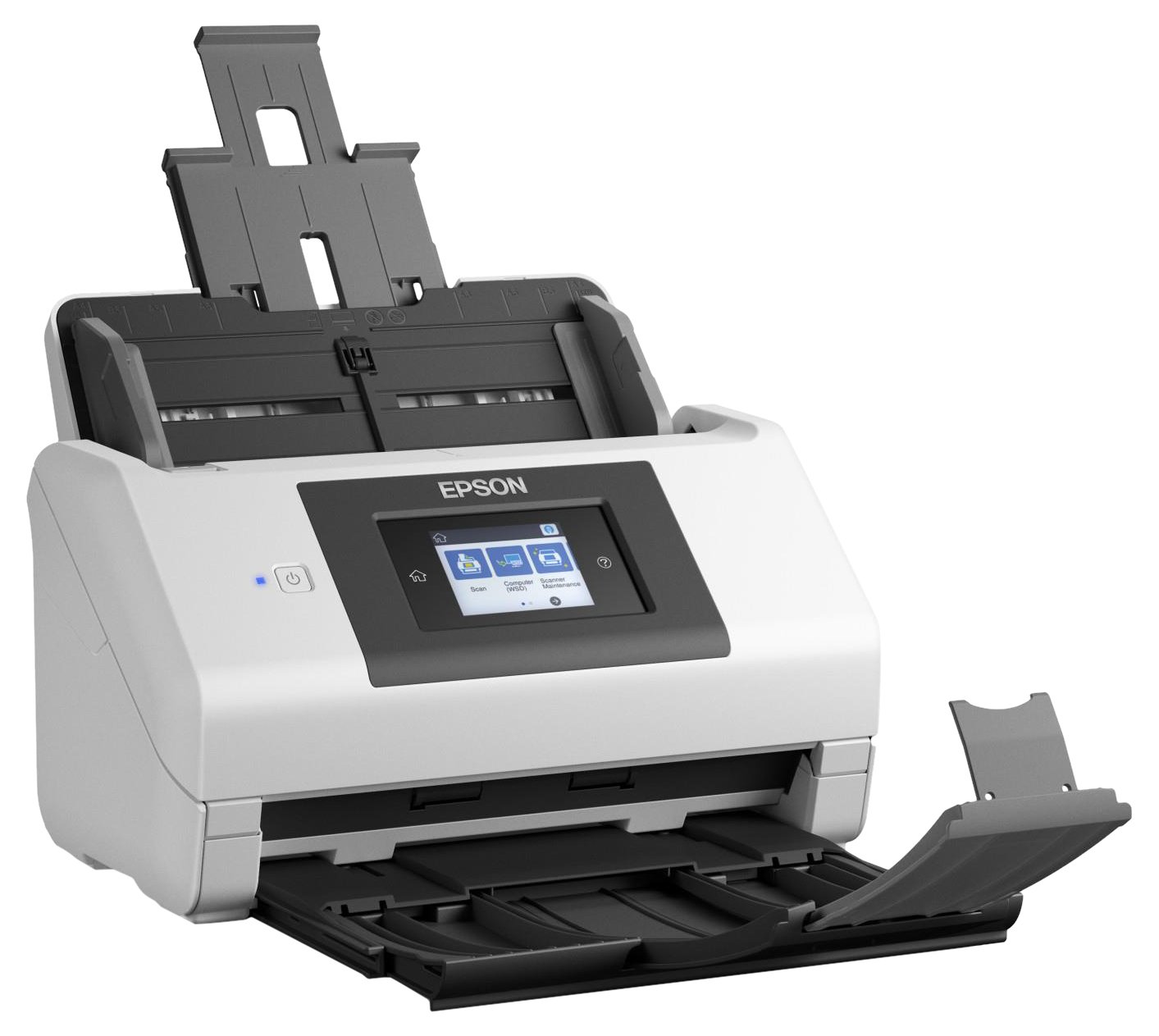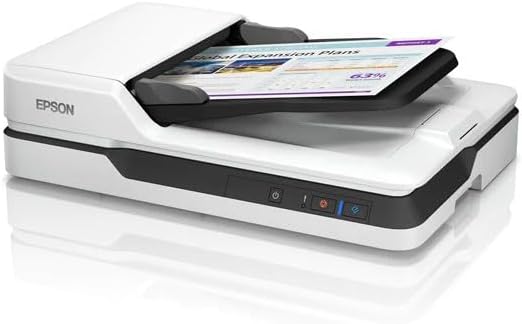
Epson Workforce DS-1630 Scanner
Optimize your scanning workflow with the DS-1630 Flatbed Color Document Scanner from Epson which incorporates both an 8.5 x 11.7" flatbed and a versatile 50-sheet ADF. The flatbed can work with a variety of different media types and offers a high 1200 dpi optical resolution for capturing crisp imagery. For faster or larger documents, the 600 dpi ADF offers a maximum scan size of up to 8.5 x 120" from a minimum of 3.5 x 5". Also, the ADF offers speeds of 25 ppm in simplex and 10 ipm in duplex mode. In order to guarantee the best quality scans, the DS-1630 uses Epson's Image Processing Technology to automatically adjust color, skew, and more. Also, it comes with Epson Document Capture, ABBYY FineReader, and Presto! BizCard Reader software to help you stay organized. Additionally, it has USB 3.0 connectivity for fast data transfer.
Optimize your scanning workflow with the DS-1630 Flatbed Color Document Scanner from Epson which incorporates both an 8.5 x 11.7" flatbed and a versatile 50-sheet ADF. The flatbed can work with a variety of different media types and offers a high 1200 dpi optical resolution for capturing crisp imagery. For faster or larger documents, the 600 dpi ADF offers a maximum scan size of up to 8.5 x 120" from a minimum of 3.5 x 5". Also, the ADF offers speeds of 25 ppm in simplex and 10 ipm in duplex mode. In order to guarantee the best quality scans, the DS-1630 uses Epson's Image Processing Technology to automatically adjust color, skew, and more. Also, it comes with Epson Document Capture, ABBYY FineReader, and Presto! BizCard Reader software to help you stay organized. Additionally, it has USB 3.0 connectivity for fast data transfer.
Optimize your scanning workflow with the DS-1630 Flatbed Color Document Scanner from Epson which incorporates both an 8.5 x 11.7" flatbed and a versatile 50-sheet ADF. The flatbed can work with a variety of different media types and offers a high 1200 dpi optical resolution for capturing crisp imagery. For faster or larger documents, the 600 dpi ADF offers a maximum scan size of up to 8.5 x 120" from a minimum of 3.5 x 5". Also, the ADF offers speeds of 25 ppm in simplex and 10 ipm in duplex mode. In order to guarantee the best quality scans, the DS-1630 uses Epson's Image Processing Technology to automatically adjust color, skew, and more. Also, it comes with Epson Document Capture, ABBYY FineReader, and Presto! BizCard Reader software to help you stay organized. Additionally, it has USB 3.0 connectivity for fast data transfer.
Optimize your scanning workflow with the DS-1630 Flatbed Color Document Scanner from Epson which incorporates both an 8.5 x 11.7" flatbed and a versatile 50-sheet ADF. The flatbed can work with a variety of different media types and offers a high 1200 dpi optical resolution for capturing crisp imagery. For faster or larger documents, the 600 dpi ADF offers a maximum scan size of up to 8.5 x 120" from a minimum of 3.5 x 5". Also, the ADF offers speeds of 25 ppm in simplex and 10 ipm in duplex mode. In order to guarantee the best quality scans, the DS-1630 uses Epson's Image Processing Technology to automatically adjust color, skew, and more. Also, it comes with Epson Document Capture, ABBYY FineReader, and Presto! BizCard Reader software to help you stay organized. Additionally, it has USB 3.0 connectivity for fast data transfer.
in 16 offers
The lowest price for Epson Workforce DS-1630 Scanner right now is $339.16 at PB Tech, compared across 14 retailers.
The all-time low was $339.07 on 14 May 2026. That's the lowest price we've ever tracked — a great time to buy.
Prices last updated 4 June 2026.
Last updated at 04/06/2026 10:55:56
Epson Workforce DS-1630 Flatbed Scanner ADF
7-day returns
Epson WorkForce DS-1630 A4 Flatbed Document Scanner - B11B239501
Affiliate Disclosure: We may receive a small commission for purchases made through this link at no extra cost to you. This helps support our site. Thank you!
Epson Workforce Ds-1630 A4 Flatbed Document Scanner+adf B11b239501
Free delivery
Affiliate Disclosure: We may receive a small commission for purchases made through this link at no extra cost to you. This helps support our site. Thank you!
Epson DS1630 Scanner
Free delivery between 9–17 June
Epson WorkForce DS-1630 A4 Duplex Business Scanner
Free delivery between Fri – Tue
Epson WorkForce DS-1630 Flatbed Document Scanner [B11B239501]
Delivery $14.95
Epson DS1630 Scanner
Free delivery
Epson DS1630 Scanner
Delivery $10
Epson DS1630 Scanner OEM
Free delivery between Tue – Wed
WorkForce DS-1630
Free delivery
originally posted on epson.de
This requires to be plugged in to a windows or mac computer with driver software pre-installed before it agrees to do anything else than move the scanner head to its starting position. This initially gave the appearance of the device being broken. Linux doesn't appear to be supported at all, which is a shame because my original plan was to plug this into a Raspberry PI. I'm not se impressed with the image quality, but on the plus side: It is more convenient than a cellphone camera and the resulting PDFs are quite compact in size. Only having skimmed the product description I was surprised to find that it produced a black-and-white image of a colorful picture. I honestly didn't expect that to happen in 2019.
originally posted on epson.com
I needed to replace an obsolete scanner so I bought a refurbished DS-1630 and was impressed with the value. The device possesses all of the features I wanted in a compact size. I especially like the hinge configuration which allows me access to the scan glass from the side rather than the front. Once I got it hooked up and running I was amazed at the scan speed through the ADF. I'm pleased with my choice and I would definitely recommend this Epson to a friend.
originally posted on bhphotovideo.com
The DS-1630 is mostly a great product with 2 major problems. The first problem is that the automatic document feeder (ADF) has a thin clear plastic sheet just above the platen glass. When paper goes through the ADF, the paper rides above the plastic sheet. After 2 weeks of use, the plastic is noticeably scratched across the entire width of the ADF. One particular portion seems to be either dirty or scratched to a point where I cannot scan with the ADF, without getting a vertical line running the full length of pages. The user manual recommends only cleaning with a dry cloth. If the problem was dirty glass, a person could try more powerful cleaning products. If you inadvertently run paper through the ADF with a little gunk or wet ink, you might scratch or coat the ... MoreThe DS-1630 is mostly a great product with 2 major problems. The first problem is that the automatic document feeder (ADF) has a thin clear plastic sheet just above the platen glass. When paper goes through the ADF, the paper rides above the plastic sheet. After 2 weeks of use, the plastic is noticeably scratched across the entire width of the ADF. One particular portion seems to be either dirty or scratched to a point where I cannot scan with the ADF, without getting a vertical line running the full length of pages. The user manual recommends only cleaning with a dry cloth. If the problem was dirty glass, a person could try more powerful cleaning products. If you inadvertently run paper through the ADF with a little gunk or wet ink, you might scratch or coat the plastic to a point where the ADF is functionally unusable. The plastic sheet is permanently adhered to a large piece of solid plastic, so if Epson ever decides to sell a replacement part, it probably won't be inexpensive. The second problem is that the background color of the ADF is grey. If you scan an 8 wide piece of paper using the color setting and the paper width set to 8 ??, then the electronic scan will have a ?? grey line on each side of the page. The lines will appear black if you are scanning using the black and white setting. This problem can be resolved by setting the scanner to scan a width slightly less than the actual paper width. However, then you lose any information near the edge of the paper. I have owned a few Epson products and very much liked them all, except for this one.
| General | |
| Type | Document scanner - desktop |
| Interface Type | USB 3.0 |
| Additional Functions | Scan to print, scan to cloud, scan to FTP, scan to folder, scan to email |
| Max Supported Document Size | A4 (210 x 297 mm) |
Epson Workforce DS-1630 Flatbed Scanner ADF
7-day returns
Epson WorkForce DS-1630 A4 Flatbed Document Scanner - B11B239501
Affiliate Disclosure: We may receive a small commission for purchases made through this link at no extra cost to you. This helps support our site. Thank you!
Epson Workforce Ds-1630 A4 Flatbed Document Scanner+adf B11b239501
Free delivery
Affiliate Disclosure: We may receive a small commission for purchases made through this link at no extra cost to you. This helps support our site. Thank you!
Epson DS1630 Scanner
Free delivery between 9–17 June
Epson WorkForce DS-1630 A4 Duplex Business Scanner
Free delivery between Fri – Tue
This requires to be plugged in to a windows or mac computer with driver software pre-installed before it agrees to do anything else than move the scanner head to its starting position. This initially gave the appearance of the device being broken. Linux doesn't appear to be supported at all, which is a shame because my original plan was to plug this into a Raspberry PI. I'm not se impressed with the image quality, but on the plus side: It is more convenient than a cellphone camera and the resulting PDFs are quite compact in size. Only having skimmed the product description I was surprised to find that it produced a black-and-white image of a colorful picture. I honestly didn't expect that to happen in 2019.
I needed to replace an obsolete scanner so I bought a refurbished DS-1630 and was impressed with the value. The device possesses all of the features I wanted in a compact size. I especially like the hinge configuration which allows me access to the scan glass from the side rather than the front. Once I got it hooked up and running I was amazed at the scan speed through the ADF. I'm pleased with my choice and I would definitely recommend this Epson to a friend.
The DS-1630 is mostly a great product with 2 major problems. The first problem is that the automatic document feeder (ADF) has a thin clear plastic sheet just above the platen glass. When paper goes through the ADF, the paper rides above the plastic sheet. After 2 weeks of use, the plastic is noticeably scratched across the entire width of the ADF. One particular portion seems to be either dirty or scratched to a point where I cannot scan with the ADF, without getting a vertical line running the full length of pages. The user manual recommends only cleaning with a dry cloth. If the problem was dirty glass, a person could try more powerful cleaning products. If you inadvertently run paper through the ADF with a little gunk or wet ink, you might scratch or coat the ... MoreThe DS-1630 is mostly a great product with 2 major problems. The first problem is that the automatic document feeder (ADF) has a thin clear plastic sheet just above the platen glass. When paper goes through the ADF, the paper rides above the plastic sheet. After 2 weeks of use, the plastic is noticeably scratched across the entire width of the ADF. One particular portion seems to be either dirty or scratched to a point where I cannot scan with the ADF, without getting a vertical line running the full length of pages. The user manual recommends only cleaning with a dry cloth. If the problem was dirty glass, a person could try more powerful cleaning products. If you inadvertently run paper through the ADF with a little gunk or wet ink, you might scratch or coat the plastic to a point where the ADF is functionally unusable. The plastic sheet is permanently adhered to a large piece of solid plastic, so if Epson ever decides to sell a replacement part, it probably won't be inexpensive. The second problem is that the background color of the ADF is grey. If you scan an 8 wide piece of paper using the color setting and the paper width set to 8 ??, then the electronic scan will have a ?? grey line on each side of the page. The lines will appear black if you are scanning using the black and white setting. This problem can be resolved by setting the scanner to scan a width slightly less than the actual paper width. However, then you lose any information near the edge of the paper. I have owned a few Epson products and very much liked them all, except for this one.
Excellent quality scans with well functioning software. ADF double sided works very well. Skew correction is great as well as adjustable gamma/contrast/brightness for faded receipts. I find 70% PDF compression quality is just right for digitized appearance + OCR accuracy and file size. One minor gripe is that the mini rubber pads on bottom of scanner are too small to keep unit from moving/sliding on a flat surface if bumped after slim pads accumulate some dust. Solution: bought cheap large rubber pads at homedepot (...no I'm not gonna dust off the table).
This scanner is incredibly fast. Easy set up.But I do prefer the older Epson Scan Software that I already had installed. But the new scanner would not run on the old software, so I had to download the newer version. No problem, I just found the older version easier to work with.
Good scanner, but very difficult to install if a Mac user. I took hours to install as drivers are not supported in Mojave. Be prepared to spend time on this. Interfaces once completes are Image Capture, Epson Scan 2 & Elements 13.The top feeding document tray is a really useful feature, it's fast too.Good apart from software problems.
I purchase this scanner directly from Epson and it acts as if it is a used scanner. the document feeder constantly jams on the first page forcing me to use the glass scanner and I can't figure out how to do multiple pages that way. Also it has streaks going done the pages every time I use the auto feeder from scan one and I haven't figured out how to fix that. I shouldn't have to do anything when it comes out of the box. If I would have purchased it from a local store I would have returned it day one. Now I am stuck with it.
Bought scanner about 1-2 mos. ago, haven't had one since upgrade to Windows 10. The my very reliable see thru flatbed no longer worked. Seemed everyone was making all-in-ones which I didn't want. Finally the DS-1630 came out and got tired of taking things to work and the library to make copies. At first didn't want the ADF but it lets me scan 8 1/2 x 14 documents which the flatbed won't. Fast enough for home use, haven't scanned any pics yet so don't know how they will turn out. But had an Epson Perfection years ago which worked well and expect the same. Bought it from Epson's webpage, very fast shipping but came FedEx with a hole in the box like another box corner had made the hole. Overall, seems to be worth what I paid for it.
I am disgusted with the fact I can not tell when it will work and when it will not. The calls take for ever on the phone with the company and for some reason they never call back when the computer system takes a number.I have purchased two of these units and neither one of them are dependable!I have always owned EPSON since they came out, but I can assure you this is the very last one I am wasting my money on!
The automatic document feeder (ADF) has a thin clear plastic sheet just above the platen glass. When paper goes through the ADF, the paper rides above the plastic sheet. After a few weeks of use, the plastic is noticeably scratched to the point where I cannot scan using the ADF without getting a vertical line running the full length of pages. The user manual recommends only cleaning with a dry cloth. That does not help with scratches. I can still use the scanner, but only if I don't use the ADF. Also, the background color of the ADF is grey. If you scan paper that is narrower than the setting for paper width, then the electronic scan will have a grey line on each side of the page. These lines will appear black if you are scanning using the black and white setting. ... MoreThe automatic document feeder (ADF) has a thin clear plastic sheet just above the platen glass. When paper goes through the ADF, the paper rides above the plastic sheet. After a few weeks of use, the plastic is noticeably scratched to the point where I cannot scan using the ADF without getting a vertical line running the full length of pages. The user manual recommends only cleaning with a dry cloth. That does not help with scratches. I can still use the scanner, but only if I don't use the ADF. Also, the background color of the ADF is grey. If you scan paper that is narrower than the setting for paper width, then the electronic scan will have a grey line on each side of the page. These lines will appear black if you are scanning using the black and white setting. It is an old cliche, but the best use for the scanner I bought is a door stop.
| General | |
| Type | Document scanner - desktop |
| Interface Type | USB 3.0 |
| Additional Functions | Scan to print, scan to cloud, scan to FTP, scan to folder, scan to email |
| Max Supported Document Size | A4 (210 x 297 mm) |