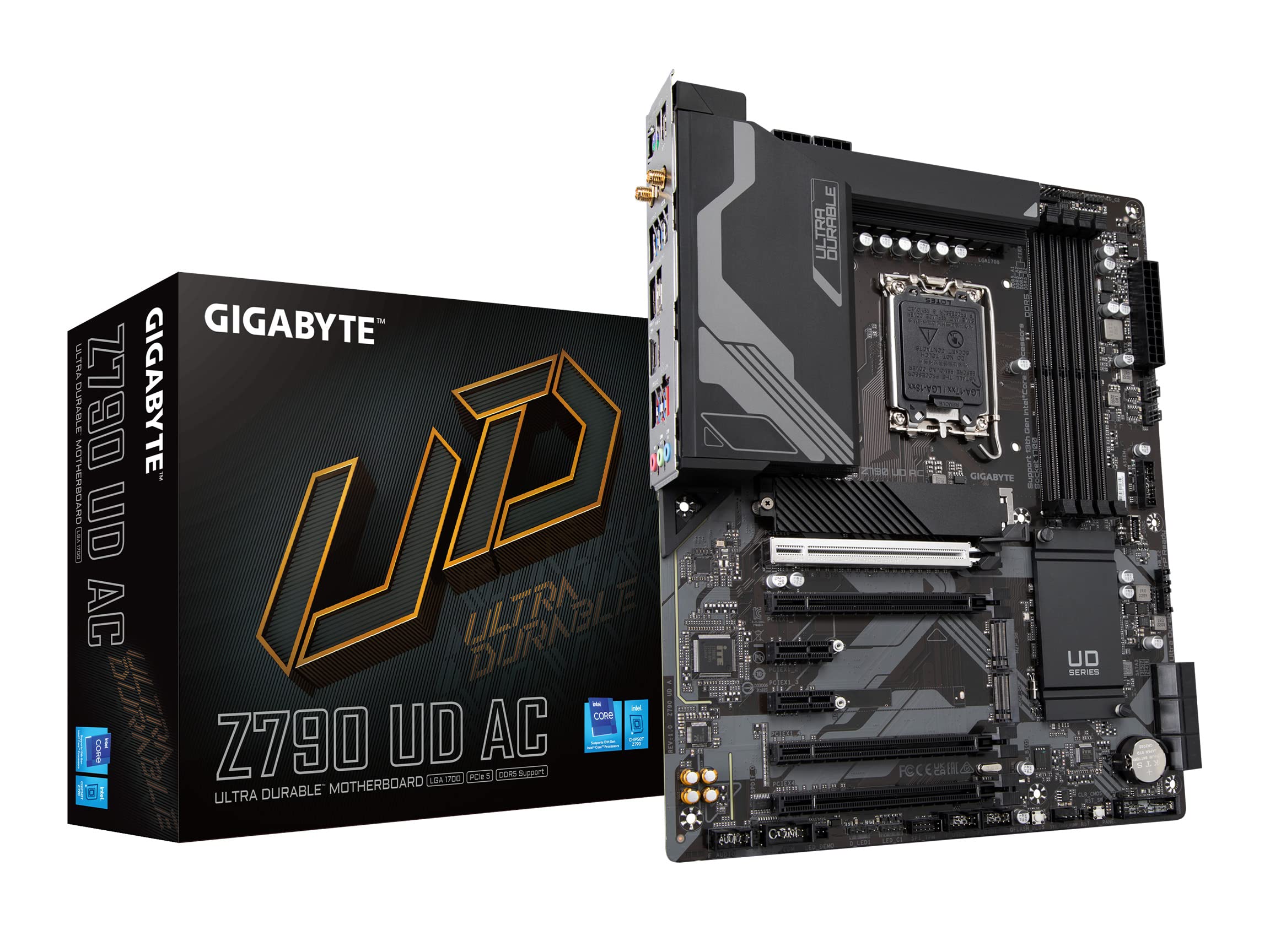
Gigabyte Z790 UD AX LGA 1700 ATX Motherboard
Z790 UD AX Key Features | Motherboard - GIGABYTE Global
Z790 UD AX Key Features | Motherboard - GIGABYTE Global
Z790 UD AX Key Features | Motherboard - GIGABYTE Global
Z790 UD AX Key Features | Motherboard - GIGABYTE Global
in 7 offers
The lowest price for Gigabyte Z790 UD AX LGA 1700 ATX Motherboard right now is $259.38 at eBay.com.au, compared across 7 retailers.
The all-time low was $159.00 on 24 Feb 2026 — today's price is 63% above the lowest ever. It has been notably cheaper before — worth setting a price alert.
Prices last updated 22 Aug 2026.
Last updated at 22/08/2026 18:41:58
Gigabyte Z790 UD AX Motherboard
Affiliate Disclosure: We may receive a small commission for purchases made through this link at no extra cost to you. This helps support our site. Thank you!
For Gigabyte Z790 Ud Ax Motherboard Z790 Lga1700 Ddr5 128g Hdmi+dp Atx
Free delivery
Affiliate Disclosure: We may receive a small commission for purchases made through this link at no extra cost to you. This helps support our site. Thank you!
Gigabyte Z790 UD AX LGA 1700 ATX Motherboard (Z790 UD AX)
30-day returns
Gigabyte Z790 UD AX LGA 1700 ATX Motherboard (Z790 UD AX)
30-day returns
Gigabyte Z790 GAMING PLUS AX DDR5 INTEL LGA 1700 ATX Motherboard - PC
Delivery $20
Gigabyte Z790 UD AX (REV. 1.0) ATX motherboard - Intel Z790 LGA 1700
GIGABYTE Z790 UD AX Intel LGA 1700 ATX Motherboard, 4x DDR5 ~128GB, 3x PCI-E x16, 3x M.2, 6x SATA, 5x USB 3.2, 1x USB-C,4x USB 2.0
Free delivery between 28 Aug – 4 Sept
originally posted on box.co.uk
Pros: The motherboard just works. Years of experience made me trust Gigabyte and this time it didn’t let me down. Despite being built with the newest chipset it’s really stableCons: For some reason it detected my nvme drive properly only after tenth reboot. All my drives were MBR and GPT is the only option. There is a legacy boot option to support MBR but it took me hours to turn it on - it would just revert without any clear reason given. I still don’t know what I did exactly to make it work and forums didn’t have any info as the unit was a fresh model
originally posted on scan.co.uk
Quickly after installing the mobo and posting successfully, I began to hear a high-pitch whine (similar to tinnitus). This was driving me crazy, so I removed all fan headers one by one, then removed the GPU, and finally moved the PSU outside the case, to see if I could hear the sound more clearly. The sound was not coming from any of these components, this was not coil-whine.I found that the sound was coming from the VRMs located near the DDR5 memory modules on the mobo.To confirm that the sound was coming from the mobo, I removed all components and purchased a new replacement mobo from MSI. I connected all the same components (M.2 SSD, RAM, GPU and PSU) to the new mobo, and the sound was immediately gone.On this basis, I cannot recommend this motherboard. I ... MoreQuickly after installing the mobo and posting successfully, I began to hear a high-pitch whine (similar to tinnitus). This was driving me crazy, so I removed all fan headers one by one, then removed the GPU, and finally moved the PSU outside the case, to see if I could hear the sound more clearly. The sound was not coming from any of these components, this was not coil-whine.I found that the sound was coming from the VRMs located near the DDR5 memory modules on the mobo.To confirm that the sound was coming from the mobo, I removed all components and purchased a new replacement mobo from MSI. I connected all the same components (M.2 SSD, RAM, GPU and PSU) to the new mobo, and the sound was immediately gone.On this basis, I cannot recommend this motherboard. I brought this motherboard as a cheap-ish entry to the Z790 series... if you can spend the money on a better product, please do.
originally posted on scan.co.uk
I paired this with a i7 13700KF and 32gb of Corsair DDR5 Vengeance 6400 CAS 32 RAM for a new install, first time the Bios loaded I turned on XMP and resizable bar and it got into a boot loop! I couldnt get out of it, tried cmos reset button, tried shorting jumpers, even removed battery for 30min, still wouldnt post! eventually after some googling I used the Q-Flash option with just the PSU plugged into the board to flash the latest bios renamed GIGABYTE.bin from a USB stick, this fixed my problem and XMP and resiable bar are now working fine, the board is ok now but this initial experiance left me dissapointed as it took me a few hours of trouble shooting to get the issue resolved. so I would suggest anyone buying the board update the bios before you go rooting into ... MoreI paired this with a i7 13700KF and 32gb of Corsair DDR5 Vengeance 6400 CAS 32 RAM for a new install, first time the Bios loaded I turned on XMP and resizable bar and it got into a boot loop! I couldnt get out of it, tried cmos reset button, tried shorting jumpers, even removed battery for 30min, still wouldnt post! eventually after some googling I used the Q-Flash option with just the PSU plugged into the board to flash the latest bios renamed GIGABYTE.bin from a USB stick, this fixed my problem and XMP and resiable bar are now working fine, the board is ok now but this initial experiance left me dissapointed as it took me a few hours of trouble shooting to get the issue resolved. so I would suggest anyone buying the board update the bios before you go rooting into the bios settings, or choose another board.
| AX) Form Factor | ATX |
| Graphics | 3x PCIe x16 |
| Socket | 1700 |
| Component for | PC |
| Motherboard form factor | ATX |
Gigabyte Z790 UD AX Motherboard
Affiliate Disclosure: We may receive a small commission for purchases made through this link at no extra cost to you. This helps support our site. Thank you!
For Gigabyte Z790 Ud Ax Motherboard Z790 Lga1700 Ddr5 128g Hdmi+dp Atx
Free delivery
Affiliate Disclosure: We may receive a small commission for purchases made through this link at no extra cost to you. This helps support our site. Thank you!
Gigabyte Z790 UD AX LGA 1700 ATX Motherboard (Z790 UD AX)
30-day returns
Gigabyte Z790 UD AX LGA 1700 ATX Motherboard (Z790 UD AX)
30-day returns
Gigabyte Z790 GAMING PLUS AX DDR5 INTEL LGA 1700 ATX Motherboard - PC
Delivery $20
Pros: The motherboard just works. Years of experience made me trust Gigabyte and this time it didn’t let me down. Despite being built with the newest chipset it’s really stableCons: For some reason it detected my nvme drive properly only after tenth reboot. All my drives were MBR and GPT is the only option. There is a legacy boot option to support MBR but it took me hours to turn it on - it would just revert without any clear reason given. I still don’t know what I did exactly to make it work and forums didn’t have any info as the unit was a fresh model
Quickly after installing the mobo and posting successfully, I began to hear a high-pitch whine (similar to tinnitus). This was driving me crazy, so I removed all fan headers one by one, then removed the GPU, and finally moved the PSU outside the case, to see if I could hear the sound more clearly. The sound was not coming from any of these components, this was not coil-whine.I found that the sound was coming from the VRMs located near the DDR5 memory modules on the mobo.To confirm that the sound was coming from the mobo, I removed all components and purchased a new replacement mobo from MSI. I connected all the same components (M.2 SSD, RAM, GPU and PSU) to the new mobo, and the sound was immediately gone.On this basis, I cannot recommend this motherboard. I ... MoreQuickly after installing the mobo and posting successfully, I began to hear a high-pitch whine (similar to tinnitus). This was driving me crazy, so I removed all fan headers one by one, then removed the GPU, and finally moved the PSU outside the case, to see if I could hear the sound more clearly. The sound was not coming from any of these components, this was not coil-whine.I found that the sound was coming from the VRMs located near the DDR5 memory modules on the mobo.To confirm that the sound was coming from the mobo, I removed all components and purchased a new replacement mobo from MSI. I connected all the same components (M.2 SSD, RAM, GPU and PSU) to the new mobo, and the sound was immediately gone.On this basis, I cannot recommend this motherboard. I brought this motherboard as a cheap-ish entry to the Z790 series... if you can spend the money on a better product, please do.
I paired this with a i7 13700KF and 32gb of Corsair DDR5 Vengeance 6400 CAS 32 RAM for a new install, first time the Bios loaded I turned on XMP and resizable bar and it got into a boot loop! I couldnt get out of it, tried cmos reset button, tried shorting jumpers, even removed battery for 30min, still wouldnt post! eventually after some googling I used the Q-Flash option with just the PSU plugged into the board to flash the latest bios renamed GIGABYTE.bin from a USB stick, this fixed my problem and XMP and resiable bar are now working fine, the board is ok now but this initial experiance left me dissapointed as it took me a few hours of trouble shooting to get the issue resolved. so I would suggest anyone buying the board update the bios before you go rooting into ... MoreI paired this with a i7 13700KF and 32gb of Corsair DDR5 Vengeance 6400 CAS 32 RAM for a new install, first time the Bios loaded I turned on XMP and resizable bar and it got into a boot loop! I couldnt get out of it, tried cmos reset button, tried shorting jumpers, even removed battery for 30min, still wouldnt post! eventually after some googling I used the Q-Flash option with just the PSU plugged into the board to flash the latest bios renamed GIGABYTE.bin from a USB stick, this fixed my problem and XMP and resiable bar are now working fine, the board is ok now but this initial experiance left me dissapointed as it took me a few hours of trouble shooting to get the issue resolved. so I would suggest anyone buying the board update the bios before you go rooting into the bios settings, or choose another board.
Gigabyte boards are always very solid and stable in my experience, this one is no exception. Loads of excellent features and easily installed.
Very unhappy that it came without the motherboard Manual that the ONLINE MANUAL lists as "In the Box". Why is that?cheers Jim
| AX) Form Factor | ATX |
| Graphics | 3x PCIe x16 |
| Socket | 1700 |
| Component for | PC |
| Motherboard form factor | ATX |

