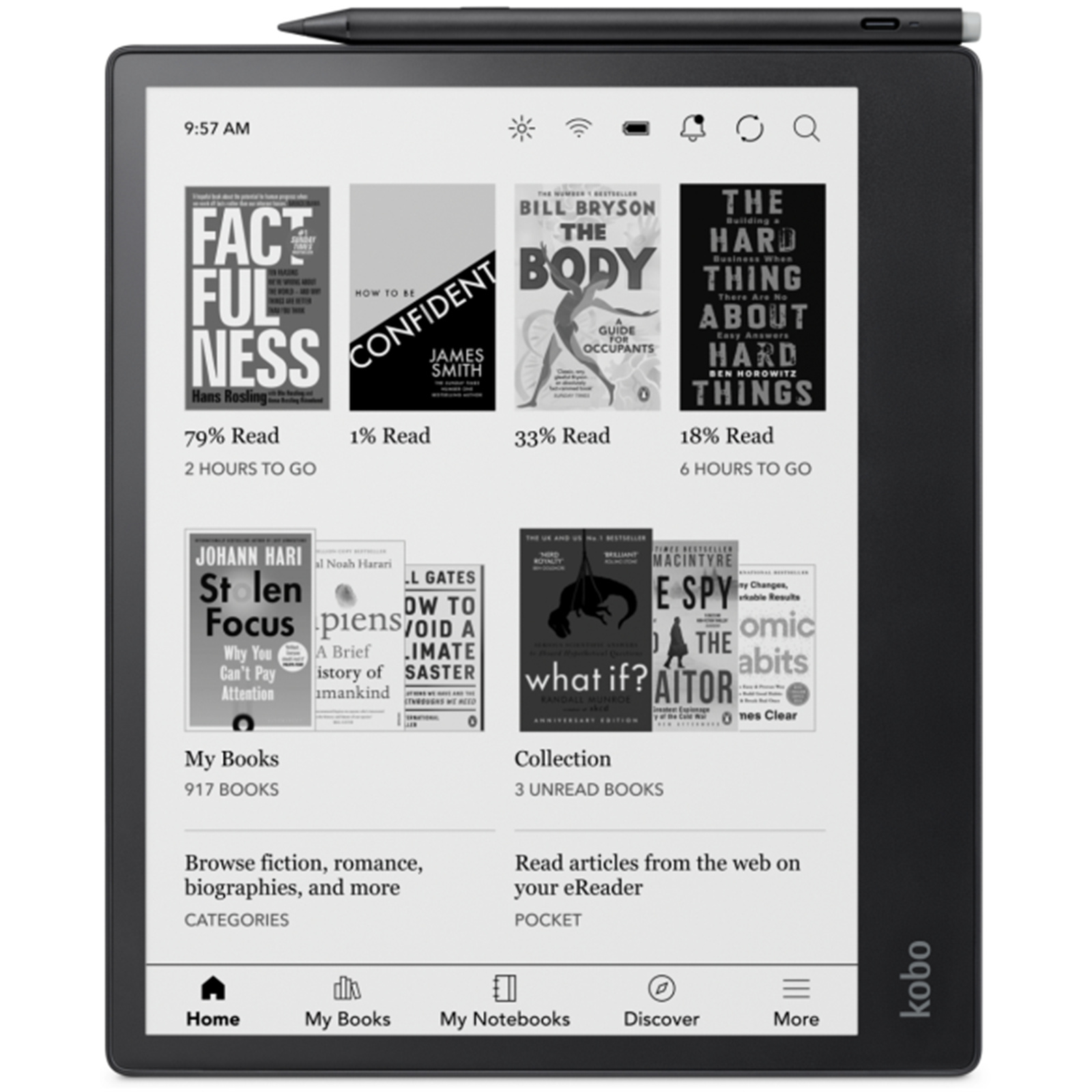
Kobo Elipsa 10.3" eReader
Experience intuitive note-taking with the Kobo Elipsa Pack 10.3 eReader. Unlike traditional eReaders, you can make notes and scribble right into your eBooks and PDFs. Plus, you can create whole new notebooks and convert your written words into a typed text. The large 32 GB memory means you can carry more books than your bookshelf. Using Dropbox support, you can easily import and export your documents in your chosen format.A SleepCover and stylus comes included, so you've got everything you need to start putting your thoughts on 'paper'.
Experience intuitive note-taking with the Kobo Elipsa Pack 10.3 eReader. Unlike traditional eReaders, you can make notes and scribble right into your eBooks and PDFs. Plus, you can create whole new notebooks and convert your written words into a typed text. The large 32 GB memory means you can carry more books than your bookshelf. Using Dropbox support, you can easily import and export your documents in your chosen format.A SleepCover and stylus comes included, so you've got everything you need to start putting your thoughts on 'paper'.
Experience intuitive note-taking with the Kobo Elipsa Pack 10.3 eReader. Unlike traditional eReaders, you can make notes and scribble right into your eBooks and PDFs. Plus, you can create whole new notebooks and convert your written words into a typed text. The large 32 GB memory means you can carry more books than your bookshelf. Using Dropbox support, you can easily import and export your documents in your chosen format.A SleepCover and stylus comes included, so you've got everything you need to start putting your thoughts on 'paper'.
Experience intuitive note-taking with the Kobo Elipsa Pack 10.3 eReader. Unlike traditional eReaders, you can make notes and scribble right into your eBooks and PDFs. Plus, you can create whole new notebooks and convert your written words into a typed text. The large 32 GB memory means you can carry more books than your bookshelf. Using Dropbox support, you can easily import and export your documents in your chosen format.A SleepCover and stylus comes included, so you've got everything you need to start putting your thoughts on 'paper'.
in 5 offers
The lowest price for Kobo Elipsa 10.3" eReader right now is $549.00 at Mobileciti, compared across 5 retailers.
The all-time low was $459.95 on 28 Feb 2026 — today's price is 19% above the lowest ever. That's a little above the best price we've seen.
Prices last updated 8 Sept 2026.
Last updated at 08/09/2026 14:05:47
Kobo Elipsa Pack | 10.3" Glare-Free Touchscreen eReader | Mark Up eBooks | Includes Stylus & SleepCover | Adjustable Brightness | Carta E Ink
Affiliate Disclosure: We may receive a small commission for purchases made through this link at no extra cost to you. This helps support our site. Thank you!
Kobo Elipsa 10.3 inch e-Reader Stylus and SleepCover Bundle
Free next-day delivery
Kobo Elipsa 10.3 inch e-Reader Stylus and SleepCover Bundle
Free delivery between Thu – Tue
Kobo Elipsa Pack
30-day returns
Elipsa 2E eReader + Stylus 2, 10.3 Touchscreen, 32GB
Delivery between 14–17 Sept $29
originally posted on kobo.com
I wouldn’t recommend the Elipsa pack. It’s a hassle to use.Reading PFFs is uncomfortable because the font looks faded and grey. There should be a way to deepen fonts on PDFs.Then the Elipsa doesn’t hold its charge well. I’d charge one day and have to do it the next even if I don’t use the e-reader.Adjusting the font size is a complicated thing. The document or book doesn’t fit evenly on the page when you try to get a bigger font size.And the stylus is slow to respond and easy to break. It fell on the floor and the top broke. I bought replacement tips, but the embedded piece is too short for the replacement tool to do it’s job. I ended up buying a new stylus.The Elipsa pack has been a major headache.
originally posted on kobo.com
4.5: this is a newer technology, so there are a few hiccups here and there, but it does as advertised and is very convenient. I have nearly daily migraines due to a brain injury and can't use tablets, phones, or computers for long periods of time, so the screen on this is perfect to allow me to read again comfortably for the first time in years.The only minor downsides that hopefully can be fine-tunes in software updates are as follows:1. In the notebook feature, you can adjust the size of the stylus stroke and thickness, which is great, but when annotating books or PDFs, it's still quite thick which makes it difficult to read after the fact unless you create MASSIVE margins in your PDF (not an option for your ebooks).2. Uploading and dowoading personal docs ... More4.5: this is a newer technology, so there are a few hiccups here and there, but it does as advertised and is very convenient. I have nearly daily migraines due to a brain injury and can't use tablets, phones, or computers for long periods of time, so the screen on this is perfect to allow me to read again comfortably for the first time in years.The only minor downsides that hopefully can be fine-tunes in software updates are as follows:1. In the notebook feature, you can adjust the size of the stylus stroke and thickness, which is great, but when annotating books or PDFs, it's still quite thick which makes it difficult to read after the fact unless you create MASSIVE margins in your PDF (not an option for your ebooks).2. Uploading and dowoading personal docs through Dropbox is fine, but feels a little clunky when syncing.3. Having the sync feature available within the personal docs instead of only the homescreen would be convenient, especially for longer documents.4. When using the advanced notebook, editing something already converted to text from handwriting is difficult to figure out and doesn't always happen. But that could be a me issue.That being said (and hopefully some of these, especially the stylus thickness, can be modified in future updates) the pros are the ability to go dark and light mode easily, the larger screen makes reading very comfortable, and the original interface (versus a tablet) is AMAZING for people with migraines or other vision issues that make tablet and phone screens difficult to use for longer stretches of time. The cover and stylus stay out and protect the screen and battery life, it holds a charge for a long time.Now if I could convince my cat that while the cover feels nice, it's not for her to sleep one, my day would be so much easier. Very happy with the Elipsa.
originally posted on kobo.com
Overall, the love the elipsa pack. I think the price is a little steep, but I've had a great time reading epubs from the kobo store, importing my own epubs, and reading and marking up pdfs. The screen is nice and big, but it's lightweight enough to hold with one hand. The stylus works great and I've had no issues using the notebook feature. My one complaint is the cover. While it works as intended, i don't love the powder blue color and i hate the faux leather look. I carry my elipsa in my backpack a lot and two little portions of the blue faux leather have already come off. As of now, you cannot buy a replacement cover, either. The cover also does not fit snuggly around the e-reader. There is a small gap on the left hand side that allows the e-reader to "float" up ... MoreOverall, the love the elipsa pack. I think the price is a little steep, but I've had a great time reading epubs from the kobo store, importing my own epubs, and reading and marking up pdfs. The screen is nice and big, but it's lightweight enough to hold with one hand. The stylus works great and I've had no issues using the notebook feature. My one complaint is the cover. While it works as intended, i don't love the powder blue color and i hate the faux leather look. I carry my elipsa in my backpack a lot and two little portions of the blue faux leather have already come off. As of now, you cannot buy a replacement cover, either. The cover also does not fit snuggly around the e-reader. There is a small gap on the left hand side that allows the e-reader to "float" up out of the cover. It's never enough to cause an issue, just a little annoying for such an expensive item. In the photo you can see that in the top corner the device fits securely and is below the lip of the. Further down on that side the device rises above that lip. Despite the issues with the cover, this is easily the best e-reader I've ever used and i recommend it regularly.
| General | |
| Product Type | eBook reader |
| Bundled with | SleepCover |
| Display | |
| Type | 10.3" monochrome E Ink Carta 1200 |

Kobo Elipsa Pack | 10.3" Glare-Free Touchscreen eReader | Mark Up eBooks | Includes Stylus & SleepCover | Adjustable Brightness | Carta E Ink
Affiliate Disclosure: We may receive a small commission for purchases made through this link at no extra cost to you. This helps support our site. Thank you!
Kobo Elipsa 10.3 inch e-Reader Stylus and SleepCover Bundle
Free next-day delivery
Kobo Elipsa 10.3 inch e-Reader Stylus and SleepCover Bundle
Free delivery between Thu – Tue
Kobo Elipsa Pack
30-day returns
Elipsa 2E eReader + Stylus 2, 10.3 Touchscreen, 32GB
Delivery between 14–17 Sept $29
I wouldn’t recommend the Elipsa pack. It’s a hassle to use.Reading PFFs is uncomfortable because the font looks faded and grey. There should be a way to deepen fonts on PDFs.Then the Elipsa doesn’t hold its charge well. I’d charge one day and have to do it the next even if I don’t use the e-reader.Adjusting the font size is a complicated thing. The document or book doesn’t fit evenly on the page when you try to get a bigger font size.And the stylus is slow to respond and easy to break. It fell on the floor and the top broke. I bought replacement tips, but the embedded piece is too short for the replacement tool to do it’s job. I ended up buying a new stylus.The Elipsa pack has been a major headache.
4.5: this is a newer technology, so there are a few hiccups here and there, but it does as advertised and is very convenient. I have nearly daily migraines due to a brain injury and can't use tablets, phones, or computers for long periods of time, so the screen on this is perfect to allow me to read again comfortably for the first time in years.The only minor downsides that hopefully can be fine-tunes in software updates are as follows:1. In the notebook feature, you can adjust the size of the stylus stroke and thickness, which is great, but when annotating books or PDFs, it's still quite thick which makes it difficult to read after the fact unless you create MASSIVE margins in your PDF (not an option for your ebooks).2. Uploading and dowoading personal docs ... More4.5: this is a newer technology, so there are a few hiccups here and there, but it does as advertised and is very convenient. I have nearly daily migraines due to a brain injury and can't use tablets, phones, or computers for long periods of time, so the screen on this is perfect to allow me to read again comfortably for the first time in years.The only minor downsides that hopefully can be fine-tunes in software updates are as follows:1. In the notebook feature, you can adjust the size of the stylus stroke and thickness, which is great, but when annotating books or PDFs, it's still quite thick which makes it difficult to read after the fact unless you create MASSIVE margins in your PDF (not an option for your ebooks).2. Uploading and dowoading personal docs through Dropbox is fine, but feels a little clunky when syncing.3. Having the sync feature available within the personal docs instead of only the homescreen would be convenient, especially for longer documents.4. When using the advanced notebook, editing something already converted to text from handwriting is difficult to figure out and doesn't always happen. But that could be a me issue.That being said (and hopefully some of these, especially the stylus thickness, can be modified in future updates) the pros are the ability to go dark and light mode easily, the larger screen makes reading very comfortable, and the original interface (versus a tablet) is AMAZING for people with migraines or other vision issues that make tablet and phone screens difficult to use for longer stretches of time. The cover and stylus stay out and protect the screen and battery life, it holds a charge for a long time.Now if I could convince my cat that while the cover feels nice, it's not for her to sleep one, my day would be so much easier. Very happy with the Elipsa.
Overall, the love the elipsa pack. I think the price is a little steep, but I've had a great time reading epubs from the kobo store, importing my own epubs, and reading and marking up pdfs. The screen is nice and big, but it's lightweight enough to hold with one hand. The stylus works great and I've had no issues using the notebook feature. My one complaint is the cover. While it works as intended, i don't love the powder blue color and i hate the faux leather look. I carry my elipsa in my backpack a lot and two little portions of the blue faux leather have already come off. As of now, you cannot buy a replacement cover, either. The cover also does not fit snuggly around the e-reader. There is a small gap on the left hand side that allows the e-reader to "float" up ... MoreOverall, the love the elipsa pack. I think the price is a little steep, but I've had a great time reading epubs from the kobo store, importing my own epubs, and reading and marking up pdfs. The screen is nice and big, but it's lightweight enough to hold with one hand. The stylus works great and I've had no issues using the notebook feature. My one complaint is the cover. While it works as intended, i don't love the powder blue color and i hate the faux leather look. I carry my elipsa in my backpack a lot and two little portions of the blue faux leather have already come off. As of now, you cannot buy a replacement cover, either. The cover also does not fit snuggly around the e-reader. There is a small gap on the left hand side that allows the e-reader to "float" up out of the cover. It's never enough to cause an issue, just a little annoying for such an expensive item. In the photo you can see that in the top corner the device fits securely and is below the lip of the. Further down on that side the device rises above that lip. Despite the issues with the cover, this is easily the best e-reader I've ever used and i recommend it regularly.
The Kobo Elipsa is exactly as I hoped it would be. I read a lot of reviews about the Elipsa and its major competitors before taking the leap. I needed a device that 1. is a delight to read on, 2. easily displays documents and allows markup of them, and 3. is decent at note-taking. The Elipsa manages all three with a breeze. If I weighted any of these points more highly (e.g., I prioritized note-taking 80% whereas I only cared about displaying and annotating documents 20%) I may have ended up with a different device. But for my circumstance, where I valued each of these elements equally - the Elipsa is perfect.A few other points: the design is lovely - it is beautiful looking device; the battery life is fantastic (I use it every day, with energy saving options ... MoreThe Kobo Elipsa is exactly as I hoped it would be. I read a lot of reviews about the Elipsa and its major competitors before taking the leap. I needed a device that 1. is a delight to read on, 2. easily displays documents and allows markup of them, and 3. is decent at note-taking. The Elipsa manages all three with a breeze. If I weighted any of these points more highly (e.g., I prioritized note-taking 80% whereas I only cared about displaying and annotating documents 20%) I may have ended up with a different device. But for my circumstance, where I valued each of these elements equally - the Elipsa is perfect.A few other points: the design is lovely - it is beautiful looking device; the battery life is fantastic (I use it every day, with energy saving options turned on, and recharge it about once a week); the dropbox integration is a dream; the price point is attractive (compared to major competitors); and the advanced note-taking feature is very impressive.
CategoriesBlogLog inFor businessesReview of Rakuten KoboRoland G McIntosh1 review4 stars: GreatJust nowVerifiedThe Kobo Elipsa is an excellent machine…The Kobo Elipsa is an excellent machine hampered by its weight. With the cover attached, it weighs approximately 1 pound, which is just too much to hold comfortably for reading in many positions. The freehand note taking is quick, and the handwriting recognition works surprisingly well, even with cursive script; however, the "smart" recognized text blocks can be difficult and slow to work with, and it's easy to accidentally activate buttons on the proprietary stylus. Despite included Bluetooth hardware, the lack of any audio book support is disappointing. The screen is sharp and a joy to write on, with the ... MoreCategoriesBlogLog inFor businessesReview of Rakuten KoboRoland G McIntosh1 review4 stars: GreatJust nowVerifiedThe Kobo Elipsa is an excellent machine…The Kobo Elipsa is an excellent machine hampered by its weight. With the cover attached, it weighs approximately 1 pound, which is just too much to hold comfortably for reading in many positions. The freehand note taking is quick, and the handwriting recognition works surprisingly well, even with cursive script; however, the "smart" recognized text blocks can be difficult and slow to work with, and it's easy to accidentally activate buttons on the proprietary stylus. Despite included Bluetooth hardware, the lack of any audio book support is disappointing. The screen is sharp and a joy to write on, with the appropriate amount of friction provided to give a more paper-like feel. It would have been nice to include amber colored lights for night time reading, but since it's so heavy, holding it above your head while in bed is unlikely.
This is a nearly perfect product for me. I work in an academic research setting and I use it for reading PDFs and taking notes for daily task documentation. There are a few ways that the product could be improved. Color would obviously be better especially for technical figures in scientific papers. There is a slight noticeable delay when writing and sometimes it is long enough to be distracting. I also wish that it had better integration with either/both Microsoft OneNote or Google Drive. It is not a full featured tablet, per say, but that is actually a good thing for me because it is a much less distracting and more productive device because of it. It only does a few things, but exceedingly well and minor software and hardware upgrades could easily make this my ... MoreThis is a nearly perfect product for me. I work in an academic research setting and I use it for reading PDFs and taking notes for daily task documentation. There are a few ways that the product could be improved. Color would obviously be better especially for technical figures in scientific papers. There is a slight noticeable delay when writing and sometimes it is long enough to be distracting. I also wish that it had better integration with either/both Microsoft OneNote or Google Drive. It is not a full featured tablet, per say, but that is actually a good thing for me because it is a much less distracting and more productive device because of it. It only does a few things, but exceedingly well and minor software and hardware upgrades could easily make this my perfect productivity device.
(Written July 2021) I am really looking forward to the Elipsa 2, but right now the tech just isn't quite there. The note-taking is laggy, so unless you write really slowly (which often defeats the purpose of taking hand-written notes at all), you'll end up with (a) random marks all over the page as it tries to interpret some of your writing as document-management commands, (b) the device will crash, or (c) both. The first time it crashed, I lost all my imported books and had to re-load and re-classify them, and more importantly I lost all the notes I'd made. After that I was more careful, but a note-storage device that sometimes deletes my notes is ... of limited utility.The ability to write directly on pdfs like I'd printed them off is wonderful, and I like being ... More(Written July 2021) I am really looking forward to the Elipsa 2, but right now the tech just isn't quite there. The note-taking is laggy, so unless you write really slowly (which often defeats the purpose of taking hand-written notes at all), you'll end up with (a) random marks all over the page as it tries to interpret some of your writing as document-management commands, (b) the device will crash, or (c) both. The first time it crashed, I lost all my imported books and had to re-load and re-classify them, and more importantly I lost all the notes I'd made. After that I was more careful, but a note-storage device that sometimes deletes my notes is ... of limited utility.The ability to write directly on pdfs like I'd printed them off is wonderful, and I like being able to do it on epubs too, although I had a harder time getting that functionality to work. Sadly, I also couldn't highlight on epubs like I could on any other ereader (I assume that's a software issue and may have been fixed in updates by now).The OCR was _fantastic_, the best I've ever seen. Unless my handwriting was super-messy, the only thing it ever screwed up was spacing. 5/5 on translating handwritten notes to text, which is part of why I'm really excited for the next generation.Overall, it's currently a really fun toy, but not good for much practical application. There is, however, a lot of amazing potential to be a game-changer in a couple of years.
I'm somebody who probably would have purchased a Remarkable long ago had it come with a front light. Yes, I know the light hampers writing quality to a degree but it'd be worth the trade off in terms of reading functionality.I have had a few Kobo devices over the years and really love my Aura One. Not a writing device, though, and it doesn't handle PDF files well at all.I was really excited to learn of the Elipsa! On paper, it was checking all the boxes for me and came in at a really terrific price when compared with the competition. I received it yesterday and it's already boxed up for a return.It seems well built... feels great in the hand. Stylus also seemed to be of decent quality. The fact that it's bundled with a (mediocre and kind of weird) folio and ... MoreI'm somebody who probably would have purchased a Remarkable long ago had it come with a front light. Yes, I know the light hampers writing quality to a degree but it'd be worth the trade off in terms of reading functionality.I have had a few Kobo devices over the years and really love my Aura One. Not a writing device, though, and it doesn't handle PDF files well at all.I was really excited to learn of the Elipsa! On paper, it was checking all the boxes for me and came in at a really terrific price when compared with the competition. I received it yesterday and it's already boxed up for a return.It seems well built... feels great in the hand. Stylus also seemed to be of decent quality. The fact that it's bundled with a (mediocre and kind of weird) folio and stylus definitely gets it points for value.But... there are some significant problems and caveats.-writing latency is BAD. Much worse than it needs to be given the excellent hardware. The software here does not at all maximize the potential of the E-ink display. This will almost certainly get fixed via updates but it's embarrassingly bad out of the box.-Lack of custom templates (seriously; what gives? You get 2 to choose from).-You can only write on Kobo store purchased ePubs (mind boggling).-The advanced notebook was seriously glitchy for me. I've watched reviews where it functioned beautifully for others... not for me.-no amber lighting (this is livable; the 'dark mode' is something I wish my Aura One had and makes this a minor issue)-general glitches... it was slow moving in some scenarios. I created a 'therapy note' PDF file and wanted to see if I could mark it up. This was a single page PDF and, though I could see it in the thumbnail preview, it would only open as a blank page (and seemed to nearly freeze while doing so).Overall... really disappointed. I'm in this "in for a penny in for a pound" situation now and am likely going to buy an Onyx Boox Note Air or even go all in on a Lumi Max. If Kobo releases a version 2 I'll give them another shot (I like the company) but this is a fail for now.
Pros:- Comfortable (on the eyes) reading experience, beautiful screen.- Feels like writing on paper- Ability to side load PDFs and other ebook typesCons:- Glitchy firmware- Occasionally freezes for 3-4 seconds while writing. Sometimes it registered writing while the screen was frozen but most time it didn't- Occasionally would go from fully charged to out of battery overnight despite being in sleep mode at bedtime (and auto sleep after 15 minutes enabled)- Kept loosing annotations and notes I wrote. The last straw for me was when half a page of a meeting's notes vanished before my eyes and I couldn't find a way to bring them back. Some PDFs would loose annotations and they would eventually come back overlayed on top of the re-written annotations.- No way ... MorePros:- Comfortable (on the eyes) reading experience, beautiful screen.- Feels like writing on paper- Ability to side load PDFs and other ebook typesCons:- Glitchy firmware- Occasionally freezes for 3-4 seconds while writing. Sometimes it registered writing while the screen was frozen but most time it didn't- Occasionally would go from fully charged to out of battery overnight despite being in sleep mode at bedtime (and auto sleep after 15 minutes enabled)- Kept loosing annotations and notes I wrote. The last straw for me was when half a page of a meeting's notes vanished before my eyes and I couldn't find a way to bring them back. Some PDFs would loose annotations and they would eventually come back overlayed on top of the re-written annotations.- No way to organize notes hierarchically or by tag, they are all flat in one folder.TLDR; I'll be returning mine but future software updates may fix it.
I watched several Youtube blogs and comparison videos in order to make sure I was ordering the best machine for e-reading and note-taking. I saw that this was at Walmart and didn't have the Kobo 7-10 shipping timeframe and I went for it. Unfortunately for Kobo, I had a Likebook P10 Ereader to compare to it.First off, when I turned on the Elipsa, the screen required a sign in to Google/Kobo/Facebook in order to even get past the start screen. Already an annoyance to have to grant permission to Kobo to view parts of my gmail account. Since it's a bookselling brand, it wasn't too unexpected. Likebook didn't require that.Next, I went to try the internet feature. It was under a large area named "Beta Features", which already made me a bit lacking in confidence. I ... MoreI watched several Youtube blogs and comparison videos in order to make sure I was ordering the best machine for e-reading and note-taking. I saw that this was at Walmart and didn't have the Kobo 7-10 shipping timeframe and I went for it. Unfortunately for Kobo, I had a Likebook P10 Ereader to compare to it.First off, when I turned on the Elipsa, the screen required a sign in to Google/Kobo/Facebook in order to even get past the start screen. Already an annoyance to have to grant permission to Kobo to view parts of my gmail account. Since it's a bookselling brand, it wasn't too unexpected. Likebook didn't require that.Next, I went to try the internet feature. It was under a large area named "Beta Features", which already made me a bit lacking in confidence. I navigated to a website that I had open on my likebook and couldn't use the search button or click things like I could with the Likebook(which uses android 8), so that was another strike.The last few shortcomings were that the margins and large texts were not built in the ereader- you had to navigate to the beta features section and select large print. The screen was less matte than the Likebook and the power button was surprisingly hard to press, especially one handed. The need to sign in via drop box for book downloads and the constant push to buy books in the kobo store with additional apps to be under beta features Clinched the return for me.I completely expected to be getting the Kobo and returning the likebook, but came to find that the likebook allows more ways to read for free, transfer existing ebooks and navigate websites as well as several types of note templates and annotation abilities on any range of file types without jumping through hoops and at 64gb of memory, it is more bang for the buck as well.*Not a sponsored review for either product.
| General | |
| Product Type | eBook reader |
| Bundled with | SleepCover |
| Display | |
| Type | 10.3" monochrome E Ink Carta 1200 |