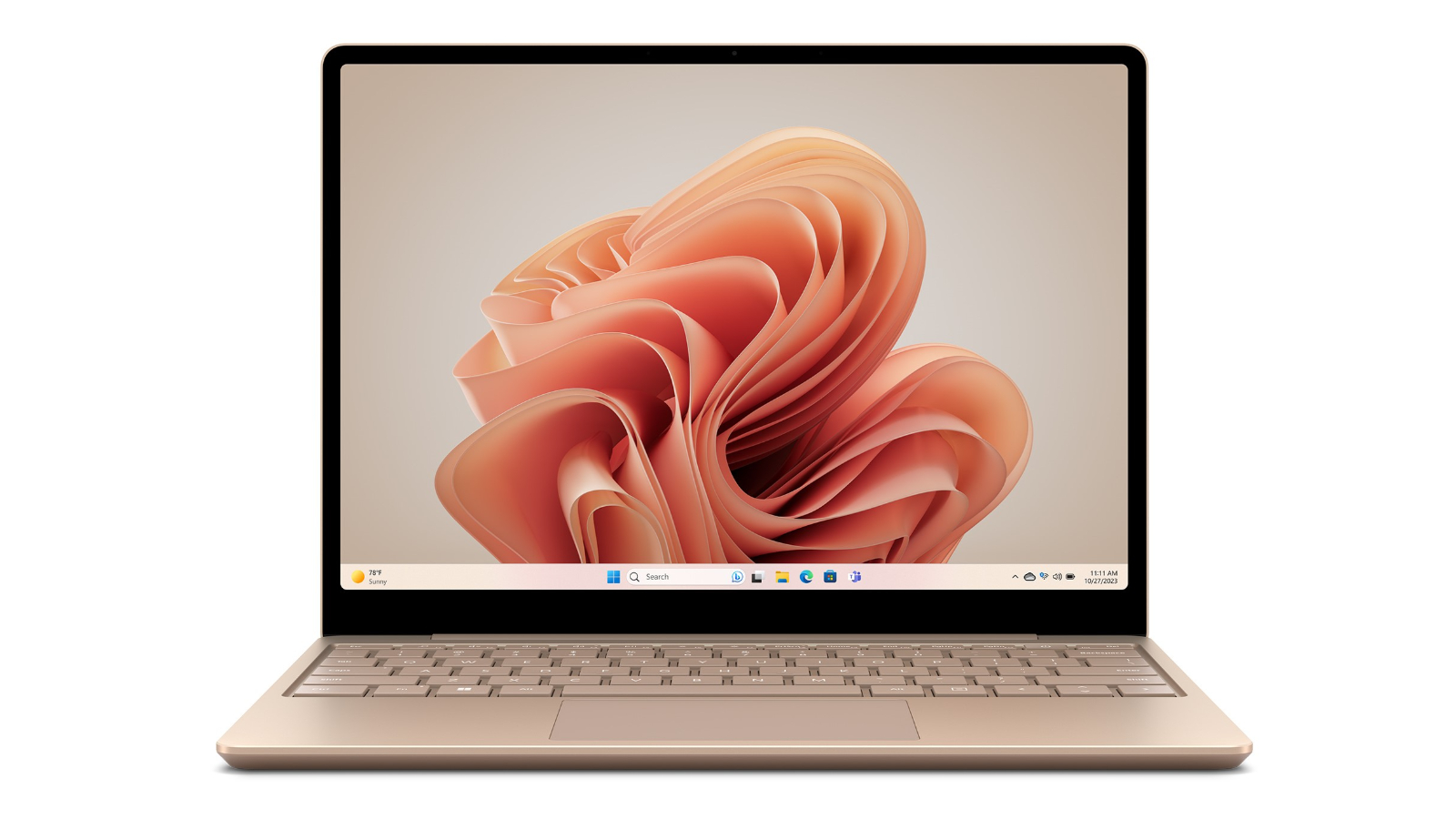
If you're passionate about IT and electronics, like being up to date on technology and don't miss even the slightest details, buy Laptop Microsoft Surface Laptop Go 3 12,4" Intel Core i5-1235U 8 GB RAM 256 GB SSD at an unbeatable price. - Keyboard: Spanish Qwerty - Diagonal of the screen (cm): 31,5 cm - Processor Family: Intel Core i5Intel - Type: Laptop - Numeric keyboardTouchpadSSDLPDDR5Product with plug: Yes - Type of plug: Plug EUScreen: 12,4"Operating System: Windows 11Windows 11 Pro - Includes: Touchscreen - SSD x 1Processor: Intel Core i5-1235URAM Memory: 8 GB RAMHard Drive: 256 GB SSD
If you're passionate about IT and electronics, like being up to date on technology and don't miss even the slightest details, buy Laptop Microsoft Surface Laptop Go 3 12,4" Intel Core i5-1235U 8 GB RAM 256 GB SSD at an unbeatable price. - Keyboard: Spanish Qwerty - Diagonal of the screen (cm): 31,5 cm - Processor Family: Intel Core i5Intel - Type: Laptop - Numeric keyboardTouchpadSSDLPDDR5Product with plug: Yes - Type of plug: Plug EUScreen: 12,4"Operating System: Windows 11Windows 11 Pro - Includes: Touchscreen - SSD x 1Processor: Intel Core i5-1235URAM Memory: 8 GB RAMHard Drive: 256 GB SSD
in 1 offers
The lowest price for Microsoft Surface Go 3 12.4 I5-1235u/8gb/256gb SSD Tactile Laptop Clear Spanish QWERTY / EU Plug right now is $1,617.99.
Prices last updated 6 June 2025.
Microsoft Surface Go 3 12.4 I5-1235u/8gb/256gb SSD Tactile Laptop Clear Spanish QWERTY / EU Plug
If you're passionate about IT and electronics, like being up to date on technology and don't miss even the slightest details, buy Laptop Microsoft Surface Laptop Go 3 12,4" Intel Core i5-1235U 8 GB RAM 256 GB SSD at an unbeatable price. - Keyboard: Spanish Qwerty - Diagonal of the screen (cm): 31,5 cm - Processor Family: Intel Core i5Intel - Type: Laptop - Numeric keyboardTouchpadSSDLPDDR5Product with plug: Yes - Type of plug: Plug EUScreen: 12,4"Operating System: Windows 11Windows 11 Pro - Includes: Touchscreen - SSD x 1Processor: Intel Core i5-1235URAM Memory: 8 GB RAMHard Drive: 256 GB SSD
If you're passionate about IT and electronics, like being up to date on technology and don't miss even the slightest details, buy Laptop Microsoft Surface Laptop Go 3 12,4" Intel Core i5-1235U 8 GB RAM 256 GB SSD at an unbeatable price. - Keyboard: Spanish Qwerty - Diagonal of the screen (cm): 31,5 cm - Processor Family: Intel Core i5Intel - Type: Laptop - Numeric keyboardTouchpadSSDLPDDR5Product with plug: Yes - Type of plug: Plug EUScreen: 12,4"Operating System: Windows 11Windows 11 Pro - Includes: Touchscreen - SSD x 1Processor: Intel Core i5-1235URAM Memory: 8 GB RAMHard Drive: 256 GB SSD
Last updated at 06/06/2025 02:15:13
originally posted on bestbuy.com
The Surface Laptop Go 3 isn't bad by any means. The Intel Core i5 processor, 8GB of RAM, and 256GB SSD suit it a lot better than the Pentium/4GB/128GB I've seen on some other Surface offerings. Microsoft did a good job putting it all together, and thus far I've not had a single driver issue or... Any problems really. It just works, which is pretty nice. Like, my absolute favorite thing about this machine is how rock-solid it is even on the latest updates of Windows 11. There's no extra bundled junk software to slow it down, and it has really good performance - it has yet to freeze up or bluescreen. It's definitely very portable, which is one of the benefits of the small size: it's very light and much easier on my really terrible spine to carry long distances than ... MoreThe Surface Laptop Go 3 isn't bad by any means. The Intel Core i5 processor, 8GB of RAM, and 256GB SSD suit it a lot better than the Pentium/4GB/128GB I've seen on some other Surface offerings. Microsoft did a good job putting it all together, and thus far I've not had a single driver issue or... Any problems really. It just works, which is pretty nice. Like, my absolute favorite thing about this machine is how rock-solid it is even on the latest updates of Windows 11. There's no extra bundled junk software to slow it down, and it has really good performance - it has yet to freeze up or bluescreen. It's definitely very portable, which is one of the benefits of the small size: it's very light and much easier on my really terrible spine to carry long distances than some other computers I've used.It's been a long time since I've had a laptop without a backlit keyboard, and I kind of miss having that - it can be useful to have in dark environments. On the other hand, the Windows Hello system used is the fingerprint scanner. I greatly prefer that to the face scan, since it makes it easier to use separate logins for productivity and entertainment purposes. It also has a standard USB port as well as a USB-C port and headphone jack, which is nice because I'm really sick of having to find adapters to use a flash drive with my laptop. The touchscreen is responsive, bright, and clear; though admittedly I'm still not sure why touchscreen laptops that aren't 2n1s exist.All that being said, there's nothing that really stands out about this machine other than the color (I really like the green, though - I don't think I've had a green laptop before, and Microsoft made it look really good). It just feels... Unremarkable. It feels like it was entirely designed for practicality. On one hand that's nice, because it's a pretty rock-solid and reliable machine. But on the other hand, it almost feels forgettable. So if you're looking for something that's flashy or just feels premium, maybe skip this one. However, if you need a lightweight and portable system for tasks like coding or word processing or maybe even drawing; this isn't a bad pick. Again, I do think Microsoft did a very good job with it. If you need a capable computer that isn't a pain to transport, I'd definitely recommend this.
originally posted on bestbuy.com
I have owned and used so many different types of laptops, but this is my first Microsoft surface laptop. I was surprised and happy that from powering on the device to initial setup it went surprisingly fast. In the past any windows based computer took at least 30 or more minutes to get up and running with so many updates. This Microsoft - Surface Laptop Go 3 was ready to work for me in less than 10 minutes!The computer has very minimal packaging which is very nice, (*I would like to see zero plastic wrap in the future). Paper pull tabs as a seal are a lot better in my opinion.The look and feel of the entire device is solid, sleek, and beautiful. I am quite particular with the feel of the keyboard and I can say I love typing up emails, working on projects for my ... MoreI have owned and used so many different types of laptops, but this is my first Microsoft surface laptop. I was surprised and happy that from powering on the device to initial setup it went surprisingly fast. In the past any windows based computer took at least 30 or more minutes to get up and running with so many updates. This Microsoft - Surface Laptop Go 3 was ready to work for me in less than 10 minutes!The computer has very minimal packaging which is very nice, (*I would like to see zero plastic wrap in the future). Paper pull tabs as a seal are a lot better in my opinion.The look and feel of the entire device is solid, sleek, and beautiful. I am quite particular with the feel of the keyboard and I can say I love typing up emails, working on projects for my job, as well as typing up this review, it's just enjoyable for me to use. The touch screen is great to be able to target where I need the mouse to be quickly on the screen, or for scrolling on websites.The picture quality of the screen is fantastic for watching movies and TV shows. The sound quality of the speakers on the Microsoft - Surface Laptop Go 3 was very surprising to me, I was not expecting these little speakers to be so rich and full.The magnetic power cable is a nice change from the older type plug cable, it feels more secure and slides right in every time. The battery life has been acceptable, getting several hours of use on a single charge.This is a great computer for school, work, or play. The Microsoft - Surface Laptop Go 3 is fast, exceeding all of my expectations. I am enjoying my first Microsoft laptop and would absolutely recommend this to anyone looking for a light beautiful laptop.
originally posted on bestbuy.com
This is a featherlight Windows ultraportable that is a snap to carry around, has very good battery life, and the gorgeous styling and build quality of a Surface product. The lid is metal, and the base is made of a composite material. This is the second sage green Surface product I have reviewed, and I am partial to the attention- grabbing body color.If you are a student or professional and need to travel light, you need to drop by BestBuy and look carefully at this model. The 12.4-inch screen is small when compared to larger laptops, but the device is designed not to take up much room in your bag or backpack, and it weighs only 2.4 pounds. I think the glossy screen looks marvelous. It’s not quite 1920 x 1080 resolution, so it can’t be called HD, but given the size ... MoreThis is a featherlight Windows ultraportable that is a snap to carry around, has very good battery life, and the gorgeous styling and build quality of a Surface product. The lid is metal, and the base is made of a composite material. This is the second sage green Surface product I have reviewed, and I am partial to the attention- grabbing body color.If you are a student or professional and need to travel light, you need to drop by BestBuy and look carefully at this model. The 12.4-inch screen is small when compared to larger laptops, but the device is designed not to take up much room in your bag or backpack, and it weighs only 2.4 pounds. I think the glossy screen looks marvelous. It’s not quite 1920 x 1080 resolution, so it can’t be called HD, but given the size of the screen, I am hard-pressed to find any fault with it in everyday use. Webpages and streamed content look fantastic to my eyes, and it’s only sipping battery power while in use. The 3:2 aspect ratio was perfect for office work. The sound is more than adequate from the built-in speakers, and a headphone jack is also included- a relative rarity these days.This is a Surface product, so it has a responsive touchscreen, and I found the keyboard delightful to use. The power key also serves as a fingerprint scanner for fast and secure login, but, alas, there is no facial recognition. My only disappointment with the keyboard is that it lacks backlighting. If that feature is must for your everyday uses, then you’ll probably rule this model out for consideration. This issue only came up for me when I was trying to type something in total darkness, which is a rare situation for me. Note that backlighting does reduce battery life, and the design intent with this model was to maximize battery life.I have gotten more than 8 hours on a single charge doing document work, email, and media consumption. More intensive tasks, of course, will shorten the available battery life. The screen is plenty bright indoors with almost 400 nit performance. I always lower the brightness to increase battery life. The supplied 39 watt charging brick quickly replenishes the battery through the Surface Connect port, or you can also use the USB-C port to charge with other adapters. There is a single legacy USB-A 3.1 port as well. You can also use the USB-C port to connect to a monitor that accepts that type connection, without the need for any hub or adapter.The webcam looks sharp at 720p, but you will need proper lighting for best performance with video conferencing.My wife intends to use this laptop for work and play and it will fit her needs perfectly. If you need a larger screen, there are plenty of models out there to satisfy your laptop needs, but if you need compact, the field is much more limited. This model features a Core i5 12th generation Intel processor and 8GB of RAM and a 256GB SSD which will more than handle her everyday productivity and entertainment tasks.
The Surface Laptop Go 3 isn't bad by any means. The Intel Core i5 processor, 8GB of RAM, and 256GB SSD suit it a lot better than the Pentium/4GB/128GB I've seen on some other Surface offerings. Microsoft did a good job putting it all together, and thus far I've not had a single driver issue or... Any problems really. It just works, which is pretty nice. Like, my absolute favorite thing about this machine is how rock-solid it is even on the latest updates of Windows 11. There's no extra bundled junk software to slow it down, and it has really good performance - it has yet to freeze up or bluescreen. It's definitely very portable, which is one of the benefits of the small size: it's very light and much easier on my really terrible spine to carry long distances than ... MoreThe Surface Laptop Go 3 isn't bad by any means. The Intel Core i5 processor, 8GB of RAM, and 256GB SSD suit it a lot better than the Pentium/4GB/128GB I've seen on some other Surface offerings. Microsoft did a good job putting it all together, and thus far I've not had a single driver issue or... Any problems really. It just works, which is pretty nice. Like, my absolute favorite thing about this machine is how rock-solid it is even on the latest updates of Windows 11. There's no extra bundled junk software to slow it down, and it has really good performance - it has yet to freeze up or bluescreen. It's definitely very portable, which is one of the benefits of the small size: it's very light and much easier on my really terrible spine to carry long distances than some other computers I've used.It's been a long time since I've had a laptop without a backlit keyboard, and I kind of miss having that - it can be useful to have in dark environments. On the other hand, the Windows Hello system used is the fingerprint scanner. I greatly prefer that to the face scan, since it makes it easier to use separate logins for productivity and entertainment purposes. It also has a standard USB port as well as a USB-C port and headphone jack, which is nice because I'm really sick of having to find adapters to use a flash drive with my laptop. The touchscreen is responsive, bright, and clear; though admittedly I'm still not sure why touchscreen laptops that aren't 2n1s exist.All that being said, there's nothing that really stands out about this machine other than the color (I really like the green, though - I don't think I've had a green laptop before, and Microsoft made it look really good). It just feels... Unremarkable. It feels like it was entirely designed for practicality. On one hand that's nice, because it's a pretty rock-solid and reliable machine. But on the other hand, it almost feels forgettable. So if you're looking for something that's flashy or just feels premium, maybe skip this one. However, if you need a lightweight and portable system for tasks like coding or word processing or maybe even drawing; this isn't a bad pick. Again, I do think Microsoft did a very good job with it. If you need a capable computer that isn't a pain to transport, I'd definitely recommend this.
I have owned and used so many different types of laptops, but this is my first Microsoft surface laptop. I was surprised and happy that from powering on the device to initial setup it went surprisingly fast. In the past any windows based computer took at least 30 or more minutes to get up and running with so many updates. This Microsoft - Surface Laptop Go 3 was ready to work for me in less than 10 minutes!The computer has very minimal packaging which is very nice, (*I would like to see zero plastic wrap in the future). Paper pull tabs as a seal are a lot better in my opinion.The look and feel of the entire device is solid, sleek, and beautiful. I am quite particular with the feel of the keyboard and I can say I love typing up emails, working on projects for my ... MoreI have owned and used so many different types of laptops, but this is my first Microsoft surface laptop. I was surprised and happy that from powering on the device to initial setup it went surprisingly fast. In the past any windows based computer took at least 30 or more minutes to get up and running with so many updates. This Microsoft - Surface Laptop Go 3 was ready to work for me in less than 10 minutes!The computer has very minimal packaging which is very nice, (*I would like to see zero plastic wrap in the future). Paper pull tabs as a seal are a lot better in my opinion.The look and feel of the entire device is solid, sleek, and beautiful. I am quite particular with the feel of the keyboard and I can say I love typing up emails, working on projects for my job, as well as typing up this review, it's just enjoyable for me to use. The touch screen is great to be able to target where I need the mouse to be quickly on the screen, or for scrolling on websites.The picture quality of the screen is fantastic for watching movies and TV shows. The sound quality of the speakers on the Microsoft - Surface Laptop Go 3 was very surprising to me, I was not expecting these little speakers to be so rich and full.The magnetic power cable is a nice change from the older type plug cable, it feels more secure and slides right in every time. The battery life has been acceptable, getting several hours of use on a single charge.This is a great computer for school, work, or play. The Microsoft - Surface Laptop Go 3 is fast, exceeding all of my expectations. I am enjoying my first Microsoft laptop and would absolutely recommend this to anyone looking for a light beautiful laptop.
This is a featherlight Windows ultraportable that is a snap to carry around, has very good battery life, and the gorgeous styling and build quality of a Surface product. The lid is metal, and the base is made of a composite material. This is the second sage green Surface product I have reviewed, and I am partial to the attention- grabbing body color.If you are a student or professional and need to travel light, you need to drop by BestBuy and look carefully at this model. The 12.4-inch screen is small when compared to larger laptops, but the device is designed not to take up much room in your bag or backpack, and it weighs only 2.4 pounds. I think the glossy screen looks marvelous. It’s not quite 1920 x 1080 resolution, so it can’t be called HD, but given the size ... MoreThis is a featherlight Windows ultraportable that is a snap to carry around, has very good battery life, and the gorgeous styling and build quality of a Surface product. The lid is metal, and the base is made of a composite material. This is the second sage green Surface product I have reviewed, and I am partial to the attention- grabbing body color.If you are a student or professional and need to travel light, you need to drop by BestBuy and look carefully at this model. The 12.4-inch screen is small when compared to larger laptops, but the device is designed not to take up much room in your bag or backpack, and it weighs only 2.4 pounds. I think the glossy screen looks marvelous. It’s not quite 1920 x 1080 resolution, so it can’t be called HD, but given the size of the screen, I am hard-pressed to find any fault with it in everyday use. Webpages and streamed content look fantastic to my eyes, and it’s only sipping battery power while in use. The 3:2 aspect ratio was perfect for office work. The sound is more than adequate from the built-in speakers, and a headphone jack is also included- a relative rarity these days.This is a Surface product, so it has a responsive touchscreen, and I found the keyboard delightful to use. The power key also serves as a fingerprint scanner for fast and secure login, but, alas, there is no facial recognition. My only disappointment with the keyboard is that it lacks backlighting. If that feature is must for your everyday uses, then you’ll probably rule this model out for consideration. This issue only came up for me when I was trying to type something in total darkness, which is a rare situation for me. Note that backlighting does reduce battery life, and the design intent with this model was to maximize battery life.I have gotten more than 8 hours on a single charge doing document work, email, and media consumption. More intensive tasks, of course, will shorten the available battery life. The screen is plenty bright indoors with almost 400 nit performance. I always lower the brightness to increase battery life. The supplied 39 watt charging brick quickly replenishes the battery through the Surface Connect port, or you can also use the USB-C port to charge with other adapters. There is a single legacy USB-A 3.1 port as well. You can also use the USB-C port to connect to a monitor that accepts that type connection, without the need for any hub or adapter.The webcam looks sharp at 720p, but you will need proper lighting for best performance with video conferencing.My wife intends to use this laptop for work and play and it will fit her needs perfectly. If you need a larger screen, there are plenty of models out there to satisfy your laptop needs, but if you need compact, the field is much more limited. This model features a Core i5 12th generation Intel processor and 8GB of RAM and a 256GB SSD which will more than handle her everyday productivity and entertainment tasks.
The new Microsoft Surface Laptop Go 3 (Model XK1-00006) is an evolution of its predecessor representing a slightly improved and more capable ultraportable laptop. The change consists of Microsoft replacing the former models Tiger Lake CPU with a newer Alder Lake CPU.The Surface Laptop Go 3 clearly is not a mobile workstation class laptop, nor is it a gamer’s choice. It is, however, a well-built, lightweight and compact laptop with enough CPU and sufficient features to be an asset in many use cases.The Surface Laptop Go 3 is nicely constructed with an anodized aluminum top and aluminum (top half of shell), and polycarbonate plastic (bottom half of shell) lower case. It has very compact dimensions of less than 11” long x approximately 8-1/8” wide x slightly more ... MoreThe new Microsoft Surface Laptop Go 3 (Model XK1-00006) is an evolution of its predecessor representing a slightly improved and more capable ultraportable laptop. The change consists of Microsoft replacing the former models Tiger Lake CPU with a newer Alder Lake CPU.The Surface Laptop Go 3 clearly is not a mobile workstation class laptop, nor is it a gamer’s choice. It is, however, a well-built, lightweight and compact laptop with enough CPU and sufficient features to be an asset in many use cases.The Surface Laptop Go 3 is nicely constructed with an anodized aluminum top and aluminum (top half of shell), and polycarbonate plastic (bottom half of shell) lower case. It has very compact dimensions of less than 11” long x approximately 8-1/8” wide x slightly more than ½” tall. It weighs 2 lbs-7.2 oz (1111) grams. These small dimensions and extremely light weight are very attractive attributes and truly embody an ultraportable designation. This ultraportable capability is my primary basis for selecting the Surface Laptop Go 3.The 12.4” PixelSense Display is a 10-point touchscreen with multi-touch capability and excellent sensitivity, covered with Corning Gorilla Glass 3. The screen resolution of only 1536 x 1024 (148 PPI), with a 3:2 aspect ratio and contrast ratio of only 1000:1 and maximum brightness of only 320 nits is something of a disappointment and a compromise. In a world of 4K (3840 x 2160 pixels) display panels, anything less than Full-HD (1920 x 1080 pixels) is sub-optimal and disappointing. However, to its credit, the 12.4” PixelSense Display still looks good and displays vibrant, saturated and accurate colors. Productivity applications look fine and video quality is very good. With the small screen size and low resolution, some small text and graphics appear pixelated and jagged. The laptop cover has a full-width hinge which opens a maximum of 135°, so the laptop cannot be used as a tablet or in tent mode. The IPS panel is also surrounded by wide, 5/16” black bezels.The performance capabilities of the Surface Laptop Go 3 are virtuous. The CPU is a 12th Generation Intel Core i5 – 1235U, 10 core (2 performance cores with maximum turbo frequency of 4.40 GHz and 8 efficient cores with maximum turbo frequency of 3.30 GHz), and 12 MB Intel Smart Cache. The integrated Intel Iris Xe G7 Graphics renders very good performance, as well. This Sage Green encased laptop is equipped with only 8 GB of LPDDR5 RAM and does reach its limits when memory demands are extremely high. However, while the 12th Generation Intel Core i5 CPU is an improvement over the CPU in the prior model Surface Laptop, this CPU is almost two years old having been launched in the 1st Quarter of 2022. In fact, the newer 13th Generation i5 CPUs can be found in laptops of similar price and lower price. Nevertheless, I am finding the laptop performance to be very good even when multiple applications and many browser windows and tabs are simultaneously open.The Surface Laptop Go 3 is available in four colors. The Ice Blue, Sage Green, Sandstone and Platinum case versions are all offered with 8 GB of RAM. The Platinum and Sage Green models are also available with 16 GB of RAM. My 8 GB, Sage Green laptop is equipped with a Samsung MZ9L4256HCJQ-00BMV, 256 GB solid state drive (SSD), which Microsoft states is removable. However, Microsoft adds the qualification, “This device does not contain user serviceable parts. Hard drive is only removable by an authorized technician following Microsoft provided instructions”. RAM cannot be user expanded. In fact, there is no user access to the internals in the case which has no screws to facilitate user entry.The laptop is equipped with a front facing camera of only 720p (0.9 megapixel) resolution which is adequate for use with Microsoft Teams, Zoom and other video-conferencing purposes. There is no privacy shutter for the camera. The audio is described as “Omnisonic Speakers with Dolby Audio Premium”, however there is no further information regarding that in the system. I found that the audio sounds good, with the sound emitted from the hinge slot at the top of the keyboard. There are “Dual far-field Studio Mics with Voice Clarity” on either side of the camera. Voice Clarity is a Windows 11 feature which purports to provide high-bandwidth audio processing. I find the audio quality to be satisfactory when evaluating the Surface Laptop Go 3 microphones when conferencing with it from another laptop or producing an audio recording.The connectivity provisions are minimal and sparse. There is just one USB-C 3.2 port (data, display port or charging) but no USB 4.0 / Thunderbolt 4, which is extremely disappointing. There is also one USB-A 3.1 port but no USB 3.2 or 3.2 Gen 2. A 3.5 mm (mini) headphone / audio output jack fills out the left side of the laptop case, although given the popularity and proliferation of Bluetooth headsets, I wonder why there is a mini-jack, at all. The right side has the proprietary Surface Connect port, for powering / charging the laptop with the 39 watt power supply. I genuinely wish that the faster USB standards were supported, particularly for achieving the high-speed transfer rates that my external USB drives are capable of. Another notable absence is that of an SD or Micro SD card reader.The Surface Laptop Go 3 has a full-size keyboard, but as is typical of laptops, it does not have a numeric keypad. The keyboard feel is excellent. Key travel and rebound, as well as key spacing are all good. However, another very disappointing compromise is that the otherwise excellent keyboard is not backlit. I frequently use my laptops in low light and even darkened rooms. I find that the lack of keyboard backlighting is a significant deficiency, which although almost certainly is a production cost based decision, seems extremely inappropriate for a laptop in this price range. Much less expensive and lower capability laptops have backlit keyboards. I am finding the lack of an illuminated keyboard to be annoying and problematic. Students or business professionals who need to use the laptop in a dim or darkened room might find this deficiency to be unacceptable.The Power Key serves as a biometric fingerprint reader for Windows Hello security. Sometimes it works great, and other times it fails to accept any of the multiple fingerprints that I enrolled, and use of my PIN code is required. The Surface Laptop Go 3 does not support facial recognition and does not have an IR camera.The 2-5.8” x 3-7/8” touchpad, although not glass, functions smoothly and precisely.Wireless connectivity conforms to current standards. Wi-Fi 6 (802.11ax) is supported as is Bluetooth 5.1. The Intel AX201 Wi-Fi and Bluetooth have demonstrated themselves to be stable and reliable, with a single exception. This laptop will not connect to the Wi-Fi 6 channels on my mesh network (single SSID for 2.4 GHz, 5 GHz and 6 GHz networks). My Surface Laptop Go 3 (2021) tablet, which uses the same Intel AX201 will not connect to 6 GHz channels either. My Dell laptop with Intel AX210 is fine with 6 GHz.The Surface Laptop Go 3, based on Microsoft’s testing protocols, has a claimed battery life of up to 15 hours of mixed active use and modern standby from the 41 Wh Lithium-Polymer battery. I have been using my Surface Laptop Go 3 extensively in order to install application software, configure the system and applications to my preferences and make productive use of the laptop with a variety of application software, web browsing, occasional video streaming and other typical laptop utilization. Post-configuration I began using (and continue to use) the Surface Laptop Go 3 as I typically use my primary laptop. Thus far, I have been getting between 4.5 and 6 hours before the battery falls below 10% which then requires approximately 3 hours to recharge to 100%. The battery evidently fast-charges initially to recover about 50% charge in less than an hour, but fast-charging stresses the battery and shortens its lifespan.The Surface Laptop Go 3 with its Intel 12th Generation, 10 core, i5 CPU and Intel Iris XE graphics provides a good level of performance in a small package.I use several laptops of various sizes, configuration and capabilities. When selecting the Microsoft Surface Laptop Go 3, I was endeavoring to meet my need for an ultraportable, compact, lightweight laptop that was capable of providing adequate levels of performance. Overall, the Surface Laptop Go 3 generally meets those needs well, but with several compromises. I would certainly appreciate more and higher bandwidth USB ports including USB 3.2.2 and USB 4 / Thunderbolt 4. I also miss having an SD or Micro SD card slot. I greatly miss having a backlit keyboard as I frequently use laptops in darkened locations. The otherwise nice display panel being sub-1080/1280p is also a compromise.The Surface Laptop Go 3 has a nice, premium appearance and solid physical construction. The CPU and related hardware run productivity applications capably. Although selecting the Surface Laptop Go 3 involves several compromises, in balance, the Surface Laptop Go 3 is still a decent laptop overall.The Microsoft Surface Laptop Go 3 is a combination of good performance capabilities in an ultraportable package. I find it to be fast and stable. Like all current generation Intel based computers, it comes with Windows 11 (Home Edition) installed. I am enjoying my Surface Laptop Go 3 which is sufficiently powerful yet compact enough and lightweight enough to conveniently use anywhere. This is just the type of laptop which is well suited for use by college students for notetaking, and equally useful for business meetings. Yet, this small and lightweight machine has sufficient power for use as a primary laptop.I like the Microsoft Surface Laptop Go 3, and I enjoy using it, except when in dark rooms!
I'm using this Surface Laptop as a replacement for an HP Spectre that I've had for the past 4 years. I was very happy with the HP Spectre, though the age was starting to show. If you haven't upgraded your laptop in a while, PLEASE READ!The HP was $1,800 when new, and had basically identical specs to this Surface, which is about $800 new. BUT - while the specs read almost identically, there have been advances! The HP worked well enough, but as I upgraded other aspects of my set-up, it fell behind. It was fine with a docking station connected to two or even three monitors, but once one was stepped up to a 4k monitor the connection became unstable. It would lose the connection, all of the windows would distort, move, and resize, the audio would cut out, etc. It would ... MoreI'm using this Surface Laptop as a replacement for an HP Spectre that I've had for the past 4 years. I was very happy with the HP Spectre, though the age was starting to show. If you haven't upgraded your laptop in a while, PLEASE READ!The HP was $1,800 when new, and had basically identical specs to this Surface, which is about $800 new. BUT - while the specs read almost identically, there have been advances! The HP worked well enough, but as I upgraded other aspects of my set-up, it fell behind. It was fine with a docking station connected to two or even three monitors, but once one was stepped up to a 4k monitor the connection became unstable. It would lose the connection, all of the windows would distort, move, and resize, the audio would cut out, etc. It would process video editing, but very slowly.The Surface Go 3 has virtually identical specs, but hasn't lost connection to the docking station at all (only once when initially setting up)! It runs games at 4k on the main monitor while still having windows open on other screens without any issues. I also regularly host trivia games where I don't always have access to enough plugs for my laptop, and I can say that while you may not get the 15 hours of battery life they claim (likely due to different system settings/activities), I get a good 12 hours with the screen at medium brightness while doing document work and connected to the internet.The only odd thing about this laptop is the screen dimensions. This is narrower than a standard wide-screen display, but also not the old-school 4:3 dimensions. This may result in games being oddly proportioned, or having black strips across the top and bottom of the screen. Otherwise, I'd say this is an excellent little computer.
When I took the package from the delivery driver, I didn't expect that the lightweight item would have been this laptop. Upon opening the standard brown package to reveal this little guy, I was amazed at how Microsoft was able to make the laptop and charger weigh so little. Perfect size and weight for travel as well as a sturdy frame with an elegant color finish.I have experience using the Surface Pros which are a cross function of a tablet (very useful for graphic design) and laptop with a disconnect keyboard. This Surface Laptop Go 3 has the same feel of functionality except it definitely feels more sturdy to hold up against wear & tear and without a disconnecting keyboard.Keyboard is feels natural, not crammed, and keys are slightly tactile. Tack pad is ... MoreWhen I took the package from the delivery driver, I didn't expect that the lightweight item would have been this laptop. Upon opening the standard brown package to reveal this little guy, I was amazed at how Microsoft was able to make the laptop and charger weigh so little. Perfect size and weight for travel as well as a sturdy frame with an elegant color finish.I have experience using the Surface Pros which are a cross function of a tablet (very useful for graphic design) and laptop with a disconnect keyboard. This Surface Laptop Go 3 has the same feel of functionality except it definitely feels more sturdy to hold up against wear & tear and without a disconnecting keyboard.Keyboard is feels natural, not crammed, and keys are slightly tactile. Tack pad is responsive and feels good, though I prefer pairing this with a Surface Mouse (sold separately) which is very thin and perfect for travel. I would prefer to have backlit keys, but I can make do.Sound and camera are decent, not top of the line, but good for what the device was designed for.Touchscreen, which is a must now-a-days. Minimum ports for USB-C, AUX, and USB-A. Enough for on-the-go use and THANK YOU Microsoft for not doing away with USB-A like you did on the Surface Pros. USB-A port is a little stiff, but it should be fine after some use.Overall, this is a decent choice for travel and will hold up tossing this around in and out of your bag when you need it.
I'm a daily user of Apple's M2 Macbook Air and have been a Macbook fan for some time now. Still, I fondly remember my Surface Pro days and am always keeping one eye open on what Microsoft is doing in that space. I think a well-built entry-level Windows PC like the Surface Laptop Go 3 is a really compelling product.This particular model comes with a 12th-gen Intel i5 processor and 8GB of RAM. For every day tasks, the performance provided by the CPU and RAM are totally sufficient. There is a very slight lag between (for instance) clicking on a Youtube video and the page loading, but it's easy enough to overlook if you're not in a hurry. Still, the lag is there, so if you're looking for super-snappy performance, this isn't the device for you.And that probably sounds ... MoreI'm a daily user of Apple's M2 Macbook Air and have been a Macbook fan for some time now. Still, I fondly remember my Surface Pro days and am always keeping one eye open on what Microsoft is doing in that space. I think a well-built entry-level Windows PC like the Surface Laptop Go 3 is a really compelling product.This particular model comes with a 12th-gen Intel i5 processor and 8GB of RAM. For every day tasks, the performance provided by the CPU and RAM are totally sufficient. There is a very slight lag between (for instance) clicking on a Youtube video and the page loading, but it's easy enough to overlook if you're not in a hurry. Still, the lag is there, so if you're looking for super-snappy performance, this isn't the device for you.And that probably sounds like an overall negative statement–but honestly, it's one of the only things about this laptop that I dislike.I remember my first "real" laptop, a 13" Dell Latitude from the early 2010's. It only had a 1366x768 screen but at the time, it was an awesome device and the perfect size for mobility (again, for the time). To this day I maintain that 13" laptops provide the ideal balance between mobility and productivity, especially with the availability of higher resolutions. The Surface Laptop Go 3 has a max resolution of 1536 x 1024, and the 3:2 aspect ratio is a lot more enjoyable than I thought it would be. Just looking at the numbers, that resolution is a little underwhelming–but the aspect ratio is what makes it usable, as the laptop provides more relative 'height' in your work experience than other traditional 4:3 or 16:9 screens.The display itself is a 12.4" touchscreen, under the aforementioned "ideal" laptop screen size, but close enough that it works. Personally, I don't particularly care for touchscreens on laptops, but understand why people are drawn to them. This panel is plenty responsive, but I'd like to see some more optimization of the software when engaging text fields on the touch screen to prevent the onscreen keyboard from popping up automatically (I'm sure there's a setting somewhere in the Windows UI that could prevent this, but I'm not a huge fan of the redesigned settings app on Windows 11).The keyboard and touchpad experience are really good. The keys have plenty of travel but still feel great while typing. The touchpad could be a bit larger, but space is limited due to the size of the chassis. Similarly, the keyboard, while a good typing experience, feels a little bit cramped; Microsoft defines this as a "Full-size keyboard with large, precision touchpad" but I'm not sure I agree. Still, it's relatively easy to adjust to (even for me, who has pretty big, meaty hands).I/O is limited to a single USB-A, single USB-C (which can also used for power), and a headphone jack; this should be fine for a lot of people, especially for lighter tasks like web browsing, email and the occasional video call. Microsoft also includes a power adapter with their proprietary connector in the box. Microsoft claims 15 hours of battery life, although my experience makes me think that number is over-estimated (your mileage may vary, as with all battery life claims).Overall build quality is good–mostly (if not all) plastic on the outside, but this helps keep the weight down; depsite its construction, it feels extremely rigid.The most compelling piece here is the price. The screen might be a little small for some users, but as an entry-level laptop for $800, you could do worse. I don't love the Windows 11 operating system generally speaking, but like anything else, once you get used to it–and configured how you like it–the experience is good enough.
I bought a Windows Surface Pro 6 years ago and still use that laptop semi-frequently when I need to travel since it’s light weight and has a fair battery even this many years later. I’d heard that the new Surface Laptops were also very light and portable but nobody I knew had one. Now I’ve received the Surface Laptop Go 3 to try and I can confirm this is a very portable laptop and the battery seems amazing.Inside the box is the usual laptop, charging cord bundle, and quickstart documents so nothing mind blowing there but the box itself is a tight fit of thick sturdy cardboard that protects the unit itself inside really well. It’s almost a shame to throw it away/recycle it with how sturdy and tight fitting it is. Once you get into that box and pull it out there’s ... MoreI bought a Windows Surface Pro 6 years ago and still use that laptop semi-frequently when I need to travel since it’s light weight and has a fair battery even this many years later. I’d heard that the new Surface Laptops were also very light and portable but nobody I knew had one. Now I’ve received the Surface Laptop Go 3 to try and I can confirm this is a very portable laptop and the battery seems amazing.Inside the box is the usual laptop, charging cord bundle, and quickstart documents so nothing mind blowing there but the box itself is a tight fit of thick sturdy cardboard that protects the unit itself inside really well. It’s almost a shame to throw it away/recycle it with how sturdy and tight fitting it is. Once you get into that box and pull it out there’s the typical protective film/sticker all around it which comes off as easy as can be. First thing out of the box I noticed was that it was super thin and weighed almost nothing, this laptop was the most travel friendly electronic device I’ve owned yet from first glance/weight check. Once you’re logged in and Windows has finished it’s setup interrogation (I really wish I could synch my email up AFTER I’m looking at the Windows desktop after fulling powering on) you have the same Windows experience you get on your desktop or laptop. This kind of surprised me a little as I expected a watered down experience along the lines of what a Chromebook does. Nothing feels lesser here, so if you don’t like Windows you won’t like this (although not sure why you’d get a Windows Surface Laptop if you don’t like the OS), it’s snappy and doesn’t hang up or lag at all. There’s no graphics power here, this is for office work not gaming or graphic design, given the Core i5 processor with only 8gb of RAM. Still, the battery seems to go for much longer than most of my other devices including my phone. I never let it run all the way down but the company claims 15 hours of battery and I probably could have gotten at least 12 if not more. The touchscreen is a touchscreen, nothing out of the ordinary good or bad here. I didn’t feel like the keyboard was cramped given how small the laptop is, although maybe if you have large hands you may have a little more backspacing to fix typos than someone with smaller hands.Your biggest downside for this laptop will be a lack of accessory ports. You get a USB A, USB C, and a headphone jack on the left side and the Surface charging port on the right side (for charging the laptop, to my knowledge there aren’t accessories that use this port). The headphone jack is kind of pointless in a world with all bluetooth headsets but more options are better than less. USB-A is going out of style fast but there’s still lots of thumb drives around my house that use it. I don’t understand the lack of a card reader, which seems like would be just as relevant or more than the USB-A port. Considering the hard drive is less than half a terabyte if you get the largest size and there’s no way to expand your storage other than using those USB ports, it just seems short sighted.If you don’t mind the small storage and lack of ports then you’ll find this lightweight touchscreen laptop a battery powerhouse that will let you stay productive even with a long layover or car ride. Only time will tell how the performance will keep up as the device ages but fresh out of the box its smooth and bright, that’s to be expected. I wouldn’t grab it off the shelf as an impulse buy but if you think over what you want from your next travel computer and decide that storage space, multiple peripherals, or graphics intensive programs don’t matter then it’s worth a consideration.
## DesignWhile you can think of the Microsoft Surface Laptop Go 3 as Microsoft’s version of the MacBook Air (M2), there are some key differences you should know about. First, the Microsoft Surface Laptop Go 3’s dimensions are 10.95 x 8.12 x 0.62 inches, with a 12.4-inch screen with a resolution of 1536x1024, and a weight of 2.49 pounds. The MacBook Air (M2) is a little bit heavier (2.7 pounds) and has a larger 13.6-inch screen, which features a higher resolution of 2,560 x 1,664.While both the Surface and the MacBook feature a USB-C port (for display, data and charging) and a headphone jack, only the Surface offers a “traditional” USB-A port, while the MacBook instead has a second USB-C port.Disappointingly, there is no keyboard backlight on the Microsoft ... More## DesignWhile you can think of the Microsoft Surface Laptop Go 3 as Microsoft’s version of the MacBook Air (M2), there are some key differences you should know about. First, the Microsoft Surface Laptop Go 3’s dimensions are 10.95 x 8.12 x 0.62 inches, with a 12.4-inch screen with a resolution of 1536x1024, and a weight of 2.49 pounds. The MacBook Air (M2) is a little bit heavier (2.7 pounds) and has a larger 13.6-inch screen, which features a higher resolution of 2,560 x 1,664.While both the Surface and the MacBook feature a USB-C port (for display, data and charging) and a headphone jack, only the Surface offers a “traditional” USB-A port, while the MacBook instead has a second USB-C port.Disappointingly, there is no keyboard backlight on the Microsoft Surface Laptop Go 3 (which is odd for a laptop at this price point), whereas the keyboard is backlit on the MacBook Air.I’m reviewing the “Sandstone” color which I believe resembles more of “Rose Gold” color of the iPhone than it does a brown sandstone. While the top of the laptop has a nice aluminum finish, the bottom feels like it is mostly plastic (although Microsoft states there is some aluminum mixed in with it as well).## PerformanceMicrosoft included last year’s i5 12th Gen Intel 1235U processor in the Surface Laptop Go 3 which is an odd choice for a laptop at this price point. For a couple hundred more (or less, depending if it’s on sale), you can get a MacBook Air with a current generation M2 processor).The Surface model I’m reviewing only has 8GB of RAM which is becoming the minimum amount you need for acceptable Windows 11 performance. If you can, I would spring for the 16GB model.The Cinebench R23 score came in with a Multi-core score of 5284 (for reference, a MacBook Air 2 M2 typically comes in around 8400).Even though the specs are not the best, I did test it out with some web development with Node.JS and Puppeteer and found it to still be very responsive, but I was easily maxing out the 8GB of RAM.You could enjoy some casual games on this laptop (think Candy Crush), but it likely won’t meet the needs of more graphics-intense games.## Features- 12.4” Display: While a nice balance between size and portability, the screen is smaller than the MacBook Air and has a lower resolution of 1536x1024 (if you look closely at the screen, you can see the pixels). The screen is a touchscreen (something the MacBook Air does not have), but as such, the screen has a shiny finish meaning that it can be too reflective to use outdoors or near a window.- Fingerprint reader: The power button also serves as a fingerprint reader for Windows, allowing you to login to Windows quickly. Although the keyboard is not backlit, the fingerprint reader key does light up so you can easily find it when you are prompted for your fingerprint.- Dock and charge via USB-C: The 4 USB-C port on this laptop allowed me to “dock” it with both my Dell and Belkin USB-C docks without issue.## Battery LifeMicrosoft states that the battery can last up to 15 hours with “normal” usage (I’m thinking editing a Word document on web browsing). I’ve easily gotten through a day of on and off usage with this laptop.The included charger uses the proprietary Surface connector located on the right side of the laptop, but you can also charge it with many USB-C chargers and docks.## SummaryOverall, the Microsoft Surface Laptop Go 3 is a nicely designed and portable laptop, but at its MSRP price point, the processor speed and RAM are unimpressive. However, if you can get this laptop on sale, I think it would be fine for most college students for word processing and web browsing and even some developers who want a second machine that is easy to grab on the go.
Nowadays laptops seem to fit into two realms, the massive gaming laptops and those slim portable laptops to which this definitely fits into that second category where it excels with its price. I am most definitely impressed by its design and portability.Right out of the gate when unboxing this laptop you can tell it is a quality product as it has that premium feel. The lid being aluminum is what I appreciated the most as it wasn`t simply a cheap plastic laptop. Then the other thing I noticed unboxing the laptop was how light this laptop was as it is extremely light at only 2.5 lbs and thus easy to carry around, making it ideal for school, travel, or work.Upon opening the laptop, I will say I love the ability to open a laptop with just one finger which I`m glad ... MoreNowadays laptops seem to fit into two realms, the massive gaming laptops and those slim portable laptops to which this definitely fits into that second category where it excels with its price. I am most definitely impressed by its design and portability.Right out of the gate when unboxing this laptop you can tell it is a quality product as it has that premium feel. The lid being aluminum is what I appreciated the most as it wasn`t simply a cheap plastic laptop. Then the other thing I noticed unboxing the laptop was how light this laptop was as it is extremely light at only 2.5 lbs and thus easy to carry around, making it ideal for school, travel, or work.Upon opening the laptop, I will say I love the ability to open a laptop with just one finger which I`m glad they incorporated here with such a light laptop. Again, here you have to appreciate the aesthetics of that minimal design with the modern clean appearance. The keyboard does not include a number pad due to the size of the laptop, but the usability of the keyboard is perfect as the keys have the perfect amount of travel and are extremely smooth. Also, the fingerprint reader is a nice touch. The one knock I have here is that the keyboard is not backlit, but I suppose for its intended purposes this hopefully is not something that leaves to be desired by too many people. The trackpad is the other component that has a nice feel to it and is extremely responsive.When powering up the laptop setup was a breeze. The specs here fall right in line with that budget category and are more than enough for everyday tasks as if you are one that is focused on gaming that is a whole separate product category. However, when it comes to Word/Excel documents, browsing the web, and answering emails this does it all. This laptop was definitely built for productivity just by looking at the 3:2 aspect ratio whereas if you do plan to watch a lot of videos or movies a widescreen laptop may be better for you. However, with this aspect ratio it works great for those using Word/Excel as opposed to other laptops with a widescreen aspect ratio. Some may complain that there isn`t enough storage or horsepower under the hood here, but it has tackled all of the things I have needed for everyday work projects. Again, if you`re gaming or need a supercomputer to edit 4K videos this probably isn`t for you, but for the rest of us everyday users it fits the bill perfectly from a power standpoint. The two areas that are just a little less than perfect are the 720p webcam and display that is just under 1080p as both don`t have the greatest resolution, but they get the job done without any detrimental issues. On the other hand, the tradeoff of this is an increased battery life where this laptop lasts me an entire day of work on a charge and supposedly lasts up to 15 hours. With this is the fast-charging capability as when my laptop starts to get low it gets right back up to 80% in less than an hour on the charger.Overall, I think the Surface Laptop Go 3 is a great laptop for anyone who is looking for a stylish, portable, and versatile device that can handle everyday tasks. It may not be the most powerful or the most feature-rich laptop, but the value you get here is tremendous and for that reason I definitely would not hesitate to recommend it.