Microsoft Windows 11 Pro Digital Download
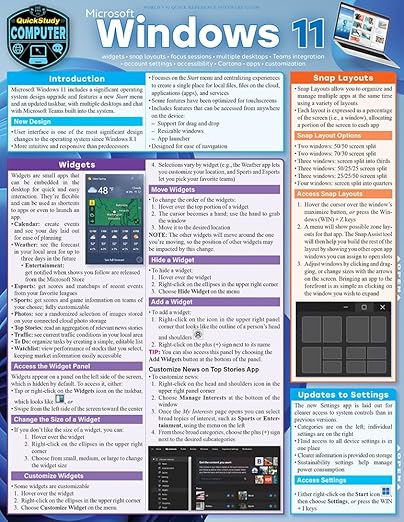
The new Features of Windows 11 Professional Windows 11 includes excellent features that will make it easier to complete your activities and increase your productivity. These capabilities are mirrored in the start button, the ability to swiftly access applications, and the new addition Microsoft Teams. These characteristics will be explored more below. A new design with a central start button Microsoft removes the tiles in Windows 11 and replaces them with a Start button in the center of the taskbar. The fast launch bar, which was formerly located on the far left, is now similar to Apple's macOS. Overall, the new operating system Windows 11 Professional has a more basic and fresh appearance. Users may quickly access the most recently used files via the Start menu, thanks to the cloud connection and Microsoft 365, even if they were previously opened on an Android or iOS device. In addition, Microsoft is offering new sounds, icons, and backdrops. Faster Access to Programs and New Widgets Microsoft has added new widgets to its new operating system Windows 11 Professional. They can be used to show the most recent news from multiple news sources as well as weather information at a glance. An integrated AI (artificial intelligence) recognizes the user's preferences and personalizes the feed appropriately, according to Microsoft. For the first time, Microsoft introduces "Focus Mode," which can be engaged in the Watch app and allows for uninterrupted work. Microsoft Teams Microsoft Teams has become an important communication tool for many people in the Corona pandemic - not least because of home offices. In Windows 11 Professional, the program is integrated directly into the taskbar, making it quicker to access. In the future, team services such as mute and screen sharing will be accessible right from the taskbar.
The new Features of Windows 11 Professional Windows 11 includes excellent features that will make it easier to complete your activities and increase your productivity. These capabilities are mirrored in the start button, the ability to swiftly access applications, and the new addition Microsoft Teams. These characteristics will be explored more below. A new design with a central start button Microsoft removes the tiles in Windows 11 and replaces them with a Start button in the center of the taskbar. The fast launch bar, which was formerly located on the far left, is now similar to Apple's macOS. Overall, the new operating system Windows 11 Professional has a more basic and fresh appearance. Users may quickly access the most recently used files via the Start menu, thanks to the cloud connection and Microsoft 365, even if they were previously opened on an Android or iOS device. In addition, Microsoft is offering new sounds, icons, and backdrops. Faster Access to Programs and New Widgets Microsoft has added new widgets to its new operating system Windows 11 Professional. They can be used to show the most recent news from multiple news sources as well as weather information at a glance. An integrated AI (artificial intelligence) recognizes the user's preferences and personalizes the feed appropriately, according to Microsoft. For the first time, Microsoft introduces "Focus Mode," which can be engaged in the Watch app and allows for uninterrupted work. Microsoft Teams Microsoft Teams has become an important communication tool for many people in the Corona pandemic - not least because of home offices. In Windows 11 Professional, the program is integrated directly into the taskbar, making it quicker to access. In the future, team services such as mute and screen sharing will be accessible right from the taskbar.
The new Features of Windows 11 Professional Windows 11 includes excellent features that will make it easier to complete your activities and increase your productivity. These capabilities are mirrored in the start button, the ability to swiftly access applications, and the new addition Microsoft Teams. These characteristics will be explored more below. A new design with a central start button Microsoft removes the tiles in Windows 11 and replaces them with a Start button in the center of the taskbar. The fast launch bar, which was formerly located on the far left, is now similar to Apple's macOS. Overall, the new operating system Windows 11 Professional has a more basic and fresh appearance. Users may quickly access the most recently used files via the Start menu, thanks to the cloud connection and Microsoft 365, even if they were previously opened on an Android or iOS device. In addition, Microsoft is offering new sounds, icons, and backdrops. Faster Access to Programs and New Widgets Microsoft has added new widgets to its new operating system Windows 11 Professional. They can be used to show the most recent news from multiple news sources as well as weather information at a glance. An integrated AI (artificial intelligence) recognizes the user's preferences and personalizes the feed appropriately, according to Microsoft. For the first time, Microsoft introduces "Focus Mode," which can be engaged in the Watch app and allows for uninterrupted work. Microsoft Teams Microsoft Teams has become an important communication tool for many people in the Corona pandemic - not least because of home offices. In Windows 11 Professional, the program is integrated directly into the taskbar, making it quicker to access. In the future, team services such as mute and screen sharing will be accessible right from the taskbar.
The new Features of Windows 11 Professional Windows 11 includes excellent features that will make it easier to complete your activities and increase your productivity. These capabilities are mirrored in the start button, the ability to swiftly access applications, and the new addition Microsoft Teams. These characteristics will be explored more below. A new design with a central start button Microsoft removes the tiles in Windows 11 and replaces them with a Start button in the center of the taskbar. The fast launch bar, which was formerly located on the far left, is now similar to Apple's macOS. Overall, the new operating system Windows 11 Professional has a more basic and fresh appearance. Users may quickly access the most recently used files via the Start menu, thanks to the cloud connection and Microsoft 365, even if they were previously opened on an Android or iOS device. In addition, Microsoft is offering new sounds, icons, and backdrops. Faster Access to Programs and New Widgets Microsoft has added new widgets to its new operating system Windows 11 Professional. They can be used to show the most recent news from multiple news sources as well as weather information at a glance. An integrated AI (artificial intelligence) recognizes the user's preferences and personalizes the feed appropriately, according to Microsoft. For the first time, Microsoft introduces "Focus Mode," which can be engaged in the Watch app and allows for uninterrupted work. Microsoft Teams Microsoft Teams has become an important communication tool for many people in the Corona pandemic - not least because of home offices. In Windows 11 Professional, the program is integrated directly into the taskbar, making it quicker to access. In the future, team services such as mute and screen sharing will be accessible right from the taskbar.
in 5 offers
The lowest price for Microsoft Windows 11 Pro Digital Download right now is $99.00 at PC World, compared across 5 retailers.
The all-time low was $6.56 on 5 June 2026 — today's price is 1409% above the lowest ever. It has been notably cheaper before — worth setting a price alert.
Prices last updated 16 Oct 2026.
Last updated at 16/10/2026 06:09:35
Windows 11 Professional
Free next-day delivery
Microsoft Windows 11 Pro ESD
Free 30-day returns
Microsoft Windows 11 Pro [Digital Download]
Free delivery
Microsoft Windows 11 Pro Digital Download
Free delivery between 20–27 Oct
Microsoft Windows 11 Pro Digital Download
Free delivery between 19–24 Oct
| Brand | Microsoft |
| Type | Windows |
Windows 11 Professional
Free next-day delivery
Microsoft Windows 11 Pro ESD
Free 30-day returns
Microsoft Windows 11 Pro [Digital Download]
Free delivery
Microsoft Windows 11 Pro Digital Download
Free delivery between 20–27 Oct
Microsoft Windows 11 Pro Digital Download
Free delivery between 19–24 Oct
| Brand | Microsoft |
| Type | Windows |