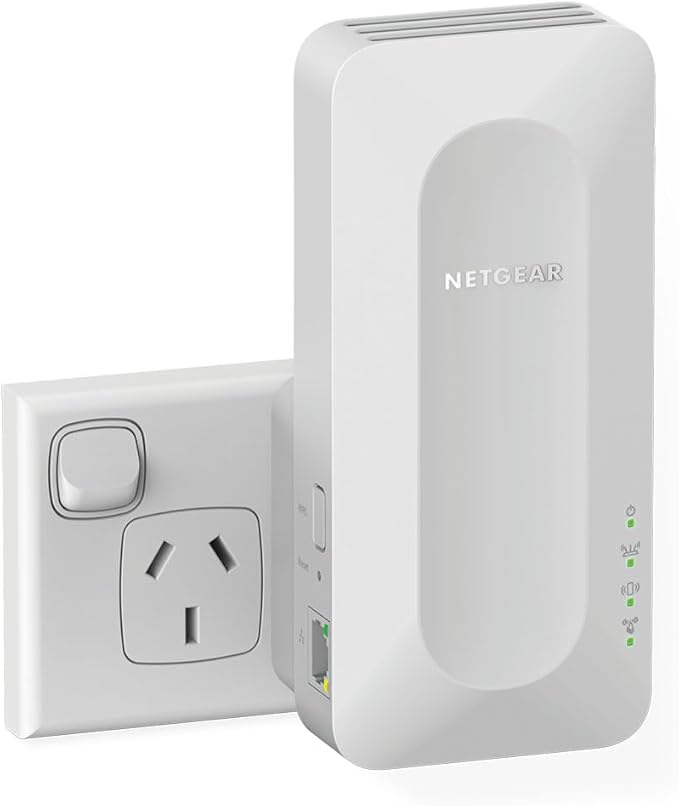
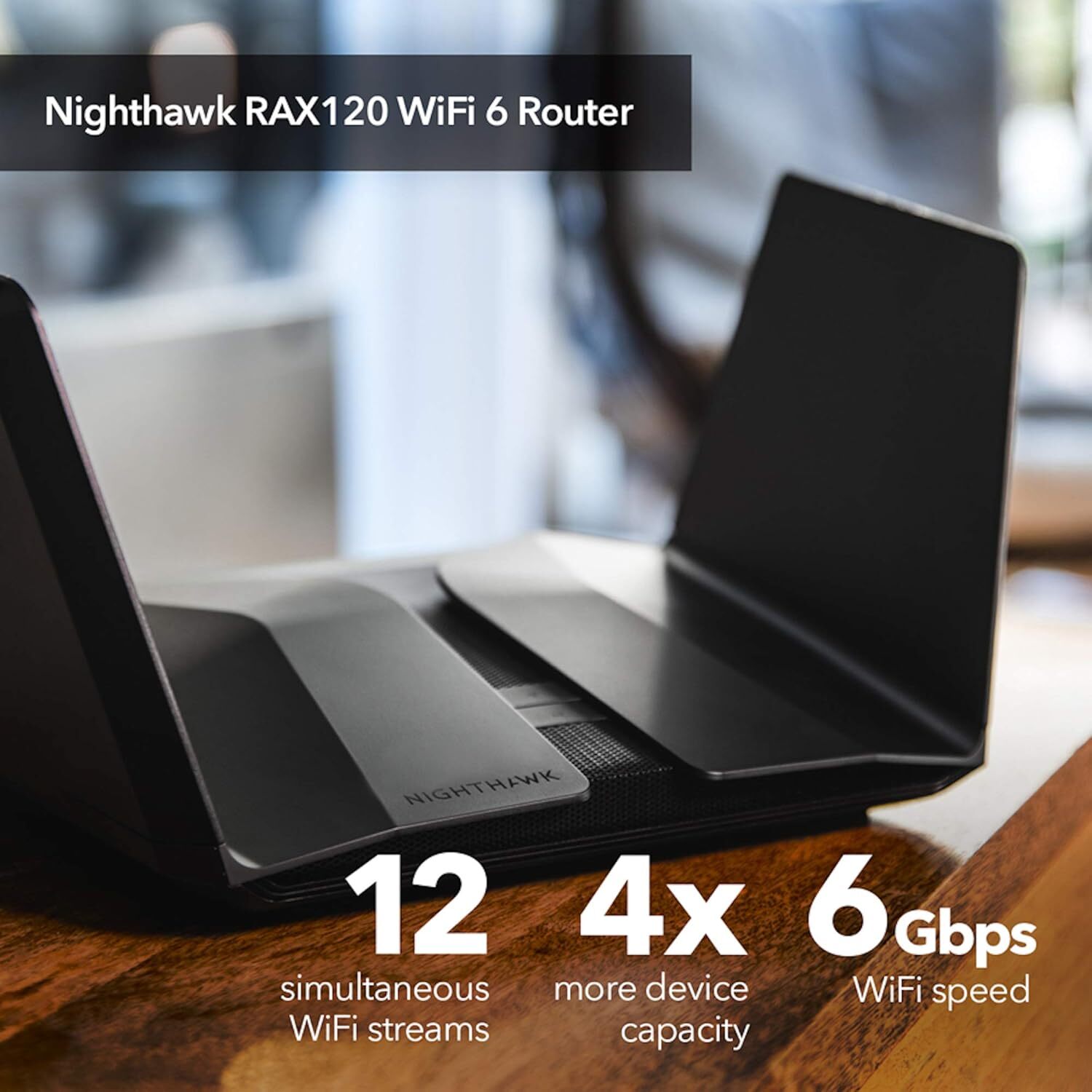
Easily Create a Mesh WiFi 6 System with your Existing Router Expand coverage of your Existing Router using your current WiFi name and password. This desktop design has two powerful internal antennas that extend WiFi signals to where your router WiFi cannot reach. This AX1800 Mesh Extender is backward compatible with previous WiFi generations (11b/g/n/a/ac) and will work with all your existing internet-connected devices. Better Coverage for the Smart Home Get reliable WiFi for all your smart devices wherever they’re installed in your home: the front door, the garage, and everywhere in between. Easy Setup and Use with the Nighthawk App With the Nighthawk app, setup takes just minutes, so you can start enjoying better WiFi sooner. You can also see your connected devices, run an internet speed test, manage your NETGEAR service subscriptions, and more from the palm of your hand. Features Latest-Generation WiFi 6 The latest standard of WiFi delivers the very best speeds and device capacity. Gigabit Speeds for Mobile Devices Combined WiFi 6 speeds of up to 6Gbps are extended throughout your home. Expansive Coverage Create a powerful mesh network and get wider range to cover every corner of your home, even in places your router can’t reach. Compatible with Your Existing Router Backwards compatible with non-WiFi 6 routers. Unlock the best performance when you use with a Nighthawk WiFi 6 router. Network Efficiency Efficient data transmission makes it possible to enjoy Gigabit WiFi speeds on more devices at once. Smart Roaming Automatically connect to the best WiFi signal as you move throughout your house.
Easily Create a Mesh WiFi 6 System with your Existing Router Expand coverage of your Existing Router using your current WiFi name and password. This desktop design has two powerful internal antennas that extend WiFi signals to where your router WiFi cannot reach. This AX1800 Mesh Extender is backward compatible with previous WiFi generations (11b/g/n/a/ac) and will work with all your existing internet-connected devices. Better Coverage for the Smart Home Get reliable WiFi for all your smart devices wherever they’re installed in your home: the front door, the garage, and everywhere in between. Easy Setup and Use with the Nighthawk App With the Nighthawk app, setup takes just minutes, so you can start enjoying better WiFi sooner. You can also see your connected devices, run an internet speed test, manage your NETGEAR service subscriptions, and more from the palm of your hand. Features Latest-Generation WiFi 6 The latest standard of WiFi delivers the very best speeds and device capacity. Gigabit Speeds for Mobile Devices Combined WiFi 6 speeds of up to 6Gbps are extended throughout your home. Expansive Coverage Create a powerful mesh network and get wider range to cover every corner of your home, even in places your router can’t reach. Compatible with Your Existing Router Backwards compatible with non-WiFi 6 routers. Unlock the best performance when you use with a Nighthawk WiFi 6 router. Network Efficiency Efficient data transmission makes it possible to enjoy Gigabit WiFi speeds on more devices at once. Smart Roaming Automatically connect to the best WiFi signal as you move throughout your house.
in 1 offers
The lowest price for right now is .
Netgear Nighthawk AX6000 8-Stream Wi-Fi 6 Mesh Extender (EAX80)
Easily Create a Mesh WiFi 6 System with your Existing Router Expand coverage of your Existing Router using your current WiFi name and password. This desktop design has two powerful internal antennas that extend WiFi signals to where your router WiFi cannot reach. This AX1800 Mesh Extender is backward compatible with previous WiFi generations (11b/g/n/a/ac) and will work with all your existing internet-connected devices. Better Coverage for the Smart Home Get reliable WiFi for all your smart devices wherever they’re installed in your home: the front door, the garage, and everywhere in between. Easy Setup and Use with the Nighthawk App With the Nighthawk app, setup takes just minutes, so you can start enjoying better WiFi sooner. You can also see your connected devices, run an internet speed test, manage your NETGEAR service subscriptions, and more from the palm of your hand. Features Latest-Generation WiFi 6 The latest standard of WiFi delivers the very best speeds and device capacity. Gigabit Speeds for Mobile Devices Combined WiFi 6 speeds of up to 6Gbps are extended throughout your home. Expansive Coverage Create a powerful mesh network and get wider range to cover every corner of your home, even in places your router can’t reach. Compatible with Your Existing Router Backwards compatible with non-WiFi 6 routers. Unlock the best performance when you use with a Nighthawk WiFi 6 router. Network Efficiency Efficient data transmission makes it possible to enjoy Gigabit WiFi speeds on more devices at once. Smart Roaming Automatically connect to the best WiFi signal as you move throughout your house.
Easily Create a Mesh WiFi 6 System with your Existing Router Expand coverage of your Existing Router using your current WiFi name and password. This desktop design has two powerful internal antennas that extend WiFi signals to where your router WiFi cannot reach. This AX1800 Mesh Extender is backward compatible with previous WiFi generations (11b/g/n/a/ac) and will work with all your existing internet-connected devices. Better Coverage for the Smart Home Get reliable WiFi for all your smart devices wherever they’re installed in your home: the front door, the garage, and everywhere in between. Easy Setup and Use with the Nighthawk App With the Nighthawk app, setup takes just minutes, so you can start enjoying better WiFi sooner. You can also see your connected devices, run an internet speed test, manage your NETGEAR service subscriptions, and more from the palm of your hand. Features Latest-Generation WiFi 6 The latest standard of WiFi delivers the very best speeds and device capacity. Gigabit Speeds for Mobile Devices Combined WiFi 6 speeds of up to 6Gbps are extended throughout your home. Expansive Coverage Create a powerful mesh network and get wider range to cover every corner of your home, even in places your router can’t reach. Compatible with Your Existing Router Backwards compatible with non-WiFi 6 routers. Unlock the best performance when you use with a Nighthawk WiFi 6 router. Network Efficiency Efficient data transmission makes it possible to enjoy Gigabit WiFi speeds on more devices at once. Smart Roaming Automatically connect to the best WiFi signal as you move throughout your house.
The all-time low was $112.12 on 2 May 2023 — today's price is 411% above the lowest ever. It has been notably cheaper before — worth setting a price alert.
Prices last updated 23 Apr 2026.
Last updated at 23/04/2026 07:55:24
NETGEAR Nighthawk AX8 8-Stream WiFi 6 Mesh Extender (EAX80-100NAS)
Delivery between 27 Apr – 1 May $15.52
originally posted on netgear.com
I purchased this product after seeing multiple positive reviews on tech review sites. There were some negative reviews on Amazon but there are always a few. I should have listened to what they said. When the Nighthawk Mesh extender arrived, I followed the installation instructions using the Nighthawk app. The QR code didn’t scan correctly so I did a manual install. Unfortunately I had to stop when it mentioned using the “included” Ethernet cable, which wasn’t included. I then configured it using the WPS approach but none of my devices received any signal despite the extender appearing to transmit. On my iPhone, I kept getting a separate security certificate error message and it didn’t receive internet either. I tried to go through the reconfiguration steps several ... MoreI purchased this product after seeing multiple positive reviews on tech review sites. There were some negative reviews on Amazon but there are always a few. I should have listened to what they said. When the Nighthawk Mesh extender arrived, I followed the installation instructions using the Nighthawk app. The QR code didn’t scan correctly so I did a manual install. Unfortunately I had to stop when it mentioned using the “included” Ethernet cable, which wasn’t included. I then configured it using the WPS approach but none of my devices received any signal despite the extender appearing to transmit. On my iPhone, I kept getting a separate security certificate error message and it didn’t receive internet either. I tried to go through the reconfiguration steps several more times and then called tech support. After being on hold for almost an hour, I was connected to someone who said I needed to speak to a specialist. I was on hold for 30 more minutes. By this point, when I checked my computer, it seemed to be receiving a signal. I couldn’t check my phone because I was speaking on it, but the tech support person said that the error message I got was nothing to worry about and it shouldn’t appear again. But the next day, it did and I couldn’t send email from my iPhone without shutting off the nighthawk extender. I looked online for solutions and apparently this is a common, known problem with this extender and Apple products. All of the “solutions” being suggested on the community forum involved significant admin level changes to fix and many seemed to weaken network security. As an IT professional, I’m perfectly capable of doing complex command language level changes, but not if it compromises my network security. Consequently, I ended up returning the product. The return process seems to have gone smoothly but I’ve not seen my charge refunded yet so I’m reluctant to say that it’s too easy. Overall, I’d recommend going with a brand other than Netgear especially if you have Apple devices that you need to connect.
originally posted on bestbuy.com
The bottom line technical issue with this device. That they don't tell you about, until it's too late is. When you do a factory reset, you can not use the same Network name and password again with it. so EVERYTHING you have in your home that connects to the internet- must be completely reinstalled and updated. Moreover, this product is a mess. I tried it for a year. IT would lock up an shut down the internet about once every 2 months, I have to do 5 full factory rests- which forced me to change my network id and password every time- so every device (80 total between smart home devices and tablets phones, computers ect on my network) had to be manually reinstalled and set up every time , every time. Each time I had to do this it took almost 2 hours on the phone with ... MoreThe bottom line technical issue with this device. That they don't tell you about, until it's too late is. When you do a factory reset, you can not use the same Network name and password again with it. so EVERYTHING you have in your home that connects to the internet- must be completely reinstalled and updated. Moreover, this product is a mess. I tried it for a year. IT would lock up an shut down the internet about once every 2 months, I have to do 5 full factory rests- which forced me to change my network id and password every time- so every device (80 total between smart home devices and tablets phones, computers ect on my network) had to be manually reinstalled and set up every time , every time. Each time I had to do this it took almost 2 hours on the phone with Netgear and about 6 hours of reinstalling my devices and smart home automation. the tech support from Netgear was a disaster every time. they insisted their steps would fix it and insisted I was wrong when I told them it was what I did the last time. And every time they left me in a lurch. They would not honor a refund and replacement. And Best Buy would also not honor a refund or replacement. I also paid for the extremely expensive extended support through Netgear which would not be prorated through a refund. All told I spent about 800.00 on this system. and it was a nightmare every 8 weeks. please stay away- by the time you realize it's not going to work for you in the way you need it to. it will be too late to get your money back.
originally posted on bestbuy.com
The Orbi system has been largely disappointing. After one of my Asus routers died (from extreme environmental conditions), I sprung for the Orbi to get the improved speed/coverage, and I thought Netgear would have a good back-end without having to fiddle around with flashing custom firmware.The initial Orbi setup was straightforward, but I had an issue with one the satellites right from the start but didn’t think much of it as most of my coverage needs at the time were being met between the router and the functioning satellite. Now that I have additional IoT devices ranging further afield, I wanted to get the faulty satellite working. I tried factory resetting and opened a warranty case with Netgear to troubleshoot or replace, but after several weeks getting the ... MoreThe Orbi system has been largely disappointing. After one of my Asus routers died (from extreme environmental conditions), I sprung for the Orbi to get the improved speed/coverage, and I thought Netgear would have a good back-end without having to fiddle around with flashing custom firmware.The initial Orbi setup was straightforward, but I had an issue with one the satellites right from the start but didn’t think much of it as most of my coverage needs at the time were being met between the router and the functioning satellite. Now that I have additional IoT devices ranging further afield, I wanted to get the faulty satellite working. I tried factory resetting and opened a warranty case with Netgear to troubleshoot or replace, but after several weeks getting the same generic “reset the router”, “re-sync the satellite”, etc nonsense from Netgear, I’m ready to throw in the towel, because I don’t have the time for this BS. Based on the performance of the router and functioning satellite, I think the Orbi system is very solid when it works, but if you get a lemon, return it ASAP or you will get jacked around by Netgear and not get a replacement.The app and web-based admin portal are pretty weak, particularly if you’ve had an Asus or other router with more advanced functionality. You can revoke network access for devices but can’t allow local access without internet access. All the parental controls and traffic monitoring require a subscription which is ridiculous. It’s fair to say that I made an ill-informed (and expensive) purchase, so I thought I’d write a review to prevent others from making the same mistake. If you just want to set it and forget and get great coverage, this is probably a good option, but if you have any issues during the initial setup, RETURN IT IMMEDIATELY. If you want some semblance of network control without paying for a subscription, find something else. And if you have to make a warranty claim, I hope you have better luck than me.
| Performance | |
| Ethernet LAN data rates | 10,100,1000 Mbit/s |
| Type | Network transmitter |
| Networking | |
| Security algorithms | 128-bit AES,WEP |
NETGEAR Nighthawk AX8 8-Stream WiFi 6 Mesh Extender (EAX80-100NAS)
Delivery between 27 Apr – 1 May $15.52
I purchased this product after seeing multiple positive reviews on tech review sites. There were some negative reviews on Amazon but there are always a few. I should have listened to what they said. When the Nighthawk Mesh extender arrived, I followed the installation instructions using the Nighthawk app. The QR code didn’t scan correctly so I did a manual install. Unfortunately I had to stop when it mentioned using the “included” Ethernet cable, which wasn’t included. I then configured it using the WPS approach but none of my devices received any signal despite the extender appearing to transmit. On my iPhone, I kept getting a separate security certificate error message and it didn’t receive internet either. I tried to go through the reconfiguration steps several ... MoreI purchased this product after seeing multiple positive reviews on tech review sites. There were some negative reviews on Amazon but there are always a few. I should have listened to what they said. When the Nighthawk Mesh extender arrived, I followed the installation instructions using the Nighthawk app. The QR code didn’t scan correctly so I did a manual install. Unfortunately I had to stop when it mentioned using the “included” Ethernet cable, which wasn’t included. I then configured it using the WPS approach but none of my devices received any signal despite the extender appearing to transmit. On my iPhone, I kept getting a separate security certificate error message and it didn’t receive internet either. I tried to go through the reconfiguration steps several more times and then called tech support. After being on hold for almost an hour, I was connected to someone who said I needed to speak to a specialist. I was on hold for 30 more minutes. By this point, when I checked my computer, it seemed to be receiving a signal. I couldn’t check my phone because I was speaking on it, but the tech support person said that the error message I got was nothing to worry about and it shouldn’t appear again. But the next day, it did and I couldn’t send email from my iPhone without shutting off the nighthawk extender. I looked online for solutions and apparently this is a common, known problem with this extender and Apple products. All of the “solutions” being suggested on the community forum involved significant admin level changes to fix and many seemed to weaken network security. As an IT professional, I’m perfectly capable of doing complex command language level changes, but not if it compromises my network security. Consequently, I ended up returning the product. The return process seems to have gone smoothly but I’ve not seen my charge refunded yet so I’m reluctant to say that it’s too easy. Overall, I’d recommend going with a brand other than Netgear especially if you have Apple devices that you need to connect.
The bottom line technical issue with this device. That they don't tell you about, until it's too late is. When you do a factory reset, you can not use the same Network name and password again with it. so EVERYTHING you have in your home that connects to the internet- must be completely reinstalled and updated. Moreover, this product is a mess. I tried it for a year. IT would lock up an shut down the internet about once every 2 months, I have to do 5 full factory rests- which forced me to change my network id and password every time- so every device (80 total between smart home devices and tablets phones, computers ect on my network) had to be manually reinstalled and set up every time , every time. Each time I had to do this it took almost 2 hours on the phone with ... MoreThe bottom line technical issue with this device. That they don't tell you about, until it's too late is. When you do a factory reset, you can not use the same Network name and password again with it. so EVERYTHING you have in your home that connects to the internet- must be completely reinstalled and updated. Moreover, this product is a mess. I tried it for a year. IT would lock up an shut down the internet about once every 2 months, I have to do 5 full factory rests- which forced me to change my network id and password every time- so every device (80 total between smart home devices and tablets phones, computers ect on my network) had to be manually reinstalled and set up every time , every time. Each time I had to do this it took almost 2 hours on the phone with Netgear and about 6 hours of reinstalling my devices and smart home automation. the tech support from Netgear was a disaster every time. they insisted their steps would fix it and insisted I was wrong when I told them it was what I did the last time. And every time they left me in a lurch. They would not honor a refund and replacement. And Best Buy would also not honor a refund or replacement. I also paid for the extremely expensive extended support through Netgear which would not be prorated through a refund. All told I spent about 800.00 on this system. and it was a nightmare every 8 weeks. please stay away- by the time you realize it's not going to work for you in the way you need it to. it will be too late to get your money back.
The Orbi system has been largely disappointing. After one of my Asus routers died (from extreme environmental conditions), I sprung for the Orbi to get the improved speed/coverage, and I thought Netgear would have a good back-end without having to fiddle around with flashing custom firmware.The initial Orbi setup was straightforward, but I had an issue with one the satellites right from the start but didn’t think much of it as most of my coverage needs at the time were being met between the router and the functioning satellite. Now that I have additional IoT devices ranging further afield, I wanted to get the faulty satellite working. I tried factory resetting and opened a warranty case with Netgear to troubleshoot or replace, but after several weeks getting the ... MoreThe Orbi system has been largely disappointing. After one of my Asus routers died (from extreme environmental conditions), I sprung for the Orbi to get the improved speed/coverage, and I thought Netgear would have a good back-end without having to fiddle around with flashing custom firmware.The initial Orbi setup was straightforward, but I had an issue with one the satellites right from the start but didn’t think much of it as most of my coverage needs at the time were being met between the router and the functioning satellite. Now that I have additional IoT devices ranging further afield, I wanted to get the faulty satellite working. I tried factory resetting and opened a warranty case with Netgear to troubleshoot or replace, but after several weeks getting the same generic “reset the router”, “re-sync the satellite”, etc nonsense from Netgear, I’m ready to throw in the towel, because I don’t have the time for this BS. Based on the performance of the router and functioning satellite, I think the Orbi system is very solid when it works, but if you get a lemon, return it ASAP or you will get jacked around by Netgear and not get a replacement.The app and web-based admin portal are pretty weak, particularly if you’ve had an Asus or other router with more advanced functionality. You can revoke network access for devices but can’t allow local access without internet access. All the parental controls and traffic monitoring require a subscription which is ridiculous. It’s fair to say that I made an ill-informed (and expensive) purchase, so I thought I’d write a review to prevent others from making the same mistake. If you just want to set it and forget and get great coverage, this is probably a good option, but if you have any issues during the initial setup, RETURN IT IMMEDIATELY. If you want some semblance of network control without paying for a subscription, find something else. And if you have to make a warranty claim, I hope you have better luck than me.
We are a tech-heavy house and while we have not fully adopted the “Internet of Things”, I do have around 35 devices connecting to the Internet. What makes it worse, is that both my wife and I work from home in the IT industry with constant Zoom/Teams meetings all day. Our setup provides the primary connection in our living room, which is on the far end of a 4000 square-foot home, with her office on the other end and mine in the basement. So to get the coverage we needed, I have tried the Nighthawk series with a wired backbone to extenders that still was not able to provide the proper speeds and stability that I have seen with this system.My setup provides a wired backbone from the main router to the first satellite and a second wire backbone to the basement office ... MoreWe are a tech-heavy house and while we have not fully adopted the “Internet of Things”, I do have around 35 devices connecting to the Internet. What makes it worse, is that both my wife and I work from home in the IT industry with constant Zoom/Teams meetings all day. Our setup provides the primary connection in our living room, which is on the far end of a 4000 square-foot home, with her office on the other end and mine in the basement. So to get the coverage we needed, I have tried the Nighthawk series with a wired backbone to extenders that still was not able to provide the proper speeds and stability that I have seen with this system.My setup provides a wired backbone from the main router to the first satellite and a second wire backbone to the basement office switch. The third satellite has been set up beside my wife’s desk in which she has her work PC hardwired. We have noticed that using this connection we are hitting around 700 mb download speed off of our 1gb network in all locations (I do wonder if this would be faster if the processor within the router was stronger than a 1.4 GHz quad-core). So some drop rate is to be expected, but unlike our previous Nighthawk system, we no longer have DNS issues.The only disadvantage I’ve seen is that during the first week, it seemed a little slow to respond to the devices being connected. Each time a device was to re-connect there was a lag before it would set the internet would connect. But this has gone away and it is performing beyond my expectations.
After being a loyal Netgear customer for years, it only made sense to use them for a mesh system as I was adding a 10 camera HD security system. Especially, because of all of the features including network haul back and the fairly good reviews. What I experienced was a system that would run great for a few months and then need to be rebooted every other day. On top of all of that, in order to reconnect to the satellites, I had to disconnect the haul back to the satellites and then perform multiple reboots to get them to communicate again. Dropping the packet size helped a little but the problem always returned. After many months of this, I used my warranty at BB to get a new set because this was obviously just a bad unit right? Well after a couple of months, the new ... MoreAfter being a loyal Netgear customer for years, it only made sense to use them for a mesh system as I was adding a 10 camera HD security system. Especially, because of all of the features including network haul back and the fairly good reviews. What I experienced was a system that would run great for a few months and then need to be rebooted every other day. On top of all of that, in order to reconnect to the satellites, I had to disconnect the haul back to the satellites and then perform multiple reboots to get them to communicate again. Dropping the packet size helped a little but the problem always returned. After many months of this, I used my warranty at BB to get a new set because this was obviously just a bad unit right? Well after a couple of months, the new hardware was doing the exact same thing. I retuned them and purchased a Linksys AX 3600 satellite set and have had zero issues since. Every quarter or so now, I will do a reset from the app and it works seamlessly without any headaches. Three minutes later and all 25 or so devices are singing in the choir. Sorry Netgear, I tried, but the Nighthawk system was a fail for me. YMMV, but I am not missing any of that pain and I am so thankful that BB saved the day with very affordable warranties. One of the many reasons that I am a loyal BB customer as well.
I bought these with hopes they would give good coverage and good performance across the 2 stories and the basement of my house. Unfortunately, my hopes did not pan out.Setup for this was a bit of a pain. I set it up via the mobile app, and during the setup process, renamed the SSID (which was an option given in setup). After I did that, my phone wouldn't connect again and left the router in a totally weird, and unusable state (even with ethernet plugged in directly). I ended up having to reset all 3 of the units, and start over from scratch. This time, I didn't rename the SSID during setup and it finished successfully. I then renamed the SSID later, and that worked fine. Overall, setup was trickier than I would have hoped, and definitely more complicated than the ... MoreI bought these with hopes they would give good coverage and good performance across the 2 stories and the basement of my house. Unfortunately, my hopes did not pan out.Setup for this was a bit of a pain. I set it up via the mobile app, and during the setup process, renamed the SSID (which was an option given in setup). After I did that, my phone wouldn't connect again and left the router in a totally weird, and unusable state (even with ethernet plugged in directly). I ended up having to reset all 3 of the units, and start over from scratch. This time, I didn't rename the SSID during setup and it finished successfully. I then renamed the SSID later, and that worked fine. Overall, setup was trickier than I would have hoped, and definitely more complicated than the other Netgear routers I had. I get it that there are 3 units to deal with, but it should never get into an unusable state like that.One drawback for me during setup was that it did not allow you to split your network by bands (e.g. 2Ghz vs 5Ghz). This was surprising since all other Netgear routers do this, and it made it a) impossible to segment the traffic of the IOT devices from the interactive devices, and b) made it impossible to set up some of my 2Ghz-only devices. Perhaps I could have disabled the 5Ghz radio during setup, but that would be a pain.As far as coverage goes, it was strong in all corners of my house, and I had full strength everywhere, which was great. And the throughput seemed decent overall bandwidth-wise.However, as soon as my household started using the network, I got complaints from everyone that it felt slow. My son, who plays multiplayer video games, said the ping time was very slow. My wife, who does office productivity work on her laptop (which was 5 feet away from the router) said it felt slow. I, who do lots of Zoom calls, felt it was ok, but it did feel like it wasn't running full strength either from what I was used to. Not terrible, but definitely sluggish. I rebooted all the units, but that didn't make any difference.For my house, I was 0/3 for some core usage, so I returned it after just a couple of days of usage. I am confident it wasn't just that I had something set up wrong, there definitely seemed to be an overall issue with these for my house.I ultimately replaced it with a Netgear Nighthawk RAXE500. Coverage in the corners of my house is a bit worse, but the speed is great, I got to split between 2Ghz and 5Ghz, and all of the latency issues are gone. Most of all, everyone is happy.
In good conscience, I can't give this extender a 1-star rating even though that's what it was worth to me. I purchased it because I had very successfully used previous versions of it (EX8000 or whatever other name they called it). I expected this model to be even better, and I think it definitely has that potential.However, one very essential feature that I required of this model, just as provided with the EX8000, was the ability to create a guest network. Nix. Doesn't have it. Perhaps never will. Why in tarnation would Netgear simply remove (with no findable information of that fact) a feature they (and every other router/AP/extender manufacturer) provide in all sorts of other networking products?So, I tried contacting Netgear to see if, just maybe, they ... MoreIn good conscience, I can't give this extender a 1-star rating even though that's what it was worth to me. I purchased it because I had very successfully used previous versions of it (EX8000 or whatever other name they called it). I expected this model to be even better, and I think it definitely has that potential.However, one very essential feature that I required of this model, just as provided with the EX8000, was the ability to create a guest network. Nix. Doesn't have it. Perhaps never will. Why in tarnation would Netgear simply remove (with no findable information of that fact) a feature they (and every other router/AP/extender manufacturer) provide in all sorts of other networking products?So, I tried contacting Netgear to see if, just maybe, they intended to provide a firmware update that would fix this omission. That turned out to be a totally hopeless endeavor. Their email tech support was just plain abominable. I asked that single, very simple one-sentence question. No one would believe the different responses I got, all of which failed to even approach a simple answer. I gave up and returned it.Bottom line, I've liked and used many Netgear products for many years. This experience has left me wondering if I'll bother trying anything new of theirs in the future. Again, I think this extender has great potential, but if they make decisions to remove features without notice and then provide just plain awful tech support, why would anyone buy it. Now, if you have no need for using it to provide a guest network, maybe you won't mind paying the price that I had to look past to allow myself to purchase it.Good luck!
We bought this to help cover our guest house which is about 25 feet away from the main house, above a detached garage. We have fast wifi, but the connectivity at the furthest point (about 50 ft away) was very weak. After setting up the extender in the same room as the router, we then moved it to the guesthouse to help cover the range. I had to contact customer service for troubleshooting the initial setup, but I was able to get it resolved very quickly with the help of their professional techs. This extender really helps cover our whole property now! About 0.75 of an acre, two-story house, with over 2k sqft of living space covered!We use Spectrum with a 1g router, though we pay for speeds up to 500mbps. On average we were getting around 150-200 before adding the ... MoreWe bought this to help cover our guest house which is about 25 feet away from the main house, above a detached garage. We have fast wifi, but the connectivity at the furthest point (about 50 ft away) was very weak. After setting up the extender in the same room as the router, we then moved it to the guesthouse to help cover the range. I had to contact customer service for troubleshooting the initial setup, but I was able to get it resolved very quickly with the help of their professional techs. This extender really helps cover our whole property now! About 0.75 of an acre, two-story house, with over 2k sqft of living space covered!We use Spectrum with a 1g router, though we pay for speeds up to 500mbps. On average we were getting around 150-200 before adding the extender, and now we are seeing closer to 400mbps on a good day with solid connection in all living spaces! Very fast for what we are using it for (currently only 4k streaming, no major gaming). This router helps cover multiple devices at the same time with virtually no lag. Recently I checked with guests staying, we had over 12 devices connected at once and no change to our speed or connection. This was at least 4 phones, smart watches, computers, two TVs, and a baby monitor. Just pull the trigger on this one and pay the extra few bucks, you'll be satisfied with the quality of this product and the customer service support paired with it as well! The spectrum router is nice, but I plan to eventually purchase a nicer Nighthawk router to pair with this extender, so I'm no longer renting the Spectrum router. God bless you all!
I have been using this mesh system for just over a week now and have been very satisfied so far. The installation and setup was very easy through the Orbi app - it took an hour or less to get the router and 2 satellites set up and working. I use a modem/router combo from ATT and disabled the built-in router (Wi-Fi) from ATT so as not to interfere with the Wi-Fi from the Orbi (so devices will only connect to the Orbi Wi-Fi signal).I mainly purchased this to increase coverage in the corners of a 3-story home. My modem is on the third floor, and I previously had little or no TV streaming signal on the first floor and garage televisions. After installation, using speedtest.net for comparison, my device speeds over WiFi (particularly smart TVs and other devices across ... MoreI have been using this mesh system for just over a week now and have been very satisfied so far. The installation and setup was very easy through the Orbi app - it took an hour or less to get the router and 2 satellites set up and working. I use a modem/router combo from ATT and disabled the built-in router (Wi-Fi) from ATT so as not to interfere with the Wi-Fi from the Orbi (so devices will only connect to the Orbi Wi-Fi signal).I mainly purchased this to increase coverage in the corners of a 3-story home. My modem is on the third floor, and I previously had little or no TV streaming signal on the first floor and garage televisions. After installation, using speedtest.net for comparison, my device speeds over WiFi (particularly smart TVs and other devices across the house from my modem) showed immediate noticeable improvement (10x the previous speed in the room on the first floor). The app allows you to monitor devices on your network and easily control settings and connections; I have not used the app in-depth but so far it seems simple and useful. Overall very happy with this purchase.
In my situation a complete adoption of wifi6 was not an option as I am with an Internet Service Provider that provides a managed DSL gateway/router which is not available yet in a WiFi6 version. Adding the Nighthawk WiFi 6 Mesh Range Extender (EAX80) has significantly improved our antiquated DSL internet experience by providing better wifi handling of the growing number of devices connected.Prior to adding the EAX80 we would have to reset the ISP provided managed DSL router periodically to resolve connected without internet issues found on many devices on the 2.4Ghz channel. Most likely this issue was related to deficiencies and limitations of the ISP DSL gateway/router; of course being ISP managed didn't help since our customer portal has very limited tools for ... MoreIn my situation a complete adoption of wifi6 was not an option as I am with an Internet Service Provider that provides a managed DSL gateway/router which is not available yet in a WiFi6 version. Adding the Nighthawk WiFi 6 Mesh Range Extender (EAX80) has significantly improved our antiquated DSL internet experience by providing better wifi handling of the growing number of devices connected.Prior to adding the EAX80 we would have to reset the ISP provided managed DSL router periodically to resolve connected without internet issues found on many devices on the 2.4Ghz channel. Most likely this issue was related to deficiencies and limitations of the ISP DSL gateway/router; of course being ISP managed didn't help since our customer portal has very limited tools for managing and diagnostics.Since adding the extender we have not had to reset the DSL modem to resolve connected without internet issues as before and it appears to have improved internet stability to all wifi connected devices on our network.The big takeaway is that you can gain benefits of wifi6 in a mixed wireless network even if you can't switch over completely by adding a Nighthawk WiFi 6 Mesh Range Extender in the interim. Additionally the ability to use the same SSID via the extender makes for a more seamless and convenient way to connect and stay connected while roaming too.
| Performance | |
| Ethernet LAN data rates | 10,100,1000 Mbit/s |
| Type | Network transmitter |
| Networking | |
| Security algorithms | 128-bit AES,WEP |