Last updated at 31/08/2026 20:30:07
Razer Basilisk V3 X HyperSpeed Wireless Ergonomic Gaming Mouse (RZ01-04870100-R3A1)
Razer Basilisk V3 X HyperSpeed Wireless Ergonomic Gaming Mouse RZ01-04870100 - Buydeal Australia
Basilisk V3 X Hyperspeed - Customizable Wireless Gaming Mouse (Iconic Ergonomic
Free delivery
Affiliate Disclosure: We may receive a small commission for purchases made through this link at no extra cost to you. This helps support our site. Thank you!
Razer Basilisk X HyperSpeed Wireless Gaming Mouse high-performance gaming mouse
Free delivery
originally posted on bestbuy.ca
I purchased this mouse because I wanted something that would function well for everyday use and occasional gaming. The reason I found this mouse was actually because I was actually looking for a Logitech G502 Hero (my friend has one and I love the shape and how it feels in my hand), and I noticed this mouse pop up. The biggest things that stood out to me were the facts that it’s the same price as the G502, but wireless, lighter, and (this is more specific to me) doesn’t have RGB, which although do look cool, don’t add to the functionality of a mouse and would simply take away from functionality in this high-quality yet budget-minded mouse. After using it side-by-side with the wired G502, it is noticeably lighter, has no noticeable latency compared to the wired G502, ... MoreI purchased this mouse because I wanted something that would function well for everyday use and occasional gaming. The reason I found this mouse was actually because I was actually looking for a Logitech G502 Hero (my friend has one and I love the shape and how it feels in my hand), and I noticed this mouse pop up. The biggest things that stood out to me were the facts that it’s the same price as the G502, but wireless, lighter, and (this is more specific to me) doesn’t have RGB, which although do look cool, don’t add to the functionality of a mouse and would simply take away from functionality in this high-quality yet budget-minded mouse. After using it side-by-side with the wired G502, it is noticeably lighter, has no noticeable latency compared to the wired G502, and the shape is very similar which is good, because it’s a really comfortable shape. Even the owner of the G502 admitted that if he didn’t already have a mouse, he’d buy the Basilisk over the G502. An amazing thing Razer has done here, providing the essentials in a high quality manner, and not including potentially-unnecessary (at least for me) cost-adding accessories. Way to go Razer. (I should also note this is my first Razer product, and it sure won’t be my last)
originally posted on bestbuy.com
I would have given this mouse 5 stars for its incredible wireless feature. Was my favorite mouse, had it for 5 months upon writing this review. I’ve never dropped it, always took care of it when using it. However, yesterday I dropped the mouse and the battery fell out. That’s okay just pop it back in and get back to business. Sad to say the mouse was no longer connecting to my computers Bluetooth, or even connecting it via 2.4 mode upon dropping it. The laser light won’t turn on and the mouse is now useless to me. The light on top blinks which means it is on at least, I even tried replacing the battery thinking that would solve the issue. Next step would be to trouble shoot the software, but it’s a hassle figuring out how to do it. If I figure out the issue I will ... MoreI would have given this mouse 5 stars for its incredible wireless feature. Was my favorite mouse, had it for 5 months upon writing this review. I’ve never dropped it, always took care of it when using it. However, yesterday I dropped the mouse and the battery fell out. That’s okay just pop it back in and get back to business. Sad to say the mouse was no longer connecting to my computers Bluetooth, or even connecting it via 2.4 mode upon dropping it. The laser light won’t turn on and the mouse is now useless to me. The light on top blinks which means it is on at least, I even tried replacing the battery thinking that would solve the issue. Next step would be to trouble shoot the software, but it’s a hassle figuring out how to do it. If I figure out the issue I will change my rating on the mouse. Want my advice, save your 50 dollars and spend it else where. Because it is obvious Razor has cut corners when making their products. This isn’t the first mouse that I’ve bought from them that has broken with in literal months. Really wish they’d actually care at making their mouses durable just as much of it being accessible to use.
originally posted on walmart.com
I liked the shape and feel of it initially. But it wasn't long before it started to shut itself off. Not after a 5 minute delay, like it's supposed to do, but right while using it. Occasionally, I could get it working again by simply sliding the switch off and on again, but most of the time I had to remove and then reinsert the battery to get it working. Slightly annoying, but really not that big a deal since I would use it for 12 hours a day, every day and it only happened 2-3 times per week. Until today, when it stopped working entirely, exactly 3 months after I received it. A green light was flashing on the top of it, which I believe is the low battery indicator, so I put a new battery in. The green light flashed again when I turned it on and it still wouldn't ... MoreI liked the shape and feel of it initially. But it wasn't long before it started to shut itself off. Not after a 5 minute delay, like it's supposed to do, but right while using it. Occasionally, I could get it working again by simply sliding the switch off and on again, but most of the time I had to remove and then reinsert the battery to get it working. Slightly annoying, but really not that big a deal since I would use it for 12 hours a day, every day and it only happened 2-3 times per week. Until today, when it stopped working entirely, exactly 3 months after I received it. A green light was flashing on the top of it, which I believe is the low battery indicator, so I put a new battery in. The green light flashed again when I turned it on and it still wouldn't work. I tried 3 brand new batteries, just in case there might be a faulty battery, but to no avail. It just wouldn't work.
Razer Basilisk V3 X HyperSpeed Wireless Ergonomic Gaming Mouse (RZ01-04870100-R3A1)
Razer Basilisk V3 X HyperSpeed Wireless Ergonomic Gaming Mouse RZ01-04870100 - Buydeal Australia
Basilisk V3 X Hyperspeed - Customizable Wireless Gaming Mouse (Iconic Ergonomic
Free delivery
Affiliate Disclosure: We may receive a small commission for purchases made through this link at no extra cost to you. This helps support our site. Thank you!
Razer Basilisk X HyperSpeed Wireless Gaming Mouse high-performance gaming mouse
Free delivery
I purchased this mouse because I wanted something that would function well for everyday use and occasional gaming. The reason I found this mouse was actually because I was actually looking for a Logitech G502 Hero (my friend has one and I love the shape and how it feels in my hand), and I noticed this mouse pop up. The biggest things that stood out to me were the facts that it’s the same price as the G502, but wireless, lighter, and (this is more specific to me) doesn’t have RGB, which although do look cool, don’t add to the functionality of a mouse and would simply take away from functionality in this high-quality yet budget-minded mouse. After using it side-by-side with the wired G502, it is noticeably lighter, has no noticeable latency compared to the wired G502, ... MoreI purchased this mouse because I wanted something that would function well for everyday use and occasional gaming. The reason I found this mouse was actually because I was actually looking for a Logitech G502 Hero (my friend has one and I love the shape and how it feels in my hand), and I noticed this mouse pop up. The biggest things that stood out to me were the facts that it’s the same price as the G502, but wireless, lighter, and (this is more specific to me) doesn’t have RGB, which although do look cool, don’t add to the functionality of a mouse and would simply take away from functionality in this high-quality yet budget-minded mouse. After using it side-by-side with the wired G502, it is noticeably lighter, has no noticeable latency compared to the wired G502, and the shape is very similar which is good, because it’s a really comfortable shape. Even the owner of the G502 admitted that if he didn’t already have a mouse, he’d buy the Basilisk over the G502. An amazing thing Razer has done here, providing the essentials in a high quality manner, and not including potentially-unnecessary (at least for me) cost-adding accessories. Way to go Razer. (I should also note this is my first Razer product, and it sure won’t be my last)
I would have given this mouse 5 stars for its incredible wireless feature. Was my favorite mouse, had it for 5 months upon writing this review. I’ve never dropped it, always took care of it when using it. However, yesterday I dropped the mouse and the battery fell out. That’s okay just pop it back in and get back to business. Sad to say the mouse was no longer connecting to my computers Bluetooth, or even connecting it via 2.4 mode upon dropping it. The laser light won’t turn on and the mouse is now useless to me. The light on top blinks which means it is on at least, I even tried replacing the battery thinking that would solve the issue. Next step would be to trouble shoot the software, but it’s a hassle figuring out how to do it. If I figure out the issue I will ... MoreI would have given this mouse 5 stars for its incredible wireless feature. Was my favorite mouse, had it for 5 months upon writing this review. I’ve never dropped it, always took care of it when using it. However, yesterday I dropped the mouse and the battery fell out. That’s okay just pop it back in and get back to business. Sad to say the mouse was no longer connecting to my computers Bluetooth, or even connecting it via 2.4 mode upon dropping it. The laser light won’t turn on and the mouse is now useless to me. The light on top blinks which means it is on at least, I even tried replacing the battery thinking that would solve the issue. Next step would be to trouble shoot the software, but it’s a hassle figuring out how to do it. If I figure out the issue I will change my rating on the mouse. Want my advice, save your 50 dollars and spend it else where. Because it is obvious Razor has cut corners when making their products. This isn’t the first mouse that I’ve bought from them that has broken with in literal months. Really wish they’d actually care at making their mouses durable just as much of it being accessible to use.
I liked the shape and feel of it initially. But it wasn't long before it started to shut itself off. Not after a 5 minute delay, like it's supposed to do, but right while using it. Occasionally, I could get it working again by simply sliding the switch off and on again, but most of the time I had to remove and then reinsert the battery to get it working. Slightly annoying, but really not that big a deal since I would use it for 12 hours a day, every day and it only happened 2-3 times per week. Until today, when it stopped working entirely, exactly 3 months after I received it. A green light was flashing on the top of it, which I believe is the low battery indicator, so I put a new battery in. The green light flashed again when I turned it on and it still wouldn't ... MoreI liked the shape and feel of it initially. But it wasn't long before it started to shut itself off. Not after a 5 minute delay, like it's supposed to do, but right while using it. Occasionally, I could get it working again by simply sliding the switch off and on again, but most of the time I had to remove and then reinsert the battery to get it working. Slightly annoying, but really not that big a deal since I would use it for 12 hours a day, every day and it only happened 2-3 times per week. Until today, when it stopped working entirely, exactly 3 months after I received it. A green light was flashing on the top of it, which I believe is the low battery indicator, so I put a new battery in. The green light flashed again when I turned it on and it still wouldn't work. I tried 3 brand new batteries, just in case there might be a faulty battery, but to no avail. It just wouldn't work.
Went in store for this purchase, wasn't even fully set on Razer but it's what I've been using since 2013, so I've been very loyal to their range of mice. Have owned the 2013 orochi (lasted over 6 years!), 2019 deathadder, 2020 naga trinity, and recently added this one to my roster! I was looking for a quality, low-priced, wireless gaming/school mouse. RGB would have been nice but I don't miss it (they didn't have that one in store). I tested all the wireless mice in store for quality: corsair, logitech, steelseries, hyperx, and razer in store. This one or the new orochi were my top 2 based on feel, and kept me debating in store for 20 minutes. The grip and feel (price too lol) were why I chose this one over all others. Also the orochi is a tad bit smaller. ... MoreWent in store for this purchase, wasn't even fully set on Razer but it's what I've been using since 2013, so I've been very loyal to their range of mice. Have owned the 2013 orochi (lasted over 6 years!), 2019 deathadder, 2020 naga trinity, and recently added this one to my roster! I was looking for a quality, low-priced, wireless gaming/school mouse. RGB would have been nice but I don't miss it (they didn't have that one in store). I tested all the wireless mice in store for quality: corsair, logitech, steelseries, hyperx, and razer in store. This one or the new orochi were my top 2 based on feel, and kept me debating in store for 20 minutes. The grip and feel (price too lol) were why I chose this one over all others. Also the orochi is a tad bit smaller. Ergonomics on this mouse are the best you can find for this price-point. Great grips on both sides which is what I was used to on my Naga trinity and DeathAdder. GREAT feeling scroll wheel too, better than my $90 trinity as well. Nice and firm scroll. Overall a great mouse and bluetooth is very fast. The other wireless adapter is provided in easy to remove top panel as well, where battery sits and adapter is in slot.By the way, a battery is included! You never see that these days. Anways, bluetooth wise, the mouse will wake up within 1-2 seconds after sitting dormant. Great bang for the buck, I really respect Razer's line of mice, maybe not all their products, but DEFINITELY their mice. Top of the line quality. I never feel scared buying a Razer mouse. Synapse software was already installed on my PC for me but might scare others when they first plug in the mouse. Clunky software but you can remove the annoying Razer popup when you start your PC in Razer's software settings. I use the software for programming DPI, very helpful. 1200dpi is my go to speed. 10/10 product from Razer. Great if you won't miss a little bit of RGB. Bought it for use at school since the school mice are always...bleh.. let's just say that. Definitely recommend this to someone looking for an affordable office/gaming/school mouse that's wireless.
Got this mouse on sale for $35, phenomenal wireless mouse at that price. It takes 1 AA battery; a single battery will get you somewhere in the ballpark of 150 hours of use.No senseless RGB here, very sleek mouse with decent build quality. Connectivity is a USB dongle, very minimal response delay if any at all. Movement feels crisp and very responsive. The software isn't bad either, I use just synapse for DPI adjustment and profiles. You can remap keys if I'm not mistaken. It has a dedicated DPI button to rotate through different DPI settings. It would be nice if a battery indicator popped up in the DPI notification box, as of now you have to go into synapse to check battery level. I believe the LED on the mouse itself flashes when it's low, most of the time that ... MoreGot this mouse on sale for $35, phenomenal wireless mouse at that price. It takes 1 AA battery; a single battery will get you somewhere in the ballpark of 150 hours of use.No senseless RGB here, very sleek mouse with decent build quality. Connectivity is a USB dongle, very minimal response delay if any at all. Movement feels crisp and very responsive. The software isn't bad either, I use just synapse for DPI adjustment and profiles. You can remap keys if I'm not mistaken. It has a dedicated DPI button to rotate through different DPI settings. It would be nice if a battery indicator popped up in the DPI notification box, as of now you have to go into synapse to check battery level. I believe the LED on the mouse itself flashes when it's low, most of the time that is covered on by your hand though. Unfortunately, there's no DPI shift button to temporarily switch to a preset DPI on the fly which comes in handy for precise shots etc. Overall, I'm very happy with this mouse and would encourage anyone to pick it up, specially when it's on sale.
Positives: Balanced size - not too chunky but ergonomically fine for my extra long fingers Tracking is spot on for any surface whatsoever - won't work suspended a metre in the air but the couch, the carpet, you name it and it tracks. The cons: Switches have far too much travel to actuate and can lack responsiveness. DPI scaling is poor - too fine is too slow, middle is about OK but is just a fraction slow and the final setting is horribly imprecise to the point of being unusable. RAZER software... Where to begin? You have to create an account for this bloatware? I didn't even get as far as the privacy policy because if you need to log into an account just to tweak a few settings on hardware then that's a deal breaker for me. Battery life is poor, my previous ... MorePositives: Balanced size - not too chunky but ergonomically fine for my extra long fingers Tracking is spot on for any surface whatsoever - won't work suspended a metre in the air but the couch, the carpet, you name it and it tracks. The cons: Switches have far too much travel to actuate and can lack responsiveness. DPI scaling is poor - too fine is too slow, middle is about OK but is just a fraction slow and the final setting is horribly imprecise to the point of being unusable. RAZER software... Where to begin? You have to create an account for this bloatware? I didn't even get as far as the privacy policy because if you need to log into an account just to tweak a few settings on hardware then that's a deal breaker for me. Battery life is poor, my previous Logitech mouse movement wasn't as responsive and the tracking wasn't as good as the Razer but it went about a year before a battery change, the Razer lasts a month at best. Id really like to see Razer update this mouse with a twin battery for better life. Conclusion: If you're serious or just picky (like me) then I'd tell you to spend more on perhaps a higher end Logitech or just go for a cheaper mouse if this price point is maxing the budget.
I love that this mouse is sleek and very comfortable, has both Bluetooth and a USB dongle (in case you need a higher polling rate or have a device without Bluetooth) and that you can map the buttons through Razer Synapse. I bought this mainly for office use so I use Bluetooth instead of the dongle. Battery life is a bit better over Bluetooth (great regardless of connection type), I don't need to use a USB port on my laptop and it connects immediately. If you're considering this for gaming there's a couple more upsides, first being that it goes up to 16000 DPI so you can make it as sensitive as possible (or not) with Razer Synapse. Possibly the bigger upside is that it's not a rechargable mouse it takes a single AA battery (included) so if it dies while gaming it ... MoreI love that this mouse is sleek and very comfortable, has both Bluetooth and a USB dongle (in case you need a higher polling rate or have a device without Bluetooth) and that you can map the buttons through Razer Synapse. I bought this mainly for office use so I use Bluetooth instead of the dongle. Battery life is a bit better over Bluetooth (great regardless of connection type), I don't need to use a USB port on my laptop and it connects immediately. If you're considering this for gaming there's a couple more upsides, first being that it goes up to 16000 DPI so you can make it as sensitive as possible (or not) with Razer Synapse. Possibly the bigger upside is that it's not a rechargable mouse it takes a single AA battery (included) so if it dies while gaming it should be fast enough to remove the magnetic cover and swap the battery. All this plus a competitive price makes it an easy choice!
Used to buy only Logitech mouse until I bought the Razer Basilisk V2. IMO, the V2 is better than any Logitech mice I own, be it G502, G402, G102 and dozen others. I like the shape, click, button placement and the best of all, no need to have the software always loaded to re-map basic button function. Also, the remapping can be store in mouse memory, NOT just on computer. Thus when I shopping for a wireless mouse, the X was my first choice. Beside the abovementioned, the X also allow bluetooth and 2.4GHz wireless connection, really handy for multiple devices. Not a hardcore gamer, the 16K sensor is way above my requirement, 3K is good enough for my 2560x1600 monitor. Highly recommended to anyone getting a wireless mouse.
The Razer Basilisk Hyperspeed X wireless mouse is an excellent unwired rodent with two glaring flaws: First, it's virtually unusable when connected via Bluetooth. Even using BT 5.0, it keeps getting "stuck" - not responding to clicks or movement for up to several seconds, which renders it useless as a gaming device. And annoyingly inconvenient even for quotidian tasks like websurfing, file management, and using menus in productivity programs like spreadsheets and word processors. The good news is that, using the included "hyperspeed" dongle to connect eliminates that problem. Unfortunately, out of the box, you'll have to upgrade the device's firmware, and you can ONLY do that by creating a Razer user account and logging in to it via Razer's Synapse application to ... MoreThe Razer Basilisk Hyperspeed X wireless mouse is an excellent unwired rodent with two glaring flaws: First, it's virtually unusable when connected via Bluetooth. Even using BT 5.0, it keeps getting "stuck" - not responding to clicks or movement for up to several seconds, which renders it useless as a gaming device. And annoyingly inconvenient even for quotidian tasks like websurfing, file management, and using menus in productivity programs like spreadsheets and word processors. The good news is that, using the included "hyperspeed" dongle to connect eliminates that problem. Unfortunately, out of the box, you'll have to upgrade the device's firmware, and you can ONLY do that by creating a Razer user account and logging in to it via Razer's Synapse application to perform the upgrade. Of course, there's no option to keep Razer from selling your personal information to the advertising vampires, so that's customer-hostile by design. The other glaring flaw is that, should you lose the Hype dongle, you're pretty much SOL, because Razer no longer makes replacments - which will force you to buy another mouse. Otherwise, though, it feels good in your hand, with just enough mass to it to keep it firmly on the mousepad, and a whole lot of configurable buttons for convenient gaming shortcuts and macros. Oh, and you can save different sets of button definitions for different games. It's also capable of ridiculously-high accuracy, which is useful for both gaming and image editing. I just wish my puppy hadn't eaten the Hype dongle ...
I bought this mouse mainly for its dual -wireless feature, but it turned out that it is a bit too large for my hand (17 cm in length). I couldn't get a comfortable grip over it, regardless of palm, claw or fingertip -- there was always one part of my hand/wrist that ended up being painful after long use. The mouse is also a bit too heavy with a regular AA battery. I could use the tin foil trick and a triple A battery to get the weight down to acceptable range, but it was the shape of the mouse that pushed me away from it. I really wish Razer could care more on people with small hands, we do really need a small ergo gaming mouse with dual-mode wireless. (yes I know Orochi is there but the shape is really bad, not mention that it is ambi, the grip width is ... MoreI bought this mouse mainly for its dual -wireless feature, but it turned out that it is a bit too large for my hand (17 cm in length). I couldn't get a comfortable grip over it, regardless of palm, claw or fingertip -- there was always one part of my hand/wrist that ended up being painful after long use. The mouse is also a bit too heavy with a regular AA battery. I could use the tin foil trick and a triple A battery to get the weight down to acceptable range, but it was the shape of the mouse that pushed me away from it. I really wish Razer could care more on people with small hands, we do really need a small ergo gaming mouse with dual-mode wireless. (yes I know Orochi is there but the shape is really bad, not mention that it is ambi, the grip width is ridiculously wide for people with small hands for a comfortable 1-2-2 grip).In terms of wireless connection, it's flawless. I had zero problem with it. Very quick and easy connection with either 2.4GHz or bluetooth. It took at most 5 seconds to wake the mouse up in bluetooth mode, which is quite reasonable.
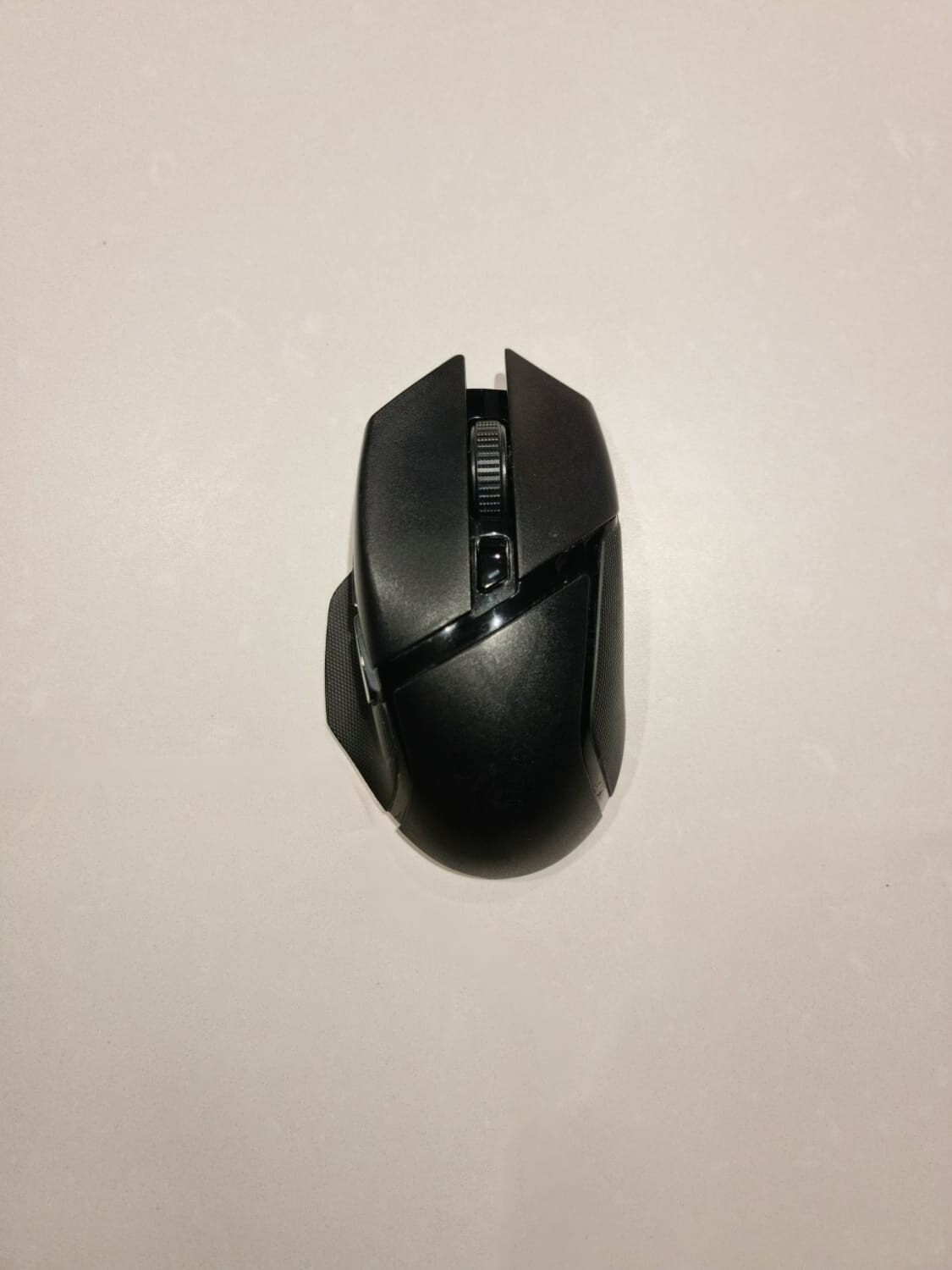
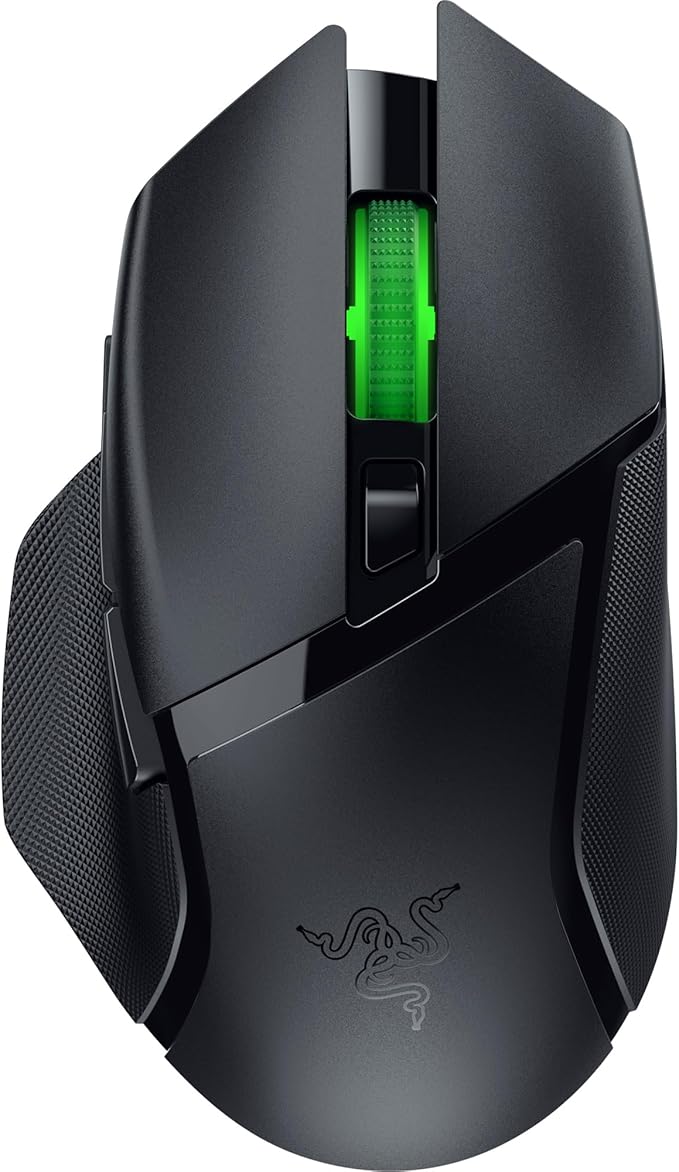
Fast. Accurate. Deadly. Take your FPS skills to the next level with the Razer Basilisk. Boasting the most advanced optical sensor in the world and armed with features such as a dial for customizing scroll wheel resistance and a removable DPI clutch, the Razer Basilisk is the ultimate FPS mouse.
Fast. Accurate. Deadly. Take your FPS skills to the next level with the Razer Basilisk. Boasting the most advanced optical sensor in the world and armed with features such as a dial for customizing scroll wheel resistance and a removable DPI clutch, the Razer Basilisk is the ultimate FPS mouse.
in 4 offers
The lowest price for Razer Basilisk x Hyperspeed right now is $109.00 at PCByte AU, compared across 4 retailers.
The all-time low was $45.00 on 23 Feb 2026 — today's price is 142% above the lowest ever. It has been notably cheaper before — worth setting a price alert.
Prices last updated 31 Aug 2026.
Razer Basilisk x Hyperspeed
Fast. Accurate. Deadly. Take your FPS skills to the next level with the Razer Basilisk. Boasting the most advanced optical sensor in the world and armed with features such as a dial for customizing scroll wheel resistance and a removable DPI clutch, the Razer Basilisk is the ultimate FPS mouse.
Fast. Accurate. Deadly. Take your FPS skills to the next level with the Razer Basilisk. Boasting the most advanced optical sensor in the world and armed with features such as a dial for customizing scroll wheel resistance and a removable DPI clutch, the Razer Basilisk is the ultimate FPS mouse.

