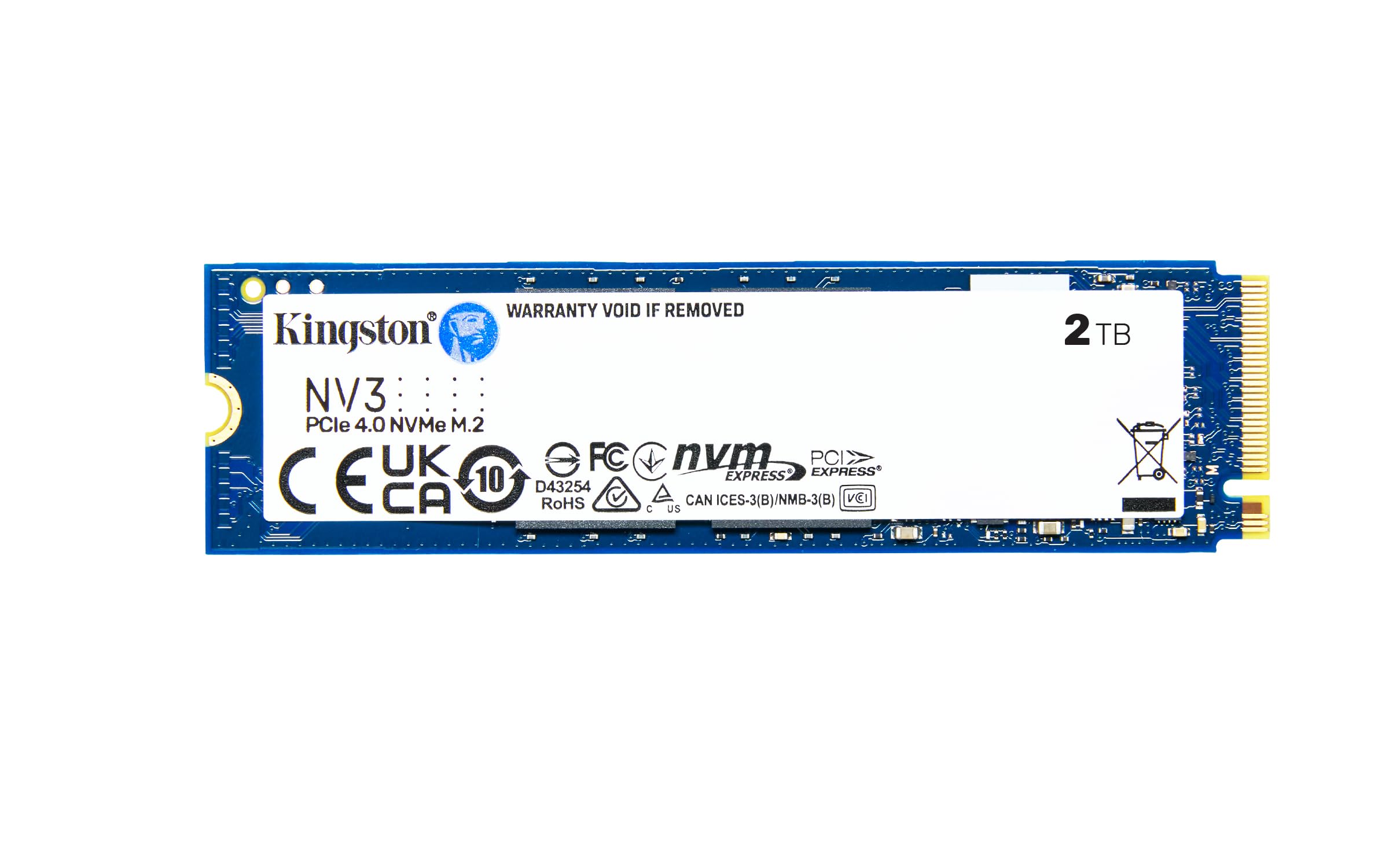
Sabrent Rocket Q4 2230 NVMe 4.0 2TB High Performance PCIe 4.0 M.2 2230 SSD Compatible With Steam Deck, Asus ROG Ally, Mini Pcs [SB-213Q-2TB]
Level Up Your Storage The next generation of small form factor SSD is here. The Rocket 2230 Q delivers big drive performance so that your Steam Deck, Microsoft Surface, and other devices can live up to their potential. It s compact, fast, cool-running, and reliable. Superior Performance Capable of up to 5 GB/s and 750K IOPS in a small package. Small, Capacious, Ready Up to 2TB in single-sided 2230 and widely compatible. A solid new drive, or upgrade, for a large range of devices. PCIe Gen4 x4 Interface Fast in any slot but designed for high-performance M.2 PCIe 4.0. Backward compatible with PCIe 3.0/2.0 for use in all systems. Steam Deck Compatible Designed specifically to enhance the gaming experience on the Steam Deck. Built with gamers in mind, this high-performance storage solution takes full advantage of the Steam Deck's capabilities, delivering lightning-fast load times and ample space for your growing game library.
Level Up Your Storage The next generation of small form factor SSD is here. The Rocket 2230 Q delivers big drive performance so that your Steam Deck, Microsoft Surface, and other devices can live up to their potential. It s compact, fast, cool-running, and reliable. Superior Performance Capable of up to 5 GB/s and 750K IOPS in a small package. Small, Capacious, Ready Up to 2TB in single-sided 2230 and widely compatible. A solid new drive, or upgrade, for a large range of devices. PCIe Gen4 x4 Interface Fast in any slot but designed for high-performance M.2 PCIe 4.0. Backward compatible with PCIe 3.0/2.0 for use in all systems. Steam Deck Compatible Designed specifically to enhance the gaming experience on the Steam Deck. Built with gamers in mind, this high-performance storage solution takes full advantage of the Steam Deck's capabilities, delivering lightning-fast load times and ample space for your growing game library.
Level Up Your Storage The next generation of small form factor SSD is here. The Rocket 2230 Q delivers big drive performance so that your Steam Deck, Microsoft Surface, and other devices can live up to their potential. It s compact, fast, cool-running, and reliable. Superior Performance Capable of up to 5 GB/s and 750K IOPS in a small package. Small, Capacious, Ready Up to 2TB in single-sided 2230 and widely compatible. A solid new drive, or upgrade, for a large range of devices. PCIe Gen4 x4 Interface Fast in any slot but designed for high-performance M.2 PCIe 4.0. Backward compatible with PCIe 3.0/2.0 for use in all systems. Steam Deck Compatible Designed specifically to enhance the gaming experience on the Steam Deck. Built with gamers in mind, this high-performance storage solution takes full advantage of the Steam Deck's capabilities, delivering lightning-fast load times and ample space for your growing game library.
Level Up Your Storage The next generation of small form factor SSD is here. The Rocket 2230 Q delivers big drive performance so that your Steam Deck, Microsoft Surface, and other devices can live up to their potential. It s compact, fast, cool-running, and reliable. Superior Performance Capable of up to 5 GB/s and 750K IOPS in a small package. Small, Capacious, Ready Up to 2TB in single-sided 2230 and widely compatible. A solid new drive, or upgrade, for a large range of devices. PCIe Gen4 x4 Interface Fast in any slot but designed for high-performance M.2 PCIe 4.0. Backward compatible with PCIe 3.0/2.0 for use in all systems. Steam Deck Compatible Designed specifically to enhance the gaming experience on the Steam Deck. Built with gamers in mind, this high-performance storage solution takes full advantage of the Steam Deck's capabilities, delivering lightning-fast load times and ample space for your growing game library.
in 3 offers
The lowest price for Sabrent Rocket Q4 2230 NVMe 4.0 2TB High Performance PCIe 4.0 M.2 2230 SSD Compatible With Steam Deck, Asus ROG Ally, Mini Pcs [SB-213Q-2TB] right now is $808.43 at Amazon.com.au, compared across 2 retailers.
The all-time low was $249.72 on 15 Nov 2025 — today's price is 224% above the lowest ever. It has been notably cheaper before — worth setting a price alert.
Prices last updated 25 Aug 2026.
Last updated at 25/08/2026 08:33:39
SABRENT Rocket Q4 2230 NVMe 4.0 2TB High Performance PCIe 4.0 M.2 2230 SSD Compatible with Steam Deck, ASUS ROG Ally, Mini PCs [SB-213Q-2TB]
Affiliate Disclosure: We may receive a small commission for purchases made through this link at no extra cost to you. This helps support our site. Thank you!
SABRENT Rocket Q4 2230 NVMe 4.0 2TB High Performance PCIe 4.0 M.2 2230 SSD Compatible with Steam Deck, ASUS ROG Ally, Mini PCs [SB-213Q-2TB]
Free delivery
Affiliate Disclosure: We may receive a small commission for purchases made through this link at no extra cost to you. This helps support our site. Thank you!
SABRENT Rocket Q4 2230 NVMe SSD 2TB PCIe Gen4 M.2 Internal SSD for Steam Deck, ROG Ally, Surface Pro, Mini PCs DRAM-Less QLC, Up to 5GB/s, Single-Si
Delivery between 31 Aug – 3 Sept $29
originally posted on bhphotovideo.com
Installed in Dec. 2021. Apparently dying in May 2023. Reasonable use (holding my Lightroom catalog and some of my images), so it's not a device that has come anywhere near its expected life. 28 TB read, 11 TB written. Really disappointed.Lots of anecdotal evidence that this device can unexpectedly fail. Won't be buying Sabrent again.
originally posted on homeessentialsdirect.com
Got it on time, inserted it, copied data on it and it worked flawlessly. Weird was: After copying all data on it (had to do it twice which ammounted to around 6T of data writes) the CrystalDiskInfo tool claimed that the health status is 96% - which would indicate a quite drastic decline? Even more puzzling is that the tool claims that the drive was powered on 1677 times. This would mean that I would have turned the drive off and on every 10 minutes since I got it. That totally makes no sense. The packaging was intact (there were all the usual stickers on the wrapper and the wrapper was undamaged. Really odd. A piece of advice: The drive comes with a thin metal/thermal sticker. That in itself might however not be enough. Monitor the temperature at the beginning of ... MoreGot it on time, inserted it, copied data on it and it worked flawlessly. Weird was: After copying all data on it (had to do it twice which ammounted to around 6T of data writes) the CrystalDiskInfo tool claimed that the health status is 96% - which would indicate a quite drastic decline? Even more puzzling is that the tool claims that the drive was powered on 1677 times. This would mean that I would have turned the drive off and on every 10 minutes since I got it. That totally makes no sense. The packaging was intact (there were all the usual stickers on the wrapper and the wrapper was undamaged. Really odd. A piece of advice: The drive comes with a thin metal/thermal sticker. That in itself might however not be enough. Monitor the temperature at the beginning of your use (e.g. with CrystalDiskInfo). If you start off with 55C and reach even quickly over 60C you are in trouble. Consider adding some thermal pad & cooler which will immediately reduce the temperature by 15-20C and your device will thank you later for it!
originally posted on homeessentialsdirect.com
I installed this drive as my c: drive in a new build on a ASUS Prime TRX40 board with an AMD 3960X, along with a WD 1TB PCIE 3.0 stick as my d: drive. Windows installed fine but about 70% of the time, when I tried to boot, I would get a no boot drive error message. I tried clearing the CMOS, updating the BIOS, reseated the devices in their m.2 slot, but was still getting this weird inconsistent behavior. I thought maybe there was some weird hardware incompatibility issues or BIOS settings issue, so I did some internet searching and saw that many other people had the same issue with this Savrent nvme stick. I tried all of the Internet guidance, as did other people, tweaking and changing various UEFI and OS settings in the BIOS without success. To be clear, the BIOS ... MoreI installed this drive as my c: drive in a new build on a ASUS Prime TRX40 board with an AMD 3960X, along with a WD 1TB PCIE 3.0 stick as my d: drive. Windows installed fine but about 70% of the time, when I tried to boot, I would get a no boot drive error message. I tried clearing the CMOS, updating the BIOS, reseated the devices in their m.2 slot, but was still getting this weird inconsistent behavior. I thought maybe there was some weird hardware incompatibility issues or BIOS settings issue, so I did some internet searching and saw that many other people had the same issue with this Savrent nvme stick. I tried all of the Internet guidance, as did other people, tweaking and changing various UEFI and OS settings in the BIOS without success. To be clear, the BIOS recognizes the drive and will boot from the drive if I boot it from the boot menu of the BIOS, it just would not boot from it upon normal power up. The only solution was to replace the Sabrent drive per the Internet, so it seems that there is a significant percentage of subpar products that might pass Sabrent internal QC systems but exhibit this weird behavior, that is resolved with just getting a replacement. As a last resort, I wiped out both drives and reinstalled windows from from scratch with only the Sabrent. That solved it, but it still doesnt explain the wonky drive detection in the bios.
| Hard Drive | 2 TB Solid State Drive |
| Digital storage capacity | 2000 GB |
| Hard disk interface | NVMe |
| Connectivity technology | USB |
| Hard disk description | Solid State Drive |
SABRENT Rocket Q4 2230 NVMe 4.0 2TB High Performance PCIe 4.0 M.2 2230 SSD Compatible with Steam Deck, ASUS ROG Ally, Mini PCs [SB-213Q-2TB]
Affiliate Disclosure: We may receive a small commission for purchases made through this link at no extra cost to you. This helps support our site. Thank you!
SABRENT Rocket Q4 2230 NVMe 4.0 2TB High Performance PCIe 4.0 M.2 2230 SSD Compatible with Steam Deck, ASUS ROG Ally, Mini PCs [SB-213Q-2TB]
Free delivery
Affiliate Disclosure: We may receive a small commission for purchases made through this link at no extra cost to you. This helps support our site. Thank you!
SABRENT Rocket Q4 2230 NVMe SSD 2TB PCIe Gen4 M.2 Internal SSD for Steam Deck, ROG Ally, Surface Pro, Mini PCs DRAM-Less QLC, Up to 5GB/s, Single-Si
Delivery between 31 Aug – 3 Sept $29
Installed in Dec. 2021. Apparently dying in May 2023. Reasonable use (holding my Lightroom catalog and some of my images), so it's not a device that has come anywhere near its expected life. 28 TB read, 11 TB written. Really disappointed.Lots of anecdotal evidence that this device can unexpectedly fail. Won't be buying Sabrent again.
Got it on time, inserted it, copied data on it and it worked flawlessly. Weird was: After copying all data on it (had to do it twice which ammounted to around 6T of data writes) the CrystalDiskInfo tool claimed that the health status is 96% - which would indicate a quite drastic decline? Even more puzzling is that the tool claims that the drive was powered on 1677 times. This would mean that I would have turned the drive off and on every 10 minutes since I got it. That totally makes no sense. The packaging was intact (there were all the usual stickers on the wrapper and the wrapper was undamaged. Really odd. A piece of advice: The drive comes with a thin metal/thermal sticker. That in itself might however not be enough. Monitor the temperature at the beginning of ... MoreGot it on time, inserted it, copied data on it and it worked flawlessly. Weird was: After copying all data on it (had to do it twice which ammounted to around 6T of data writes) the CrystalDiskInfo tool claimed that the health status is 96% - which would indicate a quite drastic decline? Even more puzzling is that the tool claims that the drive was powered on 1677 times. This would mean that I would have turned the drive off and on every 10 minutes since I got it. That totally makes no sense. The packaging was intact (there were all the usual stickers on the wrapper and the wrapper was undamaged. Really odd. A piece of advice: The drive comes with a thin metal/thermal sticker. That in itself might however not be enough. Monitor the temperature at the beginning of your use (e.g. with CrystalDiskInfo). If you start off with 55C and reach even quickly over 60C you are in trouble. Consider adding some thermal pad & cooler which will immediately reduce the temperature by 15-20C and your device will thank you later for it!
I installed this drive as my c: drive in a new build on a ASUS Prime TRX40 board with an AMD 3960X, along with a WD 1TB PCIE 3.0 stick as my d: drive. Windows installed fine but about 70% of the time, when I tried to boot, I would get a no boot drive error message. I tried clearing the CMOS, updating the BIOS, reseated the devices in their m.2 slot, but was still getting this weird inconsistent behavior. I thought maybe there was some weird hardware incompatibility issues or BIOS settings issue, so I did some internet searching and saw that many other people had the same issue with this Savrent nvme stick. I tried all of the Internet guidance, as did other people, tweaking and changing various UEFI and OS settings in the BIOS without success. To be clear, the BIOS ... MoreI installed this drive as my c: drive in a new build on a ASUS Prime TRX40 board with an AMD 3960X, along with a WD 1TB PCIE 3.0 stick as my d: drive. Windows installed fine but about 70% of the time, when I tried to boot, I would get a no boot drive error message. I tried clearing the CMOS, updating the BIOS, reseated the devices in their m.2 slot, but was still getting this weird inconsistent behavior. I thought maybe there was some weird hardware incompatibility issues or BIOS settings issue, so I did some internet searching and saw that many other people had the same issue with this Savrent nvme stick. I tried all of the Internet guidance, as did other people, tweaking and changing various UEFI and OS settings in the BIOS without success. To be clear, the BIOS recognizes the drive and will boot from the drive if I boot it from the boot menu of the BIOS, it just would not boot from it upon normal power up. The only solution was to replace the Sabrent drive per the Internet, so it seems that there is a significant percentage of subpar products that might pass Sabrent internal QC systems but exhibit this weird behavior, that is resolved with just getting a replacement. As a last resort, I wiped out both drives and reinstalled windows from from scratch with only the Sabrent. That solved it, but it still doesnt explain the wonky drive detection in the bios.
In the fervor of the PS5 and XSX showcasing the power of ultra-fast PCIe4.0 M.2 SSDs, I decided that my next build was going to completely abandon all classic mechanical HDDs and SATA SSDs in favor of the closest M.2 SSDs to this new standard I could manage. I needed to find a high capacity, very fast storage medium for a reasonable price. Enter the Sabrent Rocket Q4. I designed my build-out from the ground up focused around having 6 GB of storage using 3 of the 2 TB versions of this exact drive. I cannot adequately express the effect of the amazing 4800 Mbps read, 3600 Mbps write speed of the Sabrent Rocket Q4 on a PCIe4.0 board! I have been astonished at the quality of life change nearly zero loading time gives! I found myself replaying Crysis 2 with less than 10 ... MoreIn the fervor of the PS5 and XSX showcasing the power of ultra-fast PCIe4.0 M.2 SSDs, I decided that my next build was going to completely abandon all classic mechanical HDDs and SATA SSDs in favor of the closest M.2 SSDs to this new standard I could manage. I needed to find a high capacity, very fast storage medium for a reasonable price. Enter the Sabrent Rocket Q4. I designed my build-out from the ground up focused around having 6 GB of storage using 3 of the 2 TB versions of this exact drive. I cannot adequately express the effect of the amazing 4800 Mbps read, 3600 Mbps write speed of the Sabrent Rocket Q4 on a PCIe4.0 board! I have been astonished at the quality of life change nearly zero loading time gives! I found myself replaying Crysis 2 with less than 10 second load times and Doom Eternal and a lot of classic RPGs which are practically instant and maximizing my valuable and highly limited gaming time instead of staring at load screens! The last time I experienced a fundamental technology shift of this magnitude was in 1998 when Quake 2 came out and demonstrated with 3Dfx the first colored lighting, an act which finally allowed 3D to go on par with and far surpass 2D graphics. The "wow" factor was immediately evident and I am feeling the same thing from these amazing drives! For the rest of the build I paired a 3 M.2 2280 slot board (Gigabyte x570 AORUS Master w/ Ryzen 9 3900XT) with 32 GB RAM and currently a GTX 1070ti (RTX 3080 in my future) with 32 GB of DDR4-3600 to fit under my Noctua NH-D15 cooler. Having storage so fast it is potentially bottlenecked by RAM is mindblowing and a clear testament to the progress of today! Overall, this is an absolutely fabulous investment and I am completely satisfied! I highly, highly recommend these drives to experience the same joy!
I recently had the pleasure of using the Sabrent 2TB Rocket 4 PLUS NVMe PCIe 4.0 M.2 2280 Internal SSD, and I must say it's a game-changer. This SSD is lightning-fast, allowing me to transfer files in the blink of an eye and boosting my system's overall performance. The reliability is top-notch, giving me peace of mind knowing that my important data is safe. I also couldn't help but appreciate the cool packaging, which added a touch of style to the whole experience. If you're looking for speed, reliability, and a little flair, this SSD is definitely worth considering.
Upgraded my 64GB Steam Deck with this and it has been an improvement overall. The stock eMMC is extremely slow in comparison so the Deck boots faster, loads faster, installs faster, etc. Upgrading the SSD in your 64GB Deck is well worth your time and money. The Sabrent SSD works perfectly, is lightning fast, reasonably priced and comes in a very cool case! I now have a 1TB Steam Deck that cost me $570 total, giving me double the storage of the 512GB Deck for $80 less.
I purchased this to upgrade my Steamdeck again due to wanting more internal space. Never used Sabrent products before or heard much about them compared to other big manufacturers, however price/performance seemed great.Previously had the WD SN740 512GB which looked & felt less premium & arrived in an anti static bag, inside a plane box (direct from WD), I imagine as the drive was aimed at tech specialists replacing tablet drives etc, not direct to consumer.The Sabrent however arrives in a rose gold aluminium tin which is much smaller and is the perfect place to store the original drive. You can tell this was marketed at the Steamdeck community.The drive itself looks and feels well made. Performs as advertised. Much faster than the original Forsee emmC drive ... MoreI purchased this to upgrade my Steamdeck again due to wanting more internal space. Never used Sabrent products before or heard much about them compared to other big manufacturers, however price/performance seemed great.Previously had the WD SN740 512GB which looked & felt less premium & arrived in an anti static bag, inside a plane box (direct from WD), I imagine as the drive was aimed at tech specialists replacing tablet drives etc, not direct to consumer.The Sabrent however arrives in a rose gold aluminium tin which is much smaller and is the perfect place to store the original drive. You can tell this was marketed at the Steamdeck community.The drive itself looks and feels well made. Performs as advertised. Much faster than the original Forsee emmC drive and shaves atleast 6 seconds off boot & load times.Would buy Sabrent products again.
I pre-ordered the item, there was a few days delay, but it was well communicated.It arrived in a super safe package.The installation is pretty straight forward, I'm using it in a steam deck.You can find many installation videos on you tube.So far it performs really well.It is significantly faster than the original 64GB emmc storage as you'd expect.There's no any excessive heating.The power consumption is the same if not less.I'm really happy with the item.
Sabrent were not exaggerating about the speeds! Even working as the operating system drive, it was still clocking right at 7000mb/s for reads and 5300mb/s for writes. After POST, you're at the Windows log-in screen in just a few seconds. Shifting larges files from one drive to another is done in seconds, and something previously laggy like loading media file thumbnails in explorer as you're scrolling is now completely seamless.With this being a Sabrent drive, you can register it on their website for a 5 year warranty, and can also download software to keep firmware updated, and keep tabs on the drive's health.Only drawbacks I see with the drive is the price, you're paying for speed far more than you are capacity. So you should look more at generation 3 drives or ... MoreSabrent were not exaggerating about the speeds! Even working as the operating system drive, it was still clocking right at 7000mb/s for reads and 5300mb/s for writes. After POST, you're at the Windows log-in screen in just a few seconds. Shifting larges files from one drive to another is done in seconds, and something previously laggy like loading media file thumbnails in explorer as you're scrolling is now completely seamless.With this being a Sabrent drive, you can register it on their website for a 5 year warranty, and can also download software to keep firmware updated, and keep tabs on the drive's health.Only drawbacks I see with the drive is the price, you're paying for speed far more than you are capacity. So you should look more at generation 3 drives or SATA SSDs if you want better value for larger storage size. Other drawback is little software can presently take advantage of such blistering speeds, so this is definitely kit more for the future in mind. Now that the new generation of gaming consoles support NVME drives, we'll hopefully see more software sooner rather than later making use of the speeds on offer.If you're happy to spend the extra money, then you will definitely get what you pay for in quality of performance.
Bought this to replace Surface Pro 8 NVME hard drive and the good news it works and is fast. There is a but...On Windows 10/11 the laptop on default settings reboots constantly when running on battery. This is a KNOWN issue and doesn't appear to have any firmware fix. It appears solvable by changing the Hard Drive power settings to Active. However the settings to change aren't available by default in Windows 11, you need to edit the registry to be able to change the settings. If you Google "how to change hard drive power to Active in Windows 11" there's lots of useful forums.When you change power mode to Active, the reboots are far less common but do still occasionally occur.Not ideal but I do now have a 1TB drive for a lot less that it would have cost if I'd ... MoreBought this to replace Surface Pro 8 NVME hard drive and the good news it works and is fast. There is a but...On Windows 10/11 the laptop on default settings reboots constantly when running on battery. This is a KNOWN issue and doesn't appear to have any firmware fix. It appears solvable by changing the Hard Drive power settings to Active. However the settings to change aren't available by default in Windows 11, you need to edit the registry to be able to change the settings. If you Google "how to change hard drive power to Active in Windows 11" there's lots of useful forums.When you change power mode to Active, the reboots are far less common but do still occasionally occur.Not ideal but I do now have a 1TB drive for a lot less that it would have cost if I'd bought the specification originally.
| Hard Drive | 2 TB Solid State Drive |
| Digital storage capacity | 2000 GB |
| Hard disk interface | NVMe |
| Connectivity technology | USB |
| Hard disk description | Solid State Drive |