Last updated at 01/09/2026 21:02:12
SAMSUNG - Odyssey Neo G7 43" Mini 4K UHD 1ms AMD FreeSync Premium Pro Smart Gaming Monitor with HDR600 - Black LS43CG700NNXZA
Delivery between 6–10 Sept $35.88
originally posted on samsung.com
Senior Technical IT Professional here with 25+ years experience, it is very rare for me to write or post any online reviews but I felt it was warranted in this case.I Purchased the monitor on the 28th August and received it two days later, I wont be going too deep into any technical aspects here as I want to keep this accessible to the broadest range of potential buyers and all the technical specifications can be found on the website.The monitor is excellent value for money at the currently reduced price in the UK, the stand is reassuringly solid and heavy enough to securely anchor the panel to the tabletop, an important detail when you consider just how large and heavy these flat panels can be.The picture generated is clear and bright, the Colour and Gamma ... MoreSenior Technical IT Professional here with 25+ years experience, it is very rare for me to write or post any online reviews but I felt it was warranted in this case.I Purchased the monitor on the 28th August and received it two days later, I wont be going too deep into any technical aspects here as I want to keep this accessible to the broadest range of potential buyers and all the technical specifications can be found on the website.The monitor is excellent value for money at the currently reduced price in the UK, the stand is reassuringly solid and heavy enough to securely anchor the panel to the tabletop, an important detail when you consider just how large and heavy these flat panels can be.The picture generated is clear and bright, the Colour and Gamma levels were spot on straight out of the box although you may need to adjust the brightness and/or contrast depending on the ambient light in the room you are in which is pretty standard these days with most panels, especially OLED's.The big advantage of VA type LCD panels such as this one is that there is no chance of burn in when viewing a lot of static images which is a major stumbling block for OLED panels and something you cant really avoid if you use a PC, if you only use consoles or watch TV/Stream and DVD/Blu-ray then the risk is still there but it is reduced unless you spend a lot of time in static menus, login screens or the panels built in digital programme guides.As always with monitors you have to run it at the maximum or native resolution of the monitor to get the best results, in this case it is 4k 3840x2160 otherwise the screen may appear harsh and glaring due to how the monitor shows lower resolutions and refresh rates by doubling up pixels which is what causes the glare especially with anything coloured white (I have always used dark mode when browsing to avoid large areas of white), this is especially noticeable when web browsing due to just how bright these panels can be but it is not an issue when playing games or watching films, be aware that even some recent graphics cards may struggle to run a monitor like this optimally so do your homework before you buy or accept that you may need to reduce the resolution and/or refresh rate accordingly when playing some recent games.As with all big screen TV's and monitors it is a good idea to invest in some speakers, a soundbar or headphones as these panels are so thin there really isn't any room for powerful built in speakers, I had already purchased a suitable soundbar in advance as I knew one would be needed.That is about it really, this monitor is suitable for the majority of uses including video and photo editing due to the wide colour gamut, gaming on both PC and consoles due to the 144Hz refresh rate, watching films online or via DVD/Blu-ray due to the deep blacks it can produce, general web browsing and YouTube.Professional Esports enthusiasts should probably be looking for an IPS panel rather than a VA panel like this one but they will already know that, the max refresh rate is 144Hz which is very good for a large VA panel like this one and more than enough for most people including me.I have been using the monitor for two weeks and I have no complaints, I hope this is helpful to someone.
originally posted on samsung.com
As the title says, (and now that I've lived it with it for a few weeks) I absolutely love this monitor. Sometimes I just look at it and chuckle --it's huge! Make sure you can sit back a bit as it's sheer size necessitates at least 2' distance between the monitor and your eyes. I sit closer to 3' back and at that distance, it's super comfortable. At this size, screen real estate is amazing. Also amazing: the visuals. Contrast is excellent, brights can get SUPER bright, and blacks can get super black. I actually bought this along with the G8 OLED to compare, and while the OLED can't be beat for saturation, vibrancy and black levels, this comes pretty close. Kudos to that Quantum mini-LED technology.Games look amazing and I don't notice any tearing or blur. I'm able ... MoreAs the title says, (and now that I've lived it with it for a few weeks) I absolutely love this monitor. Sometimes I just look at it and chuckle --it's huge! Make sure you can sit back a bit as it's sheer size necessitates at least 2' distance between the monitor and your eyes. I sit closer to 3' back and at that distance, it's super comfortable. At this size, screen real estate is amazing. Also amazing: the visuals. Contrast is excellent, brights can get SUPER bright, and blacks can get super black. I actually bought this along with the G8 OLED to compare, and while the OLED can't be beat for saturation, vibrancy and black levels, this comes pretty close. Kudos to that Quantum mini-LED technology.Games look amazing and I don't notice any tearing or blur. I'm able to run VRR right on up to 144hz. Colors and sheer immersion due to screen size are totally engrossing.Lastly, I might be in the minority (?), but I love the Tizen OS that allows you to use this like a smart TV. Having easy access to Netflix, Prime Video, Hulu etc in a slick interface with the included remote (honestly, can we give a thumbs up for the included remote? Way better than the usual janky thumbstick) makes nighttime movie watching a pleasure. Not to mention, it seems like the streaming apps upscale resolution vs watching them from a browser like I used to. So everything looks really good (and again, big!).It did take a bit of time and trial and error to calibrate colors and settings to my liking. Someone else posted online about calibrating this specific monitor and you can find his settings if you do a search. I have a Mac so I simply used the built-in calibration tool and that was a big improvement. From there I compared with the OLED I was testing and dialed things in further. But honestly, the default settings are pretty good as well.Anyway, I've rambled enough. Now that I've gotten used to the size and have made a few adjustments to my desk arrangement (ie sitting further back) and the color settings, I'm 100% happy with it. If I had a nit, it would be I wish it was just a bit curved, because that would help a bit with the edges. Not a deal breaker by any means, because once I'm playing a game or watching movie, I'm totally engrossed. Just crossing my fingers the monitor lasts for many years to come! Nice job Samsung
originally posted on bestbuy.com
If you are looking for a large monitor primarily for playing games, or watching videos/movies, Netflix, etc. this might be a good value option depending on your needs. I got this on sale for $700 and for that price I feel like a got a pretty good bang for the buck. However, if you are planning to use this monitor for productivity like a work from home job it may not work out as well.I had been looking for a monitor with decent, or good HDR either 1440p or 4k and this checked enough of the boxes that I decided to try it. I personally was looking for something around 32", but I got used to the 43" after about a week and now it feels really nice having the extra display real estate. The monitor can automatically resize windows to fit into multiple layouts allowing ... MoreIf you are looking for a large monitor primarily for playing games, or watching videos/movies, Netflix, etc. this might be a good value option depending on your needs. I got this on sale for $700 and for that price I feel like a got a pretty good bang for the buck. However, if you are planning to use this monitor for productivity like a work from home job it may not work out as well.I had been looking for a monitor with decent, or good HDR either 1440p or 4k and this checked enough of the boxes that I decided to try it. I personally was looking for something around 32", but I got used to the 43" after about a week and now it feels really nice having the extra display real estate. The monitor can automatically resize windows to fit into multiple layouts allowing you to have a browser window open in a narrow space on the side of the monitor while you have a game or movie in a larger window on the other side allowing multi-tasking. You would think this multi tasking ability would carry over to be useful as a productivity monitor and maybe others would have a different experience, but I sometimes have trouble seeing the mouse cursor against light backgrounds and losing it on the screen with white backgrounds. There is also some ghosting when scrolling through text on a white background although it's not too bad to my eyes. This may not be an issue for others, but I could see it causing some headaches. I personally don't use it for this often, so it's a drawback I'm okay with living with.On the subject of picture quality it really does look great in my opinion. HDR is plenty bright for me at 600nits and due to the ~360 local dimming zones it can produce deep blacks and bright whites on screen at the same time. However, keep in mind this is a 43" monitor and 360 zones isn't enough for great contrast in all content types just good. The smaller, curved variant of this same model the Odyssey Neo G7 32" (MSRP $1299) has around 1000 dimming zones on a smaller display which is going to give a better experience and might be worth considering on sale. Colors on this monitor are nice and vibrant and after some tinkering with settings have gotten a pretty nice looking picture that works for nearly all content it displays. If you are seriously considering this monitor it wouldn't be a bad idea to look at some examples on Youtube.A last point that needs to be mentioned is the smart functions and how this affects the user experience. A typical PC monitor is just going to display what's coming from your PC, but this one behaves more like a smart TV and in my experience that is not necesarrily a good thing which I find to also be the case here. The display likes going back to the "home" screen when switching inputs and the controls, while faster than what I have on my home TVs, are still laggy and slow, and to be honest when I'm using this for a PC it's just much faster and easier to go to the Netflix website rather than try to navigate the Samsung menus. In general, I think having smart functionality on a monitor is just a waste and I have never had a smart display at any price point that had controls even as responsive as a cheap roku box. I actually feel like not having this at all and slightly improving the picture with the money they spent implementing this would have been a better investment. However, this did result in the inclusion of a remote to control the volume, adjust settings, etc and this is much better to me than using the buttons on the bottom like a normal monitor. The other thing you get from this is built in speakers that are actually pretty decent. If you have a nice soundbar or PC speakers already this is probably pointless for you, but this basically replaced my speaker setup and also allows this monitor to be used as a nice mid size TV, so I can see this continuing to get use after I switch to a different monitor as a TV in another room.So overall I would recommend this to anyone looking to upgrade from a typical SDR monitor that either wants a bigger size, 4k, or maybe to use with a console as well. Since it comes with HDMI 2.1 it can be used with current gen consoles, PC, or for streaming video making it very versatile with good refresh rate and picture. If you can get it on sale (which seems to happen frequently with Samsung) it is good value at $700 for the quality you get.
| Refresh Rate | 144Hz |
| Maximum Resolution | 3840 x 2160 |
| Panel Type | VA |
| Synchronization Technology | FreeSync Premium Pro (AMD Adaptive Sync) |
| Screen Size | 43 inches |
SAMSUNG - Odyssey Neo G7 43" Mini 4K UHD 1ms AMD FreeSync Premium Pro Smart Gaming Monitor with HDR600 - Black LS43CG700NNXZA
Delivery between 6–10 Sept $35.88
Senior Technical IT Professional here with 25+ years experience, it is very rare for me to write or post any online reviews but I felt it was warranted in this case.I Purchased the monitor on the 28th August and received it two days later, I wont be going too deep into any technical aspects here as I want to keep this accessible to the broadest range of potential buyers and all the technical specifications can be found on the website.The monitor is excellent value for money at the currently reduced price in the UK, the stand is reassuringly solid and heavy enough to securely anchor the panel to the tabletop, an important detail when you consider just how large and heavy these flat panels can be.The picture generated is clear and bright, the Colour and Gamma ... MoreSenior Technical IT Professional here with 25+ years experience, it is very rare for me to write or post any online reviews but I felt it was warranted in this case.I Purchased the monitor on the 28th August and received it two days later, I wont be going too deep into any technical aspects here as I want to keep this accessible to the broadest range of potential buyers and all the technical specifications can be found on the website.The monitor is excellent value for money at the currently reduced price in the UK, the stand is reassuringly solid and heavy enough to securely anchor the panel to the tabletop, an important detail when you consider just how large and heavy these flat panels can be.The picture generated is clear and bright, the Colour and Gamma levels were spot on straight out of the box although you may need to adjust the brightness and/or contrast depending on the ambient light in the room you are in which is pretty standard these days with most panels, especially OLED's.The big advantage of VA type LCD panels such as this one is that there is no chance of burn in when viewing a lot of static images which is a major stumbling block for OLED panels and something you cant really avoid if you use a PC, if you only use consoles or watch TV/Stream and DVD/Blu-ray then the risk is still there but it is reduced unless you spend a lot of time in static menus, login screens or the panels built in digital programme guides.As always with monitors you have to run it at the maximum or native resolution of the monitor to get the best results, in this case it is 4k 3840x2160 otherwise the screen may appear harsh and glaring due to how the monitor shows lower resolutions and refresh rates by doubling up pixels which is what causes the glare especially with anything coloured white (I have always used dark mode when browsing to avoid large areas of white), this is especially noticeable when web browsing due to just how bright these panels can be but it is not an issue when playing games or watching films, be aware that even some recent graphics cards may struggle to run a monitor like this optimally so do your homework before you buy or accept that you may need to reduce the resolution and/or refresh rate accordingly when playing some recent games.As with all big screen TV's and monitors it is a good idea to invest in some speakers, a soundbar or headphones as these panels are so thin there really isn't any room for powerful built in speakers, I had already purchased a suitable soundbar in advance as I knew one would be needed.That is about it really, this monitor is suitable for the majority of uses including video and photo editing due to the wide colour gamut, gaming on both PC and consoles due to the 144Hz refresh rate, watching films online or via DVD/Blu-ray due to the deep blacks it can produce, general web browsing and YouTube.Professional Esports enthusiasts should probably be looking for an IPS panel rather than a VA panel like this one but they will already know that, the max refresh rate is 144Hz which is very good for a large VA panel like this one and more than enough for most people including me.I have been using the monitor for two weeks and I have no complaints, I hope this is helpful to someone.
As the title says, (and now that I've lived it with it for a few weeks) I absolutely love this monitor. Sometimes I just look at it and chuckle --it's huge! Make sure you can sit back a bit as it's sheer size necessitates at least 2' distance between the monitor and your eyes. I sit closer to 3' back and at that distance, it's super comfortable. At this size, screen real estate is amazing. Also amazing: the visuals. Contrast is excellent, brights can get SUPER bright, and blacks can get super black. I actually bought this along with the G8 OLED to compare, and while the OLED can't be beat for saturation, vibrancy and black levels, this comes pretty close. Kudos to that Quantum mini-LED technology.Games look amazing and I don't notice any tearing or blur. I'm able ... MoreAs the title says, (and now that I've lived it with it for a few weeks) I absolutely love this monitor. Sometimes I just look at it and chuckle --it's huge! Make sure you can sit back a bit as it's sheer size necessitates at least 2' distance between the monitor and your eyes. I sit closer to 3' back and at that distance, it's super comfortable. At this size, screen real estate is amazing. Also amazing: the visuals. Contrast is excellent, brights can get SUPER bright, and blacks can get super black. I actually bought this along with the G8 OLED to compare, and while the OLED can't be beat for saturation, vibrancy and black levels, this comes pretty close. Kudos to that Quantum mini-LED technology.Games look amazing and I don't notice any tearing or blur. I'm able to run VRR right on up to 144hz. Colors and sheer immersion due to screen size are totally engrossing.Lastly, I might be in the minority (?), but I love the Tizen OS that allows you to use this like a smart TV. Having easy access to Netflix, Prime Video, Hulu etc in a slick interface with the included remote (honestly, can we give a thumbs up for the included remote? Way better than the usual janky thumbstick) makes nighttime movie watching a pleasure. Not to mention, it seems like the streaming apps upscale resolution vs watching them from a browser like I used to. So everything looks really good (and again, big!).It did take a bit of time and trial and error to calibrate colors and settings to my liking. Someone else posted online about calibrating this specific monitor and you can find his settings if you do a search. I have a Mac so I simply used the built-in calibration tool and that was a big improvement. From there I compared with the OLED I was testing and dialed things in further. But honestly, the default settings are pretty good as well.Anyway, I've rambled enough. Now that I've gotten used to the size and have made a few adjustments to my desk arrangement (ie sitting further back) and the color settings, I'm 100% happy with it. If I had a nit, it would be I wish it was just a bit curved, because that would help a bit with the edges. Not a deal breaker by any means, because once I'm playing a game or watching movie, I'm totally engrossed. Just crossing my fingers the monitor lasts for many years to come! Nice job Samsung
If you are looking for a large monitor primarily for playing games, or watching videos/movies, Netflix, etc. this might be a good value option depending on your needs. I got this on sale for $700 and for that price I feel like a got a pretty good bang for the buck. However, if you are planning to use this monitor for productivity like a work from home job it may not work out as well.I had been looking for a monitor with decent, or good HDR either 1440p or 4k and this checked enough of the boxes that I decided to try it. I personally was looking for something around 32", but I got used to the 43" after about a week and now it feels really nice having the extra display real estate. The monitor can automatically resize windows to fit into multiple layouts allowing ... MoreIf you are looking for a large monitor primarily for playing games, or watching videos/movies, Netflix, etc. this might be a good value option depending on your needs. I got this on sale for $700 and for that price I feel like a got a pretty good bang for the buck. However, if you are planning to use this monitor for productivity like a work from home job it may not work out as well.I had been looking for a monitor with decent, or good HDR either 1440p or 4k and this checked enough of the boxes that I decided to try it. I personally was looking for something around 32", but I got used to the 43" after about a week and now it feels really nice having the extra display real estate. The monitor can automatically resize windows to fit into multiple layouts allowing you to have a browser window open in a narrow space on the side of the monitor while you have a game or movie in a larger window on the other side allowing multi-tasking. You would think this multi tasking ability would carry over to be useful as a productivity monitor and maybe others would have a different experience, but I sometimes have trouble seeing the mouse cursor against light backgrounds and losing it on the screen with white backgrounds. There is also some ghosting when scrolling through text on a white background although it's not too bad to my eyes. This may not be an issue for others, but I could see it causing some headaches. I personally don't use it for this often, so it's a drawback I'm okay with living with.On the subject of picture quality it really does look great in my opinion. HDR is plenty bright for me at 600nits and due to the ~360 local dimming zones it can produce deep blacks and bright whites on screen at the same time. However, keep in mind this is a 43" monitor and 360 zones isn't enough for great contrast in all content types just good. The smaller, curved variant of this same model the Odyssey Neo G7 32" (MSRP $1299) has around 1000 dimming zones on a smaller display which is going to give a better experience and might be worth considering on sale. Colors on this monitor are nice and vibrant and after some tinkering with settings have gotten a pretty nice looking picture that works for nearly all content it displays. If you are seriously considering this monitor it wouldn't be a bad idea to look at some examples on Youtube.A last point that needs to be mentioned is the smart functions and how this affects the user experience. A typical PC monitor is just going to display what's coming from your PC, but this one behaves more like a smart TV and in my experience that is not necesarrily a good thing which I find to also be the case here. The display likes going back to the "home" screen when switching inputs and the controls, while faster than what I have on my home TVs, are still laggy and slow, and to be honest when I'm using this for a PC it's just much faster and easier to go to the Netflix website rather than try to navigate the Samsung menus. In general, I think having smart functionality on a monitor is just a waste and I have never had a smart display at any price point that had controls even as responsive as a cheap roku box. I actually feel like not having this at all and slightly improving the picture with the money they spent implementing this would have been a better investment. However, this did result in the inclusion of a remote to control the volume, adjust settings, etc and this is much better to me than using the buttons on the bottom like a normal monitor. The other thing you get from this is built in speakers that are actually pretty decent. If you have a nice soundbar or PC speakers already this is probably pointless for you, but this basically replaced my speaker setup and also allows this monitor to be used as a nice mid size TV, so I can see this continuing to get use after I switch to a different monitor as a TV in another room.So overall I would recommend this to anyone looking to upgrade from a typical SDR monitor that either wants a bigger size, 4k, or maybe to use with a console as well. Since it comes with HDMI 2.1 it can be used with current gen consoles, PC, or for streaming video making it very versatile with good refresh rate and picture. If you can get it on sale (which seems to happen frequently with Samsung) it is good value at $700 for the quality you get.
Read the reviews, Check the specs. Know what you're buying before hand and make sure you only buy this 43" SmartMonitor when its ~on-sale~On-sale, This monitor is amazing for its price, I picked mine up for 500$ during Black Friday sales and it has been great both as a Gaming Monitor and a SmartTV equivalent.Despite being a VA panel, The ghosting effect from using a VA panel is actually surprisingly tolerable and isn't really too bad at all until you come down to 60fps or lower in games.Contrast and Colors are great, Movies look awesome on the monitor, HDR honestly is really not that bad in my room most the time, And for the price I can't complain. Local dimming is sort-of lackluster but I like having it on more than not, It isn't that noticeable most the time ... MoreRead the reviews, Check the specs. Know what you're buying before hand and make sure you only buy this 43" SmartMonitor when its ~on-sale~On-sale, This monitor is amazing for its price, I picked mine up for 500$ during Black Friday sales and it has been great both as a Gaming Monitor and a SmartTV equivalent.Despite being a VA panel, The ghosting effect from using a VA panel is actually surprisingly tolerable and isn't really too bad at all until you come down to 60fps or lower in games.Contrast and Colors are great, Movies look awesome on the monitor, HDR honestly is really not that bad in my room most the time, And for the price I can't complain. Local dimming is sort-of lackluster but I like having it on more than not, It isn't that noticeable most the time when gaming but I see no reason why they couldn't add roughly twice the individual backlight diodes as they probably would hardly add to cost at all.Some drawn(cartoon-like) shows such as Rick & Morty sometimes it seems like certain pixels have a hard time keeping up in certain types of frames within very specific scenes and these sets of pixels seem to lag behind the rest, Almost exclusively when the specific scene doesn't have many frames to display. -For example with Rick & Morty, There are scenes where Rick and/or Morty may walk from one edge of the screen to the other and the animators only "drew" a handful of frames to animate them walking to the other side of the screen, And the low number of drawn frames seem to potentially "confuse" certain pixel groups on where they should be relative to the rest of the screen?The monitor has a metric ton of cool features. The Smart functions work great and are easy to navigate and are reasonably/usably responsive. The remote also has a rechargeable built in battery that uses USB-C and is a nice & simple no frills use remote.Certain display modes or changes to the data sent to the monitor had caused the monitor to glitch out before sometimes depending on what the video data and resolution being transferred was but there may have been a software update that fixed this issue? Its been working great for several weeks now.At 500$, It was worth every dime. I don't think any of the issues are nearly as big a problem in 2023 than they may have been before.I really hope that Samsung continues to improve on this monitor as they are extremely close to having an unbelievably great monitor that bridges the gap between Monitor and TV and if they can do this and lower the regular price to compete with other large screen High Refresh Rate monitors while still providing SmartTV functionality, I think Samsung will really hit a niche that would be very difficult to fill or compete within.
I've seen nothing but terrible reviews for this monitor which made me add and remove it from my cart multiple times during the sale. Why would this be 50% off when all of the specifications were double anything else within the same size and price range. Well, I'm a Best Buy Total Rewards Member and one of the benefits is that I have support to help address any issues with my purchase. I took the chance and after a few weeks, I'm happy that I bought this monitor. I had been holding out for an LG because I really wanted a Thunderbolt connection for my Mac but running my Mac through the Display Port is awesome because I'm getting 120 hz and I'm happy. Not that my eyes would really notice but I'm happy when I see that number in my settings. I use this primarily for work ... MoreI've seen nothing but terrible reviews for this monitor which made me add and remove it from my cart multiple times during the sale. Why would this be 50% off when all of the specifications were double anything else within the same size and price range. Well, I'm a Best Buy Total Rewards Member and one of the benefits is that I have support to help address any issues with my purchase. I took the chance and after a few weeks, I'm happy that I bought this monitor. I had been holding out for an LG because I really wanted a Thunderbolt connection for my Mac but running my Mac through the Display Port is awesome because I'm getting 120 hz and I'm happy. Not that my eyes would really notice but I'm happy when I see that number in my settings. I use this primarily for work so my work laptop is pushing 60 hz through the HDMI and again, it looks great. I was hesitant about purchasing such a large screen since we've always been told not to sit so close to a TV but wow, work is so much better when you have room to really work. I'm hoping I don't experience issues later with the screen or the software slowdown but that's what my total reward membership is there for. I have my Nintendo Switch hooked up to the last HDMI and wow, it's beautiful to play games with. I don't use the smart functions but I can see how this acting as a TV first might annoy people. it's only an extra click so don't let that deter you. I think I'm driving this monitor to the least of its capabilities so I think the more I use it, the better it's going to be. Take the chance, at $500, you can't beat it.
First of all, if you're using the wrong cable you're definitely going to have issues. I've been through a SABRENT USB Type C to HDMI 2.1 converter and it was horrible (too hot, didn't support 120hz, etc). I ended up with the new (at time of writing) Belkin USB Type C to HDMI 2.1 Cable, 6.6FT/2M Cable with 8K@60Hz, 4K@144Hz, HDR, HBR3, DSC, HDCP 2.2But once you have the right cable you're not out of the park.There are monitor settings you need to set, then there are Windows settings... You need to set the monitor settings first, if you don't you'll end up setting the windows settings twice because when you change certain monitor settings the windows settings resets so order of operations is important here.In the monitor adjust -In Picture: Picture Mode ... MoreFirst of all, if you're using the wrong cable you're definitely going to have issues. I've been through a SABRENT USB Type C to HDMI 2.1 converter and it was horrible (too hot, didn't support 120hz, etc). I ended up with the new (at time of writing) Belkin USB Type C to HDMI 2.1 Cable, 6.6FT/2M Cable with 8K@60Hz, 4K@144Hz, HDR, HBR3, DSC, HDCP 2.2But once you have the right cable you're not out of the park.There are monitor settings you need to set, then there are Windows settings... You need to set the monitor settings first, if you don't you'll end up setting the windows settings twice because when you change certain monitor settings the windows settings resets so order of operations is important here.In the monitor adjust -In Picture: Picture Mode Graphic, Expert Settings: Brightness 50, Contrast 50, Sharpness 10, Color 34, Tint 0, Local Dimming Off, Contrast Enhancer High, Color Tone Natural, Gamma 0, Shadow Detail 0In Game: Game Mode Off, Response Time Extreme.In Power & Energy Saving: Brightness Optimization Off, Brightness Reduction Off, Motion Lighting OffNow switch to Windows. After making above changes you'll have to set your zoom and possibly resolution again... I highly recommend 3840x2160 resolution and 100% zoom but you may want to adjust zoom if you have vision issues... If you can see at 2020 with or without glasses you'll appreciate the high res and the fact that you can fit a ton of content at 100% zoom... This finally a perfect monitor size to run 4k natively at native zoom.If using Windows 10 you need to be sure you set Use HDR then go into HDR/SDR settings and move the slider all the way to the left.. On windows 11 there's something called Auto HDR mode which I'm told does something similar but YMMV. Then you need to go into Advanced Display Settings - Display Adapter Properties - Color Management and calibrate the monitor, the only important parts are set to set the gamma for regular windows stuff to a level where whites are not overpowering... You may wonder why I say to do it here and not the Gamma in the screen itself and why I have the brightness set to maximum in the screen, this is so you can enjoy movies and HDR content at maximum brightness yet still use this as a monitor for normal windows stuff... So yeah, set the monitor gamma in the windows display calibration only. Also go through truetype that's the other important setting in here...You're almost done... Last but not least, for enjoying HDR content I recommend the K-Lite Codec Pack, but if you already had it before and you came from a NON-HDR monitor and used MadVR make sure you disable MadVR... THere's a ton of bad info about this... If you have an HDR screen you don't need to use MadVR if you have HDR enabled in Windows as I've specified above.. You should be using the MPC Video Renderer in Media Player Classic - Options - Playback - Ouput - DirectShow Video.With the above settings (which took me a few hours to sort out, yes you're welcome!) this is a fantastic monitor and TV for viewing movies, etc. Enjoy!
The 43" Odyssey Neo G7 4K Smart Gaming Monitor is a standout choice for gamers and multimedia enthusiasts alike, offering an impressive blend of performance, design, and features. I loved the display and performance of the monitor One of the most notable features of the Neo G7 is its 4K resolution (3840 x 2160), delivering stunning visuals with exceptional clarity. The Quantum Dot technology enhances color accuracy, resulting in vibrant and lifelike colors. With a peak brightness that can reach impressive levels, HDR content looks spectacular, showcasing deep blacks and bright highlights. The monitor also supports a wide color gamut, which is a boon for both gaming and content creation.Equipped with a 144Hz refresh rate and 1ms response time, the Odyssey Neo G7 ... MoreThe 43" Odyssey Neo G7 4K Smart Gaming Monitor is a standout choice for gamers and multimedia enthusiasts alike, offering an impressive blend of performance, design, and features. I loved the display and performance of the monitor One of the most notable features of the Neo G7 is its 4K resolution (3840 x 2160), delivering stunning visuals with exceptional clarity. The Quantum Dot technology enhances color accuracy, resulting in vibrant and lifelike colors. With a peak brightness that can reach impressive levels, HDR content looks spectacular, showcasing deep blacks and bright highlights. The monitor also supports a wide color gamut, which is a boon for both gaming and content creation.Equipped with a 144Hz refresh rate and 1ms response time, the Odyssey Neo G7 excels in fast-paced gaming scenarios. The smooth motion handling minimizes blurring during intense action sequences, making it a perfect choice for competitive gamers. Additionally, it features NVIDIA G-SYNC and AMD FreeSync Premium Pro compatibility, ensuring tear-free gameplay across a variety of titles.
TLDR: Bought this monitor in November of 2023 broke March 2024Got this monitor and worked great for a while then in March it just blinked out, it would not turn on and overall no functionally. It was in great condition as it was newer and just sat on my desk all day long. No problem i set up an appointment as the monitor was under their warranty they should be able to come fix it as NO PHYSCIAL DAMAGE WAS PRESENT. They sent a person to my place to fix it which is fine, i took a few picture of it and then a week or 2 later a guy came out, in which he opened up the back of the monitor and then tried replacing 2 parts but that did not fix it so he kinda just said idk samsung going to have to give you a new one and i should call 1-800 Samsung. I said sure, he left and ... MoreTLDR: Bought this monitor in November of 2023 broke March 2024Got this monitor and worked great for a while then in March it just blinked out, it would not turn on and overall no functionally. It was in great condition as it was newer and just sat on my desk all day long. No problem i set up an appointment as the monitor was under their warranty they should be able to come fix it as NO PHYSCIAL DAMAGE WAS PRESENT. They sent a person to my place to fix it which is fine, i took a few picture of it and then a week or 2 later a guy came out, in which he opened up the back of the monitor and then tried replacing 2 parts but that did not fix it so he kinda just said idk samsung going to have to give you a new one and i should call 1-800 Samsung. I said sure, he left and i called them, they said my ticket has yet to be in the system so wait a few days and they will call me back, They never called me back, a week later i call them they say oh well it is resolved cuz there is physical damage, i said no their is not but they insist their tech said there was. I went back to look and now there was a small scratch on the surface of the monitor, i pull up the images that i took and there was no scratch on it before so when he put the monitor face down he must have scratched it and they are claiming that is the reason the entire monitor does not work is the small scratch. I continue to talk to the rep about the situation they tell me i need to call their 3rd party company about them scratching it, i do and then they tell me i need to call back samsung cuz they cant do anything untill they have a new ticket which then i have to go back through 1-800-Samsung in order to get a ticket so they can fix their mistake, i finally get the ticket in and call back the 3rd party and make sure they got it, they confirm with me and then say they are going to send another tech out to check a few things. This guy comes in like week take 10 mins and says its got physical damage and i cant do anything about it. WHY ARE U HERE THEN?. He said i need to get samsung to authorize him to do anything. AT this point i did not have the resolve to continue as this is just a circle and an overall abysmal business practice. i even showed him the proof the at monitor was fine before the other guy came and he searched that picture trying to find it for like 10 mins and then just gave back my phone knowing i was right, it was even time stamped. So please if anyone is considering this monitor the price drops greatly during sales but Samsung products are not worth the company behind them, go with Lg or basically anything else but more importantly if you buy from bestbuy get their protection plan cuz they are so much better then the corporate loons
As a user of the Samsung Odyssey Neo G7 43" monitor, I find it quite disappointing, particularly given its premium price and promising specifications. The HDR600 feature initially seemed impressive and delivers uneven brightness levels, resulting in a subpar HDR experience. This lack of depth and detail could be more impressive for a monitor of this caliber.Moreover, the monitor's advertised 1ms response time doesn't match real-world use. I've noticed significant ghosting and motion blur during fast-paced gaming scenes, frustrating for a product marketed primarily toward gamers. Even with FreeSync Premium Pro, the screen often suffers from tearing and stuttering, which shouldn't happen, especially in less intensive situations.Additionally, the built-in Smart TV ... MoreAs a user of the Samsung Odyssey Neo G7 43" monitor, I find it quite disappointing, particularly given its premium price and promising specifications. The HDR600 feature initially seemed impressive and delivers uneven brightness levels, resulting in a subpar HDR experience. This lack of depth and detail could be more impressive for a monitor of this caliber.Moreover, the monitor's advertised 1ms response time doesn't match real-world use. I've noticed significant ghosting and motion blur during fast-paced gaming scenes, frustrating for a product marketed primarily toward gamers. Even with FreeSync Premium Pro, the screen often suffers from tearing and stuttering, which shouldn't happen, especially in less intensive situations.Additionally, the built-in Smart TV functionalities are rather disappointing. The interface could be clearer and faster, which detracts from my overall experience rather than enhancing it. These features were added as an afterthought rather than integral to the design.Overall, I'm let down by this monitor's performance and quality control. I'd suggest other options for anyone considering this model that provides more reliable performance and better value for money.
TLDR; IF this monitor would work like a PC monitor when connected via Display Port, it would be awesome. But sadly in most cases, it fails to meet the advertised claims in installations and acts like a TV instead.This particular model states 4K @ 100Hz - 144Hz via DP. And this is great since I didn't need to opt for the more expensive model with the HDMI 2.1 port. And when you first connect it, it works as expected. However, the G7 fails to recognize the connection to the PC once you either lock your computer or the power management attempts to put the displays to sleep.Multiple attempts to reset the monitor via the OSD's connection selector as well as power cycling the monitor DO NOT resolve the issue. The screen times out and goes into standby. Pulling the DP ... MoreTLDR; IF this monitor would work like a PC monitor when connected via Display Port, it would be awesome. But sadly in most cases, it fails to meet the advertised claims in installations and acts like a TV instead.This particular model states 4K @ 100Hz - 144Hz via DP. And this is great since I didn't need to opt for the more expensive model with the HDMI 2.1 port. And when you first connect it, it works as expected. However, the G7 fails to recognize the connection to the PC once you either lock your computer or the power management attempts to put the displays to sleep.Multiple attempts to reset the monitor via the OSD's connection selector as well as power cycling the monitor DO NOT resolve the issue. The screen times out and goes into standby. Pulling the DP does reset the connection but this is not a solution. Power cycling the computer will also bring it back to life, but if you're in the middle of editing or any other task, this is also no solution.I've got an open ticket with Samsung Business support on the issue but during the call, the rep indicated via conversations with an engineer in her office that the port is passive. So this tells me that the G7 is not properly reporting EDID so the GPU knows what it is talking to on the display side.My system: i7 9900K, RTX 2080Monitors: Samsung 43" Odyssey Neo G7 (DP), LG 32" 4K (DP), EVE 27" Spectrum (DP)Odyssey Firmware: 1520.9The included DP cable results in a Generic Display @ 60Hz. Nvidia Control panel was unable to identify the monitor at all.I've used a VESA certified DP1.4 cable from KabelDirekt, not super expensive but they are listed on VESA's cert page. And the system recognizes the monitor correctly and allows for advertised refresh rates 100Hz, 120Hz and 144Hz to be set without issue. Again, this results in the monitor becoming unresponsive once the system is either locked or the displays are allowed to sleep.I also tried with VESA certified HDMI. The monitor works as expected during sleep and lock scenarios but was unable to meet the advertised refresh rate due to this model missing the high end HDMI port.I also spoke to an engineer over at EVGA and he ran through some troubleshooting steps and pointed out that the NVIDIA control panel was even set to aggressively detect TV's and even with that, this display fails to function on the port it's advertised for. His final thought was that Samsung is not providing the correct protocol on the Display Port for sleep scenarios and this causes the display to stop listening on that input.If you want to follow the ticket; you can look up 'g7 monitor not detecting displayport' online.I really want to like this monitor but honestly, if they do not do anything to resolve this issue, I feel like I've been a victim of false advertising since I cannot use this as it was sold to me; a 4K display running 144Hz.
| Refresh Rate | 144Hz |
| Maximum Resolution | 3840 x 2160 |
| Panel Type | VA |
| Synchronization Technology | FreeSync Premium Pro (AMD Adaptive Sync) |
| Screen Size | 43 inches |
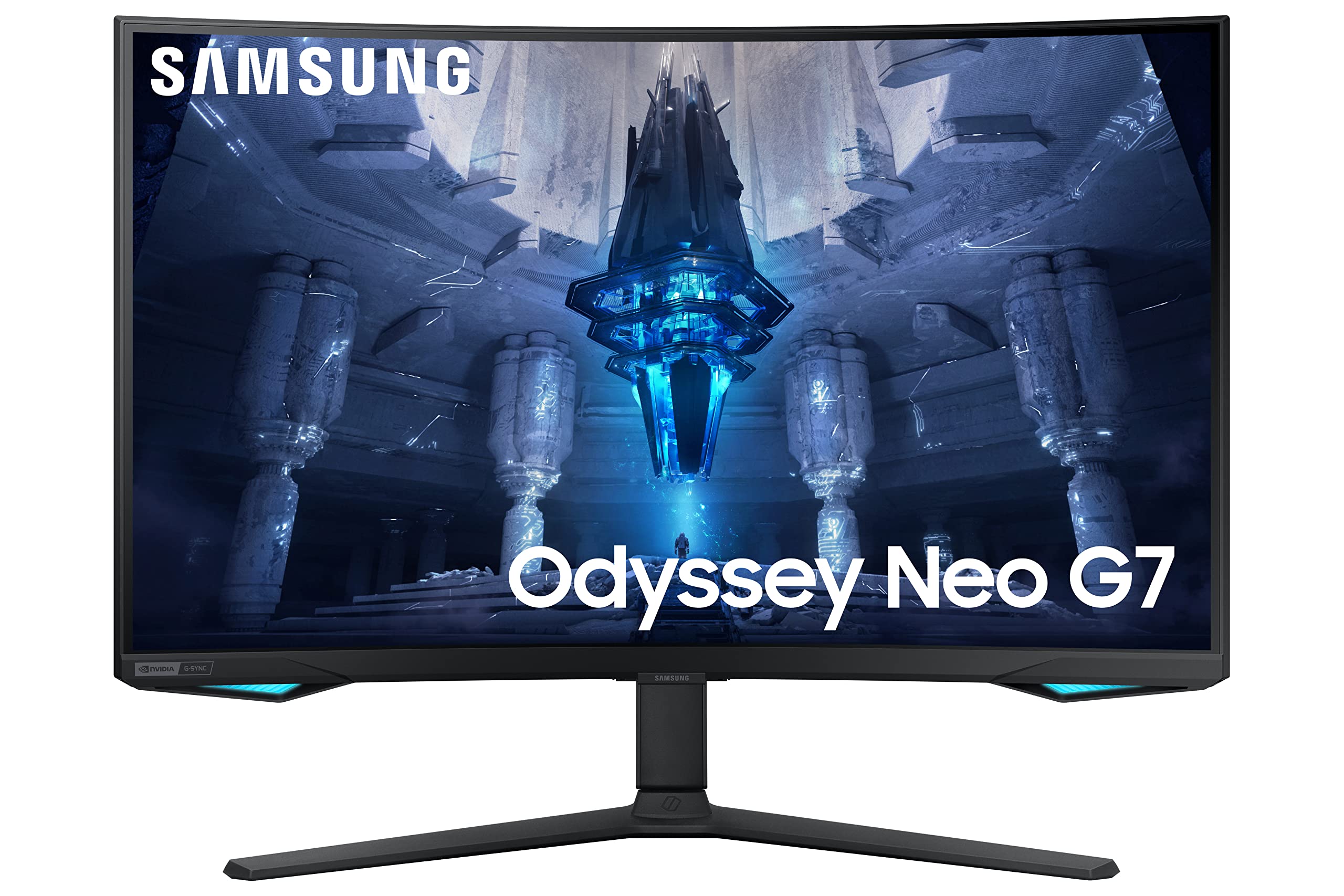

Experience more immersive gameplay with the Samsung 32" Odyssey Neo G75B Curved QLED UHD Gaming Monitor. Boasting a 32" curved display with Quantum Matrix Technology, HDR2000 and UHD resolution, you'll be sure to capture every detail and stay ahead of the competition. With an impressive 165 Hz refresh rate and 1 ms response time (GTG), play with elite precision, ultra-smooth frames and minimal ghosting.
Experience more immersive gameplay with the Samsung 32" Odyssey Neo G75B Curved QLED UHD Gaming Monitor. Boasting a 32" curved display with Quantum Matrix Technology, HDR2000 and UHD resolution, you'll be sure to capture every detail and stay ahead of the competition. With an impressive 165 Hz refresh rate and 1 ms response time (GTG), play with elite precision, ultra-smooth frames and minimal ghosting.
in 1 offers
The lowest price for Samsung LS43CG700NNXZA Odyssey Neo G7 43" Mini 4K UHD 1ms AMD FreeSync Premium Pro Smart Gaming Monitor with HDR600 - Black right now is $1,267.00 at Ubuy Australia.
The all-time low was $1,025.00 on 7 Mar 2026 — today's price is 24% above the lowest ever. It has been notably cheaper before — worth setting a price alert.
Prices last updated 1 Sept 2026.
Samsung LS43CG700NNXZA Odyssey Neo G7 43" Mini 4K UHD 1ms AMD FreeSync Premium Pro Smart Gaming Monitor with HDR600 - Black
Experience more immersive gameplay with the Samsung 32" Odyssey Neo G75B Curved QLED UHD Gaming Monitor. Boasting a 32" curved display with Quantum Matrix Technology, HDR2000 and UHD resolution, you'll be sure to capture every detail and stay ahead of the competition. With an impressive 165 Hz refresh rate and 1 ms response time (GTG), play with elite precision, ultra-smooth frames and minimal ghosting.
Experience more immersive gameplay with the Samsung 32" Odyssey Neo G75B Curved QLED UHD Gaming Monitor. Boasting a 32" curved display with Quantum Matrix Technology, HDR2000 and UHD resolution, you'll be sure to capture every detail and stay ahead of the competition. With an impressive 165 Hz refresh rate and 1 ms response time (GTG), play with elite precision, ultra-smooth frames and minimal ghosting.

