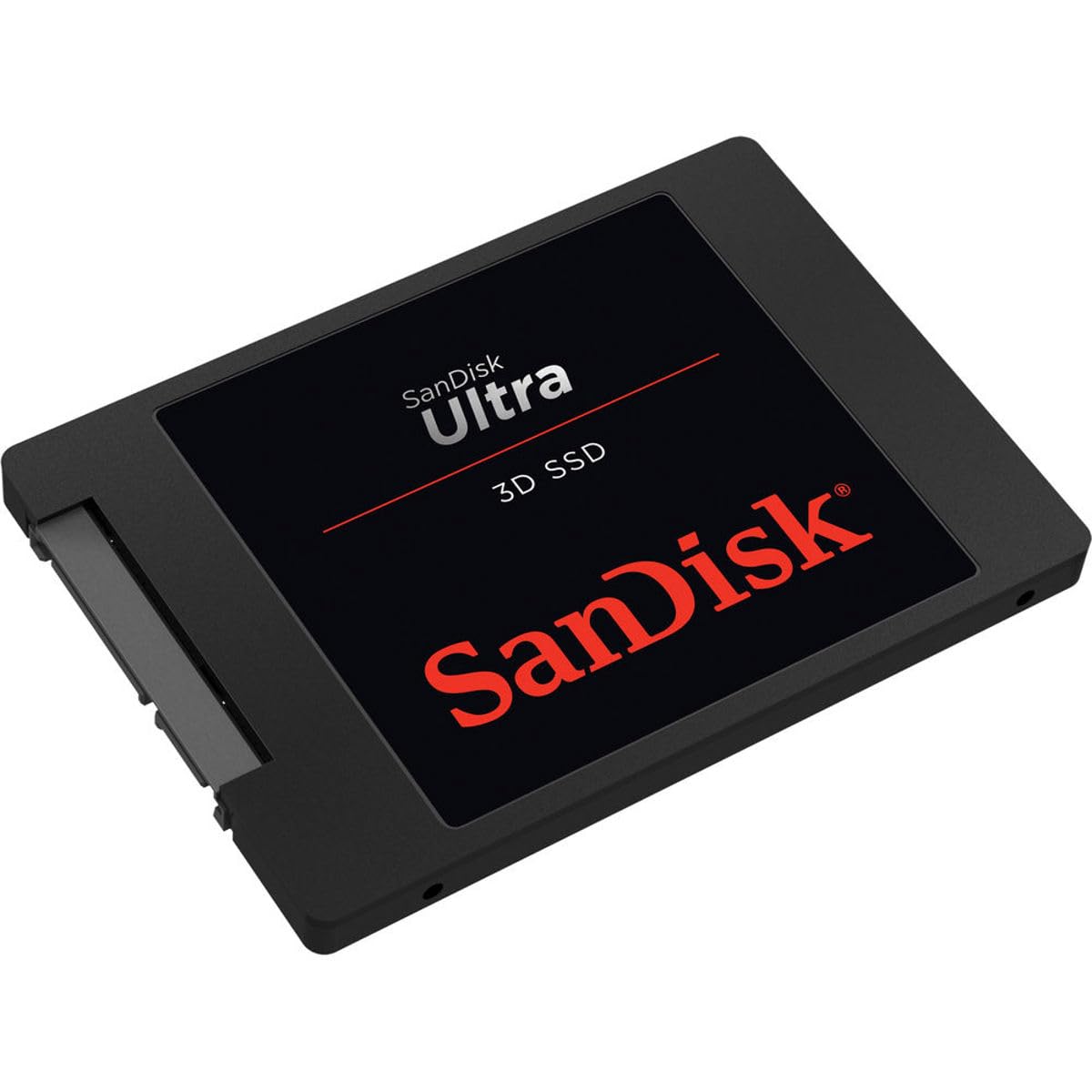
SanDisk Ultra 3D SSD (1TB, SDSSDH3-1T00-G26)
Speed up your PC. Sequential read speeds up to 560MB/s (500GB-2TB models) for faster boot and better overall system performance. Upload and run apps, games, videos and photos in an instant to spend more time doing and less time waiting. Fast burst speed with nCache 2.0 technology. The drive optimizes performance by writing data into the high-speed buffer before switching to the flash array, allowing for higher burst speeds. 3D NAND technology for legendary resistance. This powerful new technology improves the strength of the unit for even greater reliability and lower power consumption for longer notebook battery life. Durable solid state design. With no moving parts and engineering that resists shock and vibration, the SanDisk Ultra 3D SSD helps keep your data safe, even if you release your computer. Easy configuration and real-time drive status. SanDisk SSD dashboard provides real-time visibility into drive performance. It includes cloning software that allows you to configure the new drive, disk analysis tools, and alerts for firmware updates.
Speed up your PC. Sequential read speeds up to 560MB/s (500GB-2TB models) for faster boot and better overall system performance. Upload and run apps, games, videos and photos in an instant to spend more time doing and less time waiting. Fast burst speed with nCache 2.0 technology. The drive optimizes performance by writing data into the high-speed buffer before switching to the flash array, allowing for higher burst speeds. 3D NAND technology for legendary resistance. This powerful new technology improves the strength of the unit for even greater reliability and lower power consumption for longer notebook battery life. Durable solid state design. With no moving parts and engineering that resists shock and vibration, the SanDisk Ultra 3D SSD helps keep your data safe, even if you release your computer. Easy configuration and real-time drive status. SanDisk SSD dashboard provides real-time visibility into drive performance. It includes cloning software that allows you to configure the new drive, disk analysis tools, and alerts for firmware updates.
Speed up your PC. Sequential read speeds up to 560MB/s (500GB-2TB models) for faster boot and better overall system performance. Upload and run apps, games, videos and photos in an instant to spend more time doing and less time waiting. Fast burst speed with nCache 2.0 technology. The drive optimizes performance by writing data into the high-speed buffer before switching to the flash array, allowing for higher burst speeds. 3D NAND technology for legendary resistance. This powerful new technology improves the strength of the unit for even greater reliability and lower power consumption for longer notebook battery life. Durable solid state design. With no moving parts and engineering that resists shock and vibration, the SanDisk Ultra 3D SSD helps keep your data safe, even if you release your computer. Easy configuration and real-time drive status. SanDisk SSD dashboard provides real-time visibility into drive performance. It includes cloning software that allows you to configure the new drive, disk analysis tools, and alerts for firmware updates.
Speed up your PC. Sequential read speeds up to 560MB/s (500GB-2TB models) for faster boot and better overall system performance. Upload and run apps, games, videos and photos in an instant to spend more time doing and less time waiting. Fast burst speed with nCache 2.0 technology. The drive optimizes performance by writing data into the high-speed buffer before switching to the flash array, allowing for higher burst speeds. 3D NAND technology for legendary resistance. This powerful new technology improves the strength of the unit for even greater reliability and lower power consumption for longer notebook battery life. Durable solid state design. With no moving parts and engineering that resists shock and vibration, the SanDisk Ultra 3D SSD helps keep your data safe, even if you release your computer. Easy configuration and real-time drive status. SanDisk SSD dashboard provides real-time visibility into drive performance. It includes cloning software that allows you to configure the new drive, disk analysis tools, and alerts for firmware updates.
in 14 offers
The lowest price for SanDisk Ultra 3D SSD (1TB, SDSSDH3-1T00-G26) right now is $133.75 at TechCart, compared across 12 retailers.
The all-time low was $80.13 on 3 Oct 2023 — today's price is 67% above the lowest ever. It has been notably cheaper before — worth setting a price alert.
Prices last updated 16 Oct 2026.
Last updated at 16/10/2026 22:02:00
SanDisk Ultra 3D SSD 1TB up to 560MB/s Read/up to 530MB/s Write
Affiliate Disclosure: We may receive a small commission for purchases made through this link at no extra cost to you. This helps support our site. Thank you!
SanDisk Ultra 3D SSD (1TB, SDSSDH3-1T00-G26)
Delivery $50
SanDisk, SSD, Ultra, 1TB
Delivery between 21–29 Oct $18.65
Mastercard $100 OFF | SanDisk Ultra 3D 2.5" SATA SSD 1TB SDSSDH3-1T00-G26
Delivery $18.34
SanDisk Ultra 3D 1TB 2.5-inch SATA III SSD - Up to 560MB/s Read, 520MB/s Write - SDSSDH3-1T00-G26
Delivery $12.99
SanDisk 1TB Ultra 3D 2.5" SSD - SATA III 6Gb/s, SR560 MB/s, SW520 MB/s
Delivery between 22–31 Oct $12
SanDisk Ultra 3D 1TB NAND 2.5" SATA III 6Gb/s SSD
Delivery between 21–27 Oct $11.95
[SDSSDH3-1T00-G26] SanDisk Ultra 3D 1TB 2.5inch SATA III SSD
Delivery between Tue – Fri $10
SanDisk Ultra 3D 2.5" 1000 GB Serial ATA III 3D NAND
Free delivery
SanDisk Ultra 3D SSD 1TB 2.5" SATA III SSD SDSSDH3-1T00-G26
Free delivery between 20–27 Oct
originally posted on bhphotovideo.com
I bought this SSD to replace my previous 480GB SanDisk Extreme Pro because I needed more storage. I will have you know that I had a 240GB of the same one before that. I am using this with a Sony VAIO SVS151190X, with an 2.10GHz Intel i7-3610QM SandyBridges CPU, 12GB of 1333MHz DDR3 RAM, NVIDIA GeForce GTX 640M graphics, all on Windows 7. = What I like about this SSD. Speed. Lightweighted-ness. Performance. Bootup time for me is 7 secs average with a standard deviation of about 2-3 seconds more or less. It has proven reliable as I've never encountered any reading/writing errors. USB 3.0 performs much more true to speed. What I don't like about this SSD? Absolutely nothing to dislike. It's a solid working component. Overall? I will continue to use this particular line ... MoreI bought this SSD to replace my previous 480GB SanDisk Extreme Pro because I needed more storage. I will have you know that I had a 240GB of the same one before that. I am using this with a Sony VAIO SVS151190X, with an 2.10GHz Intel i7-3610QM SandyBridges CPU, 12GB of 1333MHz DDR3 RAM, NVIDIA GeForce GTX 640M graphics, all on Windows 7. = What I like about this SSD. Speed. Lightweighted-ness. Performance. Bootup time for me is 7 secs average with a standard deviation of about 2-3 seconds more or less. It has proven reliable as I've never encountered any reading/writing errors. USB 3.0 performs much more true to speed. What I don't like about this SSD? Absolutely nothing to dislike. It's a solid working component. Overall? I will continue to use this particular line of SSDs along with the other SanDisk Extreme Pro products for my storage needs! :D
originally posted on bhphotovideo.com
I used this drive as storage for an Atomos Ninja V for shooting video. It was used twice, that's right, TWICE. When it came time to use it for another shoot, it was not recognized by either the Ninja or three different PCs. I tried the 'FREE' WD recovery software shows the files are still there, but their 'free' recovery software requires you to buy it and activate it to recover the files. But, once you activate it, they mention it is not refundable. I'm not sure about anyone else's definition, but that is not my definition of free. The next SSD I buy will NOT have the word SanDisk anywhere.
originally posted on westerndigital.com
I used this for an old Mac laptop and replaced the original hard drive to this SSD. As expected the speed was 10x faster from boot time to loading applications. Even with a 10 year old processor i5 this SSD made the Mac faster than it was originally. I also use Samsung SSDs but this one has the same speed but cheaper. I also used Sandisk USB to load the Mac OS which is very reliable. I partition and format it many times loading Mac or Windows OS. So this is one of the brands I trust.
| Type | SSD |
| Use | Internal |
| Device Compatibility | PC |
| Interface | SATA |
| Wireless Connectivity | No |

SanDisk Ultra 3D SSD 1TB up to 560MB/s Read/up to 530MB/s Write
Affiliate Disclosure: We may receive a small commission for purchases made through this link at no extra cost to you. This helps support our site. Thank you!
SanDisk Ultra 3D SSD (1TB, SDSSDH3-1T00-G26)
Delivery $50
SanDisk, SSD, Ultra, 1TB
Delivery between 21–29 Oct $18.65
Mastercard $100 OFF | SanDisk Ultra 3D 2.5" SATA SSD 1TB SDSSDH3-1T00-G26
Delivery $18.34
SanDisk Ultra 3D 1TB 2.5-inch SATA III SSD - Up to 560MB/s Read, 520MB/s Write - SDSSDH3-1T00-G26
Delivery $12.99
I bought this SSD to replace my previous 480GB SanDisk Extreme Pro because I needed more storage. I will have you know that I had a 240GB of the same one before that. I am using this with a Sony VAIO SVS151190X, with an 2.10GHz Intel i7-3610QM SandyBridges CPU, 12GB of 1333MHz DDR3 RAM, NVIDIA GeForce GTX 640M graphics, all on Windows 7. = What I like about this SSD. Speed. Lightweighted-ness. Performance. Bootup time for me is 7 secs average with a standard deviation of about 2-3 seconds more or less. It has proven reliable as I've never encountered any reading/writing errors. USB 3.0 performs much more true to speed. What I don't like about this SSD? Absolutely nothing to dislike. It's a solid working component. Overall? I will continue to use this particular line ... MoreI bought this SSD to replace my previous 480GB SanDisk Extreme Pro because I needed more storage. I will have you know that I had a 240GB of the same one before that. I am using this with a Sony VAIO SVS151190X, with an 2.10GHz Intel i7-3610QM SandyBridges CPU, 12GB of 1333MHz DDR3 RAM, NVIDIA GeForce GTX 640M graphics, all on Windows 7. = What I like about this SSD. Speed. Lightweighted-ness. Performance. Bootup time for me is 7 secs average with a standard deviation of about 2-3 seconds more or less. It has proven reliable as I've never encountered any reading/writing errors. USB 3.0 performs much more true to speed. What I don't like about this SSD? Absolutely nothing to dislike. It's a solid working component. Overall? I will continue to use this particular line of SSDs along with the other SanDisk Extreme Pro products for my storage needs! :D
I used this drive as storage for an Atomos Ninja V for shooting video. It was used twice, that's right, TWICE. When it came time to use it for another shoot, it was not recognized by either the Ninja or three different PCs. I tried the 'FREE' WD recovery software shows the files are still there, but their 'free' recovery software requires you to buy it and activate it to recover the files. But, once you activate it, they mention it is not refundable. I'm not sure about anyone else's definition, but that is not my definition of free. The next SSD I buy will NOT have the word SanDisk anywhere.
I used this for an old Mac laptop and replaced the original hard drive to this SSD. As expected the speed was 10x faster from boot time to loading applications. Even with a 10 year old processor i5 this SSD made the Mac faster than it was originally. I also use Samsung SSDs but this one has the same speed but cheaper. I also used Sandisk USB to load the Mac OS which is very reliable. I partition and format it many times loading Mac or Windows OS. So this is one of the brands I trust.
I needed to increase the storage in my dual drive laptop. I already had 128 GB Samsung SSD for the system and had my user files on a WD 500 GB 7200 RPM platter drive. The$ price point, although expensive for storage, was still a great price for nearly 1TB of SSD speed. My loading and saving of Photoshop files and the speed of searches is just spectacular now and the part of the palm pad where the Storage drive resides below, used to get really warm. Now it stays so much cooler. Given this price point for a quality large capacity SSD I would think that it would be a priority for laptops with one drive and need large storage capacity. Throw in the reduced battery drain and it reallybecomes a necessity if you have to run on batteryfor extended periods. I have no cons ... MoreI needed to increase the storage in my dual drive laptop. I already had 128 GB Samsung SSD for the system and had my user files on a WD 500 GB 7200 RPM platter drive. The$ price point, although expensive for storage, was still a great price for nearly 1TB of SSD speed. My loading and saving of Photoshop files and the speed of searches is just spectacular now and the part of the palm pad where the Storage drive resides below, used to get really warm. Now it stays so much cooler. Given this price point for a quality large capacity SSD I would think that it would be a priority for laptops with one drive and need large storage capacity. Throw in the reduced battery drain and it reallybecomes a necessity if you have to run on batteryfor extended periods. I have no cons to report. It performs well and no more hard drive noise and heat.
My older laptop is happy and much faster, the SSD replaces an HDD. The base speed of the computer is the same, but where the disk is part of the operation, it has gone from a few minutes to less than a second in worst case response times. Hooray. The WD Dashboard tool is not working on my machine at the moment. Before the upgrade Acronis was having problems, but I created a bootable USB on one of my other computers and ran Acronis to clone the SSD. I hope WD Dashboard will start working again soon.
My Windows 7 laptop computer with an i5 processor was getting some age on it, so I bought this SSD hoping to boost its performance and extend its useful life. After installing my SSD into a Sabrent external USB enclosure, I used Acronis 2018 to clone my internal drive, then installed this drive in my laptop computer. Somehow some of my computer's device drivers did not make it to the SSD during the cloning process and had to be reinstalled to get my computer working again. I've never had a problem in the past with lost data when cloning conventional drives.Considering the 2.5 cost differential between this SSD drive and a conventional drive, I expected much faster response when opening programs and files. This drive does, however, cuts my cold boot time by about ... MoreMy Windows 7 laptop computer with an i5 processor was getting some age on it, so I bought this SSD hoping to boost its performance and extend its useful life. After installing my SSD into a Sabrent external USB enclosure, I used Acronis 2018 to clone my internal drive, then installed this drive in my laptop computer. Somehow some of my computer's device drivers did not make it to the SSD during the cloning process and had to be reinstalled to get my computer working again. I've never had a problem in the past with lost data when cloning conventional drives.Considering the 2.5 cost differential between this SSD drive and a conventional drive, I expected much faster response when opening programs and files. This drive does, however, cuts my cold boot time by about two-thirds but that's a relatively small part of my daily computer usage. This drive is, of course, silent and it does extend the time my laptop computer will run on battery power, which is why I would not change back to my original drive.
The product does not include any cloning software in a package. Therefore, it was hard to find a proper one that worked. After SSD was connected to the SATA 3 cable adapter the system did not see the disk, moreover, SanDisk SSD Dashboard software did not see the SSD. Acronis True Image WD Edition Software did not see the SSD as well. SanDisk is owned by Western Digital. Apricon software could find SSD but did not let me clone the disk.EasyUS TODO software is free to use, however, it installed Chromium on my laptop and asked me to allow extensions to Chrome Browser. Overall EasyUS TODO looked like a virus. Thus, I deleted it as soon as installed and did not try to use it. The only software that worked in my case was Macrium Reflect 7.1 free. Also, I watched a youtube ... MoreThe product does not include any cloning software in a package. Therefore, it was hard to find a proper one that worked. After SSD was connected to the SATA 3 cable adapter the system did not see the disk, moreover, SanDisk SSD Dashboard software did not see the SSD. Acronis True Image WD Edition Software did not see the SSD as well. SanDisk is owned by Western Digital. Apricon software could find SSD but did not let me clone the disk.EasyUS TODO software is free to use, however, it installed Chromium on my laptop and asked me to allow extensions to Chrome Browser. Overall EasyUS TODO looked like a virus. Thus, I deleted it as soon as installed and did not try to use it. The only software that worked in my case was Macrium Reflect 7.1 free. Also, I watched a youtube video made by GadgetClass channel published on Dec 31, 2014, which walked me through all the steps. Cloning the disk took 4.5 hours in my case. After SSD was installed in the laptop the system boot up in 7 seconds and SanDisk SSD Dashboard software started to recognize SSD. If I would do this process all over again I would buy Samsung EVO 860 that includes a Magician software made by Samsung company and available for download from their website.
Using Western Digital's Acronis, I could neither clone from my Western Digital Blue internal HDD nor "restore" from my Western Digital external hard drive. It declared that my Archive was corrupted. So, I had to test it. I have another drive. It is a Western Digital Blue HDD. I was able to restore from the external drive. Conclusion: The Sandisk SSD is defective.
I put this 1tb Ultra SSD into my Dell i7 desktop (after installing a suitable carrier), and it made a huge difference. Boot up time decreased by 75%, and basically every performance measurement was sped up considerably. This on top of my already fast 7200rpm HDD of the same capacity.
Replaced an aging hard drive with this SSD. Downloaded the SanDisk/Western Digital program to copy my hard drive. Worked well and without problem. Rebooted no problem and Windows opened almost immediately. Internet seemed to load faster as well. Worked so well I bought another which was on sale locally and replaced the hard driver in my other computer.Love it and I would do it again!
| Type | SSD |
| Use | Internal |
| Device Compatibility | PC |
| Interface | SATA |
| Wireless Connectivity | No |