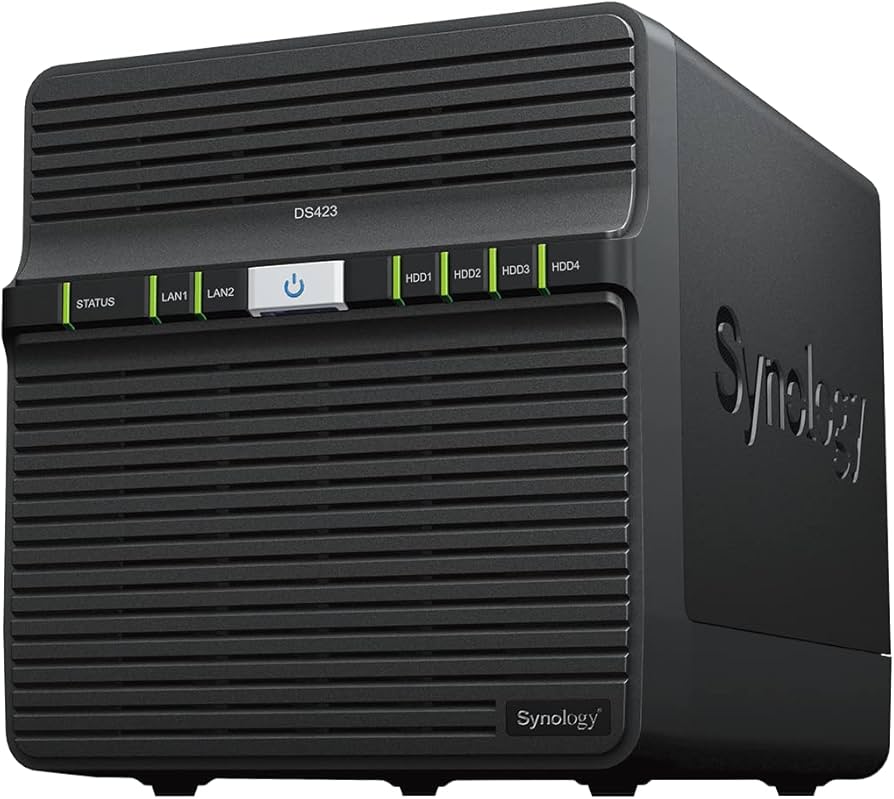
Synology 4-Bay NAS DiskStation DS923+
The Synology DS923+ is a powerful 4-bay NAS solution that can be customized and expanded as needed, with support for up to nine drives, faster networking, and NVMe SSDs for SSD cache or additional storage pools. With Synology DiskStation Manager (DSM), it is a flexible all-in-one solution for data sharing, synchronization, backup, and video surveillance. Reliable performance Up to 625/559 MB/s sequential read and write throughput for fast and efficient file management. Versatile network storage Use integrated solutions for file and photo management, data protection, virtualization, and video surveillance. Fast and stable connections Two 1GbE ports for easy integration into existing environments and optional 10GbE connectivity for more specialized and bandwidth-intensive applications. Easy capacity expansion Expandable by 5 bays to a maximum of 9 storage drives with a DX517 expansion unit.
The Synology DS923+ is a powerful 4-bay NAS solution that can be customized and expanded as needed, with support for up to nine drives, faster networking, and NVMe SSDs for SSD cache or additional storage pools. With Synology DiskStation Manager (DSM), it is a flexible all-in-one solution for data sharing, synchronization, backup, and video surveillance. Reliable performance Up to 625/559 MB/s sequential read and write throughput for fast and efficient file management. Versatile network storage Use integrated solutions for file and photo management, data protection, virtualization, and video surveillance. Fast and stable connections Two 1GbE ports for easy integration into existing environments and optional 10GbE connectivity for more specialized and bandwidth-intensive applications. Easy capacity expansion Expandable by 5 bays to a maximum of 9 storage drives with a DX517 expansion unit.
The Synology DS923+ is a powerful 4-bay NAS solution that can be customized and expanded as needed, with support for up to nine drives, faster networking, and NVMe SSDs for SSD cache or additional storage pools. With Synology DiskStation Manager (DSM), it is a flexible all-in-one solution for data sharing, synchronization, backup, and video surveillance. Reliable performance Up to 625/559 MB/s sequential read and write throughput for fast and efficient file management. Versatile network storage Use integrated solutions for file and photo management, data protection, virtualization, and video surveillance. Fast and stable connections Two 1GbE ports for easy integration into existing environments and optional 10GbE connectivity for more specialized and bandwidth-intensive applications. Easy capacity expansion Expandable by 5 bays to a maximum of 9 storage drives with a DX517 expansion unit.
The Synology DS923+ is a powerful 4-bay NAS solution that can be customized and expanded as needed, with support for up to nine drives, faster networking, and NVMe SSDs for SSD cache or additional storage pools. With Synology DiskStation Manager (DSM), it is a flexible all-in-one solution for data sharing, synchronization, backup, and video surveillance. Reliable performance Up to 625/559 MB/s sequential read and write throughput for fast and efficient file management. Versatile network storage Use integrated solutions for file and photo management, data protection, virtualization, and video surveillance. Fast and stable connections Two 1GbE ports for easy integration into existing environments and optional 10GbE connectivity for more specialized and bandwidth-intensive applications. Easy capacity expansion Expandable by 5 bays to a maximum of 9 storage drives with a DX517 expansion unit.
in 8 offers
The lowest price for Synology 4-Bay NAS DiskStation DS923+ right now is $1,464.88 at DiscTech.com, compared across 4 retailers.
The all-time low was $775.20 on 25 Nov 2023 — today's price is 89% above the lowest ever. It has been notably cheaper before — worth setting a price alert.
Prices last updated 27 Oct 2026.
Last updated at 27/10/2026 04:08:06
Synology DiskStation DS923+ 4-bay SATA NAS Server 16GB RAM
SYNOLOGY DS923+ 4-BAY NAS DS923+ DISKSTATION DISKLESS
Free delivery between Wed – Thu
Synology 4-Bay NAS DiskStation DS923+
Synology DS923+ 4-Bay NAS Kit, Ryzen CPU, 4GB Memory, For Standard Users, Domestic Authorized Dealer, Phone Support Compatible, DiskStation
Delivery between 31 Oct – 4 Nov $41
originally posted on pbtech.co.nz
I had to wait a little to assemble all the components for my network. NAS, switch hub, hard drives etc which gave me time to research the setup on YouTube. There are some really excellent tutorials available which made the setup process pretty straight forward and it all went very smoothly. Actually the data transfer to the NAS over the network was faster than I had expected. It also runs quite cool and I haven't noticed any issues with heat. It is positioned on the other side of a wall, away from my computer so I don't have to put up with drive noise. Overall delighted with this purchase. But make sure you buy a '+' model and take the time to research the setup. Worth the extra money for the '+' model.
originally posted on bhphotovideo.com
We purchased a Synology DS923+ to replace an 8-year-old rack-mounted NAS. Although our original Synology NAS has been problem free all these years, it was unnecessarily large sized for our home-office environment. The DS923+ was purchased after watching several product review videos online. The reviews were mostly complementary except for concerns that some reviewers expressed regarding Synology's proprietary disk drive and memory policy. We considered other competing NAS manufacturers but the deciding factor for us was the Synology software ecosystem. The Synology software's user interface is high quality, reliable and easy to use. The availability of the arguably best-in-class Synology software was more important in our decision making than were any concerns over ... MoreWe purchased a Synology DS923+ to replace an 8-year-old rack-mounted NAS. Although our original Synology NAS has been problem free all these years, it was unnecessarily large sized for our home-office environment. The DS923+ was purchased after watching several product review videos online. The reviews were mostly complementary except for concerns that some reviewers expressed regarding Synology's proprietary disk drive and memory policy. We considered other competing NAS manufacturers but the deciding factor for us was the Synology software ecosystem. The Synology software's user interface is high quality, reliable and easy to use. The availability of the arguably best-in-class Synology software was more important in our decision making than were any concerns over Synology's potential enforcement of a proprietary disk and memory policy. Synology equipment is expensive, but you get what you pay for in our opinion. We purchased memory and solid-state disk drives from third-party manufacturers. The memory and disks were installed and accepted by the Synology system albeit with a warning about the use of unrecommended disks. The migration of our applications and files from the original NAS to the new DS923+ was almost fully automatic using Synology's Migration Assistant. The new NAS is small, quiet and unobtrusive and suitable for positioning on a desktop. Surprisingly, our daily backup job to the Synology cloud service completes in 40 percent less time. The original Synology rack-mounted NAS was of an all-metal construction whereas the new DS923+, including the disk drive trays, is mostly all plastic. However, our experiences with Synology products have always been positive, and the DS923+ continues to live up to our expectations. We have been shopping online with B&H for several years. The order was shipped internationally the same day with all duties and taxes prepaid. This is a 5-star product. However, we rated our purchase as 4/5 just because of the unit's plastic disk trays. How can something made of plastic be rated 5/5?
originally posted on bhphotovideo.com
This is my first Synology. Its primary use will be as a Plex music server. I had used Plex server on workstation hardware running Linux before, so I thought I was prepared to run Plex on a Synology. From a user's perspective, the Plex experience is the same. On the admin side, there's a learning curve. I chose perhaps the most difficult route, which was to install Plex in a Docker container. So, not only did I have to learn DSM (which is Synology's shell over Linux) but Docker as well. DSM is fairly intuitive, but Docker was mind-blowing because Docker is not a virtual machine, though it has many virtues of VMs.tldr; Plex runs fine in a Docker container, though there is a steep learning curve if you are new to Docker.I also set up Hyper Backup to back up the ... MoreThis is my first Synology. Its primary use will be as a Plex music server. I had used Plex server on workstation hardware running Linux before, so I thought I was prepared to run Plex on a Synology. From a user's perspective, the Plex experience is the same. On the admin side, there's a learning curve. I chose perhaps the most difficult route, which was to install Plex in a Docker container. So, not only did I have to learn DSM (which is Synology's shell over Linux) but Docker as well. DSM is fairly intuitive, but Docker was mind-blowing because Docker is not a virtual machine, though it has many virtues of VMs.tldr; Plex runs fine in a Docker container, though there is a steep learning curve if you are new to Docker.I also set up Hyper Backup to back up the Synology to external USB drives. Synology's Hyper Backup is very intuitive to setup, and I like that one can verify back ups.I set up Synology Drive on two workstations -- a Mac and a Linux desktop -- and an iOS device. Synology Drive backs up the directories you specify on a schedule you create. So far, Synology Drive seems to function reliably.I connected the DS923+ to an APC BVK750M2 uninterruptable power supply. I connected the APC-supplied USB cable between the UPS and the Synology, and changed two settings in the Synology. The Synology and APC recognized each other, and the Synology reports the UPS will power it for 72 minutes when power fails. Shortly after I installed the BVK750M2, a winter storm knocked out power to the area for 20 seconds. The two devices carried on a conversation, sent me an email informing me the Synology was on battery power. I'd set the Synology to shut down when the battery neared depletion, and am confident it would have done so.I had two spare 256 Gb M.2 drives I installed in the DS923+, and set them up as read/write cache devices. Synology offers a M.2 cache advisor, which I switched on and ran the DS923+ for several weeks before it issued a report. I spec'ed larger M.2 drives than I happened to have on hand. Despite the software's advice to use larger M.2 drives, I used the 256 Gb's. Synology warned that my M.2 drives were not Synology approved, but the device seems to work fine with them anyway. I noticed an immediate improvement in the load speed of the Plex Web UI. A Plex Web page that once took 3-4 seconds to load now loads almost instantly on my local network.Over the last 20 years, I've backed up photos and home videos onto external drives. I copied the data from eight or so external drives to the Synology, which was liberating. I didn't realize how anxious I was when bit rot would start to take its toll. One can schedule what Synology calls Data Scrubbing and other call Patrol Reads to determine if the data saved has changed, and if necessary, correct the errors. A nice peace-of-mind feature.As port of the B&H black Friday promotion, I purchased four, 6 TB WD drives marketed as RAID drives. My employer uses several dozen of the same drives in RAID devices, and the drives last a minimum of 5 years in our experience. Your mileage may vary.Overall, I'm pleased with the DS923+. I took my time setting it up because Synology's DSM offers many options. I recommend pairing a Synology with the APC BVK750M2 UPS. If you plan to use your DS923+ in a role where users will interact with the device's applications, run the Cache Advisor to learn if adding M.2 devices will improve performance.
| Style | Merchandise |
| Certification | FCC BSMI VCCI RCM UKCA EAC CCC KC |
| Built-in speaker(s) | N |
| Cable lock slot type | Kensington |
| Cable lock slot | Y |
Synology DiskStation DS923+ 4-bay SATA NAS Server 16GB RAM
SYNOLOGY DS923+ 4-BAY NAS DS923+ DISKSTATION DISKLESS
Free delivery between Wed – Thu
Synology 4-Bay NAS DiskStation DS923+
Synology DS923+ 4-Bay NAS Kit, Ryzen CPU, 4GB Memory, For Standard Users, Domestic Authorized Dealer, Phone Support Compatible, DiskStation
Delivery between 31 Oct – 4 Nov $41
I had to wait a little to assemble all the components for my network. NAS, switch hub, hard drives etc which gave me time to research the setup on YouTube. There are some really excellent tutorials available which made the setup process pretty straight forward and it all went very smoothly. Actually the data transfer to the NAS over the network was faster than I had expected. It also runs quite cool and I haven't noticed any issues with heat. It is positioned on the other side of a wall, away from my computer so I don't have to put up with drive noise. Overall delighted with this purchase. But make sure you buy a '+' model and take the time to research the setup. Worth the extra money for the '+' model.
We purchased a Synology DS923+ to replace an 8-year-old rack-mounted NAS. Although our original Synology NAS has been problem free all these years, it was unnecessarily large sized for our home-office environment. The DS923+ was purchased after watching several product review videos online. The reviews were mostly complementary except for concerns that some reviewers expressed regarding Synology's proprietary disk drive and memory policy. We considered other competing NAS manufacturers but the deciding factor for us was the Synology software ecosystem. The Synology software's user interface is high quality, reliable and easy to use. The availability of the arguably best-in-class Synology software was more important in our decision making than were any concerns over ... MoreWe purchased a Synology DS923+ to replace an 8-year-old rack-mounted NAS. Although our original Synology NAS has been problem free all these years, it was unnecessarily large sized for our home-office environment. The DS923+ was purchased after watching several product review videos online. The reviews were mostly complementary except for concerns that some reviewers expressed regarding Synology's proprietary disk drive and memory policy. We considered other competing NAS manufacturers but the deciding factor for us was the Synology software ecosystem. The Synology software's user interface is high quality, reliable and easy to use. The availability of the arguably best-in-class Synology software was more important in our decision making than were any concerns over Synology's potential enforcement of a proprietary disk and memory policy. Synology equipment is expensive, but you get what you pay for in our opinion. We purchased memory and solid-state disk drives from third-party manufacturers. The memory and disks were installed and accepted by the Synology system albeit with a warning about the use of unrecommended disks. The migration of our applications and files from the original NAS to the new DS923+ was almost fully automatic using Synology's Migration Assistant. The new NAS is small, quiet and unobtrusive and suitable for positioning on a desktop. Surprisingly, our daily backup job to the Synology cloud service completes in 40 percent less time. The original Synology rack-mounted NAS was of an all-metal construction whereas the new DS923+, including the disk drive trays, is mostly all plastic. However, our experiences with Synology products have always been positive, and the DS923+ continues to live up to our expectations. We have been shopping online with B&H for several years. The order was shipped internationally the same day with all duties and taxes prepaid. This is a 5-star product. However, we rated our purchase as 4/5 just because of the unit's plastic disk trays. How can something made of plastic be rated 5/5?
This is my first Synology. Its primary use will be as a Plex music server. I had used Plex server on workstation hardware running Linux before, so I thought I was prepared to run Plex on a Synology. From a user's perspective, the Plex experience is the same. On the admin side, there's a learning curve. I chose perhaps the most difficult route, which was to install Plex in a Docker container. So, not only did I have to learn DSM (which is Synology's shell over Linux) but Docker as well. DSM is fairly intuitive, but Docker was mind-blowing because Docker is not a virtual machine, though it has many virtues of VMs.tldr; Plex runs fine in a Docker container, though there is a steep learning curve if you are new to Docker.I also set up Hyper Backup to back up the ... MoreThis is my first Synology. Its primary use will be as a Plex music server. I had used Plex server on workstation hardware running Linux before, so I thought I was prepared to run Plex on a Synology. From a user's perspective, the Plex experience is the same. On the admin side, there's a learning curve. I chose perhaps the most difficult route, which was to install Plex in a Docker container. So, not only did I have to learn DSM (which is Synology's shell over Linux) but Docker as well. DSM is fairly intuitive, but Docker was mind-blowing because Docker is not a virtual machine, though it has many virtues of VMs.tldr; Plex runs fine in a Docker container, though there is a steep learning curve if you are new to Docker.I also set up Hyper Backup to back up the Synology to external USB drives. Synology's Hyper Backup is very intuitive to setup, and I like that one can verify back ups.I set up Synology Drive on two workstations -- a Mac and a Linux desktop -- and an iOS device. Synology Drive backs up the directories you specify on a schedule you create. So far, Synology Drive seems to function reliably.I connected the DS923+ to an APC BVK750M2 uninterruptable power supply. I connected the APC-supplied USB cable between the UPS and the Synology, and changed two settings in the Synology. The Synology and APC recognized each other, and the Synology reports the UPS will power it for 72 minutes when power fails. Shortly after I installed the BVK750M2, a winter storm knocked out power to the area for 20 seconds. The two devices carried on a conversation, sent me an email informing me the Synology was on battery power. I'd set the Synology to shut down when the battery neared depletion, and am confident it would have done so.I had two spare 256 Gb M.2 drives I installed in the DS923+, and set them up as read/write cache devices. Synology offers a M.2 cache advisor, which I switched on and ran the DS923+ for several weeks before it issued a report. I spec'ed larger M.2 drives than I happened to have on hand. Despite the software's advice to use larger M.2 drives, I used the 256 Gb's. Synology warned that my M.2 drives were not Synology approved, but the device seems to work fine with them anyway. I noticed an immediate improvement in the load speed of the Plex Web UI. A Plex Web page that once took 3-4 seconds to load now loads almost instantly on my local network.Over the last 20 years, I've backed up photos and home videos onto external drives. I copied the data from eight or so external drives to the Synology, which was liberating. I didn't realize how anxious I was when bit rot would start to take its toll. One can schedule what Synology calls Data Scrubbing and other call Patrol Reads to determine if the data saved has changed, and if necessary, correct the errors. A nice peace-of-mind feature.As port of the B&H black Friday promotion, I purchased four, 6 TB WD drives marketed as RAID drives. My employer uses several dozen of the same drives in RAID devices, and the drives last a minimum of 5 years in our experience. Your mileage may vary.Overall, I'm pleased with the DS923+. I took my time setting it up because Synology's DSM offers many options. I recommend pairing a Synology with the APC BVK750M2 UPS. If you plan to use your DS923+ in a role where users will interact with the device's applications, run the Cache Advisor to learn if adding M.2 devices will improve performance.
I needed a new method for storing family photos, videos, and backing up our computers. There are simply too many documents we don't want to lose. I decided it was time for a NAS. I did a lot of research and decided that Synology was right choice for me, but I wanted a newer one with more power and I knew would be supported for a long time, so I bought the DS923+ as soon as it became available.I shopped around a lot and found that B&H had the best price and they made it really easy to find supported accessories, like the hard drives I've put in it. For something like this I really appreciate having a trusted seller instead of buying from a market place where I don't know who is actually sending me the items.I've been so impressed by this NAS that I've decided to ... MoreI needed a new method for storing family photos, videos, and backing up our computers. There are simply too many documents we don't want to lose. I decided it was time for a NAS. I did a lot of research and decided that Synology was right choice for me, but I wanted a newer one with more power and I knew would be supported for a long time, so I bought the DS923+ as soon as it became available.I shopped around a lot and found that B&H had the best price and they made it really easy to find supported accessories, like the hard drives I've put in it. For something like this I really appreciate having a trusted seller instead of buying from a market place where I don't know who is actually sending me the items.I've been so impressed by this NAS that I've decided to use to host some other applications in my home network, so just earlier today I came back to B&H to purchase a little bit more RAM and an NVMe SDD to make the other apps even faster. Again, I found B&H had the best prices on the name brand parts I was looking for, and I completely trust that I'll get the correct items.
Great NAS solution. The DSM software has a very easy to use desktop interface. Plenty of online resources for support. I have it in a basement closet, but the fans are quiet enough they wouldn't bother you if it was on your desk.As usual, B&H order process and shipping was flawless and quick.
Nice device, great capabilities.Hate the fact everything is plastic, they're fore easier to break.Other than that wonderful device. The ecosystem has some very awesome tools.
The Synology DS923 is a compact powerhouse that manages a ton of information with it 4 bay configuration. In my case I loaded in 4 hard drives at 4 TB each. Set up in a Raid 5 configuration I am able to store over 10 TB of information safely with data protection.With its small enclosure, I have it sitting on top of a bookshelf out of the way taking up a small footprint.Don't let its small form factor fool you, this is a storage beast that is very fast on its ability to handle uploads and downloads with speed. I highly recommend it to store and protect all you files, videos, pictures and any other digital assets.
Well packed and quickly shipped. The DS923+ will serve my NAS needs well and should last a long while if past experience with Synology holds true. There are cheaper options with similar capabilities or faster networking built in. For me the combination of software features with reliable hardware is too good to pass up. A few compromises on network speed and lack of transcoding gpu don't affect me since I don't need those capabilities.A wonderful overall package for reliable storage with easy to configure software is a winner for me.
Synology is a system: enclosure software. This idea is contained in the price too: $600 or so you pay for this enclosure is the price of hardware software you will be able to download and use for free. The software is not there (particularly Photos) and is not clearly if it will ever be (at least in the reasonable future) based on some basic functionality (e.g. commenting on shares) not being available for years despite user requests on forums.New buyers be careful. Yes, this is a good solution for backup of your photos. Yes, you will have access to them and will be able to share them with others (after some research). But don't expect this to be a replacement to Google Photos even in the basic functionality. And that is unfortunate as this was the main campaign ... MoreSynology is a system: enclosure software. This idea is contained in the price too: $600 or so you pay for this enclosure is the price of hardware software you will be able to download and use for free. The software is not there (particularly Photos) and is not clearly if it will ever be (at least in the reasonable future) based on some basic functionality (e.g. commenting on shares) not being available for years despite user requests on forums.New buyers be careful. Yes, this is a good solution for backup of your photos. Yes, you will have access to them and will be able to share them with others (after some research). But don't expect this to be a replacement to Google Photos even in the basic functionality. And that is unfortunate as this was the main campaign line that sold me on Synology system.
| Style | Merchandise |
| Certification | FCC BSMI VCCI RCM UKCA EAC CCC KC |
| Built-in speaker(s) | N |
| Cable lock slot type | Kensington |
| Cable lock slot | Y |