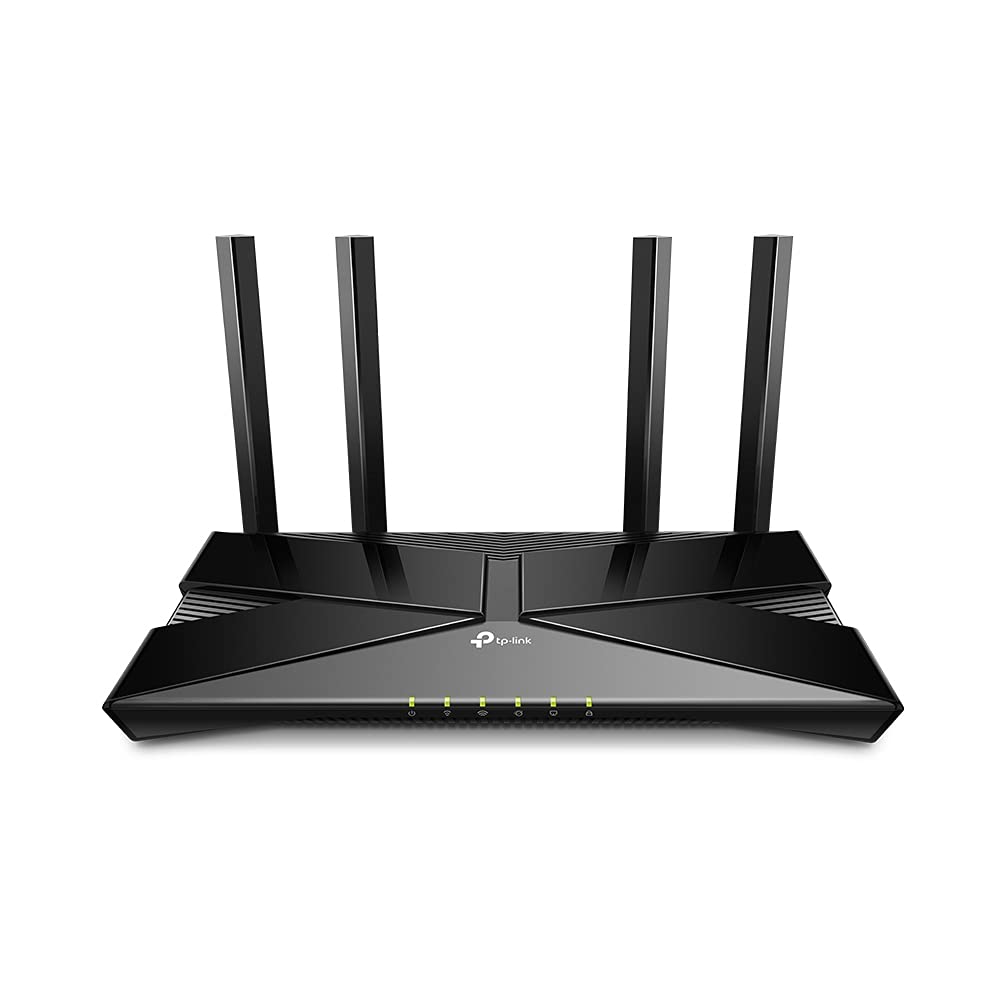
TP-Link Archer AX1500 Wi-Fi 6 Router
Wi-Fi 6 delivers a huge boost in speed and total capacity. Get on the latest Wi-Fi technology to wipe out all the annoying jittering and slow down and enjoy the future network that loads faster and connects more. The latest 1024-QAM and higher symbol rate combine to boost speeds for newer devices to the Gigabit level. Connect to a 1 Gbps Wi-Fi network with your phone or laptop and enjoy speeds comparable to plugging in an Ethernet cable. Wi-Fi 6 efficiently transmits data, enabling data packets for different applications to share one broadcast and cut the latency. Enjoy flawless video and audio chats, better gaming speeds and instantaneous video loading on different devices—all at the same time. A 1.5 GHz triple-core CPU provides overwhelming power to tackle huge amounts of data transferring, minimizing the latency within your network. Enjoy instant response when you click the play button for online playback and get better quality for the online video chatting. Get Next-Gen Wi-Fi speeds up to 1.5 Gbps. Instant response to all your network activity with a 1.5 GHz triple-core CPU. Broader Coverage 4 antennas and beamforming technology focus signal towards individual clients for broader coverage. Connect Dozens of devices more simultaneous connections and higher average throughput with ofdma. Full gigabit ports take full advantages of broadband speeds up to 1 gbps. Easy setup finish your network upgrade in minutes with tether app. Easy and Smart Connect a new device to your Wi-Fi without using the password, but your voice. EasyMesh-Compatible Flexibly creates a mesh network by connecting to an easymesh-compatible router for seamless whole-home coverage.
Wi-Fi 6 delivers a huge boost in speed and total capacity. Get on the latest Wi-Fi technology to wipe out all the annoying jittering and slow down and enjoy the future network that loads faster and connects more. The latest 1024-QAM and higher symbol rate combine to boost speeds for newer devices to the Gigabit level. Connect to a 1 Gbps Wi-Fi network with your phone or laptop and enjoy speeds comparable to plugging in an Ethernet cable. Wi-Fi 6 efficiently transmits data, enabling data packets for different applications to share one broadcast and cut the latency. Enjoy flawless video and audio chats, better gaming speeds and instantaneous video loading on different devices—all at the same time. A 1.5 GHz triple-core CPU provides overwhelming power to tackle huge amounts of data transferring, minimizing the latency within your network. Enjoy instant response when you click the play button for online playback and get better quality for the online video chatting. Get Next-Gen Wi-Fi speeds up to 1.5 Gbps. Instant response to all your network activity with a 1.5 GHz triple-core CPU. Broader Coverage 4 antennas and beamforming technology focus signal towards individual clients for broader coverage. Connect Dozens of devices more simultaneous connections and higher average throughput with ofdma. Full gigabit ports take full advantages of broadband speeds up to 1 gbps. Easy setup finish your network upgrade in minutes with tether app. Easy and Smart Connect a new device to your Wi-Fi without using the password, but your voice. EasyMesh-Compatible Flexibly creates a mesh network by connecting to an easymesh-compatible router for seamless whole-home coverage.
Wi-Fi 6 delivers a huge boost in speed and total capacity. Get on the latest Wi-Fi technology to wipe out all the annoying jittering and slow down and enjoy the future network that loads faster and connects more. The latest 1024-QAM and higher symbol rate combine to boost speeds for newer devices to the Gigabit level. Connect to a 1 Gbps Wi-Fi network with your phone or laptop and enjoy speeds comparable to plugging in an Ethernet cable. Wi-Fi 6 efficiently transmits data, enabling data packets for different applications to share one broadcast and cut the latency. Enjoy flawless video and audio chats, better gaming speeds and instantaneous video loading on different devices—all at the same time. A 1.5 GHz triple-core CPU provides overwhelming power to tackle huge amounts of data transferring, minimizing the latency within your network. Enjoy instant response when you click the play button for online playback and get better quality for the online video chatting. Get Next-Gen Wi-Fi speeds up to 1.5 Gbps. Instant response to all your network activity with a 1.5 GHz triple-core CPU. Broader Coverage 4 antennas and beamforming technology focus signal towards individual clients for broader coverage. Connect Dozens of devices more simultaneous connections and higher average throughput with ofdma. Full gigabit ports take full advantages of broadband speeds up to 1 gbps. Easy setup finish your network upgrade in minutes with tether app. Easy and Smart Connect a new device to your Wi-Fi without using the password, but your voice. EasyMesh-Compatible Flexibly creates a mesh network by connecting to an easymesh-compatible router for seamless whole-home coverage.
Wi-Fi 6 delivers a huge boost in speed and total capacity. Get on the latest Wi-Fi technology to wipe out all the annoying jittering and slow down and enjoy the future network that loads faster and connects more. The latest 1024-QAM and higher symbol rate combine to boost speeds for newer devices to the Gigabit level. Connect to a 1 Gbps Wi-Fi network with your phone or laptop and enjoy speeds comparable to plugging in an Ethernet cable. Wi-Fi 6 efficiently transmits data, enabling data packets for different applications to share one broadcast and cut the latency. Enjoy flawless video and audio chats, better gaming speeds and instantaneous video loading on different devices—all at the same time. A 1.5 GHz triple-core CPU provides overwhelming power to tackle huge amounts of data transferring, minimizing the latency within your network. Enjoy instant response when you click the play button for online playback and get better quality for the online video chatting. Get Next-Gen Wi-Fi speeds up to 1.5 Gbps. Instant response to all your network activity with a 1.5 GHz triple-core CPU. Broader Coverage 4 antennas and beamforming technology focus signal towards individual clients for broader coverage. Connect Dozens of devices more simultaneous connections and higher average throughput with ofdma. Full gigabit ports take full advantages of broadband speeds up to 1 gbps. Easy setup finish your network upgrade in minutes with tether app. Easy and Smart Connect a new device to your Wi-Fi without using the password, but your voice. EasyMesh-Compatible Flexibly creates a mesh network by connecting to an easymesh-compatible router for seamless whole-home coverage.
in 53 offers
The lowest price for TP-Link Archer AX1500 Wi-Fi 6 Router right now is $69.00 at Shopping Express, compared across 46 retailers.
The all-time low was $29.00 on 12 May 2026 — today's price is 138% above the lowest ever. It has been notably cheaper before — worth setting a price alert.
Prices last updated 24 Sept 2026.
Last updated at 24/09/2026 21:58:41
TP-Link AX1500 Wi-Fi 6 Router, Dual-Band, MU-MIMO, OFDMA, OneMesh Supported (Archer AX1500) AU Version
Free delivery
Affiliate Disclosure: We may receive a small commission for purchases made through this link at no extra cost to you. This helps support our site. Thank you!
Open Box Sale -- TP-Link Archer AX1500 MU-MIMO OFDMA Dual-Band WiFi 6 Router
Delivery $9.90
TP-Link Archer AX1500 OFDMA Dual-Band WiFi 6 Router
Delivery $9.90
TP-LINK Archer AX1500 4 Port 1200Mbps Wireless Router - Black
Affiliate Disclosure: We may receive a small commission for purchases made through this link at no extra cost to you. This helps support our site. Thank you!
Tp-linkwi-fi Routers Archer Ax1500 V1.2 Wi-fi 6 Gigabit Dual Band
Free delivery
Affiliate Disclosure: We may receive a small commission for purchases made through this link at no extra cost to you. This helps support our site. Thank you!
Tplink Tp-link Archer Ax1500 Wi-fi 6 Dual-band Router, Easymesh,
Free delivery
Affiliate Disclosure: We may receive a small commission for purchases made through this link at no extra cost to you. This helps support our site. Thank you!
TP-Link Dual Band WiFi 6 Router (ARCHER AX1500)
TP-Link Archer AX1500 Wifi 6 Router
Delivery between 28 Sept – 2 Oct $14.50
TP Link Dual Band WiFi 6 Router ARCHER AX1500 - Routers
Delivery $14.19
TP-Link ARCHER-AX1500 Wireless AX Gigabit Router | Best Online Computer Store
Delivery between 1–9 Oct $12.12
originally posted on pbtech.co.nz
Has the essential AP features but can't be used as a wi-fi extender. The range is not great... and just 2 thin walls make the connection unreliable with unstable performance.WAN port is 1Gbit by specification but when you use a longer LAN cable it drops the speed to 100Mbit after a couple of hours. It was happening when connected to LAN or another router so definitely a problem with this Archer AP. Unfortunately, PBtech support didn't believe me and let me pay to restock fee although I tested it for days to isolate the issue. All other 4x LAN 1Gbit ports worked fine at full 1Gbit.
originally posted on officedepot.com
This router took a little setting up. Finally the set up window appeared and everything went fine. Try the router IP address 192.168.1.1. This was the least expensive router and it doesn't have four passwords only two or DNS settings so don't be disappointed. The two passwords are manually set and the DNS is automatic. The signal is strong and both 2.4 and 5GHz work fine. We have a standard size house. The ax standard is the newest.
originally posted on walmart.com
First off, I wouldn't say its built like a tank with tons of drop/impact resistance or anything but since routers are intended to be stationary devices, people planning to leave this sitting mostly undisturbed in a secure place (Like they should be anyway) should be just fine with its durability. With that said, swapping out my ancient Verizon stock router was actually simplier than expected. In my case, I didn't have to call my ISP to authorize it or anything. I Just disconnected the old router, plugged this new router in, plugged in my PC via ethernet and was auto prompted with the setup interface in my web browser where I was able to quickly set up my network settings. After I was done with settings, I prompted to update the router's firmware which I did. After ... MoreFirst off, I wouldn't say its built like a tank with tons of drop/impact resistance or anything but since routers are intended to be stationary devices, people planning to leave this sitting mostly undisturbed in a secure place (Like they should be anyway) should be just fine with its durability. With that said, swapping out my ancient Verizon stock router was actually simplier than expected. In my case, I didn't have to call my ISP to authorize it or anything. I Just disconnected the old router, plugged this new router in, plugged in my PC via ethernet and was auto prompted with the setup interface in my web browser where I was able to quickly set up my network settings. After I was done with settings, I prompted to update the router's firmware which I did. After everything, I was up and running in a few minutes. PRO TIP: Highly reccomend making sure you give your 2.4ghz AND 5ghz networks the SAME EXACT name/password (case and all) so that it auto connects you to the most aappropriate network band without you or your not so tech savvy housemates/guests having to do any guesswork. Pretty cool feature actually! Other than that, the range and performance is VERY noticeably better than my previous router. Placed in the middle of my mid sized NYC apartment with very thick concrete and steel reinforced walls, the wifi signal barely made it to the ends of my home on my old router. With this new router in the same spot, I can walk to the opposite end of my building's hallway (I live on the last apartment on the other end) as well as get great signal on my previously problematic back corner bedroom. As a certified IT pro, I took a very quick look around in the settings and it seems to have everything I need to get into the nitty gritty whenever I'm ready to get around to it. In a nutshell, This $69 Wifi 6 capable router is going to be all most people need and some for a pretty long time. Over the years, I've seen people spend a whole lot more money for a whole lot less so this router gets a easy reccomendation from me!
| General | |
| Device Type | Wireless router - 4-port switch (integrated) |
| Enclosure Type | Desktop |
| Connectivity Technology | Wireless, wired |
| Data Link Protocol | Ethernet, Fast Ethernet, Gigabit Ethernet, IEEE 802.11b, IEEE 802.11a, IEEE 802.11g, IEEE 802.11n, IEEE 802.11ac, IEEE 802.11ax (Wi-Fi 6) |

TP-Link AX1500 Wi-Fi 6 Router, Dual-Band, MU-MIMO, OFDMA, OneMesh Supported (Archer AX1500) AU Version
Free delivery
Affiliate Disclosure: We may receive a small commission for purchases made through this link at no extra cost to you. This helps support our site. Thank you!
Open Box Sale -- TP-Link Archer AX1500 MU-MIMO OFDMA Dual-Band WiFi 6 Router
Delivery $9.90
TP-Link Archer AX1500 OFDMA Dual-Band WiFi 6 Router
Delivery $9.90
TP-LINK Archer AX1500 4 Port 1200Mbps Wireless Router - Black
Affiliate Disclosure: We may receive a small commission for purchases made through this link at no extra cost to you. This helps support our site. Thank you!
Tp-linkwi-fi Routers Archer Ax1500 V1.2 Wi-fi 6 Gigabit Dual Band
Free delivery
Affiliate Disclosure: We may receive a small commission for purchases made through this link at no extra cost to you. This helps support our site. Thank you!
Has the essential AP features but can't be used as a wi-fi extender. The range is not great... and just 2 thin walls make the connection unreliable with unstable performance.WAN port is 1Gbit by specification but when you use a longer LAN cable it drops the speed to 100Mbit after a couple of hours. It was happening when connected to LAN or another router so definitely a problem with this Archer AP. Unfortunately, PBtech support didn't believe me and let me pay to restock fee although I tested it for days to isolate the issue. All other 4x LAN 1Gbit ports worked fine at full 1Gbit.
This router took a little setting up. Finally the set up window appeared and everything went fine. Try the router IP address 192.168.1.1. This was the least expensive router and it doesn't have four passwords only two or DNS settings so don't be disappointed. The two passwords are manually set and the DNS is automatic. The signal is strong and both 2.4 and 5GHz work fine. We have a standard size house. The ax standard is the newest.
First off, I wouldn't say its built like a tank with tons of drop/impact resistance or anything but since routers are intended to be stationary devices, people planning to leave this sitting mostly undisturbed in a secure place (Like they should be anyway) should be just fine with its durability. With that said, swapping out my ancient Verizon stock router was actually simplier than expected. In my case, I didn't have to call my ISP to authorize it or anything. I Just disconnected the old router, plugged this new router in, plugged in my PC via ethernet and was auto prompted with the setup interface in my web browser where I was able to quickly set up my network settings. After I was done with settings, I prompted to update the router's firmware which I did. After ... MoreFirst off, I wouldn't say its built like a tank with tons of drop/impact resistance or anything but since routers are intended to be stationary devices, people planning to leave this sitting mostly undisturbed in a secure place (Like they should be anyway) should be just fine with its durability. With that said, swapping out my ancient Verizon stock router was actually simplier than expected. In my case, I didn't have to call my ISP to authorize it or anything. I Just disconnected the old router, plugged this new router in, plugged in my PC via ethernet and was auto prompted with the setup interface in my web browser where I was able to quickly set up my network settings. After I was done with settings, I prompted to update the router's firmware which I did. After everything, I was up and running in a few minutes. PRO TIP: Highly reccomend making sure you give your 2.4ghz AND 5ghz networks the SAME EXACT name/password (case and all) so that it auto connects you to the most aappropriate network band without you or your not so tech savvy housemates/guests having to do any guesswork. Pretty cool feature actually! Other than that, the range and performance is VERY noticeably better than my previous router. Placed in the middle of my mid sized NYC apartment with very thick concrete and steel reinforced walls, the wifi signal barely made it to the ends of my home on my old router. With this new router in the same spot, I can walk to the opposite end of my building's hallway (I live on the last apartment on the other end) as well as get great signal on my previously problematic back corner bedroom. As a certified IT pro, I took a very quick look around in the settings and it seems to have everything I need to get into the nitty gritty whenever I'm ready to get around to it. In a nutshell, This $69 Wifi 6 capable router is going to be all most people need and some for a pretty long time. Over the years, I've seen people spend a whole lot more money for a whole lot less so this router gets a easy reccomendation from me!
I bought this to replace an aging cable modem/router combo that I had for Spectrum internet service.This unit is excellent for a medium sized house, probably no bigger than 2000 sqft.It can deliver 5 GHz and 2.4 GHz full bandwidth to the farthest reaches of our place and at full speeds. We have 200 Mbps connectivity through Spectrum and I get around 230 Mbps through the wired Ethernet plugged into the back of my cable modem, but on 5 GHz wireless, all of my devices (2 TVs, 3 laptops, 2 Chromebooks, 2 PCs, 2 iPads, 3 phones, 2 wireless cameras, 3 Kindles, 1 Wii, and a baby monitor) get full bandwidth without a hiccup. My old setup only gave us around 60 Mbps on the 5 GHz wireless band, but this one delivers better than advertised.I bought this unit primarily to ... MoreI bought this to replace an aging cable modem/router combo that I had for Spectrum internet service.This unit is excellent for a medium sized house, probably no bigger than 2000 sqft.It can deliver 5 GHz and 2.4 GHz full bandwidth to the farthest reaches of our place and at full speeds. We have 200 Mbps connectivity through Spectrum and I get around 230 Mbps through the wired Ethernet plugged into the back of my cable modem, but on 5 GHz wireless, all of my devices (2 TVs, 3 laptops, 2 Chromebooks, 2 PCs, 2 iPads, 3 phones, 2 wireless cameras, 3 Kindles, 1 Wii, and a baby monitor) get full bandwidth without a hiccup. My old setup only gave us around 60 Mbps on the 5 GHz wireless band, but this one delivers better than advertised.I bought this unit primarily to allow for future upgrades to both your internet service (Gigabit fiber is coming to our neighborhood next year) and to our devices - this router is a WiFi 6 router, so it can deliver even better throughput to those newer devices.In all, this is an excellent and simple to setup and use router. The only negative I could say would be that one cannot install an open-source firmware on it, like DD-WRT, OpenWRT, or Tomato. But the TP-Link firmware built-in works just fine and offers me most of what I would have gotten with a custom firmware.
The TP Link Archer AX1500 may be the ultimate router right now for the average household. The big new feature in wireless routers right now is the new AX standard. Fortunately though, the board for wireless standards has finally realized that most people have no clue what the differences between G, N, AC, and AX are. They’ve decided now that the new standard will be numerical. So the latest AX standard is now Wi-Fi 6. The previous standard, AC, is now Wi-Fi 5. Wi-Fi 6 seems to be the biggest leap in wireless technology in a long time that can actually be useful to the average person. Average potential speeds can be increased by up to 40% for a single device. These days, most people have multiple devices connected to their wireless router at any given time. But often ... MoreThe TP Link Archer AX1500 may be the ultimate router right now for the average household. The big new feature in wireless routers right now is the new AX standard. Fortunately though, the board for wireless standards has finally realized that most people have no clue what the differences between G, N, AC, and AX are. They’ve decided now that the new standard will be numerical. So the latest AX standard is now Wi-Fi 6. The previous standard, AC, is now Wi-Fi 5. Wi-Fi 6 seems to be the biggest leap in wireless technology in a long time that can actually be useful to the average person. Average potential speeds can be increased by up to 40% for a single device. These days, most people have multiple devices connected to their wireless router at any given time. But often times only one is being used at a time, for that Wi-Fi 6 can be very beneficial. Efficiency for a congested network can be improved up to 4X. For me, that’s an important improvement. I have a family where often times each member is streaming something in 4K on their TV, while simultaneously also browsing the internet or interacting on social media. So I have an average of 6 devices at any given time with a possibility for as many as a dozen. This can help you even if you simply live in an area where there are a lot of wireless signals. With the improvement in wireless technology and the almost universal adoption, even in my small town, I can pick up more than 10 wireless networks at my home at any time. Of which, 4 are mine. Wi-Fi 6 introduces a new feature, OFDMA. The name isn’t important, since it doesn’t really tell you anything. It’s a new Wi-Fi 6 feature that can divide a wireless channel into a large number of subchannels, further enhancing efficiency for multiple devices. MIMO has also been enhanced with Wi-Fi 6 for routers with multiple antennas. Before, it allowed the router to transmit data to multiple devices simultaneously but with Wi-Fi 6, the devices can also all transmit data uninterrupted to the router, improving speed and efficiency across multiple devices. Wi-Fi 6 can also improve battery life on network connected devices by more efficiently keeping track of periods of inactivity and telling devices such as a phone, to turn off its network antenna and thereby saving on power.The Archer AX1500 is a dual band router with four high gain antennas for the 2.4 GHz and 5 GHz bands. There are 4 Gigabit Ethernet ports. This router supports the Beamforming feature that can enhance signal integrity. I've found that beamforming works best for a stationary device, it tends to not work as well if you're moving around a lot. The AX1500 features a 1.5 GHz CPU to allow it to process data significantly faster than previous generations of TP Link routers. In my experience, the dual core routers already had impressive response times. The triple core CPU in conjunction with Wi-Fi 6 make this router extremely responsive for a router in its price range, which makes it an excellent choice for online gaming. The features offered by the Archer AX1500 give this router future proofing for at least the next few years. Not many devices feature Wi-Fi 6 yet, but many newer phones will have support for it and any next gen gaming consoles or PC networking adapters will support it as well.The only complaint I have about this router is there aren't any USB ports. I wish they would have added a USB 3.0 port or a USB C port for use with printers or external storage. One of TP Links weak links has been the performance of its USB ports in the past, which may be why they have been excluding them on many of it's newer budget friendly routers.Setting up the router is easy and fairly straight forward. You can download the TP Link Tether app or you can do it from your browser. Once setup you can customize your Wi-Fi if you want or change your password. This router has a guest network feature. You can enable or disable it whenever you like using the app or the web setup. Guest network is nice for keeping people you may not trust entirely off of your primary network. There are parental controls that allow you to specify what times to allow internet access and some basic website blocking. If you have a VPN you can set up all your traffic to pass through it.The TP Link Tether app is available for iOS and Android. The app has been around for a few years and has developed into a very useful tool. You can control virtually every aspect of your router directly through the app. Guest Network, Parental Controls, passwords, wireless networks, and more can all be modified using the app. One of my favorite recent additions allows you to see all of your connected devices and how much bandwidth each is using. If someone is hogging all your bandwidth, you can use the app to kick them off your network.I have tested and reviewed probably a dozen TP Link networking devices. I particularly like their range extenders. TP Link pretty much universally finds a way to cram as much technology into their routers as possible, while still maintaining a budget friendly price point. In my experience they typically focus on maximum range and wireless efficiency, making them a great choice for a wide range of people. To this day, I’ve never had any TP Link device fail. I have had several technical issues, but they have typically been resolved via firmware updates. The Archer AX1500 lands firmly into the style of the standard TP Link router. It has surprising range for a budget friendly router while also offering excellent wireless performance. This routers price to performance ratio earns it a 5 star rating.
If what you are looking for is a good router with the power to send your internet through solid 4 and 6 inch cement walls, maintain a good signal and handle over 40 different devices, then this can work. I liked it at first, however, found the inability to use a VPN (like ExpressVPN) and the difficulty in contacting and finally getting to speak with a Customer Service representative was infuriating! Using thus device as a router upgrade or range extender is what gives it the rating of "good", with simply allowing access to VPNs would make this an AWESOME device. Pity the lack of vision exhibited in the creation of this device, VPN access is all it really seems to need. Customer Service was truly difficult to contact, wanting emails, or other time consuming ways of ... MoreIf what you are looking for is a good router with the power to send your internet through solid 4 and 6 inch cement walls, maintain a good signal and handle over 40 different devices, then this can work. I liked it at first, however, found the inability to use a VPN (like ExpressVPN) and the difficulty in contacting and finally getting to speak with a Customer Service representative was infuriating! Using thus device as a router upgrade or range extender is what gives it the rating of "good", with simply allowing access to VPNs would make this an AWESOME device. Pity the lack of vision exhibited in the creation of this device, VPN access is all it really seems to need. Customer Service was truly difficult to contact, wanting emails, or other time consuming ways of hearing my challenges rather than just chatting with me online to identify, clarify, and overcome my challenges. I When I finally made contact with Customer Service, I was left wanting. GOOD product, just very BASIC.
I replaced an aging Netgear 802.11N router that was beginning to have DNS issues. This router eliminated the problem. Setup was different, of course, but simple to follow the steps and get up and running in minutes. I was caught off-guard by TP-Link replacing my ISP, and changing my public IP address. I use a software -based radio scanner, and a program which allows me to receive and re-transmit to my cell phone over the internet. It took a few minutes to change my desktop settings to pick up the scanner. Once done, it works perfectly, with almost no lag between the scanner and the cell phone. I don't do gaming, but I do stream some movies (Netflix, Amazon Prime, Disney ) using a Google Chromecast. I have no buffering issues with any service. This is my first ... MoreI replaced an aging Netgear 802.11N router that was beginning to have DNS issues. This router eliminated the problem. Setup was different, of course, but simple to follow the steps and get up and running in minutes. I was caught off-guard by TP-Link replacing my ISP, and changing my public IP address. I use a software -based radio scanner, and a program which allows me to receive and re-transmit to my cell phone over the internet. It took a few minutes to change my desktop settings to pick up the scanner. Once done, it works perfectly, with almost no lag between the scanner and the cell phone. I don't do gaming, but I do stream some movies (Netflix, Amazon Prime, Disney ) using a Google Chromecast. I have no buffering issues with any service. This is my first TP-Link router, but most probably not my last.
Like some mentioned -- the overall performance was lacking -- as compared to my 4 year old ASUS AC1200 router -- that's right, I said AC1200 -- not AC1700 or AC 1900 or anything any fancier in WiFi 5. I also was not using this as a "router" -- I was just using it as a "wireless access point" -- which should have been no problem. The 2.4 gig channels had no reach -- I think it thought it was 5 gig or something. When I did have a strong 2.4 gig signal -- the throughput sucked badly -- even after I set it up how I wanted the channels to be separate 2.4 and 5 gig. Even after all updated firmwares were applied to the router. The 5 gig channels did seem to reach farther than my older router, but for some reason -- I found dead spots in places that make no sense -- that ... MoreLike some mentioned -- the overall performance was lacking -- as compared to my 4 year old ASUS AC1200 router -- that's right, I said AC1200 -- not AC1700 or AC 1900 or anything any fancier in WiFi 5. I also was not using this as a "router" -- I was just using it as a "wireless access point" -- which should have been no problem. The 2.4 gig channels had no reach -- I think it thought it was 5 gig or something. When I did have a strong 2.4 gig signal -- the throughput sucked badly -- even after I set it up how I wanted the channels to be separate 2.4 and 5 gig. Even after all updated firmwares were applied to the router. The 5 gig channels did seem to reach farther than my older router, but for some reason -- I found dead spots in places that make no sense -- that was not that far away from the router. My phone seemed to hate it, never getting between 30-60 mbps no matter what channels I had it on. My laptops seemed ok with it, but speeds where all over the place from 0 - 300 mbps. My TIVO streaming stick and my ONN streaming stick seemed to start wanting to buffer everything -- when connected through this router, and never testing over 150 mbps and sometimes acting like my phone. The Onn device was new, but when put my old router back in place -- neither the Onn or Tivo streaming sticks buffered. Had to unplug the router to reset it -- it's 2021 -- I do not unplug ill performing electronics to "get by with it" -- I return them. These are so cheaply put together -- I am unsure if I picked up a bad one at my local store -- or -- if that is to be expected at this price point. At the time of purchase, this was the cheapest entry level AX router I could find at approximately $55 tax.
It's a nice WIFI 6 capable router for the price. I purchased mine from Walmart.com for $54.99. As far as performance is concerned, it performs very well for the price point. Obviously it won't out perform the higher end routers, but I wasn't expecting that when I purchased this. The signal gets noticeably weaker when there is more than one wall between the client device and the router. However, if you want a nice, capable WiFi 6 router that won't break the bank, you should get this one. Just don't expect it to cover your entire two story home flawlessly.I recommend mounting the router to the wall if you can. I mounted mine out of the way of any obstacles with command strips and it really helped the signal strength. I should mention that the router is located in my ... MoreIt's a nice WIFI 6 capable router for the price. I purchased mine from Walmart.com for $54.99. As far as performance is concerned, it performs very well for the price point. Obviously it won't out perform the higher end routers, but I wasn't expecting that when I purchased this. The signal gets noticeably weaker when there is more than one wall between the client device and the router. However, if you want a nice, capable WiFi 6 router that won't break the bank, you should get this one. Just don't expect it to cover your entire two story home flawlessly.I recommend mounting the router to the wall if you can. I mounted mine out of the way of any obstacles with command strips and it really helped the signal strength. I should mention that the router is located in my bedroom on the second floor towards the front of the house. I live in a two story home, with my kitchen being located in the back of the first floor, and the WIFI signal is horrendous in there. Again, not really indicative of any shortcomings from this particular router, it's just the nature of WIFI. This can be slightly over come by using a second router as a repeater or purchasing a dedicated WiFi Extender.
Price - ease of setup were good for a consumer based device. Speed of wireless unimpressive compared to my 6 year-old linksys running dd-wrt. The connection strength is a slight bit better at range. I get random disconnects on certain devices whereas I had no issue with those devices previously. There is no bridge capability . . . there is openmesh, but having to purchase another device to extend the range (especially with cabling option) would make this price-avoidant as better quality devices/hardware are available at about another $30 with better wireless performance and increased normalized features. The reason I purchased this device was a mixture of price and convenience. I don't like to waste especially when good devices get a second life when moved to ... MorePrice - ease of setup were good for a consumer based device. Speed of wireless unimpressive compared to my 6 year-old linksys running dd-wrt. The connection strength is a slight bit better at range. I get random disconnects on certain devices whereas I had no issue with those devices previously. There is no bridge capability . . . there is openmesh, but having to purchase another device to extend the range (especially with cabling option) would make this price-avoidant as better quality devices/hardware are available at about another $30 with better wireless performance and increased normalized features. The reason I purchased this device was a mixture of price and convenience. I don't like to waste especially when good devices get a second life when moved to OpenSource firmware. My old devices will now be made to work as a wireless bridge whereas I had hoped to discontinue the usage of at least one of the devices.
| General | |
| Device Type | Wireless router - 4-port switch (integrated) |
| Enclosure Type | Desktop |
| Connectivity Technology | Wireless, wired |
| Data Link Protocol | Ethernet, Fast Ethernet, Gigabit Ethernet, IEEE 802.11b, IEEE 802.11a, IEEE 802.11g, IEEE 802.11n, IEEE 802.11ac, IEEE 802.11ax (Wi-Fi 6) |