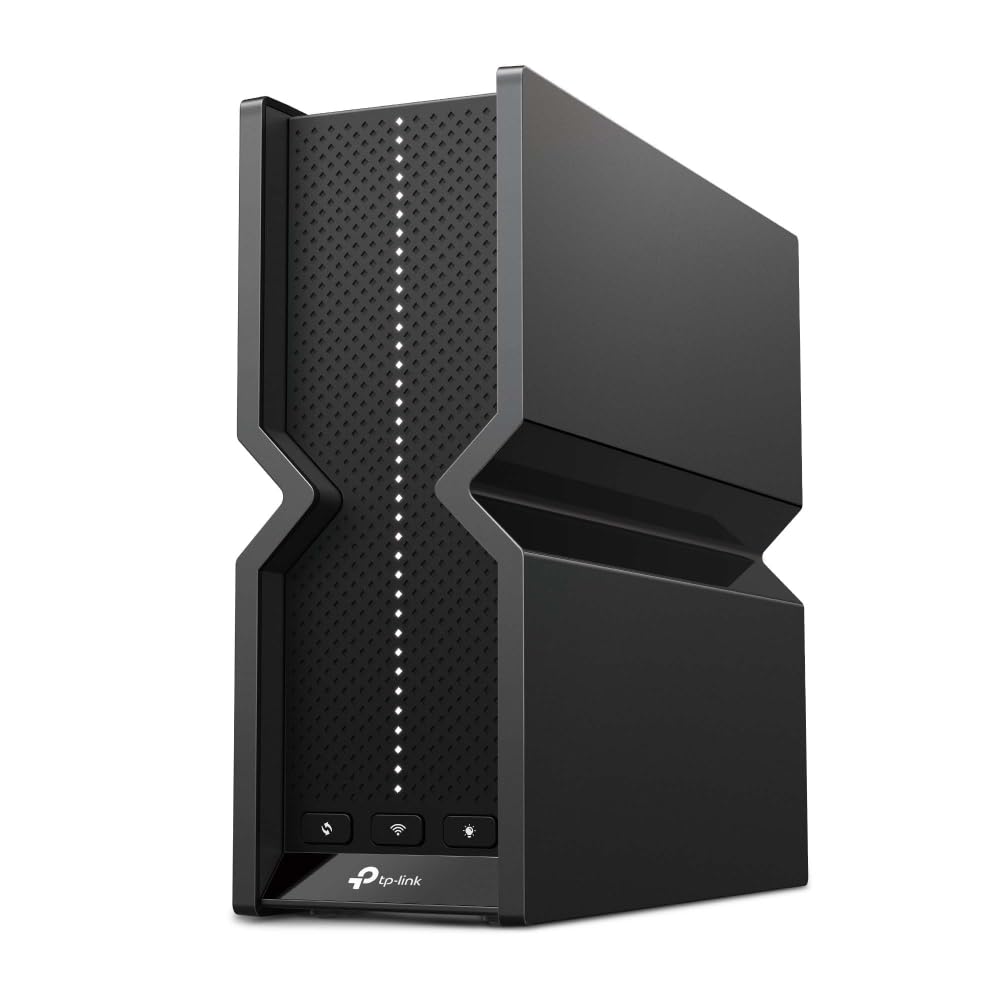
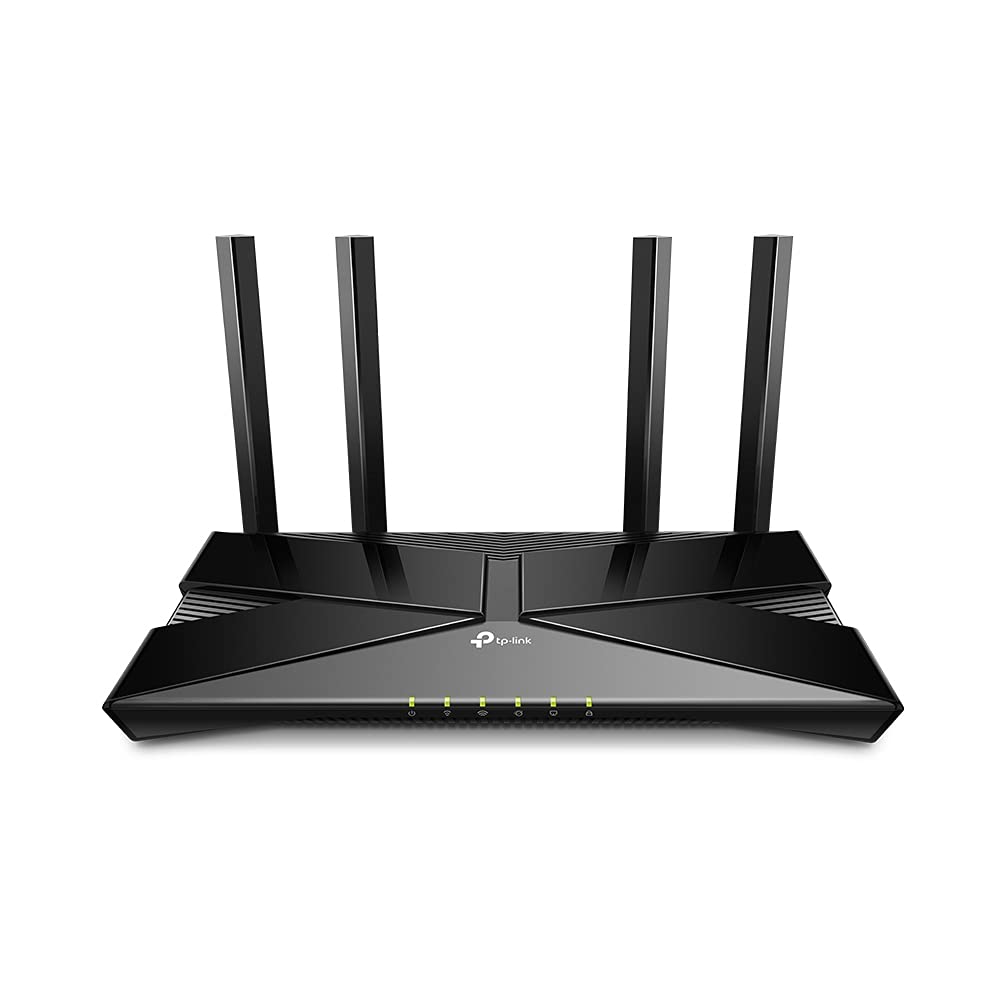
TP-Link Archer AX11000 Tri-Band Wi-Fi 6 Router
Wi-Fi 6 technology has redefined home WiFi, leaving previous generation routers in the past. With Wi-Fi 6, experience up to 3x faster speeds, command up to 4x higher capacity and reduce congestion overall compared to the previous AC Wi-Fi 5 standard. The bold Archer AX11000 12-stream router reaches extremely fast tri-band speeds up to 10.8 Gbps, giving you a buffer-free 4K/8K streaming and gaming experience for your entire home. The more devices you connect to your network, the more likely it is that your current router will begin to slow down. The Archer AX11000 increases your network's capacity so you connect even more devices at the same time via OFDMA and MU-MIMO technology while simultaneously reducing lag. This allows you to stop competing for bandwidth and reduce network congestion that occurs with too many connected devices. Receive the strongest, most reliable WiFi coverage over larger areas with Beamforming and BSS Color. Beamforming focuses WiFi signals to your devices for the best possible connections while innovative BSS Color color-codes the information you send and receive to minimize interference from other routers and devices. Designed to handle even the most bandwidth-intensive activities, Archer AX11000 uses Wi-Fi 6 technology and a 1.8 GHz quad-core processor to effortlessly handle the demand from multiple devices for ultra-smooth connectivity. Ensure online streaming is safe for you and your family with TP-Link's HomeCareTM which secures your home with next-level antivirus and robust parental controls. The Archer AX11000 works with all previous Wi-Fi standards and all devices with WiFi capabilities. For streamlined setup and management, download the Tether app to set up your router in minutes.
Wi-Fi 6 technology has redefined home WiFi, leaving previous generation routers in the past. With Wi-Fi 6, experience up to 3x faster speeds, command up to 4x higher capacity and reduce congestion overall compared to the previous AC Wi-Fi 5 standard. The bold Archer AX11000 12-stream router reaches extremely fast tri-band speeds up to 10.8 Gbps, giving you a buffer-free 4K/8K streaming and gaming experience for your entire home. The more devices you connect to your network, the more likely it is that your current router will begin to slow down. The Archer AX11000 increases your network's capacity so you connect even more devices at the same time via OFDMA and MU-MIMO technology while simultaneously reducing lag. This allows you to stop competing for bandwidth and reduce network congestion that occurs with too many connected devices. Receive the strongest, most reliable WiFi coverage over larger areas with Beamforming and BSS Color. Beamforming focuses WiFi signals to your devices for the best possible connections while innovative BSS Color color-codes the information you send and receive to minimize interference from other routers and devices. Designed to handle even the most bandwidth-intensive activities, Archer AX11000 uses Wi-Fi 6 technology and a 1.8 GHz quad-core processor to effortlessly handle the demand from multiple devices for ultra-smooth connectivity. Ensure online streaming is safe for you and your family with TP-Link's HomeCareTM which secures your home with next-level antivirus and robust parental controls. The Archer AX11000 works with all previous Wi-Fi standards and all devices with WiFi capabilities. For streamlined setup and management, download the Tether app to set up your router in minutes.
Wi-Fi 6 technology has redefined home WiFi, leaving previous generation routers in the past. With Wi-Fi 6, experience up to 3x faster speeds, command up to 4x higher capacity and reduce congestion overall compared to the previous AC Wi-Fi 5 standard. The bold Archer AX11000 12-stream router reaches extremely fast tri-band speeds up to 10.8 Gbps, giving you a buffer-free 4K/8K streaming and gaming experience for your entire home. The more devices you connect to your network, the more likely it is that your current router will begin to slow down. The Archer AX11000 increases your network's capacity so you connect even more devices at the same time via OFDMA and MU-MIMO technology while simultaneously reducing lag. This allows you to stop competing for bandwidth and reduce network congestion that occurs with too many connected devices. Receive the strongest, most reliable WiFi coverage over larger areas with Beamforming and BSS Color. Beamforming focuses WiFi signals to your devices for the best possible connections while innovative BSS Color color-codes the information you send and receive to minimize interference from other routers and devices. Designed to handle even the most bandwidth-intensive activities, Archer AX11000 uses Wi-Fi 6 technology and a 1.8 GHz quad-core processor to effortlessly handle the demand from multiple devices for ultra-smooth connectivity. Ensure online streaming is safe for you and your family with TP-Link's HomeCareTM which secures your home with next-level antivirus and robust parental controls. The Archer AX11000 works with all previous Wi-Fi standards and all devices with WiFi capabilities. For streamlined setup and management, download the Tether app to set up your router in minutes.
Wi-Fi 6 technology has redefined home WiFi, leaving previous generation routers in the past. With Wi-Fi 6, experience up to 3x faster speeds, command up to 4x higher capacity and reduce congestion overall compared to the previous AC Wi-Fi 5 standard. The bold Archer AX11000 12-stream router reaches extremely fast tri-band speeds up to 10.8 Gbps, giving you a buffer-free 4K/8K streaming and gaming experience for your entire home. The more devices you connect to your network, the more likely it is that your current router will begin to slow down. The Archer AX11000 increases your network's capacity so you connect even more devices at the same time via OFDMA and MU-MIMO technology while simultaneously reducing lag. This allows you to stop competing for bandwidth and reduce network congestion that occurs with too many connected devices. Receive the strongest, most reliable WiFi coverage over larger areas with Beamforming and BSS Color. Beamforming focuses WiFi signals to your devices for the best possible connections while innovative BSS Color color-codes the information you send and receive to minimize interference from other routers and devices. Designed to handle even the most bandwidth-intensive activities, Archer AX11000 uses Wi-Fi 6 technology and a 1.8 GHz quad-core processor to effortlessly handle the demand from multiple devices for ultra-smooth connectivity. Ensure online streaming is safe for you and your family with TP-Link's HomeCareTM which secures your home with next-level antivirus and robust parental controls. The Archer AX11000 works with all previous Wi-Fi standards and all devices with WiFi capabilities. For streamlined setup and management, download the Tether app to set up your router in minutes.
in 9 offers
The lowest price for TP-Link Archer AX11000 Tri-Band Wi-Fi 6 Router right now is $334.87 at eBay.com.au, compared across 6 retailers.
The all-time low was $97.99 on 24 May 2024 — today's price is 242% above the lowest ever. It has been notably cheaper before — worth setting a price alert.
Prices last updated 9 Oct 2026.
Last updated at 09/10/2026 21:55:32
Tp-link Archer Ax11000 Tri-band Wi-fi 6 Gaming Router - Black/red
Delivery $50.74
Affiliate Disclosure: We may receive a small commission for purchases made through this link at no extra cost to you. This helps support our site. Thank you!
TP-Link Wifi 6 Wireless Router (ARCHER AX6000)
30-day returns
TP-Link Wifi 6 Wireless Router (ARCHER AX6000)
30-day returns
TP-Link Archer AX11000 Next-Gen Tri-Band Wi-Fi 6 (802.11ax) Gaming Router, 1x 2.5Gbps WAN, 8x Gigabit LAN, 1x USB-A 3.0, 1x USB-C 3.0 (WIFI6)
TP-Link AX11000 WiFi Router, Supports WiFi 6 PS5, Wireless LAN, 11ax AX1000, 4804Mbps + 1148Mbps + 1148Mbps, Tri-Band, Compatible with OneMesh
Delivery between 14–18 Oct $41
TP-Link WiFi WiFi6 PS5 LAN 11ax AX11000 4804Mbps + 1148Mbps + 1148Mbps OneMesh Archer AX11000
Free delivery between 20–23 Oct
originally posted on bestbuy.com
I purchased the router onlione 9/7/2022. I felt it was important to have some experience with the router before writing the review. I am very pleased with both BB and the router.I bought the router to replace an older tp-link router that had been performing quite well for me in my previous condo. I had 100 mbps internet service and the router was doing quite well. With the move to the new house I was able to get gigabit service and wanted to upgrade the router for the faster service.Initially i had received a notification of delivery, however the router had not been deliverd to me it had been mis-delivered to a neighbor (UPS issue). When I called BB customer service they were very helpful in handling the situation and started the investigation process and were ... MoreI purchased the router onlione 9/7/2022. I felt it was important to have some experience with the router before writing the review. I am very pleased with both BB and the router.I bought the router to replace an older tp-link router that had been performing quite well for me in my previous condo. I had 100 mbps internet service and the router was doing quite well. With the move to the new house I was able to get gigabit service and wanted to upgrade the router for the faster service.Initially i had received a notification of delivery, however the router had not been deliverd to me it had been mis-delivered to a neighbor (UPS issue). When I called BB customer service they were very helpful in handling the situation and started the investigation process and were ready to send a replacement. In the meantime the neighbor had come home and brought the router to me. I notified BB and the issue was closed.The router install and setup was very easy. Following the instructions I had it set up and running in less than an hour. It has been performing quite well over the last month.I have the router set up high on a central shelf in the middle of my first floor (one story house ~2700 sq ft). Reception is excellent thourought the house and basement.I have used most the defaut settings initially, just changing the SSID(s) and have not had a chance yet to tweak other settings.Initially I had some trepidation about the single SSID and how that would work with my items that are not dual band (2.4 only).However all but one item connected easily and without issue. The one item is my Arlo video doorbell. The issues were with the Arlo doorbell and the documentation on changing a network SSID. The process is not as straightforward as I would have thought. To change the network you need to connect to the Arlo server over the internet and perform several steps. After several attempts I decided to deinstall the doorbell, then reinstall. That finally worked. In addition using a VPN can get in the way. Those are Arlo issues however, not router issues.For the last month the router has been working as expected. I am very pleased and would definately reccomend the router.
originally posted on microcenter.com
I upgraded from the AX600 to the AX11000 because... overkill. That said, if you're having trouble with latency and jitter, either one of these will help improve your sanity. Both did for me. One tip, though. If you're looking to assign QoS you must do that through the Tether App - for whatever reason, that's not directly controllable through the web interface. A second tip, even if you don't go with this router or the AX6000, always look at the specs being offered about the router. Why? Transparency of internal hardware components ensures you know what you're getting. These devices are just like computers in many ways. CPU and RAM are important for device heavy and gaming households.
originally posted on microcenter.com
I got this router to replace an older model of itself. Wanted the increase security and wifi6 since it’s 2023 and I no longer hardcore game. My immediate issues were dropped signal every chance it got. My old one has never done this, which is why I decided to stick with it. It has since been returned and I have another brand that has way higher throughput then this one did.I have a 1Gbps connection and I average about 850down and 850up. This router I was lucky to hit 400down and 100up this was wireless. Wires just add 200Mbps.Other brand is approx 850-950Mbps wireless using the ax standard on 5GHz band
| General | |
| Enclosure Type | Desktop |
| Connectivity Technology | Wireless, wired |
| Frequency Band | 2.4 GHz / 5 GHz |
| Data Transfer Rate | 4804 Mbps |
Tp-link Archer Ax11000 Tri-band Wi-fi 6 Gaming Router - Black/red
Delivery $50.74
Affiliate Disclosure: We may receive a small commission for purchases made through this link at no extra cost to you. This helps support our site. Thank you!
TP-Link Wifi 6 Wireless Router (ARCHER AX6000)
30-day returns
TP-Link Wifi 6 Wireless Router (ARCHER AX6000)
30-day returns
TP-Link Archer AX11000 Next-Gen Tri-Band Wi-Fi 6 (802.11ax) Gaming Router, 1x 2.5Gbps WAN, 8x Gigabit LAN, 1x USB-A 3.0, 1x USB-C 3.0 (WIFI6)
TP-Link AX11000 WiFi Router, Supports WiFi 6 PS5, Wireless LAN, 11ax AX1000, 4804Mbps + 1148Mbps + 1148Mbps, Tri-Band, Compatible with OneMesh
Delivery between 14–18 Oct $41
I purchased the router onlione 9/7/2022. I felt it was important to have some experience with the router before writing the review. I am very pleased with both BB and the router.I bought the router to replace an older tp-link router that had been performing quite well for me in my previous condo. I had 100 mbps internet service and the router was doing quite well. With the move to the new house I was able to get gigabit service and wanted to upgrade the router for the faster service.Initially i had received a notification of delivery, however the router had not been deliverd to me it had been mis-delivered to a neighbor (UPS issue). When I called BB customer service they were very helpful in handling the situation and started the investigation process and were ... MoreI purchased the router onlione 9/7/2022. I felt it was important to have some experience with the router before writing the review. I am very pleased with both BB and the router.I bought the router to replace an older tp-link router that had been performing quite well for me in my previous condo. I had 100 mbps internet service and the router was doing quite well. With the move to the new house I was able to get gigabit service and wanted to upgrade the router for the faster service.Initially i had received a notification of delivery, however the router had not been deliverd to me it had been mis-delivered to a neighbor (UPS issue). When I called BB customer service they were very helpful in handling the situation and started the investigation process and were ready to send a replacement. In the meantime the neighbor had come home and brought the router to me. I notified BB and the issue was closed.The router install and setup was very easy. Following the instructions I had it set up and running in less than an hour. It has been performing quite well over the last month.I have the router set up high on a central shelf in the middle of my first floor (one story house ~2700 sq ft). Reception is excellent thourought the house and basement.I have used most the defaut settings initially, just changing the SSID(s) and have not had a chance yet to tweak other settings.Initially I had some trepidation about the single SSID and how that would work with my items that are not dual band (2.4 only).However all but one item connected easily and without issue. The one item is my Arlo video doorbell. The issues were with the Arlo doorbell and the documentation on changing a network SSID. The process is not as straightforward as I would have thought. To change the network you need to connect to the Arlo server over the internet and perform several steps. After several attempts I decided to deinstall the doorbell, then reinstall. That finally worked. In addition using a VPN can get in the way. Those are Arlo issues however, not router issues.For the last month the router has been working as expected. I am very pleased and would definately reccomend the router.
I upgraded from the AX600 to the AX11000 because... overkill. That said, if you're having trouble with latency and jitter, either one of these will help improve your sanity. Both did for me. One tip, though. If you're looking to assign QoS you must do that through the Tether App - for whatever reason, that's not directly controllable through the web interface. A second tip, even if you don't go with this router or the AX6000, always look at the specs being offered about the router. Why? Transparency of internal hardware components ensures you know what you're getting. These devices are just like computers in many ways. CPU and RAM are important for device heavy and gaming households.
I got this router to replace an older model of itself. Wanted the increase security and wifi6 since it’s 2023 and I no longer hardcore game. My immediate issues were dropped signal every chance it got. My old one has never done this, which is why I decided to stick with it. It has since been returned and I have another brand that has way higher throughput then this one did.I have a 1Gbps connection and I average about 850down and 850up. This router I was lucky to hit 400down and 100up this was wireless. Wires just add 200Mbps.Other brand is approx 850-950Mbps wireless using the ax standard on 5GHz band
I am very happy with this router. I previously had an Archer AX3000 which is a dual band router. I thought I was having some connection issues, so I upgraded to the AX11000 for the tri-band.I watched a lot of gaming router comparison videos, and this router was always rated as good with similar routers winning out in most cases in terms of speed or connectivity. I can say that I still went with this router and as a casual user that plays online games every now and then (not a die-hard gamer by any means), this router performs spectacularly.When I first set it up, I attempted to use the "smart connect" feature, which is supposed to shift connections to the best of the 3 bands for your usage. I had to disable that feature after a few days because it doesn't work ... MoreI am very happy with this router. I previously had an Archer AX3000 which is a dual band router. I thought I was having some connection issues, so I upgraded to the AX11000 for the tri-band.I watched a lot of gaming router comparison videos, and this router was always rated as good with similar routers winning out in most cases in terms of speed or connectivity. I can say that I still went with this router and as a casual user that plays online games every now and then (not a die-hard gamer by any means), this router performs spectacularly.When I first set it up, I attempted to use the "smart connect" feature, which is supposed to shift connections to the best of the 3 bands for your usage. I had to disable that feature after a few days because it doesn't work quite right in certain parts of my house due to the layout of my home. All phones at the far ends of the house (router is in the middle) would become unresponsive like the router couldn't figure out which band to use.Without that enabled and connecting directly to one of the bands, it is a solid and flawless connection throughout my house. My previous router had the "smart connect" feature as well and it did not work well at all. This one did better, but not quite well enough to keep my family from complaining about Tik Tok videos not loading.The 8 ethernet ports is an awesome bonus that replaced a 5-port switch in my chain.I'm looking forward to implementing the link aggregation on my home server when I get time to run an extra cable.The interface on the AX11000 looks better to me than the AX3000 which uses the default blue/white TP-Link GUI... though it really is just a theme change as pretty much all the same settings show up in both.I currently only have a couple devices that support Wifi6. I mainly wanted Wifi6 for future proofing and it wasn't necessary considering the devices being connected.
Gone through three of these (Hardware 1.00 and 1.60, which are the same just different manufacturer facilities). Not sue if 1.26 resolves the issues but 2.4GHz wireless is horribly unstable. Some IoT devices can't even connect to it. Improved slightly with firmware updates, but company frequently waits 6+ months to release a firmware then weeks later pulls it with no details or rollback option. If you purchase I would recommend scheduling weekly reboots as entire routers slows down and acts up even on wired connections regularly. Some firmware fixed small partition sizes which would quickly fill up. Heavy logging is all lost during reboots and almost none of which is visible via GUI. GUI is extremely limited, biggest features added in recent firmware is the ability ... MoreGone through three of these (Hardware 1.00 and 1.60, which are the same just different manufacturer facilities). Not sue if 1.26 resolves the issues but 2.4GHz wireless is horribly unstable. Some IoT devices can't even connect to it. Improved slightly with firmware updates, but company frequently waits 6+ months to release a firmware then weeks later pulls it with no details or rollback option. If you purchase I would recommend scheduling weekly reboots as entire routers slows down and acts up even on wired connections regularly. Some firmware fixed small partition sizes which would quickly fill up. Heavy logging is all lost during reboots and almost none of which is visible via GUI. GUI is extremely limited, biggest features added in recent firmware is the ability to disable functions which never worked. Good luck.
I was very skeptical to spend so much money on what I thought was just a commodity item. Boy, was I wrong!My Asus AC66U was taken to its knees by infected devices broadcasting and creating a denial of service on my Comcast local network segment. Sadly, it's two CPU cores just couldn't handle all the constant traffic blocking and my latency and packet loss was all over the board.Now, my latency is smooth... always! It optimizes so well for gaming traffic that I was able to finally win a big tournament in Rocket League after many months of attempts wondering how I would always seem to just miss my shots. It was my router the whole time!I use IPTV on all my LG televisions and it has made a drastic improvement to this type of streaming.Games, IPTV, media ... MoreI was very skeptical to spend so much money on what I thought was just a commodity item. Boy, was I wrong!My Asus AC66U was taken to its knees by infected devices broadcasting and creating a denial of service on my Comcast local network segment. Sadly, it's two CPU cores just couldn't handle all the constant traffic blocking and my latency and packet loss was all over the board.Now, my latency is smooth... always! It optimizes so well for gaming traffic that I was able to finally win a big tournament in Rocket League after many months of attempts wondering how I would always seem to just miss my shots. It was my router the whole time!I use IPTV on all my LG televisions and it has made a drastic improvement to this type of streaming.Games, IPTV, media streaming... all are highly optimized and error free. This is hands down the best purchase I have made lately.
I needed to replace a well loved, but on its way out, Linksys WRT 1900AC router that Id had since 2014. It couldnt handle the limits of my 2600+ Sq Ft. 2 story house, and its 30+ client smart home anymore. I looked into several different, and almost bought, a mesh wifi system, but decided to give this a try instead as its cleaner, there wouldn't be any issues with slow down on a repeated signal from the satellites,I set this up on the ground floor of my house in a central location, and thus far Ive been soo happy with it. I get a signal in every room of my house, my garage, and throughout most of my .5 acre surrounding yard. The router is Tri-band (2x5ghz, 1x2.4ghz) and was easy to set up. I have all bands named the same, and set it to smart switch the band it ... MoreI needed to replace a well loved, but on its way out, Linksys WRT 1900AC router that Id had since 2014. It couldnt handle the limits of my 2600+ Sq Ft. 2 story house, and its 30+ client smart home anymore. I looked into several different, and almost bought, a mesh wifi system, but decided to give this a try instead as its cleaner, there wouldn't be any issues with slow down on a repeated signal from the satellites,I set this up on the ground floor of my house in a central location, and thus far Ive been soo happy with it. I get a signal in every room of my house, my garage, and throughout most of my .5 acre surrounding yard. The router is Tri-band (2x5ghz, 1x2.4ghz) and was easy to set up. I have all bands named the same, and set it to smart switch the band it logs a particular client to based on its distance from the router and what will give it the strongest signal. (ex. My phone will automatically switch from 5ghz to 2.4ghz as I move further away from the router, to maintain a strong signal, automatically). I have fiber optic internet, and my throughput over wifi is close to 100% of what I pay for, more than double the speed I was getting with my previous router. Finally, I have had (granted the router is still brand new), zero simultaenous connection problems with the 30+ smart home/computers/phones/tablets/etc clients all connecting to the router at once. The smartphone router management app works well to boot.
This is not a full review of features or performance but rather something people must to be aware of as it caught me by suprise and to me is a major security flaw.If you intend to make use of the vpn feature for clients particularly those that might be untrusted, and you intend to limit device access to the router admin page using the local management feature to prevent unwanted users accessing the page then you need to know this limitation.Those who connect and login using vpn are not considered local devices on your network and bypass your router admin local management restrictions and can directly access the administration page. They still need to login by virtue of access they can still attempt. In addition to this you cannot blacklist vpn clients.I spoke ... MoreThis is not a full review of features or performance but rather something people must to be aware of as it caught me by suprise and to me is a major security flaw.If you intend to make use of the vpn feature for clients particularly those that might be untrusted, and you intend to limit device access to the router admin page using the local management feature to prevent unwanted users accessing the page then you need to know this limitation.Those who connect and login using vpn are not considered local devices on your network and bypass your router admin local management restrictions and can directly access the administration page. They still need to login by virtue of access they can still attempt. In addition to this you cannot blacklist vpn clients.I spoke to a TP-Link support representative and they advise that those who vpn in are not considered part of your local LAN. This is despite them having the same connectivity to other devices/resources on your LAN that are connected by wifi/cable. Therefore they cannot restricted using the local management or blacklisting.I disagree and believe that any node whether is connected by wifi, cable or vpn must be treated the same way where you can isolate and secure resource access to those connected nodes. To allow a back door to a client that can bypass your security configuration just by connecting via vpn is massive security risk.I would recommend not enabling vpn unless you trust all clients accessing your network otherwise this router is definitely not for you.
I bought this to replace a Linksys EA6900, an 802.11ac dual band router with limited range on the 5G band. We needed more range on the 5G.TP-Links AX11000 certainly had better range and I thought we had a winner. Setup was quick, logical, and allowed for great detail.My network has 2 desktops connected by ethernet; one desktop and three laptops connected by wifi; and two printers (Epson WF-4830 and HP OfficeJet 8600).Installation of the TP-Links AX11000 went perfectly until we tried to use the printers. When a wifi client moved from 5G band to a 2.4G band, it lost connection to the printer. I called TP-Links tech support three times. Twice they sent me on wild goose chases. The third time they told me to call the printer tech support.I went back to ... MoreI bought this to replace a Linksys EA6900, an 802.11ac dual band router with limited range on the 5G band. We needed more range on the 5G.TP-Links AX11000 certainly had better range and I thought we had a winner. Setup was quick, logical, and allowed for great detail.My network has 2 desktops connected by ethernet; one desktop and three laptops connected by wifi; and two printers (Epson WF-4830 and HP OfficeJet 8600).Installation of the TP-Links AX11000 went perfectly until we tried to use the printers. When a wifi client moved from 5G band to a 2.4G band, it lost connection to the printer. I called TP-Links tech support three times. Twice they sent me on wild goose chases. The third time they told me to call the printer tech support.I went back to MicroCenter and purchased an Ubiquity AmpliFi Alien router. Installation went perfectly. Neither the Ubiquity nor the Linksis router had the printer problem.I returned the TP-Links to MicroCenter and they were very good about the return. I like working with MicroCenter. TP-Links... not so much.I cannot recommend this product because the TP-Links support failed to help me solve the problem and in one case refused even to try.
I upgraded from a TP-Link AC4000 router to get the faster speeds available from wireless AX. However, The AC4000 router was stable and had incredible range. Features on it like smart connect seemed to work flawlessly and all my IoT devices connected to the correct network automagically, and faster devices would connect to the 5 Ghz networks. the only thing that support from TP Link recommended was to turn off smart connect (which had no impact) and things like my iPhone do not like to stay connected and in some areas of the house the speed is fine but others it is actually slower than my old router. I have worked with placement of the router and even in the same place as my old router it still is not as good. I purchased this router because of my past experience ... MoreI upgraded from a TP-Link AC4000 router to get the faster speeds available from wireless AX. However, The AC4000 router was stable and had incredible range. Features on it like smart connect seemed to work flawlessly and all my IoT devices connected to the correct network automagically, and faster devices would connect to the 5 Ghz networks. the only thing that support from TP Link recommended was to turn off smart connect (which had no impact) and things like my iPhone do not like to stay connected and in some areas of the house the speed is fine but others it is actually slower than my old router. I have worked with placement of the router and even in the same place as my old router it still is not as good. I purchased this router because of my past experience with TP Link and am now disappointed. because I took so long troubleshooting some of these issues, I am now also outside my return window. but would like to just go back to my old router.
| General | |
| Enclosure Type | Desktop |
| Connectivity Technology | Wireless, wired |
| Frequency Band | 2.4 GHz / 5 GHz |
| Data Transfer Rate | 4804 Mbps |