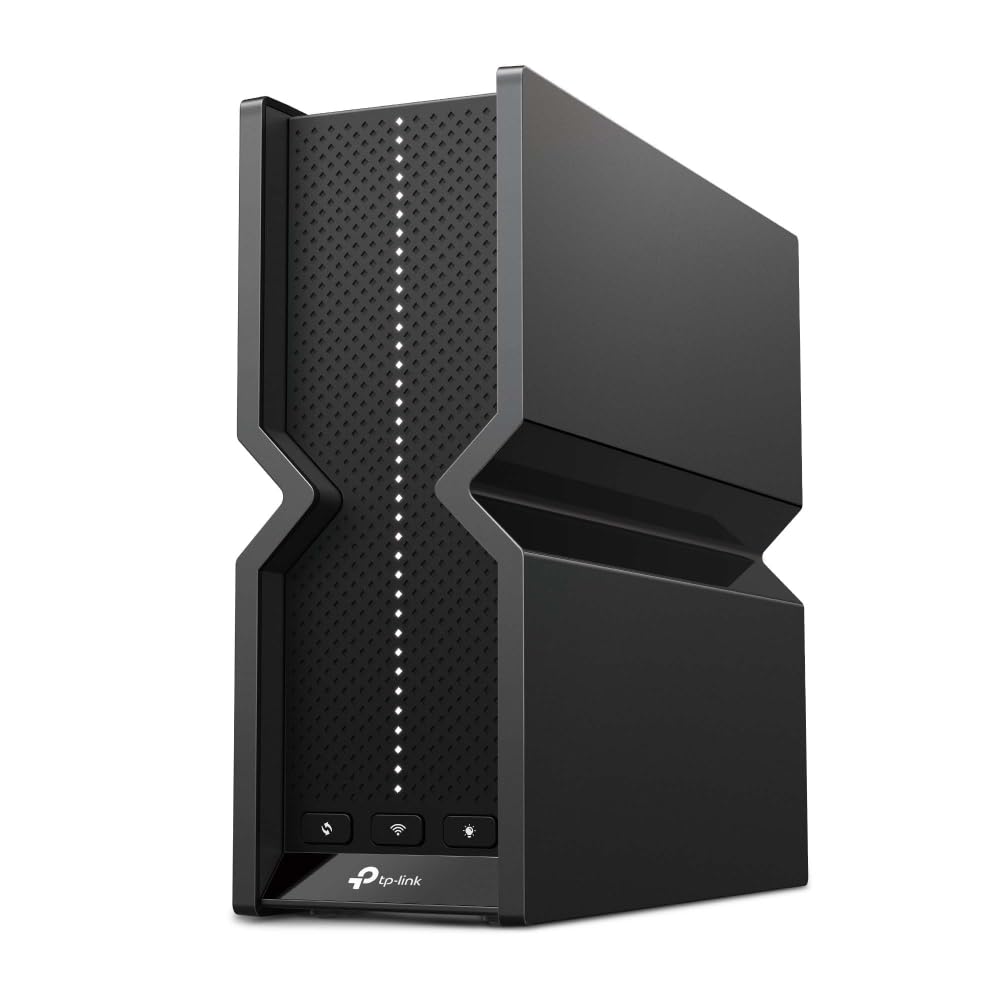
Experience ultra-fast internet with the TP-Link Archer AXE7800 Tri-Band Wi-Fi 6E Router. Designed to deliver a staggering 7.8 Gbps speed, this powerful router embraces the next generation of smart home technology. With three separate bands and eight WiFi streams, it’s perfect for high-demand environments, enabling seamless 8K streaming and immersive AR/VR gaming. The Archer AXE7800 features premium 2.5 Gbps and 1 Gbps WAN/LAN ports for unmatched flexibility and optimal performance, ensuring that every corner of your house benefits from maximum fiber internet speeds. Security is a top priority with TP-Link's HomeShield, offering robust protection for your IoT devices, including WPA3 encryption and advanced firewall features. Parental controls let you manage internet access for a safer browsing experience. Compatible with Amazon Alexa, this router integrates perfectly into your smart home ecosystem. Upgrade to the future of home networking with the TP-Link Archer AXE7800 Tri-Band Wi-Fi 6E Router today!
Experience ultra-fast internet with the TP-Link Archer AXE7800 Tri-Band Wi-Fi 6E Router. Designed to deliver a staggering 7.8 Gbps speed, this powerful router embraces the next generation of smart home technology. With three separate bands and eight WiFi streams, it’s perfect for high-demand environments, enabling seamless 8K streaming and immersive AR/VR gaming. The Archer AXE7800 features premium 2.5 Gbps and 1 Gbps WAN/LAN ports for unmatched flexibility and optimal performance, ensuring that every corner of your house benefits from maximum fiber internet speeds. Security is a top priority with TP-Link's HomeShield, offering robust protection for your IoT devices, including WPA3 encryption and advanced firewall features. Parental controls let you manage internet access for a safer browsing experience. Compatible with Amazon Alexa, this router integrates perfectly into your smart home ecosystem. Upgrade to the future of home networking with the TP-Link Archer AXE7800 Tri-Band Wi-Fi 6E Router today!
in 2 offers
The lowest price for TP-Link Archer AXE7800 Tri-Band Wi-Fi 6E Router - Black | 7.8 Gbps Speed right now is $242.97 at Big Apple Buddy, compared across 2 retailers.
The all-time low was $204.67 on 6 July 2026 — today's price is 19% above the lowest ever. That's a little above the best price we've seen.
Prices last updated 20 Aug 2026.
TP-Link Archer AXE7800 Tri-Band Wi-Fi 6E Router - Black | 7.8 Gbps Speed
Experience ultra-fast internet with the TP-Link Archer AXE7800 Tri-Band Wi-Fi 6E Router. Designed to deliver a staggering 7.8 Gbps speed, this powerful router embraces the next generation of smart home technology. With three separate bands and eight WiFi streams, it’s perfect for high-demand environments, enabling seamless 8K streaming and immersive AR/VR gaming. The Archer AXE7800 features premium 2.5 Gbps and 1 Gbps WAN/LAN ports for unmatched flexibility and optimal performance, ensuring that every corner of your house benefits from maximum fiber internet speeds. Security is a top priority with TP-Link's HomeShield, offering robust protection for your IoT devices, including WPA3 encryption and advanced firewall features. Parental controls let you manage internet access for a safer browsing experience. Compatible with Amazon Alexa, this router integrates perfectly into your smart home ecosystem. Upgrade to the future of home networking with the TP-Link Archer AXE7800 Tri-Band Wi-Fi 6E Router today!
Experience ultra-fast internet with the TP-Link Archer AXE7800 Tri-Band Wi-Fi 6E Router. Designed to deliver a staggering 7.8 Gbps speed, this powerful router embraces the next generation of smart home technology. With three separate bands and eight WiFi streams, it’s perfect for high-demand environments, enabling seamless 8K streaming and immersive AR/VR gaming. The Archer AXE7800 features premium 2.5 Gbps and 1 Gbps WAN/LAN ports for unmatched flexibility and optimal performance, ensuring that every corner of your house benefits from maximum fiber internet speeds. Security is a top priority with TP-Link's HomeShield, offering robust protection for your IoT devices, including WPA3 encryption and advanced firewall features. Parental controls let you manage internet access for a safer browsing experience. Compatible with Amazon Alexa, this router integrates perfectly into your smart home ecosystem. Upgrade to the future of home networking with the TP-Link Archer AXE7800 Tri-Band Wi-Fi 6E Router today!
Last updated at 20/08/2026 16:14:43
TP-Link - Archer AXE7800 Tri-Band Wi-Fi 6E Router - Black - ARCHER AXE7800
Delivery $336.06
TP-Link - Archer AXE7800 Tri-Band Wi-Fi 6E Router - Black
Delivery between 25–29 Aug $35.88
originally posted on bestbuy.com
After several weeks of "using" this thing, I have finally given up! Here is the main issue: When something goes wrong, you have to be more than just a casual, "backyard technician" to be able to fix the problem. This has been an ongoing issue with TP-Link products for years, IMHO. It is the exact reason why I promised myself several years ago to never go back to TP-Link ever again. I only went back to TP-Link because this unit was $100 cheaper than the competitors comparable unit. What a big mistake I made. My specific issue with this unit is that, out of the blue, for no apparent reason, one of the bands (either the 5G or 6G bands) simply disappear from the list of wifi routers available that you can see when you go to connect to wifi on any device. So if you check ... MoreAfter several weeks of "using" this thing, I have finally given up! Here is the main issue: When something goes wrong, you have to be more than just a casual, "backyard technician" to be able to fix the problem. This has been an ongoing issue with TP-Link products for years, IMHO. It is the exact reason why I promised myself several years ago to never go back to TP-Link ever again. I only went back to TP-Link because this unit was $100 cheaper than the competitors comparable unit. What a big mistake I made. My specific issue with this unit is that, out of the blue, for no apparent reason, one of the bands (either the 5G or 6G bands) simply disappear from the list of wifi routers available that you can see when you go to connect to wifi on any device. So if you check your tablet, or PC, or smart phone wifi status because you find that, just out of the blue, your device is no longer connected to the 5G or 6G band, you will also find that you can no longer see that band in the list of wifi options. You'll see the 2.5 GHz band in the list, along with either the 5 or 6G band, but one of them will be completely missing. So you go over to TP-Link's "Tether app" on your smart phone to figure out what on earth is going on and guess what? The app shows that the wifi router is working properly, with all bands connected - just that when you dig a little deeper into the app, you now see that one of the bands (either the 5G or 6G band) no longer has any clients associated with it. So you can't do anything through the app to fix this issue. You can try rebooting the router to see if that fixes the problem. If not, you have to reach out to customer service because they will take you through a process on your computer browser to do a reset and get things working again. I did that a few weeks ago, and everything was back to normal. But it didn't last. This morning, my 6G signal disappeared. Now that signal is back, but my 5G signal disappeared and disconnected most of the devices in my home. I rebooted the unit. All of the bands came back for a minute, but then the 6G disconnected again. Again, the app shows that there is nothing wrong with the status of the unit. It's crazy! Now I have to contact customer service again because I don't recall how they walked me through "fixing" the problem through my pc browser. On a different note, I do find that the range/signal strength (2.5 G and 5G) is really not all that competitive. My older Netgear wifi router had much better range. But it's really the stability issues that make this unit an absolute no go for this day and age, along with the fact that you have to be a technician to figure out how to "fix" these issues.My return window for this junk is closed, so I am so annoyed. TP-LINK, listen. Consumers don't have time to mess around with your wifi tech issues. Get your darn act together already!
originally posted on bestbuy.com
The Archer AXE95 is an exceptionally fast router with a vast feature set, and (IMO) an industry leader when it comes to product support.This router features too many technologies too discuss in depth, so I will talk about the ones that are important to me. The router features wifi 6E which utilizes the new 6ghz band. This could alleviate bandwidth issues you might experience in a crowded appartment complex where everyone is competing for 2.4gz and 5ghz wifi airspace. This router also features 2.4 and 5 ghz bands. Secondly I'd like to talk about some of the parental controls and the tether app. You can configure content restrictions, blacklist websites, control time they have access to internet, and a host of other things that are probably pretty interesring for ... MoreThe Archer AXE95 is an exceptionally fast router with a vast feature set, and (IMO) an industry leader when it comes to product support.This router features too many technologies too discuss in depth, so I will talk about the ones that are important to me. The router features wifi 6E which utilizes the new 6ghz band. This could alleviate bandwidth issues you might experience in a crowded appartment complex where everyone is competing for 2.4gz and 5ghz wifi airspace. This router also features 2.4 and 5 ghz bands. Secondly I'd like to talk about some of the parental controls and the tether app. You can configure content restrictions, blacklist websites, control time they have access to internet, and a host of other things that are probably pretty interesring for people other than myself; Things like web protection settings, intrusion prevention, IoT protection, the mesh stuff (which seems really useful but i have 1000sqft house).The last feature I really wanna talk about is the VPN features. One of my main considerations for picking a router was VPN support. That is a fairly broad statement but in almost all of the ways you could imagine VPN being supported, it does in fact support it. You can hook it up as a client and all of your traffic gets routed thorough the VPN which could bypass region restrictions, help with a layer of encryption, all sorts of power user stuff. You can also set it up as an access server through OpenVPN (TUN) which was what i did, as well as L2TP/IPsec, and PPTP. I'm sure the possibilities are endless with the amount of configurability they give you over it.I want to end on talking about the phenomenal customer support. A cut above the rest. I initially bought my router for OpenVPN, I read online that it did in fact support OpenVPN, so I pulled the trigger. I have a fairly large network at home, about 7-9 computers, multiple file shares, and I remote in from time to time to help someone out, I backup my reports to the file share out in the field, tons of different things. If I'm traveling I can play LAN Minecraft games with the kids. The reason im talking about all this is because TP link is just now releasing Beta firmware that lets you use TAP mode. That is basically the functionality that makes these work without much configuration. I got ahold of them and requested that they work on it and they are working to actually get it implemented it sounds like and have, in fact, released beta firmware for Archer AX55 for tap mode. I used to be a netgear guy until a bad experience with an RAX35 but my experience with TP Link product support walks all over the 90 day product support that Netgear offers. TP Link Makes no mention of intention to ever quit offering support for their products as well. I am Impressed so far. I anticipate that will likely only improve over time.I would share some screenshots of the tether app but screenshots are not allowed in app.P.s. lol you can have 2.5gbps configured to LAN or WAN. I personally have mine hooked up to a two and a half gigabit port on my main network share.
originally posted on bestbuy.com
This has been an excellent overall router. My house is large and has not always been the easiest to get good signal throughout. Moreover, I have many devices scattered everywhere and need high speed connections in multiple rooms. My prior router did not meet all these requirements. After doing research online, I settled on this and it has met all my needs.Great app where you can prioritize devices and channelHigh speedsMultiple antennas with focusingGreat connection strengthWiFi 6I didn’t bother with WiFi 7 as few devices exist for this and it’s too new to really appreciate it. Maybe next generation. If I had to name a negative, I do not love the looks, but this is subjective. Aside from that, this has been an excellent upgrade for my house.
TP-Link - Archer AXE7800 Tri-Band Wi-Fi 6E Router - Black - ARCHER AXE7800
Delivery $336.06
TP-Link - Archer AXE7800 Tri-Band Wi-Fi 6E Router - Black
Delivery between 25–29 Aug $35.88
After several weeks of "using" this thing, I have finally given up! Here is the main issue: When something goes wrong, you have to be more than just a casual, "backyard technician" to be able to fix the problem. This has been an ongoing issue with TP-Link products for years, IMHO. It is the exact reason why I promised myself several years ago to never go back to TP-Link ever again. I only went back to TP-Link because this unit was $100 cheaper than the competitors comparable unit. What a big mistake I made. My specific issue with this unit is that, out of the blue, for no apparent reason, one of the bands (either the 5G or 6G bands) simply disappear from the list of wifi routers available that you can see when you go to connect to wifi on any device. So if you check ... MoreAfter several weeks of "using" this thing, I have finally given up! Here is the main issue: When something goes wrong, you have to be more than just a casual, "backyard technician" to be able to fix the problem. This has been an ongoing issue with TP-Link products for years, IMHO. It is the exact reason why I promised myself several years ago to never go back to TP-Link ever again. I only went back to TP-Link because this unit was $100 cheaper than the competitors comparable unit. What a big mistake I made. My specific issue with this unit is that, out of the blue, for no apparent reason, one of the bands (either the 5G or 6G bands) simply disappear from the list of wifi routers available that you can see when you go to connect to wifi on any device. So if you check your tablet, or PC, or smart phone wifi status because you find that, just out of the blue, your device is no longer connected to the 5G or 6G band, you will also find that you can no longer see that band in the list of wifi options. You'll see the 2.5 GHz band in the list, along with either the 5 or 6G band, but one of them will be completely missing. So you go over to TP-Link's "Tether app" on your smart phone to figure out what on earth is going on and guess what? The app shows that the wifi router is working properly, with all bands connected - just that when you dig a little deeper into the app, you now see that one of the bands (either the 5G or 6G band) no longer has any clients associated with it. So you can't do anything through the app to fix this issue. You can try rebooting the router to see if that fixes the problem. If not, you have to reach out to customer service because they will take you through a process on your computer browser to do a reset and get things working again. I did that a few weeks ago, and everything was back to normal. But it didn't last. This morning, my 6G signal disappeared. Now that signal is back, but my 5G signal disappeared and disconnected most of the devices in my home. I rebooted the unit. All of the bands came back for a minute, but then the 6G disconnected again. Again, the app shows that there is nothing wrong with the status of the unit. It's crazy! Now I have to contact customer service again because I don't recall how they walked me through "fixing" the problem through my pc browser. On a different note, I do find that the range/signal strength (2.5 G and 5G) is really not all that competitive. My older Netgear wifi router had much better range. But it's really the stability issues that make this unit an absolute no go for this day and age, along with the fact that you have to be a technician to figure out how to "fix" these issues.My return window for this junk is closed, so I am so annoyed. TP-LINK, listen. Consumers don't have time to mess around with your wifi tech issues. Get your darn act together already!
The Archer AXE95 is an exceptionally fast router with a vast feature set, and (IMO) an industry leader when it comes to product support.This router features too many technologies too discuss in depth, so I will talk about the ones that are important to me. The router features wifi 6E which utilizes the new 6ghz band. This could alleviate bandwidth issues you might experience in a crowded appartment complex where everyone is competing for 2.4gz and 5ghz wifi airspace. This router also features 2.4 and 5 ghz bands. Secondly I'd like to talk about some of the parental controls and the tether app. You can configure content restrictions, blacklist websites, control time they have access to internet, and a host of other things that are probably pretty interesring for ... MoreThe Archer AXE95 is an exceptionally fast router with a vast feature set, and (IMO) an industry leader when it comes to product support.This router features too many technologies too discuss in depth, so I will talk about the ones that are important to me. The router features wifi 6E which utilizes the new 6ghz band. This could alleviate bandwidth issues you might experience in a crowded appartment complex where everyone is competing for 2.4gz and 5ghz wifi airspace. This router also features 2.4 and 5 ghz bands. Secondly I'd like to talk about some of the parental controls and the tether app. You can configure content restrictions, blacklist websites, control time they have access to internet, and a host of other things that are probably pretty interesring for people other than myself; Things like web protection settings, intrusion prevention, IoT protection, the mesh stuff (which seems really useful but i have 1000sqft house).The last feature I really wanna talk about is the VPN features. One of my main considerations for picking a router was VPN support. That is a fairly broad statement but in almost all of the ways you could imagine VPN being supported, it does in fact support it. You can hook it up as a client and all of your traffic gets routed thorough the VPN which could bypass region restrictions, help with a layer of encryption, all sorts of power user stuff. You can also set it up as an access server through OpenVPN (TUN) which was what i did, as well as L2TP/IPsec, and PPTP. I'm sure the possibilities are endless with the amount of configurability they give you over it.I want to end on talking about the phenomenal customer support. A cut above the rest. I initially bought my router for OpenVPN, I read online that it did in fact support OpenVPN, so I pulled the trigger. I have a fairly large network at home, about 7-9 computers, multiple file shares, and I remote in from time to time to help someone out, I backup my reports to the file share out in the field, tons of different things. If I'm traveling I can play LAN Minecraft games with the kids. The reason im talking about all this is because TP link is just now releasing Beta firmware that lets you use TAP mode. That is basically the functionality that makes these work without much configuration. I got ahold of them and requested that they work on it and they are working to actually get it implemented it sounds like and have, in fact, released beta firmware for Archer AX55 for tap mode. I used to be a netgear guy until a bad experience with an RAX35 but my experience with TP Link product support walks all over the 90 day product support that Netgear offers. TP Link Makes no mention of intention to ever quit offering support for their products as well. I am Impressed so far. I anticipate that will likely only improve over time.I would share some screenshots of the tether app but screenshots are not allowed in app.P.s. lol you can have 2.5gbps configured to LAN or WAN. I personally have mine hooked up to a two and a half gigabit port on my main network share.
This has been an excellent overall router. My house is large and has not always been the easiest to get good signal throughout. Moreover, I have many devices scattered everywhere and need high speed connections in multiple rooms. My prior router did not meet all these requirements. After doing research online, I settled on this and it has met all my needs.Great app where you can prioritize devices and channelHigh speedsMultiple antennas with focusingGreat connection strengthWiFi 6I didn’t bother with WiFi 7 as few devices exist for this and it’s too new to really appreciate it. Maybe next generation. If I had to name a negative, I do not love the looks, but this is subjective. Aside from that, this has been an excellent upgrade for my house.
Look, this is a solid router, especially for the $200 I paid for it. Performance is great, and I haven’t had any issues whatsoever (though I do live in a smallish apartment). The software is quite mature with lots of options, but I’m never a fan of locking features behind a monthly subscription, especially for something as basic as a home router. I wish OpenWRT was available for this model, but it hasn’t been ported yet. That means no Wireguard VPN (though that’s planned to be added according to TP-Link) and plenty of weird “Cloud” features that I stay far, far away from. Why would you ever want to expose your home network to a large company with a Privacy Policy many pages long? This is a solid router. It has all the basic features you need, and the wireless ... MoreLook, this is a solid router, especially for the $200 I paid for it. Performance is great, and I haven’t had any issues whatsoever (though I do live in a smallish apartment). The software is quite mature with lots of options, but I’m never a fan of locking features behind a monthly subscription, especially for something as basic as a home router. I wish OpenWRT was available for this model, but it hasn’t been ported yet. That means no Wireguard VPN (though that’s planned to be added according to TP-Link) and plenty of weird “Cloud” features that I stay far, far away from. Why would you ever want to expose your home network to a large company with a Privacy Policy many pages long? This is a solid router. It has all the basic features you need, and the wireless performance is there. Shy of Ubiquiti products 2 or 3x the price, you won’t find anything better than this in my opinion.
I always get nervous when it's time to upgrade routers. But my other brand was 6 years old and after upgrading our computers i thought it was time. I loved my other router and the thought of going with a different brand was intimidating. BUT the price was too good to pass on. so I went for it. I have to say it was the easiest switch I have ever done when it comes to routers. I have a lot of devices around the house connected and by using the same SSID and password as on my old router, I did not have to reconnect anything. The setup was easy and my Centurylink modem connected without issue. I knew this router is overkill for the internet speed we get through our provider, but to my surprise, my speed was actually faster then what we have ever experienced, and the ... MoreI always get nervous when it's time to upgrade routers. But my other brand was 6 years old and after upgrading our computers i thought it was time. I loved my other router and the thought of going with a different brand was intimidating. BUT the price was too good to pass on. so I went for it. I have to say it was the easiest switch I have ever done when it comes to routers. I have a lot of devices around the house connected and by using the same SSID and password as on my old router, I did not have to reconnect anything. The setup was easy and my Centurylink modem connected without issue. I knew this router is overkill for the internet speed we get through our provider, but to my surprise, my speed was actually faster then what we have ever experienced, and the upload speed tripled. It took about 30 minutes to setup and I am very happy so far with the ease of switchover and performance.
I was very frustrated with Centurylink expensive and sub-par internet even with a brand new laptop i could barely pull 20Mbps wireless. Decided to try Verizon 5g Home Internet. I can only get the 300Mbps service but its more than the 60Mbps I have with Centurylink. Got the Verizon Gateway modem/router plugged it in, instant internet. Testing was getting average 180Mbps download but only 1-2Mbps upload (should be 10) was staying consistent on these numbers even though signal strength showed excellent whether plugged in by ethernet or wireless. After abot 15 hours from plugging in (overnight) suddenly I was hitting 10Mbps upload if in the same room, all devices are upstairs or downstairs. Purchased and hooked up this baby (this thing is massive) setup was a little ... MoreI was very frustrated with Centurylink expensive and sub-par internet even with a brand new laptop i could barely pull 20Mbps wireless. Decided to try Verizon 5g Home Internet. I can only get the 300Mbps service but its more than the 60Mbps I have with Centurylink. Got the Verizon Gateway modem/router plugged it in, instant internet. Testing was getting average 180Mbps download but only 1-2Mbps upload (should be 10) was staying consistent on these numbers even though signal strength showed excellent whether plugged in by ethernet or wireless. After abot 15 hours from plugging in (overnight) suddenly I was hitting 10Mbps upload if in the same room, all devices are upstairs or downstairs. Purchased and hooked up this baby (this thing is massive) setup was a little difficult because the Verizon gateway instructions are wonky, but thie router was pretty easy. I'm now getting 250-315 Mbps down and usually 10-15Mbps upload. The combo router on the verizon gateway is not very good. So I had to invest in a decent router but ive gone from a 60Mbps plan to a 300Mbps plan, saved $25 a month from my old plan. Still a little squirley with the upload speeds but there is a ticket out for the tower closest to me because it got hit by a tornado in July. This picture is from my cell phone as far from router as I can get.
This should not be sold as a WiFi 6e Router. It has GREAT Wifi 6 performance! When connected to a 2.5GB port NAS with 2 NVME's running in RAID 0 as the data source, WiFi 6 at 10 feet is 220 megs pers second data transfer rate. THIS IS EXCEPTIONAL for Wi-Fi 6. However the same source, same PC on WiFi 6e at same distance and speeds DROP to about 160Megs a sec of sustained transfer. Thats HORRIBLE!I am at a loss as to why the 6E fails so badly in this router and why the WiFi 6 is bar far the best I have had. I took back an Asus RT AX86U Pro for this. The 86U Pro could not keep up however with this routers WiFi 6. That is impressive but the low speeds of the 6e make me think a firmware upgrade could fix this.I gave it three stars because the Wi-Fi 6 is best ever. I ... MoreThis should not be sold as a WiFi 6e Router. It has GREAT Wifi 6 performance! When connected to a 2.5GB port NAS with 2 NVME's running in RAID 0 as the data source, WiFi 6 at 10 feet is 220 megs pers second data transfer rate. THIS IS EXCEPTIONAL for Wi-Fi 6. However the same source, same PC on WiFi 6e at same distance and speeds DROP to about 160Megs a sec of sustained transfer. Thats HORRIBLE!I am at a loss as to why the 6E fails so badly in this router and why the WiFi 6 is bar far the best I have had. I took back an Asus RT AX86U Pro for this. The 86U Pro could not keep up however with this routers WiFi 6. That is impressive but the low speeds of the 6e make me think a firmware upgrade could fix this.I gave it three stars because the Wi-Fi 6 is best ever. I would even have paid for this router with out the WiFi 6e branding and would have been happier than I am now.Knowing the 6e speeds don't even keep up with its own Wi-Fi 6 radios makes me frustrated and I will return the device over the weekend.If your looking for incredible Wi-Fi 6, this is the router! It out performed all my Asus routers. If your looking for Wi-Fi 6e, look elsewhere. Again, if they sold this as just a Wi-Fi 6 router and drop the SUB PAR 6E, I would give it 5 stars for the cost.
For years I stuck with the cheaper routers because I saw ZERO reason to spend this kind of money when my the cheaper routers did the job. Sure, I had a few hiccups from time to time but nothing serious. It wasn't until I started working from home and playing VR that I realized I needed to upgrade my equipment. I put it off for about a year or so then I finally got fed up with the random hiccups causing my work computer to drag at times. At the time, I had the extra cash and I decided to dive off the deep end and I am glad I did!! Noticed a hug difference right out the gate!!*(During heavy usage my old router seemed to always be running at it's peak. Wifi devices would randomly disconnect, streaming would start buffering and download speeds would tank at ... MoreFor years I stuck with the cheaper routers because I saw ZERO reason to spend this kind of money when my the cheaper routers did the job. Sure, I had a few hiccups from time to time but nothing serious. It wasn't until I started working from home and playing VR that I realized I needed to upgrade my equipment. I put it off for about a year or so then I finally got fed up with the random hiccups causing my work computer to drag at times. At the time, I had the extra cash and I decided to dive off the deep end and I am glad I did!! Noticed a hug difference right out the gate!!*(During heavy usage my old router seemed to always be running at it's peak. Wifi devices would randomly disconnect, streaming would start buffering and download speeds would tank at times.)*10 devices on wifi, 8 devices wired. At any given time at least 8 devices are running at the same time. Gaming, streaming, working, music, you name it. NOT one single hiccup since installing this router. No more kids complaining about high ping rates. No more sluggish work computer. No more randomly dropped wifi signals!For my setup I use the Samrt Connect feature. I have a second router in the middle of my home as an Access Point. Most of my heavy hitters are wired.To sum it all up! Yes, it is pricey!! BUT!!! Looking back, I wish I would have upgraded a LONG time ago. IT'S WORTH IT!!!!
For about two years I complained about my home network speed. I had a gigabit router, 500mbps service from my ISP, and tab my work PC hardwired to the router. I was still lucky to get 15mbps DOWN. I even replaced my modem thinking that my new router surely wasn't the problem. I work remotely in IT so the speed situation was definitely frustrating. I ended up doing some reading and realized I was using an entry level home router that was not designed for heavy usage. We typically have around 20 devices connected, including IOT stuff, so i was simply overloading it. This router was the answer to my problems. It was easy to set up and within about 30 minutes I was getting 250mbps down through my corporate VPN. Home Wi-Fi devices are showing around 300mbps which ... MoreFor about two years I complained about my home network speed. I had a gigabit router, 500mbps service from my ISP, and tab my work PC hardwired to the router. I was still lucky to get 15mbps DOWN. I even replaced my modem thinking that my new router surely wasn't the problem. I work remotely in IT so the speed situation was definitely frustrating. I ended up doing some reading and realized I was using an entry level home router that was not designed for heavy usage. We typically have around 20 devices connected, including IOT stuff, so i was simply overloading it. This router was the answer to my problems. It was easy to set up and within about 30 minutes I was getting 250mbps down through my corporate VPN. Home Wi-Fi devices are showing around 300mbps which honestly I am blown away by - apparently I had just grown accustomed to the slower speed. We get perfect coverage throughout our 1400 square foot home, including the basement and the back patio! Unfortunately I've had a number of issues since then with the Wi-Fi randomly dropping. It's very disappointing considering the price I paid. I'll be visiting Best Buy, hopefully they can exchange it.
### Review: TP-Link Archer AXE7800 Tri-Band Wi-Fi 6E RouterThe TP-Link Archer AXE7800 stands out as a cutting-edge tri-band Wi-Fi 6E router, bringing next-generation connectivity to your home network. Designed to deliver unparalleled speed, range, and reliability, the AXE7800 sets a new benchmark in wireless networking.#### Performance and SpeedThe Archer AXE7800 leverages Wi-Fi 6E technology to provide blazing fast speeds up to 7800 Mbps. With tri-band capabilities, it operates on the 2.4GHz, 5GHz, and the newly available 6GHz bands. This ensures that your devices can achieve optimal performance, even in bandwidth-heavy environments. The 6GHz band, in particular, offers a less congested spectrum, which is perfect for high-definition streaming, gaming, and ... More### Review: TP-Link Archer AXE7800 Tri-Band Wi-Fi 6E RouterThe TP-Link Archer AXE7800 stands out as a cutting-edge tri-band Wi-Fi 6E router, bringing next-generation connectivity to your home network. Designed to deliver unparalleled speed, range, and reliability, the AXE7800 sets a new benchmark in wireless networking.#### Performance and SpeedThe Archer AXE7800 leverages Wi-Fi 6E technology to provide blazing fast speeds up to 7800 Mbps. With tri-band capabilities, it operates on the 2.4GHz, 5GHz, and the newly available 6GHz bands. This ensures that your devices can achieve optimal performance, even in bandwidth-heavy environments. The 6GHz band, in particular, offers a less congested spectrum, which is perfect for high-definition streaming, gaming, and large file transfers.#### Coverage and CapacityEquipped with advanced beamforming and high-power FEM, the AXE7800 delivers robust and extensive coverage. Whether you live in a small apartment or a large home, this router ensures every corner receives a strong and stable signal. The router's ability to connect more devices simultaneously without compromising performance is a testament to its powerful OFDMA and MU-MIMO technologies.#### Design and UsabilityAesthetically, the AXE7800 boasts a sleek and modern design that fits seamlessly into any home decor. Its intuitive web interface and Tether app make setup and management straightforward, even for those who are not tech-savvy. Features like parental controls, QoS, and guest networks are easily accessible and configurable, enhancing the overall user experience.#### Security and FeaturesSecurity is a top priority with the Archer AXE7800. It comes with WPA3 encryption, providing robust protection against cyber threats. TP-Link HomeShield further enhances security with advanced features like network security scans, robust parental controls, and QoS to prioritize bandwidth for critical applications.#### ConclusionThe TP-Link Archer AXE7800 is a top-tier choice for anyone looking to future-proof their home network. Its exceptional speed, extensive coverage, and advanced features make it an excellent investment for both casual users and tech enthusiasts. With the integration of Wi-Fi 6E, this router is poised to handle the demands of tomorrow's connected homes, offering a seamless and secure online experience.### Pros:- **Tri-band Wi-Fi 6E technology**: Enhanced speed and reduced latency.- **Extensive coverage**: Advanced beamforming and high-power FEM.- **User-friendly design**: Easy setup and management via the Tether app.- **Robust security**: WPA3 encryption and TP-Link HomeShield.### Cons:- **Price**: Higher-end pricing, but justified by advanced features.- **Device compatibility**: Full benefits of 6GHz band require compatible devices.In conclusion, the TP-Link Archer AXE7800 is a powerful, feature-rich router that delivers on its promises, making it a standout option in the market of high-performance routers.