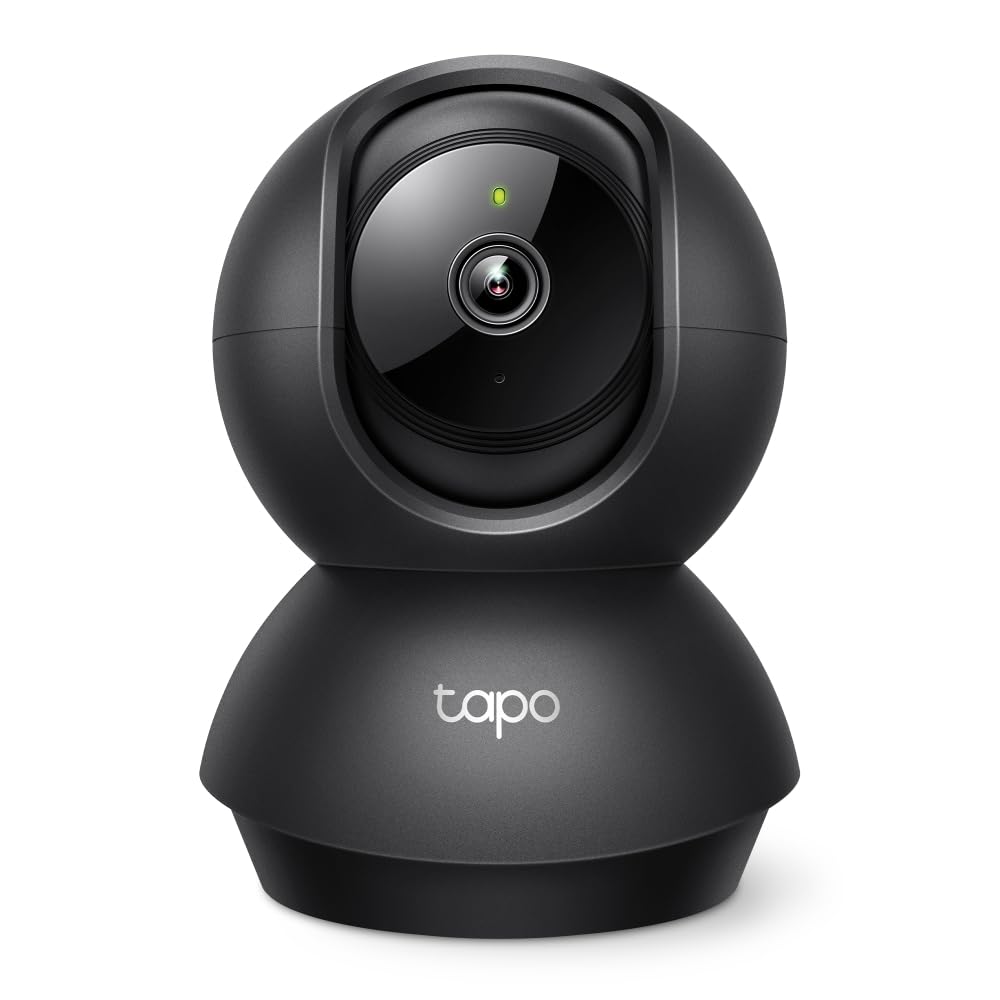
TP-Link (Tapo C100) Home Security Wi-Fi Camera 1080P Night Vision
Keep an eye on your home Keep watch over what’s going on in your home with the TP-Link Tapo C100 Full HD 1080p WiFi Security Camera. This useful camera gives you peace of mind when you’re away from home with a crisp and rich Full HD stream straight to your smartphone or tablet. It’s got a night vision feature too so you’ll always get a crystal clear view whether it’s light or dark. It stores recordings on a microSD card (sold separately) and can store up to 16 whole days of video on a 128 GB microSD card. Smartphone notifications Keeping an eye on your home is important, but obviously you can’t be glued to a video feed 24/7. The Tapo C100 helps out by sending you notifications when it detects new movements and sounds – so you can switch on and check things out only when you need to. With the Tapo app, you can also set specific activity zones to only receive alerts that are relevant. And you can also trigger light and sound alarm when your camera detects unwanted visitors. Two-way audio More than just a camera, the TP-Link Tapo C100 is also kitted out with two-way audio – so you can easily shout little messages to the family – even when you’re not at home. Compatible with Amazon Alexa If you’ve got Amazon Alexa or Google Assistant, you can use it to control your Tapo C100 and see your video stream with easy voice commands.
Keep an eye on your home Keep watch over what’s going on in your home with the TP-Link Tapo C100 Full HD 1080p WiFi Security Camera. This useful camera gives you peace of mind when you’re away from home with a crisp and rich Full HD stream straight to your smartphone or tablet. It’s got a night vision feature too so you’ll always get a crystal clear view whether it’s light or dark. It stores recordings on a microSD card (sold separately) and can store up to 16 whole days of video on a 128 GB microSD card. Smartphone notifications Keeping an eye on your home is important, but obviously you can’t be glued to a video feed 24/7. The Tapo C100 helps out by sending you notifications when it detects new movements and sounds – so you can switch on and check things out only when you need to. With the Tapo app, you can also set specific activity zones to only receive alerts that are relevant. And you can also trigger light and sound alarm when your camera detects unwanted visitors. Two-way audio More than just a camera, the TP-Link Tapo C100 is also kitted out with two-way audio – so you can easily shout little messages to the family – even when you’re not at home. Compatible with Amazon Alexa If you’ve got Amazon Alexa or Google Assistant, you can use it to control your Tapo C100 and see your video stream with easy voice commands.
Keep an eye on your home Keep watch over what’s going on in your home with the TP-Link Tapo C100 Full HD 1080p WiFi Security Camera. This useful camera gives you peace of mind when you’re away from home with a crisp and rich Full HD stream straight to your smartphone or tablet. It’s got a night vision feature too so you’ll always get a crystal clear view whether it’s light or dark. It stores recordings on a microSD card (sold separately) and can store up to 16 whole days of video on a 128 GB microSD card. Smartphone notifications Keeping an eye on your home is important, but obviously you can’t be glued to a video feed 24/7. The Tapo C100 helps out by sending you notifications when it detects new movements and sounds – so you can switch on and check things out only when you need to. With the Tapo app, you can also set specific activity zones to only receive alerts that are relevant. And you can also trigger light and sound alarm when your camera detects unwanted visitors. Two-way audio More than just a camera, the TP-Link Tapo C100 is also kitted out with two-way audio – so you can easily shout little messages to the family – even when you’re not at home. Compatible with Amazon Alexa If you’ve got Amazon Alexa or Google Assistant, you can use it to control your Tapo C100 and see your video stream with easy voice commands.
Keep an eye on your home Keep watch over what’s going on in your home with the TP-Link Tapo C100 Full HD 1080p WiFi Security Camera. This useful camera gives you peace of mind when you’re away from home with a crisp and rich Full HD stream straight to your smartphone or tablet. It’s got a night vision feature too so you’ll always get a crystal clear view whether it’s light or dark. It stores recordings on a microSD card (sold separately) and can store up to 16 whole days of video on a 128 GB microSD card. Smartphone notifications Keeping an eye on your home is important, but obviously you can’t be glued to a video feed 24/7. The Tapo C100 helps out by sending you notifications when it detects new movements and sounds – so you can switch on and check things out only when you need to. With the Tapo app, you can also set specific activity zones to only receive alerts that are relevant. And you can also trigger light and sound alarm when your camera detects unwanted visitors. Two-way audio More than just a camera, the TP-Link Tapo C100 is also kitted out with two-way audio – so you can easily shout little messages to the family – even when you’re not at home. Compatible with Amazon Alexa If you’ve got Amazon Alexa or Google Assistant, you can use it to control your Tapo C100 and see your video stream with easy voice commands.
in 10 offers
The lowest price for TP-Link (Tapo C100) Home Security Wi-Fi Camera 1080P Night Vision right now is $18.00 at eBay.com.au, compared across 6 retailers.
The all-time low was $18.00 on 23 Dec 2025. That's the lowest price we've ever tracked — a great time to buy.
Prices last updated 1 Oct 2026.
Last updated at 01/10/2026 01:27:51
TP-Link Tapo Home Security Wi-Fi Camera - 1080p, Night Vision, Sound & Light Alarm, 2-Way Audio, 24/7 Live View, Voice Control, Tapo APP, Alexa,
Affiliate Disclosure: We may receive a small commission for purchases made through this link at no extra cost to you. This helps support our site. Thank you!
TP-Link Tapo C100 Home Security Wireless Camera POWER ADAPTER included
Affiliate Disclosure: We may receive a small commission for purchases made through this link at no extra cost to you. This helps support our site. Thank you!
C100 Home Security Wifi Camera
Free delivery
Affiliate Disclosure: We may receive a small commission for purchases made through this link at no extra cost to you. This helps support our site. Thank you!
Tp-link Tapo C100 Home Security Wi-fi Camera 1080p (single Pack).f.
Free delivery
Affiliate Disclosure: We may receive a small commission for purchases made through this link at no extra cost to you. This helps support our site. Thank you!
TP-Link Tapo C100 Home Security Wi-Fi Camera
Delivery $26.53
TP-Link TAPO-C100 wifi camera 1080p 2 way audio
14-day returns
[Tapo C100] TP-Link Tapo C100 Home Security Wi-Fi Camera - 1080p, Two-Way Audio, Night Vision, Motion Detection, Night Vision
7-day returns
TP-Link Tapo C100 1080P Wi-Fi Indoor Security Camera
Delivery between 9–12 Oct $67.25
TP-Link Tapo C100 1080P Wi-Fi Indoor Security Camera
Free delivery
TP-Link Tapo C100 Home Security Wi-Fi Camera
Free delivery
originally posted on pbtech.co.nz
Pleasantly surprised by this camera. I also purchased a 128GB memory to go with it so I can store footage. This was so easy to set up. You just have to connect to the wifi and download the Tapo app + link your camera to the app. If you're not very computer literate, get your teen/grandkids or a friend to help. I have this camera set up in a bedroom, pointing outside to the path of the front door (through a window) so I can see if items have been dropped off or not. It's slightly refective (I can see the windowsill in the window reflection), but I'm still happy with the job it does for my purpose. I am notified whenever there is clear movement. You can tap on the notification and playback what it picks up. So far I have seen people come and go and also my flatmate's ... MorePleasantly surprised by this camera. I also purchased a 128GB memory to go with it so I can store footage. This was so easy to set up. You just have to connect to the wifi and download the Tapo app + link your camera to the app. If you're not very computer literate, get your teen/grandkids or a friend to help. I have this camera set up in a bedroom, pointing outside to the path of the front door (through a window) so I can see if items have been dropped off or not. It's slightly refective (I can see the windowsill in the window reflection), but I'm still happy with the job it does for my purpose. I am notified whenever there is clear movement. You can tap on the notification and playback what it picks up. So far I have seen people come and go and also my flatmate's car lights as she pulls into the nearby garage. (It has not picked up a fly/bugs so far). If I had this pointed toward the road it would pick up the cars passing by, so I just have this aimed at the path leading to my front door. It's not the clearest camera, I don't think it would easily pick up a license plate number or detail like that. But it's definitely worth the money, even just to test out. Recommend it for keeping watch on the property or rooms in the property.
originally posted on pbtech.co.nz
I bought 2 of these to bolster my Zoneminder based home video surveillance network. Setup was not as easy as hoped, but that was in part due to scarce documentation about using the cams with Zoneminder. However once I worked out the ONVIF settings and video source settings the cameras were seen by Zoneminder and could stream a steady 15 fps @ 1080p for monitoring. Picture quality is decent, colour rendition is quite nice, and they seem to handle strong contrast such as bright sunlight coming in windows without losing too much detail in the shadows. In addition the night vision LED's light up the entire open plan lounge/dining area with ease. They're also a nice wide angle. Other than working out the settings for use with 3rd party video surveillance software, the ... MoreI bought 2 of these to bolster my Zoneminder based home video surveillance network. Setup was not as easy as hoped, but that was in part due to scarce documentation about using the cams with Zoneminder. However once I worked out the ONVIF settings and video source settings the cameras were seen by Zoneminder and could stream a steady 15 fps @ 1080p for monitoring. Picture quality is decent, colour rendition is quite nice, and they seem to handle strong contrast such as bright sunlight coming in windows without losing too much detail in the shadows. In addition the night vision LED's light up the entire open plan lounge/dining area with ease. They're also a nice wide angle. Other than working out the settings for use with 3rd party video surveillance software, the only minor issue I had was getting 1 of the cams to rotate about 35-40 degrees around when mounted high on a wall in a corner - I had to add a piece of foam under the mounting bracket to give the depth to allow to rotate the camera around to look diagonally across the space. Even with those minor issues I can recommend this camera
originally posted on pbtech.co.nz
No issues setting up and using the camera. It acquired a DHCP address fine and and the app is reasonably good. But be aware you CANNOT set a static IP address. Here are the comms back from TP-Link tech support: There are no Option for the camera to do Static IP for it You can set up address reservation and IP&MAC binding on your router, then the camera will always get the same IP address from the router. As of the moment we dont have information if and/or when it will happen . as of the moment we dont have the kind of option to the camera . So if like me you would prefer to set a static IP address for your IP cameras, look elsewhere. But if you're happy with DHCP allocation it works fine.
| General | |
| Device Type | Network surveillance camera |
| Audio Support | Yes: built-in speaker, two-way audio capability, built-in microphone |
| Connectivity Technology | Wireless |
| Width | 6.76 cm |

TP-Link Tapo Home Security Wi-Fi Camera - 1080p, Night Vision, Sound & Light Alarm, 2-Way Audio, 24/7 Live View, Voice Control, Tapo APP, Alexa,
Affiliate Disclosure: We may receive a small commission for purchases made through this link at no extra cost to you. This helps support our site. Thank you!
TP-Link Tapo C100 Home Security Wireless Camera POWER ADAPTER included
Affiliate Disclosure: We may receive a small commission for purchases made through this link at no extra cost to you. This helps support our site. Thank you!
C100 Home Security Wifi Camera
Free delivery
Affiliate Disclosure: We may receive a small commission for purchases made through this link at no extra cost to you. This helps support our site. Thank you!
Tp-link Tapo C100 Home Security Wi-fi Camera 1080p (single Pack).f.
Free delivery
Affiliate Disclosure: We may receive a small commission for purchases made through this link at no extra cost to you. This helps support our site. Thank you!
TP-Link Tapo C100 Home Security Wi-Fi Camera
Delivery $26.53
Pleasantly surprised by this camera. I also purchased a 128GB memory to go with it so I can store footage. This was so easy to set up. You just have to connect to the wifi and download the Tapo app + link your camera to the app. If you're not very computer literate, get your teen/grandkids or a friend to help. I have this camera set up in a bedroom, pointing outside to the path of the front door (through a window) so I can see if items have been dropped off or not. It's slightly refective (I can see the windowsill in the window reflection), but I'm still happy with the job it does for my purpose. I am notified whenever there is clear movement. You can tap on the notification and playback what it picks up. So far I have seen people come and go and also my flatmate's ... MorePleasantly surprised by this camera. I also purchased a 128GB memory to go with it so I can store footage. This was so easy to set up. You just have to connect to the wifi and download the Tapo app + link your camera to the app. If you're not very computer literate, get your teen/grandkids or a friend to help. I have this camera set up in a bedroom, pointing outside to the path of the front door (through a window) so I can see if items have been dropped off or not. It's slightly refective (I can see the windowsill in the window reflection), but I'm still happy with the job it does for my purpose. I am notified whenever there is clear movement. You can tap on the notification and playback what it picks up. So far I have seen people come and go and also my flatmate's car lights as she pulls into the nearby garage. (It has not picked up a fly/bugs so far). If I had this pointed toward the road it would pick up the cars passing by, so I just have this aimed at the path leading to my front door. It's not the clearest camera, I don't think it would easily pick up a license plate number or detail like that. But it's definitely worth the money, even just to test out. Recommend it for keeping watch on the property or rooms in the property.
I bought 2 of these to bolster my Zoneminder based home video surveillance network. Setup was not as easy as hoped, but that was in part due to scarce documentation about using the cams with Zoneminder. However once I worked out the ONVIF settings and video source settings the cameras were seen by Zoneminder and could stream a steady 15 fps @ 1080p for monitoring. Picture quality is decent, colour rendition is quite nice, and they seem to handle strong contrast such as bright sunlight coming in windows without losing too much detail in the shadows. In addition the night vision LED's light up the entire open plan lounge/dining area with ease. They're also a nice wide angle. Other than working out the settings for use with 3rd party video surveillance software, the ... MoreI bought 2 of these to bolster my Zoneminder based home video surveillance network. Setup was not as easy as hoped, but that was in part due to scarce documentation about using the cams with Zoneminder. However once I worked out the ONVIF settings and video source settings the cameras were seen by Zoneminder and could stream a steady 15 fps @ 1080p for monitoring. Picture quality is decent, colour rendition is quite nice, and they seem to handle strong contrast such as bright sunlight coming in windows without losing too much detail in the shadows. In addition the night vision LED's light up the entire open plan lounge/dining area with ease. They're also a nice wide angle. Other than working out the settings for use with 3rd party video surveillance software, the only minor issue I had was getting 1 of the cams to rotate about 35-40 degrees around when mounted high on a wall in a corner - I had to add a piece of foam under the mounting bracket to give the depth to allow to rotate the camera around to look diagonally across the space. Even with those minor issues I can recommend this camera
No issues setting up and using the camera. It acquired a DHCP address fine and and the app is reasonably good. But be aware you CANNOT set a static IP address. Here are the comms back from TP-Link tech support: There are no Option for the camera to do Static IP for it You can set up address reservation and IP&MAC binding on your router, then the camera will always get the same IP address from the router. As of the moment we dont have information if and/or when it will happen . as of the moment we dont have the kind of option to the camera . So if like me you would prefer to set a static IP address for your IP cameras, look elsewhere. But if you're happy with DHCP allocation it works fine.
Pros: Can’t beat the value . Gives a great picture . Been working flawlessly. Notifications. Night vision . All performs to what it claims . Very impressed . Cons: Night vision wont work through glass . For example . If your keeping an eye on your car through a window. The reflection of the actual camera is picked up . I have movement activated flood lights which work perfect . The camera is set to daytime mode . Any movement in the area is lit up and camera records what’s going on . Alternatively get an externally mounted camera
Not just home security. Can be integrated with various third party home assistants for voice control etc. Can talk to pets while you're away from home. Good sensors. Even picked up a flickering ceiling light. Take snapshots and videos whenever to save special moments. Night vision is all greys of course. Mobile app functions well.
This Tapo camera is fantastic, easy to set up download the app and off you go. Good viewing for seeing what our doggies are doing. Can be used for watching the baby you can even talk through it. Or just as extra security in the house the camera can be placed anywhere inside the house can be fitted to a wall or place on a shelf with good features moving the angle of the camera. Highly recommend & great price.
Pros: So easy to use. A simple tap into the camera and you've got your controls: volume, alarm, talk/chat, privacy mode and something else that I haven't used. Night mode is really good, visuals are just as clear but in gray. Chat is good, a tiny bit slow and echoey but you can understand what's being said - it makes my dog wonder what the hell is going on! WiFi connection is good, once it's connected the camera can be moved anywhere. Cons: Was easy to set up, but it did take a little fiddling with WiFi. Had to try a fair few times before it decided to connect. I have no tips as to what I did to make it work. I moved the camera to the same room and just did it several times. It easily connects again when plugged in again after being unplugged - no need to reconnect.
Pros: Good camera image for the money. alerts every time there is physical movement including at night. works fine through a glass window in order to view the external provided there are no lights turned on in the room where you mount the camera. It permits you to record footage at any time from your smart phone. The image is very good on your smart phone, It picjks up sounds quite well although the sounds are sometimes a bit fuzzy. This security camera is trult fantastic value for money considering what it is capable of. Cons: If you mount your camera next to a glass window in order to view the outside, then if you have a light on in that room then the light will reflect off the window glass into the camera lens and obscures the viewing, but the camera is ok if you ... MorePros: Good camera image for the money. alerts every time there is physical movement including at night. works fine through a glass window in order to view the external provided there are no lights turned on in the room where you mount the camera. It permits you to record footage at any time from your smart phone. The image is very good on your smart phone, It picjks up sounds quite well although the sounds are sometimes a bit fuzzy. This security camera is trult fantastic value for money considering what it is capable of. Cons: If you mount your camera next to a glass window in order to view the outside, then if you have a light on in that room then the light will reflect off the window glass into the camera lens and obscures the viewing, but the camera is ok if you turn off al lights in that room.
Pros: . I can check on the security of the whole house from anywhere.. The images are clear in all lighting and dark conditions.. I like the way the alarm is optional.. The privacy option is invaluable.. The two-way speakers are useful.. It is a bonus that the cameras detect movement outside the windows as well as in the house.. There are no batteries to run down.. The cameras are easily moved from place to place as desired.. It is possible to use a micro SD card in each camera if wished. Cons: . The cameras lose contact far too easily and frequently, sometimes meaning I have to power off my 'phone in order to reset the the cameras or even to use my 'phone for anything else. This is not a broadband issue but something to do with the cameras themselves.. I have given ... MorePros: . I can check on the security of the whole house from anywhere.. The images are clear in all lighting and dark conditions.. I like the way the alarm is optional.. The privacy option is invaluable.. The two-way speakers are useful.. It is a bonus that the cameras detect movement outside the windows as well as in the house.. There are no batteries to run down.. The cameras are easily moved from place to place as desired.. It is possible to use a micro SD card in each camera if wished. Cons: . The cameras lose contact far too easily and frequently, sometimes meaning I have to power off my 'phone in order to reset the the cameras or even to use my 'phone for anything else. This is not a broadband issue but something to do with the cameras themselves.. I have given 7 for installation because I am quite technologically minded and knew how to bypass the message saying the cameras couldn't be found so just proceeded to the next stage to connect them but some people will struggle with this.. Like other reviewers, I think that the cable should be connected by a right-angled plug. When the manufacturer realises that this is important and makes the change, it would be nice if they offered to exchange them for existing customers.
Bought this along with the C200, Picture quality is great considering the price I paid. I’d even say it was a steal! I found motion detection is quite sensitive at times. Love that I can clearly see who is at the door AND have a convo using built in intercom. Throw in your own micro SD card and record away which I like, there is no forced could storage plans neeeded. Can’t decide which one of the 2 cams to keep. Might keep both and find a use for the other one.
| General | |
| Device Type | Network surveillance camera |
| Audio Support | Yes: built-in speaker, two-way audio capability, built-in microphone |
| Connectivity Technology | Wireless |
| Width | 6.76 cm |