TP-Link TL-SG108E 1000m 8-Port Switch
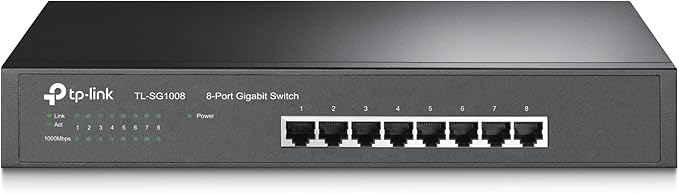
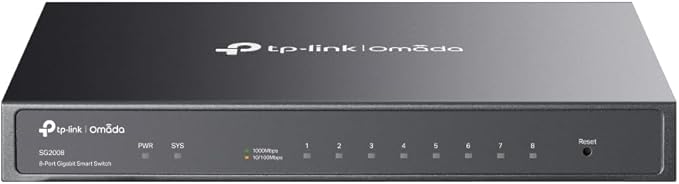
Switch or switch of the prestigious brand TP-Link model Easy Smart TL-108E. It allows you to connect up to 8 devices thanks to its 8 gigabit RJ45 ports. Activity, link and speed indicator LEDs. Designed to install in places where high performance is required. specs Smart Gigabit Easy Smart Switch TL-SG1024DE. It has 8 gigabit ethernet LAN ports. Provides network monitoring through an app or via WEB interface. Energy efficient technology reduces energy consumption by up to 40%. Centralized management of all Easy Smart switches with the Easy Smart Configuration Utility. Metal housing for better heat dissipation produced by data processing. Format for desktop or desktop.
Switch or switch of the prestigious brand TP-Link model Easy Smart TL-108E. It allows you to connect up to 8 devices thanks to its 8 gigabit RJ45 ports. Activity, link and speed indicator LEDs. Designed to install in places where high performance is required. specs Smart Gigabit Easy Smart Switch TL-SG1024DE. It has 8 gigabit ethernet LAN ports. Provides network monitoring through an app or via WEB interface. Energy efficient technology reduces energy consumption by up to 40%. Centralized management of all Easy Smart switches with the Easy Smart Configuration Utility. Metal housing for better heat dissipation produced by data processing. Format for desktop or desktop.
Switch or switch of the prestigious brand TP-Link model Easy Smart TL-108E. It allows you to connect up to 8 devices thanks to its 8 gigabit RJ45 ports. Activity, link and speed indicator LEDs. Designed to install in places where high performance is required. specs Smart Gigabit Easy Smart Switch TL-SG1024DE. It has 8 gigabit ethernet LAN ports. Provides network monitoring through an app or via WEB interface. Energy efficient technology reduces energy consumption by up to 40%. Centralized management of all Easy Smart switches with the Easy Smart Configuration Utility. Metal housing for better heat dissipation produced by data processing. Format for desktop or desktop.
Switch or switch of the prestigious brand TP-Link model Easy Smart TL-108E. It allows you to connect up to 8 devices thanks to its 8 gigabit RJ45 ports. Activity, link and speed indicator LEDs. Designed to install in places where high performance is required. specs Smart Gigabit Easy Smart Switch TL-SG1024DE. It has 8 gigabit ethernet LAN ports. Provides network monitoring through an app or via WEB interface. Energy efficient technology reduces energy consumption by up to 40%. Centralized management of all Easy Smart switches with the Easy Smart Configuration Utility. Metal housing for better heat dissipation produced by data processing. Format for desktop or desktop.
in 18 offers
The lowest price for TP-Link TL-SG108E 1000m 8-Port Switch right now is $58.00 at PCByte AU, compared across 15 retailers.
The all-time low was $50.00 on 8 Aug 2023 — today's price is 16% above the lowest ever. That's a little above the best price we've seen.
Prices last updated 9 Sept 2026.
Last updated at 09/09/2026 05:07:55
TP-LINK 8-port Gigabit Easy Smart Switch (TL-SG108E)
TP-Link 8-Port Gigabit Desktop Easy Smart Switch TL-SG108E
Delivery between 11–22 Sept $15
Tp-link Tl-sg108e 8 Port Gigabit Easy Smart Switch 1000mbps Network
Free delivery
Affiliate Disclosure: We may receive a small commission for purchases made through this link at no extra cost to you. This helps support our site. Thank you!
TP-Link TL-SG108E 8-Port Gigabit Easy Smart Switch |
Free delivery
TP-Link TL-SG108E 8-Port Gigabit Easy Smart Switch
Delivery between 14–19 Sept $9.70
TP-Link 8-Port Gigabit Easy Smart Switch TL-SG108E
Delivery $22
TP-Link TL-SG108E 8 Port Desktop Gigabit Smart Switch
Delivery between 12–20 Sept $10
TP-LINK 8-PORT EASY SMART GIGABIT SWITCH POE+(4) 64W METAL CASE 5YR
Delivery between 12–20 Sept $10
TP-Link DS108GE Omada 8-Port Gigabit Easy Smart Switch
TP-Link TL-SG108E 8-Port Gigabit Easy Smart Switch
Delivery between 11–17 Sept $11.95
originally posted on Currys
Pros: Overall very happy with this I have two of them. Completely fuss free, just plug in and it works straight off the bat. I'm using in conjunction with Powerline adapters to create a wired network for my home office and for the TV and a few other smart devices. Reliability is 100%, have had no issues on that front. Performance is hard to judge as I have the Powerline adapters in the middle, but having just done a speed test with 100mbps Broadband, I got 68mpbs download with wireless, and 91 mbps wired using this network switch so a definite result.The 8 port model which I got is also great to allow for future expansion, already using 5 ports (Printer, 2 x laptops, Nas, and input) but have some spare capacity.
originally posted on microcenter.com
I had two 5-port switches connected together for a while when I looked at them and said "Why am I doing this?" Needless to say, Micro Center to the rescue again! The caveat was that I wanted a switch that told me the currently connected speed of my equipment and it seems that more and more manufacturers and models are going to the whole "one LED to tell you everything" model...which is garbage! This is one of the few gigabit switches left in the store (at a reasonable price) that still gives you either 10/100 or 1000 connected lights so you can see what speed your equipment is connected at in just a glance! It works great as I tested it and get full gigabit speeds when transferring over the network! Thank you, TP-Link, for keeping a good product going and not ... MoreI had two 5-port switches connected together for a while when I looked at them and said "Why am I doing this?" Needless to say, Micro Center to the rescue again! The caveat was that I wanted a switch that told me the currently connected speed of my equipment and it seems that more and more manufacturers and models are going to the whole "one LED to tell you everything" model...which is garbage! This is one of the few gigabit switches left in the store (at a reasonable price) that still gives you either 10/100 or 1000 connected lights so you can see what speed your equipment is connected at in just a glance! It works great as I tested it and get full gigabit speeds when transferring over the network! Thank you, TP-Link, for keeping a good product going and not cheaping out on something so useful and inexpensive as an LED!
originally posted on microcenter.com
Price was great for an entry level “managed” switch. You could just plug it in and use it and it would be a solid performer but log in and open up a bunch of additional features that really sell the switch for this price. VLAN support? Check. MLAG support? Check. QOS support? Check again. Great switch.
TP-LINK 8-port Gigabit Easy Smart Switch (TL-SG108E)
TP-Link 8-Port Gigabit Desktop Easy Smart Switch TL-SG108E
Delivery between 11–22 Sept $15
Tp-link Tl-sg108e 8 Port Gigabit Easy Smart Switch 1000mbps Network
Free delivery
Affiliate Disclosure: We may receive a small commission for purchases made through this link at no extra cost to you. This helps support our site. Thank you!
TP-Link TL-SG108E 8-Port Gigabit Easy Smart Switch |
Free delivery
TP-Link TL-SG108E 8-Port Gigabit Easy Smart Switch
Delivery between 14–19 Sept $9.70
Pros: Overall very happy with this I have two of them. Completely fuss free, just plug in and it works straight off the bat. I'm using in conjunction with Powerline adapters to create a wired network for my home office and for the TV and a few other smart devices. Reliability is 100%, have had no issues on that front. Performance is hard to judge as I have the Powerline adapters in the middle, but having just done a speed test with 100mbps Broadband, I got 68mpbs download with wireless, and 91 mbps wired using this network switch so a definite result.The 8 port model which I got is also great to allow for future expansion, already using 5 ports (Printer, 2 x laptops, Nas, and input) but have some spare capacity.
I had two 5-port switches connected together for a while when I looked at them and said "Why am I doing this?" Needless to say, Micro Center to the rescue again! The caveat was that I wanted a switch that told me the currently connected speed of my equipment and it seems that more and more manufacturers and models are going to the whole "one LED to tell you everything" model...which is garbage! This is one of the few gigabit switches left in the store (at a reasonable price) that still gives you either 10/100 or 1000 connected lights so you can see what speed your equipment is connected at in just a glance! It works great as I tested it and get full gigabit speeds when transferring over the network! Thank you, TP-Link, for keeping a good product going and not ... MoreI had two 5-port switches connected together for a while when I looked at them and said "Why am I doing this?" Needless to say, Micro Center to the rescue again! The caveat was that I wanted a switch that told me the currently connected speed of my equipment and it seems that more and more manufacturers and models are going to the whole "one LED to tell you everything" model...which is garbage! This is one of the few gigabit switches left in the store (at a reasonable price) that still gives you either 10/100 or 1000 connected lights so you can see what speed your equipment is connected at in just a glance! It works great as I tested it and get full gigabit speeds when transferring over the network! Thank you, TP-Link, for keeping a good product going and not cheaping out on something so useful and inexpensive as an LED!
Price was great for an entry level “managed” switch. You could just plug it in and use it and it would be a solid performer but log in and open up a bunch of additional features that really sell the switch for this price. VLAN support? Check. MLAG support? Check. QOS support? Check again. Great switch.
I got the TP-Link 8port Gigabit Easy Smart Managed switch for my home setup and this thing works very well. Using it in a 802.1q VLAN environment with pfSense firewall and it was easy to configure, even for someone like me with only moderate experience with networking and vlans. The switch is handling gigabit traffic on the LAN just fine, and has no issues working with the pfSense box it is connected to. Device has some interesting features like port based vlans and a cable testing feature. It does not have inter-vlan traffic handling capabilities, but that is fine as this was not advertised as a layer 3 switch. Web interface and optional software management tool work great, but be advised that there is a bit of a different layout to the vlan management pages ... MoreI got the TP-Link 8port Gigabit Easy Smart Managed switch for my home setup and this thing works very well. Using it in a 802.1q VLAN environment with pfSense firewall and it was easy to configure, even for someone like me with only moderate experience with networking and vlans. The switch is handling gigabit traffic on the LAN just fine, and has no issues working with the pfSense box it is connected to. Device has some interesting features like port based vlans and a cable testing feature. It does not have inter-vlan traffic handling capabilities, but that is fine as this was not advertised as a layer 3 switch. Web interface and optional software management tool work great, but be advised that there is a bit of a different layout to the vlan management pages between to the two access options. For the price and for the use-case (home/small office use) this device is fantastic. It is not an enterprise level device, so don't expect that level of security and functionality, but it met my needs perfectly for creating a segmented and secure home network.
Pros: It does what it says on the box! It's plug and play configuration is pretty good like most switches on the market. The smart management mode on the switch will be overkill for most people however it is a nice feature to have.Cons: The only way to access the smart management GUI feature is to go and manually look up the IP address of the switch on your router.The GUI could be a little bit more user friendly.
I bought this switch because I needed a managed switch that could handle VLANs. Well, it does VLANs, but there are some serious problems in its implementation. All ports are marked as untagged on VLAN1, and this setting cannot be changed. This means not only can you not lock down VLAN1 (I use VLAN1 for my management network), but things like router advertisements on VLAN1 are broadcast to all the ports, regardless of what VLAN they're actually on. My devices were getting multiple IPv6 addresses, only one of which worked. This makes this switch completely unusable for me. I guess if you don't use VLAN1 for anything other than accessing this switch you might be ok.You also cannot label the ports. In my other switches I can assign a label to each port so I know ... MoreI bought this switch because I needed a managed switch that could handle VLANs. Well, it does VLANs, but there are some serious problems in its implementation. All ports are marked as untagged on VLAN1, and this setting cannot be changed. This means not only can you not lock down VLAN1 (I use VLAN1 for my management network), but things like router advertisements on VLAN1 are broadcast to all the ports, regardless of what VLAN they're actually on. My devices were getting multiple IPv6 addresses, only one of which worked. This makes this switch completely unusable for me. I guess if you don't use VLAN1 for anything other than accessing this switch you might be ok.You also cannot label the ports. In my other switches I can assign a label to each port so I know what's plugged into it, but not on this switch. That means you have to memorize what's plugged into each port. Good luck remembering what's what 6 months after setting this up.I guess if you don't need VLAN functionality, this might be a decent switch, but in that case you would probably do better with an unmanaged switch.
So what can you do with one of these things besides just plugging it in and using it like just another dumb switch? Well, at this price, if you have to replace a dumb switch get one of these smart switches instead. You can: -Use the monitoring functions built into the switch to figure out where and why your network might not be performing well because you can measure which network routes are congested. Will all the new streaming applications and NAS units it can help you decide which part of your network might need gigabit upgrades, whether you need to implement QoS controls, and where an extra LAG - ed line backbone between switches might help (next thing). -Make a higher speed backbone to your network with Link Aggregation Groups (LAG). The concept here is several ... MoreSo what can you do with one of these things besides just plugging it in and using it like just another dumb switch? Well, at this price, if you have to replace a dumb switch get one of these smart switches instead. You can: -Use the monitoring functions built into the switch to figure out where and why your network might not be performing well because you can measure which network routes are congested. Will all the new streaming applications and NAS units it can help you decide which part of your network might need gigabit upgrades, whether you need to implement QoS controls, and where an extra LAG - ed line backbone between switches might help (next thing). -Make a higher speed backbone to your network with Link Aggregation Groups (LAG). The concept here is several wires/ports between LAG enabled switches can be logically connected into one high-throughput pathway. -You can do port-mirroring to snoop on a port’s traffic (with WireShark) to find out network problems and look for things like rouge applications calling home in an unauthorized way. -Network Segmentation. Smart switches let you define VLANs so you can separate your LAN into separate segments with different bandwidth, security, and QoS requirements. -QoS. You can specify different priorities to different types of traffic. For instance VoIP doesn’t use a lot of bandwidth but it requires priority and needs some bandwidth reserved for it. -Protect yourself from having your network go down if someone misconnects something and creates a loopback or broadcast storm situation. All of this makes your network a lot more efficient. Once you get all this stuff down it is time to read about how IGMP Snooping and multicast works - which is supported by this switch and works automatically to reduce network traffic.
There are two versions of this switch available. Version 1 and 2. The information and marketing materials on the TP-Link site are for the new version 2 switch. If you quickly look at the model number here on Newegg and then briefly research that model on the TP-Link site and then place an order on Newegg, the item you receive will be not as advertised. The default IP for the switch is 192.168.0.1, which is the default address for many, many routers -- mine included. Simply adding this device as is to your network could/should cause problems. Placing the network ports on one side of the switch and the power input on the other does not make for a "Desktop" switch. A true desktop switch places the network ports and power input on the "back" of the switch, and the ... MoreThere are two versions of this switch available. Version 1 and 2. The information and marketing materials on the TP-Link site are for the new version 2 switch. If you quickly look at the model number here on Newegg and then briefly research that model on the TP-Link site and then place an order on Newegg, the item you receive will be not as advertised. The default IP for the switch is 192.168.0.1, which is the default address for many, many routers -- mine included. Simply adding this device as is to your network could/should cause problems. Placing the network ports on one side of the switch and the power input on the other does not make for a "Desktop" switch. A true desktop switch places the network ports and power input on the "back" of the switch, and the pretty lights on the front. With this switch and others like it, you must choose to either view the plain side with the power cord facing you, or the side with all the network cables and LED lights facing you, and then try and manage all those cords coming out onto your desk. Naturally, there are multiple mounting options for this switch, but then its no longer a desktop switch -- as it is advertised. Others have noted that this version 1 of the switch can only be managed by a Java-based Windows program. Being a Windows user, that did not bother me, but the Java part did. I did not want to have to download and install the terrible Java suite just to administer this. I was pleased to find that the Java-based Windows application is self-contained. So while it is still Java-based and Windows-only, a full-blown Java installation is not required. On a gigabit network, pinging any device on that network should have a round trip time of less that 1ms. (time<1ms) Strangely, pinging this switch results in a consistent ping time of 3ms, which is much slower than it should be. I was a bit worried when I noticed this, as I figured everything on the network would now be running slower than before. However, pinging anything else on the network connected to this switch results in the standard less than 1ms time. So pinging through this switch is unaffected, but pinging the switch itself results in a slow reply. What is the switch doing to slow down that ping?
I work from home when I am not traveling to customer sites so a robust network is extremely important, especially when I want to separate my business network from my family and guest networks. Switches are extremely important pieces of networking kit and there are many types, the simplest of which is an unmanaged, plug and play switch that is aimed at general use. At the other end of the spectrum are fully managed network switches that can usually be found in data centers, these are secure, highly configurable and very expensive. This switch is a hybrid switch, aimed at small offices where there is a network pro to setup and configure. These hybrid switches have a subset of the features but at a significantly cheaper price. The switch needs to be configured ... MoreI work from home when I am not traveling to customer sites so a robust network is extremely important, especially when I want to separate my business network from my family and guest networks. Switches are extremely important pieces of networking kit and there are many types, the simplest of which is an unmanaged, plug and play switch that is aimed at general use. At the other end of the spectrum are fully managed network switches that can usually be found in data centers, these are secure, highly configurable and very expensive. This switch is a hybrid switch, aimed at small offices where there is a network pro to setup and configure. These hybrid switches have a subset of the features but at a significantly cheaper price. The switch needs to be configured initially and it was disappointing to find that it was not set with DHCP but with a static IP address. This meant that I needed to reconfigure a laptop or desktop with the same subnet address in order to gain access to it, in this case 192.168.0.*, instead of allowing my router to assign it a network address automatically. Once this was done the already installed software allowed me to gain access to the switch and set security, QoS and network address easily. I would have preferred a web based configuration instead of needing to install a software application, but as it works well enough no eggs off. As far as performance was concerned I like to test new network equipment as it is installed and used in my office by connecting two pc’s that have gigabit Intel NIC’s and connecting them to the switch with Cat 5e cables. I use Totusofts Lan Speed software to send packages from one PC to the other and measure the average read and write speeds through the switch. This switch performed well enough with an average write speed of 689.2mbps and an average read time of 742.8mbps. It was a little slower than my current router of choice, the Asus RT-AC66U, but the difference was negligible. This smart switch is currently selling at a silly price, it comes with a 5 year warranty, is built like a tank, a software application that is well featured and simple to configure and is speedy to boot. This type of switch is better suited to a small office environment where there is a network pro to install, configure and look after the switch. Certainly it is not the plug and play switch that most general users will be looking for. Apart from that it is a great switch, I love mine. Much recommended.
This 8 port managed switch does what it says it will. You can configure VLANS, etc. The documentation stinks about what is required to do that so it took me a bit to figure out how to assign a VLAN to specific ports.Also, the box marketed this as a business solution. The management interface is unencrypted http traffic which really is unacceptable at this point. Everything should be https for use in a business environment.