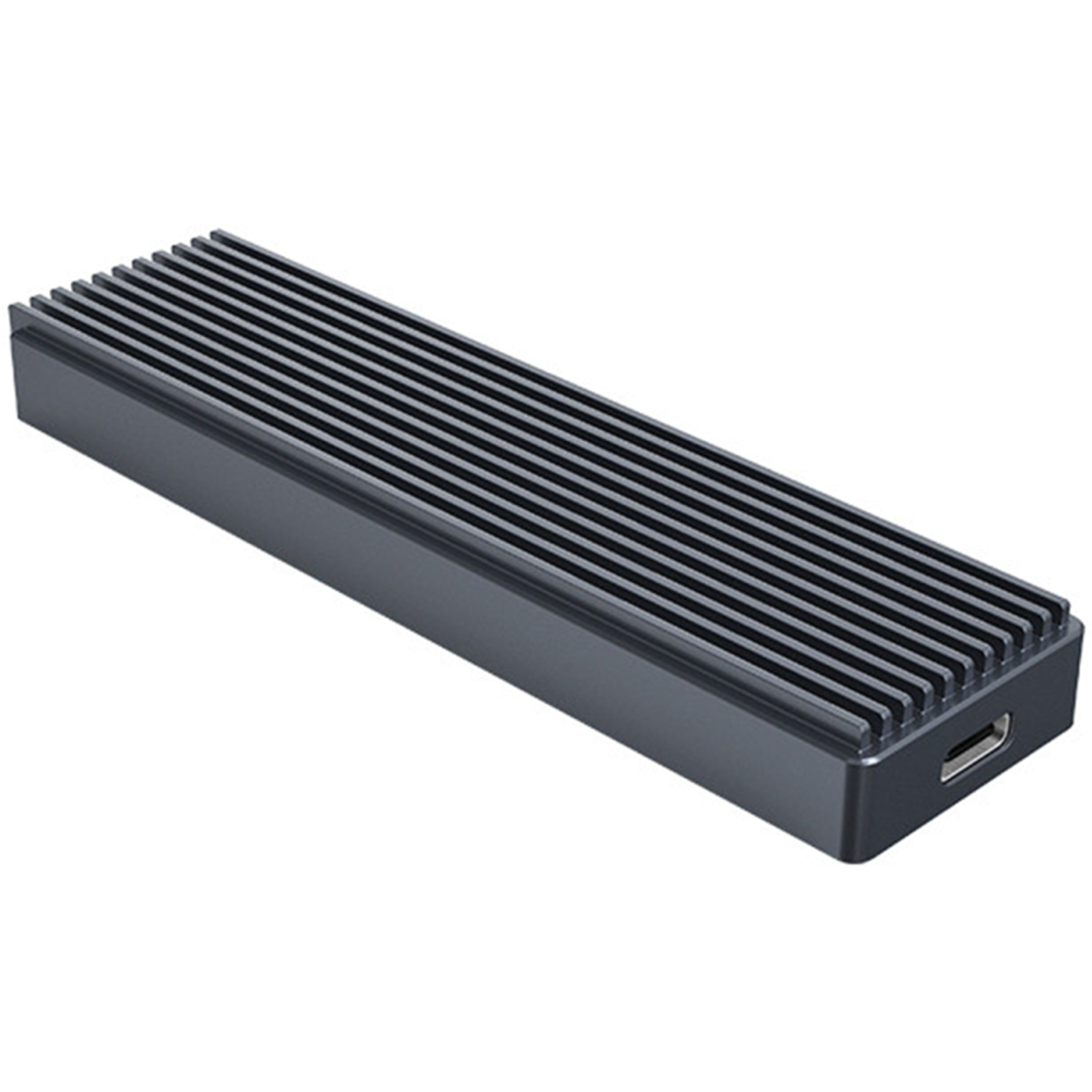
UGREEN M.2 NVMe and SATA SSD Enclosure Reader, 10Gbps USB C 3.2 Gen2, Thunderbol
Discover a solution for your storage needs with the Ugreen storage adapter. This storage enclosure is designed to support M.2 form factors 2230, 2242, 2260, and 2280, ensuring compatibility with a wide range of solid state drives. With a 10 Gbps data transfer rate courtesy of its USB 3.2 (Gen 2) interface, you can enjoy rapid file transfers and efficient data management. The adapter is equipped with features such as TRIM support, silicon pads, and a toolless installation design, all housed within a durable aluminum body. Whether you're a professional seeking to enhance your workstation's storage capabilities or a tech enthusiast looking to expand your system's capacity, this storage adapter offers a blend of performance, convenience, and reliability.
Discover a solution for your storage needs with the Ugreen storage adapter. This storage enclosure is designed to support M.2 form factors 2230, 2242, 2260, and 2280, ensuring compatibility with a wide range of solid state drives. With a 10 Gbps data transfer rate courtesy of its USB 3.2 (Gen 2) interface, you can enjoy rapid file transfers and efficient data management. The adapter is equipped with features such as TRIM support, silicon pads, and a toolless installation design, all housed within a durable aluminum body. Whether you're a professional seeking to enhance your workstation's storage capabilities or a tech enthusiast looking to expand your system's capacity, this storage adapter offers a blend of performance, convenience, and reliability.
Discover a solution for your storage needs with the Ugreen storage adapter. This storage enclosure is designed to support M.2 form factors 2230, 2242, 2260, and 2280, ensuring compatibility with a wide range of solid state drives. With a 10 Gbps data transfer rate courtesy of its USB 3.2 (Gen 2) interface, you can enjoy rapid file transfers and efficient data management. The adapter is equipped with features such as TRIM support, silicon pads, and a toolless installation design, all housed within a durable aluminum body. Whether you're a professional seeking to enhance your workstation's storage capabilities or a tech enthusiast looking to expand your system's capacity, this storage adapter offers a blend of performance, convenience, and reliability.
Discover a solution for your storage needs with the Ugreen storage adapter. This storage enclosure is designed to support M.2 form factors 2230, 2242, 2260, and 2280, ensuring compatibility with a wide range of solid state drives. With a 10 Gbps data transfer rate courtesy of its USB 3.2 (Gen 2) interface, you can enjoy rapid file transfers and efficient data management. The adapter is equipped with features such as TRIM support, silicon pads, and a toolless installation design, all housed within a durable aluminum body. Whether you're a professional seeking to enhance your workstation's storage capabilities or a tech enthusiast looking to expand your system's capacity, this storage adapter offers a blend of performance, convenience, and reliability.
in 3 offers
The lowest price for UGREEN M.2 NVMe and SATA SSD Enclosure Reader, 10Gbps USB C 3.2 Gen2, Thunderbol right now is $41.79 at PB Tech, compared across 3 retailers.
The all-time low was $22.79 on 22 Apr 2025 — today's price is 83% above the lowest ever. It has been notably cheaper before — worth setting a price alert.
Prices last updated 19 Oct 2026.
Last updated at 19/10/2026 20:13:52
UGREEN UG-90264 M.2 SATA / NVMe Hard Drive Enclosure
7-day returns
UGREEN USB 3.2 Gen 2 Type-C M.2 NVMe/SATA SSD Enclosure
Delivery between 21–30 Oct $11.64
UGREEN UG-90264 M.2 SATA / NVMe Hard Drive Enclosure [UG-90264]
Free delivery between Wed – Thu
originally posted on ugreen.com
This enclosure worked perfectly to upgrade my Dell Inspiron 15 7000 series laptop from a 256 Gigabyte drive to a Samsung 970 EVO 2 Terabyte drive. It does get very warm to the touch during transfer, but at no time was there any failure of transfer from overheating - transfer of approximately 175 Gigabytes took about an hour and 10 minutes, and I had to do it over because I did not realize I had to make the OS partition the LAST partition in order to allocate the free space on the drive to the OS partition (yes I tried partitioning software to "move" the OS partition to the last spot, but it was overly complicated and did not work as intended). So, I just recreated the drive a second time, using Macrium, and moved the OS partition to the end of the drive, and I was ... MoreThis enclosure worked perfectly to upgrade my Dell Inspiron 15 7000 series laptop from a 256 Gigabyte drive to a Samsung 970 EVO 2 Terabyte drive. It does get very warm to the touch during transfer, but at no time was there any failure of transfer from overheating - transfer of approximately 175 Gigabytes took about an hour and 10 minutes, and I had to do it over because I did not realize I had to make the OS partition the LAST partition in order to allocate the free space on the drive to the OS partition (yes I tried partitioning software to "move" the OS partition to the last spot, but it was overly complicated and did not work as intended). So, I just recreated the drive a second time, using Macrium, and moved the OS partition to the end of the drive, and I was able to easily allocate the rest of the 2 TB to the OS.My only complaint, is that it takes quite a bit of force to open the enclosure, but that is a very minor complaint. I like the little rubber piece for gripping the enclosure, and that you can remove it if you prefer not to have it on. I won't currently "ding" my rating for the difficulty in opening the enclosure, and will update if I find any other issues when I use it with my old 256 GB drive for storage. I do NOT have any "speed tests" since my only purpose for the drive was to swap out the smaller for the larger drive and maybe use the smaller drive at a later date for storage; besides, my laptop does not have USB-C and therefore cannot make maximum use of the speed.
originally posted on ugreen.com
This UGREEN M.2 NVMe and SATA SSD Enclosure measures 4.69" x 1.46" x 0.47" and weighs 3.5 ounces. This UGREEN M.2 NVMe and SATA SSD Enclosure has an aluminum body and is wrapped in a silicone case that works with the heat dissipation design of this enclosure. This UGREEN M.2 NVMe and SATA SSD Enclosure works with 2230l 2242, 2260, and 2280 drives.I used this UGREEN M.2 NVMe and SATA SSD Enclosure for close to two months with my M1 MacBook Air. This UGREEN M.2 NVMe and SATA SSD Enclosure has quickly become one of my favorite and most used accessories as I opted for the 256GB base model of the MacBook Air and am always in a storage crunch. This UGREEN M.2 NVMe and SATA SSD Enclosure plus a decent NVMe drive allows me to expand the storage of my MacBook Air at a ... MoreThis UGREEN M.2 NVMe and SATA SSD Enclosure measures 4.69" x 1.46" x 0.47" and weighs 3.5 ounces. This UGREEN M.2 NVMe and SATA SSD Enclosure has an aluminum body and is wrapped in a silicone case that works with the heat dissipation design of this enclosure. This UGREEN M.2 NVMe and SATA SSD Enclosure works with 2230l 2242, 2260, and 2280 drives.I used this UGREEN M.2 NVMe and SATA SSD Enclosure for close to two months with my M1 MacBook Air. This UGREEN M.2 NVMe and SATA SSD Enclosure has quickly become one of my favorite and most used accessories as I opted for the 256GB base model of the MacBook Air and am always in a storage crunch. This UGREEN M.2 NVMe and SATA SSD Enclosure plus a decent NVMe drive allows me to expand the storage of my MacBook Air at a fraction of the cost of purchasing an M1 MacBook Air with more storage from Apple.What I liked most about this UGREEN M.2 NVMe and SATA SSD Enclosure was:- Fast- Reliable- Cost-effective storage upgrade- Worked with hubs attached to my M1 MacBook AirWhat I liked least about this UGREEN M.2 NVMe and SATA SSD Enclosure was:- B-Key SATA drives are incompatible with this enclosureOverall, if you are in looking for a way to increase the storage of your device or simply need an external backup that takes advantage of Thunderbolt 3 speeds then this UGREEN M.2 NVMe and SATA SSD Enclosure should be on your shortlist. This UGREEN M.2 NVMe and SATA SSD Enclosure is well constructed, worked natively with my M1 MacBook Air, and continued to work when I connected to my MacBook Air via a 3rd-party hub. You have to make sure you're not using a b-key SATA drive before purchasing this UGREEN M.2 NVMe and SATA SSD Enclosure, however, I faced no other issues with this UGREEN M.2 NVMe and SATA SSD Enclosure. Highly recommended! 4.5 out of 5.0
originally posted on ugreen.com
Right off the bat - I freaking LOVE the removable rubber M.2 retention clip. All the other M.2 (and mSATA) to USB adapters I have use a regular M.2 retention screw. (Well, I do have one that has a plastic swivel retention clip, but it's kind of a PITA) This UGREEN M.2 enclosure is the only one I've ever seen that has a removable rubber retention clip. The completely toolless design of this UGREEN enclosure is just fantastic. Just the right amount of pressure on one end slides out the tray, minimal effort to pop out the rubber retention clip, then reverse after popping in the SSD. I can swap SSDs in this UGREEN enclosure in less than 1/4 the time of all the other six M.2 and mSATA USB adapters I have.I got this UGREEN M.2 USB enclosure on a lightning deal. I ... MoreRight off the bat - I freaking LOVE the removable rubber M.2 retention clip. All the other M.2 (and mSATA) to USB adapters I have use a regular M.2 retention screw. (Well, I do have one that has a plastic swivel retention clip, but it's kind of a PITA) This UGREEN M.2 enclosure is the only one I've ever seen that has a removable rubber retention clip. The completely toolless design of this UGREEN enclosure is just fantastic. Just the right amount of pressure on one end slides out the tray, minimal effort to pop out the rubber retention clip, then reverse after popping in the SSD. I can swap SSDs in this UGREEN enclosure in less than 1/4 the time of all the other six M.2 and mSATA USB adapters I have.I got this UGREEN M.2 USB enclosure on a lightning deal. I wouldn't have bought it at regular price because it's $5 more than the ones I usually get. However, after using this for a couple of weeks, I will DEFINITELY be buying more in the future even at the normal price.Just a few minutes ago, I copied 25GB of .iso files to a Samsung Evo 970 SSD in this UGREEN enclosure. The UGREEN enclosure is plugged into a non-powered USB hub that is plugged into a powered (external power supply) USB hub that is connected to a 25ft active USB extension cable. The write speed was 335-338MB/s, sustained for the entire 25GB.
| Data Transfer Rate | 10Gbps |
| Subtype | SSD Enclosure |
| Drive Bays | 1 |
| Maximum Capacity Supported | 8 TB |
| External Interface | USB 3.2 Gen 2 |
UGREEN UG-90264 M.2 SATA / NVMe Hard Drive Enclosure
7-day returns
UGREEN USB 3.2 Gen 2 Type-C M.2 NVMe/SATA SSD Enclosure
Delivery between 21–30 Oct $11.64
UGREEN UG-90264 M.2 SATA / NVMe Hard Drive Enclosure [UG-90264]
Free delivery between Wed – Thu
This enclosure worked perfectly to upgrade my Dell Inspiron 15 7000 series laptop from a 256 Gigabyte drive to a Samsung 970 EVO 2 Terabyte drive. It does get very warm to the touch during transfer, but at no time was there any failure of transfer from overheating - transfer of approximately 175 Gigabytes took about an hour and 10 minutes, and I had to do it over because I did not realize I had to make the OS partition the LAST partition in order to allocate the free space on the drive to the OS partition (yes I tried partitioning software to "move" the OS partition to the last spot, but it was overly complicated and did not work as intended). So, I just recreated the drive a second time, using Macrium, and moved the OS partition to the end of the drive, and I was ... MoreThis enclosure worked perfectly to upgrade my Dell Inspiron 15 7000 series laptop from a 256 Gigabyte drive to a Samsung 970 EVO 2 Terabyte drive. It does get very warm to the touch during transfer, but at no time was there any failure of transfer from overheating - transfer of approximately 175 Gigabytes took about an hour and 10 minutes, and I had to do it over because I did not realize I had to make the OS partition the LAST partition in order to allocate the free space on the drive to the OS partition (yes I tried partitioning software to "move" the OS partition to the last spot, but it was overly complicated and did not work as intended). So, I just recreated the drive a second time, using Macrium, and moved the OS partition to the end of the drive, and I was able to easily allocate the rest of the 2 TB to the OS.My only complaint, is that it takes quite a bit of force to open the enclosure, but that is a very minor complaint. I like the little rubber piece for gripping the enclosure, and that you can remove it if you prefer not to have it on. I won't currently "ding" my rating for the difficulty in opening the enclosure, and will update if I find any other issues when I use it with my old 256 GB drive for storage. I do NOT have any "speed tests" since my only purpose for the drive was to swap out the smaller for the larger drive and maybe use the smaller drive at a later date for storage; besides, my laptop does not have USB-C and therefore cannot make maximum use of the speed.
This UGREEN M.2 NVMe and SATA SSD Enclosure measures 4.69" x 1.46" x 0.47" and weighs 3.5 ounces. This UGREEN M.2 NVMe and SATA SSD Enclosure has an aluminum body and is wrapped in a silicone case that works with the heat dissipation design of this enclosure. This UGREEN M.2 NVMe and SATA SSD Enclosure works with 2230l 2242, 2260, and 2280 drives.I used this UGREEN M.2 NVMe and SATA SSD Enclosure for close to two months with my M1 MacBook Air. This UGREEN M.2 NVMe and SATA SSD Enclosure has quickly become one of my favorite and most used accessories as I opted for the 256GB base model of the MacBook Air and am always in a storage crunch. This UGREEN M.2 NVMe and SATA SSD Enclosure plus a decent NVMe drive allows me to expand the storage of my MacBook Air at a ... MoreThis UGREEN M.2 NVMe and SATA SSD Enclosure measures 4.69" x 1.46" x 0.47" and weighs 3.5 ounces. This UGREEN M.2 NVMe and SATA SSD Enclosure has an aluminum body and is wrapped in a silicone case that works with the heat dissipation design of this enclosure. This UGREEN M.2 NVMe and SATA SSD Enclosure works with 2230l 2242, 2260, and 2280 drives.I used this UGREEN M.2 NVMe and SATA SSD Enclosure for close to two months with my M1 MacBook Air. This UGREEN M.2 NVMe and SATA SSD Enclosure has quickly become one of my favorite and most used accessories as I opted for the 256GB base model of the MacBook Air and am always in a storage crunch. This UGREEN M.2 NVMe and SATA SSD Enclosure plus a decent NVMe drive allows me to expand the storage of my MacBook Air at a fraction of the cost of purchasing an M1 MacBook Air with more storage from Apple.What I liked most about this UGREEN M.2 NVMe and SATA SSD Enclosure was:- Fast- Reliable- Cost-effective storage upgrade- Worked with hubs attached to my M1 MacBook AirWhat I liked least about this UGREEN M.2 NVMe and SATA SSD Enclosure was:- B-Key SATA drives are incompatible with this enclosureOverall, if you are in looking for a way to increase the storage of your device or simply need an external backup that takes advantage of Thunderbolt 3 speeds then this UGREEN M.2 NVMe and SATA SSD Enclosure should be on your shortlist. This UGREEN M.2 NVMe and SATA SSD Enclosure is well constructed, worked natively with my M1 MacBook Air, and continued to work when I connected to my MacBook Air via a 3rd-party hub. You have to make sure you're not using a b-key SATA drive before purchasing this UGREEN M.2 NVMe and SATA SSD Enclosure, however, I faced no other issues with this UGREEN M.2 NVMe and SATA SSD Enclosure. Highly recommended! 4.5 out of 5.0
Right off the bat - I freaking LOVE the removable rubber M.2 retention clip. All the other M.2 (and mSATA) to USB adapters I have use a regular M.2 retention screw. (Well, I do have one that has a plastic swivel retention clip, but it's kind of a PITA) This UGREEN M.2 enclosure is the only one I've ever seen that has a removable rubber retention clip. The completely toolless design of this UGREEN enclosure is just fantastic. Just the right amount of pressure on one end slides out the tray, minimal effort to pop out the rubber retention clip, then reverse after popping in the SSD. I can swap SSDs in this UGREEN enclosure in less than 1/4 the time of all the other six M.2 and mSATA USB adapters I have.I got this UGREEN M.2 USB enclosure on a lightning deal. I ... MoreRight off the bat - I freaking LOVE the removable rubber M.2 retention clip. All the other M.2 (and mSATA) to USB adapters I have use a regular M.2 retention screw. (Well, I do have one that has a plastic swivel retention clip, but it's kind of a PITA) This UGREEN M.2 enclosure is the only one I've ever seen that has a removable rubber retention clip. The completely toolless design of this UGREEN enclosure is just fantastic. Just the right amount of pressure on one end slides out the tray, minimal effort to pop out the rubber retention clip, then reverse after popping in the SSD. I can swap SSDs in this UGREEN enclosure in less than 1/4 the time of all the other six M.2 and mSATA USB adapters I have.I got this UGREEN M.2 USB enclosure on a lightning deal. I wouldn't have bought it at regular price because it's $5 more than the ones I usually get. However, after using this for a couple of weeks, I will DEFINITELY be buying more in the future even at the normal price.Just a few minutes ago, I copied 25GB of .iso files to a Samsung Evo 970 SSD in this UGREEN enclosure. The UGREEN enclosure is plugged into a non-powered USB hub that is plugged into a powered (external power supply) USB hub that is connected to a 25ft active USB extension cable. The write speed was 335-338MB/s, sustained for the entire 25GB.
I wanted this UGREEN M.2 enclosure to house a spare Lite-On CA3-8D128-HP NVMe drive that I had sitting around. Along with the enclosure, you get a USB-C to USB-C cable, a USB-C to USB-A cable, and a spare SSD mounting pin. The enclosure body is made of aluminum, and the whole thing is wrapped in a silicon protective case.Installation was incredibly simple and impressively clever. The plastic drive tray is ejected by pressing on one end of the enclosure - there are no tiny screws to deal with! The SSD mounting pin is a silicon nub that you pop out with your finger nails or some needle nose pliers. After inserting the SSD, you can hook a notch on the silicone mounting pin onto the groove at the end of the drive and click the pin back into the tray to hold everything ... MoreI wanted this UGREEN M.2 enclosure to house a spare Lite-On CA3-8D128-HP NVMe drive that I had sitting around. Along with the enclosure, you get a USB-C to USB-C cable, a USB-C to USB-A cable, and a spare SSD mounting pin. The enclosure body is made of aluminum, and the whole thing is wrapped in a silicon protective case.Installation was incredibly simple and impressively clever. The plastic drive tray is ejected by pressing on one end of the enclosure - there are no tiny screws to deal with! The SSD mounting pin is a silicon nub that you pop out with your finger nails or some needle nose pliers. After inserting the SSD, you can hook a notch on the silicone mounting pin onto the groove at the end of the drive and click the pin back into the tray to hold everything down. The drive tray slides back into the enclosure body with another click, and you're ready to go.My Lite-On drive isn't exactly cutting edge in speed, but I was happy to find that this enclosure does not seem to limit the performance of the drive at all. BlackMagic Disk Speed Test gave me about 900MB/s read and 225MB/s write, which matches the numbers that I'm seeing online from other users.I've used a number of M.2 and mSATA enclosures, and this one has been the easiest to set up by far. The performance is good enough for me, and the aluminum body along with the silicone sleeve makes this a fairly durable enclosure to keep in my backpack.
| Data Transfer Rate | 10Gbps |
| Subtype | SSD Enclosure |
| Drive Bays | 1 |
| Maximum Capacity Supported | 8 TB |
| External Interface | USB 3.2 Gen 2 |