Wacom Intuos S Black CTL-4100K-S
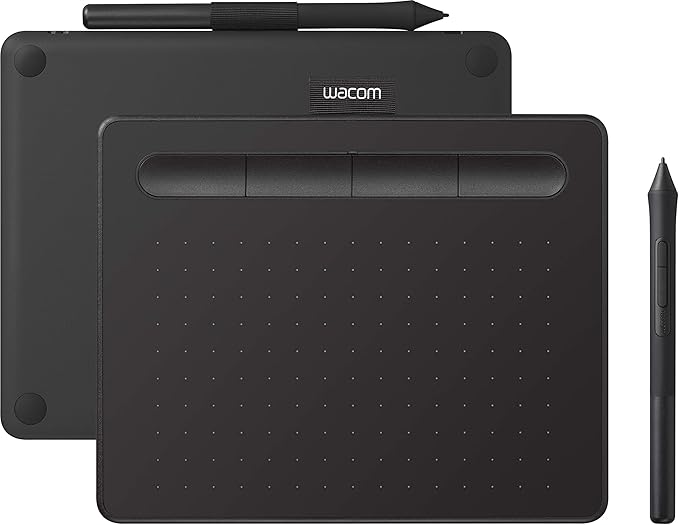
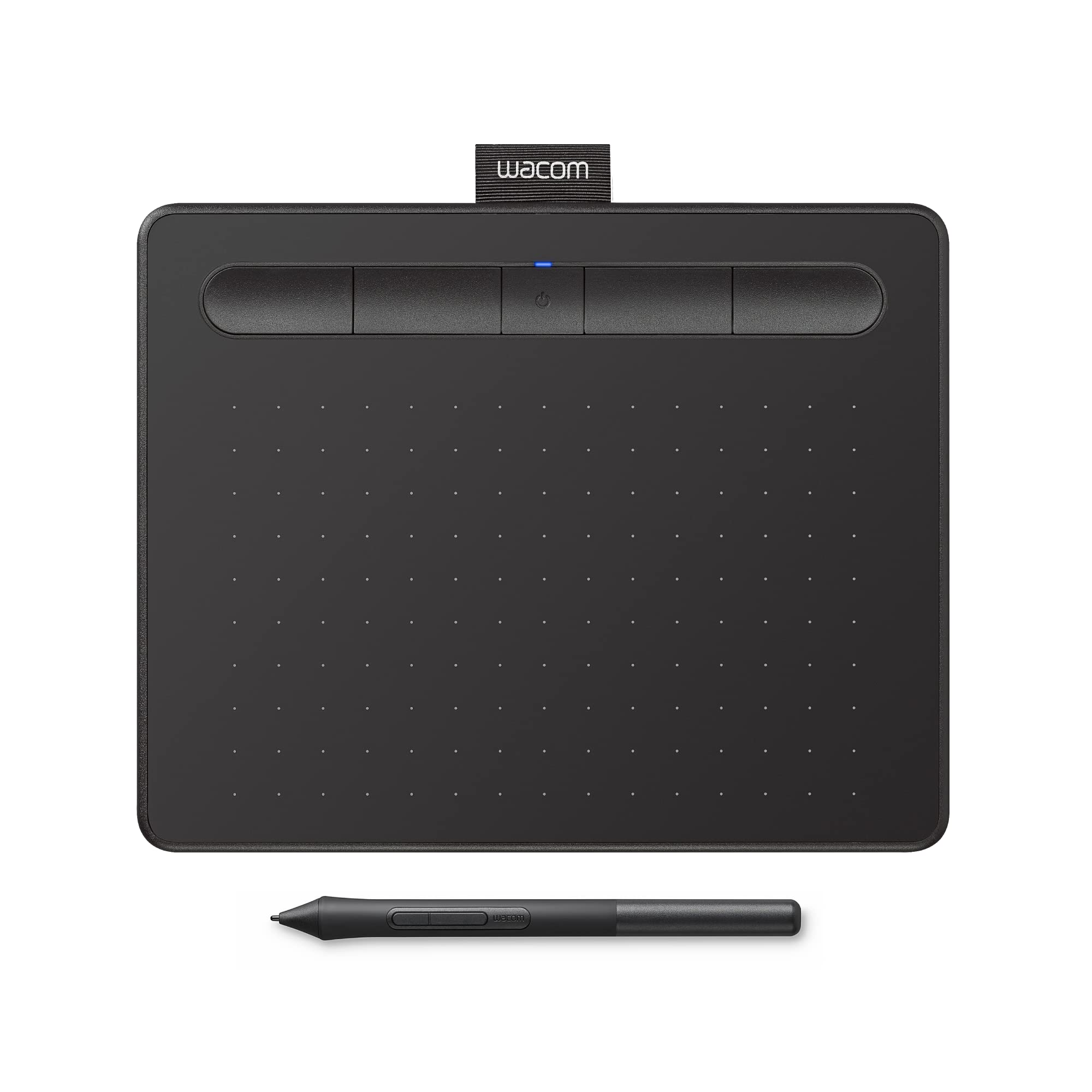
The Wacom Intuos S Black is the wired brother of its predecessor, the Intuos S Bluetooth. Thanks to its compact size of 20 by 16 centimeters, you can easily bring this Intuos to school or work. With the included pen, you decide precisely how thick or thin the lines need to be. Thanks to the 4096 pressure points, you movements appear just as they would on paper. The pen comes with 3 extra nibs and a tool to remove the nibs. You have complete control over your workflow thanks to the 4 programmable ExpressKeys at the top of the tablet.
The Wacom Intuos S Black is the wired brother of its predecessor, the Intuos S Bluetooth. Thanks to its compact size of 20 by 16 centimeters, you can easily bring this Intuos to school or work. With the included pen, you decide precisely how thick or thin the lines need to be. Thanks to the 4096 pressure points, you movements appear just as they would on paper. The pen comes with 3 extra nibs and a tool to remove the nibs. You have complete control over your workflow thanks to the 4 programmable ExpressKeys at the top of the tablet.
The Wacom Intuos S Black is the wired brother of its predecessor, the Intuos S Bluetooth. Thanks to its compact size of 20 by 16 centimeters, you can easily bring this Intuos to school or work. With the included pen, you decide precisely how thick or thin the lines need to be. Thanks to the 4096 pressure points, you movements appear just as they would on paper. The pen comes with 3 extra nibs and a tool to remove the nibs. You have complete control over your workflow thanks to the 4 programmable ExpressKeys at the top of the tablet.
The Wacom Intuos S Black is the wired brother of its predecessor, the Intuos S Bluetooth. Thanks to its compact size of 20 by 16 centimeters, you can easily bring this Intuos to school or work. With the included pen, you decide precisely how thick or thin the lines need to be. Thanks to the 4096 pressure points, you movements appear just as they would on paper. The pen comes with 3 extra nibs and a tool to remove the nibs. You have complete control over your workflow thanks to the 4 programmable ExpressKeys at the top of the tablet.
in 5 offers
The lowest price for Wacom Intuos S Black CTL-4100K-S right now is $80.99 at Techinn.com, compared across 3 retailers.
The all-time low was $37.50 on 11 May 2025 — today's price is 116% above the lowest ever. It has been notably cheaper before — worth setting a price alert.
Prices last updated 21 Sept 2026.
Last updated at 21/09/2026 07:09:28
Wacom Intuos S Graphics Tablet Black EU Plug 220V
Delivery $24.49
Wacom Intuos S 2540lpi 152 x 95mm USB Black graphic tablet
Free delivery
Wacom Intuos S Graphic Drawing Tablet With Pen 0.25mm Usb Bt
Free delivery
Affiliate Disclosure: We may receive a small commission for purchases made through this link at no extra cost to you. This helps support our site. Thank you!
Wacom Intuos S Graphic Drawing Tablet With Pen 0.25mm Usb Bt
Free delivery
Affiliate Disclosure: We may receive a small commission for purchases made through this link at no extra cost to you. This helps support our site. Thank you!
Wacom Intuos S Graphic Drawing Tablet With Pen 0.25mm Usb Bt
Free delivery
Affiliate Disclosure: We may receive a small commission for purchases made through this link at no extra cost to you. This helps support our site. Thank you!
originally posted on bestbuy.com
This is my first foray into a drawing tablet device, and--except for a hiccup here and there--I have to say it's pretty cool.The device itself is pretty thin, lightweight and almost feels a little too flimsy for me. My kids think it's neat as can be, but I'm afraid to let them handle it too much as I simply don't know how durable it is.The pen itself is also very lightweight--my biggest fear with it isn't breaking, so much as getting misplaced. I could see needing a separate case for a device like this simply to keep everything together in one place most of the time.Hooking it up was fairly simple, though I did have to use a microUSB to USB adapter for my thin laptop. My computer recognized the device, but a trip to the website was a necessity to get the ... MoreThis is my first foray into a drawing tablet device, and--except for a hiccup here and there--I have to say it's pretty cool.The device itself is pretty thin, lightweight and almost feels a little too flimsy for me. My kids think it's neat as can be, but I'm afraid to let them handle it too much as I simply don't know how durable it is.The pen itself is also very lightweight--my biggest fear with it isn't breaking, so much as getting misplaced. I could see needing a separate case for a device like this simply to keep everything together in one place most of the time.Hooking it up was fairly simple, though I did have to use a microUSB to USB adapter for my thin laptop. My computer recognized the device, but a trip to the website was a necessity to get the proper drivers and to run the automatic registration for the free software. There were some hiccups here as it seemed to have some difficulty with the automatic registration--I got it to work in the Edge browser, but had no luck with Chrome. Then, oddly enough, the software downloads "hung" at 99% in Edge but worked fine in Chrome. Weird, and took a little time to figure out (which made set up take a good 20 minutes or so when it seemed like it should have been much faster).From there my usual attempts with new gadgets (manuals? pshaw!) was not very successful with this device. It's not super-intuitive,and I spent my first hour with it watching videos, reading the manual (GASP) and trying to just figure out how to make it operate. It felt kind of like trying to learn cursive when I was a wee lad--and looked about the same on my screen haha.I tried the comic and painting programs. They are pretty cool and have a lot of neat stuff built in (my favorite was the one in the paint program that can turn your pictures into stylized paintings), but learning how to use the tablet and pen with the programs took a lot of research, video watching, and trial and error.So far it's going well though, and I do have to say it's a really neat and fun device. My son is already better with it than I am, but I do like taking it out to play around and get creative with it. I'm looking forward to trying some of the extensive free compatible software that's out there as well. I was an "artsy" type in my younger years, and this is firing me up to try some new things!I think it will take me a considerable amount of time to get any good with it, but so far it's been enjoyable getting to that point.The battery has lasted a long time so far. It also has built in bluetooth so fortunately it doesn't have to be wired to your computer whenever you want to use it--that's a great feature. I would have liked a wire option for the pen, if nothing else other than a wire to just make sure the pen doesn't wander too far from the tablet.I've only had it a short time so far, but if you're in the market for a device like this--especially if you want your kids to have creative screen-time rather than mind-numbing screen-time this is a highly recommended purchase. You should probably supervise just to make sure they aren't bending it (which seems rather easy) or throwing the pen down somewhere that you'll never see it again...
originally posted on bestbuy.com
The concept behind this is awesome. My daughter LOVES drawing and I thought this would be a cool way to get her into doing digital artwork and learning more about graphic design, etc. She played with it a lot at first but lost interest to go back to real pens and paper. Hoping she picks it back up again soon because the options with this are endless.Negatives: Most of the software that comes with it is trial version only. There are some affordable programs out there but you have to look for them. Wish it came with a full version program. Not expecting photoshop but something to rely on without having to shop around. It can also be pricey, especially if you want extra or different pen tips.
originally posted on bestbuy.com
Wanted to re-try the drawing pad concept after less than fulfilling experimentation with an early Bamb** tablet several years ago. The improvements are remarkable, particularly with the wireless Bluetooth capability, and finally I am comfortable investing the time to learn how to use a pen tablet. If you are looking for an expert opinion from an experienced pen tablet user, please look elsewhere. If you are just getting started and want something that works, is easy to use, and very responsive to the pen input… we are in the same place.Setup is pretty easy. Drivers need to be downloaded from the Wacom web site (not a problem) and installing the driver software just took a minute or two. The Bluetooth pairs without problems on Windows 10 system. The tablet can be ... MoreWanted to re-try the drawing pad concept after less than fulfilling experimentation with an early Bamb** tablet several years ago. The improvements are remarkable, particularly with the wireless Bluetooth capability, and finally I am comfortable investing the time to learn how to use a pen tablet. If you are looking for an expert opinion from an experienced pen tablet user, please look elsewhere. If you are just getting started and want something that works, is easy to use, and very responsive to the pen input… we are in the same place.Setup is pretty easy. Drivers need to be downloaded from the Wacom web site (not a problem) and installing the driver software just took a minute or two. The Bluetooth pairs without problems on Windows 10 system. The tablet can be used with USB cable to charge/connect or using Bluetooth wireless connection. Once the tablet gets charged up, the Bluetooth is very nice and allows the tablet to be moved around or held in the most comfortable position.Drawing without looking at the tablet will take some getting used to, but there is some good software that comes along with the tablet and extensive video tutorials. Another user suggested the open source software Krita, and that looks very promising as well. Nice software packages at no additional cost, what’s not to like about that? I chose the small sized tablet to keep the desktop from getting too crowded, and the larger size seemed to be a little bit intimidating for a beginner (that’s me).There is a separate tablet control console, which has an abundance of settings for pen sensitivity and programmable keys on the tablet. Too much to learn at first, and I am confident that this tablet has all the bells and whistles currently available to make the learning experience worth the time invested. I keep getting back to having a device that is adequate, since it will take me a considerable amount of time to get the hang of the device and software. I’m not interested in spending a lot of time just to find out down the road that I should have gotten something better. With this tablet, I don’t have that concern. Wacom has been around quite a while, and this tablet seems to be “future proof” for quite some time. Maybe a larger tablet will be in order later on, but I expect this design will still be available to make a future upgrade to a larger tablet go smoothly.Can’t say much about the battery life with this being so new on the desk, but other reviews seem to indicate that several days of use is reasonable, and it’s very easy to top off the charge with the universal USB connection. Not worried about battery life, and if I end up using the tablet with one of my laptops, I expect the laptop will run out of juice long before this tablet.Of the available “bonus” software, the Clip Studio seems very interesting, and after installation and registering the software there is an abundance of additional material that can be downloaded to help with the drawing process. The open source (free) Krita drawing software seems to have most everything for basic drawing, so I opted for the Corel After Shot to focus on photo editing and the Clip Studio to put a toe in the water on creative drawing and animation. Your mileage may vary but these are my choices to try and cover as many bases as possible to get started.This seems like a good tablet to start down the road to creative digital art, and should be future-proof for quite some time.
| dimensions | 16 x 0.9 x 20 cm |
Wacom Intuos S Graphics Tablet Black EU Plug 220V
Delivery $24.49
Wacom Intuos S 2540lpi 152 x 95mm USB Black graphic tablet
Free delivery
Wacom Intuos S Graphic Drawing Tablet With Pen 0.25mm Usb Bt
Free delivery
Affiliate Disclosure: We may receive a small commission for purchases made through this link at no extra cost to you. This helps support our site. Thank you!
Wacom Intuos S Graphic Drawing Tablet With Pen 0.25mm Usb Bt
Free delivery
Affiliate Disclosure: We may receive a small commission for purchases made through this link at no extra cost to you. This helps support our site. Thank you!
Wacom Intuos S Graphic Drawing Tablet With Pen 0.25mm Usb Bt
Free delivery
Affiliate Disclosure: We may receive a small commission for purchases made through this link at no extra cost to you. This helps support our site. Thank you!
This is my first foray into a drawing tablet device, and--except for a hiccup here and there--I have to say it's pretty cool.The device itself is pretty thin, lightweight and almost feels a little too flimsy for me. My kids think it's neat as can be, but I'm afraid to let them handle it too much as I simply don't know how durable it is.The pen itself is also very lightweight--my biggest fear with it isn't breaking, so much as getting misplaced. I could see needing a separate case for a device like this simply to keep everything together in one place most of the time.Hooking it up was fairly simple, though I did have to use a microUSB to USB adapter for my thin laptop. My computer recognized the device, but a trip to the website was a necessity to get the ... MoreThis is my first foray into a drawing tablet device, and--except for a hiccup here and there--I have to say it's pretty cool.The device itself is pretty thin, lightweight and almost feels a little too flimsy for me. My kids think it's neat as can be, but I'm afraid to let them handle it too much as I simply don't know how durable it is.The pen itself is also very lightweight--my biggest fear with it isn't breaking, so much as getting misplaced. I could see needing a separate case for a device like this simply to keep everything together in one place most of the time.Hooking it up was fairly simple, though I did have to use a microUSB to USB adapter for my thin laptop. My computer recognized the device, but a trip to the website was a necessity to get the proper drivers and to run the automatic registration for the free software. There were some hiccups here as it seemed to have some difficulty with the automatic registration--I got it to work in the Edge browser, but had no luck with Chrome. Then, oddly enough, the software downloads "hung" at 99% in Edge but worked fine in Chrome. Weird, and took a little time to figure out (which made set up take a good 20 minutes or so when it seemed like it should have been much faster).From there my usual attempts with new gadgets (manuals? pshaw!) was not very successful with this device. It's not super-intuitive,and I spent my first hour with it watching videos, reading the manual (GASP) and trying to just figure out how to make it operate. It felt kind of like trying to learn cursive when I was a wee lad--and looked about the same on my screen haha.I tried the comic and painting programs. They are pretty cool and have a lot of neat stuff built in (my favorite was the one in the paint program that can turn your pictures into stylized paintings), but learning how to use the tablet and pen with the programs took a lot of research, video watching, and trial and error.So far it's going well though, and I do have to say it's a really neat and fun device. My son is already better with it than I am, but I do like taking it out to play around and get creative with it. I'm looking forward to trying some of the extensive free compatible software that's out there as well. I was an "artsy" type in my younger years, and this is firing me up to try some new things!I think it will take me a considerable amount of time to get any good with it, but so far it's been enjoyable getting to that point.The battery has lasted a long time so far. It also has built in bluetooth so fortunately it doesn't have to be wired to your computer whenever you want to use it--that's a great feature. I would have liked a wire option for the pen, if nothing else other than a wire to just make sure the pen doesn't wander too far from the tablet.I've only had it a short time so far, but if you're in the market for a device like this--especially if you want your kids to have creative screen-time rather than mind-numbing screen-time this is a highly recommended purchase. You should probably supervise just to make sure they aren't bending it (which seems rather easy) or throwing the pen down somewhere that you'll never see it again...
The concept behind this is awesome. My daughter LOVES drawing and I thought this would be a cool way to get her into doing digital artwork and learning more about graphic design, etc. She played with it a lot at first but lost interest to go back to real pens and paper. Hoping she picks it back up again soon because the options with this are endless.Negatives: Most of the software that comes with it is trial version only. There are some affordable programs out there but you have to look for them. Wish it came with a full version program. Not expecting photoshop but something to rely on without having to shop around. It can also be pricey, especially if you want extra or different pen tips.
Wanted to re-try the drawing pad concept after less than fulfilling experimentation with an early Bamb** tablet several years ago. The improvements are remarkable, particularly with the wireless Bluetooth capability, and finally I am comfortable investing the time to learn how to use a pen tablet. If you are looking for an expert opinion from an experienced pen tablet user, please look elsewhere. If you are just getting started and want something that works, is easy to use, and very responsive to the pen input… we are in the same place.Setup is pretty easy. Drivers need to be downloaded from the Wacom web site (not a problem) and installing the driver software just took a minute or two. The Bluetooth pairs without problems on Windows 10 system. The tablet can be ... MoreWanted to re-try the drawing pad concept after less than fulfilling experimentation with an early Bamb** tablet several years ago. The improvements are remarkable, particularly with the wireless Bluetooth capability, and finally I am comfortable investing the time to learn how to use a pen tablet. If you are looking for an expert opinion from an experienced pen tablet user, please look elsewhere. If you are just getting started and want something that works, is easy to use, and very responsive to the pen input… we are in the same place.Setup is pretty easy. Drivers need to be downloaded from the Wacom web site (not a problem) and installing the driver software just took a minute or two. The Bluetooth pairs without problems on Windows 10 system. The tablet can be used with USB cable to charge/connect or using Bluetooth wireless connection. Once the tablet gets charged up, the Bluetooth is very nice and allows the tablet to be moved around or held in the most comfortable position.Drawing without looking at the tablet will take some getting used to, but there is some good software that comes along with the tablet and extensive video tutorials. Another user suggested the open source software Krita, and that looks very promising as well. Nice software packages at no additional cost, what’s not to like about that? I chose the small sized tablet to keep the desktop from getting too crowded, and the larger size seemed to be a little bit intimidating for a beginner (that’s me).There is a separate tablet control console, which has an abundance of settings for pen sensitivity and programmable keys on the tablet. Too much to learn at first, and I am confident that this tablet has all the bells and whistles currently available to make the learning experience worth the time invested. I keep getting back to having a device that is adequate, since it will take me a considerable amount of time to get the hang of the device and software. I’m not interested in spending a lot of time just to find out down the road that I should have gotten something better. With this tablet, I don’t have that concern. Wacom has been around quite a while, and this tablet seems to be “future proof” for quite some time. Maybe a larger tablet will be in order later on, but I expect this design will still be available to make a future upgrade to a larger tablet go smoothly.Can’t say much about the battery life with this being so new on the desk, but other reviews seem to indicate that several days of use is reasonable, and it’s very easy to top off the charge with the universal USB connection. Not worried about battery life, and if I end up using the tablet with one of my laptops, I expect the laptop will run out of juice long before this tablet.Of the available “bonus” software, the Clip Studio seems very interesting, and after installation and registering the software there is an abundance of additional material that can be downloaded to help with the drawing process. The open source (free) Krita drawing software seems to have most everything for basic drawing, so I opted for the Corel After Shot to focus on photo editing and the Clip Studio to put a toe in the water on creative drawing and animation. Your mileage may vary but these are my choices to try and cover as many bases as possible to get started.This seems like a good tablet to start down the road to creative digital art, and should be future-proof for quite some time.
Good value. I don't use it often, but I do use it on both Windows and Mac. On Mac the app to configure it takes you to a spot in the macOS 13 settings area and it does not quite take you to the correct area. It took me a moment to figure out where I was supposed to go. This is a software inconvenience I hope will get resolved in future macOS and Wacom software updates. On Windows the setup is a bit smoother and easier to access. After setup the tablet performs well in both Windows 11 and macOS 13.
The Intuos Bluetooth Creative Pen Tablet is my first venture in using a pen tablet for photo editing. The install was simple with no issues. Using the tablet with Photoshop CS6 and Lightroom Classic was seamless. While the tablet is lightweight and made of plastic, it seems durable enough for its purpose. I really like the size - it doesn’t take up much real estate on my desk.Two shortcomings keep me from giving it a 5 star rating.First the Bluetooth version has a non-replaceable battery - which at some point will of course die, leaving no way to replace. This means the only way to use the tablet is by connecting the USB cable which. Defeats the purpose of buying a wireless unit to begin with.Second, when connected via Bluetooth, there is a very discernible ... MoreThe Intuos Bluetooth Creative Pen Tablet is my first venture in using a pen tablet for photo editing. The install was simple with no issues. Using the tablet with Photoshop CS6 and Lightroom Classic was seamless. While the tablet is lightweight and made of plastic, it seems durable enough for its purpose. I really like the size - it doesn’t take up much real estate on my desk.Two shortcomings keep me from giving it a 5 star rating.First the Bluetooth version has a non-replaceable battery - which at some point will of course die, leaving no way to replace. This means the only way to use the tablet is by connecting the USB cable which. Defeats the purpose of buying a wireless unit to begin with.Second, when connected via Bluetooth, there is a very discernible lag in the unit’s response making it frustrating to use with photo editing. This is not an issue when the unit is connected with the USB cable. After some experimentation, I discovered that turning off my Mac’s wireless mouse seemed to solve the lag issue. But this means having to turn off my mouse if I want to use the Bluetooth with the tablet. The tablet is awkward to use as a replacement for the mouse so I find myself having to turn the mouse on again if I want to use it to copy open and copy files etc.If I knew of these shortcomings before purchase, I would likely have saved myself some money (a $20 difference at B&H) and just purchased the wired version of the tablet.The lag issue at least has a workaround, however the battery issue is more problematic. I would have to purchase a new unit if I wanted to continue using wirelessly. At that point I would seriously look at products from other companies. Forced product obsolescence (non-replaceable rechargeable battery) does not generate product loyalty.
Been using these tablets in varying shapes and sizes for a very long time. However it has become clear that Wacom technology is quickly being left in the dust compared the the superior fidelity of the Apple Pencil fidelity. My first use case with the tablet was heavy photoshop re-touching, and the constant lag/twitching/jumping is just annoying enough to make me not want to use it for an extended time. Found my hand getting super cramped trying to do that find work. It's probably OK for broader strokes or illustration. Also compared to the tip feel of an Apple Pencil, it's scratchy and harsh.Cheap enough to not return for the occasional use, but definitely inferior to better options out there.
I've had versions of this product for about a decade. In all that time it seems there has been no effort spent on making it more intuitive to use and especially to set up. Especially for a product called Intros, lol. The website is a nightmare from 2004 and good luck with the "free" software.It works fine-ish, but not for $90. It's about $40 worth of quality so if it's on sale consider it. It's a good size and the bluetooth connection is solid.,
I've had this bad boy for a a little over a year and I primarily use it for OSU! and it works flawlessly. I've clocked in over a 9 days in game while using this and only went through about 2 nibs. the software it comes with is great at adjusting the tablet size and keeping the drivers up to date. I also used the free trial for the paint application and had a blast with it so ended up caving and paying the one time payment of i think like $50. As a basic drawing skilled person as myself i say that part of it was fine for me and my skill. I would recommend this product as a decent mid priced tablet. When i was looking for a tablet to play OSU! I didn't hear much about this tablet but id say if you haven't played with a tablet this will work fine.
I got this for my Brother for Christmas, and I've heard no complaints from him. I've used Intous Products in the past and they've always been high quality and I suspect this would be the same.I'll honestly always recommend Wacom Intous Product, I've recently switched to using an ipad, but I still gravitate back to my desktop to use my Wacom Tablet for those bigger projects and touch-ups.The only Qualms I would say I have with This is their drivers do sometimes get out of sync on computers so you sometimes do have to go through 30minutes of trouble shooting and redownloading drivers like once every 6 months which can be annoying.
I recently purchased the Wacos Drawing Tablet for my wife, and it has been a great addition to her creative workflow. The tablet works seamlessly with her MacBook, providing smooth and accurate pen input. The pressure sensitivity is impressive, allowing for precise and nuanced drawings. The size and weight are perfect for portability, making it easy for her to take it on the go. Overall, the Wacos Drawing Tablet has exceeded our expectations and has become an essential tool for her artistic endeavors.
| dimensions | 16 x 0.9 x 20 cm |