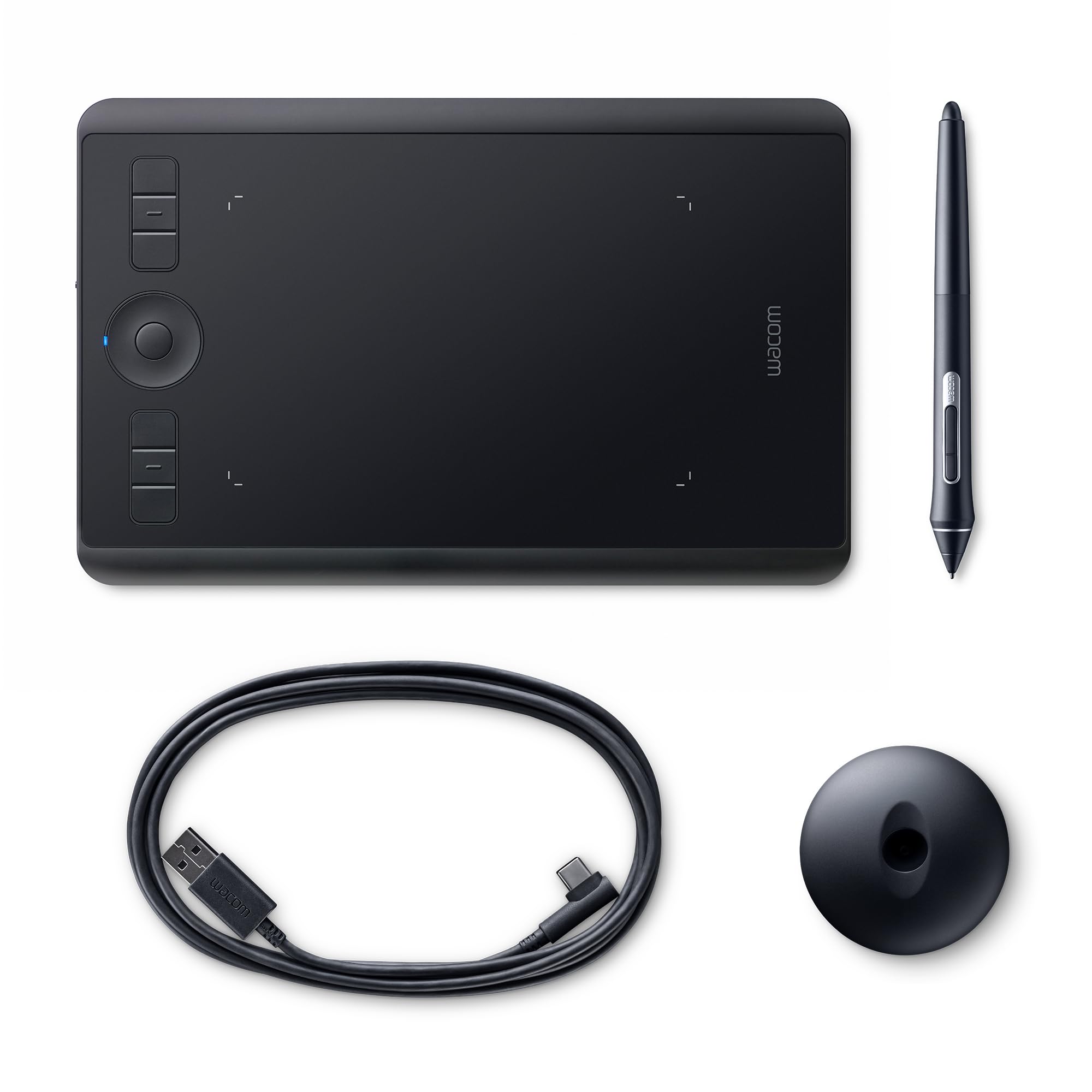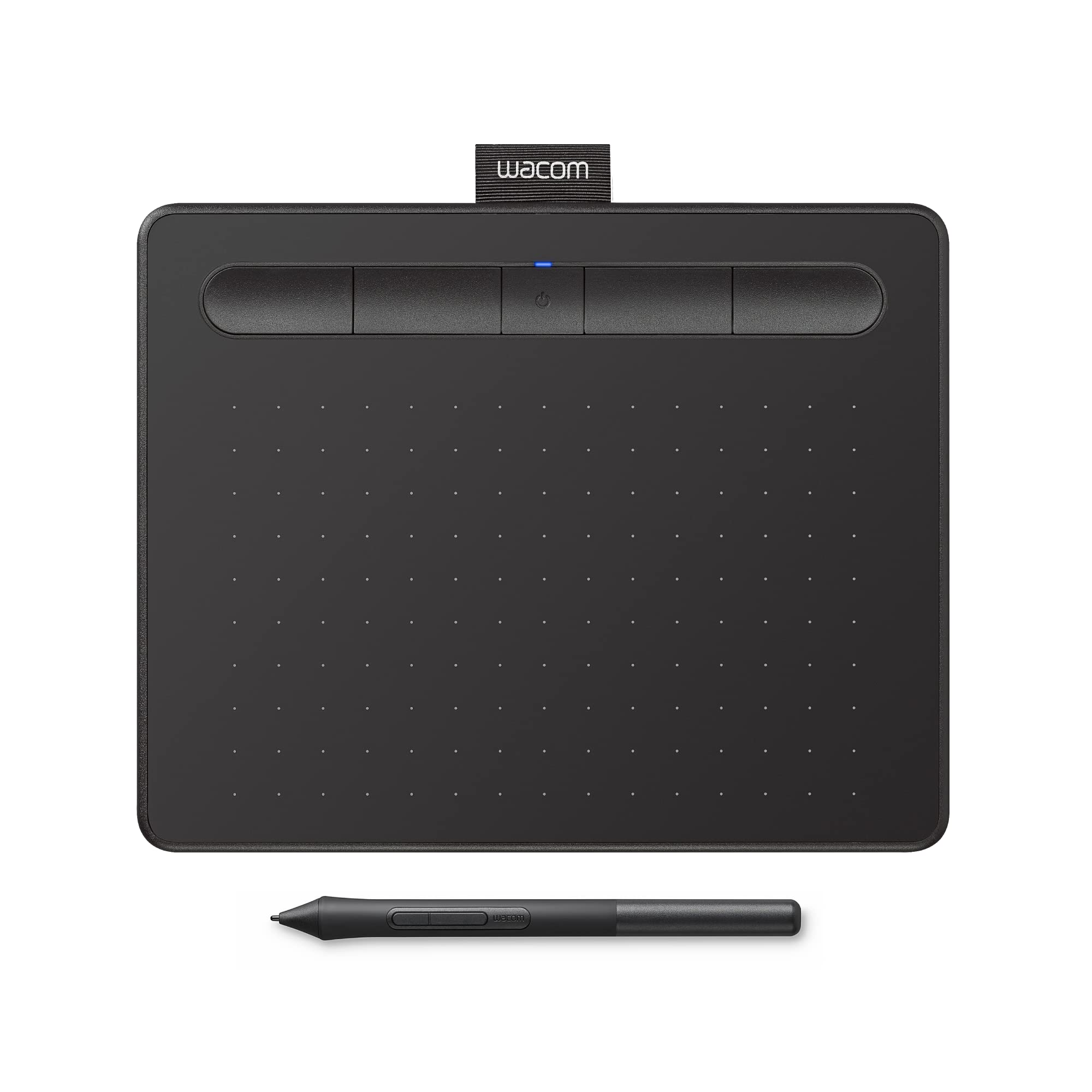
Wacom Intuos Small (Black)
Wacom for eLearning & remote teaching Whether you need to work, learn, teach or create from home, Wacom creative pen displays and pen tablets combined with inking apps make it easy to explain concepts visually, encourage collaboration and express your creativity. Transport your ideas into the digital world Wacom Inkspace is the perfect app for remote teaching & eLearning. Convert handwritten notes to text, stimulate hands-on collaboration and work on a real-time canvas simultaneously with other students or teachers. Yours is a mighty pen The first thing you’ll notice when using Wacom Intuos is how natural it feels. Thanks to EMR (Electro-Magnetic Resonance) technology, the battery free pen with 4,096 levels of pressure sensitivity provides a natural drawing experience that can keep going as long as you do. Whilst its ergonomic design and light weight make it sit comfortably in your hand, allowing you to experience both precision and control. Everything at your fingertips Wacom Intuos is designed to make your creative process hassle-free. The built-in pen tray holds your pen in place, whilst the four ExpressKeys allow you to work quickly and easily. Plus, the addition of Bluetooth connectivity on selected models means you can connect to your PC at the click of a button.
Wacom for eLearning & remote teaching Whether you need to work, learn, teach or create from home, Wacom creative pen displays and pen tablets combined with inking apps make it easy to explain concepts visually, encourage collaboration and express your creativity. Transport your ideas into the digital world Wacom Inkspace is the perfect app for remote teaching & eLearning. Convert handwritten notes to text, stimulate hands-on collaboration and work on a real-time canvas simultaneously with other students or teachers. Yours is a mighty pen The first thing you’ll notice when using Wacom Intuos is how natural it feels. Thanks to EMR (Electro-Magnetic Resonance) technology, the battery free pen with 4,096 levels of pressure sensitivity provides a natural drawing experience that can keep going as long as you do. Whilst its ergonomic design and light weight make it sit comfortably in your hand, allowing you to experience both precision and control. Everything at your fingertips Wacom Intuos is designed to make your creative process hassle-free. The built-in pen tray holds your pen in place, whilst the four ExpressKeys allow you to work quickly and easily. Plus, the addition of Bluetooth connectivity on selected models means you can connect to your PC at the click of a button.
Wacom for eLearning & remote teaching Whether you need to work, learn, teach or create from home, Wacom creative pen displays and pen tablets combined with inking apps make it easy to explain concepts visually, encourage collaboration and express your creativity. Transport your ideas into the digital world Wacom Inkspace is the perfect app for remote teaching & eLearning. Convert handwritten notes to text, stimulate hands-on collaboration and work on a real-time canvas simultaneously with other students or teachers. Yours is a mighty pen The first thing you’ll notice when using Wacom Intuos is how natural it feels. Thanks to EMR (Electro-Magnetic Resonance) technology, the battery free pen with 4,096 levels of pressure sensitivity provides a natural drawing experience that can keep going as long as you do. Whilst its ergonomic design and light weight make it sit comfortably in your hand, allowing you to experience both precision and control. Everything at your fingertips Wacom Intuos is designed to make your creative process hassle-free. The built-in pen tray holds your pen in place, whilst the four ExpressKeys allow you to work quickly and easily. Plus, the addition of Bluetooth connectivity on selected models means you can connect to your PC at the click of a button.
Wacom for eLearning & remote teaching Whether you need to work, learn, teach or create from home, Wacom creative pen displays and pen tablets combined with inking apps make it easy to explain concepts visually, encourage collaboration and express your creativity. Transport your ideas into the digital world Wacom Inkspace is the perfect app for remote teaching & eLearning. Convert handwritten notes to text, stimulate hands-on collaboration and work on a real-time canvas simultaneously with other students or teachers. Yours is a mighty pen The first thing you’ll notice when using Wacom Intuos is how natural it feels. Thanks to EMR (Electro-Magnetic Resonance) technology, the battery free pen with 4,096 levels of pressure sensitivity provides a natural drawing experience that can keep going as long as you do. Whilst its ergonomic design and light weight make it sit comfortably in your hand, allowing you to experience both precision and control. Everything at your fingertips Wacom Intuos is designed to make your creative process hassle-free. The built-in pen tray holds your pen in place, whilst the four ExpressKeys allow you to work quickly and easily. Plus, the addition of Bluetooth connectivity on selected models means you can connect to your PC at the click of a button.
in 44 offers
The lowest price for Wacom Intuos Small (Black) right now is $32.00 at eBay.com.au, compared across 31 retailers.
The all-time low was $18.00 on 19 June 2025 — today's price is 78% above the lowest ever. It has been notably cheaper before — worth setting a price alert.
Prices last updated 26 Oct 2026.
Last updated at 26/10/2026 02:01:55
Wacom Intuos Small Graphic Tablet, with 3 Free Creative Software downloads, CTL-4100/K0-CX, Black
Free delivery
Affiliate Disclosure: We may receive a small commission for purchases made through this link at no extra cost to you. This helps support our site. Thank you!
Wacom Intuos Small Graphic Tablet - Black (ctl-4100/k0-c)
Delivery $13
Affiliate Disclosure: We may receive a small commission for purchases made through this link at no extra cost to you. This helps support our site. Thank you!
Wacom Intuos Small (Black)
Delivery $8.99
Wacom Intuos Small Black CTL-4100/K0-C | Best Online Computer Store
Delivery $15.15
Wacom Intuos Small - Black
Delivery between 28 Oct – 5 Nov $15
Wacom Intuos Small Black
Free delivery between 29 Oct – 5 Nov
Wacom Intuos Basic Pen Small - Black - USB
Delivery $16.50
Wacom Intuos CTL-4100 Graphics Tablet - 2540 lpi - Cable - Black - 152 mm x 95 mm Active Area - 4096 Pressure Level - Pen - PC, Mac
Delivery $7.95
Wacom Intuos S graphic tablet Black 2540 lpi 152 x 95 mm USB
CTL-4100/K0-C Wacom Intuos Ctl-4100 Graphics Tablet - 2540 Lpi - Cable - Black - 152 Mm X 95 Mm Active Area - 4096 Pressure Level - Pen - Pc, Mac
Delivery between 29 Oct – 2 Nov $15
originally posted on bestbuy.com
We own several of these small Intuos drawing tablets--two obsolete models, two recent wireless/corded models of this same generation and now 3 of this exact model. Truth be told, the only reason I bought this latest one is because it was on clearance and I lost the pen to my other one. Not only that, the cord both recent non-wireless models went bad and the L-shaped mini-USB is hard to find. You can use a regular micro-usb cable, but they are also obsolete at this point. So I figured I get a pen and a cord with a spare tablet for the same price as buying a pen and a cord at the clearance price. Here's the issue I have with Wacom: The tablet is great, but the cords are very low quality, at least for the basic model. Stores don't carry pens or the right cords (or even ... MoreWe own several of these small Intuos drawing tablets--two obsolete models, two recent wireless/corded models of this same generation and now 3 of this exact model. Truth be told, the only reason I bought this latest one is because it was on clearance and I lost the pen to my other one. Not only that, the cord both recent non-wireless models went bad and the L-shaped mini-USB is hard to find. You can use a regular micro-usb cable, but they are also obsolete at this point. So I figured I get a pen and a cord with a spare tablet for the same price as buying a pen and a cord at the clearance price. Here's the issue I have with Wacom: The tablet is great, but the cords are very low quality, at least for the basic model. Stores don't carry pens or the right cords (or even the pen nibs for that matter), so you end up having to buy directly from Wacom, which is a hassle, plus you have to wait. The tablet itself, I think would last pretty much forever, but they become obsolete by new pen technology that doesn't work with old, or new USB technology. I personally do not draw with the Wacom, but demonstrate math problems using drawing software. My daughters are both artists and love using these for that purpose.
originally posted on bestbuy.com
I would have given it 4 stars but only because i can’t see where i last picked my pen up from. Thst is not it’s fault, need an iPad for that. The pad itself is excellent. Easy to write on, functioned flawlessly with my Mac mini M1 which was a worry. My only complaint is some of the free trials are kind bogus and the pen’s buttons are easily pressed when holding it like you would a normal pen. It causes me to open up info boxes or move an item when i didn’t intend to. Not enough to kill the 5 star rating. For the price , you can’t beat it. Not even with a ramones brat beating bat!
originally posted on bestbuy.com
It’s a very good entry level drawing tablet that comes with a subscription to Clip Studio Paint for either one or two years (I forget which). The pen feels good to use, the USB connection seems fine and stable despite being USB-A to micro USB, and the Wacom software is easy to use. Honestly, I’ve only got two complaints. The first is that the USB cable needs an adapter if you want to use it with a computer without a USB-A port - you know, one of the large ones that’s for flash drives and things. The second is that the orientation cannot be changed, and it will always operate so that the buttons have to be at the top. I dislike this because I keep hitting them by accident when drawing, which sends various commands to the program I’m using. I suppose Wacom could fix ... MoreIt’s a very good entry level drawing tablet that comes with a subscription to Clip Studio Paint for either one or two years (I forget which). The pen feels good to use, the USB connection seems fine and stable despite being USB-A to micro USB, and the Wacom software is easy to use. Honestly, I’ve only got two complaints. The first is that the USB cable needs an adapter if you want to use it with a computer without a USB-A port - you know, one of the large ones that’s for flash drives and things. The second is that the orientation cannot be changed, and it will always operate so that the buttons have to be at the top. I dislike this because I keep hitting them by accident when drawing, which sends various commands to the program I’m using. I suppose Wacom could fix this down the line with a driver update, but they haven’t yet so it remains a point of irritation. If you’re already experienced with drawing tablets, go for something else. But if you’re just kind of getting the hang of it, this tablet is really great for learners.
| Model year | 2018 |
| Hardware Interface | USB 2.0 |
| Standing screen display size | 7.9 Inches |
| Display Type | LCD |
| Screen Resolution | 1024x600 |

Wacom Intuos Small Graphic Tablet, with 3 Free Creative Software downloads, CTL-4100/K0-CX, Black
Free delivery
Affiliate Disclosure: We may receive a small commission for purchases made through this link at no extra cost to you. This helps support our site. Thank you!
Wacom Intuos Small Graphic Tablet - Black (ctl-4100/k0-c)
Delivery $13
Affiliate Disclosure: We may receive a small commission for purchases made through this link at no extra cost to you. This helps support our site. Thank you!
Wacom Intuos Small (Black)
Delivery $8.99
Wacom Intuos Small Black CTL-4100/K0-C | Best Online Computer Store
Delivery $15.15
Wacom Intuos Small - Black
Delivery between 28 Oct – 5 Nov $15
We own several of these small Intuos drawing tablets--two obsolete models, two recent wireless/corded models of this same generation and now 3 of this exact model. Truth be told, the only reason I bought this latest one is because it was on clearance and I lost the pen to my other one. Not only that, the cord both recent non-wireless models went bad and the L-shaped mini-USB is hard to find. You can use a regular micro-usb cable, but they are also obsolete at this point. So I figured I get a pen and a cord with a spare tablet for the same price as buying a pen and a cord at the clearance price. Here's the issue I have with Wacom: The tablet is great, but the cords are very low quality, at least for the basic model. Stores don't carry pens or the right cords (or even ... MoreWe own several of these small Intuos drawing tablets--two obsolete models, two recent wireless/corded models of this same generation and now 3 of this exact model. Truth be told, the only reason I bought this latest one is because it was on clearance and I lost the pen to my other one. Not only that, the cord both recent non-wireless models went bad and the L-shaped mini-USB is hard to find. You can use a regular micro-usb cable, but they are also obsolete at this point. So I figured I get a pen and a cord with a spare tablet for the same price as buying a pen and a cord at the clearance price. Here's the issue I have with Wacom: The tablet is great, but the cords are very low quality, at least for the basic model. Stores don't carry pens or the right cords (or even the pen nibs for that matter), so you end up having to buy directly from Wacom, which is a hassle, plus you have to wait. The tablet itself, I think would last pretty much forever, but they become obsolete by new pen technology that doesn't work with old, or new USB technology. I personally do not draw with the Wacom, but demonstrate math problems using drawing software. My daughters are both artists and love using these for that purpose.
I would have given it 4 stars but only because i can’t see where i last picked my pen up from. Thst is not it’s fault, need an iPad for that. The pad itself is excellent. Easy to write on, functioned flawlessly with my Mac mini M1 which was a worry. My only complaint is some of the free trials are kind bogus and the pen’s buttons are easily pressed when holding it like you would a normal pen. It causes me to open up info boxes or move an item when i didn’t intend to. Not enough to kill the 5 star rating. For the price , you can’t beat it. Not even with a ramones brat beating bat!
It’s a very good entry level drawing tablet that comes with a subscription to Clip Studio Paint for either one or two years (I forget which). The pen feels good to use, the USB connection seems fine and stable despite being USB-A to micro USB, and the Wacom software is easy to use. Honestly, I’ve only got two complaints. The first is that the USB cable needs an adapter if you want to use it with a computer without a USB-A port - you know, one of the large ones that’s for flash drives and things. The second is that the orientation cannot be changed, and it will always operate so that the buttons have to be at the top. I dislike this because I keep hitting them by accident when drawing, which sends various commands to the program I’m using. I suppose Wacom could fix ... MoreIt’s a very good entry level drawing tablet that comes with a subscription to Clip Studio Paint for either one or two years (I forget which). The pen feels good to use, the USB connection seems fine and stable despite being USB-A to micro USB, and the Wacom software is easy to use. Honestly, I’ve only got two complaints. The first is that the USB cable needs an adapter if you want to use it with a computer without a USB-A port - you know, one of the large ones that’s for flash drives and things. The second is that the orientation cannot be changed, and it will always operate so that the buttons have to be at the top. I dislike this because I keep hitting them by accident when drawing, which sends various commands to the program I’m using. I suppose Wacom could fix this down the line with a driver update, but they haven’t yet so it remains a point of irritation. If you’re already experienced with drawing tablets, go for something else. But if you’re just kind of getting the hang of it, this tablet is really great for learners.
Absolutely love it. I was skeptical to buy a drawing tabled with low price, however I didn’t expect it to be that good. If functioned the way it should and everything works absolutely fine. I connected it with two softwares and in my observation I can say that the tabled works a liiiiiiiitle bit better with Windows, however fully comparable with IOS (with tricky drive downloading). About that: You have to figure out yourself how to set up the tablet but fortunately Wacom gives you tutorials. I had troubles with setting up, however figured out that you should put extra tick mark somewhere else. Pen tool works perfectly fine as well and has extra slates in case of damage. I am connected with art industry, so I have to have drawing tablet with me in case of something, ... MoreAbsolutely love it. I was skeptical to buy a drawing tabled with low price, however I didn’t expect it to be that good. If functioned the way it should and everything works absolutely fine. I connected it with two softwares and in my observation I can say that the tabled works a liiiiiiiitle bit better with Windows, however fully comparable with IOS (with tricky drive downloading). About that: You have to figure out yourself how to set up the tablet but fortunately Wacom gives you tutorials. I had troubles with setting up, however figured out that you should put extra tick mark somewhere else. Pen tool works perfectly fine as well and has extra slates in case of damage. I am connected with art industry, so I have to have drawing tablet with me in case of something, so this thing works the way it should. love it
It's very good. very smooth. I got most of what it said it would include but I don't suggest this for chromebook users. I say this because setting up can be confusing. Normal set up: it's a simple plug in/bluetooth connect. But registering your tablet, redeeming software and setting shortcut buttons is the hard part. You have to manually register the tablet by first creating a sign in into wacom and whatnot and the software thing you can do on your own. But setting the shortcut buttons on your tablet and pen is impossible. Why? You need Wacom's desktop center which is inaccessible with chromebooks. But if you're looking for just a pen tablet, it's great. I've seen a lot of people dislike it because they just couldn't figure it out, but they legitimately have no idea ... MoreIt's very good. very smooth. I got most of what it said it would include but I don't suggest this for chromebook users. I say this because setting up can be confusing. Normal set up: it's a simple plug in/bluetooth connect. But registering your tablet, redeeming software and setting shortcut buttons is the hard part. You have to manually register the tablet by first creating a sign in into wacom and whatnot and the software thing you can do on your own. But setting the shortcut buttons on your tablet and pen is impossible. Why? You need Wacom's desktop center which is inaccessible with chromebooks. But if you're looking for just a pen tablet, it's great. I've seen a lot of people dislike it because they just couldn't figure it out, but they legitimately have no idea what they got and what they're doing. Again, I do not suggest this for chromebook users if you're looking to get full use out of this tablet.
I've been a Wacom user for years, and I was on the fence of buying this model; and going with a totally different brand. But there was a sale and figured why not. One nice thing about the newer models is the cord is removeable so you no longer get the cord of death. Which brought the end of my tablets I've had over the years. Another nice thing about this product, is that that the texture when drawing on it itself feels like your drawing on paper. I also like how the replacement nibs are kept inside the pen, which is nice, and you'd never lose them. I've never used the features of the buttons, since I'm a simple gal. Just using the tablet itself is good enough for me. The only thing I can critique about this product is there's no CD software, you have to go on ... MoreI've been a Wacom user for years, and I was on the fence of buying this model; and going with a totally different brand. But there was a sale and figured why not. One nice thing about the newer models is the cord is removeable so you no longer get the cord of death. Which brought the end of my tablets I've had over the years. Another nice thing about this product, is that that the texture when drawing on it itself feels like your drawing on paper. I also like how the replacement nibs are kept inside the pen, which is nice, and you'd never lose them. I've never used the features of the buttons, since I'm a simple gal. Just using the tablet itself is good enough for me. The only thing I can critique about this product is there's no CD software, you have to go on Wacom's website to download. Which can be annoying if you don't have internet access. Also I had to contact Wacom customer service to figure out what softeware to download, since they didn't make it very clear. Since there's quite a few different drawing tablets they have listed, this is a 2019 model for future buyers if you're curious. All in all I would recommend this product. :)
This in relation to use on a Windows 10 system, I haven't tried it on my Mac yet. It works well and does the job for which was purchased. From my standpoint it has a couple of glaring issues, both relating to size. It's about the size of a mouse pad, and unless you have enough space for both it can be difficult to use. The second, and related issue, is that once installed it basically functions as the mouse so that the two interact if the other is moved. I have past experience with various larger Wacom tablets, largely on Silicon Graphics systems, where they were the standard but where any other pointing devices were kept as totally separate devices.
ART PROGRAMS: It works with most art programs like Photoshop, Gimp, Paint tool sai etc. It does come with programs for anyone, but they are not free. You get a trail and then you can pay for it. It is relatively cheaper than photoshop, but I feel like the advertisement makes it seem like it's free with the tablet. TRACKING: The tablet tracks the pen very well. I do not have to worry about objects or my hand being tracked from the tablet. It doesn't pick up my fingers or anything so if you're trying to finger draw, it's not for you. I lay my hand on the pad while drawing and it doesn't mess anything up. For the price, It's amazing. I wish I got it during the 49.99 sale but $79 is worth the tablet if it's something you want. Get it!
I have been using this drawing tablet consistently for about two years now, and it has served me well. The product comes with software including Clip Studio Paint, as well as Corel Painter and Aftershot. I am just now updating my software since my two year license expired, and I plan on continuing to use it and the tablet. Since it is affordable, especially compared to other drawing tablets, it is a good one to use if you want to make digital art without spending over $100. The tablet itself connects via USB port and is lightweight; I have traveled with it many times and had no issue with the cords or set up. My only con for the product so far is that I broke my tablet pen in half. Luckily, it still works just fine, though I can’t get to the extra pen nibs in the ... MoreI have been using this drawing tablet consistently for about two years now, and it has served me well. The product comes with software including Clip Studio Paint, as well as Corel Painter and Aftershot. I am just now updating my software since my two year license expired, and I plan on continuing to use it and the tablet. Since it is affordable, especially compared to other drawing tablets, it is a good one to use if you want to make digital art without spending over $100. The tablet itself connects via USB port and is lightweight; I have traveled with it many times and had no issue with the cords or set up. My only con for the product so far is that I broke my tablet pen in half. Luckily, it still works just fine, though I can’t get to the extra pen nibs in the pen compartment. Admittedly, stepping on the pen was a user error, so I recommend keeping track of it and keeping it in a safe spot with your tablet. Additionally, it would be helpful if there were clearer instructions for programming pen and tablet buttons. As expected of screenless drawing tablets, there is a learning curve with drawing as well as operating the software, but it proves worth it. A big pro for this product is the aforementioned software. It’s not only good for drawing and painting, but can also be used for photo editing, animating, and 3D modeling. I highly recommend this product to those looking for an affordable drawing tablet. It is an extremely versatile device and any possible negatives are largely outweighed by the benefits of a reliable device.
this is my first wacom tablet and i do enjoy it, setting it up was easy and i find that it is way better to use for digital art compared to what i was using before (which was just my surface pen directly on the screen of my surface pro) esp due to the pressure sensitivity. its cool that you get a free software with it (i use Krita though so i haven't really tested that out) however, the reason ive given it 4 stars instead of 5 is because theres some pretty annoying design flaws; the pen rolls out of the tray very easily so ive misplaced my pen a couple times. i never have this issue with my surface pen because its magnetic and snaps to the side of my surface pro, so i wish the wacom pen could have something like this. the other issue is with the buttons on the pen. ... Morethis is my first wacom tablet and i do enjoy it, setting it up was easy and i find that it is way better to use for digital art compared to what i was using before (which was just my surface pen directly on the screen of my surface pro) esp due to the pressure sensitivity. its cool that you get a free software with it (i use Krita though so i haven't really tested that out) however, the reason ive given it 4 stars instead of 5 is because theres some pretty annoying design flaws; the pen rolls out of the tray very easily so ive misplaced my pen a couple times. i never have this issue with my surface pen because its magnetic and snaps to the side of my surface pro, so i wish the wacom pen could have something like this. the other issue is with the buttons on the pen. theyre located at the end of the pen's barrel, specifically the end on the side of the tip is, if that makes sense. this is right around where i hold the pen so i often end up accidentally clicking the buttons while using it. meanwhile, my surface pen also has buttons in a similar spot, but because of the way those buttons are designed (theyre pretty flat, they barely extrude from the barrel) i dont have this issue overall though, i would recommend it, and if i get more serious with digital art ill definitely consider buying one of the larger wacoms
| Model year | 2018 |
| Hardware Interface | USB 2.0 |
| Standing screen display size | 7.9 Inches |
| Display Type | LCD |
| Screen Resolution | 1024x600 |