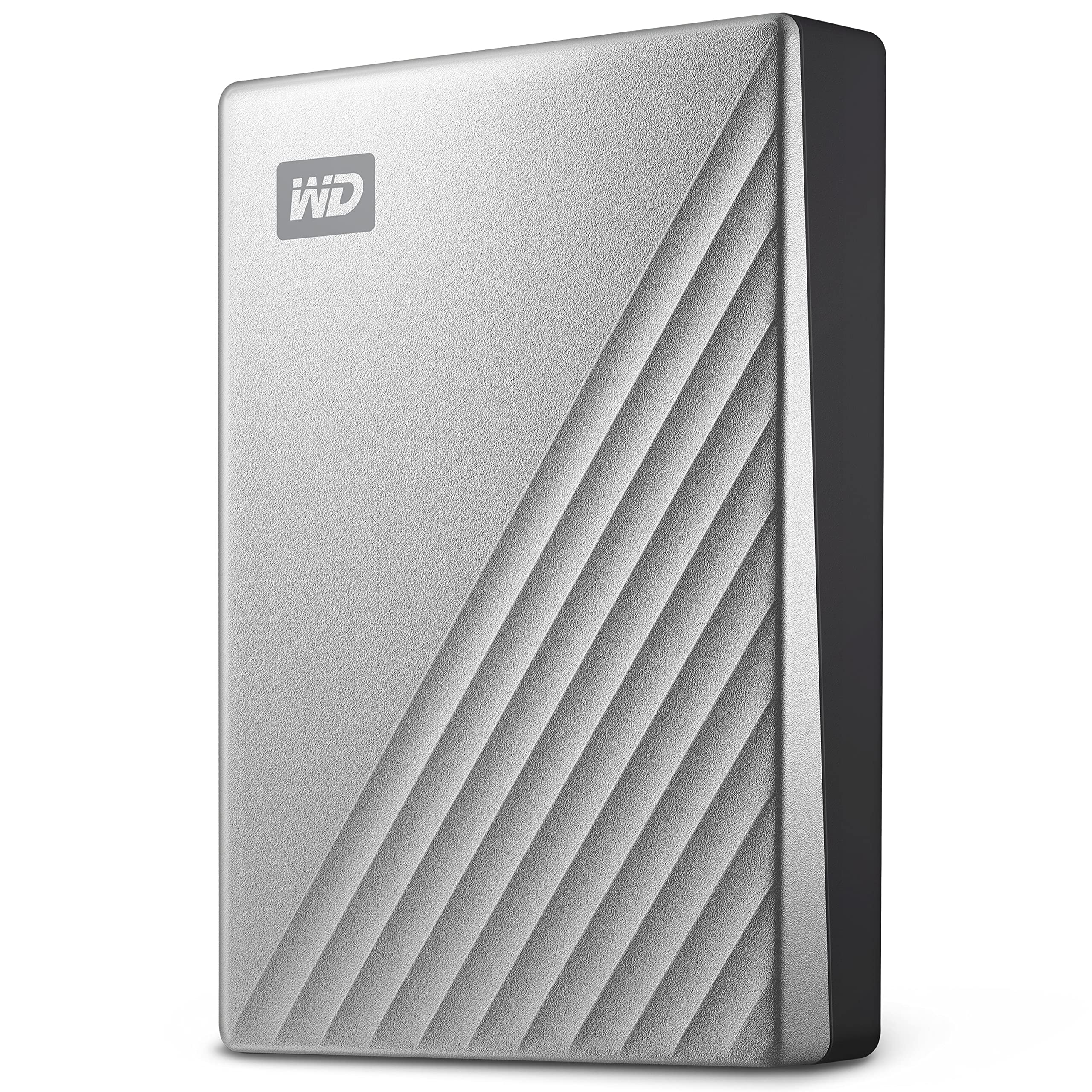
Password Protection with 256bit AES Hardware Encryption Builtin 256bit AES hardware encryption with password protection helps keep your digital life's contents secure. Just activate password protection and set your own personalized password using the included software2 (Windows Only). Compatible with Mac and Windows. My Passport Ultra for Mac is ready to deliver plugandplay storage out of the box. With the included software2, you can also work across both Mac and PC. they provide a downloadable HFS+ driver for Windows 10+, to enable you to read and write to your My Passport Ultra for Mac drive without reformatting. High Capacity. With up to 5TB1 of capacity, you have plenty of room to keep your photos, videos, music, and documents with you and in your control, wherever you go. USBC Compatible. Featuring USBC technology, the My Passport Ultra for Mac portable drive delivers quick and easy storage for your Mac, while the included USBC to USBA adapter makes sure it's compatible with older machines. Sleek Metal Design Fusing modern, anodized metal and textures, the My Passport Ultra for Mac portable drive matches your personal style and the latest Mac computers.
Password Protection with 256bit AES Hardware Encryption Builtin 256bit AES hardware encryption with password protection helps keep your digital life's contents secure. Just activate password protection and set your own personalized password using the included software2 (Windows Only). Compatible with Mac and Windows. My Passport Ultra for Mac is ready to deliver plugandplay storage out of the box. With the included software2, you can also work across both Mac and PC. they provide a downloadable HFS+ driver for Windows 10+, to enable you to read and write to your My Passport Ultra for Mac drive without reformatting. High Capacity. With up to 5TB1 of capacity, you have plenty of room to keep your photos, videos, music, and documents with you and in your control, wherever you go. USBC Compatible. Featuring USBC technology, the My Passport Ultra for Mac portable drive delivers quick and easy storage for your Mac, while the included USBC to USBA adapter makes sure it's compatible with older machines. Sleek Metal Design Fusing modern, anodized metal and textures, the My Passport Ultra for Mac portable drive matches your personal style and the latest Mac computers.
WD 5TB My Passport Ultra For Mac Silver Portable External Hard Drive, USB-C - WDBPMV0050BSL-WESN
Password Protection with 256bit AES Hardware Encryption Builtin 256bit AES hardware encryption with password protection helps keep your digital life's contents secure. Just activate password protection and set your own personalized password using the included software2 (Windows Only). Compatible with Mac and Windows. My Passport Ultra for Mac is ready to deliver plugandplay storage out of the box. With the included software2, you can also work across both Mac and PC. they provide a downloadable HFS+ driver for Windows 10+, to enable you to read and write to your My Passport Ultra for Mac drive without reformatting. High Capacity. With up to 5TB1 of capacity, you have plenty of room to keep your photos, videos, music, and documents with you and in your control, wherever you go. USBC Compatible. Featuring USBC technology, the My Passport Ultra for Mac portable drive delivers quick and easy storage for your Mac, while the included USBC to USBA adapter makes sure it's compatible with older machines. Sleek Metal Design Fusing modern, anodized metal and textures, the My Passport Ultra for Mac portable drive matches your personal style and the latest Mac computers.
Password Protection with 256bit AES Hardware Encryption Builtin 256bit AES hardware encryption with password protection helps keep your digital life's contents secure. Just activate password protection and set your own personalized password using the included software2 (Windows Only). Compatible with Mac and Windows. My Passport Ultra for Mac is ready to deliver plugandplay storage out of the box. With the included software2, you can also work across both Mac and PC. they provide a downloadable HFS+ driver for Windows 10+, to enable you to read and write to your My Passport Ultra for Mac drive without reformatting. High Capacity. With up to 5TB1 of capacity, you have plenty of room to keep your photos, videos, music, and documents with you and in your control, wherever you go. USBC Compatible. Featuring USBC technology, the My Passport Ultra for Mac portable drive delivers quick and easy storage for your Mac, while the included USBC to USBA adapter makes sure it's compatible with older machines. Sleek Metal Design Fusing modern, anodized metal and textures, the My Passport Ultra for Mac portable drive matches your personal style and the latest Mac computers.
originally posted on westerndigital.com
Nowhere to be found: RPM, cache and SATA specifications.'Full Specifications' lacks this centrally relevant info and not even the extra effort of downloading the 'Data Sheet' rewards with any more hard facts on these drives.Have WD lost faith in their customers ability to make sound judgements hence decided to not burden the world with the dry facts?
originally posted on bhphotovideo.com
If your searching for the best storage device goes for it. But your main goal is, you have huge data means this is the better choice for you with a 130MB/s read and write speed, whereas you have a small amount of data but speed is the main means you opt for SSD from Sandisk or WD which gives a maximum speed of 850MB/s read and write speed.And I have to say about the best 256-AES security which is good with the large storage capacity.I conclude by saying that this best for each penny you spend.CAUTION:If you are ordering from outside, the USA means aware of the duty amount charged by the customs in your country.
originally posted on bhphotovideo.com
I have a 4TB WD, 4TB Seagate, and now this 5TB USB-C interfaced WD. I really needed that extra TB for my backup applications, and since I'm on a relatively new Mac Mini, I really wanted a USB-C interface. Drive worked like a charm. Already formatted for HFS+, I just plugged it in, told Time Machine to use it, and off it went. Also backed up a 2TB archive drive through the make with Disk Utility. Again, fast and no issues. And, as usual, B&H delivered promptly with no issues.I'm a happy customer!
| USB version | 3.2 Gen 1 (3.1 Gen 1) |
| Windows operating systems supported | Windows 10,Windows 7,Windows 8,Windows 8.1 |
| Wi-Fi | No |
| Password protection | Yes |
| Security algorithms | 256-bit AES |
Nowhere to be found: RPM, cache and SATA specifications.'Full Specifications' lacks this centrally relevant info and not even the extra effort of downloading the 'Data Sheet' rewards with any more hard facts on these drives.Have WD lost faith in their customers ability to make sound judgements hence decided to not burden the world with the dry facts?
If your searching for the best storage device goes for it. But your main goal is, you have huge data means this is the better choice for you with a 130MB/s read and write speed, whereas you have a small amount of data but speed is the main means you opt for SSD from Sandisk or WD which gives a maximum speed of 850MB/s read and write speed.And I have to say about the best 256-AES security which is good with the large storage capacity.I conclude by saying that this best for each penny you spend.CAUTION:If you are ordering from outside, the USA means aware of the duty amount charged by the customs in your country.
I have a 4TB WD, 4TB Seagate, and now this 5TB USB-C interfaced WD. I really needed that extra TB for my backup applications, and since I'm on a relatively new Mac Mini, I really wanted a USB-C interface. Drive worked like a charm. Already formatted for HFS+, I just plugged it in, told Time Machine to use it, and off it went. Also backed up a 2TB archive drive through the make with Disk Utility. Again, fast and no issues. And, as usual, B&H delivered promptly with no issues.I'm a happy customer!
I've been using WD drives for more than a decade. Consistently the only brand that I haven't had crash on me. I've got three of these Ultra line drives right now and they work flawlessly. Don't stop this line, WD. Only gripe is the included cable isn't great quality. The connectors are pretty hard to get seated in the USB-C port. I'd pay a premium for a higher quality 6" cable. Finding 6" thunderbolt speed cables can be challenging.
I needed to reach out to WD because my Mac would not see the hard drive. I needed to reach out to WD for troubleshooting and it needed to be reformatted. I use it only for Time Machine backups and it never leaves my desk. Since it is so soon in my owning of the HD, I am wondering about it's quality.
When I first got it and I ran speed test using Black Magic right away while the drive is still empty, it was about 100MB+/s. After files are filled and I ran test again, it is now about 70MB/s. This USB-C interface is not any faster than the Micro-B USB/USB-A version. But the cool thing is right out of the box, it's already Mac formatted. There is only one cable supplied and it's an end-to-end USB-C cable with one USB-A adapter for one end only. One star less due to speed decreases after the drive is filled up with 3.8TB of data. If you are doing video, avoid this and get SSD external drive instead. For small file size, this works fine. If you work on very large files everyday, SSD external drive is highly recommended.
I have had this portable drive for a few months now, and use it weekly for my photography needs from editing to storing images. Although it is not terribly fast (which is why I am now moving onto an SSD), I do not have issues with editing images from the hard drive and loading time for me is no issue.I have also traveled with this hard drive securely tucked in my backpack and I have not run into any issues with the reliability of the files being readable when I plug my hard drive back in.I have found that after editing images off of the hard drive, in order to prevent the hard drive from "being removed without ejecting” (and potentially corrupting files), I have to make sure Photoshop is fully closed (command+Q) and I relaunch Finder, followed by ejecting the ... MoreI have had this portable drive for a few months now, and use it weekly for my photography needs from editing to storing images. Although it is not terribly fast (which is why I am now moving onto an SSD), I do not have issues with editing images from the hard drive and loading time for me is no issue.I have also traveled with this hard drive securely tucked in my backpack and I have not run into any issues with the reliability of the files being readable when I plug my hard drive back in.I have found that after editing images off of the hard drive, in order to prevent the hard drive from "being removed without ejecting” (and potentially corrupting files), I have to make sure Photoshop is fully closed (command+Q) and I relaunch Finder, followed by ejecting the hard drive.I only say this because I had a near scare moment where I tried to open some files and they were supposedly corrupted, but luckily after shutting off my laptop, unplugging the hard drive, and then turning on my laptop to see if the files could be read again they were all there.
At first it's just as fast as a normal 2.5 inch drive (~90MB/s). Once it gets pretty full you may get 1 MB/s speeds or less, your whole system/apps may start to lock up. OS cache was filled (2.6GB), it took almost an hour to shutdown because the cache needed to be flushed (containing random writes). You will probably just force shutdown because you don't know and lose data. Even deleting stuff can be painfully slow, hundreds of GBs taking 6 hours. It was deleting less than 1 empty folder per second. Listing a folder with a couple of items can take minutes if it's busy.You have to use discard/trim so that you can speed the drive back up (for newly written data) once clearing space from it. Trim after almost full (5TB) to almost empty took 45 minutes.Will not buy ... MoreAt first it's just as fast as a normal 2.5 inch drive (~90MB/s). Once it gets pretty full you may get 1 MB/s speeds or less, your whole system/apps may start to lock up. OS cache was filled (2.6GB), it took almost an hour to shutdown because the cache needed to be flushed (containing random writes). You will probably just force shutdown because you don't know and lose data. Even deleting stuff can be painfully slow, hundreds of GBs taking 6 hours. It was deleting less than 1 empty folder per second. Listing a folder with a couple of items can take minutes if it's busy.You have to use discard/trim so that you can speed the drive back up (for newly written data) once clearing space from it. Trim after almost full (5TB) to almost empty took 45 minutes.Will not buy any SMR drive again. If the website doesn't mention SMR, it is reason enough to be able to return it. SMR drives are scam tier where you get 1% performance hidden away, in return you only save a couple of dollars.
Trouble on connecting WD 2TB my Passport Ultra for Mac, I use Macbook 12"Retina early 2016. Last yearend I purchased this drive from department store. And good working with my Macbook 12". Unfortunately Apple updated OS end up with Big Sur, After I updated latest version of Big Sur I found trouble with connecting USB C to My Passport , drive not show up in my Mac ,light on drive turned on, nothing run. So I really upset with the product and brand. And I tried contacting with local Thai WD distributor. They sent me 2 new cables to use. Actually I used drive with WD cables with my other Macbook Pro, It worked well. But it couldn't work with my Macbook 12". I think problem may from MacOS and may from electricity power not enough to run drive. Please advise how to do. ... MoreTrouble on connecting WD 2TB my Passport Ultra for Mac, I use Macbook 12"Retina early 2016. Last yearend I purchased this drive from department store. And good working with my Macbook 12". Unfortunately Apple updated OS end up with Big Sur, After I updated latest version of Big Sur I found trouble with connecting USB C to My Passport , drive not show up in my Mac ,light on drive turned on, nothing run. So I really upset with the product and brand. And I tried contacting with local Thai WD distributor. They sent me 2 new cables to use. Actually I used drive with WD cables with my other Macbook Pro, It worked well. But it couldn't work with my Macbook 12". I think problem may from MacOS and may from electricity power not enough to run drive. Please advise how to do. Because I usually use Macbook 12" majority , because light weight.
Over the years I have had so many WD portable drivers and never had any problem. Last November I decided to get a big capacity driver for my MAC and bought this 5TB drive since it has 3 years warranty. I have been using it for less than a year and has backed up lots of data on it, especially my photos. Yesterday when I plugged in and it suddenly showed up as Boot OS, I chatted with online support and sent him various screenshots, he confirmed the drive has corruption and cannot be fixed, he asked me to file a RMA request to get a replacement. WD will not cover data recovery cost and will only send me a refurbished drive. The online support website did say that I could return the product to where I bought it. I just called WD online store (where I bought the product) ... MoreOver the years I have had so many WD portable drivers and never had any problem. Last November I decided to get a big capacity driver for my MAC and bought this 5TB drive since it has 3 years warranty. I have been using it for less than a year and has backed up lots of data on it, especially my photos. Yesterday when I plugged in and it suddenly showed up as Boot OS, I chatted with online support and sent him various screenshots, he confirmed the drive has corruption and cannot be fixed, he asked me to file a RMA request to get a replacement. WD will not cover data recovery cost and will only send me a refurbished drive. The online support website did say that I could return the product to where I bought it. I just called WD online store (where I bought the product) and was told I can return but will not get any refund. My only option is a refurbished replacement not a new product. So if I have bought it in third-party store like Bestbuy I could bring it back and get a new product replacement but not when I buy directly with WD. This is really outrageous. I already have to spend so much time to fix my lost data and don't trust to get another refurbished product which could cause issue. This is really not acceptable!
| USB version | 3.2 Gen 1 (3.1 Gen 1) |
| Windows operating systems supported | Windows 10,Windows 7,Windows 8,Windows 8.1 |
| Wi-Fi | No |
| Password protection | Yes |
| Security algorithms | 256-bit AES |