Last updated at 10/06/2026 14:00:41
Amazon Fire Tv (3rd Generation) Media Streamer - Black
Delivery $54.88
Affiliate Disclosure: We may receive a small commission for purchases made through this link at no extra cost to you. This helps support our site. Thank you!
originally posted on influenster.com
This is the best thing that has ever happened to modern television technology. I have multiple applications on this Amazon fire TV, which I can just scroll to which ever app I need. Set up and usage is super easy. I’m able to watch TV shows and movies on each of the apps that I have purchased, specifically Prime videos. I can’t believe this tiny box gives you access to hundreds of channels, TV shows, and movies.
originally posted on influenster.com
This was my original fire tv. I ended up buying a stick because i appreciated the size and that i could hide it behind the TV whereas this one you can't. I have no idea what the differences between them are other than their size. They both seem to do the exact same thing and they both still work great. I suggest just getting the stick lol. The remotes are interchangeable too (definitely pick 1 w voice). This is especially great but if you dont have a smart TV.
originally posted on influenster.com
I set-up the device as soon as I got it. Setup is easy, Plug in the unit and connect the antenna. Once you do that you only have to use your fire-tv to connect and setup the device. I have 2 separate Amazon accounts and all your units have to be on the same account to work properly.I scanned for channels and only got 4 to view due to my location and the indoor antenna I had. I later installed an outdoor HD Antenna and connected it to my legacy cable wires. I connected the Recast to that cable source and now I am enjoying 40 channels! I have Fire TV's in every room of the house and I am able to watch over the air Live HD TV on all of them. I can even use my cell phone to watch Live HD TV provided by my Amazon Recast anywhere! I can watch Judge Judy live during my ... MoreI set-up the device as soon as I got it. Setup is easy, Plug in the unit and connect the antenna. Once you do that you only have to use your fire-tv to connect and setup the device. I have 2 separate Amazon accounts and all your units have to be on the same account to work properly.I scanned for channels and only got 4 to view due to my location and the indoor antenna I had. I later installed an outdoor HD Antenna and connected it to my legacy cable wires. I connected the Recast to that cable source and now I am enjoying 40 channels! I have Fire TV's in every room of the house and I am able to watch over the air Live HD TV on all of them. I can even use my cell phone to watch Live HD TV provided by my Amazon Recast anywhere! I can watch Judge Judy live during my lunch break at work using my Cell Phone! I can also watch anything recorder on the DVR remotely on my cell phone or tablet! This unit has me ready to cut the cable!
Amazon Fire Tv (3rd Generation) Media Streamer - Black
Delivery $54.88
Affiliate Disclosure: We may receive a small commission for purchases made through this link at no extra cost to you. This helps support our site. Thank you!
This is the best thing that has ever happened to modern television technology. I have multiple applications on this Amazon fire TV, which I can just scroll to which ever app I need. Set up and usage is super easy. I’m able to watch TV shows and movies on each of the apps that I have purchased, specifically Prime videos. I can’t believe this tiny box gives you access to hundreds of channels, TV shows, and movies.
This was my original fire tv. I ended up buying a stick because i appreciated the size and that i could hide it behind the TV whereas this one you can't. I have no idea what the differences between them are other than their size. They both seem to do the exact same thing and they both still work great. I suggest just getting the stick lol. The remotes are interchangeable too (definitely pick 1 w voice). This is especially great but if you dont have a smart TV.
I set-up the device as soon as I got it. Setup is easy, Plug in the unit and connect the antenna. Once you do that you only have to use your fire-tv to connect and setup the device. I have 2 separate Amazon accounts and all your units have to be on the same account to work properly.I scanned for channels and only got 4 to view due to my location and the indoor antenna I had. I later installed an outdoor HD Antenna and connected it to my legacy cable wires. I connected the Recast to that cable source and now I am enjoying 40 channels! I have Fire TV's in every room of the house and I am able to watch over the air Live HD TV on all of them. I can even use my cell phone to watch Live HD TV provided by my Amazon Recast anywhere! I can watch Judge Judy live during my ... MoreI set-up the device as soon as I got it. Setup is easy, Plug in the unit and connect the antenna. Once you do that you only have to use your fire-tv to connect and setup the device. I have 2 separate Amazon accounts and all your units have to be on the same account to work properly.I scanned for channels and only got 4 to view due to my location and the indoor antenna I had. I later installed an outdoor HD Antenna and connected it to my legacy cable wires. I connected the Recast to that cable source and now I am enjoying 40 channels! I have Fire TV's in every room of the house and I am able to watch over the air Live HD TV on all of them. I can even use my cell phone to watch Live HD TV provided by my Amazon Recast anywhere! I can watch Judge Judy live during my lunch break at work using my Cell Phone! I can also watch anything recorder on the DVR remotely on my cell phone or tablet! This unit has me ready to cut the cable!
The Firestick - behind the scenes - I did a lot of research on this item before deciding to purchase it. I have been a cable customer for years and for years, having to negotiate terms and cost - I have not, yet, cut the ties since just receiving the stick BUT, what was I thinking...waiting...then again, as with anything, waiting was not a bad idea. My investment in this has already paid off. To begin, I don't have the fastest Internet connection and yet, 90% of the time that I have used the Firestick, I have been able to surf the stick with little interruptions. .All the add-ons that the seller depicted, are right on and after conversing with the seller, the 2 MOST reliable add-ons are: Exodus and Mobdro why? For those of you who are simply emerged in this ... MoreThe Firestick - behind the scenes - I did a lot of research on this item before deciding to purchase it. I have been a cable customer for years and for years, having to negotiate terms and cost - I have not, yet, cut the ties since just receiving the stick BUT, what was I thinking...waiting...then again, as with anything, waiting was not a bad idea. My investment in this has already paid off. To begin, I don't have the fastest Internet connection and yet, 90% of the time that I have used the Firestick, I have been able to surf the stick with little interruptions. .All the add-ons that the seller depicted, are right on and after conversing with the seller, the 2 MOST reliable add-ons are: Exodus and Mobdro why? For those of you who are simply emerged in this technology, you would understand why; for those of you, like me, who loves technology but had not been "hip" to this backdoor advancement - make no mistake, you will be able to teach yourself anything you wish and if you get stuck - contact the seller, VERY helpful seller - stands behind his word. All other installed add-ons can be a hit or miss due to the 3rd party loader. For those of you who are not able to fully utilize this stick, I would have to say that you either do not know how to follow the instructions, you havelimited Internet capbillity or, this may not be the tool for you to use - For there are no other reasons that one could not surf the backdoor of the stick and select shows/movies - add on your own additions with the help of YouTube or just Google what else you might want to have as part of your libraries; I use my stick for movie watching, for the most part, at this time. Game of Thrones is a must and the Exodus add-on is the ticket...it has all seasons/episodes up to date. TCM is not one that I can view unless I want to watch it as an On Demand tool or to watch the TCM UK version which is not the same as the US sadly, TCM is dialed into the cable and Dish businesses therefore, you cannot Live Stream it from the Kodi program but it is not a loss for me as so much a gain with all that I can now watch when once I could not. Movies, anything other than HD (1080), will buffer a bit more and a bit more often and not all applications uploaded will always work or have the best quality but by far!
I didn't really know what to expect so when I got the Firestick it was really easy to use. The original software is still there so you can use it with your Amazon Account too. Simply follow the instructions normally to install it on your TV. I found that the included power adapter isn't really necessary as long as you have a powered USB Port on your TV to plug it in to. Seller includes an easy to read instruction sheet for accessing Kodi. Definitely change/update your information on the Firestick- seller has to other their info to get the Firestick updated. I did notice that if you are using the 2.4GHZ wireless on your Wireless Network it does affect the speed especially if you have COMCAST/XFinity-, or other Cable provider as they are throttling the 2.4GHZ ... MoreI didn't really know what to expect so when I got the Firestick it was really easy to use. The original software is still there so you can use it with your Amazon Account too. Simply follow the instructions normally to install it on your TV. I found that the included power adapter isn't really necessary as long as you have a powered USB Port on your TV to plug it in to. Seller includes an easy to read instruction sheet for accessing Kodi. Definitely change/update your information on the Firestick- seller has to other their info to get the Firestick updated. I did notice that if you are using the 2.4GHZ wireless on your Wireless Network it does affect the speed especially if you have COMCAST/XFinity-, or other Cable provider as they are throttling the 2.4GHZ bandwidth to 25Gbps. They are doing that to pretty much force people to upgrade or update their devices to the 5GHZ bandwidth. If you don't know for sure run a SpeedTest and find out what your download speed is- upload is not at Full Duplex so it will be slower on both bands. Recommend if you have the 5GHZ band to use that band so you can use the Firestick at the optimal speed. Yes, the Firestick has 5GHZ band! Love the Firestick. The only negative is the Kodi software- more so the providers. I would love to see providers list what language a movie is in and what subtext it uses. So many choices you will need to find out which ones provide what you are looking for. Of course you can always use Amazon for free with Prime- pay the rental fees, or purchase the movie.
Cord cutter here. We had been wanting to dump cable for some time but were scared to leave our comfort zone. Since we are Prime members, we finally decided to give Amazon Fire TV a shot. We've been using Fire TV for two weeks now and we'll never go back to cable!PROS:Ridiculously easy to set up and small form factor which takes up very little space.Simple remote (and a free app so you can turn your cell or tablet into a remote).No buffering issues have yet come up (although that may be because I have a very strong internet connection).Seamless interaction with our Prime Video account and Amazon Music, across all devices. For example, if I download a movie from Prime on my tablet, watch some of it during my commute - when I get home and turn on Fire TV, I ... MoreCord cutter here. We had been wanting to dump cable for some time but were scared to leave our comfort zone. Since we are Prime members, we finally decided to give Amazon Fire TV a shot. We've been using Fire TV for two weeks now and we'll never go back to cable!PROS:Ridiculously easy to set up and small form factor which takes up very little space.Simple remote (and a free app so you can turn your cell or tablet into a remote).No buffering issues have yet come up (although that may be because I have a very strong internet connection).Seamless interaction with our Prime Video account and Amazon Music, across all devices. For example, if I download a movie from Prime on my tablet, watch some of it during my commute - when I get home and turn on Fire TV, I can pick up right where I left off from my tablet...seamlessly without having to manually sync.Comes with thousands of channels/apps loaded including all of the the major services we use.Can be used for games (we haven't tried any games yet)The voice command feature is outstanding. Speak the name of a show or movie and be taken instantly to it, with multiple options for buying, renting or just viewing for free if available. I've never been a big voice command user with other devices but this one works so well that using it has already become a habit.Using the Amazon Photos app you can instantly upload all of your digital photos from your phone or tablet to your Fire TV for large screen viewing of your photos.CONS: No way to customize the home screen layout (at least no way that I've been able to figure out).OVERALL: I'm kicking myself for not doing this sooner. Since we use Prime and Amazon Music, its a no-brainer for us to use the Fire TV. Everything syncs automatically and transfers from device to device seamlessly.Edited to add the following section after reading some of the 1 and 2 star reviews:If you are a first-time cord-cutter, considering cord-cutting or new to streaming TV services, here are a few things to keep in mind.1) Make sure you really take the time to do research and due-diligence on cord-cutting. Just google "cord cutting" to get started with several good articles. I'm seeing a lot of 1 and 2 star reviewers who seemed surprised that they actually have to pay for things like Netflix, Hulu, etc. Fire TV (and all of the other streaming services like Roku, Apple TV, etc.) do not just give you free access to all content. They allow you to pick and choose what you want to watch and pay for as opposed to making you pay a big fee for a huge amount of channels you will never watch. If you do it right, you'll have access to the content you want for a substantial savings over what you were paying with cable.2) Make sure you have a strong (and fast) internet connection. This is very important. We dumped our cable company in its entirety (including internet service) and upgraded to a faster dedicated line internet service with another company. We have up to six devices simultaneously streaming at any given time in our house and our internet service can handle all of that as well as the streaming Fire TV. So make sure yours can as well. If you're not sure, call your internet service provider, tell them you are planning to switch to streaming television and ask them about your current speeds.3) Some apps require a cable subscription. You can purchase a streaming service like Sling which will bundle several of the channels you likely want but you may find yourself unable to access certain apps. For now password sharing with one of your friends may solve that problem but I suspect its only a matter of time before that loophole gets closed. So do your research and make sure you can access the channels you want.4) Give yourself time to adjust to the new interface. It took some getting used to when I lost my ability to surf the cable channel guide. But the fact is, I'm no longer wasting large chunks of time mindlessly surfing the guide. Rather than surf, I'm turning to specific apps to watch specific programs. Its liberating in a way that I didn't expect. Besides, I can now surf all of the Amazon Prime content by simply using the voice command on the remote.
We purchased 2 of these for a couple of reasons. One because we were already Amazon Prime members and the other was paying too much for cable TV. Weve had them now for approx a month (one in the living room and one in the bedroom) and they work flawlessly. Easy set up (again if you're a Prime Member, just follow the on screen directions. We also subscribed to Sling TV for those channels we still wanted and purchased an outdoor antenna for locals. Fire TV has all the apps ready so they make it easy to set up what you want to watch. It can take a little getting used to apps instead of the TV guide on cable but if you have a smart phone its very similar. The Fire TV will not work with a standard IR remote so you have to use their remote provided but if you want to use ... MoreWe purchased 2 of these for a couple of reasons. One because we were already Amazon Prime members and the other was paying too much for cable TV. Weve had them now for approx a month (one in the living room and one in the bedroom) and they work flawlessly. Easy set up (again if you're a Prime Member, just follow the on screen directions. We also subscribed to Sling TV for those channels we still wanted and purchased an outdoor antenna for locals. Fire TV has all the apps ready so they make it easy to set up what you want to watch. It can take a little getting used to apps instead of the TV guide on cable but if you have a smart phone its very similar. The Fire TV will not work with a standard IR remote so you have to use their remote provided but if you want to use only one remote for everything then I highly recommend the Logitech hub system that will control everything including the Fire TV. I have a TV, Blue Ray, Fire TV all connected through HDMI in my receiver and only have to use the one Logitech remote. Make sure you get the hub system since it works with IR, RF and blue tooth. Once everything is set up the Logitech hub app lets you control your system through your smart phone so there's no need to purchase more remotes. By the way, im not an employee of Best Buy, Logitech or Amazon just an electronics freak, but like things simple. I'm very satisfied with my purchase and won't go back to cable TV. One last thing, you still need a broadband connection, faster the better and a good wifi router to set this all up.
This nifty little device is perfect for freeing yourself from the clutches of the evil and nefarious clutches of the dreaded cable empire. No longer will you be subjected to their random price raises of their already high prices. No more will you fret over paying exorbitant fees for channels that you don't even watch!! Yes this firestick can and will open up, quite literally an entire new world of viewing for you. Set up is simple and quick. There are a multitude of different apps that u can use to take complete control over what u want to watch and pay for. I'm not going to go into specifics about how to watch everything you want because we all have different interests. A simple google search will help guide you with those specifics. But just know that for ... MoreThis nifty little device is perfect for freeing yourself from the clutches of the evil and nefarious clutches of the dreaded cable empire. No longer will you be subjected to their random price raises of their already high prices. No more will you fret over paying exorbitant fees for channels that you don't even watch!! Yes this firestick can and will open up, quite literally an entire new world of viewing for you. Set up is simple and quick. There are a multitude of different apps that u can use to take complete control over what u want to watch and pay for. I'm not going to go into specifics about how to watch everything you want because we all have different interests. A simple google search will help guide you with those specifics. But just know that for financial freedom from contracts and corporate giants this is the way to go.One downside I will mention is the buffering. Ensure you have a good internet connection. This is a requirement for the device to work. Make sure u keep the device free of any unecessary apps which will take up its HD. Also ensure you have a router that is worth while. Personally I ended up going with the firebox instead of the stick because I wanted the best connection possible and as we all know that requires hard wiring of your device. So if u want to replace cable for your main living room tv area go with the box. For kids or something get them the stick.
i have tried various media streamers and they all have their advantages/disadvantages. This particular unit gives the most bang-for-the-buck value by far! Out of the box it's capable of streaming 4K media. It comes with a Bluetooth remote so direct line-of-sight is NOT required like most electronics. This feature, along with it's small size allows it to easily be completely tucked away and hidden! Amazon's app store provides endless options for added media apps, gaming, etc. The Amazon Fire TV allows casting from mobile devices, as well as mirroring/screen sharing. It's Android-based interface allows for complete compatibility with Android devices, as well as Apple products and others (such as Windows). The SD Card slot allows added storage expansion for more apps, ... Morei have tried various media streamers and they all have their advantages/disadvantages. This particular unit gives the most bang-for-the-buck value by far! Out of the box it's capable of streaming 4K media. It comes with a Bluetooth remote so direct line-of-sight is NOT required like most electronics. This feature, along with it's small size allows it to easily be completely tucked away and hidden! Amazon's app store provides endless options for added media apps, gaming, etc. The Amazon Fire TV allows casting from mobile devices, as well as mirroring/screen sharing. It's Android-based interface allows for complete compatibility with Android devices, as well as Apple products and others (such as Windows). The SD Card slot allows added storage expansion for more apps, downloadable media for offline viewing, etc. The USB port also allows for storage expansion, as well as connectivity for a keyboard, mouse, etc for more advance input and control. The built-in Bluetooth interface also allows for advanced input and controllers to be used, as well as seamless connectivity to wireless headphones and speakers. With direct access to Amazon's vast products and Alexa built-in to help assist you, what more could you want from a media streamer!
This is one of the first Amazon TV products i purchased years ago and guess what it still works like a charm. I have it connected it the 1080p television in the guest room . Netflix works and I love the fact that my Amazon prime video content still works on it. You can even side load android apps if you choose to. I wish they made an upgraded version that is slim like this one . I love the fact that it has a wired Ethernet connection.

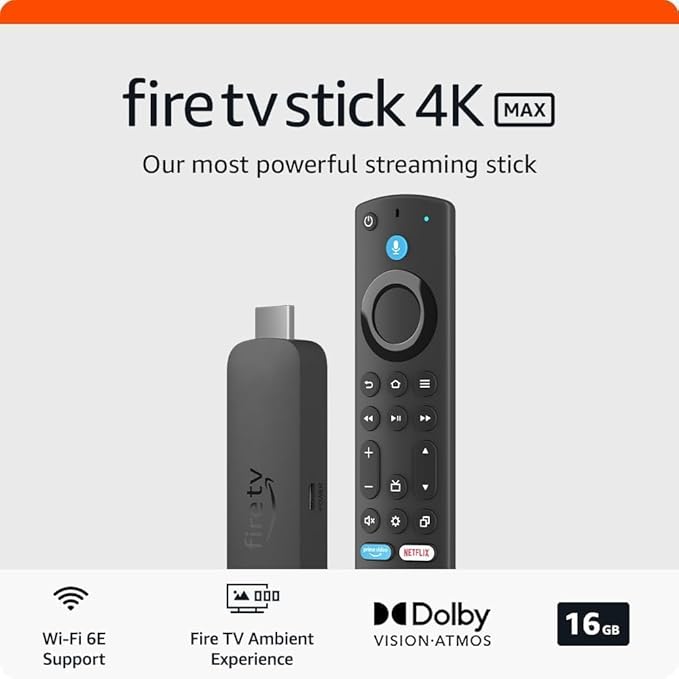
The all-new Amazon Fire TV delivers immersive 4K Ultra HD streaming, enhancing your viewing experience with stunning picture quality, even when watching 1080p content on non-4K TVs. With Alexa integration, the Fire TV Voice Remote allows you to effortlessly check sports scores, weather, or play music simply by asking. Access over 250,000 TV episodes and movies across platforms like Netflix, Amazon Video, and more. For those cutting the cord, enjoy live TV access to channels like ESPN and CNN via Sling TV. With 75% more processing power and enhanced graphics, the device ensures a smooth experience for streaming and gaming, supported by a massive library of over 800 games. Plus, Amazon Prime members can enjoy original programming and millions of songs at no extra cost, creating a versatile entertainment hub for every household.
The all-new Amazon Fire TV delivers immersive 4K Ultra HD streaming, enhancing your viewing experience with stunning picture quality, even when watching 1080p content on non-4K TVs. With Alexa integration, the Fire TV Voice Remote allows you to effortlessly check sports scores, weather, or play music simply by asking. Access over 250,000 TV episodes and movies across platforms like Netflix, Amazon Video, and more. For those cutting the cord, enjoy live TV access to channels like ESPN and CNN via Sling TV. With 75% more processing power and enhanced graphics, the device ensures a smooth experience for streaming and gaming, supported by a massive library of over 800 games. Plus, Amazon Prime members can enjoy original programming and millions of songs at no extra cost, creating a versatile entertainment hub for every household.
in 1 offers
The lowest price for Amazon Fire TV 4K with Sideclick Universal Remote right now is $219.65 at eBay.com.au.
The all-time low was $22.97 on 16 Apr 2026 — today's price is 856% above the lowest ever. It has been notably cheaper before — worth setting a price alert.
Prices last updated 10 June 2026.
Amazon Fire TV 4K with Sideclick Universal Remote
The all-new Amazon Fire TV delivers immersive 4K Ultra HD streaming, enhancing your viewing experience with stunning picture quality, even when watching 1080p content on non-4K TVs. With Alexa integration, the Fire TV Voice Remote allows you to effortlessly check sports scores, weather, or play music simply by asking. Access over 250,000 TV episodes and movies across platforms like Netflix, Amazon Video, and more. For those cutting the cord, enjoy live TV access to channels like ESPN and CNN via Sling TV. With 75% more processing power and enhanced graphics, the device ensures a smooth experience for streaming and gaming, supported by a massive library of over 800 games. Plus, Amazon Prime members can enjoy original programming and millions of songs at no extra cost, creating a versatile entertainment hub for every household.
The all-new Amazon Fire TV delivers immersive 4K Ultra HD streaming, enhancing your viewing experience with stunning picture quality, even when watching 1080p content on non-4K TVs. With Alexa integration, the Fire TV Voice Remote allows you to effortlessly check sports scores, weather, or play music simply by asking. Access over 250,000 TV episodes and movies across platforms like Netflix, Amazon Video, and more. For those cutting the cord, enjoy live TV access to channels like ESPN and CNN via Sling TV. With 75% more processing power and enhanced graphics, the device ensures a smooth experience for streaming and gaming, supported by a massive library of over 800 games. Plus, Amazon Prime members can enjoy original programming and millions of songs at no extra cost, creating a versatile entertainment hub for every household.

