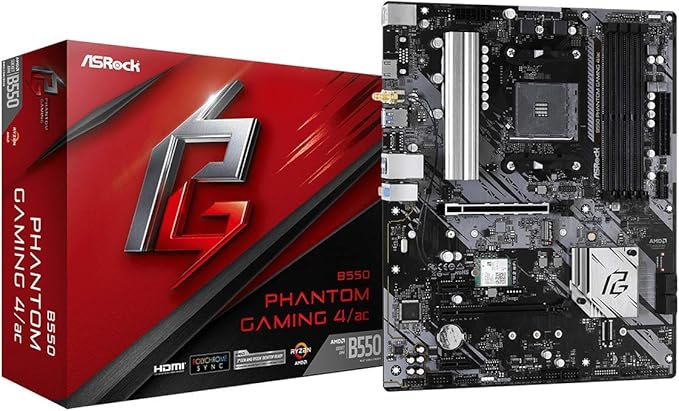
X570 Phantom Gaming-ITX/TB3
X570 Phantom Gaming-ITX/TB3
in 3 offers
The lowest price for ASRock X570 Phantom Gaming-ITX/TB3 AM4 Motherboard right now is $450.61 at eBay.com.au, compared across 2 retailers.
The all-time low was $18.00 on 27 June 2026 — today's price is 2403% above the lowest ever. It has been notably cheaper before — worth setting a price alert.
Prices last updated 14 July 2026.
ASRock X570 Phantom Gaming-ITX/TB3 AM4 Motherboard
X570 Phantom Gaming-ITX/TB3
X570 Phantom Gaming-ITX/TB3
Last updated at 14/07/2026 15:09:28
For Asrock X570 Phantom Gaming-itx/tb3 Amd Am4 Ddr42 64gb Mini-itx
Delivery $15.76
Affiliate Disclosure: We may receive a small commission for purchases made through this link at no extra cost to you. This helps support our site. Thank you!
Asrock X570 Phantom Gaming-itx/tb3 Support Amd Ryzen 2/3th Cpu
Free delivery
Affiliate Disclosure: We may receive a small commission for purchases made through this link at no extra cost to you. This helps support our site. Thank you!
ASRock X570 Phantom Gaming-ITXTB3 AMD Ryzen 5000 Series CPU Soket AM4 X570 Mini-ITX Motherboard
Delivery between 19–23 July $15.52
originally posted on newegg.com
ASRock is perhaps one of the only "innovative manufacturer" these days. And I'd like to support innovations, but their quality or quality control is abysmal. I have had a Deskmini GTX 1080 DoA and RMA'd again within 1 year, a X370 itx mobo RMA'd in 2 years time and a X299 itx mobo that recently failed. The screen freeze can be caused by various different things. From RAM/CPU/IO chip to bad PSU/ harddrive. with all the spare parts I have I was able to narrow it down to the motherboard itself or the motherboard's compatibility with the older 2xxx series processors. I'm just awaiting a 3000 series processor to confirm that finally. I can imagine how fustrating that would be for a normal user who probably don't have as many spare parts as me for testing. Also, despite ... MoreASRock is perhaps one of the only "innovative manufacturer" these days. And I'd like to support innovations, but their quality or quality control is abysmal. I have had a Deskmini GTX 1080 DoA and RMA'd again within 1 year, a X370 itx mobo RMA'd in 2 years time and a X299 itx mobo that recently failed. The screen freeze can be caused by various different things. From RAM/CPU/IO chip to bad PSU/ harddrive. with all the spare parts I have I was able to narrow it down to the motherboard itself or the motherboard's compatibility with the older 2xxx series processors. I'm just awaiting a 3000 series processor to confirm that finally. I can imagine how fustrating that would be for a normal user who probably don't have as many spare parts as me for testing. Also, despite being innovative, some times I have a hard time understanding ASRock's thoughts, the LGA 115x mounting holes enabled a much broader selection of coolers, however ASRock cripped these by the mindlessly and intrusively big MOSFET and PCH/IO heatsink that completely block the air outlet of all directions like a wall, rendering any downward blowing heatsinks useless. A cooler like the IS-VC45 could be a perfect fit had they designed similarly to ASUS or Gigabyte. Overall, innovation is highly appretiated. But what I feel given the past few years of using ASRock product is that they have some good ideas, but carried out half-heartedly. With the consistency of poor quality (control) I might think of recommending against ASRock in the future. Supporting innovation really need more than the mere support for innovation. (side note: The ONLY ASRock product that haven't required RMA on my hand so far is X399m and A300w, and I'm not even an overclocker.)
originally posted on neweggbusiness.com
The ASRock X570 PHANTOM Motherboard is terrible, terrible product. By evaluating under-performance on some of the criteria and reviewing the flaws, it made me think that ASRock, as a company, is completely morally bankrupt and incompetent in the design and implementation. The schematics and space management is terrible. The components and manufacturing are cheap and inconsiderate. The cooling components are more decorative than useful and purposeful.And in addition to all of this, it simply not working, not compatible with GRUB boot.I just wanted to have a simple Micro-ITX motherboard for AM4 with extra interfaces, and I got this monster. I replaced this motherboard for another Micro-ITX board and I have had great success since then.
originally posted on newegg.com
Maybe it is just me or coming from an impact board, this is the first itx board that caught my eyes in terms of feature that swing me to upgrade my current system in years. I just love over engineered itx board, and the board from last couple years were all just some standard stuff. This one tho, seriously a tb3 connector on a amb mobo is something special. Plus the price is actually quite alright when comparing to a strix that offers nothing special for the last couple generation and actually cost more. Overall a great board, but it loss points in a lot of attention to detail areas. 1. the wifi antenna mounting tho, it is held by a very thin plastic clip to its seating, and it broke right off when I tried to mount it without even apply any pressure . Even if it ... MoreMaybe it is just me or coming from an impact board, this is the first itx board that caught my eyes in terms of feature that swing me to upgrade my current system in years. I just love over engineered itx board, and the board from last couple years were all just some standard stuff. This one tho, seriously a tb3 connector on a amb mobo is something special. Plus the price is actually quite alright when comparing to a strix that offers nothing special for the last couple generation and actually cost more. Overall a great board, but it loss points in a lot of attention to detail areas. 1. the wifi antenna mounting tho, it is held by a very thin plastic clip to its seating, and it broke right off when I tried to mount it without even apply any pressure . Even if it didn't break during mounting, the clip wouldn't survive a dismount from the seating or maybe even simply tiling the antenna to different direction. I don't know why they even bother with having this mounting mechanism at the first place, a lot of other wifi antenna come with the mobo it already one piece as a whole you just have to stick it to somewhere. 2. the led on the motherboard won't turn off when power off the pc, and there is no option to adjust that particular behavior unless you just totally turn it off in bios or via software.
| General | |
| Product Type | Motherboard - mini ITX |
| Chipset Type | AMD X570 |
| Processor Socket | Socket AM4 |
| Max Processors Qty | 1 |
For Asrock X570 Phantom Gaming-itx/tb3 Amd Am4 Ddr42 64gb Mini-itx
Delivery $15.76
Affiliate Disclosure: We may receive a small commission for purchases made through this link at no extra cost to you. This helps support our site. Thank you!
Asrock X570 Phantom Gaming-itx/tb3 Support Amd Ryzen 2/3th Cpu
Free delivery
Affiliate Disclosure: We may receive a small commission for purchases made through this link at no extra cost to you. This helps support our site. Thank you!
ASRock X570 Phantom Gaming-ITXTB3 AMD Ryzen 5000 Series CPU Soket AM4 X570 Mini-ITX Motherboard
Delivery between 19–23 July $15.52
ASRock is perhaps one of the only "innovative manufacturer" these days. And I'd like to support innovations, but their quality or quality control is abysmal. I have had a Deskmini GTX 1080 DoA and RMA'd again within 1 year, a X370 itx mobo RMA'd in 2 years time and a X299 itx mobo that recently failed. The screen freeze can be caused by various different things. From RAM/CPU/IO chip to bad PSU/ harddrive. with all the spare parts I have I was able to narrow it down to the motherboard itself or the motherboard's compatibility with the older 2xxx series processors. I'm just awaiting a 3000 series processor to confirm that finally. I can imagine how fustrating that would be for a normal user who probably don't have as many spare parts as me for testing. Also, despite ... MoreASRock is perhaps one of the only "innovative manufacturer" these days. And I'd like to support innovations, but their quality or quality control is abysmal. I have had a Deskmini GTX 1080 DoA and RMA'd again within 1 year, a X370 itx mobo RMA'd in 2 years time and a X299 itx mobo that recently failed. The screen freeze can be caused by various different things. From RAM/CPU/IO chip to bad PSU/ harddrive. with all the spare parts I have I was able to narrow it down to the motherboard itself or the motherboard's compatibility with the older 2xxx series processors. I'm just awaiting a 3000 series processor to confirm that finally. I can imagine how fustrating that would be for a normal user who probably don't have as many spare parts as me for testing. Also, despite being innovative, some times I have a hard time understanding ASRock's thoughts, the LGA 115x mounting holes enabled a much broader selection of coolers, however ASRock cripped these by the mindlessly and intrusively big MOSFET and PCH/IO heatsink that completely block the air outlet of all directions like a wall, rendering any downward blowing heatsinks useless. A cooler like the IS-VC45 could be a perfect fit had they designed similarly to ASUS or Gigabyte. Overall, innovation is highly appretiated. But what I feel given the past few years of using ASRock product is that they have some good ideas, but carried out half-heartedly. With the consistency of poor quality (control) I might think of recommending against ASRock in the future. Supporting innovation really need more than the mere support for innovation. (side note: The ONLY ASRock product that haven't required RMA on my hand so far is X399m and A300w, and I'm not even an overclocker.)
The ASRock X570 PHANTOM Motherboard is terrible, terrible product. By evaluating under-performance on some of the criteria and reviewing the flaws, it made me think that ASRock, as a company, is completely morally bankrupt and incompetent in the design and implementation. The schematics and space management is terrible. The components and manufacturing are cheap and inconsiderate. The cooling components are more decorative than useful and purposeful.And in addition to all of this, it simply not working, not compatible with GRUB boot.I just wanted to have a simple Micro-ITX motherboard for AM4 with extra interfaces, and I got this monster. I replaced this motherboard for another Micro-ITX board and I have had great success since then.
Maybe it is just me or coming from an impact board, this is the first itx board that caught my eyes in terms of feature that swing me to upgrade my current system in years. I just love over engineered itx board, and the board from last couple years were all just some standard stuff. This one tho, seriously a tb3 connector on a amb mobo is something special. Plus the price is actually quite alright when comparing to a strix that offers nothing special for the last couple generation and actually cost more. Overall a great board, but it loss points in a lot of attention to detail areas. 1. the wifi antenna mounting tho, it is held by a very thin plastic clip to its seating, and it broke right off when I tried to mount it without even apply any pressure . Even if it ... MoreMaybe it is just me or coming from an impact board, this is the first itx board that caught my eyes in terms of feature that swing me to upgrade my current system in years. I just love over engineered itx board, and the board from last couple years were all just some standard stuff. This one tho, seriously a tb3 connector on a amb mobo is something special. Plus the price is actually quite alright when comparing to a strix that offers nothing special for the last couple generation and actually cost more. Overall a great board, but it loss points in a lot of attention to detail areas. 1. the wifi antenna mounting tho, it is held by a very thin plastic clip to its seating, and it broke right off when I tried to mount it without even apply any pressure . Even if it didn't break during mounting, the clip wouldn't survive a dismount from the seating or maybe even simply tiling the antenna to different direction. I don't know why they even bother with having this mounting mechanism at the first place, a lot of other wifi antenna come with the mobo it already one piece as a whole you just have to stick it to somewhere. 2. the led on the motherboard won't turn off when power off the pc, and there is no option to adjust that particular behavior unless you just totally turn it off in bios or via software.
The M2 NVME socket is on the back of the board but my case has a cutout behind the board so the drive gets air circulation and room for a heatsink if I choose to add one. Chipset fan is quiet, fast as it will run up to 5,000RPM at max but I do not hear it! 3800X with Win10 Pro out of the box stock no BIOS changes from stock except RAM set to 3200: Cinebench R20 multi core = 5061 single core = 521. HWinfo64 shows 3 cores at 4,474.8MHz, 4 cores at 4,399.8MHz, 1 core at 4.374.8Mhz. Single core runs show peak core 0 at 4,524.8MHz. So the board is working well. Chipset Temps peak at 68.6C & minimum at 57C. M2 NVME Temp at peak of 42C and minimum at 35C. CPU Voltage is high with 4 cores at 1.494V and 4 cores at 1.488V on peak runs. Cooling the CPU with a Corsair H100I ... MoreThe M2 NVME socket is on the back of the board but my case has a cutout behind the board so the drive gets air circulation and room for a heatsink if I choose to add one. Chipset fan is quiet, fast as it will run up to 5,000RPM at max but I do not hear it! 3800X with Win10 Pro out of the box stock no BIOS changes from stock except RAM set to 3200: Cinebench R20 multi core = 5061 single core = 521. HWinfo64 shows 3 cores at 4,474.8MHz, 4 cores at 4,399.8MHz, 1 core at 4.374.8Mhz. Single core runs show peak core 0 at 4,524.8MHz. So the board is working well. Chipset Temps peak at 68.6C & minimum at 57C. M2 NVME Temp at peak of 42C and minimum at 35C. CPU Voltage is high with 4 cores at 1.494V and 4 cores at 1.488V on peak runs. Cooling the CPU with a Corsair H100I Platinum AIO which uses the Intel LGA1151 mounting bracket fits nice with no crowding of the RAM. Keeps the CPU temps to 34C at idle and peak one time at 77.5C. I am running RGB Polychrome Sync but replaced the Corsair fans with Inwin Aurora 3 fan set which has a splitter cable for one fan header and the 5volt ARGB header which works perfectly with ASRock’s Polychrome setup. (the Corsair pump and RAM do not work with the ASRock Polychrome, but I could add iCUE or just let them cycle in the rainbow pattern which seems to be the default. I am pleased with the board, it has been solid for over two weeks and I am looking forward to seeing if I can tweak the settings for more performance now that I have a baseline. I hope this is of help to someone!
This board overclocks my Vengeance RGB Pro 3600 (CMW64GX4M4K3600C18) really well. XMP profile worked like a charm and manual OC to 3800MHz CL16 is stable at as low as 1.34V. I had the Asrock X570m board for a couple days and that board didn't do nearly as well on memory overclocking. Strangely, this board often fails to boot if it tries to clock DRAM at 2133, which happens on first boot and when overclocking settings are reset due to failure. I have to take one of the memory sticks out for it to boot with 2133MHz DRAM frequency, then select XMP, save bios setting, shut down, and put the stick back in order for the system to work again with two memory sticks. Not a big issue but cost me quite a bit of time when I was figuring out a stable overclock. Cooler ... MoreThis board overclocks my Vengeance RGB Pro 3600 (CMW64GX4M4K3600C18) really well. XMP profile worked like a charm and manual OC to 3800MHz CL16 is stable at as low as 1.34V. I had the Asrock X570m board for a couple days and that board didn't do nearly as well on memory overclocking. Strangely, this board often fails to boot if it tries to clock DRAM at 2133, which happens on first boot and when overclocking settings are reset due to failure. I have to take one of the memory sticks out for it to boot with 2133MHz DRAM frequency, then select XMP, save bios setting, shut down, and put the stick back in order for the system to work again with two memory sticks. Not a big issue but cost me quite a bit of time when I was figuring out a stable overclock. Cooler compatibility on this board is pretty bad; I like the fact that it uses Intel mounting holes so I can rotate my cooler, but space is extremely limited on every side of the CPU socket. I had to remove the top heat sink for my aio water cooler to fit; fortunately, the top VRM doesn't seem to overheat even w/o the heat sink. Definitely CHECK YOUR COOLER DIMENSION before buying this board, it must not exceed the mounting holes by more than 0.4 inch / 1 cm on any side. I believe the other X570 itx boards are more generous with cooler space. I have a new cooler that would fit properly on the way I updated the bios to P1.70 right after I got the system to boot; this bios version works great with memory overclocking but has the issue that it doesn't report CPU power consumption accurately (it would say 40-50W even under extreme load with OC). I tried P1.72 which supposedly fixes the issue, but it was terrible with memory overclocking, so I reverted to P1.70. I have a 3900X overclocked to 4.3GHz in this board, Vcore is manually set in bios to 1.325V but drops to as low as 1.238V under load no matter what LLC setting I use. That's almost a 0.09V drop, which is absolutely huge as vdroop goes. I hope upcoming bios will fix these issues Another slight downside of this board is that it doesn't allow for BCLK adjustment, which would be useful if you want to push fclk slightly higher than the 1900MHz barrier. I've managed to break 60GB/s for read, write, and copy in AIDA 64, but it's really hard to do with 3800 DRAM + 1900 FCLK (I have to use unstable timings). I don't know why Asrock decided to remove BCLK control, hopefully they will add it back in future bios versions. I also tested thunderbolt 3 on this board, it works well but doesn't reach Intel's claimed bandwidth as usual. This board has quite some issues, but considering that it does so well in memory overclocking, I would say overall I'm happy with it.
I have built several M-ITX systems so I know what to expect. This was my first AMD build in a long time so I wasn't full of knowledge going in the build. My component list was this motherboard, 2X16 G-skill DDR4 3400 ram sticks, GIGABYTE AORUS NVMe Gen4 SSD 1TB M.2 2280, CORSAIR SF Series SF600 600W 80 PLUS GOLD Active PFC Haswell Ready SFX MSI Radeon RX 5700 DirectX 12 RX 5700 EVOKE OC 8GB AMD RYZEN 7 3700X Thermaltake core V1 snow edition M-itx case. ARCTIC COOLING Liquid Freezer II I researched this board and read all reviews so I knew what could happen. I read about the Heatsink issues and had several 1151 units to try. My first pick was the ARtic water cooler as it was the one I was pulling out the system this was replacing and it fit with no issues, it's not ... MoreI have built several M-ITX systems so I know what to expect. This was my first AMD build in a long time so I wasn't full of knowledge going in the build. My component list was this motherboard, 2X16 G-skill DDR4 3400 ram sticks, GIGABYTE AORUS NVMe Gen4 SSD 1TB M.2 2280, CORSAIR SF Series SF600 600W 80 PLUS GOLD Active PFC Haswell Ready SFX MSI Radeon RX 5700 DirectX 12 RX 5700 EVOKE OC 8GB AMD RYZEN 7 3700X Thermaltake core V1 snow edition M-itx case. ARCTIC COOLING Liquid Freezer II I researched this board and read all reviews so I knew what could happen. I read about the Heatsink issues and had several 1151 units to try. My first pick was the ARtic water cooler as it was the one I was pulling out the system this was replacing and it fit with no issues, it's not on the list of coolers on Asrocks site, but who cares. It was tight against the number 1 dimm slot, but it fit. Next I knew if I wanted to use the Core V1 cube case which I love was make a small cut-out on the motherboard tray in the case to fit the M.2 drive I picked due to the heatsink which would not fit in the case due to the back position of the M.2 drive, but for me, cutting out the small piece was quite easy with my air dremmel tool, 10 minutes of cutting with my cutting wheel. But since the case uses a full ATX size power supply, I had to use the Corsair SFF size power unit since my power supply fits under my motherboard in the case with only a couple millimeters between, but with the sff power, and the cut-out, perfect fit, I positioned the power supply with its fan facing down opposite the SSD. Then there was the video board, the Msi 5700 evoke is thicker than expected, length was no issue but the height is crazy big.. with a little persuasion, it did fit. Once all components were placed, fired it up and after a couple of minutes of waiting, my 4k monitor came to life, typical for Asrock boards. I updated bios to latest, and the board chose the correct XMP profile for my memory. Now I am used to Intel stuff and how they work and I was hoping that this board would boot as fast as my Asrock Z390M with a I9-9900kf cpu in it. Well this is where I was disappointed. After reading about the X570 boards and boot time, it seems to be a common thing. Not that this board is crazy slow but not as fast as my Intel build. Win 10 reports a bios time of 3.7secs for my intel versus 9.0 on the X570 build, Yes ultra fast boot is set and secure boot too and only 2 sata 3 ssds connected as backup drives for my PCIx 4.0 M.2 drive. Of course speed is relative and some will say this is fast and others turtle slow. But except for a slower post time than I was hoping for, this board has been good, the gigabyte Pcix 4 drive is what they say, I got a hair over 5gb/sec and about 4.3gb/sec using crystal mark, read/write speeds, so no deceit there. Like the Rgb header and the Asrock utilities to support the board and I hope they will release a bios to improve boot time. I also read about the 3700x idle temps and my bios does report 50c idle but once in windows and after selecting the Amd power plan my temps went down and even if I chose the high performance plan using a stress test after 20 minutes, my temp was in the mid 60's, I read the idol temp was due to the Core performance boost setting in bios, but I saw no reason to disable that. So long story short, this board has been good and was interesting to build so 4 eggs seems right, if it boot faster, 5 eggs from me.
Great board, I don't have a lot to say other than it works as expected. However I had a couple of very frustrating problems, and got no response from support to help me. First, my board came with BIOS 2.30 and needed to get to 2.80 to support my 5800. I asked a friend to lend me his 3600 to do the update, but before that, I tested it, to my surprise the system booted with the 5800 and updated to 3.00 without problems, this was the first time I reached support, no response. After that, installed everything, and the the system was getting stuck while idle, noticed that the issue occurred when one of the cpu cores was at 0.2v so I thought that maybe auto oc was undervolting my cpu too much causing this. So, after looking online, I found an option that stops the cpu ... MoreGreat board, I don't have a lot to say other than it works as expected. However I had a couple of very frustrating problems, and got no response from support to help me. First, my board came with BIOS 2.30 and needed to get to 2.80 to support my 5800. I asked a friend to lend me his 3600 to do the update, but before that, I tested it, to my surprise the system booted with the 5800 and updated to 3.00 without problems, this was the first time I reached support, no response. After that, installed everything, and the the system was getting stuck while idle, noticed that the issue occurred when one of the cpu cores was at 0.2v so I thought that maybe auto oc was undervolting my cpu too much causing this. So, after looking online, I found an option that stops the cpu from going below 0.9v which stopped this issue:Advanced>Amd cbs>cpu common options>power supply idle control>typical current idleAfter that, I actually found that this issue is old and occurs in other AMD platforms. I tried to reach support a second time during all this, and I almost bought a replacement mobo, they did not contact me back. I'm happy with this board, unhappy with the manufacturer. They should consider that all my previous boards were Asrock, and there were some that were TR4, which are pricey.
I have built a lot, and I mean a lot of PC's over the years and none of them have been more difficult to work with than this one. Shame on me for not doing my research I suppose. I wanted to pair this with a 5600G CPU because I just needed something with good IO and don't need a lot of gaming performance. So I couldn't use the stock cooler that came with the CPU and there isn't a back plate even if I could. I had to dig through a few boxes to try to find an Intel compatible bracket and CPU fan. After a few hours I finally piece that together only to get it put together and power it on. Nothing happens. Well the board came with BIOS 2.60 and it requires BIOS 3.00 or newer to work with the 5600G. Cool... I actually own an older 3600 CPU but It required me to drive an ... MoreI have built a lot, and I mean a lot of PC's over the years and none of them have been more difficult to work with than this one. Shame on me for not doing my research I suppose. I wanted to pair this with a 5600G CPU because I just needed something with good IO and don't need a lot of gaming performance. So I couldn't use the stock cooler that came with the CPU and there isn't a back plate even if I could. I had to dig through a few boxes to try to find an Intel compatible bracket and CPU fan. After a few hours I finally piece that together only to get it put together and power it on. Nothing happens. Well the board came with BIOS 2.60 and it requires BIOS 3.00 or newer to work with the 5600G. Cool... I actually own an older 3600 CPU but It required me to drive an hour away and another hour back not to mention swapping CPU's, thermal paste, and a basic graphics card to get the bios updated. So I get back home, its been 2 days now since I started this project and everything is great, I install Windows, get a few things set up and go to connect my 2nd monitor. NOPE! There is only ONE display out. The 2nd DisplayPort is an input connection. W.here's T.he F.ood?!?!? I have had enough, RMA, getting rid of this heaping pile of hot garbage. The cooler was difficult to mount and the M.2 NVMe SSD overheats, no thank you. I'm done. Bye.
As one of the only mini-itx x570 boards in stock from several online stores (without a substantial markup), I figured this was the one to get. I didn't do quite enough research, so there are two things to consider with this motherboard. The first is that the cpu cooler has Intel 115x mounting holes. This means it's not compatible with the cpu cooler that comes with AMD Ryzen processors. It's an extra cost I wasn't expecting, but I was able to re-use the be quiet! PURE ROCK SLIM CPU Cooler from my previous motherboard, and it seems to be doing its job. Clearance of the onboard heatsinks is an issue, so be sure to check ASRock's recommended compatible CPU cooler list or check online forums to see what other people ended up using. Second issue is the x570 chipset fan. ... MoreAs one of the only mini-itx x570 boards in stock from several online stores (without a substantial markup), I figured this was the one to get. I didn't do quite enough research, so there are two things to consider with this motherboard. The first is that the cpu cooler has Intel 115x mounting holes. This means it's not compatible with the cpu cooler that comes with AMD Ryzen processors. It's an extra cost I wasn't expecting, but I was able to re-use the be quiet! PURE ROCK SLIM CPU Cooler from my previous motherboard, and it seems to be doing its job. Clearance of the onboard heatsinks is an issue, so be sure to check ASRock's recommended compatible CPU cooler list or check online forums to see what other people ended up using. Second issue is the x570 chipset fan. It's fine. It's audible and just the tiniest bit whiny. If you have any background noise in your house, it will be much less noticeable. For example, putting on my headphones or when my nearby Macbook's fans kicked on, the sound was drowned out. There is also a BIOS setting to set the chipset fan to 'silent' which helps. I imagine things will get a little hotter, though. I also bought these new: CORSAIR Vengeance LPX 32GB (2 x 16GB) CMK32GX4M2B3200C16 AMD RYZEN 7 3800X And I repurposed the hard drives and other bits from my previous build: be quiet! PURE ROCK SLIM CPU Cooler Sapphire Radeon NITRO+ RX 590 Thermaltake Suppressor F1 An older SSD and a couple 3.5" hard drives from forever ago Overall, though, it just worked after getting everything connected. That's the most important thing.
This is a good board, and I'm happy with the stability, how quiet it runs, and how well it worked for my particular build. *HOWEVER* ASRock did not implement a full dual lane setup for the DP-thunderbolt connectivity, and from the mouth of ASRock themselves, this will NOT support dual displays over thunderbolt as you would get from something like a macbook or intel equivalent. so if you want to run dual displays, you'll have to do it directly. Annoying, but not a show stopper, merely added more cables to my desk that I was trying to avoid by using thunderbolt in the first place. Component placement: the heatsinks on this thing are gigantic, and thus, only very compact coolers will fit this. my Noctua L9x65 fit with exactly *zero* clearance the heat sinks on 2 sides. ... MoreThis is a good board, and I'm happy with the stability, how quiet it runs, and how well it worked for my particular build. *HOWEVER* ASRock did not implement a full dual lane setup for the DP-thunderbolt connectivity, and from the mouth of ASRock themselves, this will NOT support dual displays over thunderbolt as you would get from something like a macbook or intel equivalent. so if you want to run dual displays, you'll have to do it directly. Annoying, but not a show stopper, merely added more cables to my desk that I was trying to avoid by using thunderbolt in the first place. Component placement: the heatsinks on this thing are gigantic, and thus, only very compact coolers will fit this. my Noctua L9x65 fit with exactly *zero* clearance the heat sinks on 2 sides. the front panel header for audio is placed directly next to the PCIe slot, which means that if you have a card in there (which you have to, of course), the audio header will 100% collide with it, so I had to leave that unplugged for my build. not a big deal overall, but still annoying.
| General | |
| Product Type | Motherboard - mini ITX |
| Chipset Type | AMD X570 |
| Processor Socket | Socket AM4 |
| Max Processors Qty | 1 |