Asus ZenScreen MB16AC 15.6-inch Full HD IPS Monitor
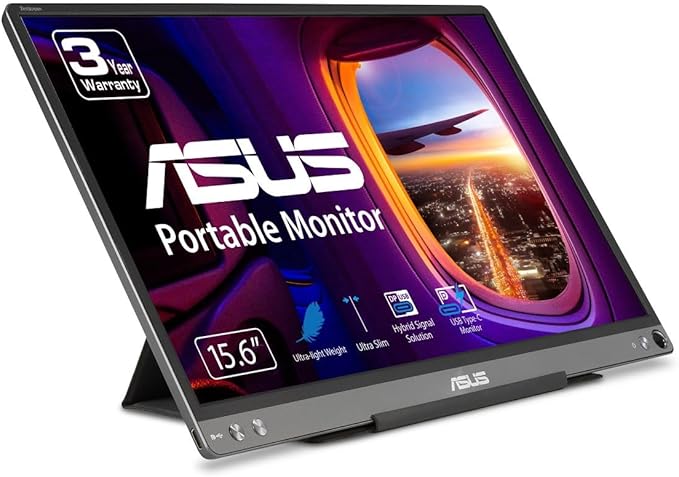
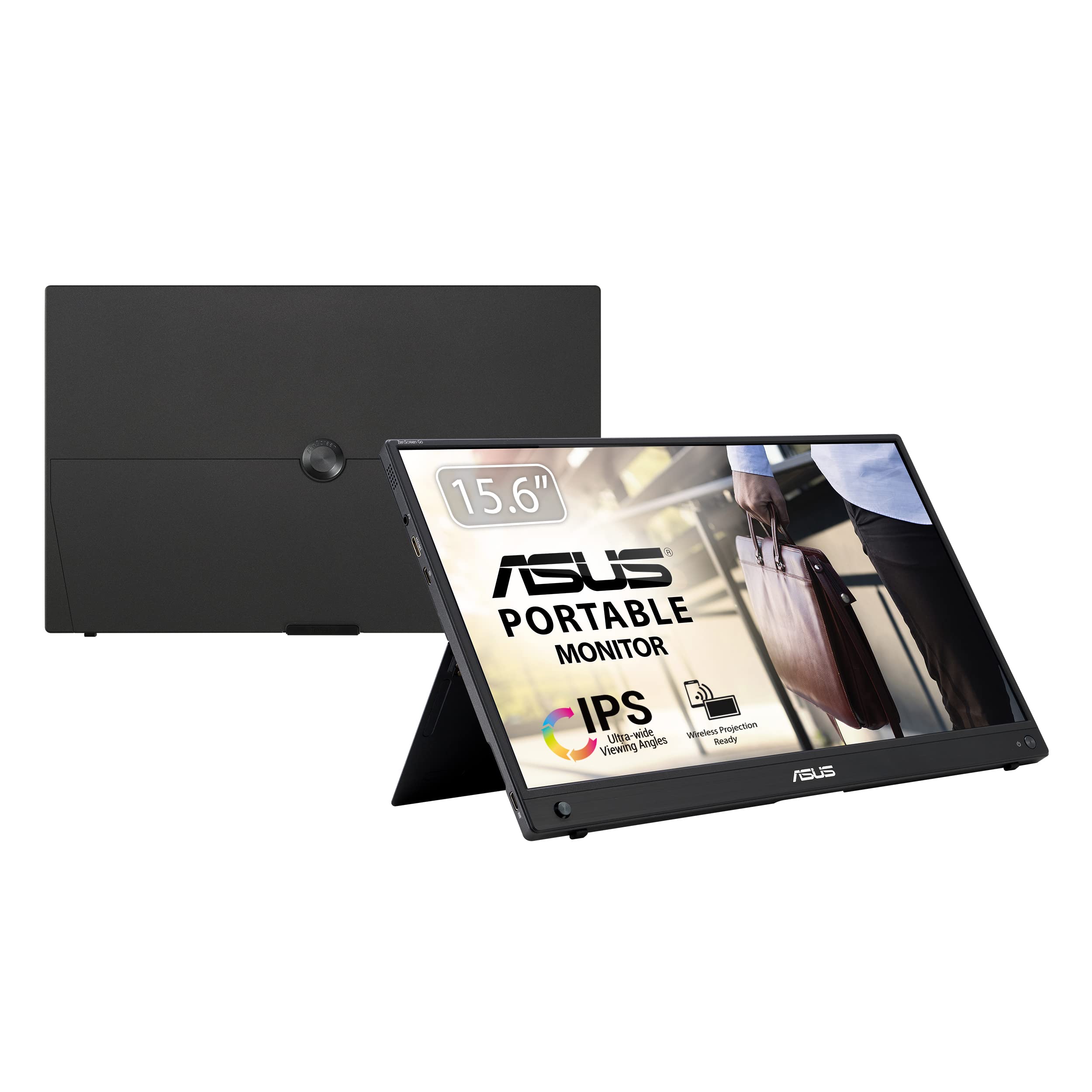
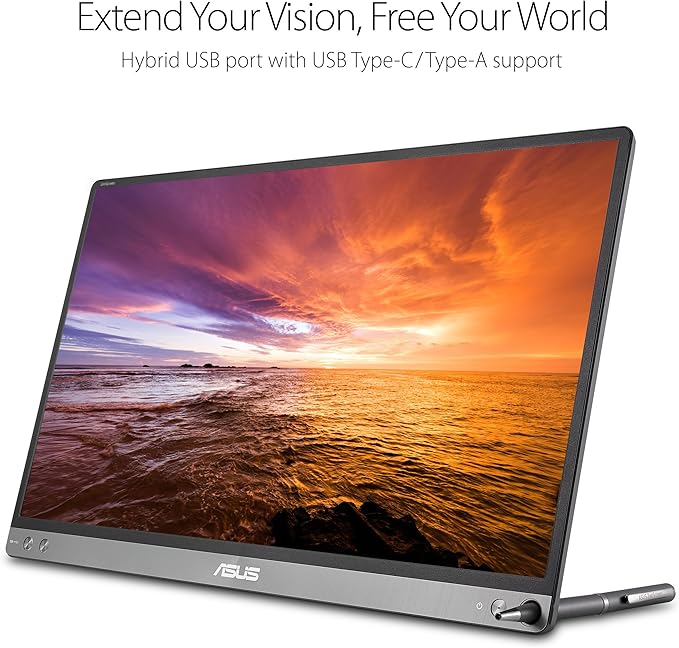
Weighing only 0.8kg and only 8mm thick, the 39.62cm (15.6") ASUS ZenScreen MB16AC is the world's lightest and slimmest full HD portable screen. The ZenScreen MB16AC has a special foldable protective cover made of a material only 1mm thick, which can be used as a horizontal or vertical stand at the same time. A hybrid USB interface can be used for power and video transmission from a host device via a simple cable. The interface is compatible with all notebooks equipped with a USB Type C or Type A port. The 39.62cm (15.6") ZenScreen weighs only 800g and has an especially slim profile with a thickness of 8mm. The 6.5mm wide frame is 40% narrower than previous models. It also offers a slim, elegant look and a larger display area. The innovative protective cover not only protects the ZenScreen from dust and scratches, but can also be used as a stand to place the screen horizontally or vertically.
Weighing only 0.8kg and only 8mm thick, the 39.62cm (15.6") ASUS ZenScreen MB16AC is the world's lightest and slimmest full HD portable screen. The ZenScreen MB16AC has a special foldable protective cover made of a material only 1mm thick, which can be used as a horizontal or vertical stand at the same time. A hybrid USB interface can be used for power and video transmission from a host device via a simple cable. The interface is compatible with all notebooks equipped with a USB Type C or Type A port. The 39.62cm (15.6") ZenScreen weighs only 800g and has an especially slim profile with a thickness of 8mm. The 6.5mm wide frame is 40% narrower than previous models. It also offers a slim, elegant look and a larger display area. The innovative protective cover not only protects the ZenScreen from dust and scratches, but can also be used as a stand to place the screen horizontally or vertically.
Weighing only 0.8kg and only 8mm thick, the 39.62cm (15.6") ASUS ZenScreen MB16AC is the world's lightest and slimmest full HD portable screen. The ZenScreen MB16AC has a special foldable protective cover made of a material only 1mm thick, which can be used as a horizontal or vertical stand at the same time. A hybrid USB interface can be used for power and video transmission from a host device via a simple cable. The interface is compatible with all notebooks equipped with a USB Type C or Type A port. The 39.62cm (15.6") ZenScreen weighs only 800g and has an especially slim profile with a thickness of 8mm. The 6.5mm wide frame is 40% narrower than previous models. It also offers a slim, elegant look and a larger display area. The innovative protective cover not only protects the ZenScreen from dust and scratches, but can also be used as a stand to place the screen horizontally or vertically.
Weighing only 0.8kg and only 8mm thick, the 39.62cm (15.6") ASUS ZenScreen MB16AC is the world's lightest and slimmest full HD portable screen. The ZenScreen MB16AC has a special foldable protective cover made of a material only 1mm thick, which can be used as a horizontal or vertical stand at the same time. A hybrid USB interface can be used for power and video transmission from a host device via a simple cable. The interface is compatible with all notebooks equipped with a USB Type C or Type A port. The 39.62cm (15.6") ZenScreen weighs only 800g and has an especially slim profile with a thickness of 8mm. The 6.5mm wide frame is 40% narrower than previous models. It also offers a slim, elegant look and a larger display area. The innovative protective cover not only protects the ZenScreen from dust and scratches, but can also be used as a stand to place the screen horizontally or vertically.
in 6 offers
The lowest price for Asus ZenScreen MB16AC 15.6-inch Full HD IPS Monitor right now is $101.85 at eBay.com.au, compared across 4 retailers.
The all-time low was $101.85 on 23 Aug 2026. That's the lowest price we've ever tracked — a great time to buy.
Prices last updated 23 Aug 2026.
Last updated at 23/08/2026 21:16:11
ASUS ZenScreen 15.6†1080P Portable USB Monitor (MB16AC) - Full HD (1920 x 1080), IPS, USB Type-C, Eye Care, Smart Case, External Screen for Laptop,
Free delivery
Affiliate Disclosure: We may receive a small commission for purchases made through this link at no extra cost to you. This helps support our site. Thank you!
ASUS MB16AC 15.6\
Affiliate Disclosure: We may receive a small commission for purchases made through this link at no extra cost to you. This helps support our site. Thank you!
Asus Zenscreen Mb16ac 15.6 Inch Portable Mobile Monitor Usb-c
Free delivery
Affiliate Disclosure: We may receive a small commission for purchases made through this link at no extra cost to you. This helps support our site. Thank you!
ASUS ZenScreen 16 inch Full HD 60Hz glossy IPS USB-C Portable Monitor with foldable magnetic smart case as stand MB16AC
Delivery $106
ASUS MB16AC 15.6" Monitor: 60Hz Refresh Rate, 5 ms response time, Full HD (1920x1080) FHD, Anti-glare Screen, VESA Compatible- Ideal for Home &
ASUS ZenScreen MB16ACE 15.6? Portable USB Type-C Monitor Full HD 1920 x 1080 IPS Eye Care with Lite Smart Case External screen for laptop,Dark Gray
Delivery between 28 Aug – 1 Sept $35.88
originally posted on bhphotovideo.com
Covid, amirite? So the wife and I are both working from home and we've had to take turns at our big dual-monitor setup with a dock. It's no fun being the one left working in the kitchen. So we decided to get one of these as a mini version of the dual-monitor setup. It works great! The monitor itself is of pretty good build quality (surprising for its thinness and lightness) and decent image quality (1080p and good-enough-for-Office image quality). No one on Planet Earth likes fold-y origami covers-as-stands, and this isn't really and better than the rest, but it's OK (we both prefer having it in portrait mode - helps with reading) and it's a really nice robust-feeling folio cover for when you're not using the screen. The screen is USB-powered only and runs on ... MoreCovid, amirite? So the wife and I are both working from home and we've had to take turns at our big dual-monitor setup with a dock. It's no fun being the one left working in the kitchen. So we decided to get one of these as a mini version of the dual-monitor setup. It works great! The monitor itself is of pretty good build quality (surprising for its thinness and lightness) and decent image quality (1080p and good-enough-for-Office image quality). No one on Planet Earth likes fold-y origami covers-as-stands, and this isn't really and better than the rest, but it's OK (we both prefer having it in portrait mode - helps with reading) and it's a really nice robust-feeling folio cover for when you're not using the screen. The screen is USB-powered only and runs on DisplayPort via USB-C. There's apparently some other way to connect using regular old USB-A and some software, but we haven't tried that (both our laptops support DP over USB-C). There's no touchscreen or pen support.Not bad value either, though it it could have been a bit cheaper. Then again, there are plenty of other, cheaper portable monitors on the market purporting to do the same thing, but I suppose I trust Asus (I've been a customer for years) more than brands I've never heard of. Good job Asus!
originally posted on microcenter.com
I bought this to accompany my laptop, primarily, and it works perfectly. I had to update the driver, as laptop is Windows 10, but it was simple and the monitor connected right away. It matches the screen resolution of my laptop and is the same monitor size.This hugely benefits my remote work and gives me the real estate needed. It's not super light but reasonably weighted for taking along when traveling. Definitely an enthusiastic thumbs up recommendation.
originally posted on bestbuy.ca
I purchased the Asus ZenScreen 15.6" (MB16AC) a year ago. When I buy electronics I rarely feel thoroughly impressed. usually there is some sort of design compromise or feeling of cut corners. This external screen and my Yoga 920 laptop are two exceptions. Right from the moment I opened the box I had a feeling of quality. And it "just works". I don't use it every day...just when I travel. But when I am on the road, and plug it in, I have two very nice screens to work with: my laptop's screen, and the Asus. They work very well together using either Windows 7 (my work laptop) and Windows 10 (the Yoga). Just plug in the USB-C cable (for the Yoga) or the USB-C cable with included USBC-to-USBA adapter for the work laptop, and it works immediately and seamlessly. Frankly I ... MoreI purchased the Asus ZenScreen 15.6" (MB16AC) a year ago. When I buy electronics I rarely feel thoroughly impressed. usually there is some sort of design compromise or feeling of cut corners. This external screen and my Yoga 920 laptop are two exceptions. Right from the moment I opened the box I had a feeling of quality. And it "just works". I don't use it every day...just when I travel. But when I am on the road, and plug it in, I have two very nice screens to work with: my laptop's screen, and the Asus. They work very well together using either Windows 7 (my work laptop) and Windows 10 (the Yoga). Just plug in the USB-C cable (for the Yoga) or the USB-C cable with included USBC-to-USBA adapter for the work laptop, and it works immediately and seamlessly. Frankly I was hoping that the price would have dropped in the last year. If it had, I would buy a second one so I would have three screens when travelling as I sometimes spend a month working remotely. The only suggestion I would pass to the product developers is that it would be to see if there is a way to place the port where the cable plugs in differently, or use a right angle cable end. The current cable and placement is such that the stiff cable sticks straight out of the left side of the monitor making it difficult to position the monitor side by side with the laptop. No big deal...just arrange things differently. Oh, and if they would send me a nice discount coupon I would put it to good use. :-)
| General | |
| Display Type | LED-backlit LCD monitor / TFT active matrix |
| Energy Class | Class B |
| Diagonal Size | 15.6" |
| Panel Type | IPS |
ASUS ZenScreen 15.6†1080P Portable USB Monitor (MB16AC) - Full HD (1920 x 1080), IPS, USB Type-C, Eye Care, Smart Case, External Screen for Laptop,
Free delivery
Affiliate Disclosure: We may receive a small commission for purchases made through this link at no extra cost to you. This helps support our site. Thank you!
ASUS MB16AC 15.6\
Affiliate Disclosure: We may receive a small commission for purchases made through this link at no extra cost to you. This helps support our site. Thank you!
Asus Zenscreen Mb16ac 15.6 Inch Portable Mobile Monitor Usb-c
Free delivery
Affiliate Disclosure: We may receive a small commission for purchases made through this link at no extra cost to you. This helps support our site. Thank you!
ASUS ZenScreen 16 inch Full HD 60Hz glossy IPS USB-C Portable Monitor with foldable magnetic smart case as stand MB16AC
Delivery $106
ASUS MB16AC 15.6" Monitor: 60Hz Refresh Rate, 5 ms response time, Full HD (1920x1080) FHD, Anti-glare Screen, VESA Compatible- Ideal for Home &
Covid, amirite? So the wife and I are both working from home and we've had to take turns at our big dual-monitor setup with a dock. It's no fun being the one left working in the kitchen. So we decided to get one of these as a mini version of the dual-monitor setup. It works great! The monitor itself is of pretty good build quality (surprising for its thinness and lightness) and decent image quality (1080p and good-enough-for-Office image quality). No one on Planet Earth likes fold-y origami covers-as-stands, and this isn't really and better than the rest, but it's OK (we both prefer having it in portrait mode - helps with reading) and it's a really nice robust-feeling folio cover for when you're not using the screen. The screen is USB-powered only and runs on ... MoreCovid, amirite? So the wife and I are both working from home and we've had to take turns at our big dual-monitor setup with a dock. It's no fun being the one left working in the kitchen. So we decided to get one of these as a mini version of the dual-monitor setup. It works great! The monitor itself is of pretty good build quality (surprising for its thinness and lightness) and decent image quality (1080p and good-enough-for-Office image quality). No one on Planet Earth likes fold-y origami covers-as-stands, and this isn't really and better than the rest, but it's OK (we both prefer having it in portrait mode - helps with reading) and it's a really nice robust-feeling folio cover for when you're not using the screen. The screen is USB-powered only and runs on DisplayPort via USB-C. There's apparently some other way to connect using regular old USB-A and some software, but we haven't tried that (both our laptops support DP over USB-C). There's no touchscreen or pen support.Not bad value either, though it it could have been a bit cheaper. Then again, there are plenty of other, cheaper portable monitors on the market purporting to do the same thing, but I suppose I trust Asus (I've been a customer for years) more than brands I've never heard of. Good job Asus!
I bought this to accompany my laptop, primarily, and it works perfectly. I had to update the driver, as laptop is Windows 10, but it was simple and the monitor connected right away. It matches the screen resolution of my laptop and is the same monitor size.This hugely benefits my remote work and gives me the real estate needed. It's not super light but reasonably weighted for taking along when traveling. Definitely an enthusiastic thumbs up recommendation.
I purchased the Asus ZenScreen 15.6" (MB16AC) a year ago. When I buy electronics I rarely feel thoroughly impressed. usually there is some sort of design compromise or feeling of cut corners. This external screen and my Yoga 920 laptop are two exceptions. Right from the moment I opened the box I had a feeling of quality. And it "just works". I don't use it every day...just when I travel. But when I am on the road, and plug it in, I have two very nice screens to work with: my laptop's screen, and the Asus. They work very well together using either Windows 7 (my work laptop) and Windows 10 (the Yoga). Just plug in the USB-C cable (for the Yoga) or the USB-C cable with included USBC-to-USBA adapter for the work laptop, and it works immediately and seamlessly. Frankly I ... MoreI purchased the Asus ZenScreen 15.6" (MB16AC) a year ago. When I buy electronics I rarely feel thoroughly impressed. usually there is some sort of design compromise or feeling of cut corners. This external screen and my Yoga 920 laptop are two exceptions. Right from the moment I opened the box I had a feeling of quality. And it "just works". I don't use it every day...just when I travel. But when I am on the road, and plug it in, I have two very nice screens to work with: my laptop's screen, and the Asus. They work very well together using either Windows 7 (my work laptop) and Windows 10 (the Yoga). Just plug in the USB-C cable (for the Yoga) or the USB-C cable with included USBC-to-USBA adapter for the work laptop, and it works immediately and seamlessly. Frankly I was hoping that the price would have dropped in the last year. If it had, I would buy a second one so I would have three screens when travelling as I sometimes spend a month working remotely. The only suggestion I would pass to the product developers is that it would be to see if there is a way to place the port where the cable plugs in differently, or use a right angle cable end. The current cable and placement is such that the stiff cable sticks straight out of the left side of the monitor making it difficult to position the monitor side by side with the laptop. No big deal...just arrange things differently. Oh, and if they would send me a nice discount coupon I would put it to good use. :-)
This is an great monitor for mobile professionals. I have an older Dell XPS13 laptop (without USB-C) and it works perfectly with the included USB-A adapter. You will have to use DisplayLink drivers for the monitor with USB-A. ASUS provides a very handy settings utility which means you don't have to fiddle with the menu buttons at the bottom left, which I found unintuitive to use. (both the drivers and utility are downloadable from ASUS's Web site) I did some research prior to my purchase, and some online reviewers complain about the brightness and the case/stand. I've found the brightness comparable to my XPS screen once adjusted, which is great. The default setting is a little dim (50% brightness), but with the included utility I bumped it up to 80% and it's just ... MoreThis is an great monitor for mobile professionals. I have an older Dell XPS13 laptop (without USB-C) and it works perfectly with the included USB-A adapter. You will have to use DisplayLink drivers for the monitor with USB-A. ASUS provides a very handy settings utility which means you don't have to fiddle with the menu buttons at the bottom left, which I found unintuitive to use. (both the drivers and utility are downloadable from ASUS's Web site) I did some research prior to my purchase, and some online reviewers complain about the brightness and the case/stand. I've found the brightness comparable to my XPS screen once adjusted, which is great. The default setting is a little dim (50% brightness), but with the included utility I bumped it up to 80% and it's just right. The case/stand works well on flat surfaces. It has a bunch of different folding options, both portrait and landscape, but I found the landscape mode by far the best. The magnets in the case/stand hold the screen firmly in place once set up. You can also use the included pen to prop up the stand via the hole at the bottom-right of the screen. This could be good in a pinch, but it looks kinda goofy and the case/stand is much more convenient. The pen is of poor quality, and I think I may have already lost it, but almost any standard pen should work. The included USB-C cable is long enough but pretty stiff, so I use the USB-C cable I got from my phone which works well and is far more supple and easier to use. There's minimal lag but I still wouldn't recommend it for gaming. I use it when at different client sites doing Word and Visio stuff and the occasional presentation and graphics work. When viewed straight on it's bright and crisp, and when viewed from an angle of about 45-degrees there's noticeable fading but the colours stay true. I was previously using a 9.7" iPad with Duet for a second screen, but this is WAY better and far cheaper as well. This has made remote work so much more productive and convenient. Highly recommended.
I recently bought a 14-inch convertible laptop to replace an aging 17-inch laptop. I wanted something small enough to be comfortable to hold in tablet mode (I proofread a lot of pdfs and wanted to be able to just mark them up with a pen as though I were working on paper), but I worried about the small screen size. My desktop computer is connected to a 34-inch monitor; I keep a lot of windows and applications open when I am working. How would I manage with such a tiny screen when I am traveling? Then I realized I could get a portable monitor. What a fantastic idea! I could double my laptop screen's real estate. There are not a lot of choices in this category; I went with the ASUS because of its blue light filter. Setup was painless. There are a lot of customization ... MoreI recently bought a 14-inch convertible laptop to replace an aging 17-inch laptop. I wanted something small enough to be comfortable to hold in tablet mode (I proofread a lot of pdfs and wanted to be able to just mark them up with a pen as though I were working on paper), but I worried about the small screen size. My desktop computer is connected to a 34-inch monitor; I keep a lot of windows and applications open when I am working. How would I manage with such a tiny screen when I am traveling? Then I realized I could get a portable monitor. What a fantastic idea! I could double my laptop screen's real estate. There are not a lot of choices in this category; I went with the ASUS because of its blue light filter. Setup was painless. There are a lot of customization options in terms of brightness, blue light filter, and so on, but I haven't fiddled with many of them in detail (I have tried out the blue light filter at different levels and am glad to have it). I have cycled through the different modes (based on lighting situation and function); for example, there's a gaming mode, a reading mode, a theater mode, etc. (tip: night view mode is best for watching Game of Thrones). One thing to keep in mind: this is not a touchscreen, it's just a monitor (don't let the pen that comes with it fool you: it's an actual ballpoint pen). I've used it both with my new laptop and as a second monitor for my desktop setup. It performed perfectly with both machines. It's also very light. The new laptop and monitor combined weigh a bit more than 4 pounds, much less my old laptop, which was itself very lightweight (5 pounds), so despite the extra hardware, I'll be traveling lighter.I read a review that complained about the complicated folding lid, and I must concur. It really is like origami. Usually I read instructions to see if there is anything extra I need to know and then I file them away or toss them. In this case, I read through the instructions, thought You will never remember this, and put them in my computer bag for future reference.All in all, I am very happy with my purchase and am looking forward to traveling with this new laptop configuration.
So the biggest issue with this monitor is not brightness [granted, it's not 1000 nits, but it's decent for inside use] but the weak contrast keeps the whites relatively grey, and if you try to push it too hard it gets over-contrasted, which washes out the screen. Calibrated, it does a pretty decent job for videos and games, but the lack of contrast makes it look dimmer than it is. For the price, though, and the portability, it's not bad. Had I known about the Magedok 4k, however, I probably would've gotten that one instead. As far as usability, I bought this in prep for a hades canyon nuc I'm gonna take on the road as a portable desktop rig, but in the meantime I have it running as a second display for my 15" Surface Book 2, and it's a transformative experience. I ... MoreSo the biggest issue with this monitor is not brightness [granted, it's not 1000 nits, but it's decent for inside use] but the weak contrast keeps the whites relatively grey, and if you try to push it too hard it gets over-contrasted, which washes out the screen. Calibrated, it does a pretty decent job for videos and games, but the lack of contrast makes it look dimmer than it is. For the price, though, and the portability, it's not bad. Had I known about the Magedok 4k, however, I probably would've gotten that one instead. As far as usability, I bought this in prep for a hades canyon nuc I'm gonna take on the road as a portable desktop rig, but in the meantime I have it running as a second display for my 15" Surface Book 2, and it's a transformative experience. I have a modern keyboard with the clipboard reversed into artist mode, and I really feel like I'm on a full fledged multi screen desktop without having to mess with boatloads of wires. I've moved them around and run Overwatch on the MB16a, and at high/ultra settings at 1080 it stays well over 100FPS. It's not my Asus 27" 165Hz monitor, but It fills the need. Overall, for what it is, it's pretty amazing kit. I think it's about $50 overpriced for the contrast ratio, but I can forgive that given it's amazing portability potential. Room for improvement, but good foundation ^^ Kudos Asus
When I bought the non-touch screen version last year, I wished that it had touch. Asus finally made one so I and bought it. The original MB16AP I bought suited my uses quite well, and my review of that unit still stands and basically everything I wrote for that one can be said for this one except for a few things I'll address. This one has touch, has a bit more brightness (250cd/m vs 220cd/m), has a non-glare vs glare screen and an extra micro hdmi port for different connection setups. Everything else is the same as the MB16AP. Btw, Home Essentials Direct really needs to make separate filters for reviews when it comes to these devices. having them all grouped together doesn't help anyone. Anyway,... I bought the original (non-touch) one for travel so I can connect ... MoreWhen I bought the non-touch screen version last year, I wished that it had touch. Asus finally made one so I and bought it. The original MB16AP I bought suited my uses quite well, and my review of that unit still stands and basically everything I wrote for that one can be said for this one except for a few things I'll address. This one has touch, has a bit more brightness (250cd/m vs 220cd/m), has a non-glare vs glare screen and an extra micro hdmi port for different connection setups. Everything else is the same as the MB16AP. Btw, Home Essentials Direct really needs to make separate filters for reviews when it comes to these devices. having them all grouped together doesn't help anyone. Anyway,... I bought the original (non-touch) one for travel so I can connect it to my laptop and have extra screen space. That one will go to my spouse, while this one will also be used for travel. The previous one had a button to control the menu while the new one has a 5 way OSD navigation button. Either one can be frustrating to use after a while so its best to download the Asus control widget. This monitor comes with the necessary USB Type C cables, and a Type C to A adapter. It includes a real ink pen to use as a stand in the event you forget the stand cover, but I doubt if one is traveling with this, that they will carry it around with out the cover. As for the pen, I wish Asus would have included a digital pen, be it wacom or otherwise, but doing so would probably increase the price to include a digitizer screen. Maybe in the next version. The monitor being touch, works well with Windows. And depending on your laptop or PC's power, you can attach the monitor to a multi monitor setup. While that may be overkill, I tested it with my existing 3 monitor laptop setup at home and it worked really well without any hiccups. (see images and diagram) But the main purpose is for travel. I plan on using my Samsung Galaxy Note 10 Plus to stream over Samsung Dex onto either the laptop or the monitor. You might ask why use Samsung DeX when I'm already bringing a laptop? Well some hotels don't have a good wi-fi so using my phone signal through DeX overcomes this obstacle. Connecting the phone to the monitor can be done a few ways. One is with a hub/adapter or directly to the phone as shown in the diagrams I uploaded. If I use a Type-C adapter hub (setups 1 and 2) Dex works, but the touch features of the Asus Touch monitor do not. (This is probably more due to Windows than Asus or the adapter used). With the previous MB16AP monitor, being that it is not touch, it doesn't matter. But if I wanted to use the touch feature on this monitor with Samsung DeX, the phone has to be connected directly to the laptop and then route the Asus cable from the laptop to the monitor (as in setup # 3). Then touch works great. Asus supplies a leaflet manual, but I found it useless. It better to see the youtube videos or at their website directly (as well as get the latest updates). Pros: Much of the pros on my previous non-touch monitor applies. (https://www.Home Essentials Direct.com/gp/customer-reviews/R1Q5DWKN6EIY1B) Has touch. Has an additional connection port. Battery lasts about the same as the previous non-touch model. has an additional USB cable and port for specific connections. A few side notes: While Asus supplies the necessary cables, I ended up getting better (10Gbps Gen 2) cables. Cable Matter USB-C to USB-C 3.1 Gen 2 cables (B01L0F6AJI) Home Essentials DirectBasics USB-C to USB-A 3.1 Gen 2 cables (B01GGKYR2O) Dockcase USB-C to USB-C 3.1 Gen 2 small length (B01GGKYR2O) Better adapter/hub to use with DeX, Meco 7 in 1 Type C adapter (B07NKB697F) Cons: Leaflet manual is way to simple. Better to go on the web to get more info via their website or videos. No dedicated power port. Asus should still include a dedicated power port to charge the monitor while in use instead of using your laptop or phones battery. Come on Asus, make it so. The one 5 way control button gets annoying, better to download the widget. Pen is just a ink pen not a digitized pen and by extension, not a digitizer screen. (but my laptop is, so not much of a con) Overall, another great device from Asus and improves upon the previous model by offering extra connection and touch screen.
I had a little extra money due to overtime and work and a usb-c monitor has been on my wish list for a little while. I figured why not.The touchscreen version is too pricey for a gimmick, but the regular version is priced well. The screen is sharp and colors are displayed well. This is prime for widgets, simple webpages and things like discord. Overall build quality is great. Using the included pen to help it stand in a vertical orientation is a strange design choice, but not detrimental to it's function at all.I have it hooked directly to the usb-c port on my 2070super on windows10. It just works.9/10 would buy for a friend as a birthday present.
I use this on the road with both my 2018 15 Dell XPS and my 2019 MacBook Pro 16 and have had zero issues. It's immediately recognized and works without any issues. In the short time I've had it (a few weeks now), it's traveled all over the country.It's very thin, even with the magnetic cover on it; roughly the thickness of a larger tablet like an iPad Pro or Surface Pro. I can easily fit my two laptops and this in the laptop section of my Everki backpack (unrelated: Everki makes amazing backpacks for these types of purposes, if you're in the market).I love that it's bus-powered. One cable and done.Primary uses are business, not creative, so I can't render opinions on color accuracy, etc. What I can point out is it has the blue-light adjustment settings, which ... MoreI use this on the road with both my 2018 15 Dell XPS and my 2019 MacBook Pro 16 and have had zero issues. It's immediately recognized and works without any issues. In the short time I've had it (a few weeks now), it's traveled all over the country.It's very thin, even with the magnetic cover on it; roughly the thickness of a larger tablet like an iPad Pro or Surface Pro. I can easily fit my two laptops and this in the laptop section of my Everki backpack (unrelated: Everki makes amazing backpacks for these types of purposes, if you're in the market).I love that it's bus-powered. One cable and done.Primary uses are business, not creative, so I can't render opinions on color accuracy, etc. What I can point out is it has the blue-light adjustment settings, which I definitely appreciate when I'm working longer hours. I've set it to about the middle tier on that and find it easier on the eyes without being distractingly yellow-hued.In retrospect, I kind of wish I'd gotten the touchscreen version... so if you're on the fence and don't mind dropping the extra coin, it might be worth it to you, but I obviously can't knock the product rating for not doing something that it specifically says it doesn't do. It does what it claims to do and does it well. If that feature isn't important to you, it's a slam dunk.
There are plenty of these battery-free, laptop-powered portable USB-C monitors, but this looks like one of the better-quality ones. I've used Asus devices for years so I trust their quality. The device feels kind of nice in the hand - not too flimsy, not too much flex - and is surprisingly thin. It requires DisplayPort over USB-C support on your laptop, but there is also an option for some way of getting it to work over regular USB - but we haven't tried it (it requires a driver install on your computer). It works just as advertised. Don't expect a professionally calibrated wide gamut panel or anything, but the image quality (the resolution is 1080p) is definitely better than good enough for office work. Two things knock off that one star. One is that the origami ... MoreThere are plenty of these battery-free, laptop-powered portable USB-C monitors, but this looks like one of the better-quality ones. I've used Asus devices for years so I trust their quality. The device feels kind of nice in the hand - not too flimsy, not too much flex - and is surprisingly thin. It requires DisplayPort over USB-C support on your laptop, but there is also an option for some way of getting it to work over regular USB - but we haven't tried it (it requires a driver install on your computer). It works just as advertised. Don't expect a professionally calibrated wide gamut panel or anything, but the image quality (the resolution is 1080p) is definitely better than good enough for office work. Two things knock off that one star. One is that the origami folding stand thingy, while a great cover for when storing the device, is a mediocre stand. (What else is new?) The other is the 16x9 aspect ratio. I think 3x2 or 16x10 would have been better, especially for a device like this can be stood up in either portrait or landscape mode.Overall, no big complaints. Good job, Asus!
| General | |
| Display Type | LED-backlit LCD monitor / TFT active matrix |
| Energy Class | Class B |
| Diagonal Size | 15.6" |
| Panel Type | IPS |