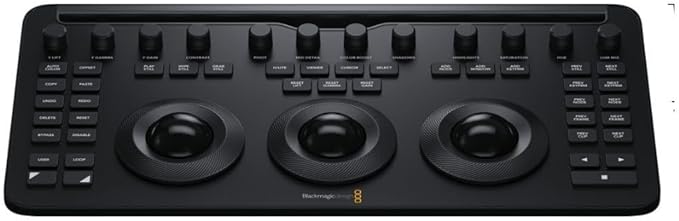
Blackmagic Design - Davinci Resolve Editor Keyboard
The DaVinci Resolve Editor Keyboard is designed for professional editors who need to work faster and turn around work quickly. More than just a simple keyboard, the DaVinci Resolve Editor Keyboard has been designed as an alternative way to edit that’s much faster than a mouse because you can simultaneously use both hands at the same time! You also get an integrated search dial built right into the keyboard. Simply plug the keyboard into any USB? C computer and you are ready to go! While most keys will work as a standard USB keyboard, the DaVinci Resolve Editor Keyboard has been designed for DaVinci Resolve 16 to enable an editing experience that's dramatically faster than previously possible.
The DaVinci Resolve Editor Keyboard is designed for professional editors who need to work faster and turn around work quickly. More than just a simple keyboard, the DaVinci Resolve Editor Keyboard has been designed as an alternative way to edit that’s much faster than a mouse because you can simultaneously use both hands at the same time! You also get an integrated search dial built right into the keyboard. Simply plug the keyboard into any USB? C computer and you are ready to go! While most keys will work as a standard USB keyboard, the DaVinci Resolve Editor Keyboard has been designed for DaVinci Resolve 16 to enable an editing experience that's dramatically faster than previously possible.
The DaVinci Resolve Editor Keyboard is designed for professional editors who need to work faster and turn around work quickly. More than just a simple keyboard, the DaVinci Resolve Editor Keyboard has been designed as an alternative way to edit that’s much faster than a mouse because you can simultaneously use both hands at the same time! You also get an integrated search dial built right into the keyboard. Simply plug the keyboard into any USB? C computer and you are ready to go! While most keys will work as a standard USB keyboard, the DaVinci Resolve Editor Keyboard has been designed for DaVinci Resolve 16 to enable an editing experience that's dramatically faster than previously possible.
The DaVinci Resolve Editor Keyboard is designed for professional editors who need to work faster and turn around work quickly. More than just a simple keyboard, the DaVinci Resolve Editor Keyboard has been designed as an alternative way to edit that’s much faster than a mouse because you can simultaneously use both hands at the same time! You also get an integrated search dial built right into the keyboard. Simply plug the keyboard into any USB? C computer and you are ready to go! While most keys will work as a standard USB keyboard, the DaVinci Resolve Editor Keyboard has been designed for DaVinci Resolve 16 to enable an editing experience that's dramatically faster than previously possible.
in 30 offers
The lowest price for Blackmagic Design - Davinci Resolve Editor Keyboard right now is $449.00 at Cash Converters, compared across 30 retailers.
The all-time low was $449.00 on 23 Oct 2026. That's the lowest price we've ever tracked — a great time to buy.
Prices last updated 23 Oct 2026.
Last updated at 23/10/2026 19:16:02
Blackmagic Design Davinci Resolve Editor Keyboard
Free delivery
Affiliate Disclosure: We may receive a small commission for purchases made through this link at no extra cost to you. This helps support our site. Thank you!
Blackmagic Design Davinci Resolve Editor Keyboard Black Keyboard - Computer
Delivery $29.45
Blackmagic Design DaVinci Resolve Speed Editor Keyboard [German Keyboard, German German Keyboard]
Free delivery
Blackmagic DaVinci Resolve Editor Keyboard
Delivery $30
Blackmagic Design Davinci Resolve Editor Keyboard
Delivery $16.50
Blackmagic DaVinci Resolve Editor Keyboard (Promotional pricing till 20th NOV 2026)
DaVinci Resolve Editor Keyboard | Fast Editing with Integrated Search Dial
Delivery between 29 Oct – 2 Nov $20
Blackmagic DaVinci Resolve Editor Keyboard
Free delivery between 28 Oct – 4 Nov
Blackmagic DaVinci Resolve Editor Keyboard
Delivery by Fri $25
Blackmagic Design DaVinci Resolve Editor Keyboard with DaVinci Resolve Studio
Delivery $6.90
originally posted on bhphotovideo.com
Amazed at the build quality and the simplicity of install. Ran Davinci and 1 or 2 no fuss minutes later my new keyboard was installed with all the functions working perfectly. Makes editing a dream compared to a standard keyboard.
originally posted on bhphotovideo.com
My new editor keyboard works well, and I like using the jog wheel. It has 3 different modes that can help you do anything from speeding through a long clip to frame-by-frame positioning. So that's cool.Some other reviews commented about the clunky keys, and I suggest you take them more seriously than I did. This is NOT a keyboard you can use when your spouse is sleeping. Think 1980's IBM keyboard and you'll be close. Annoyingly, some keys are in different positions than on most standard keyboards, which causes typing mistakes. I take particular issue with putting the Delete key where Backspace is on a normal keyboard - and there's no Backspace.Bottom line, I need to keep using my old keyboard and only use this Blackmagic one for video editing. Bummer.This ... MoreMy new editor keyboard works well, and I like using the jog wheel. It has 3 different modes that can help you do anything from speeding through a long clip to frame-by-frame positioning. So that's cool.Some other reviews commented about the clunky keys, and I suggest you take them more seriously than I did. This is NOT a keyboard you can use when your spouse is sleeping. Think 1980's IBM keyboard and you'll be close. Annoyingly, some keys are in different positions than on most standard keyboards, which causes typing mistakes. I take particular issue with putting the Delete key where Backspace is on a normal keyboard - and there's no Backspace.Bottom line, I need to keep using my old keyboard and only use this Blackmagic one for video editing. Bummer.This brings me to support, which I thought would be pretty good considering that I'm using a licensed version of a product most people seem to use for free.Today I found out that my expectation is not going to be met. Without getting too embroiled in the details, I will say that I wanted to know more - something, anything! - about the encoding option Constant QP. There's a 4,000+ page reference manual for Resolve, but it says zilch about Constant QP. QP doesn't even turn up in a search of the PDF. So I contacted Blackmagic Support.The answer I got back defined what the letters stand for - Quantization Parameter - but included no information that would actually help me use it. Instead, I was directed to the Blackmagic Forums, a place where any moron can and does post incorrect information about Blackmagic products. To put it another way, instead of providing the needle I asked for, Support directed me to the haystack.
originally posted on adorama.com
I recently started editing multi cam videos for a podcast, I decided to switch to davinci resolve because of the quality of their software and the huge user base, plus the fact that it has a free version which is really full featured. I started looking at the studio version for 295.00, and then found 8f you purchase either the editors keyboard (595.00) or the speed editor (395.00) you not only get the hardware but also a full studio license (which is basically a lifetime license and you can use it on 2 pcs at the same time). So it came down to the speed editor or the full keyboard. I read a lot of reviews here and watched videos comparing them and it became obvious that the full keyboard is really what I wanted. It can be used as a regular keyboard and it has all ... MoreI recently started editing multi cam videos for a podcast, I decided to switch to davinci resolve because of the quality of their software and the huge user base, plus the fact that it has a free version which is really full featured. I started looking at the studio version for 295.00, and then found 8f you purchase either the editors keyboard (595.00) or the speed editor (395.00) you not only get the hardware but also a full studio license (which is basically a lifetime license and you can use it on 2 pcs at the same time). So it came down to the speed editor or the full keyboard. I read a lot of reviews here and watched videos comparing them and it became obvious that the full keyboard is really what I wanted. It can be used as a regular keyboard and it has all the quick buttons for the cut/edit pages as well as the jog wheel. Adorama shipped it out for free and it arrived in 2 days. The quality is excellent and after using it a bit I know I made the right decision. Really speeds up editing and worth every penny.
| Connectivity | Bluetooth |
| Language <wbr>/<wbr> Layout | QWERTY |
| Brand | Blackmagic Design |
| Compatibility | Windows, Mac, Linux |
| Use | PC |

Blackmagic Design Davinci Resolve Editor Keyboard
Free delivery
Affiliate Disclosure: We may receive a small commission for purchases made through this link at no extra cost to you. This helps support our site. Thank you!
Blackmagic Design Davinci Resolve Editor Keyboard Black Keyboard - Computer
Delivery $29.45
Blackmagic Design DaVinci Resolve Speed Editor Keyboard [German Keyboard, German German Keyboard]
Free delivery
Blackmagic DaVinci Resolve Editor Keyboard
Delivery $30
Blackmagic Design Davinci Resolve Editor Keyboard
Delivery $16.50
Amazed at the build quality and the simplicity of install. Ran Davinci and 1 or 2 no fuss minutes later my new keyboard was installed with all the functions working perfectly. Makes editing a dream compared to a standard keyboard.
My new editor keyboard works well, and I like using the jog wheel. It has 3 different modes that can help you do anything from speeding through a long clip to frame-by-frame positioning. So that's cool.Some other reviews commented about the clunky keys, and I suggest you take them more seriously than I did. This is NOT a keyboard you can use when your spouse is sleeping. Think 1980's IBM keyboard and you'll be close. Annoyingly, some keys are in different positions than on most standard keyboards, which causes typing mistakes. I take particular issue with putting the Delete key where Backspace is on a normal keyboard - and there's no Backspace.Bottom line, I need to keep using my old keyboard and only use this Blackmagic one for video editing. Bummer.This ... MoreMy new editor keyboard works well, and I like using the jog wheel. It has 3 different modes that can help you do anything from speeding through a long clip to frame-by-frame positioning. So that's cool.Some other reviews commented about the clunky keys, and I suggest you take them more seriously than I did. This is NOT a keyboard you can use when your spouse is sleeping. Think 1980's IBM keyboard and you'll be close. Annoyingly, some keys are in different positions than on most standard keyboards, which causes typing mistakes. I take particular issue with putting the Delete key where Backspace is on a normal keyboard - and there's no Backspace.Bottom line, I need to keep using my old keyboard and only use this Blackmagic one for video editing. Bummer.This brings me to support, which I thought would be pretty good considering that I'm using a licensed version of a product most people seem to use for free.Today I found out that my expectation is not going to be met. Without getting too embroiled in the details, I will say that I wanted to know more - something, anything! - about the encoding option Constant QP. There's a 4,000+ page reference manual for Resolve, but it says zilch about Constant QP. QP doesn't even turn up in a search of the PDF. So I contacted Blackmagic Support.The answer I got back defined what the letters stand for - Quantization Parameter - but included no information that would actually help me use it. Instead, I was directed to the Blackmagic Forums, a place where any moron can and does post incorrect information about Blackmagic products. To put it another way, instead of providing the needle I asked for, Support directed me to the haystack.
I recently started editing multi cam videos for a podcast, I decided to switch to davinci resolve because of the quality of their software and the huge user base, plus the fact that it has a free version which is really full featured. I started looking at the studio version for 295.00, and then found 8f you purchase either the editors keyboard (595.00) or the speed editor (395.00) you not only get the hardware but also a full studio license (which is basically a lifetime license and you can use it on 2 pcs at the same time). So it came down to the speed editor or the full keyboard. I read a lot of reviews here and watched videos comparing them and it became obvious that the full keyboard is really what I wanted. It can be used as a regular keyboard and it has all ... MoreI recently started editing multi cam videos for a podcast, I decided to switch to davinci resolve because of the quality of their software and the huge user base, plus the fact that it has a free version which is really full featured. I started looking at the studio version for 295.00, and then found 8f you purchase either the editors keyboard (595.00) or the speed editor (395.00) you not only get the hardware but also a full studio license (which is basically a lifetime license and you can use it on 2 pcs at the same time). So it came down to the speed editor or the full keyboard. I read a lot of reviews here and watched videos comparing them and it became obvious that the full keyboard is really what I wanted. It can be used as a regular keyboard and it has all the quick buttons for the cut/edit pages as well as the jog wheel. Adorama shipped it out for free and it arrived in 2 days. The quality is excellent and after using it a bit I know I made the right decision. Really speeds up editing and worth every penny.
If you dedicate yourself full time to the video editing process using Davinci Resolve. It is almost mandatory that you should acquire this keyboard. Extremely versatile and effective, it has changed my process for working on videos and delivering the product to my clients. Using it inside the Cut window is one of the best experiences an editor has to go through it seems like magic. Not to mention the quality with which the keyboard is made of excellent materials. Highly recommended
Overall, this keyboard is fantastic. The pros: The jog wheel is spectacular. There are many speed keys incorporated on the keyboard which instantly make your edit faster. There was literally no setup, it just works. The keyboard is very much a heavy duty keyboard which feels like it will last a very long time.Cons: I edit in low light. That means I can't see the keys. I purchased a flexible USB keyboard light to illuminate the keys, that is super helpful. The keys are large and offer a lot of 'spring'. That makes it a bit more difficult to press the keys. It sort of reminds me of an old school keyboard from way back in the day, only higher quality. A little bit lower profile keys with backlit illumination would have made this the perfect keyboard.Overall, I've ... MoreOverall, this keyboard is fantastic. The pros: The jog wheel is spectacular. There are many speed keys incorporated on the keyboard which instantly make your edit faster. There was literally no setup, it just works. The keyboard is very much a heavy duty keyboard which feels like it will last a very long time.Cons: I edit in low light. That means I can't see the keys. I purchased a flexible USB keyboard light to illuminate the keys, that is super helpful. The keys are large and offer a lot of 'spring'. That makes it a bit more difficult to press the keys. It sort of reminds me of an old school keyboard from way back in the day, only higher quality. A little bit lower profile keys with backlit illumination would have made this the perfect keyboard.Overall, I've gotten used to the larger keys and the added Keyboard light made this a solid setup.
This keyboard is well made. The labeled keys have helped to speed up my editing by 3x. I'd definitely recommend this keyboard. The only downfall is that the keys have a lot of action. Meaning they travel a lot when pushed. I am used to the Apple keyboard with very little movement in the keys. This definitely takes some getting used to. Also, the colored keys make it confusing to use if you're using it as your everyday keyboard.
This keyboard is awesome!!My backstory: This year 2023 or one could say the end of last year 2022, I decided to leave the adobe ecosystem and go with DaVinci Resolve (or Resolve) for all my video creation needs. After downloading the free version of the software and trying it for a few weeks, I found that the software was very intuitive and flowed well. Also, there seems to be a going community of DaVinci Resolve users sharing their knowledge online.Consequently, I decided to invest in the BMD Editor's Keyboard over other solutions because I view it as a learning tool to help me grow in my understanding of DaVinci Resolve and assisting me in my transition from Premiere Pro by learning all the Resolve native keyboard shortcuts and background creation philosophy. ... MoreThis keyboard is awesome!!My backstory: This year 2023 or one could say the end of last year 2022, I decided to leave the adobe ecosystem and go with DaVinci Resolve (or Resolve) for all my video creation needs. After downloading the free version of the software and trying it for a few weeks, I found that the software was very intuitive and flowed well. Also, there seems to be a going community of DaVinci Resolve users sharing their knowledge online.Consequently, I decided to invest in the BMD Editor's Keyboard over other solutions because I view it as a learning tool to help me grow in my understanding of DaVinci Resolve and assisting me in my transition from Premiere Pro by learning all the Resolve native keyboard shortcuts and background creation philosophy. Not to mention that, it, also, included a license for Resolve Studio 18.Well initially, I had a hard time choosing to either buy the keyboard or the speed editor; however, after watching & reading several reviews, I decided to go with the keyboard because in the long-run it has a lot more utility for me.Characteristics I like: I find the keyboard to be very study, well-build & solid. These are common traits stated in many online reviews. The keys feel great and I can spend hours typing on them. The search wheel is a very nice addition along with the other features. I have edited some videos following along-side BMD Resolve Training just using a normal keyboard and it was pretty tough to keep up; because, I only know but a very few of the native keyboard shortcuts.By investing in this keyboard, I feel that I have purchased a tool that I can grow into over the long haul as I develop at the video creation & editing craft with DaVinci Resolve. Hopefully, the keyboard will become a very effective tool for me that I can learn to wield as effectively as the God Of Thunder Thor wields his hammer.Perceivable Cons: As can be seen in the image, the keyboard sure can fill up a keyboard tray. I mean that in a good way. To me it's not a takeaway because it sits below the surface of my desk.My Recommendation: If you are like me and are still relatively new to editing and new to using DaVinci Resolve, the editor's keyboard is a worthy robust solution for the extra money spent; over solutions like the editor's keyboard, or other potential third party solutions. So to emphasize my point, the keyboard is a worthy candidate for investment if you are new and plan to stick with DaVinci Resolve for the long-haul.However, if you are a DaVinci Resolve double blackbelt and have mastered all the plentiful keyboard shortcuts, the speed editor may be better option.On the B&H front, the keyboard had come to me very well packaged and smelling like it was delivered in a brand new truck. ;))ThanksRon
After this keyboard every day (m-f) for 3 months I can honestly say I prefer a regular keyboard. I made myself use it as others have said once I was used to it that my workflow would be sped up significantly. As someone who cuts and edits on the edit page, I did not find this to be true. If you use the cut page more, then maybe.
It doesn't bend, I would feel safe if I dropped it (but you shouldn't). Allows for a very efficient workflow.The only issue is that the keycaps are for mac. It doesn't stop functionality, just I would like to have seen the option to switch. I will reach out to BM to see if I can get some.I would've also liked to see some replacement caps in the box for this price.Overall great quality, but this is only good if you do video editing for work, same with any other controller.
| Connectivity | Bluetooth |
| Language <wbr>/<wbr> Layout | QWERTY |
| Brand | Blackmagic Design |
| Compatibility | Windows, Mac, Linux |
| Use | PC |