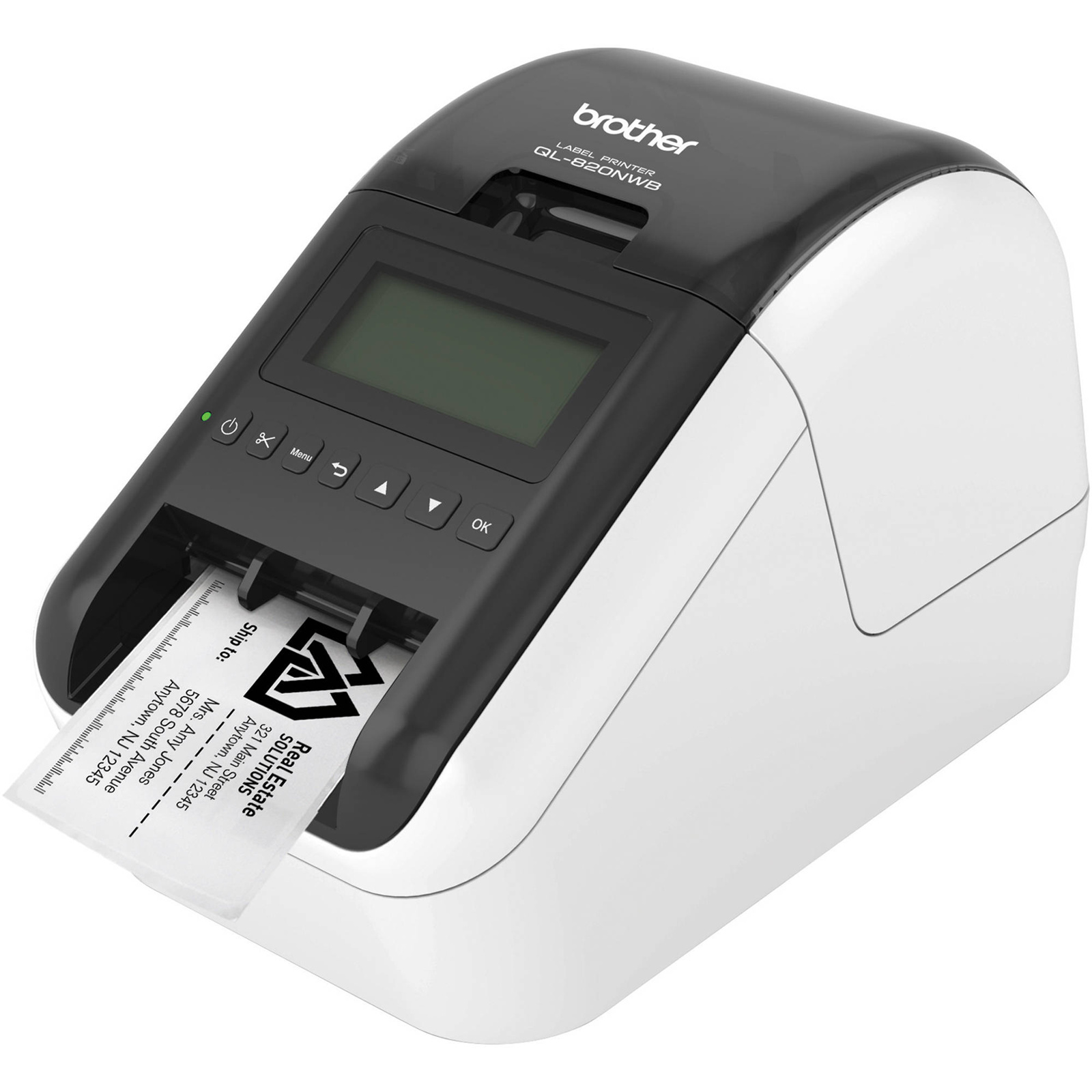
Brother QL-1110NWB Direct Thermal 300 x 300DPI Label Printer
The Brother QL-1110NWB label printer offers seamless connectivity with Bluetooth 2.1 EDR and Wi-Fi capabilities, allowing for mobile printing through Apple AirPrint. This printer is designed for efficiency, featuring an auto cutter and supporting various media types, including continuous labels, die cut labels, and standard labels. Its maximum printing width of 101.6 mm and maximum document size of 10.36 cm ensure that labeling tasks can be completed easily. With the ability to print in monochrome at a resolution of 300 x 300 DPI, this label printer is suitable for various office environments. The internal power supply type and manual media load design enhance usability, making it a practical choice for those who require quick and reliable printing solutions. Its compact design accommodates a single media roll, maximizing convenience and space efficiency.
The Brother QL-1110NWB label printer offers seamless connectivity with Bluetooth 2.1 EDR and Wi-Fi capabilities, allowing for mobile printing through Apple AirPrint. This printer is designed for efficiency, featuring an auto cutter and supporting various media types, including continuous labels, die cut labels, and standard labels. Its maximum printing width of 101.6 mm and maximum document size of 10.36 cm ensure that labeling tasks can be completed easily. With the ability to print in monochrome at a resolution of 300 x 300 DPI, this label printer is suitable for various office environments. The internal power supply type and manual media load design enhance usability, making it a practical choice for those who require quick and reliable printing solutions. Its compact design accommodates a single media roll, maximizing convenience and space efficiency.
The Brother QL-1110NWB label printer offers seamless connectivity with Bluetooth 2.1 EDR and Wi-Fi capabilities, allowing for mobile printing through Apple AirPrint. This printer is designed for efficiency, featuring an auto cutter and supporting various media types, including continuous labels, die cut labels, and standard labels. Its maximum printing width of 101.6 mm and maximum document size of 10.36 cm ensure that labeling tasks can be completed easily. With the ability to print in monochrome at a resolution of 300 x 300 DPI, this label printer is suitable for various office environments. The internal power supply type and manual media load design enhance usability, making it a practical choice for those who require quick and reliable printing solutions. Its compact design accommodates a single media roll, maximizing convenience and space efficiency.
The Brother QL-1110NWB label printer offers seamless connectivity with Bluetooth 2.1 EDR and Wi-Fi capabilities, allowing for mobile printing through Apple AirPrint. This printer is designed for efficiency, featuring an auto cutter and supporting various media types, including continuous labels, die cut labels, and standard labels. Its maximum printing width of 101.6 mm and maximum document size of 10.36 cm ensure that labeling tasks can be completed easily. With the ability to print in monochrome at a resolution of 300 x 300 DPI, this label printer is suitable for various office environments. The internal power supply type and manual media load design enhance usability, making it a practical choice for those who require quick and reliable printing solutions. Its compact design accommodates a single media roll, maximizing convenience and space efficiency.
in 12 offers
The lowest price for Brother QL-1110NWB Direct Thermal 300 x 300DPI Label Printer right now is $401.40 at eBay.com.au, compared across 12 retailers.
The all-time low was $349.22 on 2 Oct 2025 — today's price is 15% above the lowest ever. That's a little above the best price we've seen.
Prices last updated 2 Oct 2026.
Last updated at 02/10/2026 07:37:23
Brother QL-1110NWB Shipping & Barcode Label Printer, Up to 102mm Wide Labels
Free delivery
Affiliate Disclosure: We may receive a small commission for purchases made through this link at no extra cost to you. This helps support our site. Thank you!
Brother Ql1110nwb Label Printers, Wireless [ql1110nwb]
Delivery $11
Affiliate Disclosure: We may receive a small commission for purchases made through this link at no extra cost to you. This helps support our site. Thank you!
[QL-1110NWB] Brother QL1110NWB Label Machin
7-day returns
Brother QL-1110NWB, Network, Wireless Bluetooth Extra Wide High Speed label Printer / Up To 102mm
Delivery between 7–12 Oct $20.05
Brother QL-1110 Label Printer With USB, Bluetooth, Ethernet & Wifi Interface
Delivery $16.50
Brother Printer QL-1110 - BlueTooth, Ethernet and Wi-Fi
Free delivery between 9–14 Oct
Brother QL-1110NWB Wireless Label Printer Machine USB, Bluetooth, Ethernet & Airprint
Delivery between 6–14 Oct $10
Brother QL-1110NWB Label Machine
Free delivery
Brother Printer Ql-1110 Dt 300DPI 102MM Eth/Wifi
Brother QL-1110NWB Wide Adhesive Label Printer
originally posted on brother-usa.com
My Brother QL-1110NWBC Wide Format, Professional Label Printer makes working from home so much easier. The Printer comes with everything need it to start printing labels.The box comes with cables and 2 different size labels to start with. The installation its super easy. Just visit the Brother website and download the Drivers. Installation is super easy and quick. The printer is thermal so you will need no ink.The labels print so fast and the quality is impressive, so clear. I like that you can connect via Wifi and Bluetooth and print from any device. More space to work with and no extra cables around or labels hanging is a A plus. You can print from your mobile device so easily and you can create your own labels with the P-touch editor. The label roll is hidden ... MoreMy Brother QL-1110NWBC Wide Format, Professional Label Printer makes working from home so much easier. The Printer comes with everything need it to start printing labels.The box comes with cables and 2 different size labels to start with. The installation its super easy. Just visit the Brother website and download the Drivers. Installation is super easy and quick. The printer is thermal so you will need no ink.The labels print so fast and the quality is impressive, so clear. I like that you can connect via Wifi and Bluetooth and print from any device. More space to work with and no extra cables around or labels hanging is a A plus. You can print from your mobile device so easily and you can create your own labels with the P-touch editor. The label roll is hidden inside the printer. Printing is fast. The printer automatically recognize label size, cuts the labels and separates them for you. No more wasted labels the printer will also recognize the start of a new label.I can now print my 4inch labels for my packages with no effort, from any Device. I love this label printer makes my job so much easier.
originally posted on brother-usa.com
I received this product for free from Brother in exchange for my honest opinion/review of the product. Let me start by saying I previously used a name-brand thermal printer to print USPS/UPS labels. By comparison, this printer is fantastic. After opening the box, I was able to set up and begin using it within 15 minutes. The software download and instructions were easy to follow. This printer can be attached directly to a computer via provided USB cable. What sets this model apart from the standard thermal printer is the ability to set-up either wireless or via bluetooth. The fact that there is one less cable and the printer can be placed anywhere because of the wireless capability is a huge plus. The packaged software allows you to select from an extensive library ... MoreI received this product for free from Brother in exchange for my honest opinion/review of the product. Let me start by saying I previously used a name-brand thermal printer to print USPS/UPS labels. By comparison, this printer is fantastic. After opening the box, I was able to set up and begin using it within 15 minutes. The software download and instructions were easy to follow. This printer can be attached directly to a computer via provided USB cable. What sets this model apart from the standard thermal printer is the ability to set-up either wireless or via bluetooth. The fact that there is one less cable and the printer can be placed anywhere because of the wireless capability is a huge plus. The packaged software allows you to select from an extensive library of stock signs. Additionally, you can set custom type for labels, or fully customize the label by adding a stock photo or you can even upload your own photo. It makes organizing shelves super easy as the box label now has a visual reference to the item that belongs there. The label stock can be easily changed out to a different size for printing UPSP/FEDEX/UPS labels for shipping. The paper backing has registration marks which self aligns when installing new label rolls without any waste. The process of changing out rolls took about 10 seconds. This truly is a do-it-all thermal printer. The prints come out quick and the print is crisp and clear. The printer can be set to automatically cut off the tape at the end of your print or you can manually cut the label by pressing a button on the printer. No need to rip and tear skewing the labels. The continuous paper allows you to print long signs or banners without having to cram everything into a pre-ordained space. The best part is that since it is thermal, there are no messy and costly ink cartridges to replace. My only complaint is that the roll capacity for USPS/UPS labels is only 180 labels(my previous printer was 250). Also, the cost of the replacement tapes are a bit expensive. The Brother QL-1110NWB is a stylish and sleek looking model, but don`t be fooled, it is durable and well built. If you are in the market for a thermal printer, or you are already using a basic thermal printer, upgrading to this will not disappoint. Pros: Fully customize label size Add your own photo to label Wireless or Bluetooth Small footprint Crisp, quick prints Self aligningCons: Replacement tape cost Label Roll capacity
originally posted on walmart.com
I like this printer. It does everything my previous label printer did, plus more. I had the QL1060 printer for many years, but it failed to print 4" x 6" labels. This QL1110NWB printer does it all. After speaking with tech support, I learned how to make UPS %26 FedEx labels. The process needed is because I use a Mac computer. I'm not sure if you have to do the same process with a Windows computer. But, now that I know it can print my shipping labels, I'm glad I made the upgrade to this printer.
| Connectivity technology | Bluetooth, USB, Ethernet |
| Printing technology | Thermal |
| Special feature | Bluetooth 2.1 |
| Printer output | Monochrome |
| Controller type | iOS |

Brother QL-1110NWB Shipping & Barcode Label Printer, Up to 102mm Wide Labels
Free delivery
Affiliate Disclosure: We may receive a small commission for purchases made through this link at no extra cost to you. This helps support our site. Thank you!
Brother Ql1110nwb Label Printers, Wireless [ql1110nwb]
Delivery $11
Affiliate Disclosure: We may receive a small commission for purchases made through this link at no extra cost to you. This helps support our site. Thank you!
[QL-1110NWB] Brother QL1110NWB Label Machin
7-day returns
Brother QL-1110NWB, Network, Wireless Bluetooth Extra Wide High Speed label Printer / Up To 102mm
Delivery between 7–12 Oct $20.05
Brother QL-1110 Label Printer With USB, Bluetooth, Ethernet & Wifi Interface
Delivery $16.50
My Brother QL-1110NWBC Wide Format, Professional Label Printer makes working from home so much easier. The Printer comes with everything need it to start printing labels.The box comes with cables and 2 different size labels to start with. The installation its super easy. Just visit the Brother website and download the Drivers. Installation is super easy and quick. The printer is thermal so you will need no ink.The labels print so fast and the quality is impressive, so clear. I like that you can connect via Wifi and Bluetooth and print from any device. More space to work with and no extra cables around or labels hanging is a A plus. You can print from your mobile device so easily and you can create your own labels with the P-touch editor. The label roll is hidden ... MoreMy Brother QL-1110NWBC Wide Format, Professional Label Printer makes working from home so much easier. The Printer comes with everything need it to start printing labels.The box comes with cables and 2 different size labels to start with. The installation its super easy. Just visit the Brother website and download the Drivers. Installation is super easy and quick. The printer is thermal so you will need no ink.The labels print so fast and the quality is impressive, so clear. I like that you can connect via Wifi and Bluetooth and print from any device. More space to work with and no extra cables around or labels hanging is a A plus. You can print from your mobile device so easily and you can create your own labels with the P-touch editor. The label roll is hidden inside the printer. Printing is fast. The printer automatically recognize label size, cuts the labels and separates them for you. No more wasted labels the printer will also recognize the start of a new label.I can now print my 4inch labels for my packages with no effort, from any Device. I love this label printer makes my job so much easier.
I received this product for free from Brother in exchange for my honest opinion/review of the product. Let me start by saying I previously used a name-brand thermal printer to print USPS/UPS labels. By comparison, this printer is fantastic. After opening the box, I was able to set up and begin using it within 15 minutes. The software download and instructions were easy to follow. This printer can be attached directly to a computer via provided USB cable. What sets this model apart from the standard thermal printer is the ability to set-up either wireless or via bluetooth. The fact that there is one less cable and the printer can be placed anywhere because of the wireless capability is a huge plus. The packaged software allows you to select from an extensive library ... MoreI received this product for free from Brother in exchange for my honest opinion/review of the product. Let me start by saying I previously used a name-brand thermal printer to print USPS/UPS labels. By comparison, this printer is fantastic. After opening the box, I was able to set up and begin using it within 15 minutes. The software download and instructions were easy to follow. This printer can be attached directly to a computer via provided USB cable. What sets this model apart from the standard thermal printer is the ability to set-up either wireless or via bluetooth. The fact that there is one less cable and the printer can be placed anywhere because of the wireless capability is a huge plus. The packaged software allows you to select from an extensive library of stock signs. Additionally, you can set custom type for labels, or fully customize the label by adding a stock photo or you can even upload your own photo. It makes organizing shelves super easy as the box label now has a visual reference to the item that belongs there. The label stock can be easily changed out to a different size for printing UPSP/FEDEX/UPS labels for shipping. The paper backing has registration marks which self aligns when installing new label rolls without any waste. The process of changing out rolls took about 10 seconds. This truly is a do-it-all thermal printer. The prints come out quick and the print is crisp and clear. The printer can be set to automatically cut off the tape at the end of your print or you can manually cut the label by pressing a button on the printer. No need to rip and tear skewing the labels. The continuous paper allows you to print long signs or banners without having to cram everything into a pre-ordained space. The best part is that since it is thermal, there are no messy and costly ink cartridges to replace. My only complaint is that the roll capacity for USPS/UPS labels is only 180 labels(my previous printer was 250). Also, the cost of the replacement tapes are a bit expensive. The Brother QL-1110NWB is a stylish and sleek looking model, but don`t be fooled, it is durable and well built. If you are in the market for a thermal printer, or you are already using a basic thermal printer, upgrading to this will not disappoint. Pros: Fully customize label size Add your own photo to label Wireless or Bluetooth Small footprint Crisp, quick prints Self aligningCons: Replacement tape cost Label Roll capacity
I like this printer. It does everything my previous label printer did, plus more. I had the QL1060 printer for many years, but it failed to print 4" x 6" labels. This QL1110NWB printer does it all. After speaking with tech support, I learned how to make UPS %26 FedEx labels. The process needed is because I use a Mac computer. I'm not sure if you have to do the same process with a Windows computer. But, now that I know it can print my shipping labels, I'm glad I made the upgrade to this printer.
Bought this as I do a lot of labels ebay sales etc easy to connect and setup very fast and easy to use saves so much time not having to load labels into normal printer one of the best things i have purchased. Looks good well built and does not take up much spaceWould recomend this machine. I did not buy the wifi version as i had previous wifi issues in the area where this is but printing from phone no problem just send to email and print from pc that way.
I haven't tried Brother's original version (QL-1110NWB) of this label printer, only their newest one that just launched (QL-1110NWBc). So while I can't give a personal comparison between the two models, I thought it would be helpful to highlight the differences so that others can make a more informed decision on which to choose from, or whether they should upgrade. Inside the box, a paper insert states that although this model is similar to the original - even contains the same Quick Setup & User's Guides manuals - a few key changes have been made to the specifications. These include: improved coin cell battery cover, new security protocols, upgraded Bluetooth 5.2 version, and removal of USB port for USB flash drive. All of these changes sound pretty minor and not ... MoreI haven't tried Brother's original version (QL-1110NWB) of this label printer, only their newest one that just launched (QL-1110NWBc). So while I can't give a personal comparison between the two models, I thought it would be helpful to highlight the differences so that others can make a more informed decision on which to choose from, or whether they should upgrade. Inside the box, a paper insert states that although this model is similar to the original - even contains the same Quick Setup & User's Guides manuals - a few key changes have been made to the specifications. These include: improved coin cell battery cover, new security protocols, upgraded Bluetooth 5.2 version, and removal of USB port for USB flash drive. All of these changes sound pretty minor and not really a reason to have both models on the market, so I'm assuming this one will be phasing out the old. They also seem like improvements, minus the removal of the USB flash drive port, but I didn't have a need for it personally.In regards to my opinion on the actual product, I really love it! I'm still getting the hang of all the ways to use it (so far I've printed shipping labels, used it with 3rd party apps, and sticker labels for organization) and so far I'm pretty impressed by it! It's amazing to not have to deal with the installation and cost of ink, and once you get past the learning curve, the options are truly limitless. I think both hobbyists and businesses would be happy with this machine!
I just do not know about this printer. I find it very clumsy when trying to print some postage labels from some sources. It just is not intuitive enough for my taste. This business of having to change a file to PDF and then drawing through the file etc... is just to much. I suppose it needs better software. Believe me it will not print postage labels like your other machine does printing. I have had this device for over a year and still very very disappointed.
First of all let’s talk about how stylish this label printer looks! It’s black & white and looks so modern and sleek on my desk. It’s a great compact size too that barley takes up any work space. I could carry it to any room I wanted easily whenever I want.The label printer was very simple to set up through WI-Fi, I simply downloaded the driver onto my laptop, connected the label printer with my router and it was ready to print.I wanted to print shipping labels via my courier company website. Which had the option of print via label machine (stated the size of labels). I selected print and within a few seconds my shipping labels were printed and cut to size ready to stick into my parcels! Amazing! This cool little gadget is saving me so much time as before I was ... MoreFirst of all let’s talk about how stylish this label printer looks! It’s black & white and looks so modern and sleek on my desk. It’s a great compact size too that barley takes up any work space. I could carry it to any room I wanted easily whenever I want.The label printer was very simple to set up through WI-Fi, I simply downloaded the driver onto my laptop, connected the label printer with my router and it was ready to print.I wanted to print shipping labels via my courier company website. Which had the option of print via label machine (stated the size of labels). I selected print and within a few seconds my shipping labels were printed and cut to size ready to stick into my parcels! Amazing! This cool little gadget is saving me so much time as before I was printing on paper, cutting to size and cello-taping on the labels. Now I just pull the backing off the sticky label and stuck to parcel..job done!The labels are great quality and stuck down onto the parcel super strongly.I cannot fault this label printer. I really recommend it to anyone needing to print shipping labels regularly.
Full disclosure this is my first label printer and have to say it’s been life changing over the last 3 weeks. I’m forever posting or couriering something to a colleague or friend of shipping out sold products and have always used an inkjet printer with label sheets. What I didn’t realise was how time consuming this was swapping the paper out, making sure I have the right dimensions for the labels etc let alone the amount of waste when things go wrong or when I’m not using a full page of labels and the rest of the sheet going in the bin.Setup was a breeze, I plugged it in, inserted the label roll and with the WPS button on the printer and then pressing the same on the router they were both connected. I downloaded the iprint and label app on my mobile and I was ... MoreFull disclosure this is my first label printer and have to say it’s been life changing over the last 3 weeks. I’m forever posting or couriering something to a colleague or friend of shipping out sold products and have always used an inkjet printer with label sheets. What I didn’t realise was how time consuming this was swapping the paper out, making sure I have the right dimensions for the labels etc let alone the amount of waste when things go wrong or when I’m not using a full page of labels and the rest of the sheet going in the bin.Setup was a breeze, I plugged it in, inserted the label roll and with the WPS button on the printer and then pressing the same on the router they were both connected. I downloaded the iprint and label app on my mobile and I was away. The whole process took around 3 minutes.Using the machine daily I’m constantly learning new features, the software suite for the PC is great as you can really customise your labels with ease and saving label templates and my favourite feature by far the machine auto detects the label size so no more guessing and wastage. the continuous label rolls are great for address labels and the larger labels are the perfect size for printing courier labels. Bonus the printers are thermal so there’s no messing about with inks, literally just replace the labels when they run out.Final verdict #Winner, I’ve been converted and don’t think I’d ever go back.
This printer has replaced my Brother QL-1060N Label Printer because it would not read the 'identifier pins' on the bottom of large label cartridges. My intent was to print UPS labels. My initial impression of this new printer is very good. Print quality is outstanding (example; I printed a 'Letter-Sized' page to a 4" x 6" label and was impressed by its print quality, even though the image was half its original size). The print speed is quite good. Being able to connect with this printer, using Bluetooth, WiFi, Ethernet or USB, makes this printer very flexible. And the selection of labels that can be used with this printer is extensive. Overall, I give this printer TWO thumbs up!
I got this label printer to help out with my wife's small business, which has bursts of business during major holidays. It is certainly convenient that we can print labels using our phone or other device that's not directly connected to the computer. It took a little more time to get used to the app. But once we got the hang of it, it's facilitated smooth and efficient logistics. Accessibility is definitely the best feature. The app could improve. Overall, I'd give this an 8.25 our of 10.
| Connectivity technology | Bluetooth, USB, Ethernet |
| Printing technology | Thermal |
| Special feature | Bluetooth 2.1 |
| Printer output | Monochrome |
| Controller type | iOS |