Citi Card Off | TP-Link RE705X AX3000 Wi-Fi6 Dual-Band Range Extender
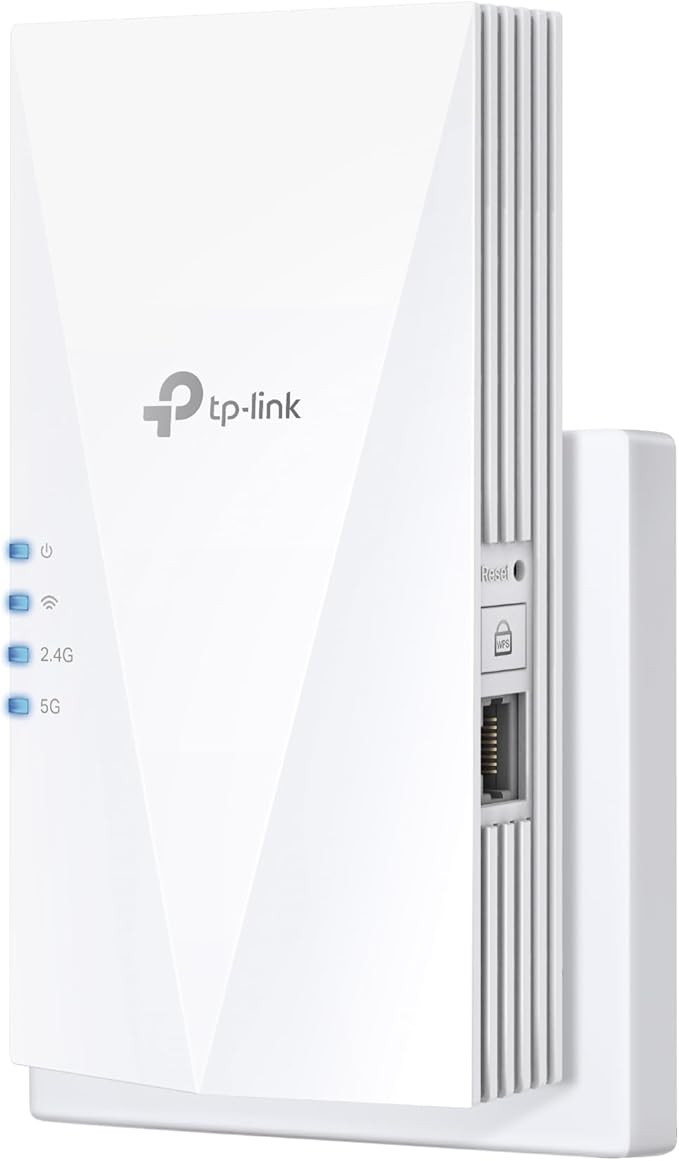
Cover Every Corner with Blazing Fast WiFi 6 Experience blazing fast WiFi 6 with the TP-Link RE705X mesh Wi-Fi system. Enjoy faster speeds, lower latency, and more connections, so you can cover every corner of your home with high-speed and stable WiFi. Double Channel Speed with HE160 The RE705X supports 2x2 160MHz on the 5G band, offering wider bandwidth and faster speed than traditional 80MHz. This means you can enjoy seamless 4K streaming and gaming in every room of your home. More efficient data with OFDMA The Orthogonal Frequency Division Multiple Access technology helps integrate the data of different end devices for higher efficiency, ensuring a more reliable and consistent WiFi connection. Strong, targeted WiFi with Beamforming The RE705X features beamforming technology that helps find the direction of your device and accelerate your signal strength, so you can enjoy a strong and stable WiFi connection wherever you are in your home. Adaptive Path Selection The RE705X automatically chooses the fastest connection path to the router, ensuring that your network runs at top speed at all times. Flexibly Create Whole Home Mesh WiFi Easily eliminate any dead zones in your home by adding another Easymesh-Compatible router or WiFi extender to further expand your whole home mesh WiFi, providing a stable connection throughout your entire home. Built-In Access Point Mode With the Ethernet port, the RE705X can easily turn your wired internet connection into a 2x2 MU-MIMO dual band wireless access point, offering flexibility and convenience for your home network setup. Control at Your Fingertips Set up and manage your WiFi through the TP-Link Tether app from your phone (Android, iOS), including TP-Link routers and range extenders, giving you full control and visibility over your network.
Cover Every Corner with Blazing Fast WiFi 6 Experience blazing fast WiFi 6 with the TP-Link RE705X mesh Wi-Fi system. Enjoy faster speeds, lower latency, and more connections, so you can cover every corner of your home with high-speed and stable WiFi. Double Channel Speed with HE160 The RE705X supports 2x2 160MHz on the 5G band, offering wider bandwidth and faster speed than traditional 80MHz. This means you can enjoy seamless 4K streaming and gaming in every room of your home. More efficient data with OFDMA The Orthogonal Frequency Division Multiple Access technology helps integrate the data of different end devices for higher efficiency, ensuring a more reliable and consistent WiFi connection. Strong, targeted WiFi with Beamforming The RE705X features beamforming technology that helps find the direction of your device and accelerate your signal strength, so you can enjoy a strong and stable WiFi connection wherever you are in your home. Adaptive Path Selection The RE705X automatically chooses the fastest connection path to the router, ensuring that your network runs at top speed at all times. Flexibly Create Whole Home Mesh WiFi Easily eliminate any dead zones in your home by adding another Easymesh-Compatible router or WiFi extender to further expand your whole home mesh WiFi, providing a stable connection throughout your entire home. Built-In Access Point Mode With the Ethernet port, the RE705X can easily turn your wired internet connection into a 2x2 MU-MIMO dual band wireless access point, offering flexibility and convenience for your home network setup. Control at Your Fingertips Set up and manage your WiFi through the TP-Link Tether app from your phone (Android, iOS), including TP-Link routers and range extenders, giving you full control and visibility over your network.
Cover Every Corner with Blazing Fast WiFi 6 Experience blazing fast WiFi 6 with the TP-Link RE705X mesh Wi-Fi system. Enjoy faster speeds, lower latency, and more connections, so you can cover every corner of your home with high-speed and stable WiFi. Double Channel Speed with HE160 The RE705X supports 2x2 160MHz on the 5G band, offering wider bandwidth and faster speed than traditional 80MHz. This means you can enjoy seamless 4K streaming and gaming in every room of your home. More efficient data with OFDMA The Orthogonal Frequency Division Multiple Access technology helps integrate the data of different end devices for higher efficiency, ensuring a more reliable and consistent WiFi connection. Strong, targeted WiFi with Beamforming The RE705X features beamforming technology that helps find the direction of your device and accelerate your signal strength, so you can enjoy a strong and stable WiFi connection wherever you are in your home. Adaptive Path Selection The RE705X automatically chooses the fastest connection path to the router, ensuring that your network runs at top speed at all times. Flexibly Create Whole Home Mesh WiFi Easily eliminate any dead zones in your home by adding another Easymesh-Compatible router or WiFi extender to further expand your whole home mesh WiFi, providing a stable connection throughout your entire home. Built-In Access Point Mode With the Ethernet port, the RE705X can easily turn your wired internet connection into a 2x2 MU-MIMO dual band wireless access point, offering flexibility and convenience for your home network setup. Control at Your Fingertips Set up and manage your WiFi through the TP-Link Tether app from your phone (Android, iOS), including TP-Link routers and range extenders, giving you full control and visibility over your network.
Cover Every Corner with Blazing Fast WiFi 6 Experience blazing fast WiFi 6 with the TP-Link RE705X mesh Wi-Fi system. Enjoy faster speeds, lower latency, and more connections, so you can cover every corner of your home with high-speed and stable WiFi. Double Channel Speed with HE160 The RE705X supports 2x2 160MHz on the 5G band, offering wider bandwidth and faster speed than traditional 80MHz. This means you can enjoy seamless 4K streaming and gaming in every room of your home. More efficient data with OFDMA The Orthogonal Frequency Division Multiple Access technology helps integrate the data of different end devices for higher efficiency, ensuring a more reliable and consistent WiFi connection. Strong, targeted WiFi with Beamforming The RE705X features beamforming technology that helps find the direction of your device and accelerate your signal strength, so you can enjoy a strong and stable WiFi connection wherever you are in your home. Adaptive Path Selection The RE705X automatically chooses the fastest connection path to the router, ensuring that your network runs at top speed at all times. Flexibly Create Whole Home Mesh WiFi Easily eliminate any dead zones in your home by adding another Easymesh-Compatible router or WiFi extender to further expand your whole home mesh WiFi, providing a stable connection throughout your entire home. Built-In Access Point Mode With the Ethernet port, the RE705X can easily turn your wired internet connection into a 2x2 MU-MIMO dual band wireless access point, offering flexibility and convenience for your home network setup. Control at Your Fingertips Set up and manage your WiFi through the TP-Link Tether app from your phone (Android, iOS), including TP-Link routers and range extenders, giving you full control and visibility over your network.
in 13 offers
The lowest price for Citi Card Off | TP-Link RE705X AX3000 Wi-Fi6 Dual-Band Range Extender right now is $137.89 at Amazon.com.au, compared across 13 retailers.
The all-time low was $78.85 on 29 Sept 2026 — today's price is 75% above the lowest ever. It has been notably cheaper before — worth setting a price alert.
Prices last updated 22 Oct 2026.
Last updated at 22/10/2026 09:12:19
TP-Link AX3000 Dual Band Mesh Wi-Fi 6 range Extender, Broadband/WLAN Extender, WLAN Booster/Hotspot with 1 Gigabit Port, 160MHz Channels, Integrated
Free delivery
Affiliate Disclosure: We may receive a small commission for purchases made through this link at no extra cost to you. This helps support our site. Thank you!
[RE705X] AX3000 Mesh WiFi 6 Extender, Smart Roaming
Delivery between 26–29 Oct $10
[RE705X] AX3000 Mesh WiFi 6 Extender, Smart Roaming
Delivery $9.95
[RE705X] AX3000 Mesh WiFi 6 Extender, Smart Roaming
Delivery $9.95
[RE705X] AX3000 Mesh WiFi 6 Extender, Smart Roaming
Delivery $9.95
TP-Link RE705X AX3000 Mesh Wi-Fi 6 Extender RE705X
Free delivery between 26 Oct – 4 Nov
TP-link AX3000 Mesh WiFi 6 Extender with 2X External Antennas RE705X
Delivery $22
TP-Link AX3000 Mesh Wi-Fi 6 Range RE705X Extender
TP-Link RE705X AX3000 Mesh WiFi 6 Extender
TP-Link RE705X AX3000 Dual Band Wi-Fi 6 Mesh Wi-Fi, 160MHz, EasyMesh, WPA3
Delivery between 25 Oct – 2 Nov $10
originally posted on lazada.com.my
Functionality:Major incompatibility with ASUS routers\n Quality:Strong WiFi signal WHEN it actually works\n Material:Well built\n\nIssue is with the channel. My AC5300GT router is on auto channel for one of the 5Gz bands. I am extending one radio eg: r2_5g_1, the extended network is now named as r2_5g_1_EXT.\n\nAt first I tried everything on auto on the extender. then the next day we noticed no one can connect to the main SSID r2_5g_1 while r2_5g_1_EXT is connectable. The error you'd get on windows would be \"Can't connect to this Network\", on Android you will not get any error it just won't connect.\n\nThen I had a hunch it could be the DHCP being active on the extender is causing a clash so I manually disabled DHCP on extender. That didn't help, same issue the ... MoreFunctionality:Major incompatibility with ASUS routers\n Quality:Strong WiFi signal WHEN it actually works\n Material:Well built\n\nIssue is with the channel. My AC5300GT router is on auto channel for one of the 5Gz bands. I am extending one radio eg: r2_5g_1, the extended network is now named as r2_5g_1_EXT.\n\nAt first I tried everything on auto on the extender. then the next day we noticed no one can connect to the main SSID r2_5g_1 while r2_5g_1_EXT is connectable. The error you'd get on windows would be \"Can't connect to this Network\", on Android you will not get any error it just won't connect.\n\nThen I had a hunch it could be the DHCP being active on the extender is causing a clash so I manually disabled DHCP on extender. That didn't help, same issue the next day. \n\nThen I tried merely changing the channel of r2_5g_1 radio to be something different and voila! it works.\n\nBut the next day same issue is back even though the channel has been fixed. \n\nThen I tried lowering the channel to 36 and that seemed to work for 2 nights until the issue returned today. Curiously any devices connected to r2_5g_1 continue to work until you manually disconnect from WiFi.\n\nNo means to change channel in Tether app for TP-link\n\nSelling this router going ASUS AiMesh\n
originally posted on bestbuy.com
I purchased this device to overcome a small dead zone on my deck and got much more coverage than I anticipated. I now have a relatively strong wifi signal over my entire yard (~1/3 acre) and I have the option to decrease the strength of the extender's signal for security reasons.The setup was very easy through the app and the quick start guide was easy to follow and contained information on how to create a seamless mesh network with roaming which is essential for use with portable devices like smartphones, tablets, and laptops.If you plan on using this only for a fixed device, I would suggest allowing the tp-link to broadcast separate wifi network with the _EXT suffix as it automatically sets up as it will make managing the extender easier.My only complaints ... MoreI purchased this device to overcome a small dead zone on my deck and got much more coverage than I anticipated. I now have a relatively strong wifi signal over my entire yard (~1/3 acre) and I have the option to decrease the strength of the extender's signal for security reasons.The setup was very easy through the app and the quick start guide was easy to follow and contained information on how to create a seamless mesh network with roaming which is essential for use with portable devices like smartphones, tablets, and laptops.If you plan on using this only for a fixed device, I would suggest allowing the tp-link to broadcast separate wifi network with the _EXT suffix as it automatically sets up as it will make managing the extender easier.My only complaints are (1) that I could not use the web browser setup as my internet browser would hang while loading the interface and (2) when set up for a seamless mesh, the app will often have difficulty connecting to the device if it is switching between your main network and the extender network. That said, I strongly recommend downloading the app as it has a powerful suite of tools to tailor the extender's function to your use-case and is easy to use and navigate.
originally posted on bestbuy.com
I received this product in exchange for my fair and honest review.The TP-Link RE-705X AX3000 range extender is both an easy way to expand the coverage of your existing WiFi network and a great way to upgrade your network to 802.11AX WiFi 6 capability. It's easy to setup and use, and the included OneMesh feature makes it capable of seamlessly expanding your existing WiFi when using a compatible router.For those looking to expand your existing WiFi network's range - which is at least 90% of people looking at an extender like this - you'll want to use Tether mode, which allows you to quickly and easily connect the RE-705X to your existing network wirelessly. You can set this up using your tablet or smart phone and the TP-Link Tether app or using a PC or Mac ... MoreI received this product in exchange for my fair and honest review.The TP-Link RE-705X AX3000 range extender is both an easy way to expand the coverage of your existing WiFi network and a great way to upgrade your network to 802.11AX WiFi 6 capability. It's easy to setup and use, and the included OneMesh feature makes it capable of seamlessly expanding your existing WiFi when using a compatible router.For those looking to expand your existing WiFi network's range - which is at least 90% of people looking at an extender like this - you'll want to use Tether mode, which allows you to quickly and easily connect the RE-705X to your existing network wirelessly. You can set this up using your tablet or smart phone and the TP-Link Tether app or using a PC or Mac computer with WiFi capability and the extender's built-in web interface. Either way, you tap/click on your network name, enter your password, and you're done. If you have a OneMesh-capable router, the rest of the configuration is automated; if you're using a router that doesn't support OneMesh, then you'll need to create new network names and passwords for the repeated networks, just like with a traditional WiFi extender.For those who already have a perfectly fine router that either lacks WiFi connectivity or you just want a faster WiFi connection, you'll want to use access point mode. You'll have to go in and configure the device through the web interface to use the ethernet port on it as its connection to your network, but once you do, you'll have a superfast WiFi connection available. Note that you cannot use the RE705X in OneMesh mode while using ethernet as the internet source.So now for the positives - the repeater mode works very well with WiFi 5/802.11AC and WiFi 6/802.11 AX routers, access point mode provides throughput speeds parallel with a wired gigabit connection with the right WiFi card in your computer or laptop, and the compact design is easy to hide. The negatives are that OneMesh only works with TP-Link OneMesh routers and nothing else, and OneMesh requires a wireless backhaul.All in all, I can recommend the RE-705X if you need to expand your WiFi coverage, even if you don't have a WiFi 6 router as your primary router. If you want to upgrade your router, however, just get a dedicated Mesh system instead of going extenders.
| Wireless | Yes |
| Dual Band | Yes |
| Brand | TP-Link |
| Maximum Transfer Rate | 2,402 Mbps |

TP-Link AX3000 Dual Band Mesh Wi-Fi 6 range Extender, Broadband/WLAN Extender, WLAN Booster/Hotspot with 1 Gigabit Port, 160MHz Channels, Integrated
Free delivery
Affiliate Disclosure: We may receive a small commission for purchases made through this link at no extra cost to you. This helps support our site. Thank you!
[RE705X] AX3000 Mesh WiFi 6 Extender, Smart Roaming
Delivery between 26–29 Oct $10
[RE705X] AX3000 Mesh WiFi 6 Extender, Smart Roaming
Delivery $9.95
[RE705X] AX3000 Mesh WiFi 6 Extender, Smart Roaming
Delivery $9.95
[RE705X] AX3000 Mesh WiFi 6 Extender, Smart Roaming
Delivery $9.95
Functionality:Major incompatibility with ASUS routers\n Quality:Strong WiFi signal WHEN it actually works\n Material:Well built\n\nIssue is with the channel. My AC5300GT router is on auto channel for one of the 5Gz bands. I am extending one radio eg: r2_5g_1, the extended network is now named as r2_5g_1_EXT.\n\nAt first I tried everything on auto on the extender. then the next day we noticed no one can connect to the main SSID r2_5g_1 while r2_5g_1_EXT is connectable. The error you'd get on windows would be \"Can't connect to this Network\", on Android you will not get any error it just won't connect.\n\nThen I had a hunch it could be the DHCP being active on the extender is causing a clash so I manually disabled DHCP on extender. That didn't help, same issue the ... MoreFunctionality:Major incompatibility with ASUS routers\n Quality:Strong WiFi signal WHEN it actually works\n Material:Well built\n\nIssue is with the channel. My AC5300GT router is on auto channel for one of the 5Gz bands. I am extending one radio eg: r2_5g_1, the extended network is now named as r2_5g_1_EXT.\n\nAt first I tried everything on auto on the extender. then the next day we noticed no one can connect to the main SSID r2_5g_1 while r2_5g_1_EXT is connectable. The error you'd get on windows would be \"Can't connect to this Network\", on Android you will not get any error it just won't connect.\n\nThen I had a hunch it could be the DHCP being active on the extender is causing a clash so I manually disabled DHCP on extender. That didn't help, same issue the next day. \n\nThen I tried merely changing the channel of r2_5g_1 radio to be something different and voila! it works.\n\nBut the next day same issue is back even though the channel has been fixed. \n\nThen I tried lowering the channel to 36 and that seemed to work for 2 nights until the issue returned today. Curiously any devices connected to r2_5g_1 continue to work until you manually disconnect from WiFi.\n\nNo means to change channel in Tether app for TP-link\n\nSelling this router going ASUS AiMesh\n
I purchased this device to overcome a small dead zone on my deck and got much more coverage than I anticipated. I now have a relatively strong wifi signal over my entire yard (~1/3 acre) and I have the option to decrease the strength of the extender's signal for security reasons.The setup was very easy through the app and the quick start guide was easy to follow and contained information on how to create a seamless mesh network with roaming which is essential for use with portable devices like smartphones, tablets, and laptops.If you plan on using this only for a fixed device, I would suggest allowing the tp-link to broadcast separate wifi network with the _EXT suffix as it automatically sets up as it will make managing the extender easier.My only complaints ... MoreI purchased this device to overcome a small dead zone on my deck and got much more coverage than I anticipated. I now have a relatively strong wifi signal over my entire yard (~1/3 acre) and I have the option to decrease the strength of the extender's signal for security reasons.The setup was very easy through the app and the quick start guide was easy to follow and contained information on how to create a seamless mesh network with roaming which is essential for use with portable devices like smartphones, tablets, and laptops.If you plan on using this only for a fixed device, I would suggest allowing the tp-link to broadcast separate wifi network with the _EXT suffix as it automatically sets up as it will make managing the extender easier.My only complaints are (1) that I could not use the web browser setup as my internet browser would hang while loading the interface and (2) when set up for a seamless mesh, the app will often have difficulty connecting to the device if it is switching between your main network and the extender network. That said, I strongly recommend downloading the app as it has a powerful suite of tools to tailor the extender's function to your use-case and is easy to use and navigate.
I received this product in exchange for my fair and honest review.The TP-Link RE-705X AX3000 range extender is both an easy way to expand the coverage of your existing WiFi network and a great way to upgrade your network to 802.11AX WiFi 6 capability. It's easy to setup and use, and the included OneMesh feature makes it capable of seamlessly expanding your existing WiFi when using a compatible router.For those looking to expand your existing WiFi network's range - which is at least 90% of people looking at an extender like this - you'll want to use Tether mode, which allows you to quickly and easily connect the RE-705X to your existing network wirelessly. You can set this up using your tablet or smart phone and the TP-Link Tether app or using a PC or Mac ... MoreI received this product in exchange for my fair and honest review.The TP-Link RE-705X AX3000 range extender is both an easy way to expand the coverage of your existing WiFi network and a great way to upgrade your network to 802.11AX WiFi 6 capability. It's easy to setup and use, and the included OneMesh feature makes it capable of seamlessly expanding your existing WiFi when using a compatible router.For those looking to expand your existing WiFi network's range - which is at least 90% of people looking at an extender like this - you'll want to use Tether mode, which allows you to quickly and easily connect the RE-705X to your existing network wirelessly. You can set this up using your tablet or smart phone and the TP-Link Tether app or using a PC or Mac computer with WiFi capability and the extender's built-in web interface. Either way, you tap/click on your network name, enter your password, and you're done. If you have a OneMesh-capable router, the rest of the configuration is automated; if you're using a router that doesn't support OneMesh, then you'll need to create new network names and passwords for the repeated networks, just like with a traditional WiFi extender.For those who already have a perfectly fine router that either lacks WiFi connectivity or you just want a faster WiFi connection, you'll want to use access point mode. You'll have to go in and configure the device through the web interface to use the ethernet port on it as its connection to your network, but once you do, you'll have a superfast WiFi connection available. Note that you cannot use the RE705X in OneMesh mode while using ethernet as the internet source.So now for the positives - the repeater mode works very well with WiFi 5/802.11AC and WiFi 6/802.11 AX routers, access point mode provides throughput speeds parallel with a wired gigabit connection with the right WiFi card in your computer or laptop, and the compact design is easy to hide. The negatives are that OneMesh only works with TP-Link OneMesh routers and nothing else, and OneMesh requires a wireless backhaul.All in all, I can recommend the RE-705X if you need to expand your WiFi coverage, even if you don't have a WiFi 6 router as your primary router. If you want to upgrade your router, however, just get a dedicated Mesh system instead of going extenders.
If I were to rate this product solely on its functionality as a range extender I would probably give it 3 or 4 stars. As with most range extenders it functions much better if you've got a wired backhaul. I've also found that it is overall much better used solely at 2.4ghz. I understand that 5ghz has a more limited range, but I've got other range extenders that do 5ghz which I've tried in the same spot to see how this stacks up and honestly, I've found that my devices will become disconnected from this one intermittently while with the others rarely. I suppose if you don't need the speed boost that goes along with 5ghz and are fine with 2.4 this would be fine. I had no problems on that frequency.All that said, I can't just judge this extender on its wifi ... MoreIf I were to rate this product solely on its functionality as a range extender I would probably give it 3 or 4 stars. As with most range extenders it functions much better if you've got a wired backhaul. I've also found that it is overall much better used solely at 2.4ghz. I understand that 5ghz has a more limited range, but I've got other range extenders that do 5ghz which I've tried in the same spot to see how this stacks up and honestly, I've found that my devices will become disconnected from this one intermittently while with the others rarely. I suppose if you don't need the speed boost that goes along with 5ghz and are fine with 2.4 this would be fine. I had no problems on that frequency.All that said, I can't just judge this extender on its wifi performance alone because there have been some poor design choices made for it that range from annoying to use (at a minimum) to possibly dangerous at the other end of the spectrum. Upon removing the unit from its box I was disappointed to find that the wall plug is located at the bottom of the back of the unit, is in a fixed position, is only 2 pronged rather than 3. Also the unit weighs approximately 310g (about 11oz) so it's not exactly lightweight.All of this is quite annoying for a couple of reasons. One is gravity. I've found that over time the unit starts to tip forward away from the wall exposing the two prongs of the plug due to its weight. Not great, especially if you have it in a location accessible to children. That can be downright dangerous. Having the plug be 3 prong would have helped with the stability a bit as well as provided grounding. Or better yet, have the plug located near the TOP of the back of the unit! If the plug were near the top I am sure I wouldn't have seen it pulling out of the outlet as much, if at all.This next reason I was disappointed may be more specific to my own situation, but I'm sure there are others like me for whom this may also be a problem. I have an outlet near the top of a wall that I wanted to use for the extender which, for whatever reason, was installed horizontally rather vertically. My older extender, which I had intended this one to replace, had a plug that swiveled to accommodate this so it wouldn't be sideways when plugged in. As mentioned earlier, this extender's plug is fixed in position and cannot be rotated so in order to have it up there in its intended orientation I had to go and buy an adapter to plug into the wall that had its receptacles rotated by 90 degrees. It's an extra expense, makes the whole assembly stick out an extra 1.75 inches from the wall, and is just plain UGLY(see photos). Why tp link? Just why?In summary, it gets 2 stars because while it does indeed extend your wifi range mostly as advertised, tp link's design choices mean that this really a non-option for me.
The TP-Link AX3000 Dual-Band Wi-Fi 6 Range Extender is an exceptional product that delivers fast and reliable Wi-Fi coverage throughout your home or office. This range extender is designed to be easy to set up and use, while also providing exceptional performance and range.The AX3000 range extender uses the latest Wi-Fi 6 technology, providing faster speeds and greater coverage than previous generations of Wi-Fi technology. It can support speeds of up to 300 Mbps on the 2.4GHz band and 2400 Mbps on the 5GHz band, ensuring that you can enjoy fast and reliable internet connectivity throughout your home.One of the standout features of the AX3000 range extender is its ability to work with any router or modem, making it a versatile option for those who want to extend ... MoreThe TP-Link AX3000 Dual-Band Wi-Fi 6 Range Extender is an exceptional product that delivers fast and reliable Wi-Fi coverage throughout your home or office. This range extender is designed to be easy to set up and use, while also providing exceptional performance and range.The AX3000 range extender uses the latest Wi-Fi 6 technology, providing faster speeds and greater coverage than previous generations of Wi-Fi technology. It can support speeds of up to 300 Mbps on the 2.4GHz band and 2400 Mbps on the 5GHz band, ensuring that you can enjoy fast and reliable internet connectivity throughout your home.One of the standout features of the AX3000 range extender is its ability to work with any router or modem, making it a versatile option for those who want to extend the range of their existing Wi-Fi network. The range extender also includes a smart signal indicator that helps you find the best location for optimal performance, ensuring that you get the most out of your Wi-Fi network.The range extender is also designed to be easy to set up and use, with a simple web-based interface that allows you to configure and manage your Wi-Fi network with ease. It also supports multiple operating modes, including access point mode, which allows you to create a new Wi-Fi network using an Ethernet cable.In addition to its exceptional performance and ease of use, the AX3000 range extender also includes advanced security features, such as WPA/WPA2 encryption, ensuring that your Wi-Fi network remains secure and protected from unauthorized access.Overall, the TP-Link AX3000 Dual-Band Wi-Fi 6 Range Extender is an excellent product that delivers exceptional performance, range, and ease of use. Its compatibility with any router or modem makes it a versatile option for extending the range of your existing Wi-Fi network, while its advanced security features ensure that your network remains safe and secure. If you're looking for a reliable and high-performance Wi-Fi range extender, I highly recommend the TP-Link AX3000.
I've tried a few wi-fi extenders with some luck, but haven't gotten much consistent over the years. My in home internet service is a little tricky with other companies modems and extenders, so that has caused a few issues over the years. They use a proprietary modem that doesn't play well with other devices, unfortunately, so most extenders I've used that had to be plugged into the modem or get direct service would require changes in the modem settings (not easy) and being reset every few months if the internet company reset the service or I had to reboot the main modem (pain in the butt).In my two story house the wifi signal downstairs is terrific, but the upstairs playroom doesn't get much of a signal and isn't direct-wired. I had my doubts this little device ... MoreI've tried a few wi-fi extenders with some luck, but haven't gotten much consistent over the years. My in home internet service is a little tricky with other companies modems and extenders, so that has caused a few issues over the years. They use a proprietary modem that doesn't play well with other devices, unfortunately, so most extenders I've used that had to be plugged into the modem or get direct service would require changes in the modem settings (not easy) and being reset every few months if the internet company reset the service or I had to reboot the main modem (pain in the butt).In my two story house the wifi signal downstairs is terrific, but the upstairs playroom doesn't get much of a signal and isn't direct-wired. I had my doubts this little device would do the trick, but I'm happy to say it's worked very well to connect all of our devices upstairs, and at a much faster speed than straight connections do.Out of the box the set-up is pretty simple. You can either use the app designed for the device or go online on a computer for set-up. I highly recommend the app. It's a small app, and walks you through step-by-step set up in a very easy to understand manner.You will plug the device in close to your modem first, then open the app and connect. On a side note, it was nice to have the app handle disconnecting my phone from wi-fi, connecting it to the device and then re-connecting when I was done. Most apps have you do all that manually when walking through setting-up a device that will be connected to wi-fi, so it was a pleasant surprise when the app simply asked for my home network's name, confirmed that's what I wanted and did all the connecting for me.After the initial set up is done you can move the device closer to the area you want better wi-fi in by simply unplugging it, and then plugging it in at a closer outlet. So long as it's in range of your modem it reconnects as soon as it has power, then starts sending wi-fi out. Reconnect your devices and hopefully you'll get the same results I did--2 to 3 times better speed!Seriously, for how cheap and easy to use this is I was really not expecting much, but the signal was almost the speed I was getting from a more expensive mesh system that kept having to be reset.Now, it's only been a week or so--if this develops the same issue then I'll update my review, but for now I'm very impressed with this device. It does what I need it to do while being inexpensive, easy to use and unobtrusive (mostly--there's no wires or anything coming off the device, but it will take up most of an outlet, so you may have to plan around that).Highly recommended!
I have a traditional farmhouse that spans three levels, with exterior cameras on the opposite corner from the router, gaming consoles upstairs directly above the router, and music and video streaming in the basement below the router. I've tried many different mesh router and extender configurations, however nothing has been as easy and performed as well as the TP-Link AX3000 range extender.In the box is the extender and a quick install guide. The extender plugs directly into the wall, and is 5" x 3" with two movable antennas extending another ~3" above the router. This is important to note if you have limited space around your outlet. Setup takes less than 5 minutes, install the TP-Link tether app, search for device and follow instructions. The app will need the ... MoreI have a traditional farmhouse that spans three levels, with exterior cameras on the opposite corner from the router, gaming consoles upstairs directly above the router, and music and video streaming in the basement below the router. I've tried many different mesh router and extender configurations, however nothing has been as easy and performed as well as the TP-Link AX3000 range extender.In the box is the extender and a quick install guide. The extender plugs directly into the wall, and is 5" x 3" with two movable antennas extending another ~3" above the router. This is important to note if you have limited space around your outlet. Setup takes less than 5 minutes, install the TP-Link tether app, search for device and follow instructions. The app will need the router password, and the rest of the setup is seamless, including the setup of dual bands, which is necessary if you have IoT or older devices that run on 2.4G only.The app is intuitive, connect your phone to the extender network, open the app, and you can view both the 2.4G and the 5G network strength, see hardware / software versions and IP address of the extender, and view devices connected to the extender on each band. There is a third tab with settings, access control, and a location assistance to find the optimal placement. Another great feature is 'night mode' allowing you to turn off the status LEDs between set hours if you need to place the extender in a bedroom or other area where light pollution isn't desired. If you live in a situation such as an apartment where a limited wireless range is desired, the settings tab also allows for coverage to be adjusted from minimum, to intermediate, to maximum.As far as performance goes, the extender provides signals to all areas of my house, and on all floors. I used the app to find optimal placement, which was 25', almost line of sight, from the router. The wall outlet is only a few inches below the window sill so the antenna are required to sit at an angle under the window ledge (see photo). From that placement I have 75% signal on 5G at 30' away, through an exterior wall. The outdoor security cameras have full signal on 2.4G at 35' away, through two exterior walls. I still have a strong enough signal for streaming music and video both upstairs and in the basement from the current placement.Overall, I think this is a great extender for large coverage with multiple devices. If you have a gamer in the family, take note that there is a high speed access point for ethernet connection on the side of the extender. My teen takes the extender when he goes to friend's houses to game, he likes the portability and the ease of moving the extender between networks.
>> OverviewThe TP-Link RE705X Wi-Fi 6 AX3000 Dual Band Range Extender does its job at extending and enhancing your Wi-Fi coverage. I use it for areas where the signal is not as good as desired, as well as for some dead zones outside my house, areas where we gather with friends and family and where good Wi-Fi support comes in handy. Connecting the device with your router through WPS is as easy as it gets. The RE705X is easy to move around to try different coverage configurations, just needs a power outlet and connectivity to the main router and that’s it.- Pros: very good and reliable signal.- Cons: couldn’t configure using Tether App, a little too heavy.>> SetupDo yourself a favor and just use the WPS Button method to connect the TP-Link extender to your ... More>> OverviewThe TP-Link RE705X Wi-Fi 6 AX3000 Dual Band Range Extender does its job at extending and enhancing your Wi-Fi coverage. I use it for areas where the signal is not as good as desired, as well as for some dead zones outside my house, areas where we gather with friends and family and where good Wi-Fi support comes in handy. Connecting the device with your router through WPS is as easy as it gets. The RE705X is easy to move around to try different coverage configurations, just needs a power outlet and connectivity to the main router and that’s it.- Pros: very good and reliable signal.- Cons: couldn’t configure using Tether App, a little too heavy.>> SetupDo yourself a favor and just use the WPS Button method to connect the TP-Link extender to your router.When I opened the box, I looked at the “Quick Installation Guide” and chose to follow the Tether App method to configure the Extender, as it seemed to be the more prominent or noticeable method in the booklet. I had to download the Tether App on my phone and create an account at the TP-Link site, which I didn’t want to do at first, but ended up doing anyways, in order to use the App. Next, I followed the instructions in the App to add the Extender to the list of device, then I gave the Wi-Fi password for the 2.4Ghz and 5Ghz bands and finished the setup, or so I thought. But no, the TP-Link RE705X Extender wouldn’t connect to my Linksys Hydra AX6000 router at all. I tried setting it up multiple times, removed the device, added the device, placed it close to the router, placed it side to side, etc., to no avail. Finally, I chose the WPS Button technique, and it connected right away! In summary, just save some time, and also save yourself the burden of adding a TP-Link account if you already don’t have one, and use the WPS method.Perhaps the only trouble you might have is keeping the RE505X from falling when plugged in to your wall electrical outlets. I might need to replace them since so far, there is no electrical outlet that can hold the device, which is a little heavy, in place. Perhaps I will use some extension cords.>> Placement and SignalWhat matters most at the end of the day for extenders is how fast, strong, and reliable the signal is for the devices connecting to it. My main goal in getting the TP-Link Extender was to allow the opposite side of the house of where the main router is placed, to get a better Wi-Fi experience. I tried different locations for the Extender, and I still need to perform a few tests before I finally settle on where to place the Extender. I currently have the device in the corner of the house where the Wi-Fi signal from the main router is the weakest (not a dead zone, but the Wi-Fi there feels wacky.) I am surprise, it has been between a 3x and 5x increase in download speeds and reliability, both inside and outside the house. Dead zones outside the house are reachable now as well.I have connected phones and laptops to the Extender with good results; however, our main use for the Extender has been connecting the TV on that corner of the house to it. That TV is located in our main entertainment area, given that it is a big room we use it for hanging out with our friends and family and together like to watch online videos. So far, the TV has been connecting beyond our expectations, no loss of connectivity, no more video buffering issues, no more pixelated videos. Watching Netflix and YouTube and other Roku apps on that TV has been a pleasant experience. Even my friends have noticed the improvement (they were not aware I had the Extender.)Besides being useful for our family/friends’ room TV, other reason to place the RE705X Extender in the farthest corner of the house was to cover the outside of the house where we have our patio and where we also frequently hang out with friends and family. That area is getting good Wi-Fi coverage now. I am planning on using a projector in the patio to watch videos over Wi-Fi in the Summer, now that we have the Extender we won’t be needing any network cables. That being said, I am still going to do some tests and place the Extender a little closer to the router for hopefully faster speeds. My goal is to have at least 150Mbps in the patio area, and with this device, it seems possible to do so.Finally, just to throw some specific numbers, I have a 600Mbps internet connection (well max connection, not that speed all the time.) The main router is on the second floor, and the Extender on the opposite side of the house on the first floor, around 45ft or so apart crossing a few walls. In one test, I positioned my phone about 4 feet on top of the Extender and connected both to the router and to the Extender. When connecting to the router I got around 21Mbps, and when connecting to the Extender, I got around 108Mbps, about a 5x improvement! Other tests, placing the router in different locations and connecting devices at different distances away from it, have shown between 3x to 5x improvement.
We’ve all got “that spot”. That spot in your house, office, or yard that just barely gets WiFi if you hold your phone at just the right angle, in just the right direction, at just the right height. For me, “that spot” is in the basement in a corner. We’ve got a smart TV there now and it just barely gets enough signal to stream videos “most of the time”, plus my oldest son would like to make this his new “gaming area” so we needed to do something about the signal ASAP. Enter the RE705x, and this weekend I was finally able to bring good signal to that location to reliably stream movies and provide a good gaming experience.Setup was simple, I chose to use the “web browser” method because I didn’t want an app for something I plan to leave alone once it’s working, but ... MoreWe’ve all got “that spot”. That spot in your house, office, or yard that just barely gets WiFi if you hold your phone at just the right angle, in just the right direction, at just the right height. For me, “that spot” is in the basement in a corner. We’ve got a smart TV there now and it just barely gets enough signal to stream videos “most of the time”, plus my oldest son would like to make this his new “gaming area” so we needed to do something about the signal ASAP. Enter the RE705x, and this weekend I was finally able to bring good signal to that location to reliably stream movies and provide a good gaming experience.Setup was simple, I chose to use the “web browser” method because I didn’t want an app for something I plan to leave alone once it’s working, but if you prefer apps you can download and use the TPLink Tether app method. That said, I found a spot elsewhere in the basement that gets good signal, plugged the the RE705x into a power outlet there, then wired my laptop to the Ethernet port. In its default configuration the RE705x will detect if it should provide IP addresses for initial setup, which then allows you to access its web page to do the rest of the configuration. It was a simple matter from there to set a non-default password, scan for and choose the wifi network I wanted to extend, and then configure the properties for the repeater WiFi signal (if desired), or leave the repeater off and allow the RE705x to instead bridge the WiFi to just the ethernet port. Both methods worked fine for me with no fuss, though for sake of a simpler setup and a little better performance I ultimately opted to leave the repeater WiFi off and just use the RE705x to bridge the signal to Ethernet, and then used a small switch and some Ethernet cables to split that into additional wired connections for the TV and gaming consoles. Doing it this way shaved some latency off my son’s gaming consoles which was a high priority to him.In the end we ended up with a setup in that corner that reliably pulls ~100Mbps with <10ms of latency. This has been more than enough to meet the practical streaming needs of the TV, which we streamed music and videos from nearly all day to stress test the link and it worked flawlessly. Later that night my son put the latency more to task with some online gaming and he didn’t have any noticeable issues. A direct-wired connection would probably shave a few more milliseconds off but the RE705x did the trick well enough without the need to pull cable or drill any holes in walls which is a win, and now “that spot” in the basement is a fully functional TV and gaming center.The RE705x can also be used as a more traditional AP (Access Point), although I didn’t use this mode beyond some testing just to familiarize myself with its capabilities and options. Just change the mode in the UI to AP (Access Point), reboot, configure the AP properties, and use the Ethernet port as the uplink to the rest of the network.The RE705x was simple to setup, and seems to do its job reliably and effectively, and that’s exactly what I suspect most people want out of it.
\I recently had the opportunity to upgrade my monitor to the Acer KA242YAbi, and I must say, it has exceeded my expectations in terms of visual quality and performance. This 23.8" Full HD VA monitor truly delivers an immersive viewing experience, making it perfect for both work and entertainment purposes.One of the standout features of this monitor is its impressive display quality. The Full HD resolution provides crisp and sharp images, bringing visuals to life with vibrant colors and excellent clarity. Whether I'm watching movies, playing games, or working on graphic-intensive tasks, the display never fails to impress.Another notable feature is the AMD FreeSync technology, which ensures smooth and tear-free gameplay. As an avid gamer, I greatly appreciate the ... More\I recently had the opportunity to upgrade my monitor to the Acer KA242YAbi, and I must say, it has exceeded my expectations in terms of visual quality and performance. This 23.8" Full HD VA monitor truly delivers an immersive viewing experience, making it perfect for both work and entertainment purposes.One of the standout features of this monitor is its impressive display quality. The Full HD resolution provides crisp and sharp images, bringing visuals to life with vibrant colors and excellent clarity. Whether I'm watching movies, playing games, or working on graphic-intensive tasks, the display never fails to impress.Another notable feature is the AMD FreeSync technology, which ensures smooth and tear-free gameplay. As an avid gamer, I greatly appreciate the elimination of screen tearing and stuttering, as it enhances my gaming experience and allows me to react quickly in fast-paced games. The 75Hz refresh rate and 1ms VRB response time further contribute to the smoothness of motion, resulting in fluid gameplay without any noticeable lag.The connectivity options on the KA242YAbi are also worth mentioning. With an HDMI 1.4 port and a VGA port, I have no trouble connecting multiple devices and enjoying high-quality video and audio output. The monitor also comes with built-in speakers, which provide decent sound quality for casual multimedia consumption.The design of the monitor is sleek and modern, with slim bezels that maximize the screen real estate and create an immersive viewing experience. The adjustable stand allows for easy positioning and tilting to find the optimal viewing angle, ensuring comfortable usage for extended periods.In terms of affordability, the Acer KA242YAbi offers great value for its price. Considering its impressive features and performance, it is an excellent investment for anyone seeking a high-quality monitor without breaking the bank.Overall, I am thoroughly impressed with the Acer KA242YAbi 23.8" Full HD VA Monitor. Its stunning display quality, AMD FreeSync technology, and versatile connectivity options make it a standout choice for both productivity and entertainment purposes. If you're in the market for a reliable and immersive monitor, I highly recommend giving the Acer KA242YAbi serious consideration.
| Wireless | Yes |
| Dual Band | Yes |
| Brand | TP-Link |
| Maximum Transfer Rate | 2,402 Mbps |