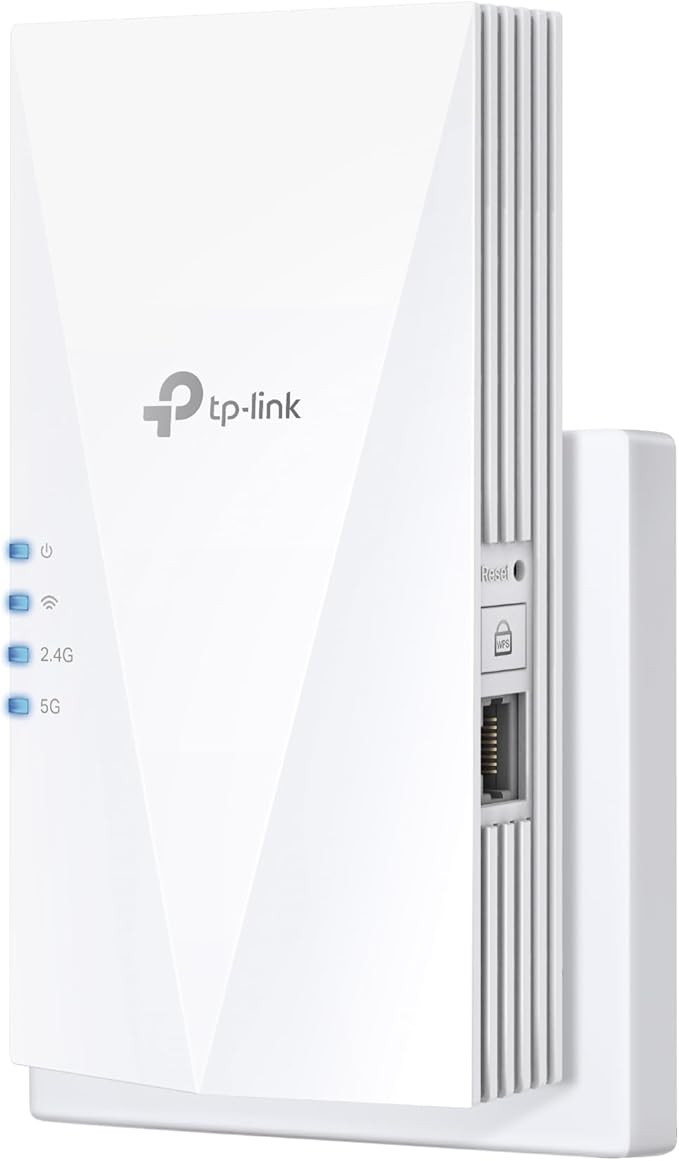
TP-Link RE205 AC750 Dual Band Wi-Fi Range Extender
Tired of WiFi dead zones in your home? The RE205 Range Extender connects to your WiFi router wirelessly, strengthening and expanding its signal into areas it can't reach on its own, while reducing signal interference to ensure reliable WiFi coverage throughout your home or office. Builtin Access Point ModeRE205 is more than a wireless range extender. Simply plug an Ethernet cable into its Ethernet port to easily turn your wired internet connection into a dualband wireless access point.
Tired of WiFi dead zones in your home? The RE205 Range Extender connects to your WiFi router wirelessly, strengthening and expanding its signal into areas it can't reach on its own, while reducing signal interference to ensure reliable WiFi coverage throughout your home or office. Builtin Access Point ModeRE205 is more than a wireless range extender. Simply plug an Ethernet cable into its Ethernet port to easily turn your wired internet connection into a dualband wireless access point.
Tired of WiFi dead zones in your home? The RE205 Range Extender connects to your WiFi router wirelessly, strengthening and expanding its signal into areas it can't reach on its own, while reducing signal interference to ensure reliable WiFi coverage throughout your home or office. Builtin Access Point ModeRE205 is more than a wireless range extender. Simply plug an Ethernet cable into its Ethernet port to easily turn your wired internet connection into a dualband wireless access point.
Tired of WiFi dead zones in your home? The RE205 Range Extender connects to your WiFi router wirelessly, strengthening and expanding its signal into areas it can't reach on its own, while reducing signal interference to ensure reliable WiFi coverage throughout your home or office. Builtin Access Point ModeRE205 is more than a wireless range extender. Simply plug an Ethernet cable into its Ethernet port to easily turn your wired internet connection into a dualband wireless access point.
in 42 offers
The lowest price for TP-Link RE205 AC750 Dual Band Wi-Fi Range Extender right now is $38.99 at microless.com, compared across 25 retailers.
The all-time low was $17.41 on 21 May 2025 — today's price is 124% above the lowest ever. It has been notably cheaper before — worth setting a price alert.
Prices last updated 5 Oct 2026.
Last updated at 05/10/2026 02:56:04
TP-Link AC750 Wi-Fi Range Extender, 750Mbps Speed, 2.4GHz Band and 5GHz Band, 7.2W Power Consumption, 100-240V-50/60Hz Input Power, WPS Button, RESET
Delivery between 9–15 Oct $33.21
Tp-link Re205 Wifi Repeater White EU Plug 220V
Delivery $19.99
TP-Link Wi-Fi Range Extender (RE205)
TP-Link AC750 Wi-Fi Range Extender (RE205)
Delivery $7.95
TP-Link RE205 AC750 Dual-Band Wi-Fi Range Extender, 2.4GHz @ 300Mbps, 5GHz @ 433Mbps for Home or Office
Delivery between Wed – Fri $10
TP-Link RE205 AC750 Wi-Fi Range Extender
Free delivery between Wed – Thu
TP-Link RE205 Wireless-AC750 Dual Band Range Extender | Best Online Computer Store
Delivery $12.10
[RE205] TP-Link | RE205 | AC750 Wi-Fi Range Extender
7-day returns
TP-Link RE205 AC750 Wi-Fi Range Extender
Delivery $16.50
TP-Link RE205 AC750 Wi-Fi Range Extender, Dual Band: 2.4GHz @ 300Mbps, 5GHz @ 433Mbps.
Delivery between Wed – Thu $12.65
originally posted on Target
I had just gotten a new smart TV and was trying to connect it to the wifi at home unfortunately the signal from the wifi did not reach my room. I bought this one because of the good ratings, it was easy to set up and get it connected to my wifi, it did eventually give me issues. I wouldve given it 5 stars if it wasnt for it always disconnecting. It worked the first 3 days and then it started giving me issues, kept disconnecting even if the wifi had excellent signal. I reset it and it worked again in the morning but then by night the issues started happening again. When I check the connection on my TV it passes all connections and gives me no issue. Not really sure what else to do other than continue to reset it each time. A little disappointed but I guess it'll have ... MoreI had just gotten a new smart TV and was trying to connect it to the wifi at home unfortunately the signal from the wifi did not reach my room. I bought this one because of the good ratings, it was easy to set up and get it connected to my wifi, it did eventually give me issues. I wouldve given it 5 stars if it wasnt for it always disconnecting. It worked the first 3 days and then it started giving me issues, kept disconnecting even if the wifi had excellent signal. I reset it and it worked again in the morning but then by night the issues started happening again. When I check the connection on my TV it passes all connections and gives me no issue. Not really sure what else to do other than continue to reset it each time. A little disappointed but I guess it'll have to do for now until I find something else that works better, if there is anything else..
originally posted on Target
I put this wifi extender in my garage because of front smart lights that were having issues keeping a strong wifi connection. This has fixed my issue and was easy to install. Some people have complained that it slows your internet down. That is not a problem with the extender, it is just science. Any extender will have slow down because ithe wifi signal is not going directly to your device anymore. Without extender, speed test showed 55mbs. With extender it was at 38 mbs. For my purposes, that is plenty fast for smart lights.
originally posted on Target
This wifi extender is great! It took about 15 minutes to set it up and link my devices that needed better signal. The instructions were super clear just take the time to go through them and make sure to move the router to a location halfway between your router and area in which you want increased speeds. I used my phone to test a good area where I was still getting decent connection and plugged it in. My router is in the downstairs living room and my bedroom needed better coverage so I plugged it in the hallway upstairs leading to my room. I’m now getting great coverage with no drops in connection! I love this little device!
| General | |
| Device Type | Wi-Fi range extender |
| Width | 7.8 cm |
| Depth | 8 cm |
| Height | 7.7 cm |
TP-Link AC750 Wi-Fi Range Extender, 750Mbps Speed, 2.4GHz Band and 5GHz Band, 7.2W Power Consumption, 100-240V-50/60Hz Input Power, WPS Button, RESET
Delivery between 9–15 Oct $33.21
Tp-link Re205 Wifi Repeater White EU Plug 220V
Delivery $19.99
TP-Link Wi-Fi Range Extender (RE205)
TP-Link AC750 Wi-Fi Range Extender (RE205)
Delivery $7.95
TP-Link RE205 AC750 Dual-Band Wi-Fi Range Extender, 2.4GHz @ 300Mbps, 5GHz @ 433Mbps for Home or Office
Delivery between Wed – Fri $10
I had just gotten a new smart TV and was trying to connect it to the wifi at home unfortunately the signal from the wifi did not reach my room. I bought this one because of the good ratings, it was easy to set up and get it connected to my wifi, it did eventually give me issues. I wouldve given it 5 stars if it wasnt for it always disconnecting. It worked the first 3 days and then it started giving me issues, kept disconnecting even if the wifi had excellent signal. I reset it and it worked again in the morning but then by night the issues started happening again. When I check the connection on my TV it passes all connections and gives me no issue. Not really sure what else to do other than continue to reset it each time. A little disappointed but I guess it'll have ... MoreI had just gotten a new smart TV and was trying to connect it to the wifi at home unfortunately the signal from the wifi did not reach my room. I bought this one because of the good ratings, it was easy to set up and get it connected to my wifi, it did eventually give me issues. I wouldve given it 5 stars if it wasnt for it always disconnecting. It worked the first 3 days and then it started giving me issues, kept disconnecting even if the wifi had excellent signal. I reset it and it worked again in the morning but then by night the issues started happening again. When I check the connection on my TV it passes all connections and gives me no issue. Not really sure what else to do other than continue to reset it each time. A little disappointed but I guess it'll have to do for now until I find something else that works better, if there is anything else..
I put this wifi extender in my garage because of front smart lights that were having issues keeping a strong wifi connection. This has fixed my issue and was easy to install. Some people have complained that it slows your internet down. That is not a problem with the extender, it is just science. Any extender will have slow down because ithe wifi signal is not going directly to your device anymore. Without extender, speed test showed 55mbs. With extender it was at 38 mbs. For my purposes, that is plenty fast for smart lights.
This wifi extender is great! It took about 15 minutes to set it up and link my devices that needed better signal. The instructions were super clear just take the time to go through them and make sure to move the router to a location halfway between your router and area in which you want increased speeds. I used my phone to test a good area where I was still getting decent connection and plugged it in. My router is in the downstairs living room and my bedroom needed better coverage so I plugged it in the hallway upstairs leading to my room. I’m now getting great coverage with no drops in connection! I love this little device!
Incredible Price for a rand extender. I had trouble linking the dual bands with my home internet system but once I figured it out everything works great. This helps me deal with a dead zone in my study which is far from the router in and upstairs bedroom closet. While my PC is hardwired to the internet this extender had improved the connections and performance of other smart phones, tablets and laptops with wireless connections.
Note: The performance of this extender depends on your home's structure, extender position, interference, etc. All I say is my personal experience, so I will not go into detail about those thing. And please keep in mind this is a cheap products, so don't compare mid/high end one to this. TLDR: Good signal reception (extender-router), Laptop to extender over ethernet give stable pings while playing LOL, FPS (but not for those who need high down/upload speed, invest in new router or AP will be much better ways) Firmware is quite boring. Need to tweak for optimal performance even it is plug & play. Good price/performance. ----------------------------------------------- Currently I am renting, which means that I can only use wifi and can do nothing with router setting. ... MoreNote: The performance of this extender depends on your home's structure, extender position, interference, etc. All I say is my personal experience, so I will not go into detail about those thing. And please keep in mind this is a cheap products, so don't compare mid/high end one to this. TLDR: Good signal reception (extender-router), Laptop to extender over ethernet give stable pings while playing LOL, FPS (but not for those who need high down/upload speed, invest in new router or AP will be much better ways) Firmware is quite boring. Need to tweak for optimal performance even it is plug & play. Good price/performance. ----------------------------------------------- Currently I am renting, which means that I can only use wifi and can do nothing with router setting. The area I live in has quite a lot of rental homes, so the number of wifi networks is over 30 when measured in the room - where I place RE210 (this home already has 5 different networks) I bought it because the signal from router that I receive is quite weak (using Asus GL553 - AC7265, Asus zenfone 3 (QC625)). I lost connection frequently before I bought this device. Even when it stabilizes, Ping spikes repeatedly when I play games like LOL (less demanding in stable ping), and FPS (very demanding in stable ping) Now everything is fine, what I need is a stable ping, but I did not expect the speed would be good like this. Note that I use ethernet to connect my laptop, and wifi to my phone. Summary Pros: Good signal reception (router-extender) (better than AC7265 and what is intergrated in QC625) No Internet drop Have a gigabit port, what I asked for when buying an extender ($ 29 when I bought it) Compact Easy setting for basic users There is only one version (if you know what I mean) Cool (no worry about random reset, etc - @ambient room temp about 65*F, or about 18*C) Cons: Customization ability is not high. (No AP mode, etc) Coverage is weak (but I do not care because it still covers my room well (about 15 square meter)) Not for users who need high down/upload speed ~Now about speed~ I don't know about this house's Internet plan (Comcast), but the speed I get when I place my laptop near the router is around 300mbps (using 5GHZ). And now I get 50mbps in the room through my laptop and 30 through the phone. Before buying this extender, it was only about 20mbps for both. That is enough for my personal need. Keep in mind that there are at least 15 connected devices at any given time in this house (do not ask why I know: lol:) ~About the ability to customize~ Since this is a product of the old generation as well as cheap, the ability to customize it is very low: can't change wifi password, no AP mode, not adjustment for the signal magnitude, etc. But there is something weird when I reload the settings page of the extender, sometimes it lag and display settings that this extender doesn't have (like the above two, for example), but of course I can change nothing. Thus, I think this feature is hidden in the firmware, even the device is able to do that. ~Some more note~ Change extender setting to high speed mode, choose what's best to you through benchmark. Concurrent mode (default) will give you lots of trouble. Will not worry about firmware, drivers, temp, etc like the usb wireless adapter (even high end one will encounter this problem). I don't understand why people always always tell me stay away for router duo to its horrible latency, but this experience give me much different view. Finally, the review is just my personal opinion, the decision is yours. And my Laptop always connect using Ethernet. So I don’t know about what will happen over wifi. But there is no problem during PUBG time on my phone
This will work in a pinch if you don't require a lot of performance. But for my needs there were two big drawbacks. 1. It doesn't switch locally - That means that 2 devices connected to the extender, via wireless or Ethernet, don't talk to each other directly through the extender. The extender sends the packets back to the main router first. This really reduces the throughput of local transfers. If you're copying files from your phone to your PC in the same room as the extender, they're going to be a lot slower than you would expect. 2. Ethernet is only 10/100. Really? In 2021 we're still withholding gigabit Ethernet as a premium feature for higher product tiers? For the non-technical people: this means that even if you have a really fast internet connection, ... MoreThis will work in a pinch if you don't require a lot of performance. But for my needs there were two big drawbacks. 1. It doesn't switch locally - That means that 2 devices connected to the extender, via wireless or Ethernet, don't talk to each other directly through the extender. The extender sends the packets back to the main router first. This really reduces the throughput of local transfers. If you're copying files from your phone to your PC in the same room as the extender, they're going to be a lot slower than you would expect. 2. Ethernet is only 10/100. Really? In 2021 we're still withholding gigabit Ethernet as a premium feature for higher product tiers? For the non-technical people: this means that even if you have a really fast internet connection, anything connected to the Ethernet port is going to max out at 100Mbps or less.
Incredible is the best word I can find for this TP Link extender. This product went beyond any of my expectations after setting it up. Setting this extender up is pretty easy if you can “read between the lines” as some of the instructions are not really that clear and seem to forget some steps. I initially downloaded the app from the play store and tried setting up the extender from that. I could not connect to the TP Link wireless on my phone. I then tried connecting though the WPS button on my router, and still no luck. At some point when I was about ready to give up, I pressed the WPS button on the router and then looked at the app that I had installed. Waiting right there was the rest of the set up. Basically, it asks for your router password and if you want to ... MoreIncredible is the best word I can find for this TP Link extender. This product went beyond any of my expectations after setting it up. Setting this extender up is pretty easy if you can “read between the lines” as some of the instructions are not really that clear and seem to forget some steps. I initially downloaded the app from the play store and tried setting up the extender from that. I could not connect to the TP Link wireless on my phone. I then tried connecting though the WPS button on my router, and still no luck. At some point when I was about ready to give up, I pressed the WPS button on the router and then looked at the app that I had installed. Waiting right there was the rest of the set up. Basically, it asks for your router password and if you want to change the name of the TP Link wireless signal. I wish I had looked at the app to begin with after pressing the WPS button. After getting it set up I took the extender out to my patio and plugged it in. It picked up the signal from both signals from my dual band router. I switched to just the wireless signal from the router and started walking out from my patio to see how far the signal would go. I didn’t get but about 20 more feet away, and the signal was very weak. At that point, I switched to the TP Link wireless signal and had full wireless signal. I walked completely out to the alley which is about 75 feet from my house, and into the neighbors back yard before I even started to get a degraded signal. I never lost the signal completely, but I didn’t want to walk into my neighbor’s house either! I realize that being able to use this outside with no walls or wires to interfere with the signal might not be a fair test for inside a house, but for me, it performed exactly how I wanted. I want to be able to listen to online music while gardening or mowing the lawn, and with the extender, I can easily access my wireless signal. I would not hesitate to recommend this fantastic product to help extend a wireless signal.
This line of TP-Link devices has made it so that someone with zero network ability can get connected in a matter of minutes. Accompanied with the Tether App, setup is a breeze. I can give any copier I service the wireless print ability in a matter of minutes. This is huge for my customers. I highly recommend this device for any person that needs networking functionality, but can't afford the expense of an IT company to run new lines, or don't have the room to shuffle office furniture.
The RE205 Wi-Fi extender brought a stronger signal to my daughter's Echo Dot. Her Echo Dot is in her basement room, which has three concrete walls. The WiFi signal from my main router must pass through multiple metal air ducts, the main electrical ingress into the house, bathroom pipes, and one floor, before it gets to her room with the three rebar-filled concrete walls. Before this, her signal was iffy and Alexa would often complain of not being able to connect to the Internet. After setup, I plugged-in the RE205 on the shared wall in the adjoining room, and now her Echo Dot has great signal. I have periodically logged into the RE205 and it receives the 5 GHz signal from the main router, showing 5 bars of signal and re-transmits it as 2.4 GHz WiFi to the Echo ... MoreThe RE205 Wi-Fi extender brought a stronger signal to my daughter's Echo Dot. Her Echo Dot is in her basement room, which has three concrete walls. The WiFi signal from my main router must pass through multiple metal air ducts, the main electrical ingress into the house, bathroom pipes, and one floor, before it gets to her room with the three rebar-filled concrete walls. Before this, her signal was iffy and Alexa would often complain of not being able to connect to the Internet. After setup, I plugged-in the RE205 on the shared wall in the adjoining room, and now her Echo Dot has great signal. I have periodically logged into the RE205 and it receives the 5 GHz signal from the main router, showing 5 bars of signal and re-transmits it as 2.4 GHz WiFi to the Echo Dot.The RE205 was easy to set up and indicates how many bars of signal it receives. It is also configurable to receive 2.4 GHz and transmit using 5 GHz or vice-versa, or transmit on both frequencies. It can also convert the WiFi network signal to Ethernet signal on a cable from the bottom jack.What's more, a large online retailer did not have this readily available (or if it did, it was a few days for shipping), and Office Depot/OfficeMax had this available right now for pick-up!
I had a WiFi deadspot in the back of the home on the second floor, which is about 30 ft away from my router which is downstairs toward the front of the house.Adding this WiFi extended added acceptable connectivity in that deadspot and the setup was very easy. Took me less than five minutes to get it set up and then another 10 minutes trying different power outlets to position it well for maximum bandwidth.Definitely worth the price. Good product.
| General | |
| Device Type | Wi-Fi range extender |
| Width | 7.8 cm |
| Depth | 8 cm |
| Height | 7.7 cm |