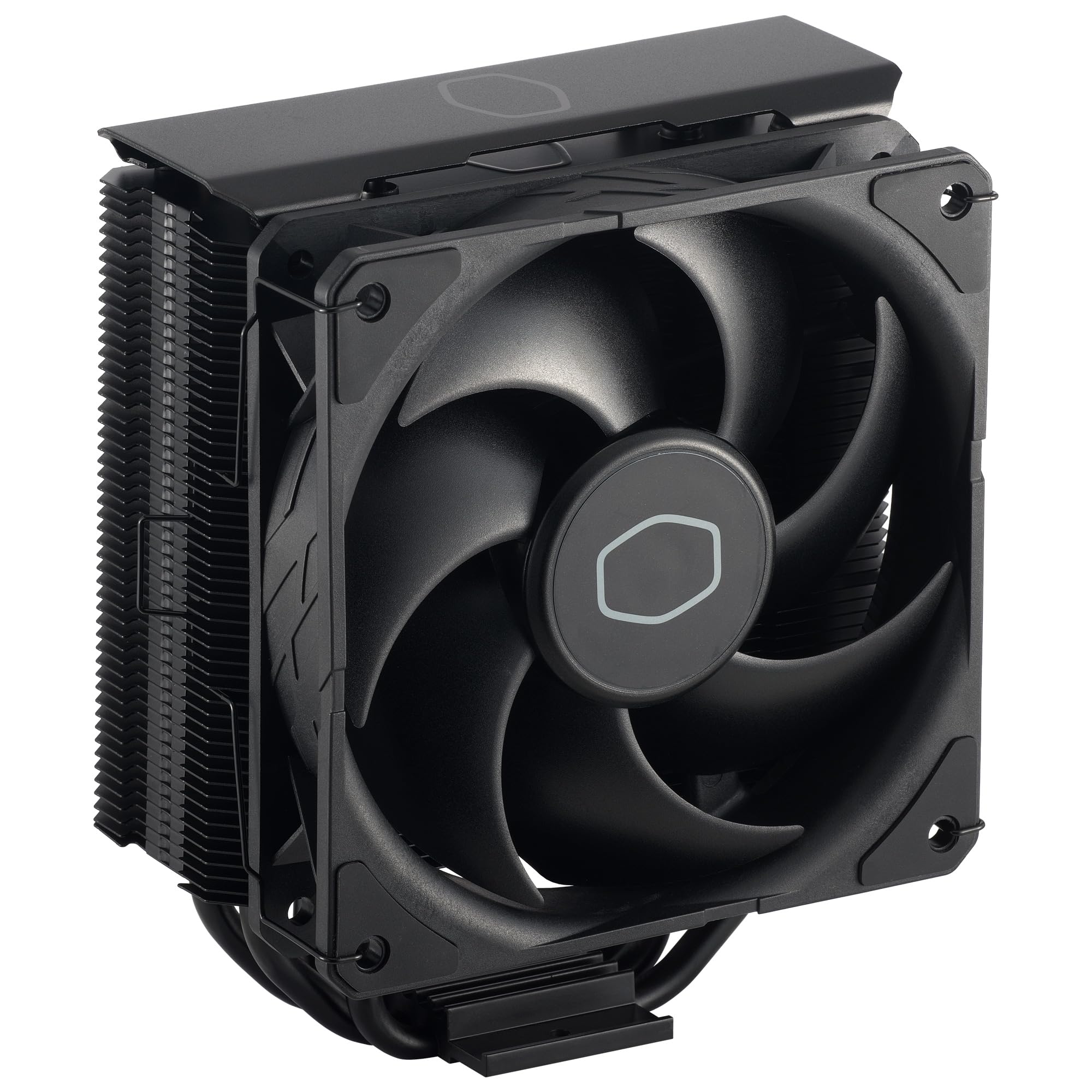
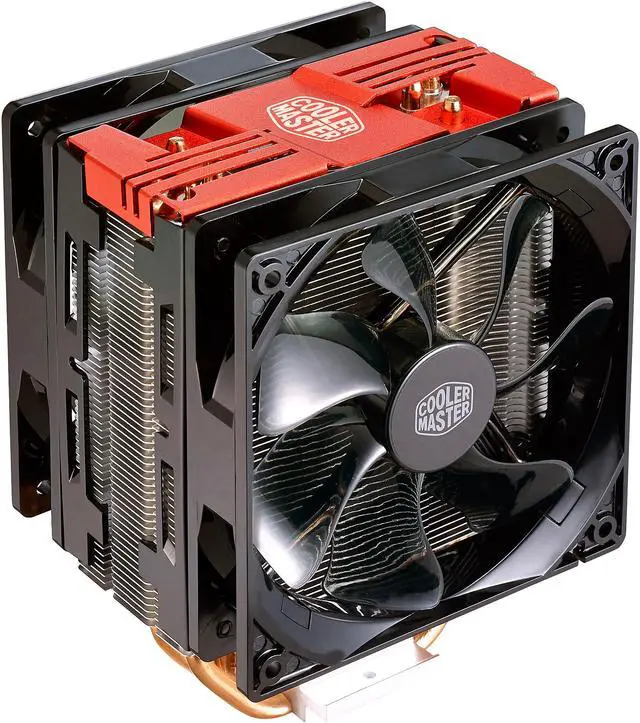
Cooler Master Hyper 212 Black Edition CPU Cooler
Cooler Master Hyper 212 Black Edition CPU Air Cooler
Cooler Master Hyper 212 Black Edition CPU Air Cooler
Cooler Master Hyper 212 Black Edition CPU Air Cooler
Cooler Master Hyper 212 Black Edition CPU Air Cooler
in 6 offers
The lowest price for Cooler Master Hyper 212 Black Edition CPU Cooler right now is $45.00 at Centre Com, compared across 6 retailers.
The all-time low was $9.00 on 12 Oct 2023 — today's price is 400% above the lowest ever. It has been notably cheaper before — worth setting a price alert.
Prices last updated 24 Oct 2026.
Last updated at 24/10/2026 05:19:26
Cooler Master Hyper 212 Black CPU Air Cooler
Delivery between Tue – Fri $19.98
Cooler Master Hyper 212 Black CPU Air Cooler - 120mm High Performance PWM Fan, 4 Copper Heat Pipes, Aluminum Top Cover, Low Noise & Easy Installation,
Delivery $83
Hyper 212 Black CPU Air Cooler - Aluminium Finish, 4 Compact Continuous Direct Contact Heat Pipes, SickleFlow 120 Edge Fan, LGA1700 & AM5 Brackets - B
Free delivery between 3–6 Nov
Cooler Master Hyper 212 Black CPU Air Cooler, 4 Heat Pipes, PWM Fan
Delivery between 28 Oct – 1 Nov $41
Cooler Master Hyper 212 Black Lga1700 Am4 Am5 Cpu [ Rr S4 Kk 25 Sn R1 ]
Free delivery between 3–6 Nov
Hyper 212 Black CPU Air Cooler, 4 Heat Pipes, PWM Fan
Delivery between 30 Oct – 2 Nov $29
originally posted on bestbuy.com
Stay a while and listen....So in early 2018 I bought a CyperPowerPC system from BestBuy.com picked up at my local Best Buy brick and mortar store for my son. That system was equipped with a Ryzen 5 1400. Fast Forward to 2021 and except for the case, motherboard and internal cabling, I have pretty much replaced every other component in this thing. Not that anything failed, just upgrades for better performance.So in mid 2019, I swapped out the original Ryzen 5 1400 CPU for a Ryzen 5 2600. The first gen Ryzen 1000 CPU's did not ship with a stock cooler from AMD so my assumption is that the Cooler Master branded cooler in this system used by CyberPowerPC was the equivalent of what is the Wraith Spire that is included in the Ryzen 2000 and Ryzen 3000 series mid tier ... MoreStay a while and listen....So in early 2018 I bought a CyperPowerPC system from BestBuy.com picked up at my local Best Buy brick and mortar store for my son. That system was equipped with a Ryzen 5 1400. Fast Forward to 2021 and except for the case, motherboard and internal cabling, I have pretty much replaced every other component in this thing. Not that anything failed, just upgrades for better performance.So in mid 2019, I swapped out the original Ryzen 5 1400 CPU for a Ryzen 5 2600. The first gen Ryzen 1000 CPU's did not ship with a stock cooler from AMD so my assumption is that the Cooler Master branded cooler in this system used by CyberPowerPC was the equivalent of what is the Wraith Spire that is included in the Ryzen 2000 and Ryzen 3000 series mid tier CPU's. Matter of fact, I upgraded from the Ryzen 5 1400 to the Ryzen 5 2600 and re used the included Cooler Master cooler. I even bought a tube of premium Thermaltake heat sink compound from the same brick and mortal Best Buy I picked up this machine from. Since Ryzen 5 2600 and Ryzen 5 1400 are both TDP 65W CPU's I figured the same cooling solution should work and it did.Now again here in 2021, I upgraded my PC from a Ryzen 9 3900X to a Ryzen 9 5950X and I figured I would once again pass a CPU down to my son in the aforementioned PC. So the 3900X is a 105W TDP and I knew the existing Cooler Master cooler would not work. So after some research, it looks like the Hyper 212 BE is rated for 150W TDP CPU's.So I replaced the Ryzen 5 2600 with the Ryzen 3900X in his PC. I then used the Hyper 212 BE as the new cooler.So my son's CyberPowerPC from Best Buy had a rebranded Cooler Master Masterbox 5 and the motherboard they used was a MSI Bazooka B350M micro ATX board. Yep, let's put a 3900X on an entry level B350 board.So assembling the Hyper 212 BE was not bad. The biggest gripe I had was getting the plastic clips they include for their new backplate to go onto their backplate. I watched several videos of how to assemble the Hyper 212 BE on Youtube so I felt good going into this upgrade. The packed in instructions are good and well marked from a documentation perspective but the commentary and videos on Youtube made me feel more confident.Nevertheless, I struggled to get their clips onto their backplate.Also, the clips that hold the included 120mm fan onto the tower heatsink are a bit touchy. This unit comes with the fan already mounted to the tower but you have to remove it to get clearance to attach the appropriate brackets for your CPU socket to the cooler and also have adequate leverage to get a screw driver to come straight down onto the scrws that secure the cooler tower to the backplate.Mounting the backplate to the motherboard was not a problem and also attaching the tower to the backplate and screwing it down tightly was a decent experience. Unlike the stock AMD clip method that just sucks and I think requires too much pressure to mount a cooler, Once I applied my thermal compound and lined up the tower onto the backplate and started the criss cross pattern to screw this down, once it was all tightened up, it swas solid secure and mounted well.Firing up the system post upgrade, everything works well. Temps are higher than I would like but they are within stock. Again, i am running a 3900X up from a 2600 on a B350 micro ATX board.I did disable PBO in the bios and I do not have any overlclocks applied. Temps according to the MSI Command Center bounce between high 30's to mid 50s C while idling. If I use something like CPU-Z to stress the CPU, I do see that it can get up around 83C under a full 24 thread load.My son basically plays games so a full stress test does not represent a realistic work load so take this with a grain of salt. Also, I am not a professional. The fact the PC still runs after its 3rd CPU is amazing.My son probably sits on his PC too much as it is but he has not complained about anything. To him, the PC still pretty much feels like it did when it was on the 1400 CPU. Which is a good thing.Time will tell if this will fry his VRMs. Looks like there are 4 of them on ths particular board. I did see videos on Youtube of folks trying 3900X in B350 boards as a proof of concept. I think Hot Hardware said that if you shut off PBO and don't overclock, that things do get warm but stay within spec. Of course they were using the included Wraith Prism that come withthe 3900X however, I do not have one of those as my machine came with an AIO closed loop 120mm cooler so that is why I grabbed the Hyper 212 BE.Maybe the Prism would be better since it is a downward cooler. Again time will tell.Anyway, this thing is really nice looking when mounted in his PC case. Sorry to not include a picture.I would recommend this unit. Overall, it seems good quality. Hopefully, I did not do my son a dis service and bite off more than his motherboard can handle.
originally posted on bestbuy.com
Okay, this CPU cooler is awesome. I'll preface this by saying I've messed around with computers for something like 30 years, but I've never actually bought a CPU cooler. The first few computers didn't even have CPU coolers!Anyway, I've used stock coolers on at least five desktops, and they were generally fine. The two main desktops have AIOs, and they're fantastic. I recently upgraded the server with a used enterprise Sunmicro board and a Core i7 4770S. It came with a tiny low profile Dynatron T450 CPU cooler and fan, which was not even adequate for idle, so never went to low RPM. Under load, the CPU temperature would immediately shoot up well past 70C and continue climbing. As soon as I installed the Hyper 212 Black Edition, I loaded the CPU for max power and ... MoreOkay, this CPU cooler is awesome. I'll preface this by saying I've messed around with computers for something like 30 years, but I've never actually bought a CPU cooler. The first few computers didn't even have CPU coolers!Anyway, I've used stock coolers on at least five desktops, and they were generally fine. The two main desktops have AIOs, and they're fantastic. I recently upgraded the server with a used enterprise Sunmicro board and a Core i7 4770S. It came with a tiny low profile Dynatron T450 CPU cooler and fan, which was not even adequate for idle, so never went to low RPM. Under load, the CPU temperature would immediately shoot up well past 70C and continue climbing. As soon as I installed the Hyper 212 Black Edition, I loaded the CPU for max power and heat with prime95, and in 10 minutes, the CPU never went above 66C and never got anywhere near close to throttling. Great results!Additional: Packaging is great. Build quality is great. I think it's silent, but I can't hear the CPU cooler at all over the chassis fans anyway, since they're 3-pin and run at max speed. 4-pin PWM fans are next for upgrade.The Hyper 212 line has long been recognized as the best budget enthusiast cooler on the market. I'm impressed and can only agree!
originally posted on newegg.com
I've loved the Hyper 212's for probably 15 years. They've never let me down til now. I have two complaints that make this sink infuriating: * Previous 212's had plastic clips that bolted onto the fan and then clipped onto the sink. That worked well. Now they have metal clips. These do not attach securely to the fan so to get them on, you have to somehow hold them in the right position on the fan and then clip them to the sink. This is an exercise in frustration. It's particularly difficult when the sink is in the case. I hate hate hate this change. * Rather than having separate clips for AMD vs Intel 1200 vs Intel 2600, they have a single pair of clips with a slot that the bolts go through. It is way too easy for the bolts to slip from on setting to another, and ... MoreI've loved the Hyper 212's for probably 15 years. They've never let me down til now. I have two complaints that make this sink infuriating: * Previous 212's had plastic clips that bolted onto the fan and then clipped onto the sink. That worked well. Now they have metal clips. These do not attach securely to the fan so to get them on, you have to somehow hold them in the right position on the fan and then clip them to the sink. This is an exercise in frustration. It's particularly difficult when the sink is in the case. I hate hate hate this change. * Rather than having separate clips for AMD vs Intel 1200 vs Intel 2600, they have a single pair of clips with a slot that the bolts go through. It is way too easy for the bolts to slip from on setting to another, and it's way to hard to determine whether they have done so. So I never felt confident that the sink was seated properly. I never had this issue with the older 212's.
| General | |
| Product Type | Processor cooler |
| Width | 7.96 cm |
| Depth | 12 cm |
| Height | 15.88 cm |
Cooler Master Hyper 212 Black CPU Air Cooler
Delivery between Tue – Fri $19.98
Cooler Master Hyper 212 Black CPU Air Cooler - 120mm High Performance PWM Fan, 4 Copper Heat Pipes, Aluminum Top Cover, Low Noise & Easy Installation,
Delivery $83
Hyper 212 Black CPU Air Cooler - Aluminium Finish, 4 Compact Continuous Direct Contact Heat Pipes, SickleFlow 120 Edge Fan, LGA1700 & AM5 Brackets - B
Free delivery between 3–6 Nov
Cooler Master Hyper 212 Black CPU Air Cooler, 4 Heat Pipes, PWM Fan
Delivery between 28 Oct – 1 Nov $41
Cooler Master Hyper 212 Black Lga1700 Am4 Am5 Cpu [ Rr S4 Kk 25 Sn R1 ]
Free delivery between 3–6 Nov
Stay a while and listen....So in early 2018 I bought a CyperPowerPC system from BestBuy.com picked up at my local Best Buy brick and mortar store for my son. That system was equipped with a Ryzen 5 1400. Fast Forward to 2021 and except for the case, motherboard and internal cabling, I have pretty much replaced every other component in this thing. Not that anything failed, just upgrades for better performance.So in mid 2019, I swapped out the original Ryzen 5 1400 CPU for a Ryzen 5 2600. The first gen Ryzen 1000 CPU's did not ship with a stock cooler from AMD so my assumption is that the Cooler Master branded cooler in this system used by CyberPowerPC was the equivalent of what is the Wraith Spire that is included in the Ryzen 2000 and Ryzen 3000 series mid tier ... MoreStay a while and listen....So in early 2018 I bought a CyperPowerPC system from BestBuy.com picked up at my local Best Buy brick and mortar store for my son. That system was equipped with a Ryzen 5 1400. Fast Forward to 2021 and except for the case, motherboard and internal cabling, I have pretty much replaced every other component in this thing. Not that anything failed, just upgrades for better performance.So in mid 2019, I swapped out the original Ryzen 5 1400 CPU for a Ryzen 5 2600. The first gen Ryzen 1000 CPU's did not ship with a stock cooler from AMD so my assumption is that the Cooler Master branded cooler in this system used by CyberPowerPC was the equivalent of what is the Wraith Spire that is included in the Ryzen 2000 and Ryzen 3000 series mid tier CPU's. Matter of fact, I upgraded from the Ryzen 5 1400 to the Ryzen 5 2600 and re used the included Cooler Master cooler. I even bought a tube of premium Thermaltake heat sink compound from the same brick and mortal Best Buy I picked up this machine from. Since Ryzen 5 2600 and Ryzen 5 1400 are both TDP 65W CPU's I figured the same cooling solution should work and it did.Now again here in 2021, I upgraded my PC from a Ryzen 9 3900X to a Ryzen 9 5950X and I figured I would once again pass a CPU down to my son in the aforementioned PC. So the 3900X is a 105W TDP and I knew the existing Cooler Master cooler would not work. So after some research, it looks like the Hyper 212 BE is rated for 150W TDP CPU's.So I replaced the Ryzen 5 2600 with the Ryzen 3900X in his PC. I then used the Hyper 212 BE as the new cooler.So my son's CyberPowerPC from Best Buy had a rebranded Cooler Master Masterbox 5 and the motherboard they used was a MSI Bazooka B350M micro ATX board. Yep, let's put a 3900X on an entry level B350 board.So assembling the Hyper 212 BE was not bad. The biggest gripe I had was getting the plastic clips they include for their new backplate to go onto their backplate. I watched several videos of how to assemble the Hyper 212 BE on Youtube so I felt good going into this upgrade. The packed in instructions are good and well marked from a documentation perspective but the commentary and videos on Youtube made me feel more confident.Nevertheless, I struggled to get their clips onto their backplate.Also, the clips that hold the included 120mm fan onto the tower heatsink are a bit touchy. This unit comes with the fan already mounted to the tower but you have to remove it to get clearance to attach the appropriate brackets for your CPU socket to the cooler and also have adequate leverage to get a screw driver to come straight down onto the scrws that secure the cooler tower to the backplate.Mounting the backplate to the motherboard was not a problem and also attaching the tower to the backplate and screwing it down tightly was a decent experience. Unlike the stock AMD clip method that just sucks and I think requires too much pressure to mount a cooler, Once I applied my thermal compound and lined up the tower onto the backplate and started the criss cross pattern to screw this down, once it was all tightened up, it swas solid secure and mounted well.Firing up the system post upgrade, everything works well. Temps are higher than I would like but they are within stock. Again, i am running a 3900X up from a 2600 on a B350 micro ATX board.I did disable PBO in the bios and I do not have any overlclocks applied. Temps according to the MSI Command Center bounce between high 30's to mid 50s C while idling. If I use something like CPU-Z to stress the CPU, I do see that it can get up around 83C under a full 24 thread load.My son basically plays games so a full stress test does not represent a realistic work load so take this with a grain of salt. Also, I am not a professional. The fact the PC still runs after its 3rd CPU is amazing.My son probably sits on his PC too much as it is but he has not complained about anything. To him, the PC still pretty much feels like it did when it was on the 1400 CPU. Which is a good thing.Time will tell if this will fry his VRMs. Looks like there are 4 of them on ths particular board. I did see videos on Youtube of folks trying 3900X in B350 boards as a proof of concept. I think Hot Hardware said that if you shut off PBO and don't overclock, that things do get warm but stay within spec. Of course they were using the included Wraith Prism that come withthe 3900X however, I do not have one of those as my machine came with an AIO closed loop 120mm cooler so that is why I grabbed the Hyper 212 BE.Maybe the Prism would be better since it is a downward cooler. Again time will tell.Anyway, this thing is really nice looking when mounted in his PC case. Sorry to not include a picture.I would recommend this unit. Overall, it seems good quality. Hopefully, I did not do my son a dis service and bite off more than his motherboard can handle.
Okay, this CPU cooler is awesome. I'll preface this by saying I've messed around with computers for something like 30 years, but I've never actually bought a CPU cooler. The first few computers didn't even have CPU coolers!Anyway, I've used stock coolers on at least five desktops, and they were generally fine. The two main desktops have AIOs, and they're fantastic. I recently upgraded the server with a used enterprise Sunmicro board and a Core i7 4770S. It came with a tiny low profile Dynatron T450 CPU cooler and fan, which was not even adequate for idle, so never went to low RPM. Under load, the CPU temperature would immediately shoot up well past 70C and continue climbing. As soon as I installed the Hyper 212 Black Edition, I loaded the CPU for max power and ... MoreOkay, this CPU cooler is awesome. I'll preface this by saying I've messed around with computers for something like 30 years, but I've never actually bought a CPU cooler. The first few computers didn't even have CPU coolers!Anyway, I've used stock coolers on at least five desktops, and they were generally fine. The two main desktops have AIOs, and they're fantastic. I recently upgraded the server with a used enterprise Sunmicro board and a Core i7 4770S. It came with a tiny low profile Dynatron T450 CPU cooler and fan, which was not even adequate for idle, so never went to low RPM. Under load, the CPU temperature would immediately shoot up well past 70C and continue climbing. As soon as I installed the Hyper 212 Black Edition, I loaded the CPU for max power and heat with prime95, and in 10 minutes, the CPU never went above 66C and never got anywhere near close to throttling. Great results!Additional: Packaging is great. Build quality is great. I think it's silent, but I can't hear the CPU cooler at all over the chassis fans anyway, since they're 3-pin and run at max speed. 4-pin PWM fans are next for upgrade.The Hyper 212 line has long been recognized as the best budget enthusiast cooler on the market. I'm impressed and can only agree!
I've loved the Hyper 212's for probably 15 years. They've never let me down til now. I have two complaints that make this sink infuriating: * Previous 212's had plastic clips that bolted onto the fan and then clipped onto the sink. That worked well. Now they have metal clips. These do not attach securely to the fan so to get them on, you have to somehow hold them in the right position on the fan and then clip them to the sink. This is an exercise in frustration. It's particularly difficult when the sink is in the case. I hate hate hate this change. * Rather than having separate clips for AMD vs Intel 1200 vs Intel 2600, they have a single pair of clips with a slot that the bolts go through. It is way too easy for the bolts to slip from on setting to another, and ... MoreI've loved the Hyper 212's for probably 15 years. They've never let me down til now. I have two complaints that make this sink infuriating: * Previous 212's had plastic clips that bolted onto the fan and then clipped onto the sink. That worked well. Now they have metal clips. These do not attach securely to the fan so to get them on, you have to somehow hold them in the right position on the fan and then clip them to the sink. This is an exercise in frustration. It's particularly difficult when the sink is in the case. I hate hate hate this change. * Rather than having separate clips for AMD vs Intel 1200 vs Intel 2600, they have a single pair of clips with a slot that the bolts go through. It is way too easy for the bolts to slip from on setting to another, and it's way to hard to determine whether they have done so. So I never felt confident that the sink was seated properly. I never had this issue with the older 212's.
My OEM CPU fan was dying and causing overheating issues so I needed a quick replacement. I was a little hesitant to get this one since it was significantly bigger than the original fan, but I've never had trouble with Cooler Master stuff before and I do game a lot, so it was worth getting in the end.I have an MSI B450M Bazooka with an AMD Ryzen 5 2600. This came with all the necessary pieces to install, plus a small tube of thermal paste, which was nice. It was pretty easy to install. I did have to remove my GPU to get the bottom fan bracket on, but that was no problem. The brackets that hold the fan in place had me a little wary at first since they didn't seem super secure, but once I get them on there they were plenty snug. It also comes with extra items in case ... MoreMy OEM CPU fan was dying and causing overheating issues so I needed a quick replacement. I was a little hesitant to get this one since it was significantly bigger than the original fan, but I've never had trouble with Cooler Master stuff before and I do game a lot, so it was worth getting in the end.I have an MSI B450M Bazooka with an AMD Ryzen 5 2600. This came with all the necessary pieces to install, plus a small tube of thermal paste, which was nice. It was pretty easy to install. I did have to remove my GPU to get the bottom fan bracket on, but that was no problem. The brackets that hold the fan in place had me a little wary at first since they didn't seem super secure, but once I get them on there they were plenty snug. It also comes with extra items in case you want to attach a second fan.This fan is incredibly quiet, even when I'm running intensive games. It also keeps my PC much cooler than my old fan. Even though this was kind of an emergency purchase, overall I'm very pleased with it, and it was an inexpensive upgrade from my original fan. I'd definitely recommend it if you're looking to replace your original fan and looking for a middle ground upgrade.
Pros: Option of adding an addition fan. Thermo paste, does what it was designed to doOverall Review: Taking into account the size, be prepared to have to remove the fan. That is, if you intend on populating slot A1. A quick workaround would be placing the fan on the opposite side of the heatsink. This configuration will pull air through the heatsink, as opposed to pushing the air through the heatsink. Motherboard: Asus H570. Another option would be to purchase low profile memory modules.Best Buy's Specifications: Little to be desired. No mention of sockets this product will fit. I don't know about you, but I do not like playing the guessing game.Intel LGA 2066 / 2011-v3 / 2011 / 1700 / 1366 / 1200 / 1156 / 1155 / 1151 / 1150AMD Socket AM4 / AM3+ / AM3 / AM2+ ... MorePros: Option of adding an addition fan. Thermo paste, does what it was designed to doOverall Review: Taking into account the size, be prepared to have to remove the fan. That is, if you intend on populating slot A1. A quick workaround would be placing the fan on the opposite side of the heatsink. This configuration will pull air through the heatsink, as opposed to pushing the air through the heatsink. Motherboard: Asus H570. Another option would be to purchase low profile memory modules.Best Buy's Specifications: Little to be desired. No mention of sockets this product will fit. I don't know about you, but I do not like playing the guessing game.Intel LGA 2066 / 2011-v3 / 2011 / 1700 / 1366 / 1200 / 1156 / 1155 / 1151 / 1150AMD Socket AM4 / AM3+ / AM3 / AM2+ / AM2 / FM2+ / FM2 / FM1
Does what it is meant to do, installation will not kill you. And its a really good price? You can do much worse than this cooler. Did I mention it comes in black? Maybe I seem like I am really into this, but I try to keep a color scheme in my builds and I can't be the only one. Haven't overclocked yet, but I might come edit this when I do with results. I imagine it's going to go well though, based on other reviews. But that mounting system, ew. Its better than some, but making it install more like, say, that particular brown cooler we mentioned earlier *cough*noctua*cough* would really make it a five star experience. I recently installed one of those other coolers, so the experience is pretty fresh in my mind, and was undeniably superior. Cooler Master, no one likes ... MoreDoes what it is meant to do, installation will not kill you. And its a really good price? You can do much worse than this cooler. Did I mention it comes in black? Maybe I seem like I am really into this, but I try to keep a color scheme in my builds and I can't be the only one. Haven't overclocked yet, but I might come edit this when I do with results. I imagine it's going to go well though, based on other reviews. But that mounting system, ew. Its better than some, but making it install more like, say, that particular brown cooler we mentioned earlier *cough*noctua*cough* would really make it a five star experience. I recently installed one of those other coolers, so the experience is pretty fresh in my mind, and was undeniably superior. Cooler Master, no one likes annoying cooler mounting, and saying its intuitive does not make it. Fix it so I can give this gorgeous, quality thing the review it deserves, huh? For the price, no one is even close, the only other stuff I can get this cheap tends to be trash, or no review coolers from questionable overseas sellers. Relevant specs for reference: CPU is an AMD RYZEN 5 3600 (So AM4 socket. If you are intel I have no idea how your install will go) RAM is two 8GB sticks of G.SKILL Ripjaws V Series DDR4 SDRAM, in black.
I've pretty much used Cooler Master HSF's exclusively for as long as I've known of them (around 20ish years). My previous System used an Hyper N520 which performed reliably for 10 years. So It was a no brainer to go with the evolutionary design for my new 10700K. While the Hyper 212 is highly compatible with numerous sockets, it requires a whole bunch of various and small component parts which are both a little confusing to assemble, and not to mention easy to damage or lose if you're not careful. What I really don't like about this thing though, is the metal fan clips. It comes with one fan preinstalled, which you do need to remove to put the socket mounting parts on. it was a little annoying getting it lined back up right before installing it into the case, but ... MoreI've pretty much used Cooler Master HSF's exclusively for as long as I've known of them (around 20ish years). My previous System used an Hyper N520 which performed reliably for 10 years. So It was a no brainer to go with the evolutionary design for my new 10700K. While the Hyper 212 is highly compatible with numerous sockets, it requires a whole bunch of various and small component parts which are both a little confusing to assemble, and not to mention easy to damage or lose if you're not careful. What I really don't like about this thing though, is the metal fan clips. It comes with one fan preinstalled, which you do need to remove to put the socket mounting parts on. it was a little annoying getting it lined back up right before installing it into the case, but then adding/replacing fans once inside the case proved to be very, very annoying (Esp because I have huge hands). I replaced the stock fan with 2 Bgears b-PWM's (Red and Blue), and getting the clips to fit snugly was just....a trial in frustration, to put it mildly. They just wouldn't fit snugly till I made a couple of bends (outward, not inward). I didn't break out the micrometer, but while they are both standard 25mm total width, this is likely a result of slightly different design Dimensions between the Silencio Fan it came with and the BGears b-PWM's I installed in it's place which are much higher max flow rate (110CFM), but also seem to be more lightly constructed. This is NOT a negative on the Silencio fan at all, it's just that airflow capacity was more of a priority for my needs then silence (My system has sound matting installed inside to deaden the roar from the 3X140MM&1X4X120MM b-Blaster intake & exhaust fans. Yes, they are massive overkill, but for my needs it's calculated overkill. You'll just have to trust me on this trhough, because this is about the Hyper 212, not my "ode to excess" of a PC). Given a choice, I would have preferred to more b-Blasters to the Hyper 212, but they are 38mm wide, and just wouldn't fit between it and both the memory DIMM's or the VRM heatsink on the Asus Z-590 Prime board I'm using. So the b-PWM seemed like my next best option, but other brand/model's of fans may not run into the same problem I did. It depends on the exact manufactured dimensions. The good and bad news about the metal clips is that they only seem to be used on the 212 BE, while the RGB BE and other versions of it use plastic clips that screw into the fan instead. You COULD replace them with the plastic ones, which are listed on CM's webstore, but always seem to be out of stock, and can't be gotten anywhere else. Why they even use the metal clips on this model I can only conjecture (Cost savings, probably), but I suppose you could figure another way to rig them in using Wire tires or maybe even fashioning your own metal clips, or even printing your own plastic ones if you have the ability to do that. But that's probably something everyone will need to figure out for themselves.
On the positive side, the instructions were pretty clear, and I was pretty amazed by how they engineered a product that can work for several different CPUs with a few parts. Unfortunately, neither of the two sets of brackets they include allow the screws reach my motherboard - without replacing my existing backplate with the one they provided.The screws on heat sink do not reach the motherboard screw-holes. If they did, the entire project would take me 10-20 minutes. Instead, this is at perhaps an hour long project if you know you’re doing and have all parts and solvents. That’s right, installation may require chemistry.For my Alienware X51 R2, I would have to disassemble the entire computer, remove the motherboard, then use solvents to dissolve the glue holding ... MoreOn the positive side, the instructions were pretty clear, and I was pretty amazed by how they engineered a product that can work for several different CPUs with a few parts. Unfortunately, neither of the two sets of brackets they include allow the screws reach my motherboard - without replacing my existing backplate with the one they provided.The screws on heat sink do not reach the motherboard screw-holes. If they did, the entire project would take me 10-20 minutes. Instead, this is at perhaps an hour long project if you know you’re doing and have all parts and solvents. That’s right, installation may require chemistry.For my Alienware X51 R2, I would have to disassemble the entire computer, remove the motherboard, then use solvents to dissolve the glue holding the existing backplate to the motherboard, before finally being able to attach the new backplate and then reassemble the entire thing and, finally, do what I wish I could have done from the start - install the new heat sink.Perhaps this is standard for most fans and computers and I’m being unfair. Clearly, this fan wasn’t designed for this low-profile computer, but I leave my side panel off anyway. I still don’t see why anyone would want to go through replacing their backplate, though. If those screws reached my backplate, I imagine I’d have left a five star review an hour or two ago.
I was building a new desktop using Intel i7-12700k processor so wanted to make sure I provided adequate cooling. Did not want to fool with liquid based coolers. This works well keeping unit cool, but it is very tall so make sure your case has enough room for it to fit. Also could impact memory slot access/usage. I have 2 16GB DIMM so not using the slot closest to cooler.It can be used for Intel or AMD boards so there are several pieces provided to accomplish this. Was pretty easy to determine what I needed to use. Fan was a tad difficult to install one unit was connected to board but finally got it seated. So I would recommend.
After installation my CPU temps dropped overall around 10C. The fan is a bit difficult to install if you don't have much room in your build. The heatsink has a usual installation, the fan is held on to the heatsink with a couple of metal prongs. Overall the quality is just ok but it works well with a proper installation. Some of these models come with 2 fans to surround the heatsink, this model comes with one.
| General | |
| Product Type | Processor cooler |
| Width | 7.96 cm |
| Depth | 12 cm |
| Height | 15.88 cm |