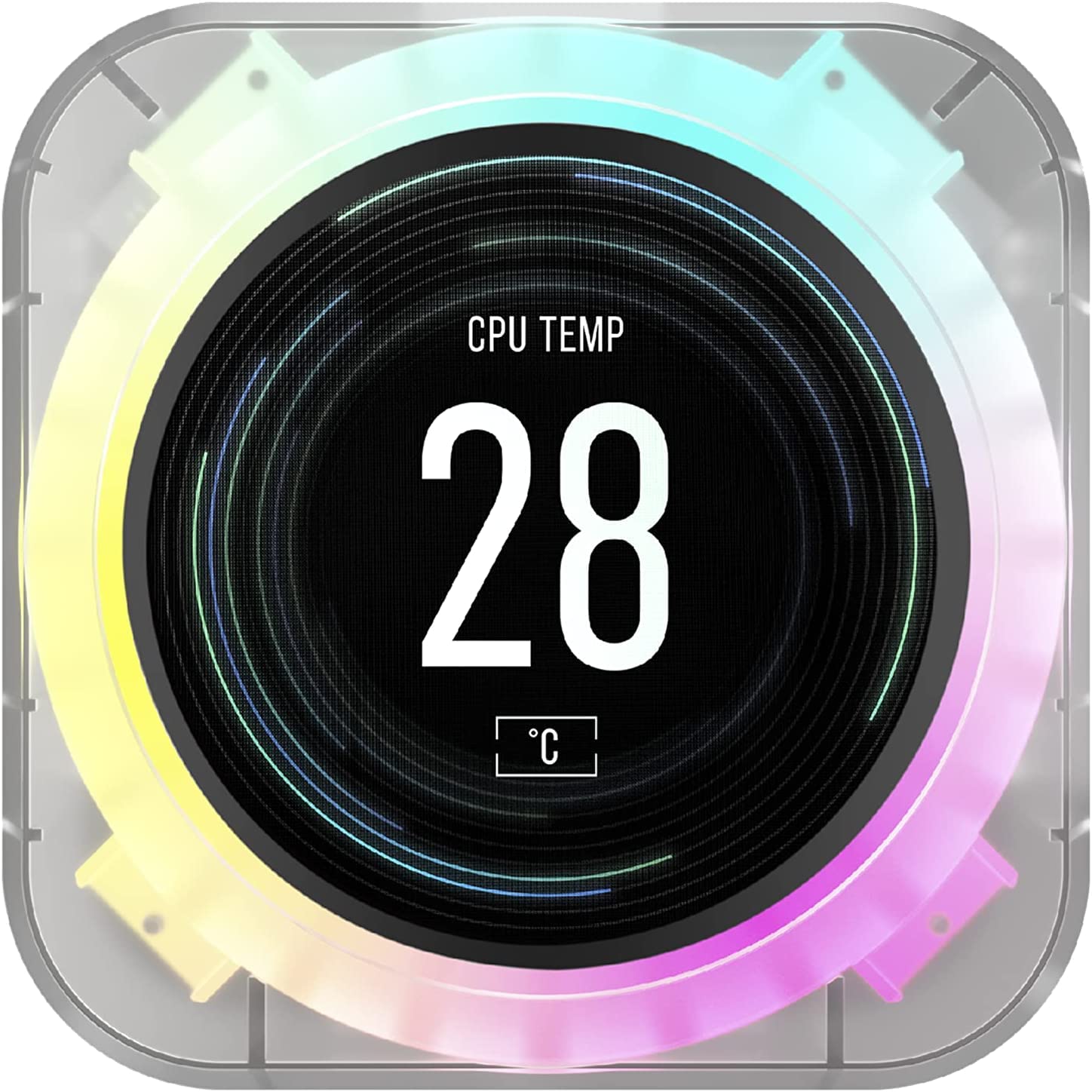
Corsair iCUE H170i Elite 420mm LCD Display Liquid CPU Cooler
The Corsair iCUE H170i Elite liquid cooler cools your high-end PC effectively and highly individually. The integrated LCD display can show GIFs, images or system information as desired. Three state-of-the-art Corsair ML140 RGB Elite PWM fans with speed control from 400 to 1,600 rpm cool even the most demanding PC builds extremely quietly, while 48 RGB LEDs create dynamic lighting effects. With the included Corsair iCUE Commander Core and powerful Corsair iCUE software, you can synchronise RGB lighting for up to six fans, control fan speed or enable Zero RPM mode. With a massive 420 mm radiator and a thermally optimised copper cooling plate, the H170i Elite LCD, which can be easily installed on the CPU holders, skilfully sets off your CPU cooling.
The Corsair iCUE H170i Elite liquid cooler cools your high-end PC effectively and highly individually. The integrated LCD display can show GIFs, images or system information as desired. Three state-of-the-art Corsair ML140 RGB Elite PWM fans with speed control from 400 to 1,600 rpm cool even the most demanding PC builds extremely quietly, while 48 RGB LEDs create dynamic lighting effects. With the included Corsair iCUE Commander Core and powerful Corsair iCUE software, you can synchronise RGB lighting for up to six fans, control fan speed or enable Zero RPM mode. With a massive 420 mm radiator and a thermally optimised copper cooling plate, the H170i Elite LCD, which can be easily installed on the CPU holders, skilfully sets off your CPU cooling.
The Corsair iCUE H170i Elite liquid cooler cools your high-end PC effectively and highly individually. The integrated LCD display can show GIFs, images or system information as desired. Three state-of-the-art Corsair ML140 RGB Elite PWM fans with speed control from 400 to 1,600 rpm cool even the most demanding PC builds extremely quietly, while 48 RGB LEDs create dynamic lighting effects. With the included Corsair iCUE Commander Core and powerful Corsair iCUE software, you can synchronise RGB lighting for up to six fans, control fan speed or enable Zero RPM mode. With a massive 420 mm radiator and a thermally optimised copper cooling plate, the H170i Elite LCD, which can be easily installed on the CPU holders, skilfully sets off your CPU cooling.
The Corsair iCUE H170i Elite liquid cooler cools your high-end PC effectively and highly individually. The integrated LCD display can show GIFs, images or system information as desired. Three state-of-the-art Corsair ML140 RGB Elite PWM fans with speed control from 400 to 1,600 rpm cool even the most demanding PC builds extremely quietly, while 48 RGB LEDs create dynamic lighting effects. With the included Corsair iCUE Commander Core and powerful Corsair iCUE software, you can synchronise RGB lighting for up to six fans, control fan speed or enable Zero RPM mode. With a massive 420 mm radiator and a thermally optimised copper cooling plate, the H170i Elite LCD, which can be easily installed on the CPU holders, skilfully sets off your CPU cooling.
in 6 offers
The lowest price for Corsair iCUE H170i Elite 420mm LCD Display Liquid CPU Cooler right now is $459.00 at PCByte AU, compared across 6 retailers.
The all-time low was $263.00 on 7 Feb 2025 — today's price is 75% above the lowest ever. It has been notably cheaper before — worth setting a price alert.
Prices last updated 10 Oct 2026.
Last updated at 10/10/2026 14:49:08
Corsair iCUE H170i Elite 420mm LCD Display AIO Liquid CPU Cooler (CW-9060063-WW)
Corsair iCUE H170i Elite 420mm LCD Display AIO Liquid CPU Cooler (CW-9060063-WW)
30-day returns
Corsair iCUE H170i Elite 420mm LCD Display AIO Liquid CPU Cooler (CW-9060063-WW)
30-day returns
Corsair H170i Elite LCD, 420mm, LCD IPS Display, High Performance Pump, and RGB LED. Zero RPM, Commander Core, 1700 and TRX4, CPU Liquid Cooler
Corsair iCUE H170i ELITE 420mm RGB AIO Liquid CPU Cooler with LCD - Black
Delivery $11.99
Corsair iCUE H170i Elite LCD XT Liquid CPU Cooler - IPS LCD Screen - Three AF140 RGB Elite Fans - 420mm Radiator - Fits Intel LGA 1700, AMD AM5, and M
Delivery between 16–19 Oct $29
originally posted on pbtech.co.nz
Bought the H170i to cool my i9-13900KS manages to keep it well under control while gaming (~50°C) as you would expect with a 420mm radiator.These processors run hot and nothing will cool them under maximum load, so still thermal throttles if hit with a full load render.LCD screen is a nice to have touch.Be careful taking out of the plastic wrap packaging, I knocked the cover off my thermal paste, but was ok.
originally posted on microcenter.com
There is only 1 thing holding back a 5 star rating for this cooler.The simple fact that Corsair can't seem to get their you-know-what together and put out a version of the iCue software that can flip the screen over for people that have to install the pump upside down.Why this continues to NOT be something Corsair addresses, I have absolutely NO idea.*taps mic* "Hello? Corsair? The 3 main drivers of your sales are 1: Amazon, 2: Newegg, and 3: Microcenter. Tell me I'm wrong. Why would you not address this issue? Why wasn't this fixed MONTHS ago. There was a software update for this released just a few days ago, STILL no "flip the screen" option.WHY?!?Now, if you base this on performance alone, this thing is a winner, hands down. I have it installed on an ... MoreThere is only 1 thing holding back a 5 star rating for this cooler.The simple fact that Corsair can't seem to get their you-know-what together and put out a version of the iCue software that can flip the screen over for people that have to install the pump upside down.Why this continues to NOT be something Corsair addresses, I have absolutely NO idea.*taps mic* "Hello? Corsair? The 3 main drivers of your sales are 1: Amazon, 2: Newegg, and 3: Microcenter. Tell me I'm wrong. Why would you not address this issue? Why wasn't this fixed MONTHS ago. There was a software update for this released just a few days ago, STILL no "flip the screen" option.WHY?!?Now, if you base this on performance alone, this thing is a winner, hands down. I have it installed on an Asrock Z690 Steel Legend DDR4 board, cooling an i7 12700kf. I don't think I've ever seen the temps go over 33c, honestly. Cooling performance is out of this world, even with the stock thermal paste, which I eventually intend to replace. So I can't fault this on its performance.Oh, and mine never came with an installation manual. It's not my first rodeo, nor my first water cooler install, so I got it figured out. But newbies might be scratchin their heads if they don't get a manual. Make sure yours includes one.So, the performance is outstanding. But equally outstanding is their, frankly, refusal to update the software to flip the screen. Just...why?Suggestion to Corsair? Either FIX THE SOFTWARE, or make it OPEN SOURCE and give it to the COMMUNITY to fix. Either way, not addressing this issue PROMPTLY (read: IMMEDIATELY, it's a FLAGSHIP PRODUCT) is really dumb from a business standpoint as well as a customer service standpoint.Get it together, Corsair.
originally posted on microcenter.com
The Corsair does exactly what it's supposed to do.
| General | |
| Product Type | Processor liquid cooling system |
| Product Material | Aluminium, rubber, copper |
| Package Content | Y-type USB power cable, mounting screws, thermal compound, RGB controller |
| Weight | 1.45 kg |
Corsair iCUE H170i Elite 420mm LCD Display AIO Liquid CPU Cooler (CW-9060063-WW)
Corsair iCUE H170i Elite 420mm LCD Display AIO Liquid CPU Cooler (CW-9060063-WW)
30-day returns
Corsair iCUE H170i Elite 420mm LCD Display AIO Liquid CPU Cooler (CW-9060063-WW)
30-day returns
Corsair H170i Elite LCD, 420mm, LCD IPS Display, High Performance Pump, and RGB LED. Zero RPM, Commander Core, 1700 and TRX4, CPU Liquid Cooler
Corsair iCUE H170i ELITE 420mm RGB AIO Liquid CPU Cooler with LCD - Black
Delivery $11.99
Bought the H170i to cool my i9-13900KS manages to keep it well under control while gaming (~50°C) as you would expect with a 420mm radiator.These processors run hot and nothing will cool them under maximum load, so still thermal throttles if hit with a full load render.LCD screen is a nice to have touch.Be careful taking out of the plastic wrap packaging, I knocked the cover off my thermal paste, but was ok.
There is only 1 thing holding back a 5 star rating for this cooler.The simple fact that Corsair can't seem to get their you-know-what together and put out a version of the iCue software that can flip the screen over for people that have to install the pump upside down.Why this continues to NOT be something Corsair addresses, I have absolutely NO idea.*taps mic* "Hello? Corsair? The 3 main drivers of your sales are 1: Amazon, 2: Newegg, and 3: Microcenter. Tell me I'm wrong. Why would you not address this issue? Why wasn't this fixed MONTHS ago. There was a software update for this released just a few days ago, STILL no "flip the screen" option.WHY?!?Now, if you base this on performance alone, this thing is a winner, hands down. I have it installed on an ... MoreThere is only 1 thing holding back a 5 star rating for this cooler.The simple fact that Corsair can't seem to get their you-know-what together and put out a version of the iCue software that can flip the screen over for people that have to install the pump upside down.Why this continues to NOT be something Corsair addresses, I have absolutely NO idea.*taps mic* "Hello? Corsair? The 3 main drivers of your sales are 1: Amazon, 2: Newegg, and 3: Microcenter. Tell me I'm wrong. Why would you not address this issue? Why wasn't this fixed MONTHS ago. There was a software update for this released just a few days ago, STILL no "flip the screen" option.WHY?!?Now, if you base this on performance alone, this thing is a winner, hands down. I have it installed on an Asrock Z690 Steel Legend DDR4 board, cooling an i7 12700kf. I don't think I've ever seen the temps go over 33c, honestly. Cooling performance is out of this world, even with the stock thermal paste, which I eventually intend to replace. So I can't fault this on its performance.Oh, and mine never came with an installation manual. It's not my first rodeo, nor my first water cooler install, so I got it figured out. But newbies might be scratchin their heads if they don't get a manual. Make sure yours includes one.So, the performance is outstanding. But equally outstanding is their, frankly, refusal to update the software to flip the screen. Just...why?Suggestion to Corsair? Either FIX THE SOFTWARE, or make it OPEN SOURCE and give it to the COMMUNITY to fix. Either way, not addressing this issue PROMPTLY (read: IMMEDIATELY, it's a FLAGSHIP PRODUCT) is really dumb from a business standpoint as well as a customer service standpoint.Get it together, Corsair.
The Corsair does exactly what it's supposed to do.
Geart cooler cools my 13900k at best doesn’t go over 70c Definitely recommend this one
I was suprised that a 420mm AIO was on the shelf at microcenter. I just upgraded to a 31900k and my temps playing games hardly get above 40 C. I wish the tubes were a little longer because they are up against my memory.
Same trouble with LCD as 100s of other users, tried every guide from the manufacturer, nonstop worked, returning it.
Holy moly, i was afraid this wasn't going to fit the Phanteks Evolve X case, but it fits like a glove. Idle temps on 13700k floats around 28-31C and goes up to 45-55C when gaming at 5600Hz clocks. Havent tried OC yet. Lcd screen can be touchy but when it works it's pretty nice.Icue software is a little complicated and could use a more intuitive interface but after fiddling around youll get it to do whatchu want.Lots of cables. 2 from each fan. 2 USB plugs, one SATA power. Overall its performing so we will wait to see how long it will last.
It's good! It's sleek and great looking. With that said, the cable connecting the LCD to the controller has proven to be quite cheap and causes issues. Temps are good, nothing exceptional but not bad either. Fans are quite quiet most of the time, too! All in all, I'd say get the H170i Capellix instead—nearly the same exact thing except for different fans and no LCD screen. I am not unhappy with this purchase, but I'm not exactly full of joy either.
Top quality cpu cooler!!!
This product has amazing cooling and a very clean LCD display. I use it with my 12gen intel chip and it keeps it under 65 degrees at maximum load.
| General | |
| Product Type | Processor liquid cooling system |
| Product Material | Aluminium, rubber, copper |
| Package Content | Y-type USB power cable, mounting screws, thermal compound, RGB controller |
| Weight | 1.45 kg |