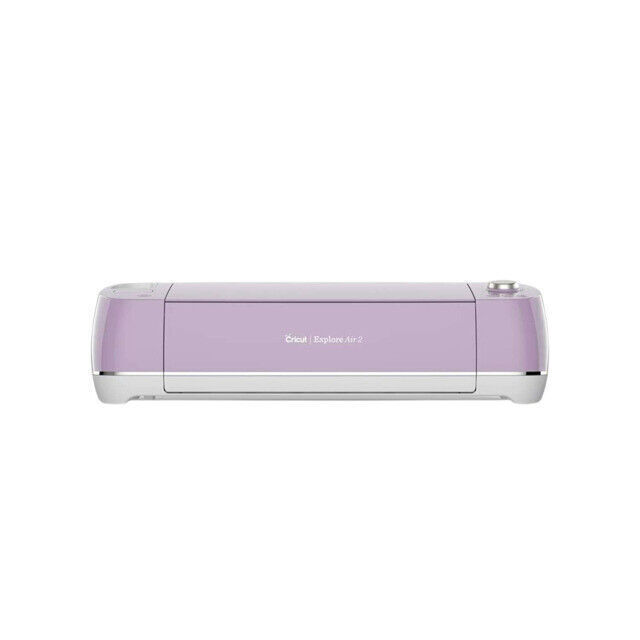
Cricut Explore Air 2 Mint Machine Lilac
Cut and write up to 2X faster than previous Cricut Explore models with this DIY speed machine. The Cricut Explore Air 2 cuts over 100 materials - everything from cardstock, vinyl and iron-on to specialty materials like glitter paper, cork, and bonded fabric. Quickly. Beautifully. From cards to custom T-shirts to home decor, Cricut makes it easy to realize your creative vision. Design on the go on your laptop, iPad or iPhone. Browse and play with thousands of images, fonts, and ready-to-make projects. Or create your own design from scratch.
Cut and write up to 2X faster than previous Cricut Explore models with this DIY speed machine. The Cricut Explore Air 2 cuts over 100 materials - everything from cardstock, vinyl and iron-on to specialty materials like glitter paper, cork, and bonded fabric. Quickly. Beautifully. From cards to custom T-shirts to home decor, Cricut makes it easy to realize your creative vision. Design on the go on your laptop, iPad or iPhone. Browse and play with thousands of images, fonts, and ready-to-make projects. Or create your own design from scratch.
Cut and write up to 2X faster than previous Cricut Explore models with this DIY speed machine. The Cricut Explore Air 2 cuts over 100 materials - everything from cardstock, vinyl and iron-on to specialty materials like glitter paper, cork, and bonded fabric. Quickly. Beautifully. From cards to custom T-shirts to home decor, Cricut makes it easy to realize your creative vision. Design on the go on your laptop, iPad or iPhone. Browse and play with thousands of images, fonts, and ready-to-make projects. Or create your own design from scratch.
Cut and write up to 2X faster than previous Cricut Explore models with this DIY speed machine. The Cricut Explore Air 2 cuts over 100 materials - everything from cardstock, vinyl and iron-on to specialty materials like glitter paper, cork, and bonded fabric. Quickly. Beautifully. From cards to custom T-shirts to home decor, Cricut makes it easy to realize your creative vision. Design on the go on your laptop, iPad or iPhone. Browse and play with thousands of images, fonts, and ready-to-make projects. Or create your own design from scratch.
in 4 offers
The lowest price for Cricut Explore Air 2 Mint Machine Lilac right now is $235.28 at eBay.com.au, compared across 3 retailers.
The all-time low was $164.00 on 26 Dec 2023 — today's price is 43% above the lowest ever. It has been notably cheaper before — worth setting a price alert.
Prices last updated 25 Sept 2026.
Last updated at 25/09/2026 03:38:51
Cricut 2006515 Explore Air 2 Cutting Machine - Lilac
Affiliate Disclosure: We may receive a small commission for purchases made through this link at no extra cost to you. This helps support our site. Thank you!
Brand NEW cricut explore air 2
Affiliate Disclosure: We may receive a small commission for purchases made through this link at no extra cost to you. This helps support our site. Thank you!
Cricut Explore Air 2 Cxpl202 Purple Printer
Delivery $22.45
Cricut Explore Air 2 Machine-Lilac -2006515
Delivery between 29 Sept – 3 Oct $41
originally posted on bestbuy.com
The Cricut Explore Air 2 in mint is a versatile and user-friendly cutting machine that is perfect for a variety of DIY projects. This machine features a sleek design and comes in a beautiful mint color, making it a stylish addition to any crafting space.One of the standout features of the Cricut Explore Air 2 is its ability to cut a wide range of materials, including vinyl, paper, cardstock, and even leather. This makes it an excellent tool for a variety of crafting projects, from creating custom decals and stickers to designing personalized gifts and home decor items.The Explore Air 2 also features Bluetooth connectivity, allowing you to connect the machine to your computer or mobile device wirelessly. This makes it easy to design and upload your own images and ... MoreThe Cricut Explore Air 2 in mint is a versatile and user-friendly cutting machine that is perfect for a variety of DIY projects. This machine features a sleek design and comes in a beautiful mint color, making it a stylish addition to any crafting space.One of the standout features of the Cricut Explore Air 2 is its ability to cut a wide range of materials, including vinyl, paper, cardstock, and even leather. This makes it an excellent tool for a variety of crafting projects, from creating custom decals and stickers to designing personalized gifts and home decor items.The Explore Air 2 also features Bluetooth connectivity, allowing you to connect the machine to your computer or mobile device wirelessly. This makes it easy to design and upload your own images and projects using Cricut's design software, which is both intuitive and user-friendly.In addition to its cutting capabilities, the Explore Air 2 also has a dual carriage system, which allows you to cut and write or score in one step. This saves time and makes it easier to create complex designs and projects.One potential downside to the Explore Air 2 is that it can be loud when in use, which may be a consideration for those who prefer a quieter crafting experience. Additionally, the machine can be somewhat expensive, particularly when combined with the cost of materials and accessories.Overall, the Cricut Explore Air 2 in mint is an excellent cutting machine for crafters of all levels. Its versatility, ease of use, and range of features make it a valuable addition to any crafting space, and its stylish design adds a touch of beauty to your work area.
originally posted on cricut.com
I use this machine for my business. Over the last two months, this machine has caused so much stress trying to use the PRINT THEN CUT feature. It can never read the registration marks and so I tried everyones hack of highlighting the marks. That helps 30% of the time. Calling Cricut is no help because they just tell you to recalibrate, which of course I have already done multiple times. I shouldn't have to put a blanket over the machine, highlight the marks, stand on my head, and go grey just to cut one sheet on a machine that was made to do this. Worst thing is that they acknowledge this ongoing issue and all they can offer is $50 off of a new machine. Why would I buy a new machine when I know they don't work? I have already wasted $500 in materials and time on ... MoreI use this machine for my business. Over the last two months, this machine has caused so much stress trying to use the PRINT THEN CUT feature. It can never read the registration marks and so I tried everyones hack of highlighting the marks. That helps 30% of the time. Calling Cricut is no help because they just tell you to recalibrate, which of course I have already done multiple times. I shouldn't have to put a blanket over the machine, highlight the marks, stand on my head, and go grey just to cut one sheet on a machine that was made to do this. Worst thing is that they acknowledge this ongoing issue and all they can offer is $50 off of a new machine. Why would I buy a new machine when I know they don't work? I have already wasted $500 in materials and time on this. I really enjoyed this machine when it worked and am sad to have to switch to a competing brand.
originally posted on Google
Being the first and only vinyl cutting machine that I've ever used I can't make comparisons to any other machines. That said, I am beyond impressed and satisfied with my Cricut explore air 2! I use design space along with inkscape to design ,import, and then cut my own airbrush stencils. I use from .3 - .8 mill thickness blank mylar sheets and my explore air 2 handles this task with precision and ease. I also cut designs from adhesive vinyl for paint masking and most recently started using htv vinyl in cutting designs to heat press onto tshirts and hoodies. I use my air 2 machine almost every day over the past 10 months and i haven't experienced any mechanical issues or design flaws. The machine itself is heavier than I thought it would be but to me the weight is ... MoreBeing the first and only vinyl cutting machine that I've ever used I can't make comparisons to any other machines. That said, I am beyond impressed and satisfied with my Cricut explore air 2! I use design space along with inkscape to design ,import, and then cut my own airbrush stencils. I use from .3 - .8 mill thickness blank mylar sheets and my explore air 2 handles this task with precision and ease. I also cut designs from adhesive vinyl for paint masking and most recently started using htv vinyl in cutting designs to heat press onto tshirts and hoodies. I use my air 2 machine almost every day over the past 10 months and i haven't experienced any mechanical issues or design flaws. The machine itself is heavier than I thought it would be but to me the weight is a sign of quality parts and prolonged longevity of use , it's not made of cheap wimpy plastic parts which I think is great. Cricut design space is fairly simple to use and learn, even for an old schooler like myself who can barley figure out how to turn a computer on/off! it was easy to learn and it also has a good number of adjustable functions and editing tools. The only problems I've personally experienced have had nothing to do with the machine itself, but within the design space app. Issues such as design space Frequnetly crashing and freezing to random issues with imported downloaded fonts which work sometimes and other times they do not. Along with at times design space being Verry slow to process actions. Though some of those problems may likley be enhanced some by the fact my desktop pc is relatively outdated. I would be shocked if any other cutting machine within a comparable price point would out feature or outperform this cricut explore air 2. I'd also bet that you wouldn't find another machine within +/-$100 price point that would out do this air 2 machine.The cricut explore air 2 is simply a solid, all around great machine filled with many useful features and with a very reasonable price tag the cricut explore air 2 is most definitely worth checking out!
| Assembly required | No |
| Style | Machine |
Cricut 2006515 Explore Air 2 Cutting Machine - Lilac
Affiliate Disclosure: We may receive a small commission for purchases made through this link at no extra cost to you. This helps support our site. Thank you!
Brand NEW cricut explore air 2
Affiliate Disclosure: We may receive a small commission for purchases made through this link at no extra cost to you. This helps support our site. Thank you!
Cricut Explore Air 2 Cxpl202 Purple Printer
Delivery $22.45
Cricut Explore Air 2 Machine-Lilac -2006515
Delivery between 29 Sept – 3 Oct $41
The Cricut Explore Air 2 in mint is a versatile and user-friendly cutting machine that is perfect for a variety of DIY projects. This machine features a sleek design and comes in a beautiful mint color, making it a stylish addition to any crafting space.One of the standout features of the Cricut Explore Air 2 is its ability to cut a wide range of materials, including vinyl, paper, cardstock, and even leather. This makes it an excellent tool for a variety of crafting projects, from creating custom decals and stickers to designing personalized gifts and home decor items.The Explore Air 2 also features Bluetooth connectivity, allowing you to connect the machine to your computer or mobile device wirelessly. This makes it easy to design and upload your own images and ... MoreThe Cricut Explore Air 2 in mint is a versatile and user-friendly cutting machine that is perfect for a variety of DIY projects. This machine features a sleek design and comes in a beautiful mint color, making it a stylish addition to any crafting space.One of the standout features of the Cricut Explore Air 2 is its ability to cut a wide range of materials, including vinyl, paper, cardstock, and even leather. This makes it an excellent tool for a variety of crafting projects, from creating custom decals and stickers to designing personalized gifts and home decor items.The Explore Air 2 also features Bluetooth connectivity, allowing you to connect the machine to your computer or mobile device wirelessly. This makes it easy to design and upload your own images and projects using Cricut's design software, which is both intuitive and user-friendly.In addition to its cutting capabilities, the Explore Air 2 also has a dual carriage system, which allows you to cut and write or score in one step. This saves time and makes it easier to create complex designs and projects.One potential downside to the Explore Air 2 is that it can be loud when in use, which may be a consideration for those who prefer a quieter crafting experience. Additionally, the machine can be somewhat expensive, particularly when combined with the cost of materials and accessories.Overall, the Cricut Explore Air 2 in mint is an excellent cutting machine for crafters of all levels. Its versatility, ease of use, and range of features make it a valuable addition to any crafting space, and its stylish design adds a touch of beauty to your work area.
I use this machine for my business. Over the last two months, this machine has caused so much stress trying to use the PRINT THEN CUT feature. It can never read the registration marks and so I tried everyones hack of highlighting the marks. That helps 30% of the time. Calling Cricut is no help because they just tell you to recalibrate, which of course I have already done multiple times. I shouldn't have to put a blanket over the machine, highlight the marks, stand on my head, and go grey just to cut one sheet on a machine that was made to do this. Worst thing is that they acknowledge this ongoing issue and all they can offer is $50 off of a new machine. Why would I buy a new machine when I know they don't work? I have already wasted $500 in materials and time on ... MoreI use this machine for my business. Over the last two months, this machine has caused so much stress trying to use the PRINT THEN CUT feature. It can never read the registration marks and so I tried everyones hack of highlighting the marks. That helps 30% of the time. Calling Cricut is no help because they just tell you to recalibrate, which of course I have already done multiple times. I shouldn't have to put a blanket over the machine, highlight the marks, stand on my head, and go grey just to cut one sheet on a machine that was made to do this. Worst thing is that they acknowledge this ongoing issue and all they can offer is $50 off of a new machine. Why would I buy a new machine when I know they don't work? I have already wasted $500 in materials and time on this. I really enjoyed this machine when it worked and am sad to have to switch to a competing brand.
Being the first and only vinyl cutting machine that I've ever used I can't make comparisons to any other machines. That said, I am beyond impressed and satisfied with my Cricut explore air 2! I use design space along with inkscape to design ,import, and then cut my own airbrush stencils. I use from .3 - .8 mill thickness blank mylar sheets and my explore air 2 handles this task with precision and ease. I also cut designs from adhesive vinyl for paint masking and most recently started using htv vinyl in cutting designs to heat press onto tshirts and hoodies. I use my air 2 machine almost every day over the past 10 months and i haven't experienced any mechanical issues or design flaws. The machine itself is heavier than I thought it would be but to me the weight is ... MoreBeing the first and only vinyl cutting machine that I've ever used I can't make comparisons to any other machines. That said, I am beyond impressed and satisfied with my Cricut explore air 2! I use design space along with inkscape to design ,import, and then cut my own airbrush stencils. I use from .3 - .8 mill thickness blank mylar sheets and my explore air 2 handles this task with precision and ease. I also cut designs from adhesive vinyl for paint masking and most recently started using htv vinyl in cutting designs to heat press onto tshirts and hoodies. I use my air 2 machine almost every day over the past 10 months and i haven't experienced any mechanical issues or design flaws. The machine itself is heavier than I thought it would be but to me the weight is a sign of quality parts and prolonged longevity of use , it's not made of cheap wimpy plastic parts which I think is great. Cricut design space is fairly simple to use and learn, even for an old schooler like myself who can barley figure out how to turn a computer on/off! it was easy to learn and it also has a good number of adjustable functions and editing tools. The only problems I've personally experienced have had nothing to do with the machine itself, but within the design space app. Issues such as design space Frequnetly crashing and freezing to random issues with imported downloaded fonts which work sometimes and other times they do not. Along with at times design space being Verry slow to process actions. Though some of those problems may likley be enhanced some by the fact my desktop pc is relatively outdated. I would be shocked if any other cutting machine within a comparable price point would out feature or outperform this cricut explore air 2. I'd also bet that you wouldn't find another machine within +/-$100 price point that would out do this air 2 machine.The cricut explore air 2 is simply a solid, all around great machine filled with many useful features and with a very reasonable price tag the cricut explore air 2 is most definitely worth checking out!
Hello, I purchased this machine in hopes to expand my creative side however since opening the machine it's been giving me problems. It doesn't cut through card stock paper, the power button constantly blinks red, etc. I have taken the blade out and purchased new blades and the problem remains the same. I have reached out to Cricut and was told they would send me a new one and deactivate this one. However, I've received emails from the company stating me to send videos of proof in which I have and still no resolution to my problem. I am now unsure about what to do because the chat isn't helpful, calling and speaking to a representative isn't helpful, and communicating via email isn't helpful too. I don't have the receipt to return to Walmart however I do have the ... MoreHello, I purchased this machine in hopes to expand my creative side however since opening the machine it's been giving me problems. It doesn't cut through card stock paper, the power button constantly blinks red, etc. I have taken the blade out and purchased new blades and the problem remains the same. I have reached out to Cricut and was told they would send me a new one and deactivate this one. However, I've received emails from the company stating me to send videos of proof in which I have and still no resolution to my problem. I am now unsure about what to do because the chat isn't helpful, calling and speaking to a representative isn't helpful, and communicating via email isn't helpful too. I don't have the receipt to return to Walmart however I do have the original box it came in with the Walmart sticker. If there is a positive solution I'm all ears. I just want the product to work so I can do crafts I love to do! Any recommendations and feedback is welcomed!
I use my Cricut for my business, where I need to accurately cut images that are imported into design space. It took me almost a week to get it set up to be cutting properly, just constant alignment issues. But I eventually got it working, and it accurately cuts maybe 50% of the time. It will just be slightly off most of the time for no apparent reason, and it really decreases the quality of my product.Today, it just randomly started cutting everything about 2mm off. I've tried literally everything to fix it. Uninstalling Design Space, updating firmware, cleaning sensor, and about 50 Calibrations (which by the way the calibration sheet in design space isn't accurate and you need to download from the website instead.. ???) Nothing is fixing it. This is on saved ... MoreI use my Cricut for my business, where I need to accurately cut images that are imported into design space. It took me almost a week to get it set up to be cutting properly, just constant alignment issues. But I eventually got it working, and it accurately cuts maybe 50% of the time. It will just be slightly off most of the time for no apparent reason, and it really decreases the quality of my product.Today, it just randomly started cutting everything about 2mm off. I've tried literally everything to fix it. Uninstalling Design Space, updating firmware, cleaning sensor, and about 50 Calibrations (which by the way the calibration sheet in design space isn't accurate and you need to download from the website instead.. ???) Nothing is fixing it. This is on saved projects in design space that I've cut probably 50+ times before, so it's not a user error. I haven't changed anything on my printer, on design space, or on the saved projects that previously cut acceptably. So pretty much I'm at a loss and have to go back to hand cutting after wasting a day trying to fix it.So basically my final thoughts are if you are buying this for the Print then Cut feature, don't bother. It doesn't work most of the time and you will waste a ton of product and time and frustration trying to get it work on a weekly basis. For a machine this expensive, you shouldn't have to work so hard to get basic advertised features to work.
I bought this machine in 2020. Soon after I bought the machine it began to have issues. After several cuts the blade mechanism gets lazy and does not come up off the paper. The blade will cut one continuous line and damage the paper. I've called time after time and the same temporary fixes were made with the support people. After 3 years of dealing with this issue, I got a support person who was honest with me. They told me that the machine has been broken from the start and despite trouble shooting (which I did on the call with them again) it will continue to be broken because it is a mechanical issue. He confirmed with me that he could see the call records of me trying to resolve this issue back when the machine was under warranty, but would not honor the ... MoreI bought this machine in 2020. Soon after I bought the machine it began to have issues. After several cuts the blade mechanism gets lazy and does not come up off the paper. The blade will cut one continuous line and damage the paper. I've called time after time and the same temporary fixes were made with the support people. After 3 years of dealing with this issue, I got a support person who was honest with me. They told me that the machine has been broken from the start and despite trouble shooting (which I did on the call with them again) it will continue to be broken because it is a mechanical issue. He confirmed with me that he could see the call records of me trying to resolve this issue back when the machine was under warranty, but would not honor the warranty. Now 3 years have gone by, I am out of warranty and the best they can do is give me a small amount of money to put towards a new machine. The most frustrating part is that this issue could have been resolved under the warranty since the issues with the machine were evident in the first year! I should not have to pay for a new machine just because their costumer support staff was unable to correctly identify the issue the first several times I called. This is extremely frustrating because these machines are not cheap yet seem to be made poorly. The money that they have given me to "resolve" my issue to put towards a new machine does not make it any better since at the end of the day it is still a crazy amount of money.
I purchased my Cricut Explore Air 2 back in July, and it was the most exciting purchase I’ve made for a while. I had intended to use it to help me with my business (cutting out cards, writing thank you notes, etc) and make fun stuff with my daughters, however it has successfully completed projects less often than it has ruined them.It will be cutting or writing just fine, then all of a sudden it will stop working and do it’s own thing (like cut a straight line down through my vinyl or cardstock or draw scribbles with the pen).The pressure sensitivity is also incorrect on the knob. I have to set vinyl to “light cardstock” in order for it to even allow me to weed a project. I’ve wasted so much money on having to recut projects.I uploaded a couple pictures from the ... MoreI purchased my Cricut Explore Air 2 back in July, and it was the most exciting purchase I’ve made for a while. I had intended to use it to help me with my business (cutting out cards, writing thank you notes, etc) and make fun stuff with my daughters, however it has successfully completed projects less often than it has ruined them.It will be cutting or writing just fine, then all of a sudden it will stop working and do it’s own thing (like cut a straight line down through my vinyl or cardstock or draw scribbles with the pen).The pressure sensitivity is also incorrect on the knob. I have to set vinyl to “light cardstock” in order for it to even allow me to weed a project. I’ve wasted so much money on having to recut projects.I uploaded a couple pictures from the most recent mishaps - it ruined some cards I was attempting to have it write.I now avoid using it, and it’s sitting in my workshop collecting dust. Very disappointed, and a little jealous of those that have machines that actually work.
I am very happy I bought the Cricut machine. The set up is very easy. I am a crafter and own a very small crafting business and this machine takes my stuff to a whole new level. I do not why I didn't buy this a long time ago.I like that it comes with the basic tools, the mat, and some vinyl.There is a learning curve to using the machine. There are instructional videos but even then, there is alot of trial and error as well as lots of YouTube watching. I messed up a lot of pieces and ruined some vinyl and faux leather. But again, using this machine takes a lot of practice.But if you are a serious crafter and think this will enhance what you make, I highly recommend buying this machine.
I have been experiencing issues with my Cricut Explore Air 2. My machine is two years old and have used it a handful of times. I have always taken good care of it. It is showing a solid red light and will not turn on. I have used multiple power cords and plug ins in different households. I have also tried updating, which does not work if it does not power on. I called customer service to explain the issue. They acknowledged the issue and said that they have had over two hundred complaints of this exact same issue with this model. I was hoping they would be able to repair my defective product or replace the machine. Instead they offered to send me accessories but that isn’t much use when my Cricut itself will not power on. I am extremely disappointed in this product. ... MoreI have been experiencing issues with my Cricut Explore Air 2. My machine is two years old and have used it a handful of times. I have always taken good care of it. It is showing a solid red light and will not turn on. I have used multiple power cords and plug ins in different households. I have also tried updating, which does not work if it does not power on. I called customer service to explain the issue. They acknowledged the issue and said that they have had over two hundred complaints of this exact same issue with this model. I was hoping they would be able to repair my defective product or replace the machine. Instead they offered to send me accessories but that isn’t much use when my Cricut itself will not power on. I am extremely disappointed in this product. Instead of purchasing a new Cricut, which customer service recommended, I have purchased the Silhouette as the reviews point to a more durable product and better customer satisfaction. I will post back to let everyone know what I think of the Silhouette.
purchased this version of Cricut explorer about 23 days ago and it broke , it started making loud noises on the left side of the machine , its fun to get use to it , I saw a lot of ppl use this brand so I decided to give it a try. I recently got inspired by a friend of mine to start customizing things around the house. I was working on a project when it began to sound like it was stuck. so I couldn't load the mat onto the tray.and when I press the loading button it will scringe really loud.so I turned it off and went online to figure out. what I could do or who to contact. I spent 2 hrs trying to contact someone online with a bot assistant, it couldn't help me, so had to wait inline of 26 ppl ahead of me for a person to chat with me. finally after those 2 hrs I got ... Morepurchased this version of Cricut explorer about 23 days ago and it broke , it started making loud noises on the left side of the machine , its fun to get use to it , I saw a lot of ppl use this brand so I decided to give it a try. I recently got inspired by a friend of mine to start customizing things around the house. I was working on a project when it began to sound like it was stuck. so I couldn't load the mat onto the tray.and when I press the loading button it will scringe really loud.so I turned it off and went online to figure out. what I could do or who to contact. I spent 2 hrs trying to contact someone online with a bot assistant, it couldn't help me, so had to wait inline of 26 ppl ahead of me for a person to chat with me. finally after those 2 hrs I got to chat with Reina, which she was very helpful I explained to her that I already did troubleshooting for 2 hrs, and she insisted that we should try again. so I did like a hard reset on the machine and the firmware update but that didn't fix anything, we spent another 2 hrs doing that. by this time its almost 1 am. and Reina asked me to make a video and take pictures and summit to them which I did and they said they will review and get back to me in7 days to 2weeks. which I think is inconvenient me and my family have a summer retreat camp to attend an we were working on design for special shirts that we wanted to make special day.overall its hard to contact anyone, I spent 4-6 hrs last night and another 30 now doing this review.waste of my time and I had high expectations about the machine and costumer service.i don't know how long it will take, I rather get my money back and try different brand.I. really started to enjoy this machine but I dint think I was going to deal with this.reina was really patient and was able to guide me through the whole process . I need my money back or a new machine not refurbished ASAP PLEASE!!!!!!!not in 2 or 3 weeks.PLEASE!!!!
| Assembly required | No |
| Style | Machine |

